Finished Goods Packaging in Manufacturing
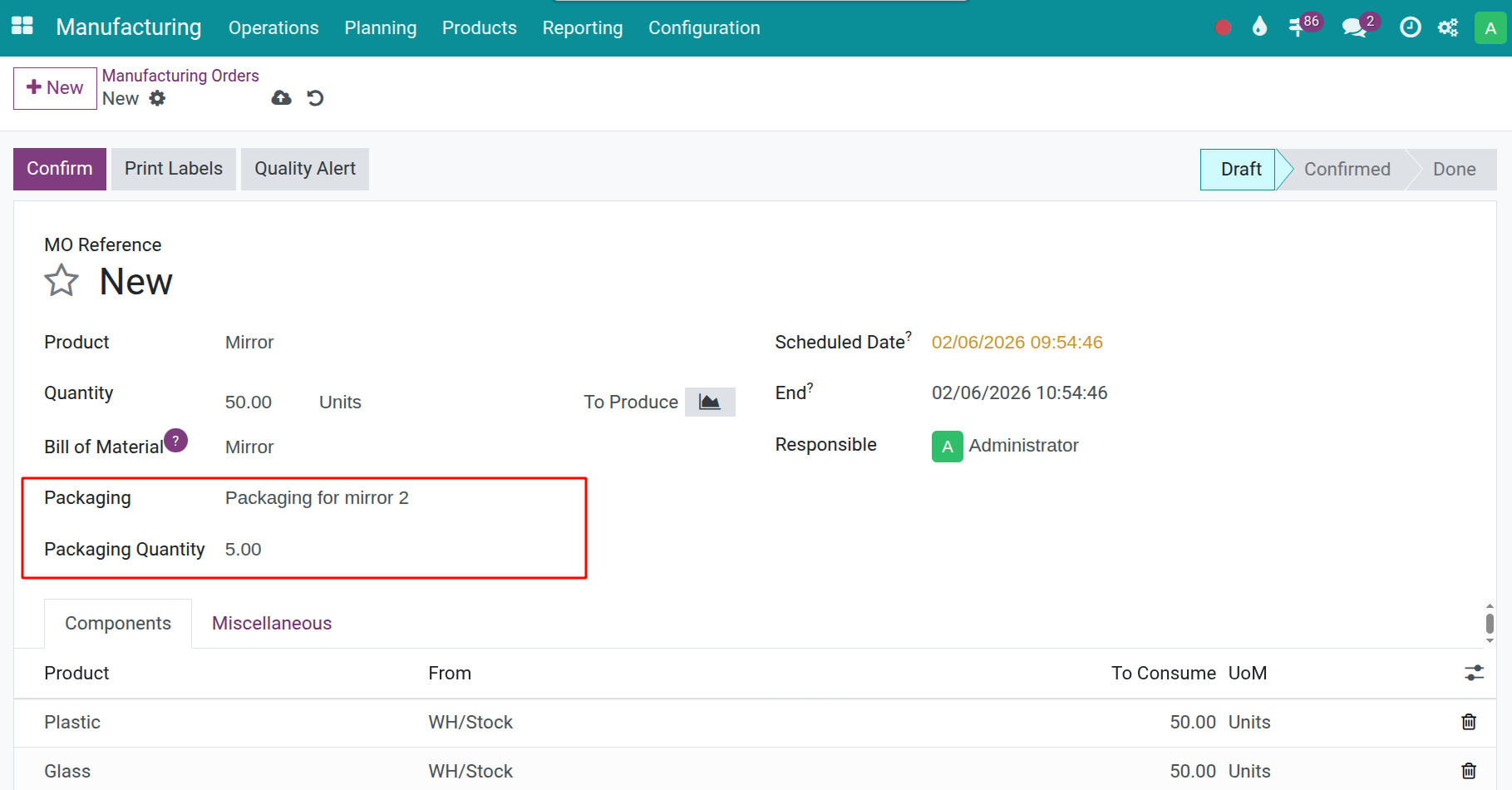
In manufacturing, many finished products are managed using fixed packaging standards such as 25 cans per carton, 12 bottles per pack, or 10 boxes per case. The Finished Goods Packaging in Manufacturing feature allows you to predefine packaging for each product and track Packaging/Packaging Quantity directly on the Manufacturing Order. As a result, operators can immediately see the packaging standard and the corresponding number of packages during production, ensuring that output is recorded consistently according to the defined standard.
Requirements
This tutorial requires the installation of the following applications/modules:
Installation
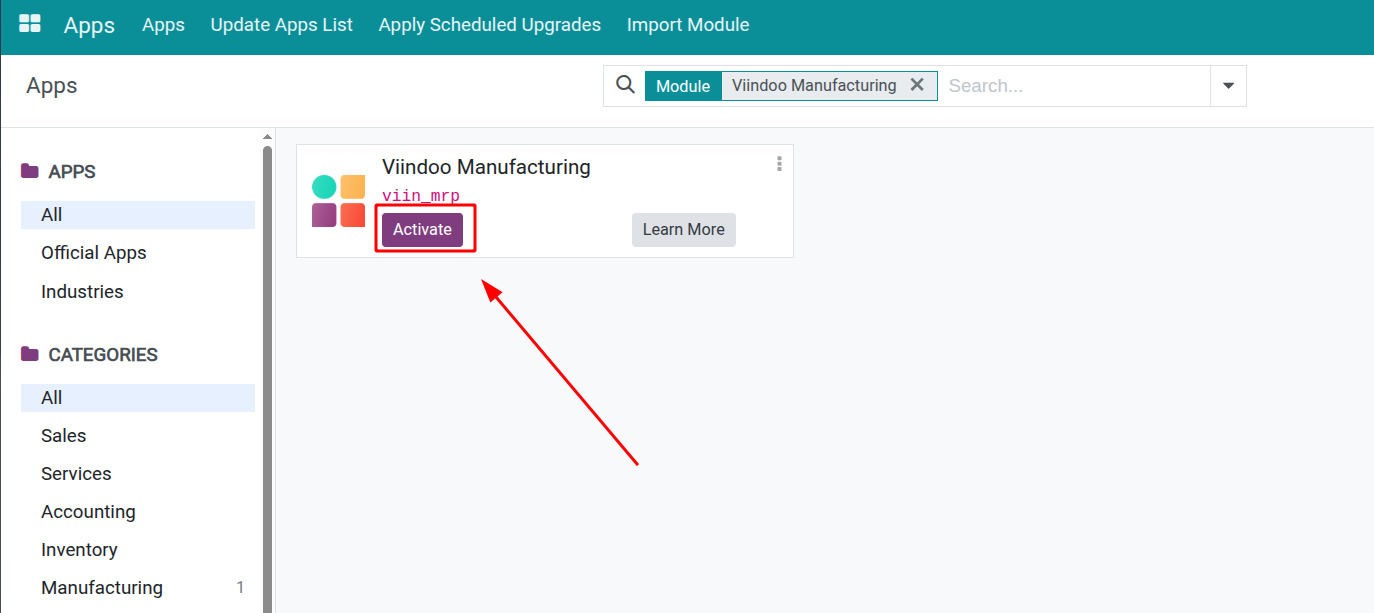
To use the Finished Goods Packaging in Manufacturing feature, go to Apps, use the search bar to look up “Viindoo Manufacturing” or the technical app name “viin_mrp”, then click Activate.
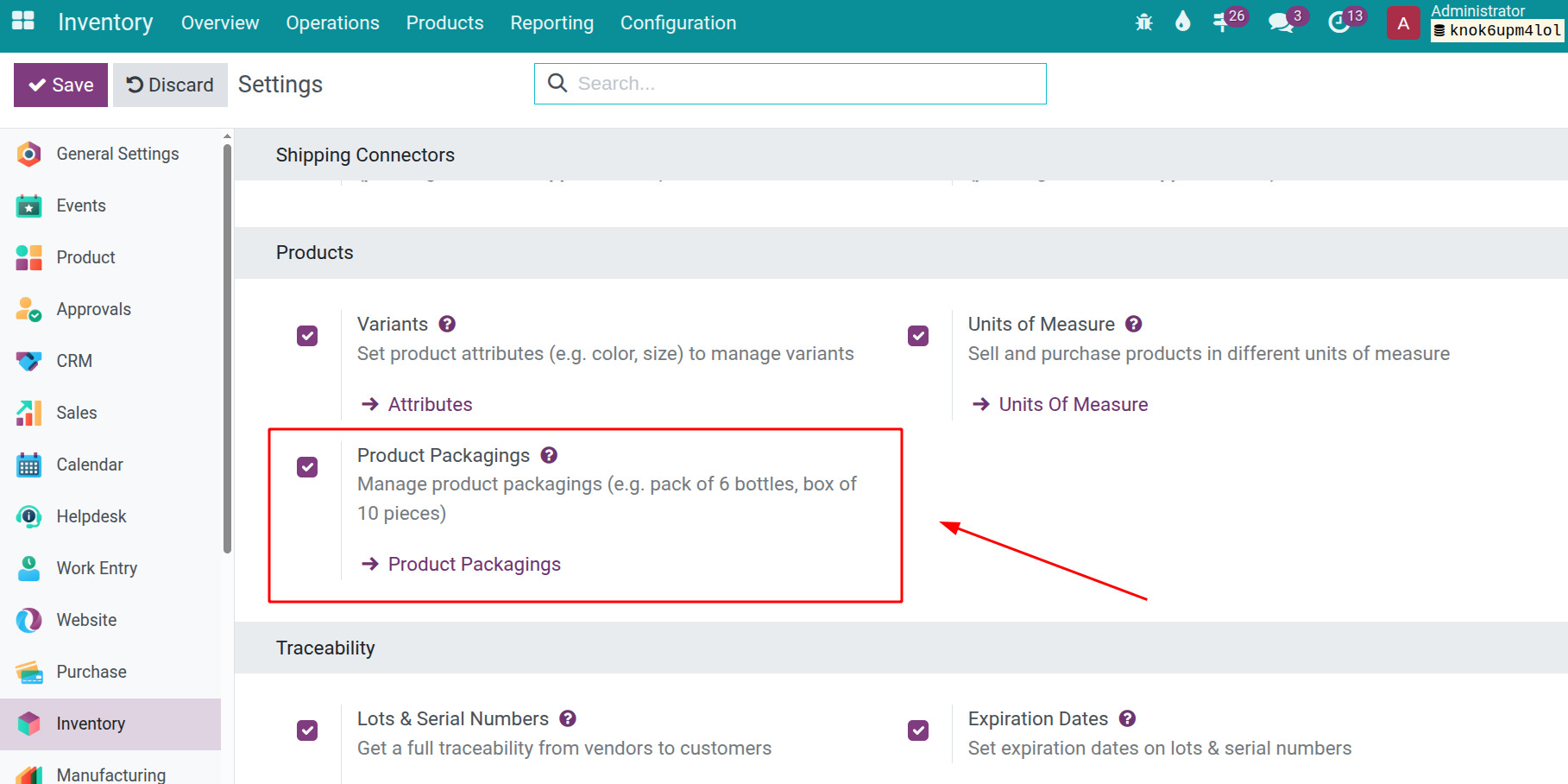
In addition to activating Viindoo Manufacturing, you also need to enable the Product Packagings feature in Inventory.
Note
To perform the actions described in this guide, users must have the Settings for Administration access.
Set up Product packaging
After enabling all required features, you can configure product packaging in two ways, depending on your workflow and usage needs.
Option 1: Configure directly on the product form
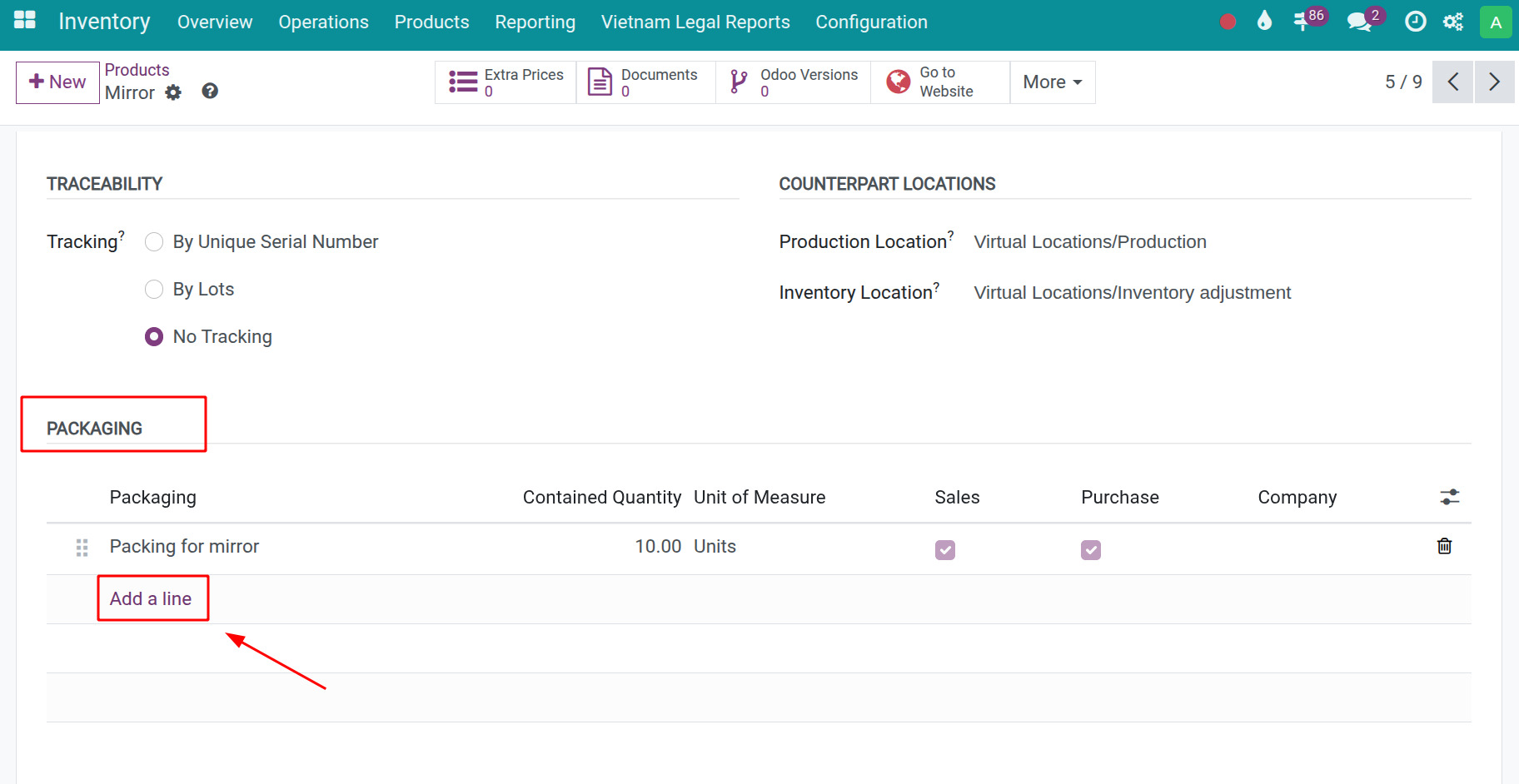
Go to Inventory ‣ Products, select the product you want to configure, then on the Inventory tab, locate the Packaging section.
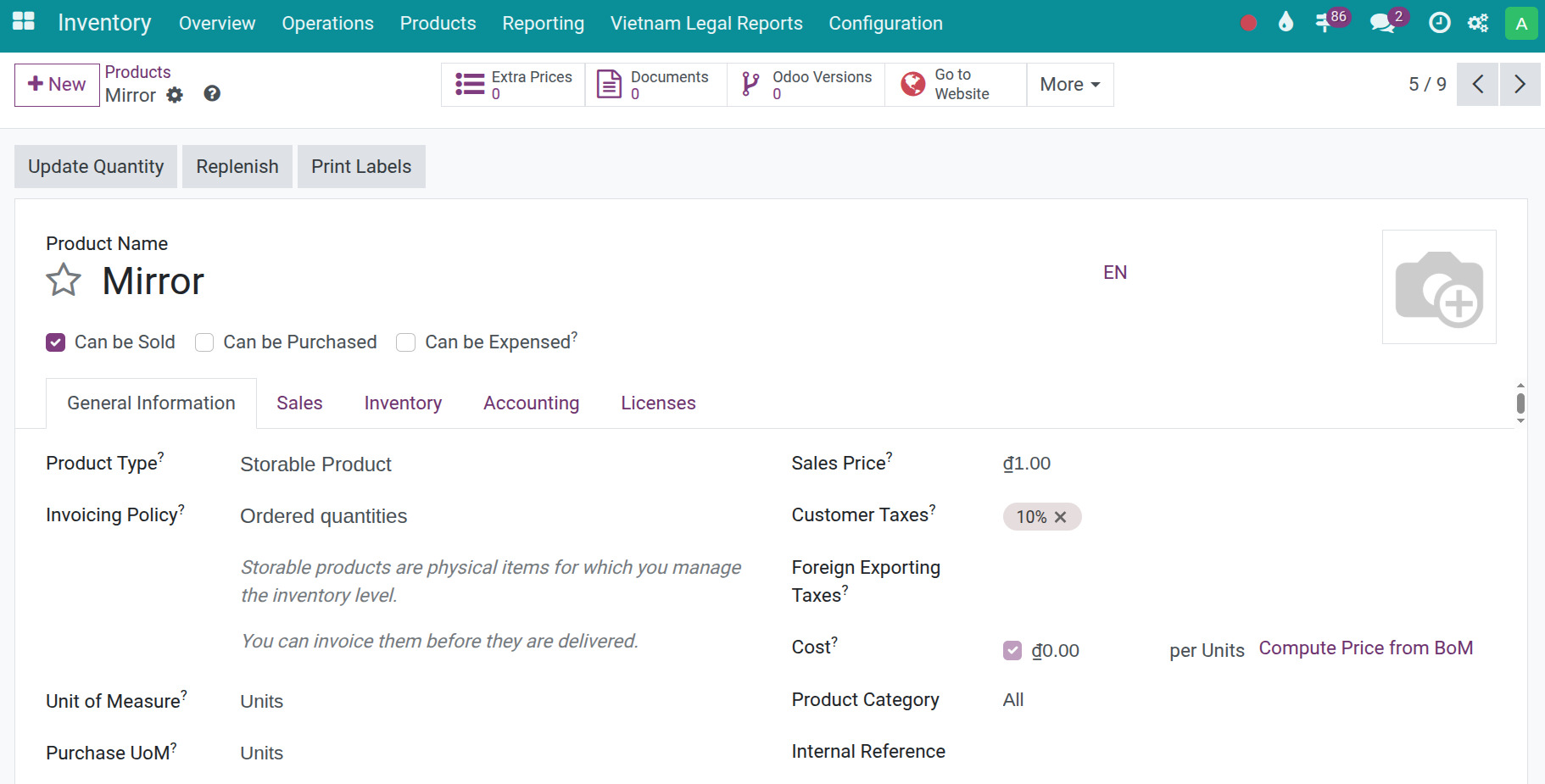
Click Add a line to define the packaging for the product, then Save the changes.
Option 2: Configure from the Product Packaging menu
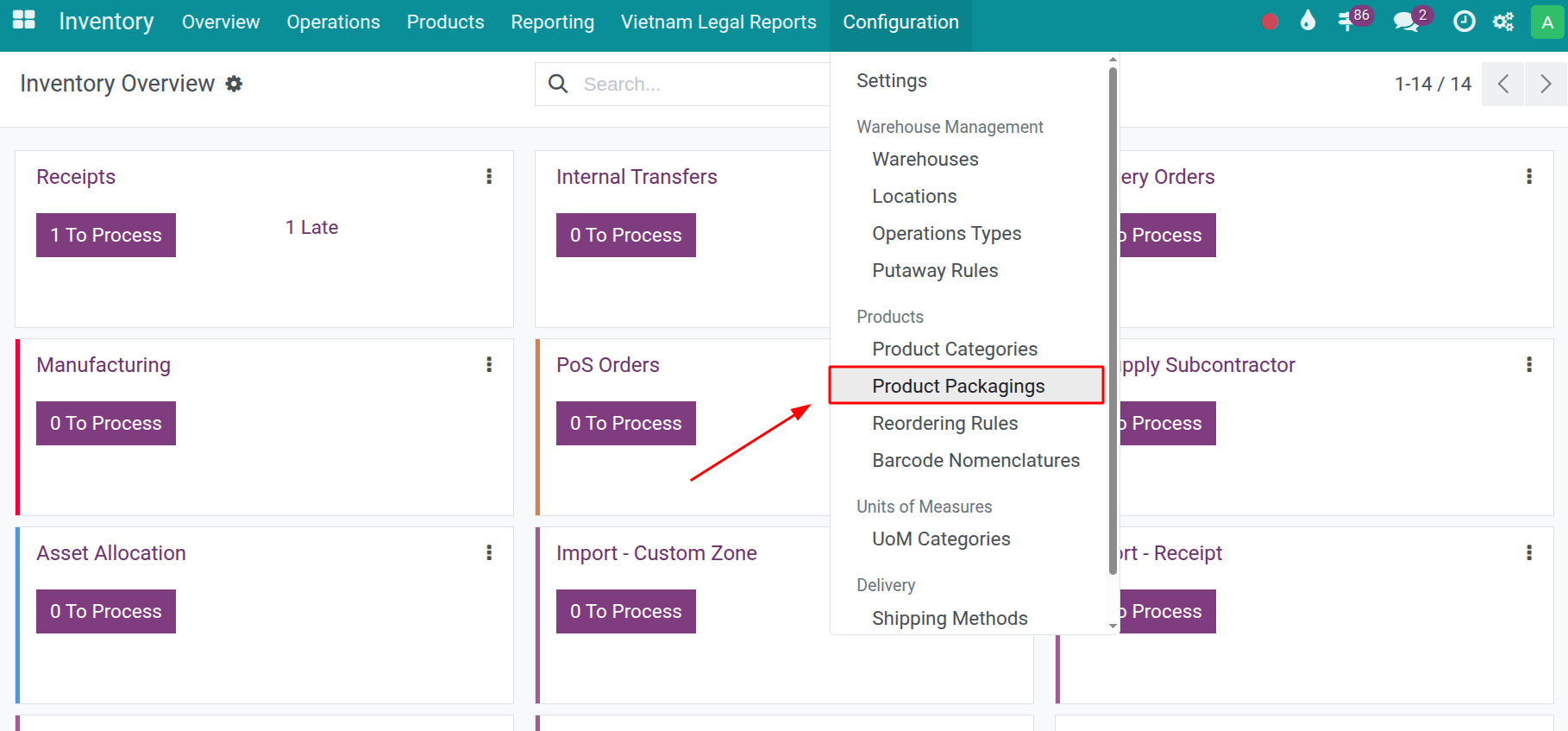
Go to Inventory ‣ Configuration ‣ Product Packagings.
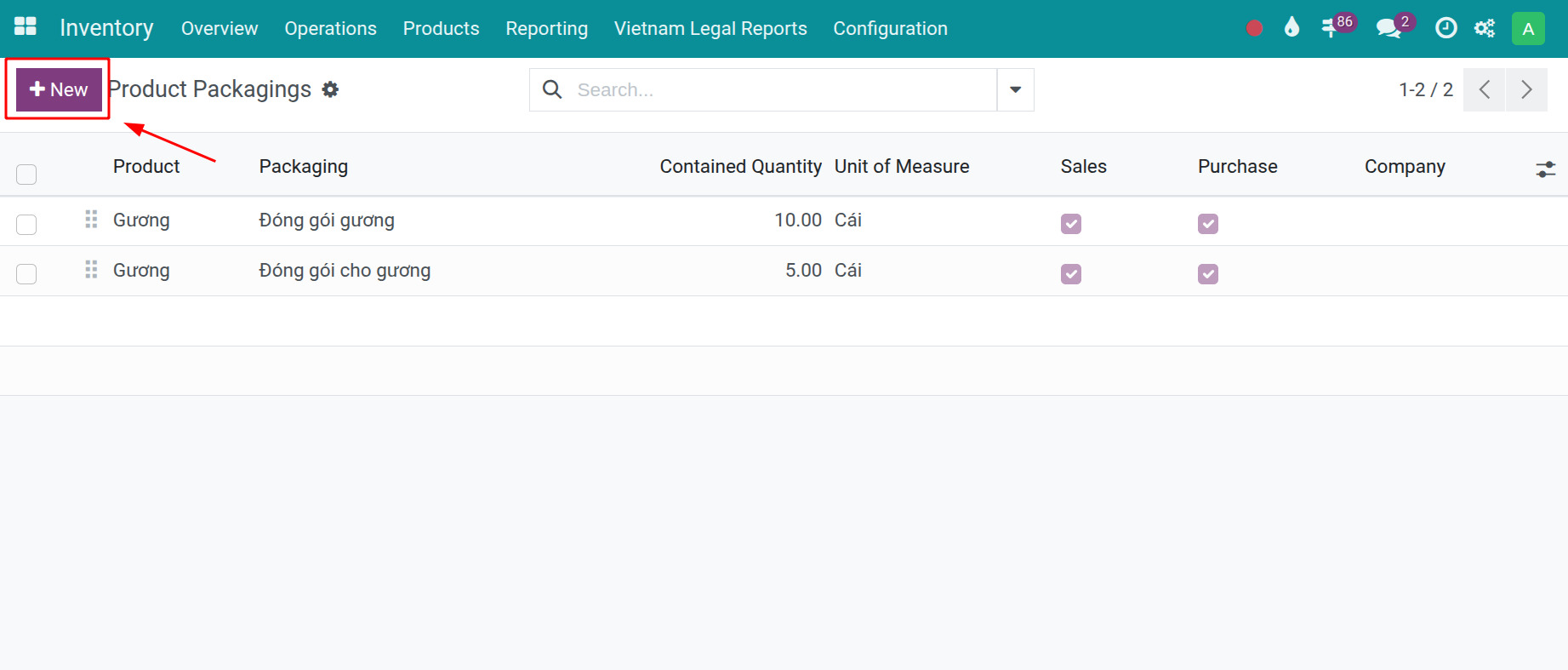
Click New to create a product packaging configuration.
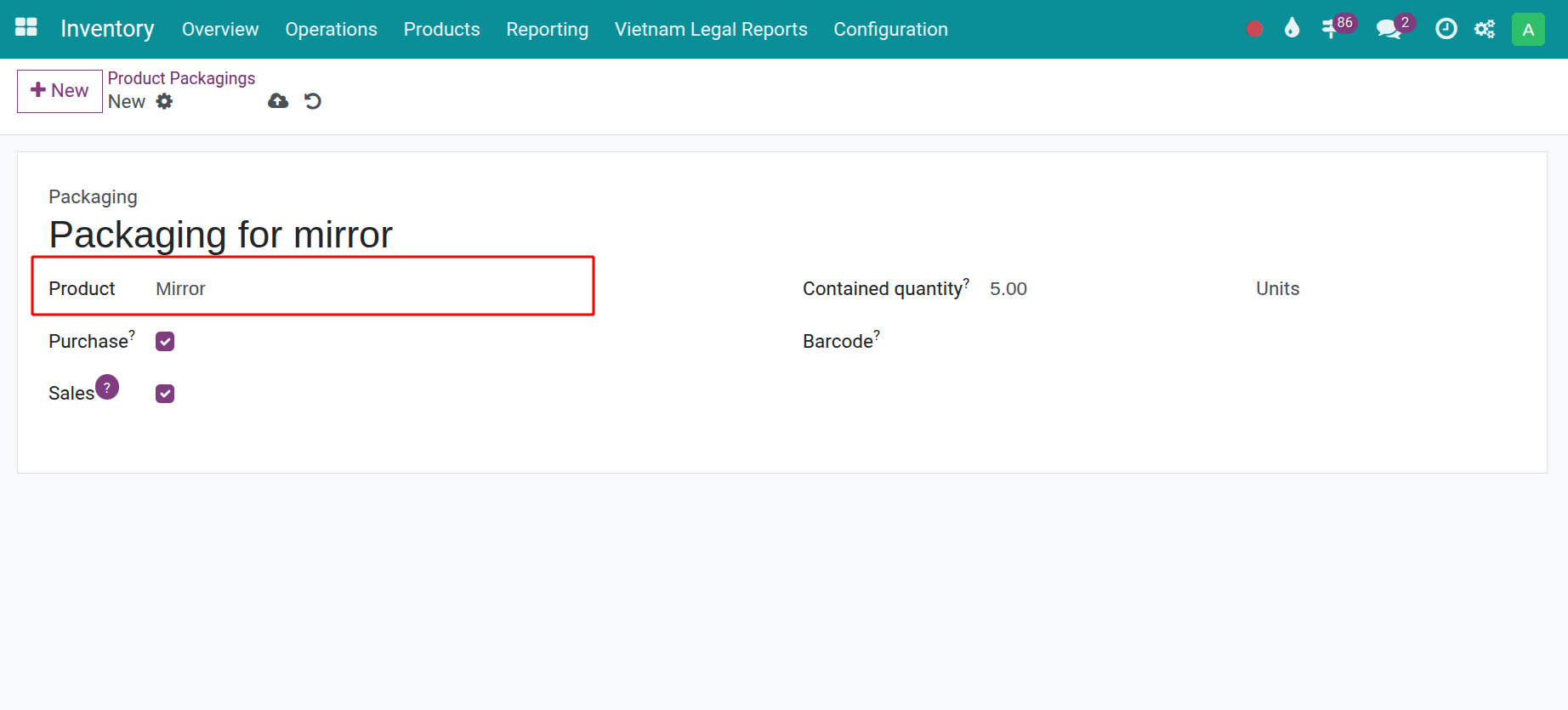
Enter the required information, then click Save.
Note
To follow the steps in this guide, users must have Inventory Administrator access rights.
Finished Goods Packaging
On a Manufacturing Order, the system supports tracking finished goods packaging through the Packaging and Packaging Quantity fields. Users can select the product packaging that has been configured for the product.
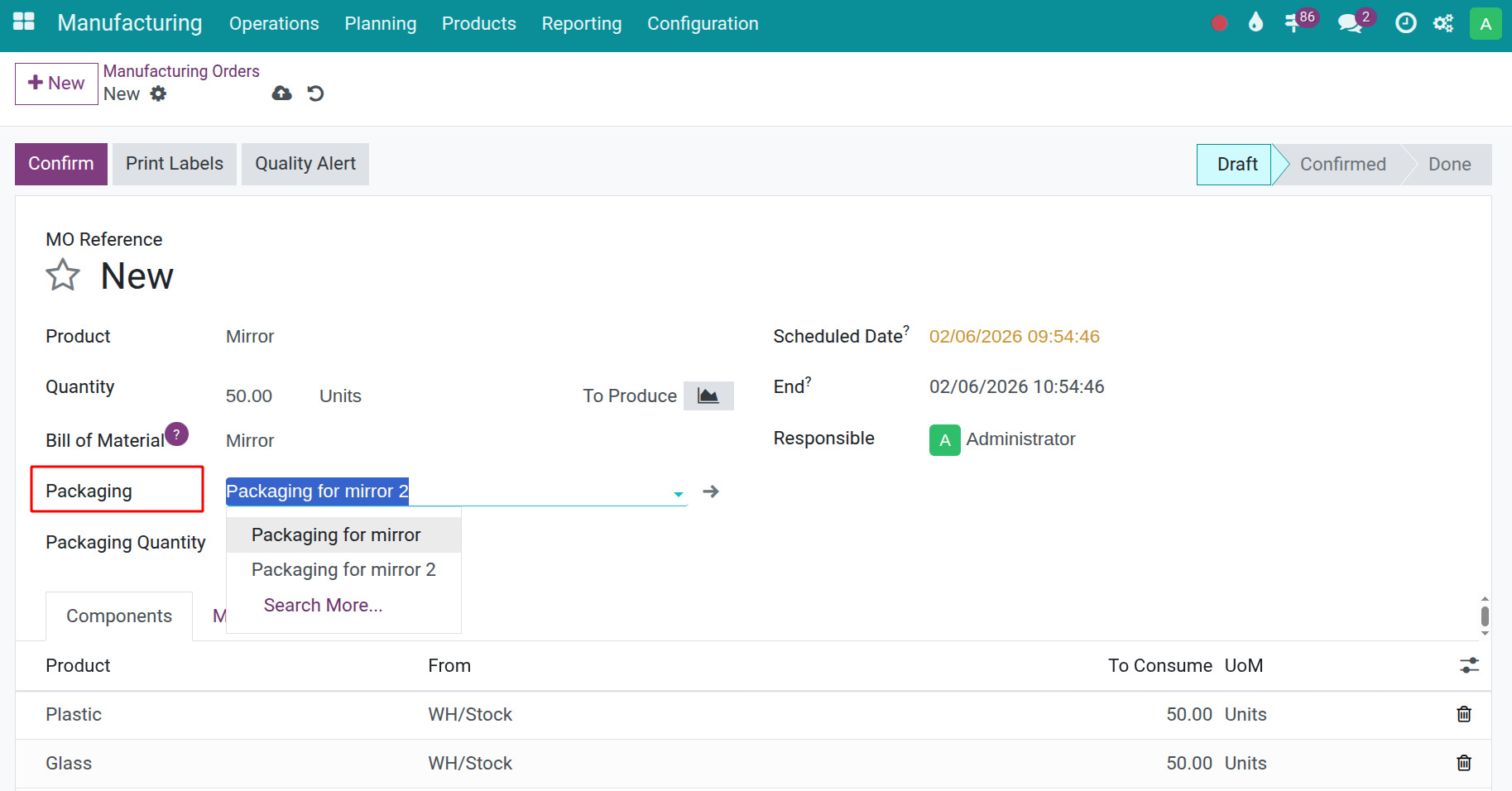
When you enter the quantity to produce, the system automatically calculates the corresponding Packaging Quantity based on the defined packaging standard, allowing you to record and monitor the number of packages directly on the manufacturing order.