
Grant freight access by role
Guide information
Requirements
This tutorial requires the installation of the following applications/modules:
Logistics Sales Team (installed automatically with Logistics Shipment when the Sales app is also installed) - grants every Salesperson User: Own Shipments automatically, with no manual step from the Administrator.
A forwarder shipment record carries the sell rate, the buy rate, the booking reference and the customer’s contact details, and four different roles read that same record every day. Grant the wrong level and a new Sales hire can read every other salesperson’s margin instead of only their own, or a new Booking Officer does not even see the New button. This page maps the three internal access levels, plus the customer Portal, to what each one can actually see and change.
Example in this article: Hai Long Logistics brings on Lan (Sales), Minh (Booking Officer), Hoa (Documentation) and Tuan (Accounting), and gives Duc (Operations Manager) the Administrator role. The customer Nhat Long Footwear tracks its own shipment on the Portal.
Which module ships which access
Module |
Adds |
|---|---|
Logistics Shipment |
The three internal access levels below, the Shipment Management app menus, and the record rules that decide which shipments each level can see. |
Logistics Sales Team |
The automatic rule that grants every Salesperson User: Own Shipments, without a separate assignment by the Administrator. |
Access levels
Label on screen |
What it means |
Where you see it |
Filled by |
|---|---|---|---|
User: Own Shipments |
Read-only. Sees a shipment, container, booking or charge only when they are the responsible user, a follower, or the customer on it - and cannot create, edit or delete any of them. |
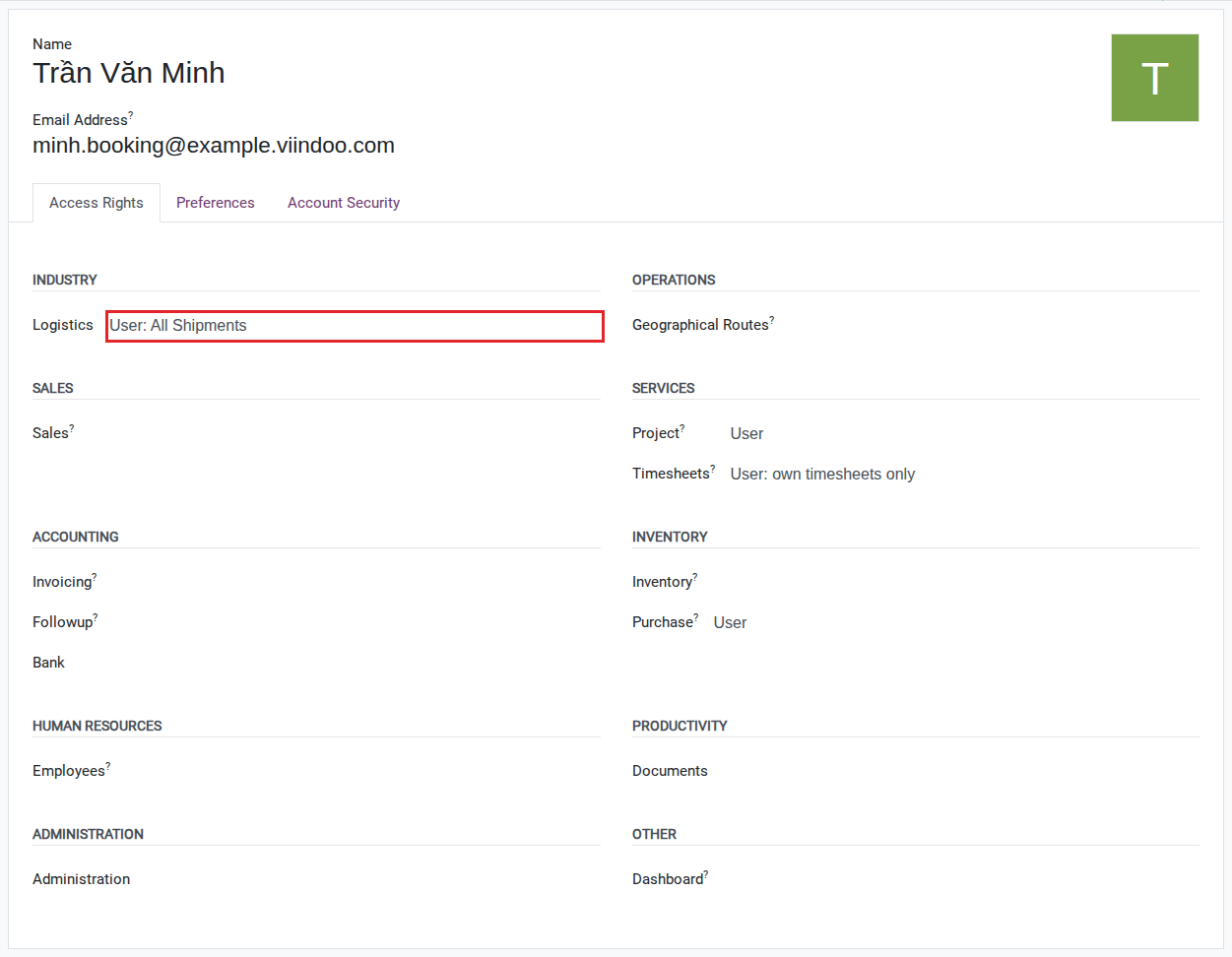
, tab Access Rights, section Industry |
Administrator, or automatic for a Salesperson (see the note below) |
User: All Shipments |
Everything Own Shipments sees, plus every other shipment, container, booking and charge in the company - and can create and edit them. Still cannot delete. |
same tab, section Industry |
Administrator |
Administrator |
Everything All Shipments sees, plus the only level that can delete a record and the only level that opens the Configuration menu. |
same tab, section Industry |
Administrator |
Portal |
Read-only for the customer. Sees only the shipments where they are the customer, at
|
Users & Companies, invited as a Portal user, not as an internal user |
Whoever invites the customer (Hoa or Lan) |
Note
If a user is already a Salesperson in the Sales app, Logistics Sales Team grants them User: Own Shipments automatically. Lan needs no separate assignment for this reason - and removing her from the Logistics access levels alone does not remove this automatic grant; only removing her Salesperson role does.
Tip
The access levels are set correctly when: Minh (All Shipments) can open the New button on the Shipments menu and create a booking, while Lan (Own Shipments) sees no New button at all and her Shipments list only ever shows the shipments where she is Salesperson or a follower.
Choosing the right level
Grant |
Use when |
Least-privilege starting point |
|---|---|---|
User: Own Shipments |
The person only needs to follow shipments they are already involved in, and never clicks a button on someone else’s shipment. |
|
User: All Shipments |
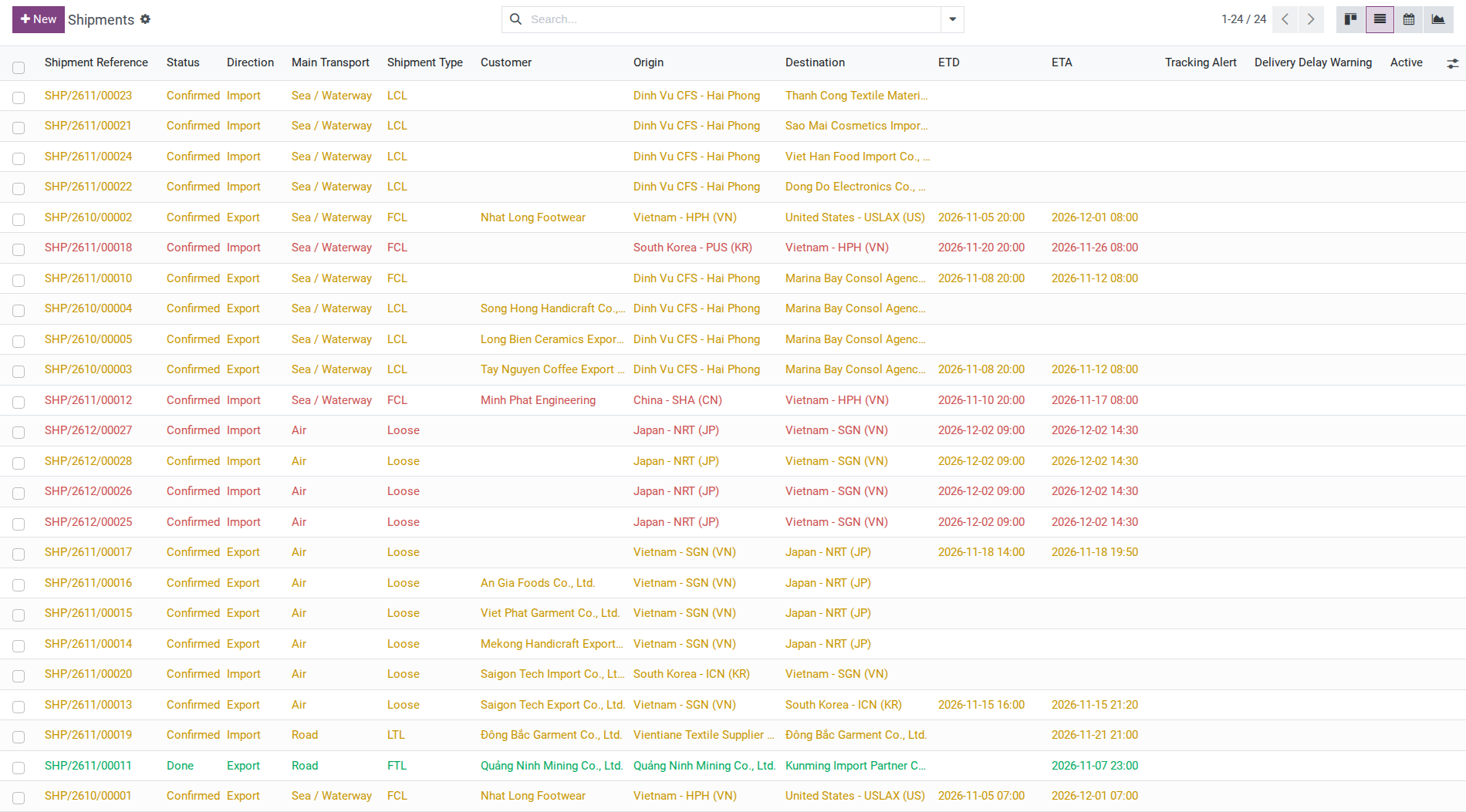
The person must act on shipments regardless of who is responsible for them - Minh booking, Hoa printing documents, Tuan reconciling charges. |
Assign only when the person’s duties require acting on shipments outside their own responsibility; this is a broader access level, so have the administrator confirm the scope before granting it. |
Administrator |
The person configures master data (ports, carriers, rate cards) or needs to read the Dashboard. |

Where each level opens the Configuration menu
The Configuration menu is visible only to Administrator, in both the Shipment Management app and the Freight Forwarding app, and so is the Services menu of Freight Forwarding, where freight and local charge products are set up. The Report menu follows the same rule in Shipment Management, but in Freight Forwarding - the app forwarder staff use every day - it is also visible to User: Own Shipments, so Lan can open a shipment report without being an Administrator. Once you know who reaches Configuration, continue with Set up master data in the right order to enter master data in the right order.


Known limitations
What Viindoo does today |
What you do instead |
|---|---|
There is no level between Own Shipments and All Shipments - a level that lets someone edit only the shipments they are responsible for does not exist. |
Anyone who has to act on a shipment needs All Shipments; keep the scope of what they actually touch a matter of internal process, not of access rights. |
With Freight Consolidation installed, someone who has only Own Shipments on a house shipment cannot also read the master shipment that house belongs to, even when they are directly responsible for that house. |
Add that person as a follower on the master shipment directly, or temporarily raise them to All Shipments when they need to see it. |
Troubleshooting
A new user does not see the Shipment Management app
Symptom: After logging in, the Shipment Management app icon does not appear on the Apps home screen.
Cause: The user has not been granted any Logistics access level yet, not even Own Shipments - the app’s root menu requires at least that level.
Fix:
Go to and open the user.
On the Access Rights tab, under Industry, select at least User: Own Shipments.
Save, then ask the user to reload the page.
Lan cannot see the shipment from the order she just sold
Symptom: Lan creates and confirms a quotation, but the shipment it generates does not appear in her Shipments menu.
Cause: The shipment’s Responsible is filled from the Salesperson field on the sales order at confirmation, not from whoever confirmed it. If someone else is set as Salesperson on that order, the shipment belongs to them, and Lan - who only has Own Shipments - cannot see it.
Fix:
Check the Salesperson field on the sales order before confirming it, as a rule going forward.
For a shipment already created, ask someone with All Shipments to open it and either change Responsible to Lan or add her as a follower - Lan cannot make this change herself, since her own access level is read-only.
Removing a user from All Shipments does not remove their access
Symptom: Duc removes Minh from User: All Shipments, but Minh still reads shipments that are not his.
Cause: If Minh is still a Salesperson in the Sales app, Logistics Sales Team grants him Own Shipments again automatically, and that alone is enough to read every shipment where he is a follower.
Fix:
On Minh’s Access Rights tab, under Sales, remove the Salesperson role if he no longer needs it, instead of only removing the Logistics access level.
Otherwise, remove Minh from the follower list of the shipments that are not his, on each shipment’s chatter.
See also
Related articles
Optional modules