
Calculating overtime salary
This article will guide you on how to calculate the overtime salary in Payslips Batches (or Payslips) based on the employee’s contract salary, pay rate, and overtime hours.
Audience: payroll officers who prepare payslips with overtime pay.
Requirements
This tutorial requires the installation of the following applications/modules:
General Configuration
First, you need to define overtime rules for any time interval of a day with an overtime pay rate. This pay rate will be calculated in the overtime salary formula if the overtime period corresponds to the time specified in the overtime rules.

Activating Integration Overtime and Payroll
To calculate the overtime salary, you need to activate Overtime Payroll in , under Integrated Modules.
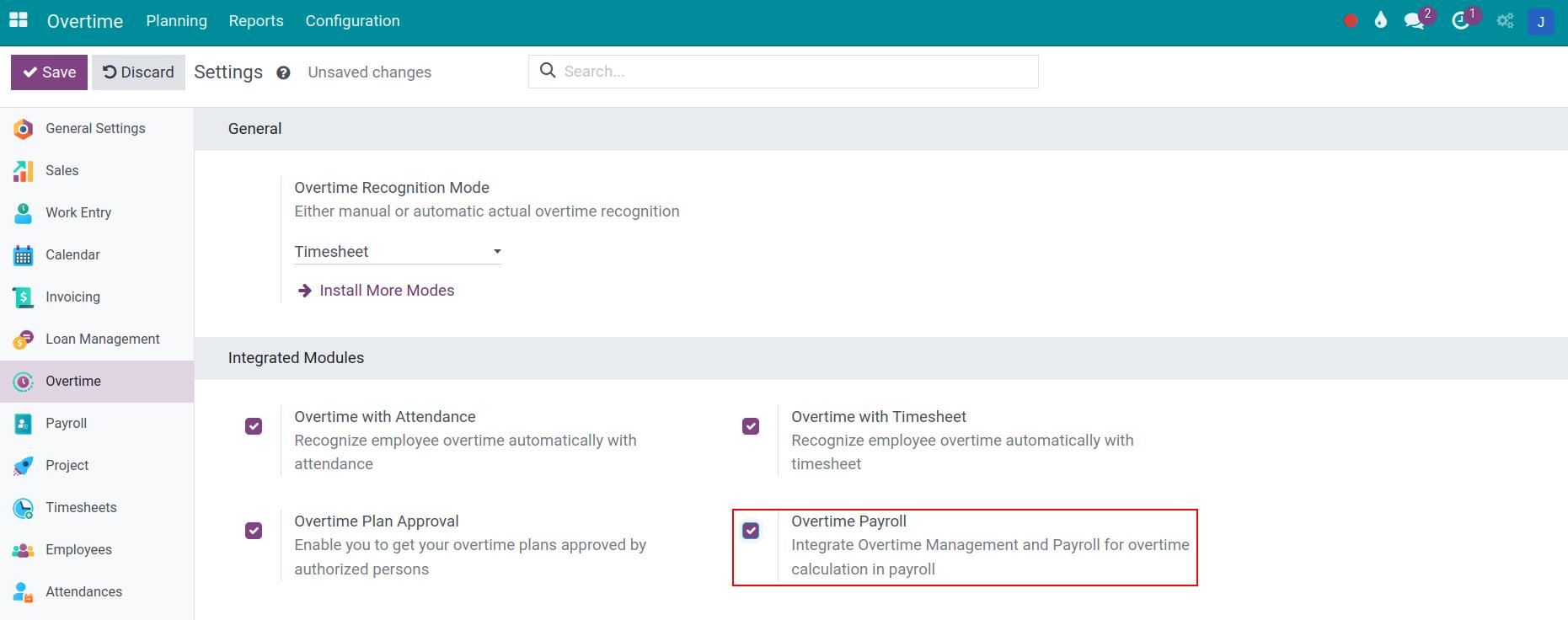
Define Overtime salary rules
When installing the Overtime Payroll, the overtime salary rules Taxed Overtime Work and Untaxed Overtime Work are automatically added to the salary structure with pre-set formula and order.

On a payslip that has overtime plan lines, Taxed Overtime Work takes the standard pay of those lines (hours multiplied by the standard pay per hour), and Untaxed Overtime Work takes the extra pay, which is the part of the overtime pay above the standard pay because of the pay rate.
Configure Overtime Base Factor
To set up a monthly advantage, you navigate to HR Advantage Templates. Then, you select the allowance you want to configure. Check Overtime Base Factor if you want this monthly allowance to be included in the overtime base amount for the overtime calculation.

Overtime Base mode on employee’s contract
The overtime salary rules will be calculated automatically based on the overtime period, the corresponding pay rate specified in the overtime rules and the Overtime Base Amount declared in the employee’s contract.
To set up the Overtime Base Amount, you navigate and choose the contract of employee to set up. At Salary Information tab, the Overtime Base Mode field offers 4 options:
Manual Input: You can define the Overtime Base Amount manually on the contract.
Basic Wage: The overtime base amount is basic wage.
Gross Salary: The overtime base amount is Gross Salary specified on the contract (including the basic wage plus the monthly advantages).
Wage Plus Configurable Advantages: The overtime base amount is the basic wage plus the monthly advantages which are checked as Overtime Base Factor. For example, an advantage such as Responsibility Allowance can be included while Meal Allowance is not.

Integrating Overtime Request with Payslip
First, you need to create and approve an Overtime Request or Overtime plan. At the Plan Lines tab, the system automatically updates information related to the overtime period, actual overtime hours and corresponding overtime rules.
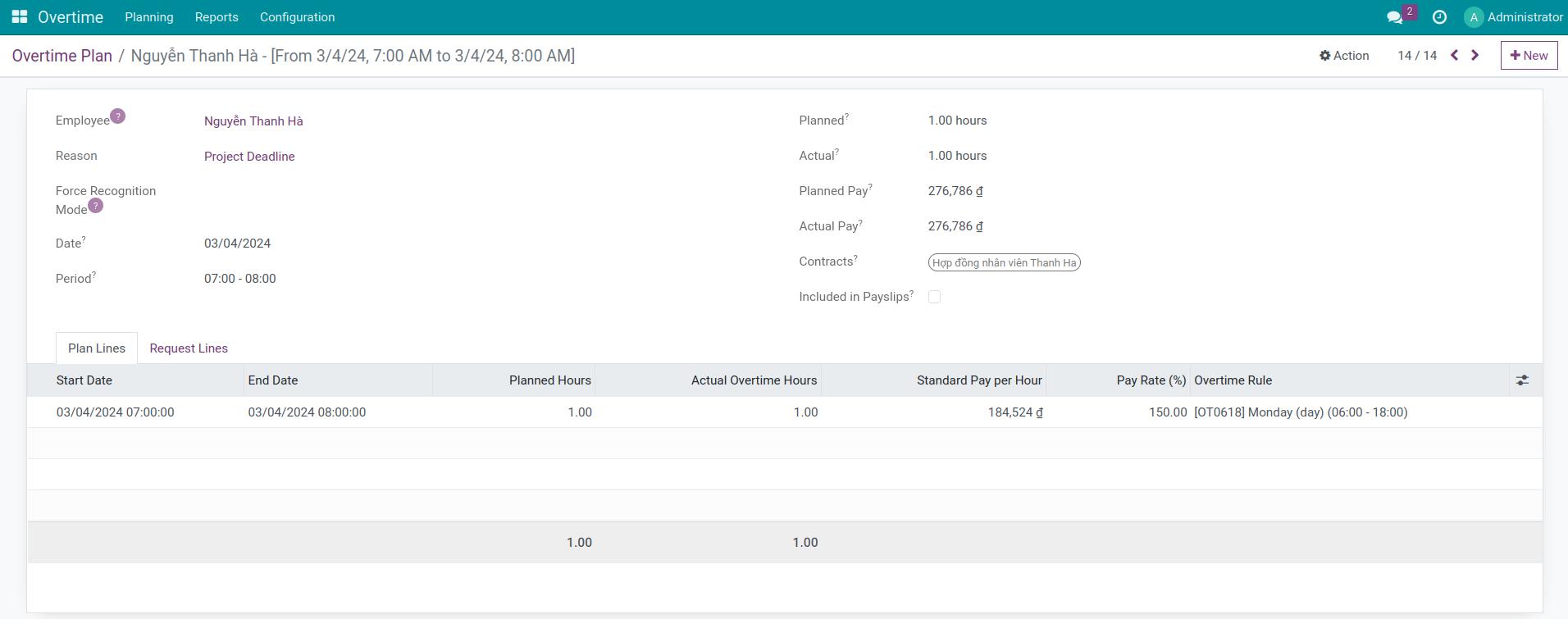
Then, users can create payslips that include overtime pay. You go to to create a new payslip and fill the information. The Structure field must hold the salary structure that contains the overtime salary rules. After that, hit Compute Sheet.

Note
Instead of creating payslips for each employee, you can create Payslips Batches for many employees. Refer to Create Payslips Batches. If overtime plan change after creating payslips batches, you can also recompute overtime entries at Payslips Batches view.
The Overtime button at the top of the payslip lists the overtime plan lines that are included in the payslip, grouped by overtime rule. Expand a group to see its lines:
Start Date/End Date: The start date and end date of the overtime period.
Planned Hours and Actual Overtime Hours: The planned hours and the hours recognized by the selected Recognition Mode.
Standard Pay per Hour: The hourly amount taken from the overtime base amount of the contract.
Pay Rate (%): The pay rate which is specified in the overtime rules.
Overtime Rule: The overtime rule corresponds to the approved overtime period.
The overtime pay of a line is: Standard Pay per Hour * Actual Overtime Hours * Pay Rate.

After the payslip is computed, the Salary Computation tab shows the payslip lines, including the overtime lines that are calculated by the overtime salary rules.
See also
Related article
Optional module