
Track equipment that is a fixed asset
A machine bought with a serial number is a piece of equipment for the maintenance team and a fixed asset for the accountant. When it is allocated with an Asset Allocation transfer, the asset is linked to the equipment of the same serial number, the department or the employee who uses it is set on the equipment from the transfer, and the equipment shows the status of its asset.
Who |
Warehouse users who validate the asset transfers, accountants who manage the assets (Accounting Assets Management), maintenance managers (Maintenance ‣ Maintenance Manager). |
App |
Inventory, Maintenance, Invoicing |
Before you start
Create assets from asset transfers, see How to buy and stock assets.
Create the equipment when the product is received, see Auto-create equipment when receiving products.
The Integrate Asset - Equipment Management and the warehouse module installs itself when the two are installed.
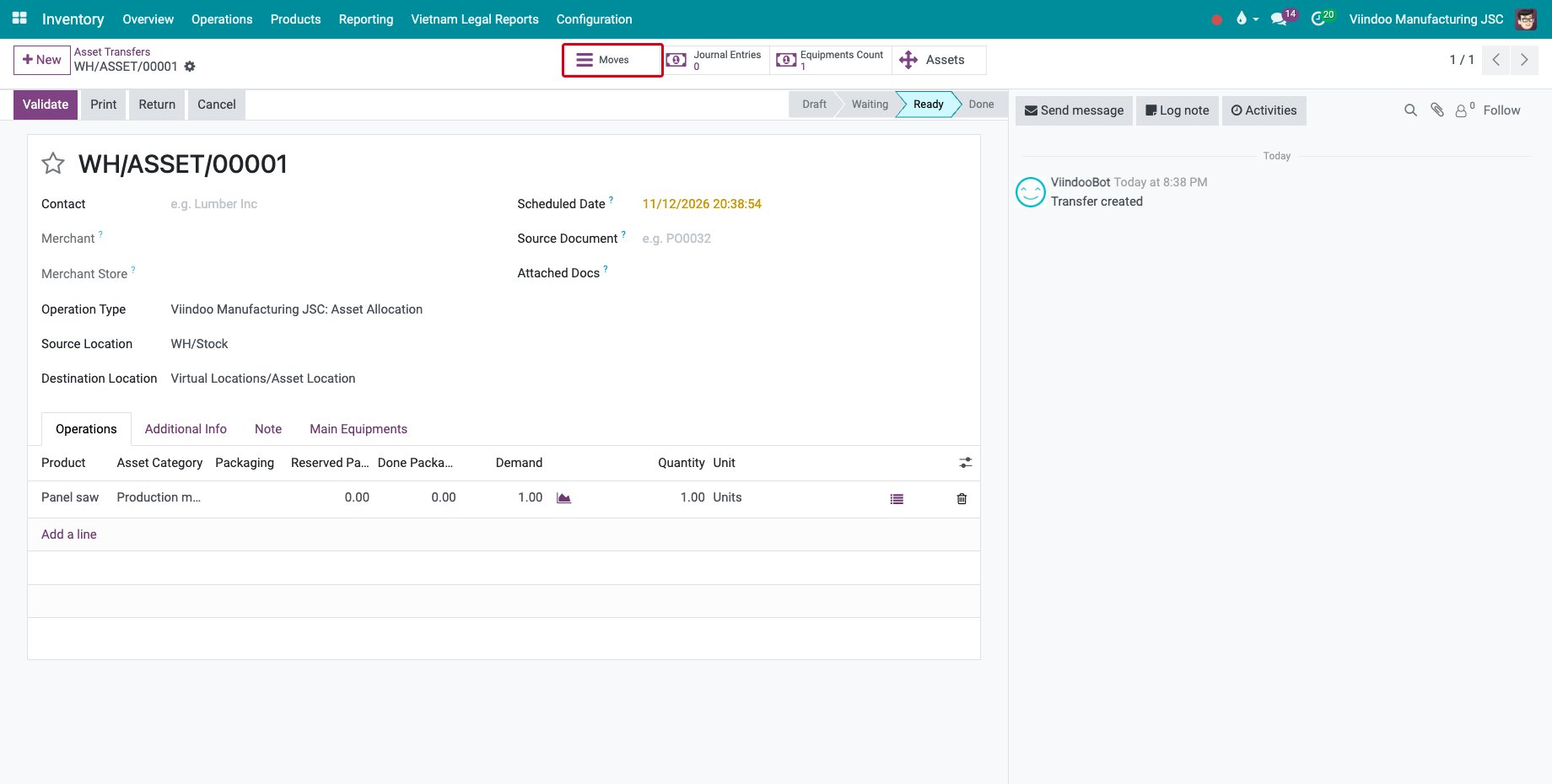
The example of this page is a panel saw received with the serial number PS-EN-0001 and allocated to the panel shop.
How do I allocate the equipment and say who uses it?
Create the transfer in Inventory ‣ Operations ‣ Asset Transfers with the operation type Asset Allocation, the product and its Asset Category, and mark it as to do. Then click Moves.
![An asset allocation transfer of the panel saw with its Moves button]()
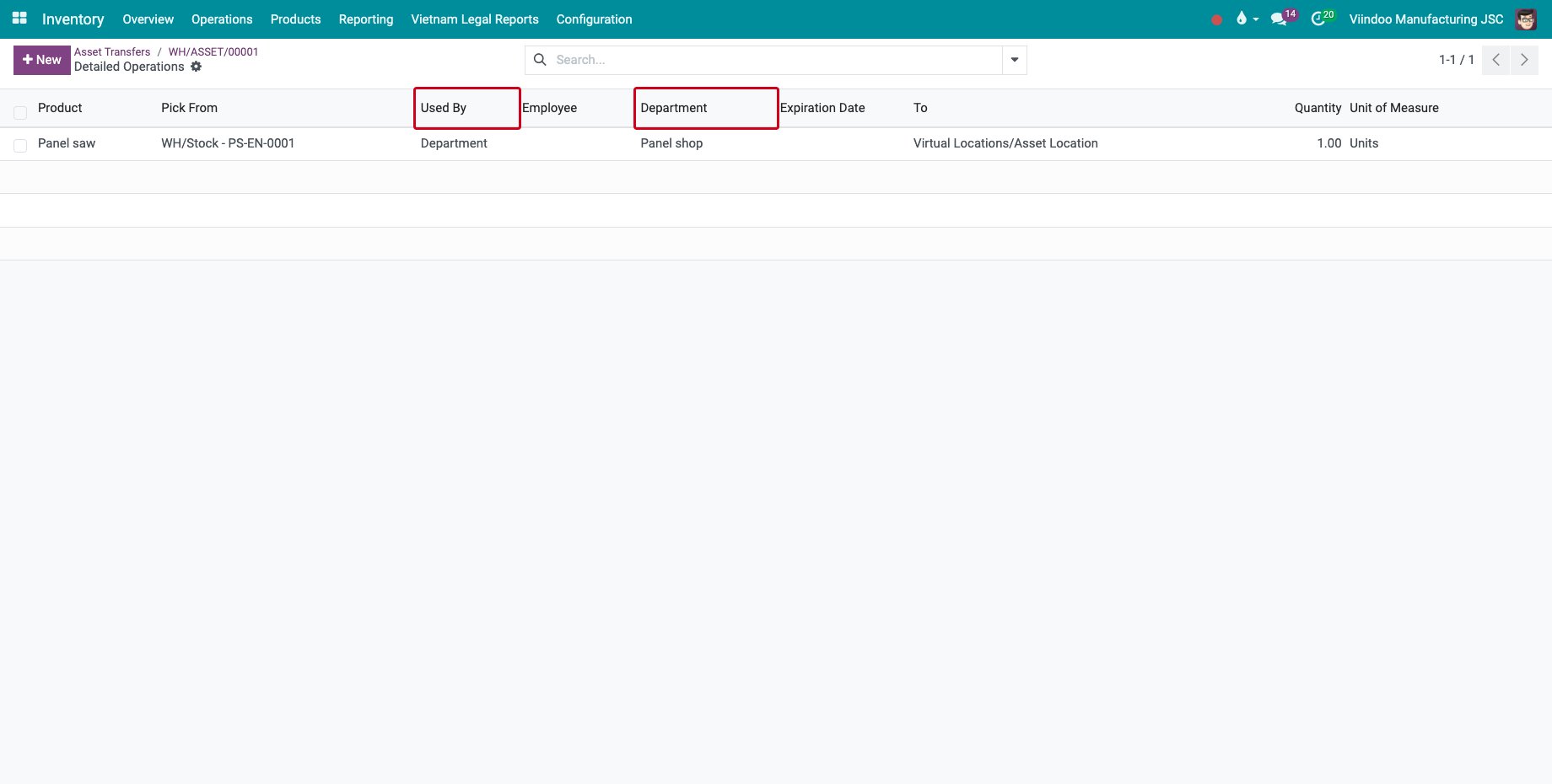
Each serial number that has a piece of equipment gets three more columns: Used By, Employee and Department. Choose Department and the department, or Employee and the employee, then save.
![Used By and Department on the line of the transfer]()
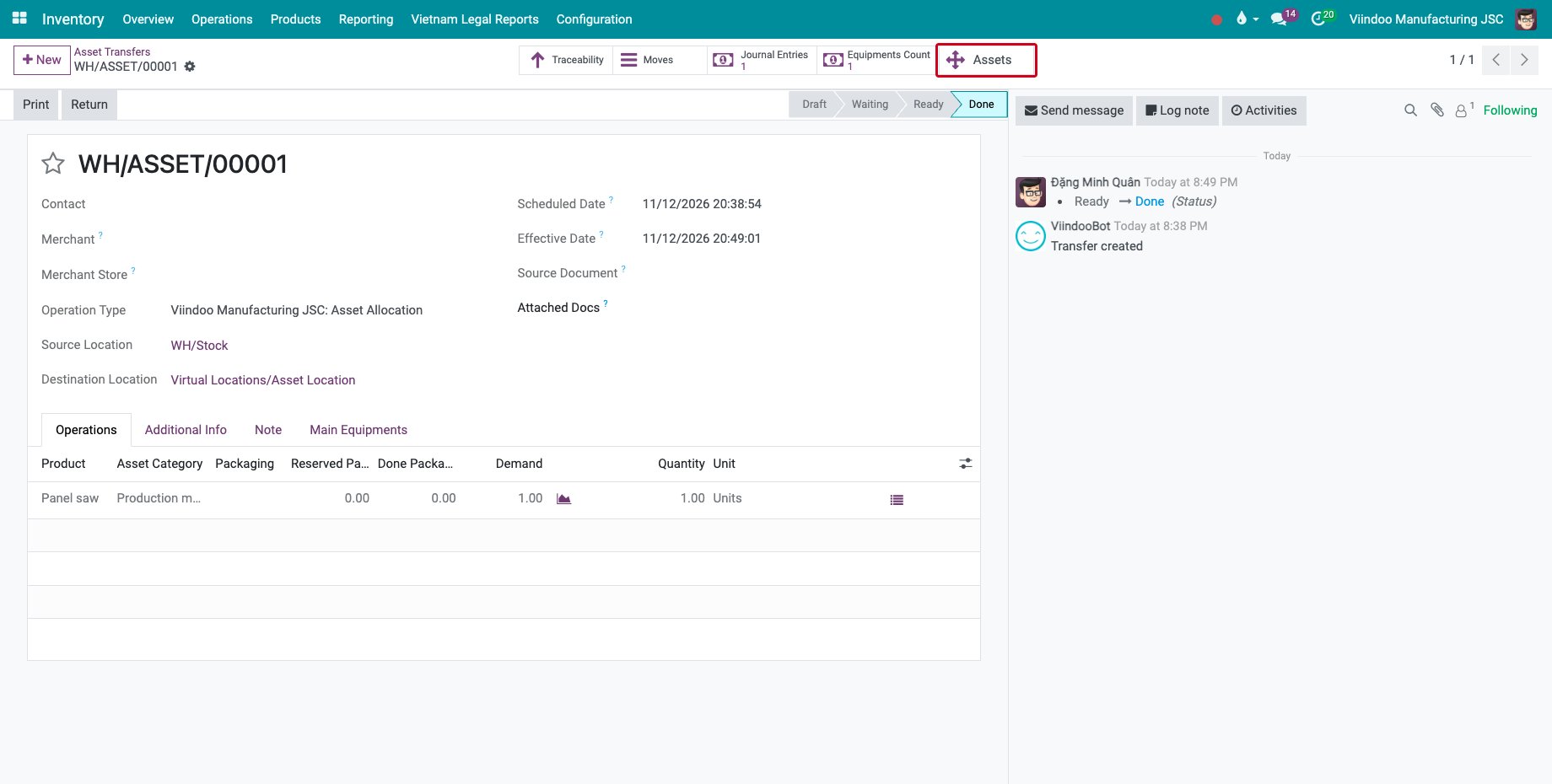
Go back to the transfer and click Validate. The Assets button opens the asset created.
![The validated asset transfer with its Assets button]()
How do I see the equipment of an asset?
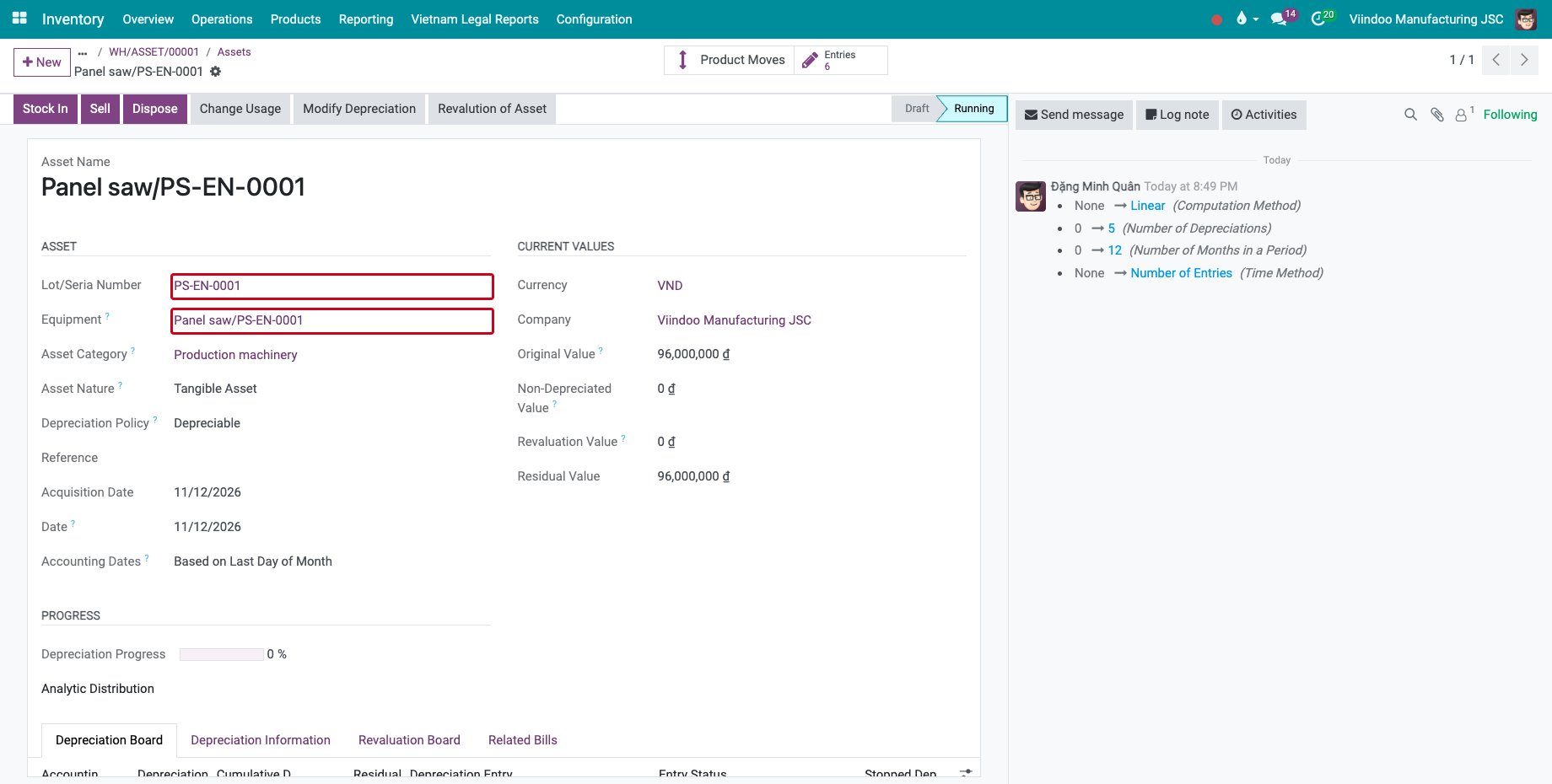
Open the asset. Below its serial number, the Equipment field links to the equipment of the same serial number. Confirm the asset to start its depreciation.
![The asset with its serial number and its equipment]()
Open the equipment. Asset Status follows the asset: Draft, Running, then Stock-In, Sold, Disposed or Close. Used By and the Department come from the transfer, with the date of the transfer as the assignment date.
![The equipment with its asset status and its department]()
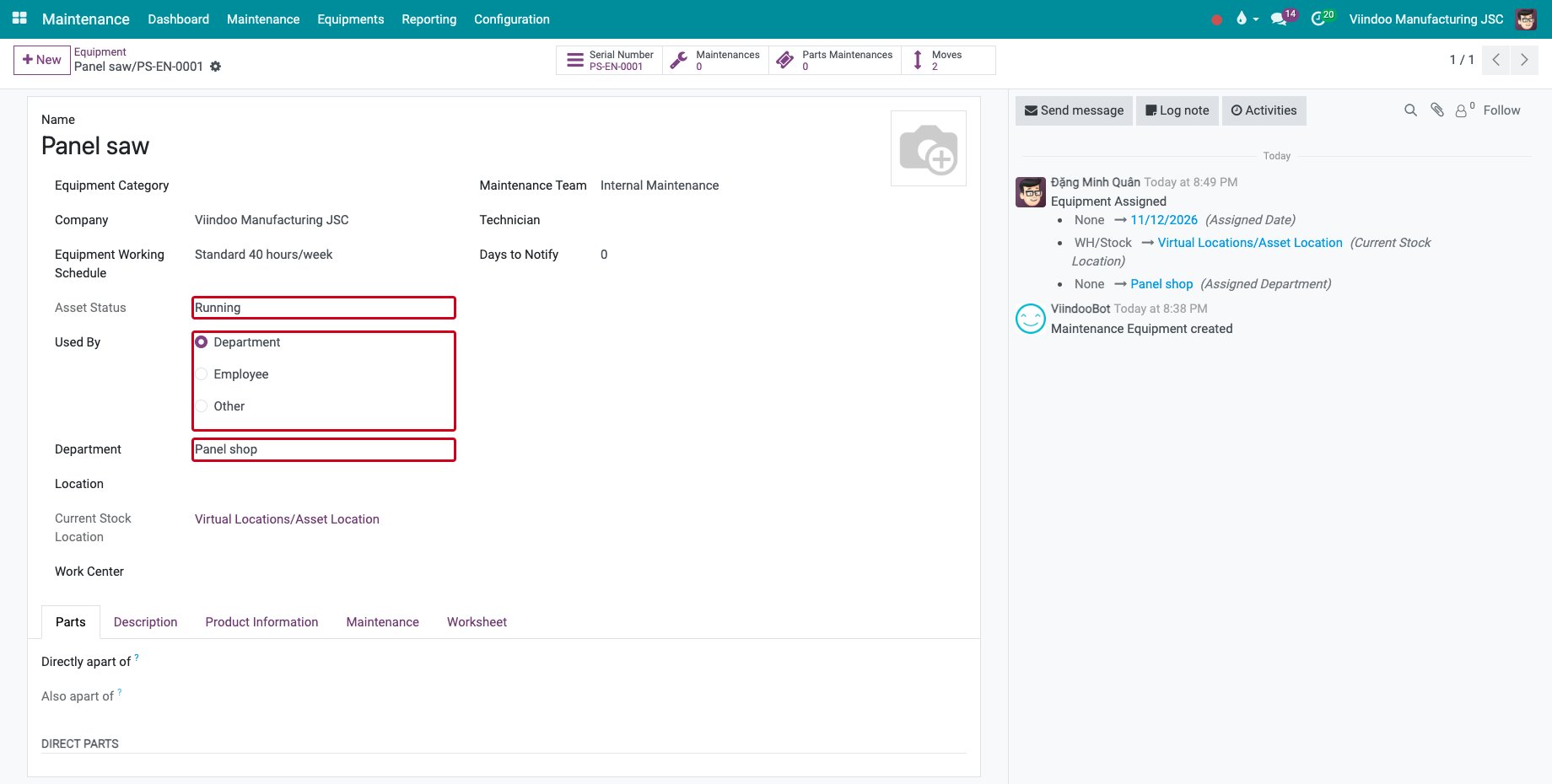
When the asset is returned to stock, the assignment of the equipment is cleared. One piece of equipment can belong to one running asset only.
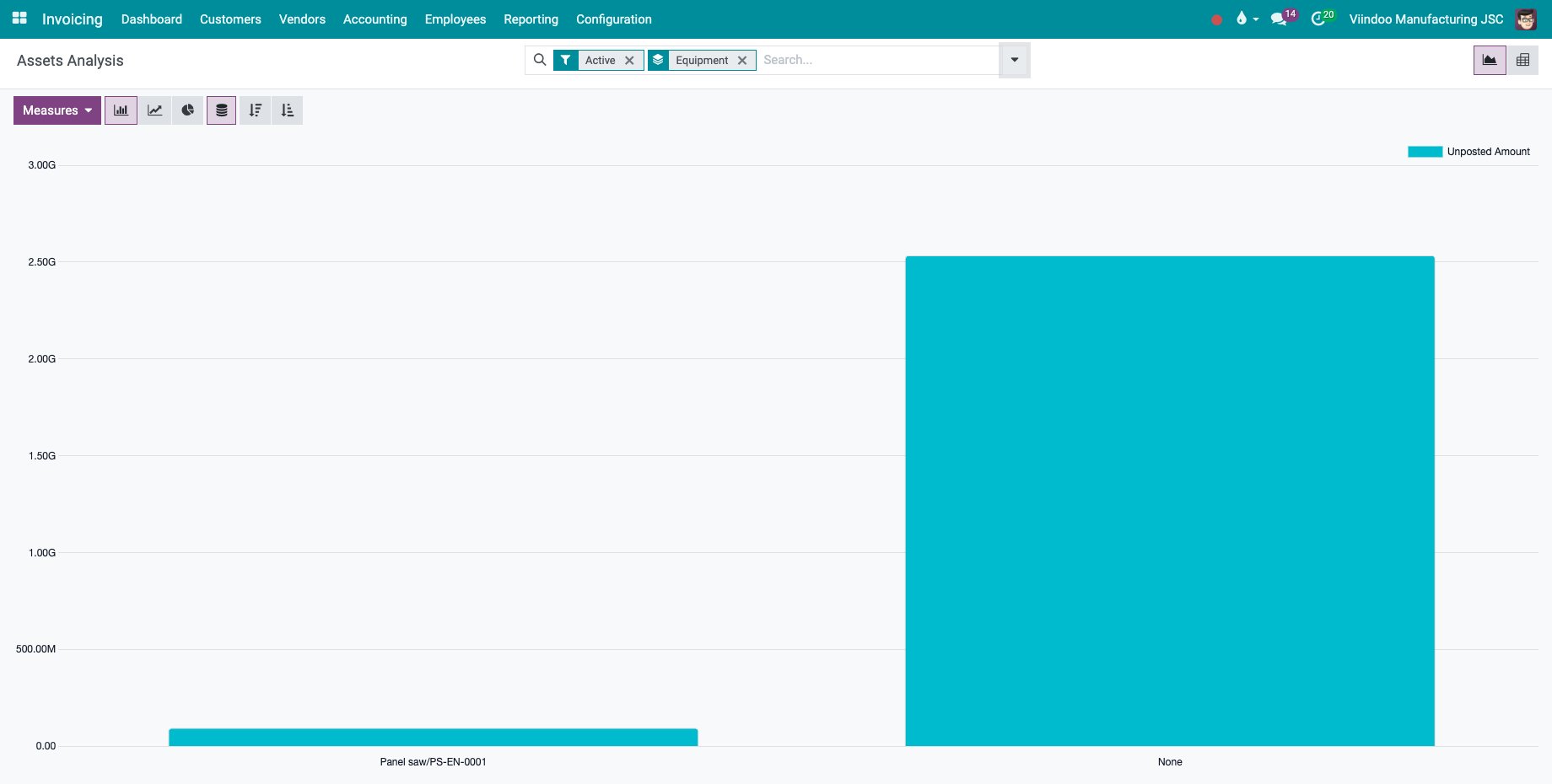
How do I analyse the assets by equipment?
Go to Invoicing ‣ Reporting ‣ Management ‣ Assets and group by Equipment, Employee or Department.
Common errors
Problem |
What to do |
|---|---|
Used By, Employee and Department are missing on the lines. |
The serial number has no equipment, or the destination is not the asset location. Receive the product with equipment creation first. |
The Equipment field of the asset is empty. |
The equipment has another serial number. Check the Logistics Serial Number of the equipment. |
“Equipment … for asset exists.” |
Another running asset already uses this equipment. Close or dispose of it first. |
The columns are hidden to a user. |
Give the user the Maintenance ‣ Maintenance Manager access right. |
Next steps
Depreciation of Fixed Assets: depreciate the asset.