
Change the BoM of a manufacturing order in progress
An engineering change order (ECO) can also change one manufacturing order that is already confirmed: with Apply on set to Production, the order is switched to another bill of materials, and the ECO lists the components that are added and removed. The bills of materials themselves are not changed. Engineering documents marked confidential stay inside the PLM team and can never be published on the website.
Who |
Engineers with the PLM ‣ User and Manufacturing ‣ Administrator access rights. |
App |
PLM, Manufacturing, Website |
Before you start
Activate Product Lifecycle and give the access rights, see Introduction to Product Lifecycle in Viindoo.
Create the other bill of materials of the product, of type Manufacture this product, see How to create bills of materials.
The Product Lifecycle - eCommerce Confidentiality module installs itself when the PLM and eCommerce apps are both installed.
The example of this page is an order of 4 oak wall shelves that must be made with heavy-duty brackets: the second bill of materials, HD, replaces the shelf brackets.
How do I change the bill of materials of an order?
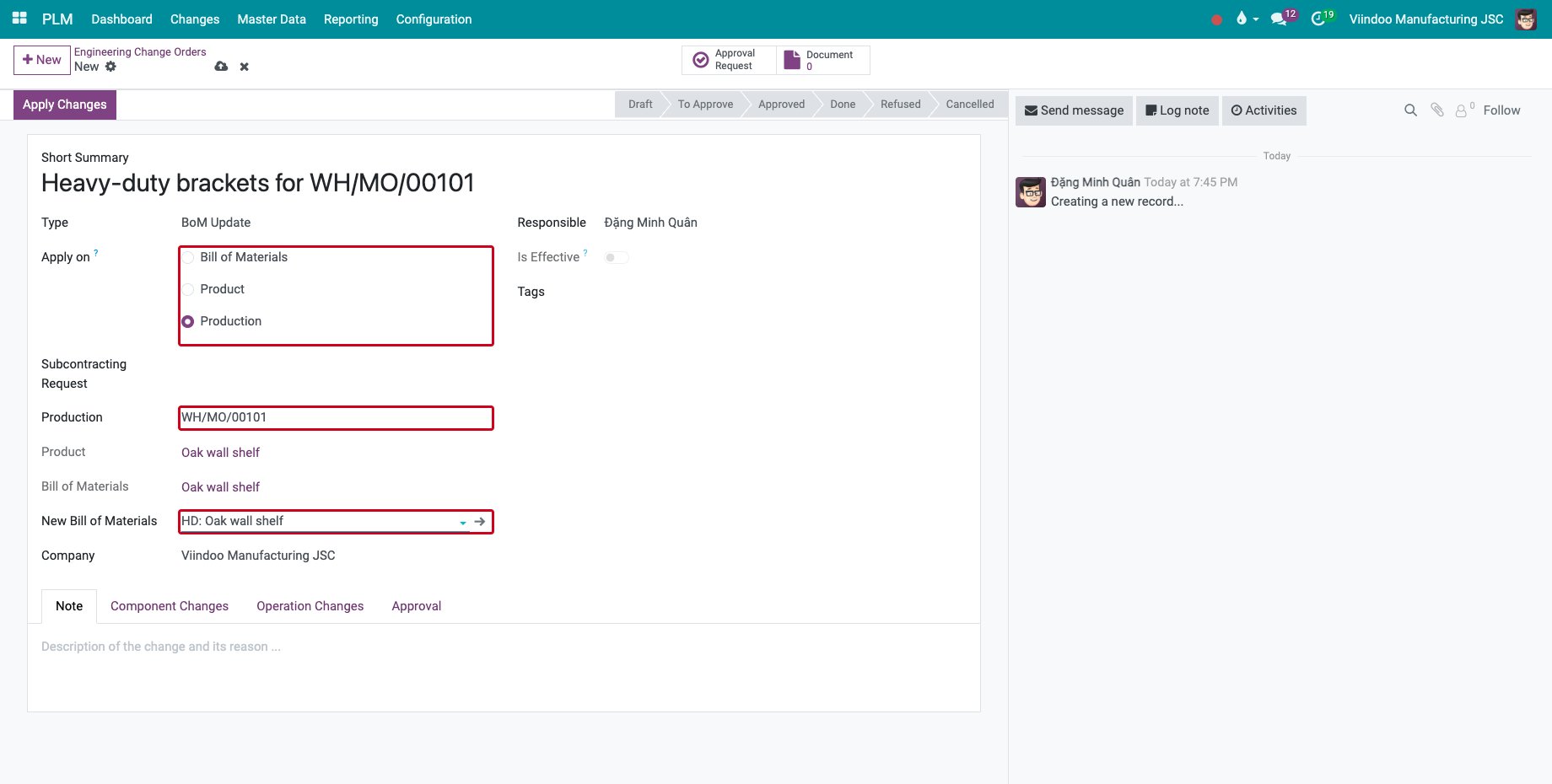
Go to PLM ‣ Changes ‣ Engineering Change Orders and click New. Fill in the Short Summary and the Type, set Apply on to Production, choose the Production (a confirmed or in progress manufacturing order) and the New Bill of Materials. The Product and the current Bill of Materials are filled from the order.
![A new ECO applied on a manufacturing order with its new bill of materials]()
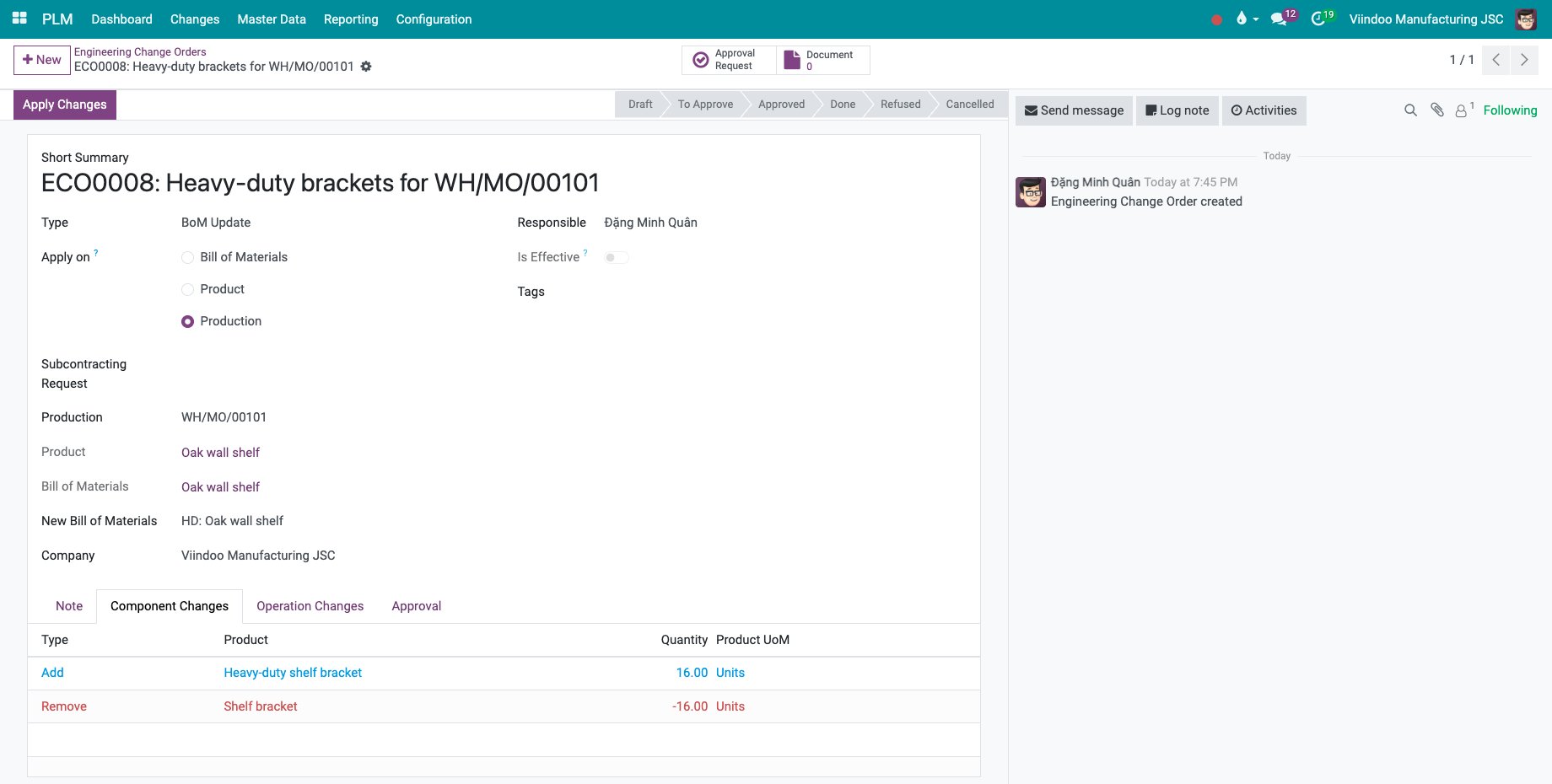
Save. The Component Changes tab lists, for the quantity of the order, the components that the new bill of materials adds and removes. Operation Changes does the same for the work centers.
![The component changes of the order: the heavy-duty bracket added, the bracket removed]()
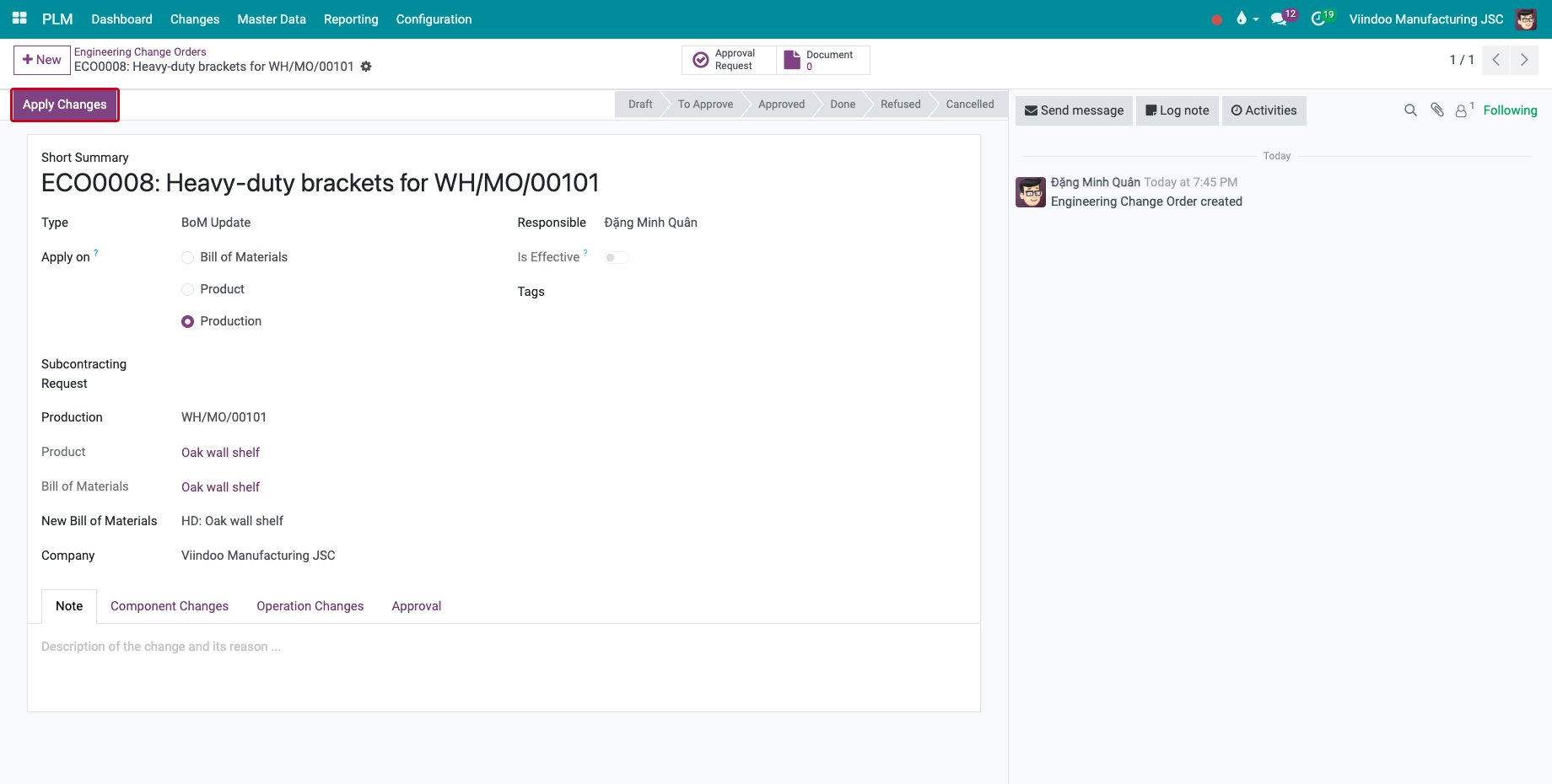
To have the change reviewed first, send the ECO for approval, see Apply Engineering change order on BOM. Then click Apply Changes.
![The Apply Changes button of the ECO]()
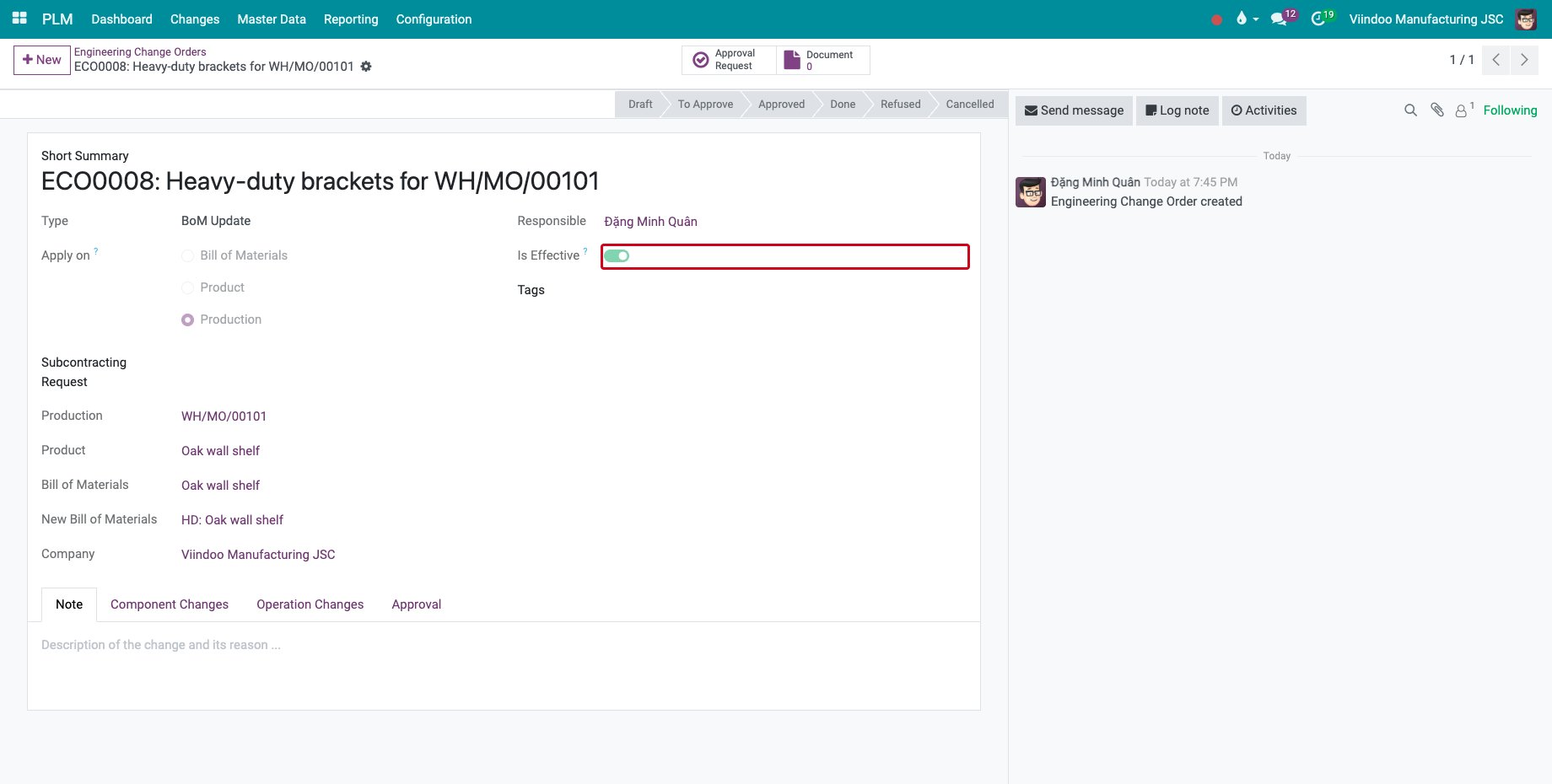
Is Effective is ticked: the order now uses the new bill of materials.
![The ECO applied, with Is Effective ticked]()
Open the manufacturing order: the Bill of Material is the new one and the components follow it.
![The manufacturing order with the heavy-duty brackets]()
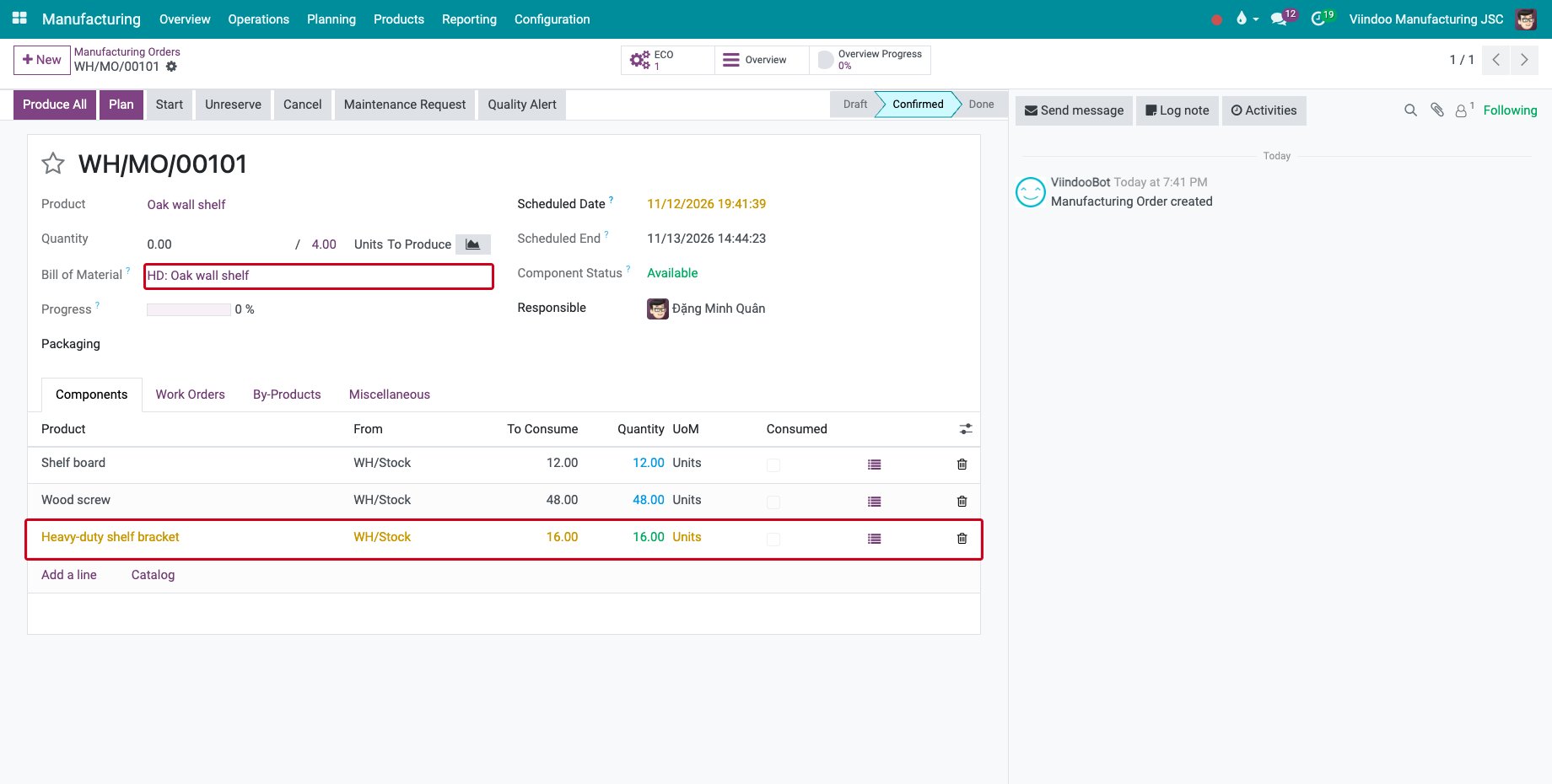
Keep Effectivity on As soon as possible for this type: the order is switched when you click Apply Changes.
When can an order still be changed?
The change is refused when:
the order is not Confirmed or In Progress;
one of its operations is started or done;
a quantity is already produced, or a component is already consumed;
the new bill of materials is a kit. A subcontracting bill of materials moves the order to a subcontractor, see Engineering changes for subcontracted products.
How do I keep an engineering document confidential?
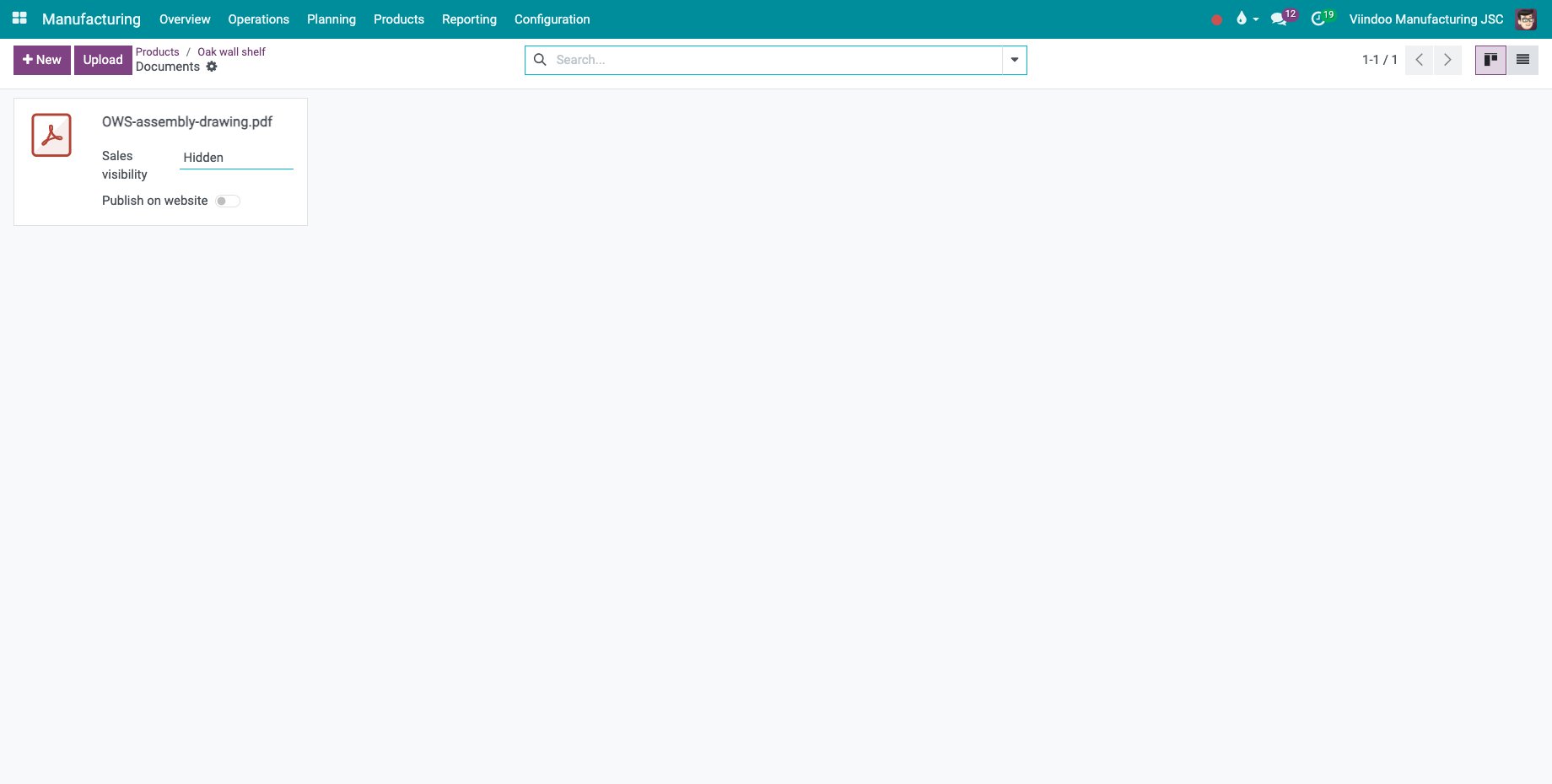
Open the product and click Documents.
![The documents of the product]()
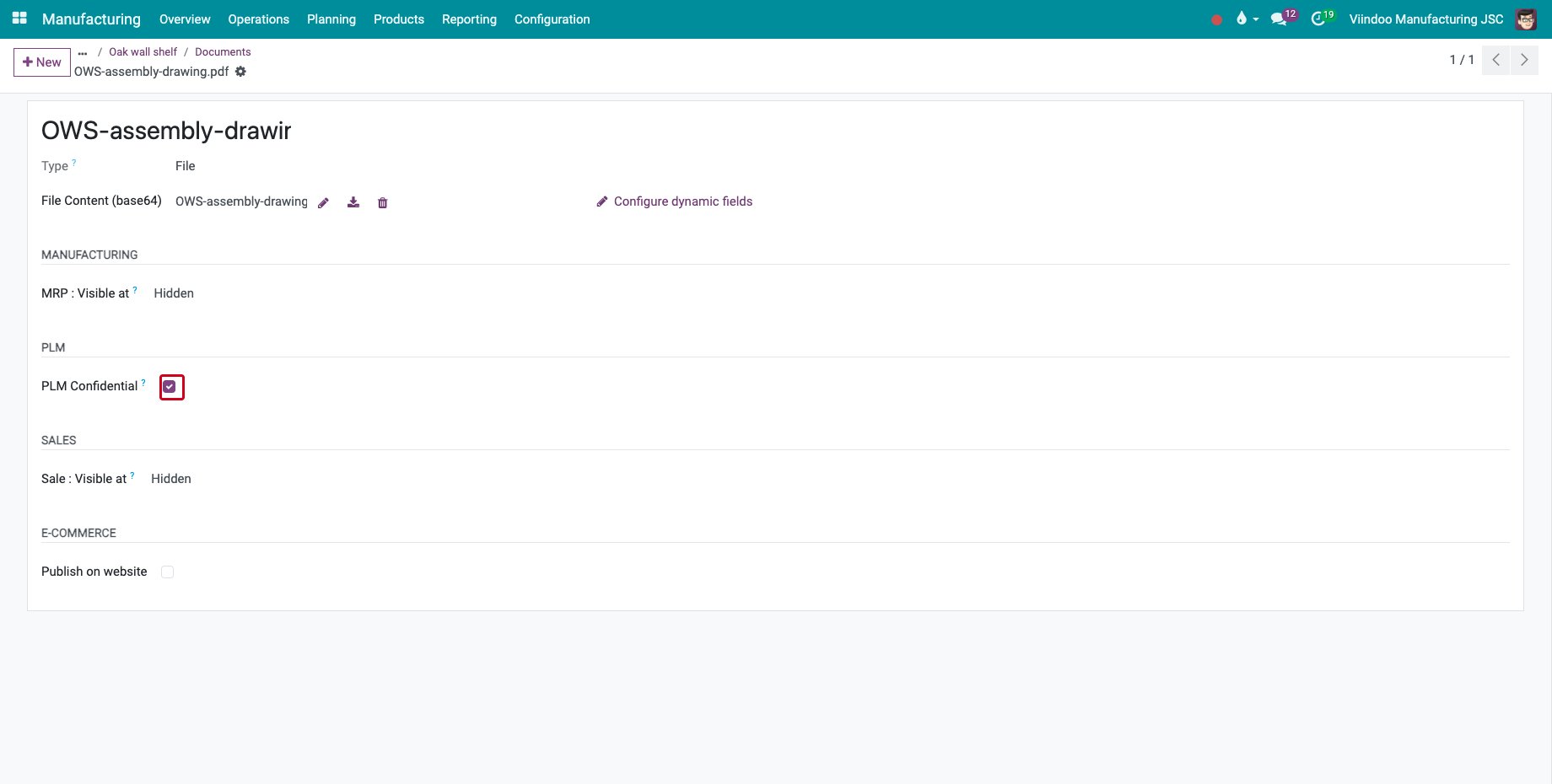
Open the menu of the document and click Edit. In the PLM section, tick PLM Confidential: only the members of the PLM team can find, open, download, change or delete the document. A document uploaded on a bill of materials is confidential from the start.
![The PLM Confidential box of a product document]()
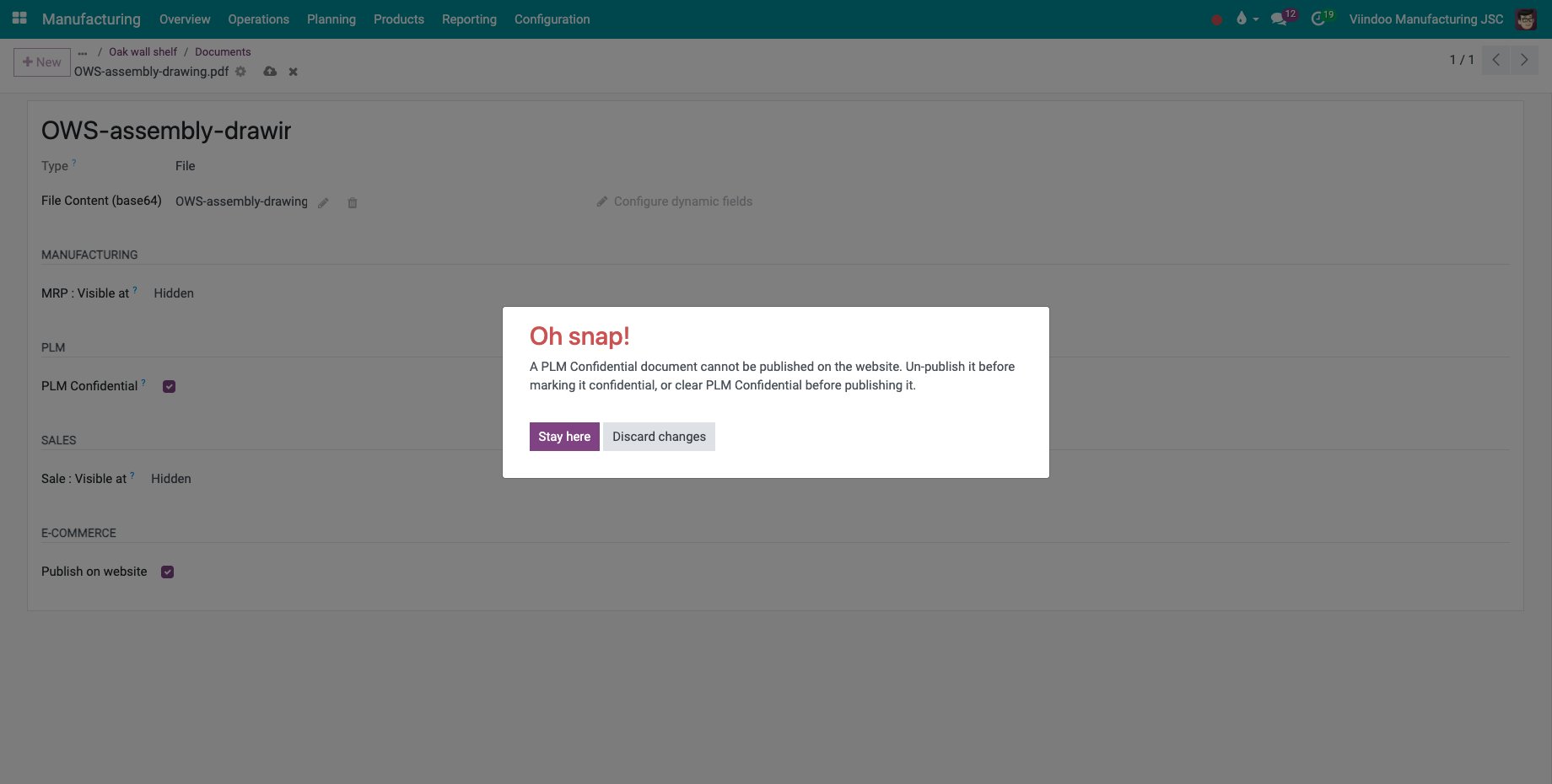
A confidential document cannot be published: ticking Publish on website is refused with a message. Clear PLM Confidential first if the document really must be on the website.
![The message refusing to publish a confidential document]()
Common errors
Problem |
What to do |
|---|---|
“You can’t change BOM on production order when its operation is started.” |
The workshop has started the order. Finish it with its current bill of materials, or cancel the started work first. |
“New BOM is not supported. Please change to another BOM.” |
Choose a bill of materials of type Manufacture this product or Subcontracting. |
The order is missing from the Production list. |
Only confirmed and in progress orders can be chosen. |
The PLM Confidential box is missing. |
Give the user the PLM ‣ User access right. |
Next steps
Engineering changes for subcontracted products: move an order to a subcontractor with an ECO.