
Sell kits at the point of sale and on the website
A kit is sold like any product at the point of sale and in the eCommerce shop, but the stock is kept for its components. When a kit is sold at the point of sale, its components are delivered and its cost is the cost of the components. On the website, the availability of the kit is the number of kits that the components in stock can make.
Who |
Cashiers of the point of sale, eCommerce managers and the shop’s visitors. |
App |
Point of Sale, Website, Manufacturing, Inventory |
Before you start
Create the kit and its bill of materials of type Kit, see Application of BoMs in Viindoo Sales.
On the kit, tick Point of Sale and choose a point of sale category that the shop shows, see Product and Product categories in Point of Sale.
Publish the kit on the website. On the Sales tab of the kit, tick Show Available Qty and set the quantity below which the message shows.
The link modules between the point of sale or the eCommerce and Manufacturing install themselves.
The example of this page is the Shelf mounting kit: 2 shelf brackets and 8 wood screws.
How do I sell a kit at the point of sale?
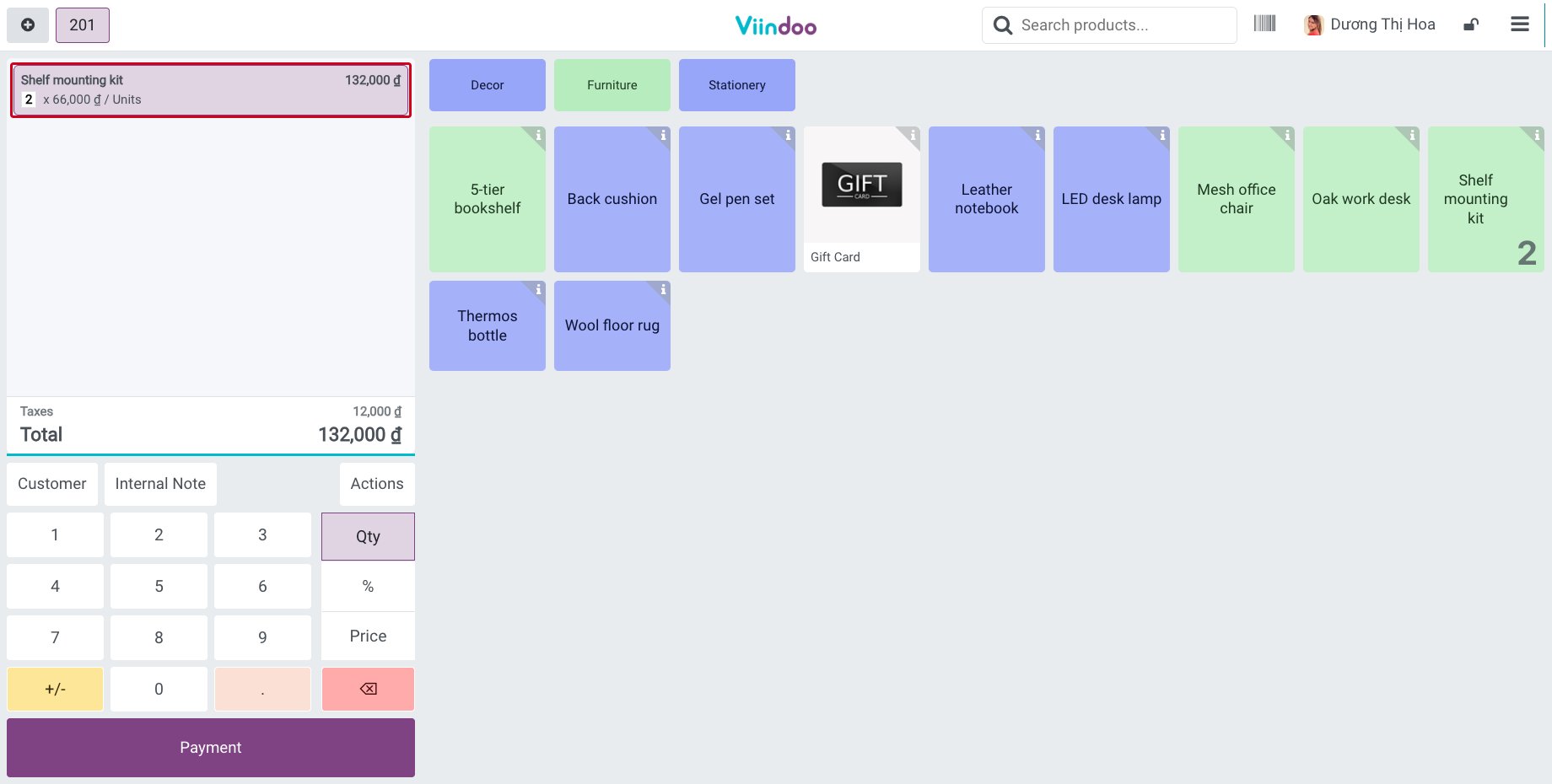
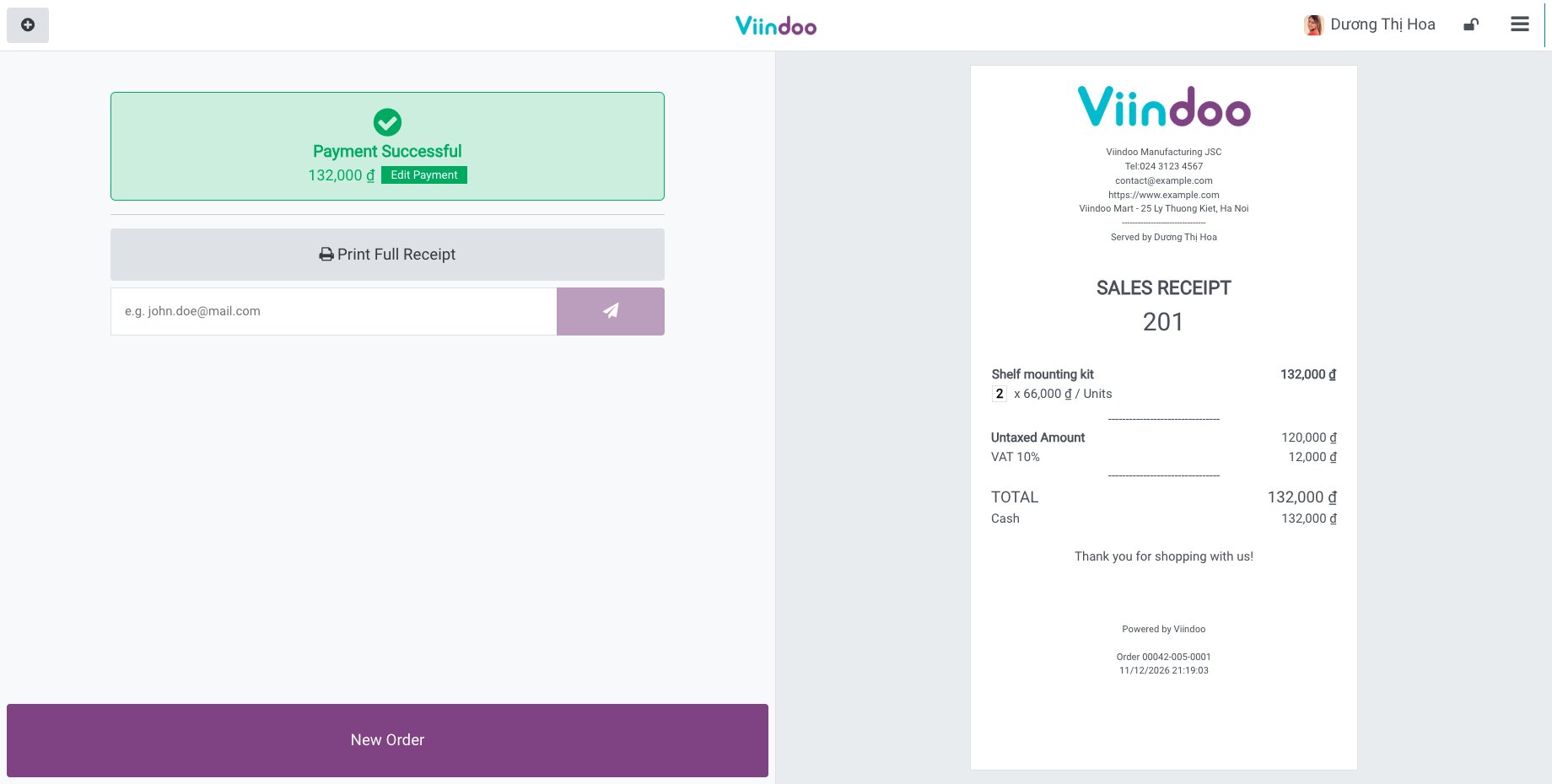
In the register, tap the kit and take the payment as for any product, see Manage PoS process in Viindoo.
![Two shelf mounting kits in the register]()
![The receipt of the two kits]()
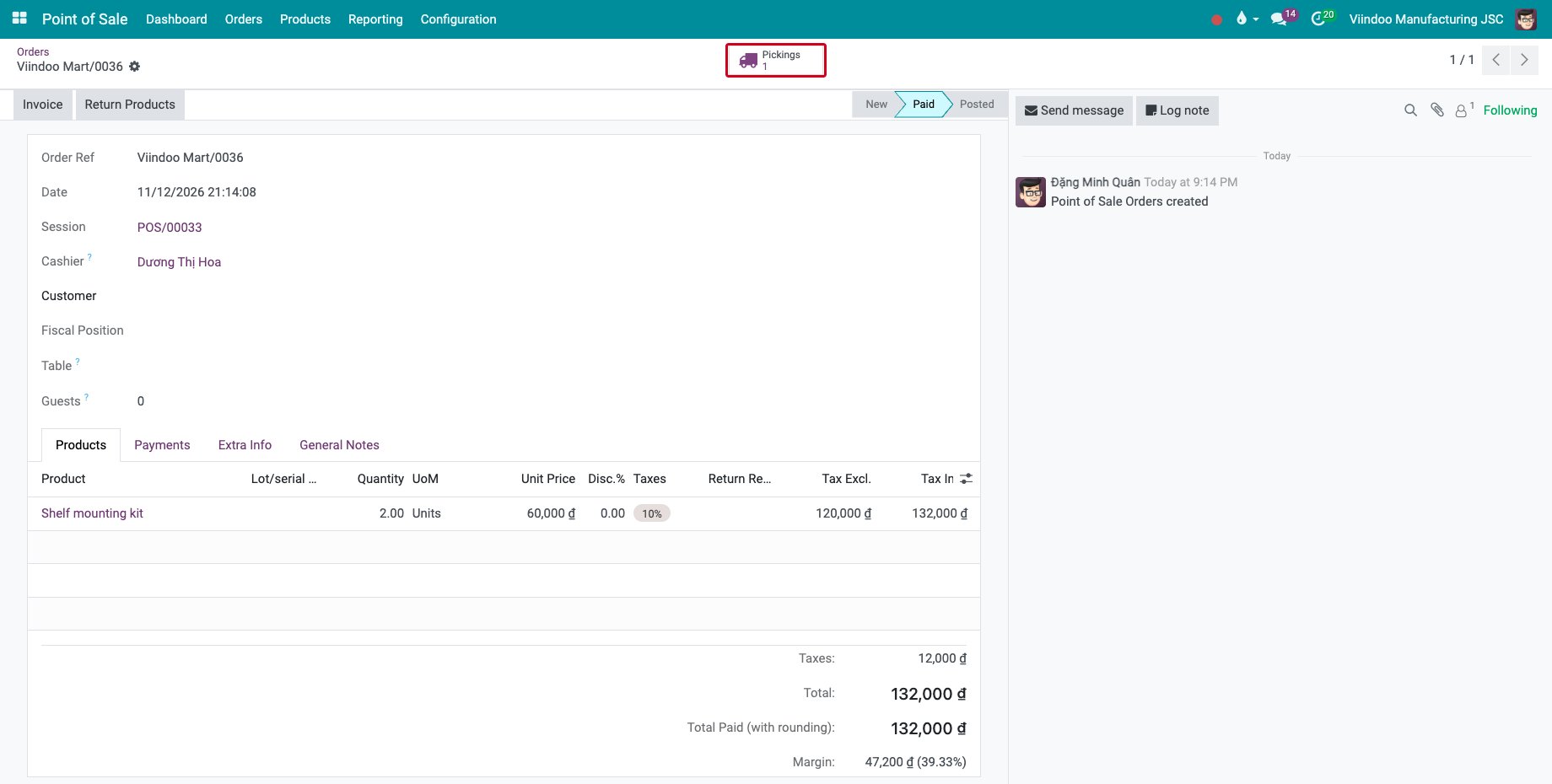
In Point of Sale ‣ Orders ‣ Orders, open the order. The order shows the kit, and Margin at the bottom uses the cost of its components.
![The point of sale order of the kits with its margin and its Pickings button]()
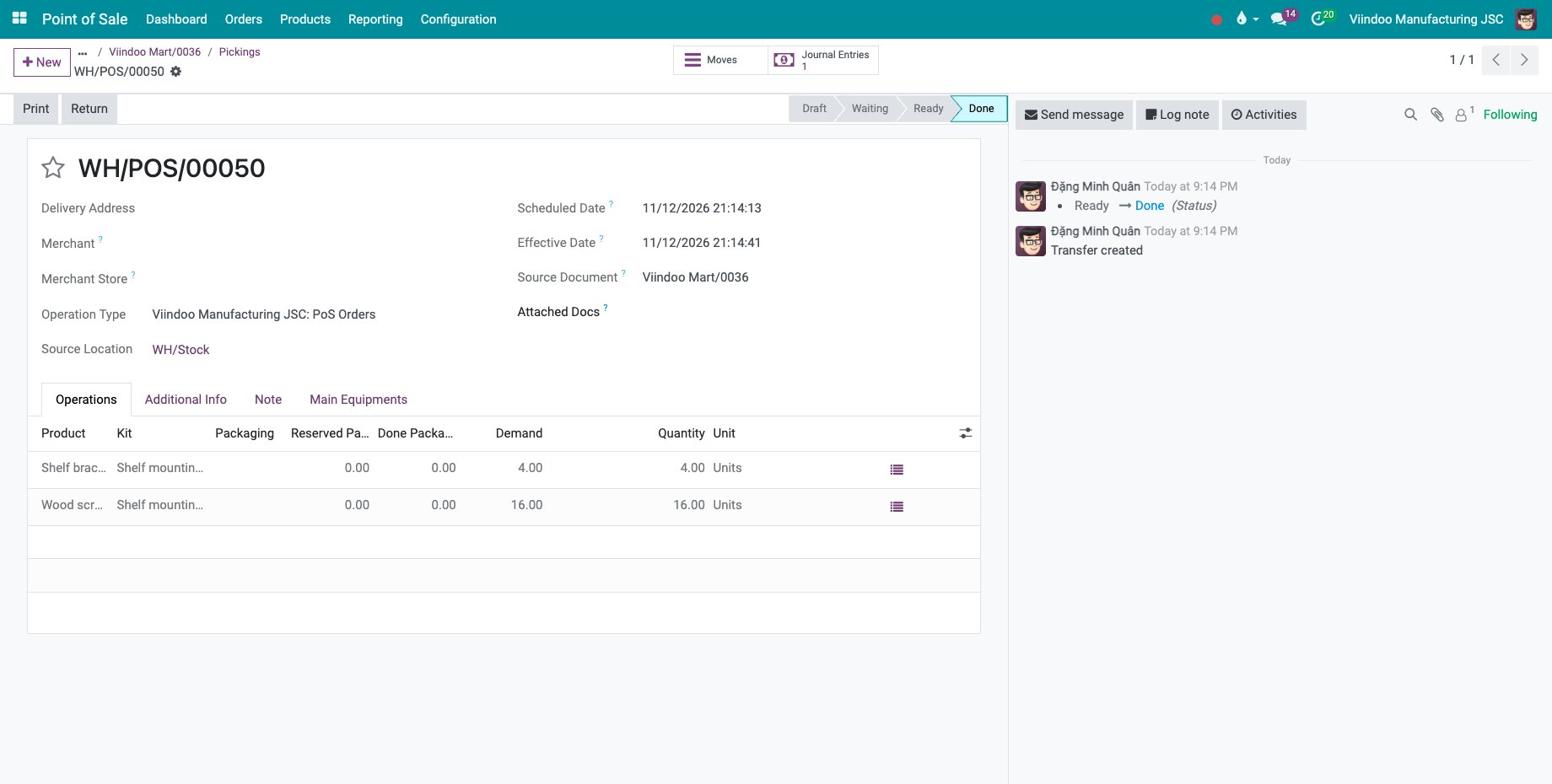
Click Pickings: the delivery of the order holds the components, 4 shelf brackets and 16 wood screws, with the kit in the Kit column.
![The delivery of the components of the kits]()
How does the shop show the availability of a kit?
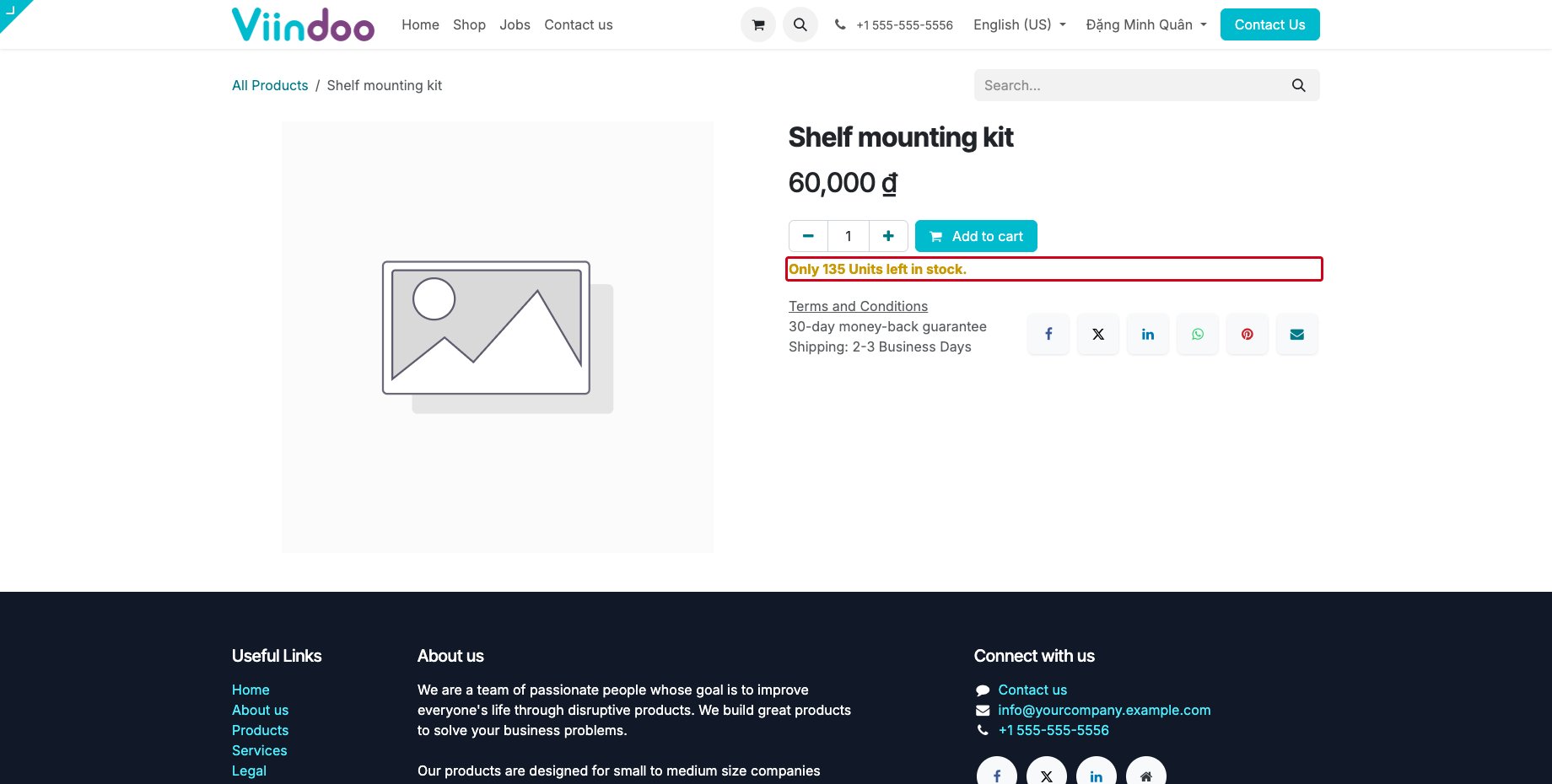
Open the kit in the shop. The stock message counts the kits that the free stock of the components can make, limited by the component that runs out first. It also counts the kits and the components already in the visitor’s cart, so the visitor cannot add more kits than the stock can make.
Common errors
Problem |
What to do |
|---|---|
The kit is missing in the register. |
Tick Point of Sale on the kit and give it a category that the point of sale shows, then open a new session. |
The delivery shows the kit instead of its components. |
The bill of materials of the kit is not of type Kit. |
The shop shows no stock message. |
Tick Show Available Qty on the Sales tab of the kit and raise the quantity next to it: the message shows only below that quantity. |
Next steps
Purchase orders and manufacturing orders: buy kits.
Standard quantity and margin in production costs: read the margin of kits on sales orders.