
How to print the payment receipts 01-TT, 02-TT
Open a customer payment or a vendor payment, then click Print in its actions menu and choose Payment Receipt (Template 01-TT/02-TT). Viindoo prints the payment on the Vietnamese form 01-TT when you receive money and on the form 02-TT when you pay money. The forms follow Circular No. 99/2025/TT-BTC of the Ministry of Finance for a company on the Circular 99 chart of accounts and Circular No. 133/2016/TT-BTC for a company on the Circular 133 chart.
Who |
Accountants and cashiers: users with the Invoicing access right of Accounting. |
App |
Accounting ‣ Customers ‣ Payments, Accounting ‣ Vendors ‣ Payments |
Before you start
Install the Accounting app and the accounting modules for Vietnam (see How to configure Viindoo Accounting and Invoicing before using).
Click Confirm on a payment of a Bank or Cash journal: the form is printed for these two journal types only.
Which form do I get?
Payment |
Cash journal |
Bank journal |
|---|---|---|
Money received, form 01-TT |
PAYMENT RECEIPT (Phiếu thu) |
CREDIT NOTE (Giấy báo có) |
Money paid, form 02-TT |
PAYMENT VOUCHER (Phiếu chi) |
DEBIT NOTE (Giấy báo nợ) |
The regulation printed at the top right of the form is the one of the company that owns the payment: Circular No. 99/2025/TT-BTC or Circular No. 133/2016/TT-BTC.
How do I print a payment receipt?
Open for money received, or for money paid, then open a confirmed payment.
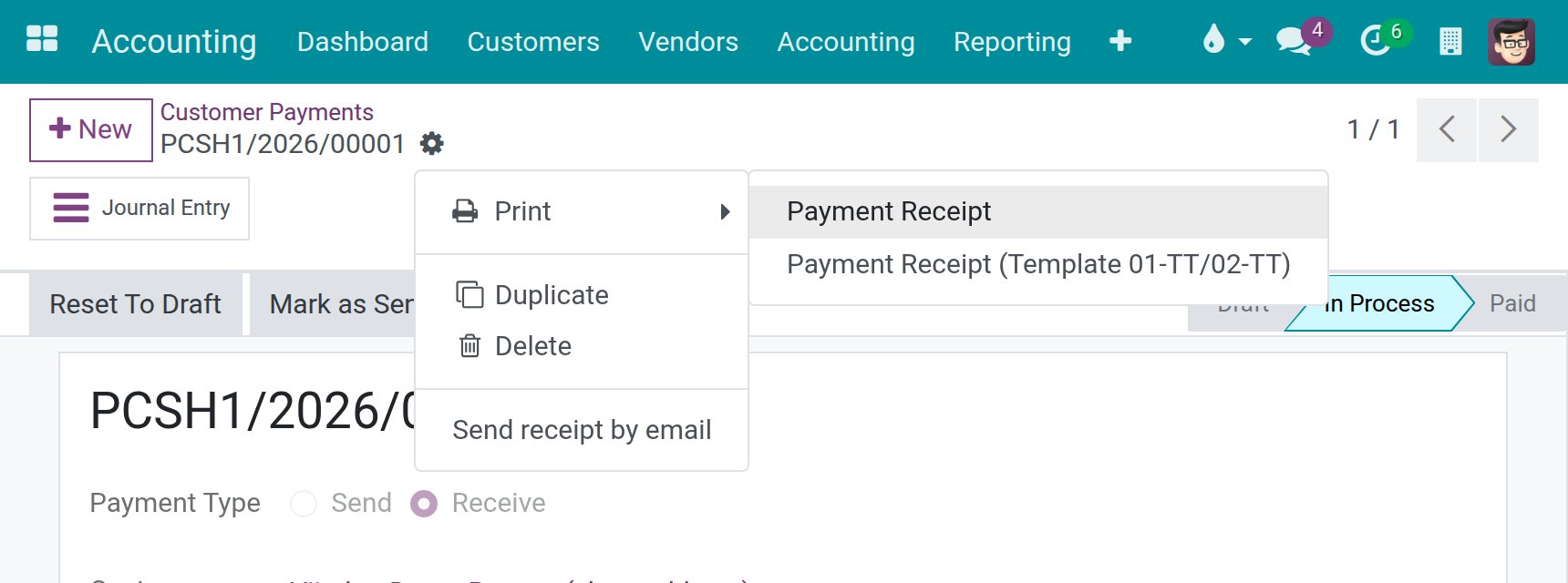
Click the actions icon (the cog next to the payment number), then Print and Payment Receipt (Template 01-TT/02-TT). The entry Payment Receipt next to it is the standard receipt.
What does the form show?
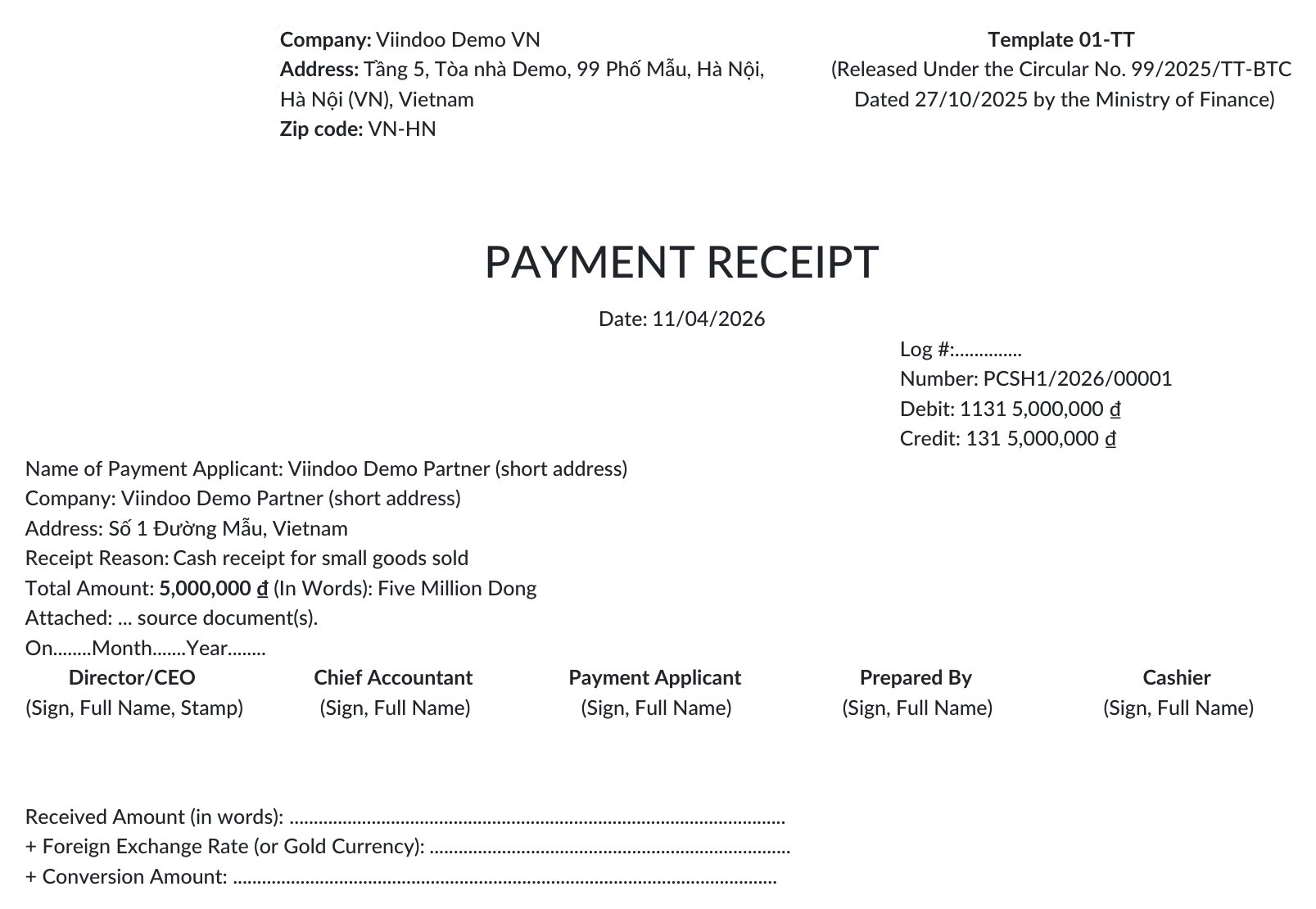
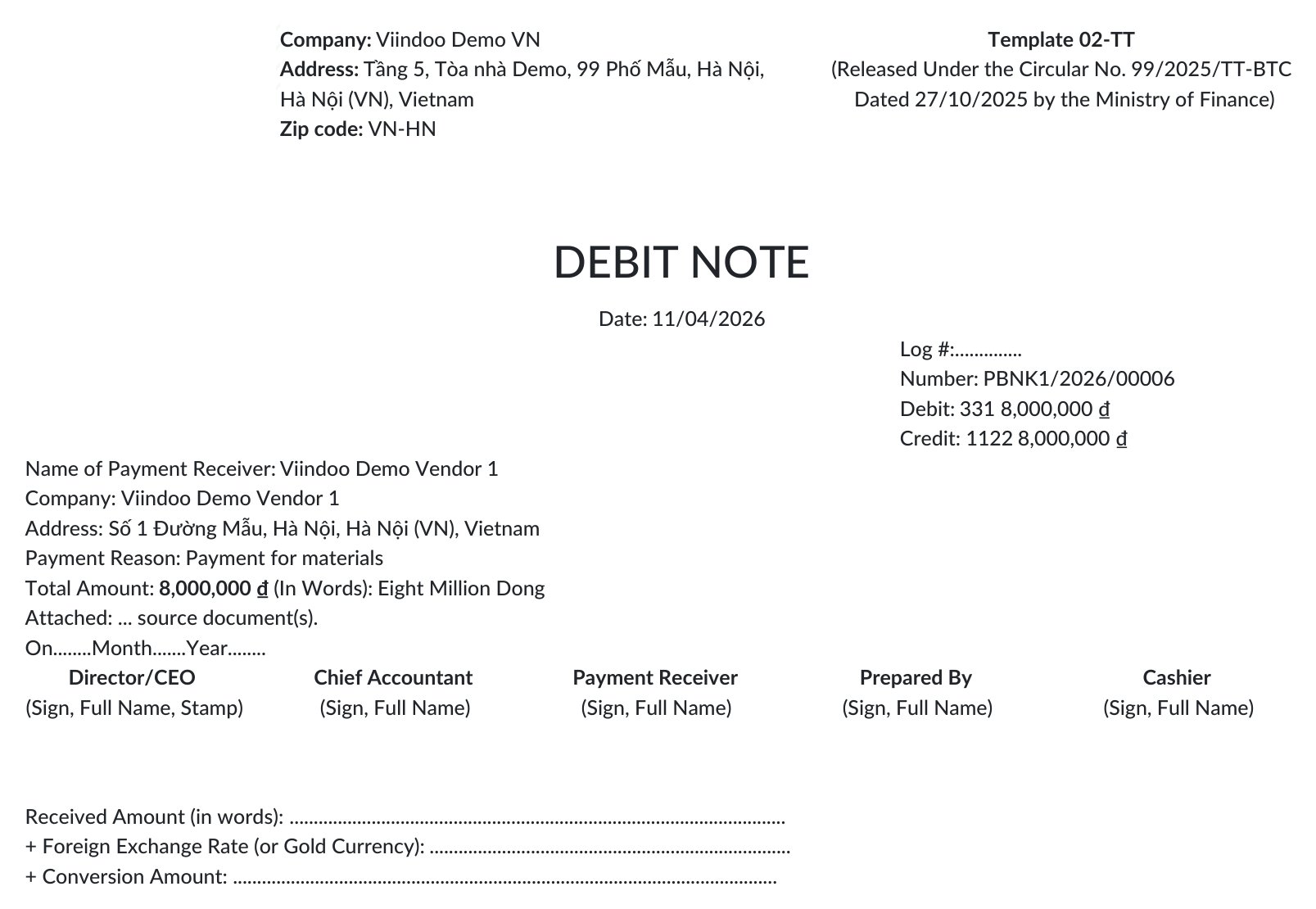
The form shows the company name, address and the regulation, then the title, the date, the number of the payment and the debit and credit accounts of its journal entry with the amounts. The payer, or the receiver for a payment you make, is listed with the company and the address, followed by the reason (the memo of the payment), the amount in figures and in words, and the signature blocks.
A cash payment received prints the form 01-TT as a payment receipt:
A bank payment made prints the form 02-TT as a debit note:
How are the addresses printed?
The company address in the header and the address of the partner list only the parts that exist, separated by commas: a partner with a street and a country and no city prints Số 1 Đường Mẫu, Vietnam, with no stray comma.
Which language does the form print in?
The form prints in the language of the user who prints it. Switch your language in your user preferences to print it in Vietnamese or in English.
What should I see when it works?
A PDF page with the form number and its regulation at the top right, the accounts and the amount of the payment, and the signature blocks at the bottom.
Common problems
Message or problem |
What to do |
|---|---|
The entry Payment Receipt (Template 01-TT/02-TT) is missing from Print. |
Install the accounting modules for Vietnam. |
The regulation on the form is not the one of my company. |
Check the company the payment belongs to: a company on the Circular 99 chart prints Circular No. 99/2025/TT-BTC and a company on the Circular 133 chart prints Circular No. 133/2016/TT-BTC. |
Next steps
How to print the Vietnamese warehouse vouchers: print the Vietnamese warehouse vouchers 01-VT, 02-VT and 03/XKNB.