
Store manufacturing documents in the Documents app
Drawings, work instructions, test records and photos attached to a manufacturing order end up in one place: the Manufacturing workspace of the Documents app. There they can be searched, tagged with the state of the order and shared, while the order keeps a Documents button to reach them.
Who |
Manufacturing users (Manufacturing ‣ User), who read the workspace; manufacturing administrators (Manufacturing ‣ Administrator), who can also change it. |
App |
Manufacturing, Documents |
Before you start
Install the Documents - MRP module. The Documents app is installed with it, see Getting started with the Documents app in Viindoo.
The module creates the Manufacturing workspace, its team, the tags Manufacturing Order, Bills of Materials and the MO Status tags Confirmed, In Progress and Done, and three actions that set those status tags.
How do I store a document of a manufacturing order?
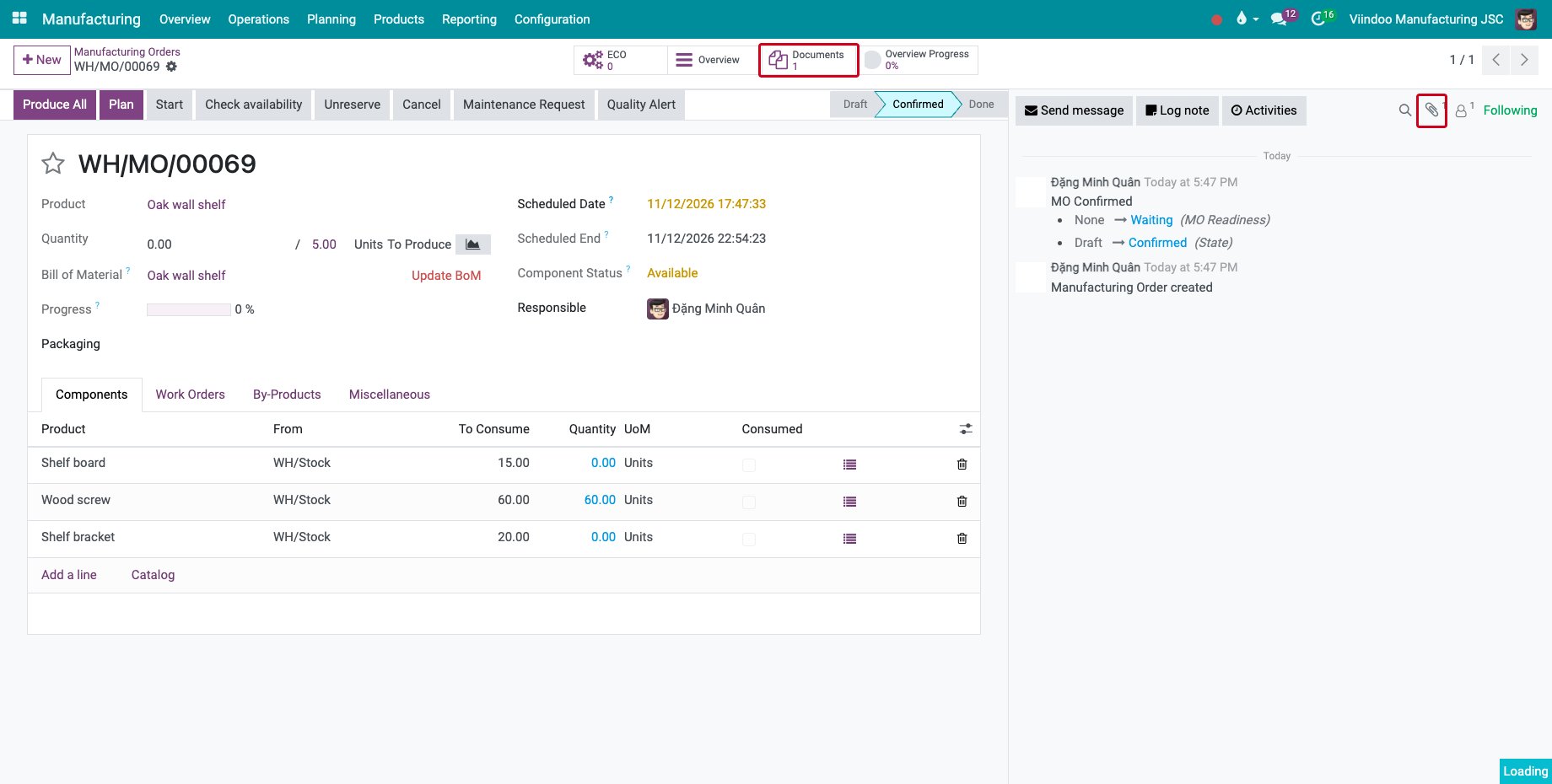
Attach the file to the order with the paperclip of the chatter, here the drawing of an Oak wall shelf. The order gets a Documents button that counts its files.
![The Documents button of a manufacturing order and the paperclip of the chatter]()
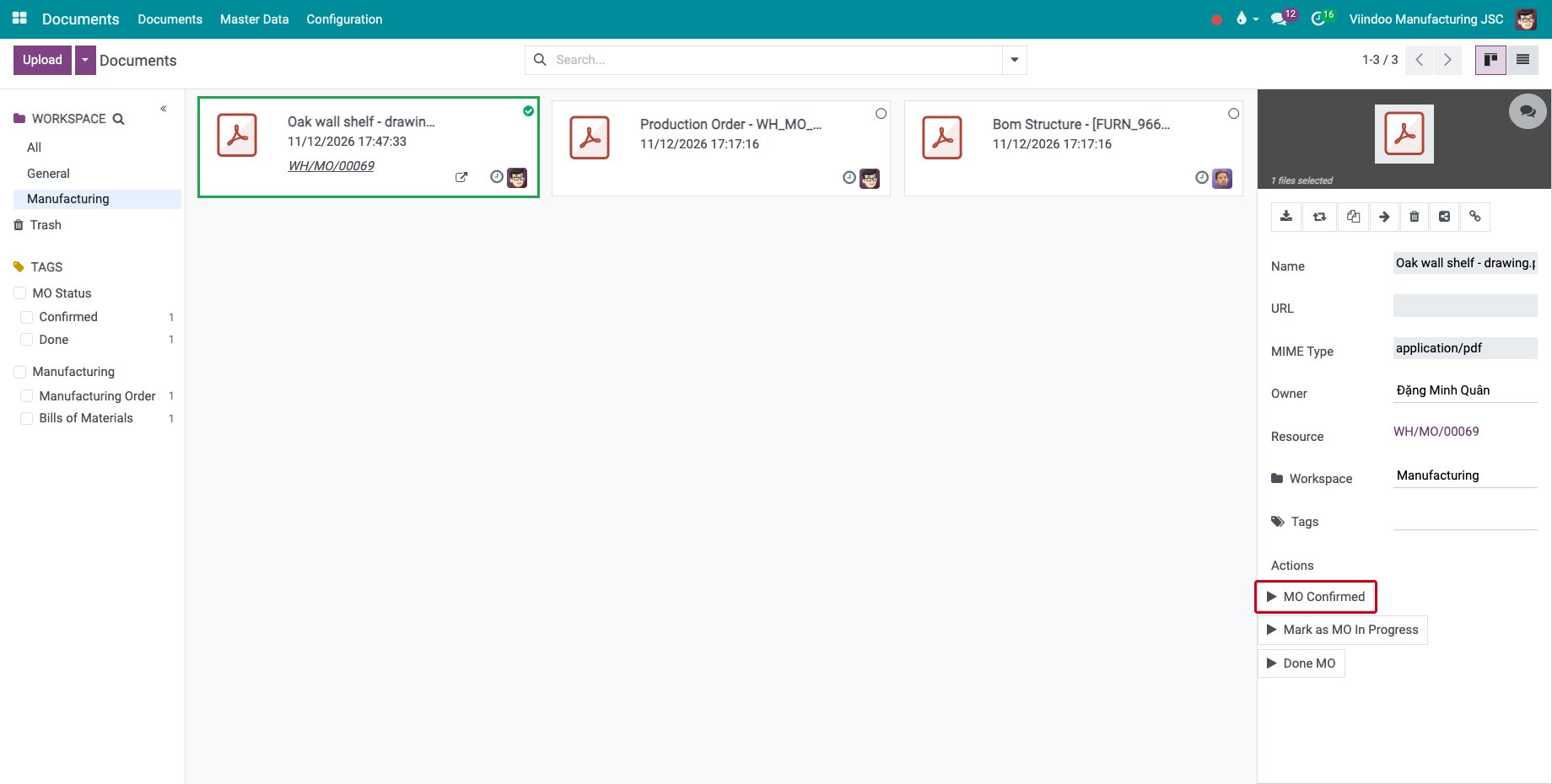
Go to Documents and click the Manufacturing workspace. The file is there, linked to its order. Select it: the panel on the right shows the Resource, the Workspace, the Tags and the Actions of the workspace.
![The document in the Manufacturing workspace with its actions]()
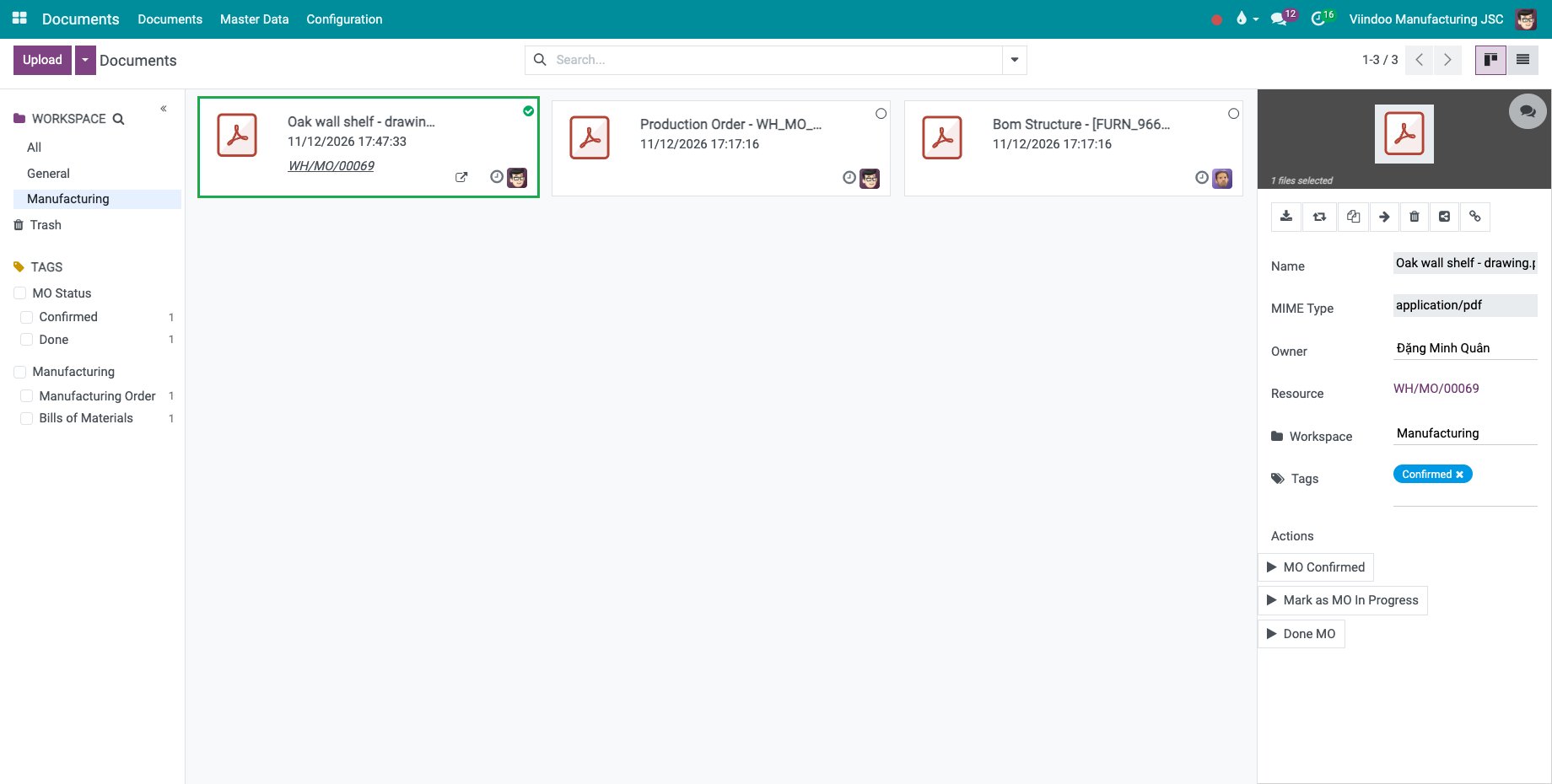
Click an action, here MO Confirmed: the matching tag of the MO Status category replaces the previous one. Mark as MO In Progress and Done MO work the same way.
![The tag Confirmed set on the document by the action]()
How do I change who can see the workspace?
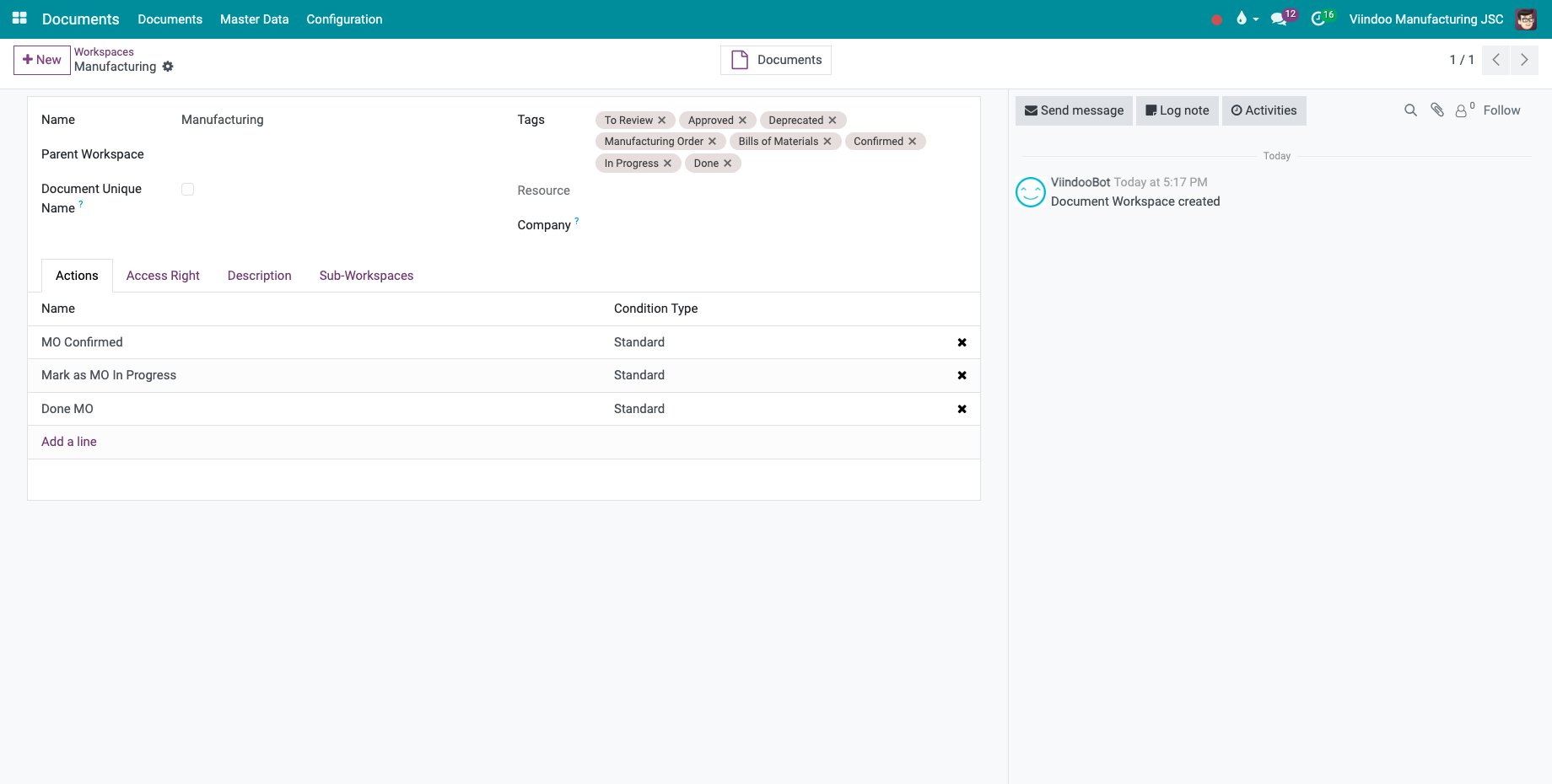
Go to Documents ‣ Master Data ‣ Workspaces and open Manufacturing. The Actions tab lists the three actions; the Access Right tab sets who reads and who writes. By default, manufacturing users read the workspace and manufacturing administrators write in it.
Common errors
Problem |
What to do |
|---|---|
The Documents button is missing on the order. |
No file is attached to the order yet. |
A user cannot see the workspace. |
Give the user a Manufacturing access right, or add them on the Access Right tab of the workspace. |
Next steps
How to share documents in Viindoo: share a drawing with a supplier or a subcontractor.