
Other subcontracting flows
Besides sending components from your own warehouse, subcontracting in Viindoo covers three other cases: a vendor delivers a component directly to the subcontractor, the subcontractor needs more material than first sent, and the subcontractor records what was produced and consumed on the portal.
Who |
Purchasing and subcontracting staff (Purchase ‣ User, Inventory ‣ User); subcontractors with a portal account. |
App |
Purchase, Inventory, Manufacturing, Portal |
Before you start
Set up subcontracting and its bills of materials, see Introduction to Subcontracting in Viindoo.
Delivering components from a vendor to the subcontractor needs the Dropship and Subcontracting Management module. The Add Resupply button comes with the Vietnam - Subcontracting Management & Accounting module.
The example of this article is a Coated shelf bracket made by Coating subcontractor A from a Raw steel bracket, sent from your warehouse, and Powder paint, bought from Powder paint supplier B.
How do I have a vendor deliver a component to the subcontractor?
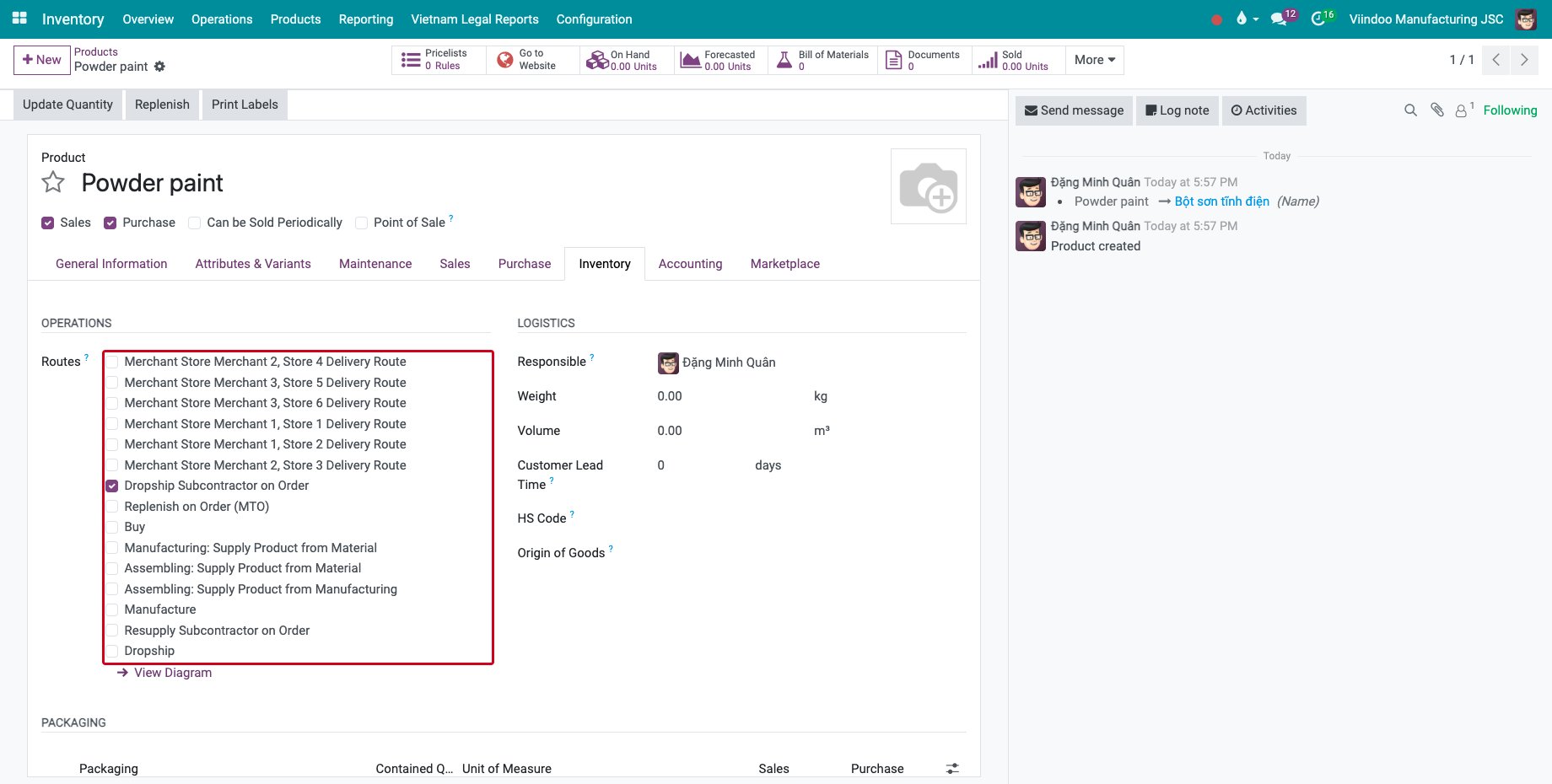
Open the component, here Powder paint, and on the Inventory tab tick the route Dropship Subcontractor on Order. The component has the vendor in its Purchase tab.
![The route Dropship Subcontractor on Order of the component]()
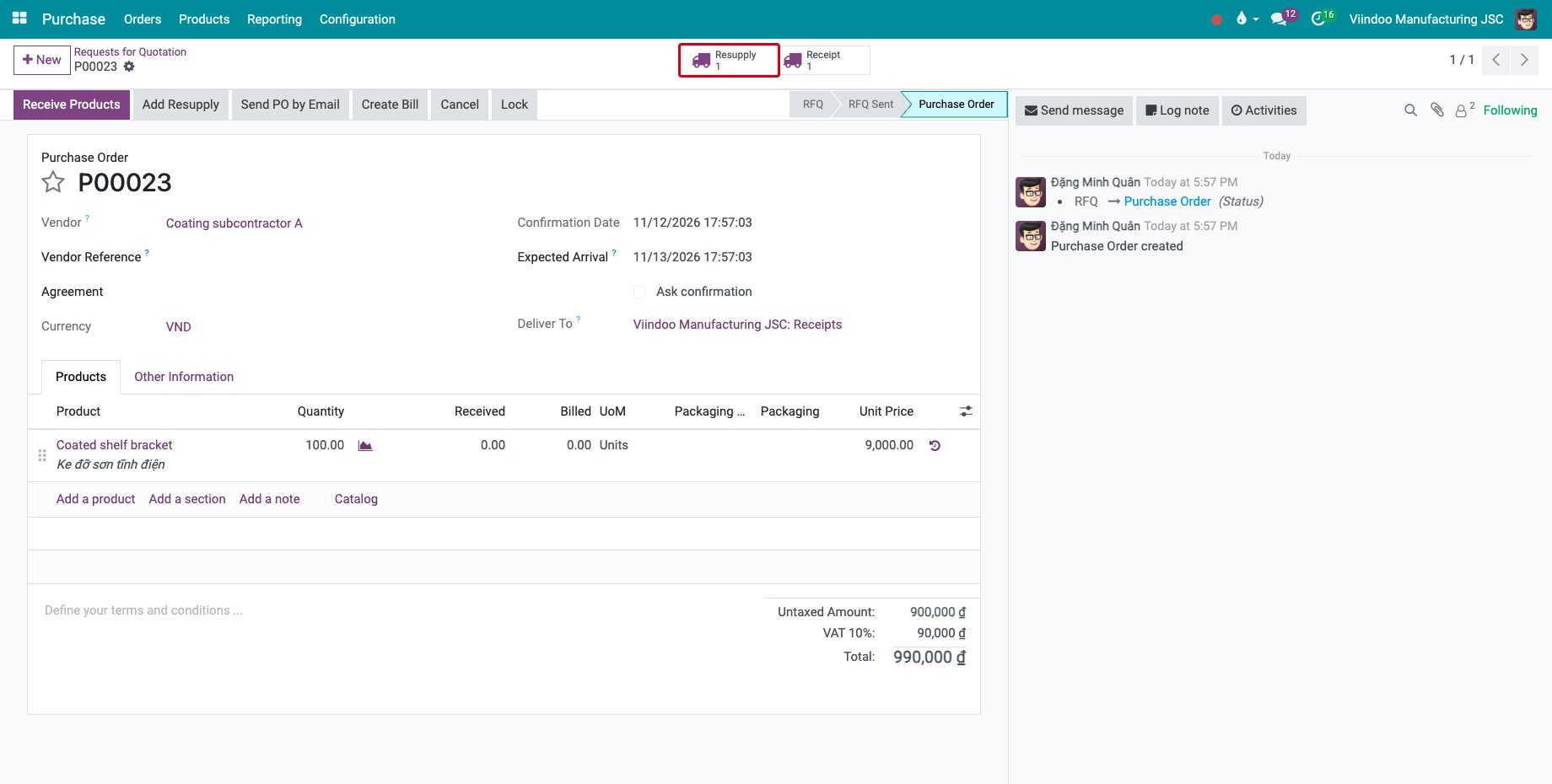
Confirm the subcontracting purchase order of the finished product, see Manage subcontracts in the manufacturing process. The Resupply button counts the transfer of the components sent from your warehouse.
![The confirmed subcontracting purchase order with its Resupply button]()
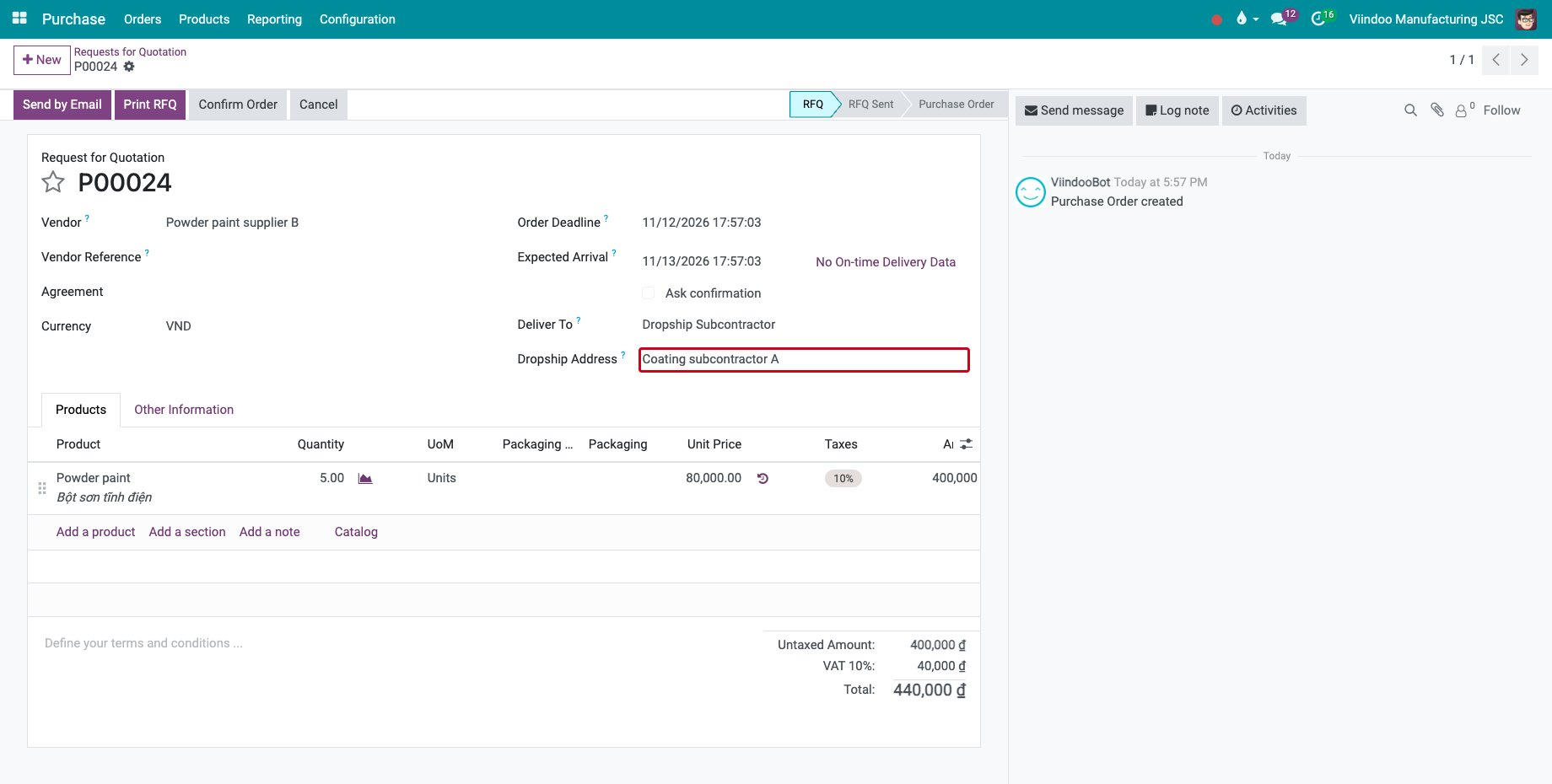
A request for quotation is created for the component vendor. It is delivered to Dropship Subcontractor and its Dropship Address is the subcontractor. Confirm it as any purchase: the vendor ships directly to the subcontractor.
![The request for quotation of the component with the subcontractor as Dropship Address]()
How do I send the subcontractor more material?
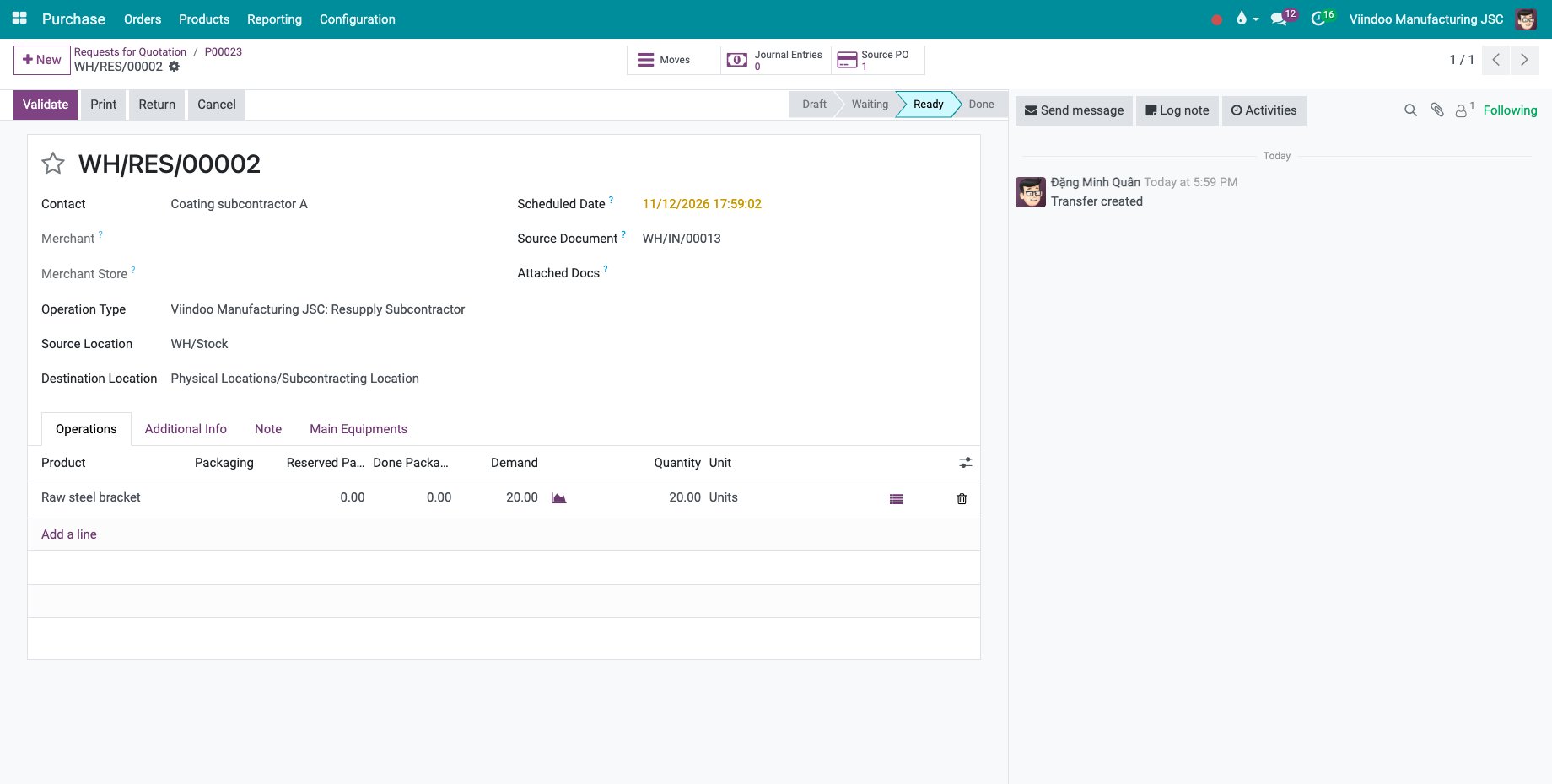
On the subcontracting purchase order, click Add Resupply. The button is shown when the order already has a resupply transfer.
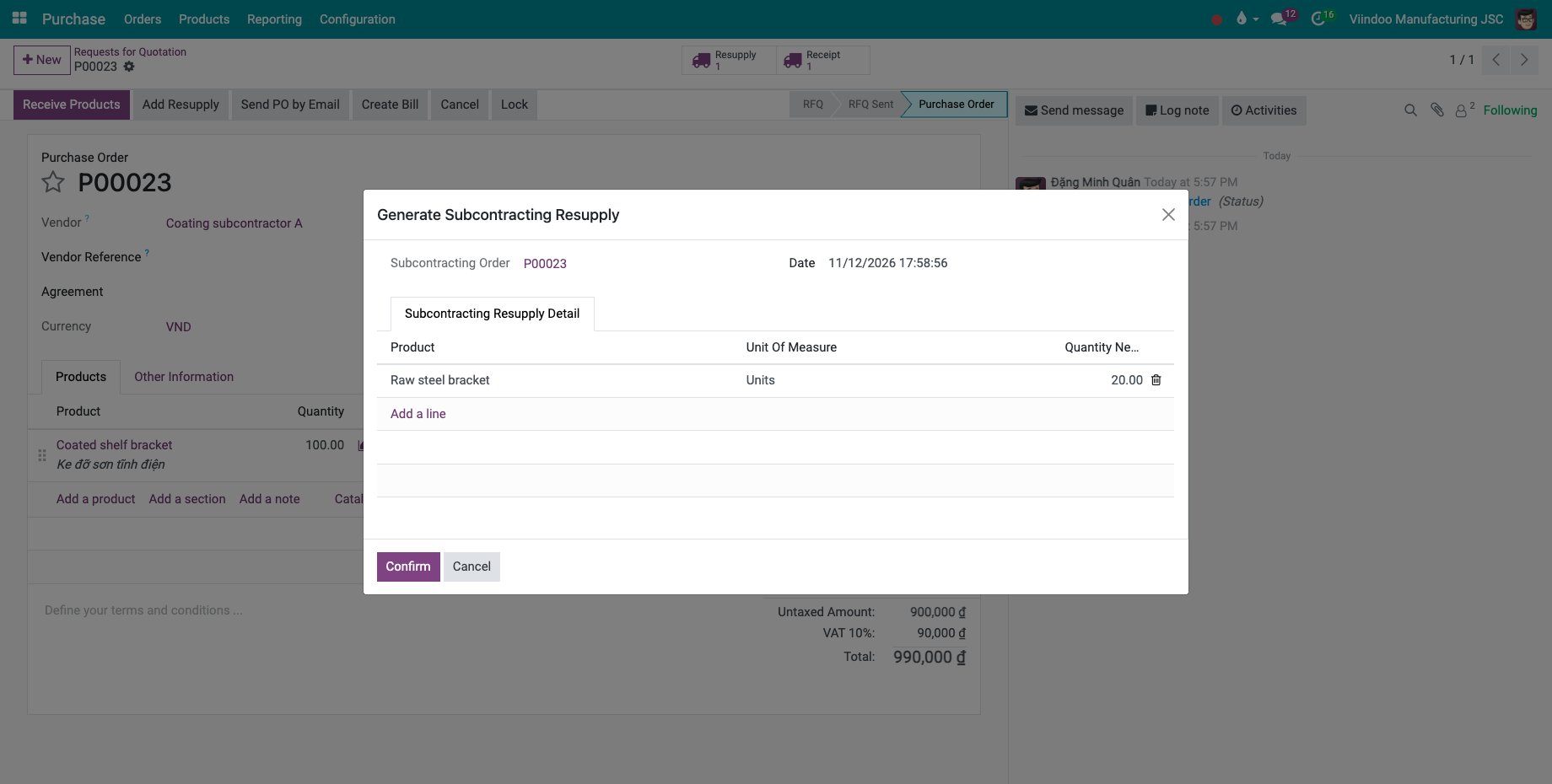
In Generate Subcontracting Resupply, the components of the first resupply are listed. Type the quantity to send in each line, here 20 raw steel brackets, and click Confirm.
![The window Generate Subcontracting Resupply with 20 raw steel brackets]()
A new resupply transfer to the subcontracting location opens, ready to validate when the goods leave.
![The extra resupply transfer to the subcontractor]()
How does the subcontractor record the production on the portal?
Give the subcontractor a portal account, see How to give customers access to the portal or your usual way of inviting a contact to the portal.
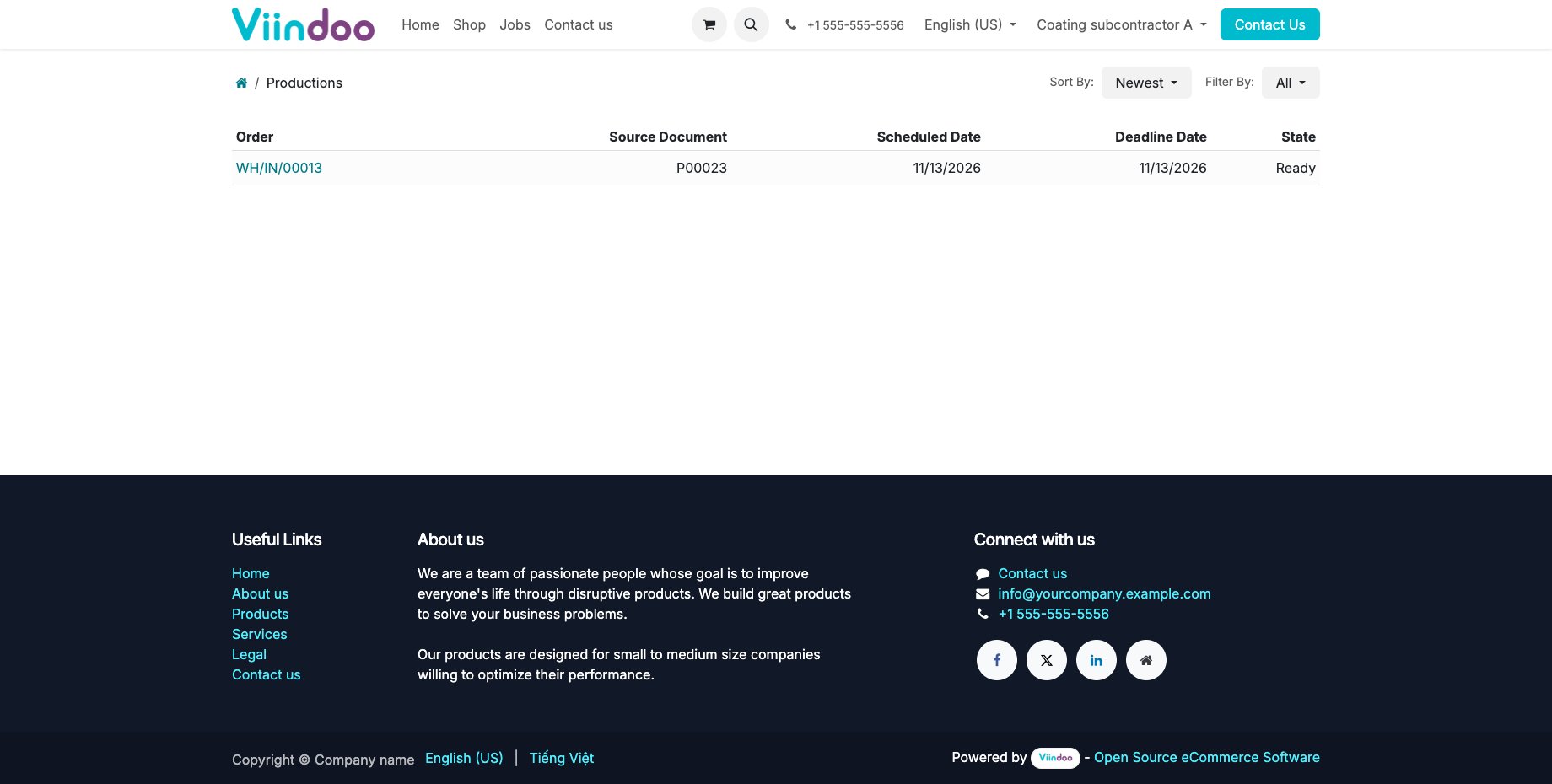
The subcontractor signs in and opens Productions in their account. Each line is a receipt you expect from them, with its source purchase order and dates.
![The Productions of the subcontractor on the portal]()
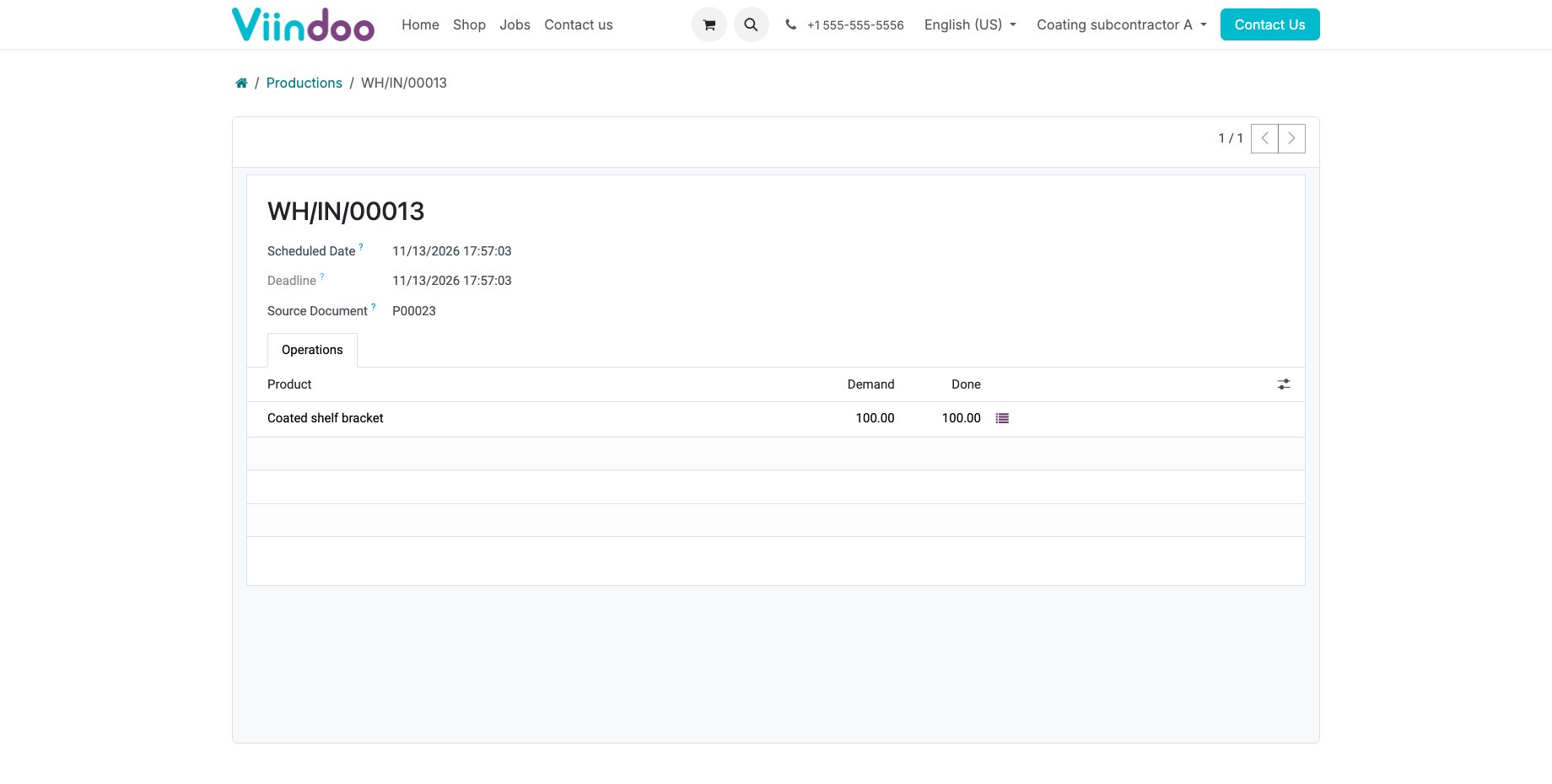
They open the receipt to see the products to deliver.
![A receipt opened on the subcontractor portal]()
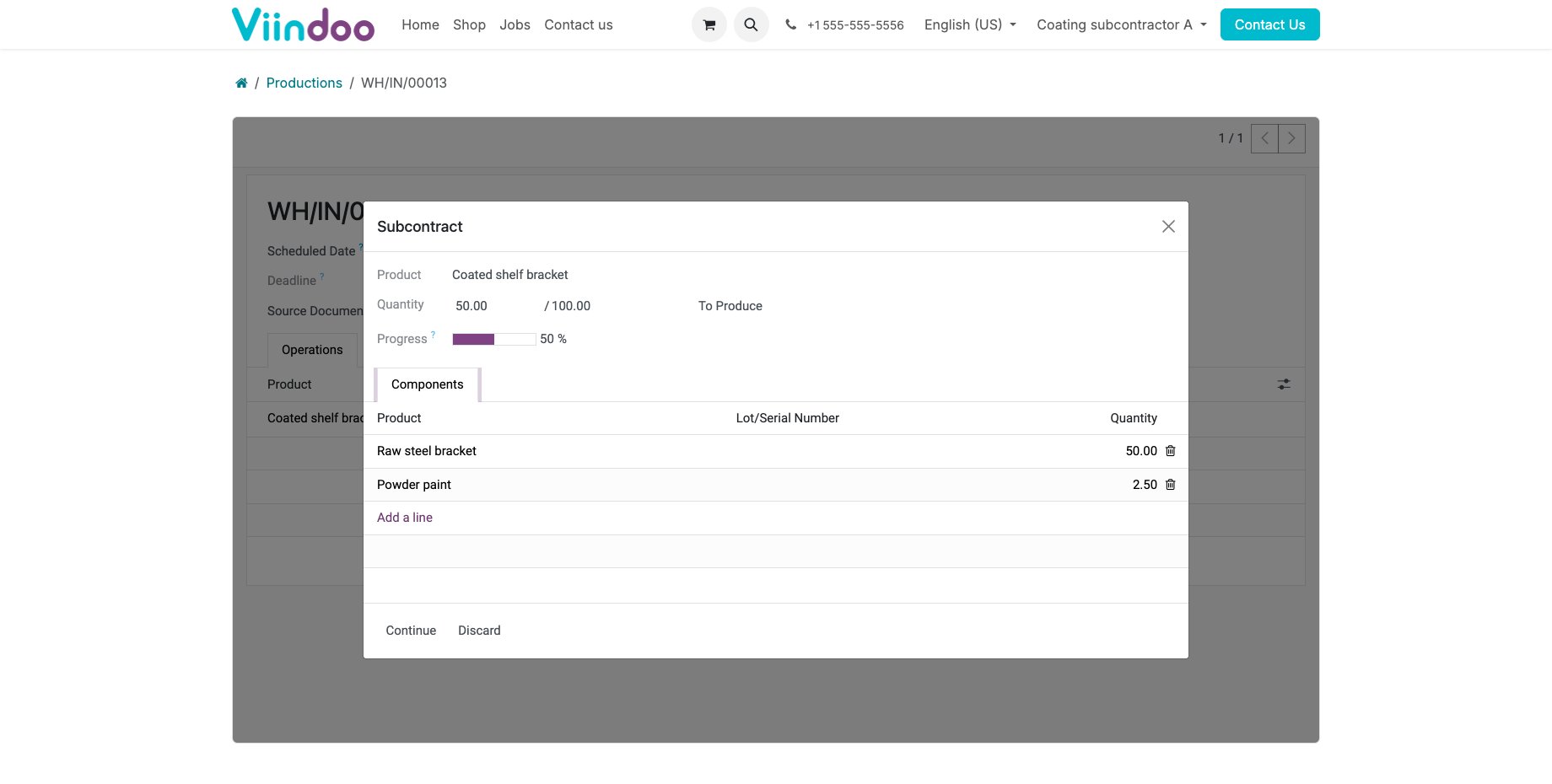
They click the details of the line, type the Quantity produced and check the components consumed, then click Continue. Your receipt then carries their figures.
![The quantity produced and the components recorded by the subcontractor]()
Common errors
Problem |
What to do |
|---|---|
No request for quotation is created for the component. |
Tick Dropship Subcontractor on Order on the component and give it a vendor. |
Add Resupply is missing. |
The order has no resupply transfer yet, or it is locked. |
You must enter materials and quantities to be re-supplied. |
Type a quantity in every line, or delete the lines you do not need. |
You need to provide enough raw materials to produce the finished products. |
The quantity recorded is larger than what the subcontractor received. Send the missing material first. |
Next steps
The Subcontracting Settlements and Reports: settle the materials with the subcontractor.