
How to create a quotation from an opportunity
When a customer asks for a price, open the opportunity and click New Quotation: Viindoo opens a quotation already filled with the customer, salesperson and sales team of the opportunity. Add the products, click Send by Email, and the quotation stays linked to the opportunity, so you see in one place what was proposed to this customer.
Who |
Salespeople. |
App |
CRM and Sales |
Before you start
Install the Sales app, see How to install, upgrade and uninstall apps and modules.
Have an opportunity, see How to record a lead or an opportunity, and the products you sell.
How do I create a quotation from an opportunity?
Go to CRM ‣ Sales ‣ My Pipeline and open the opportunity.
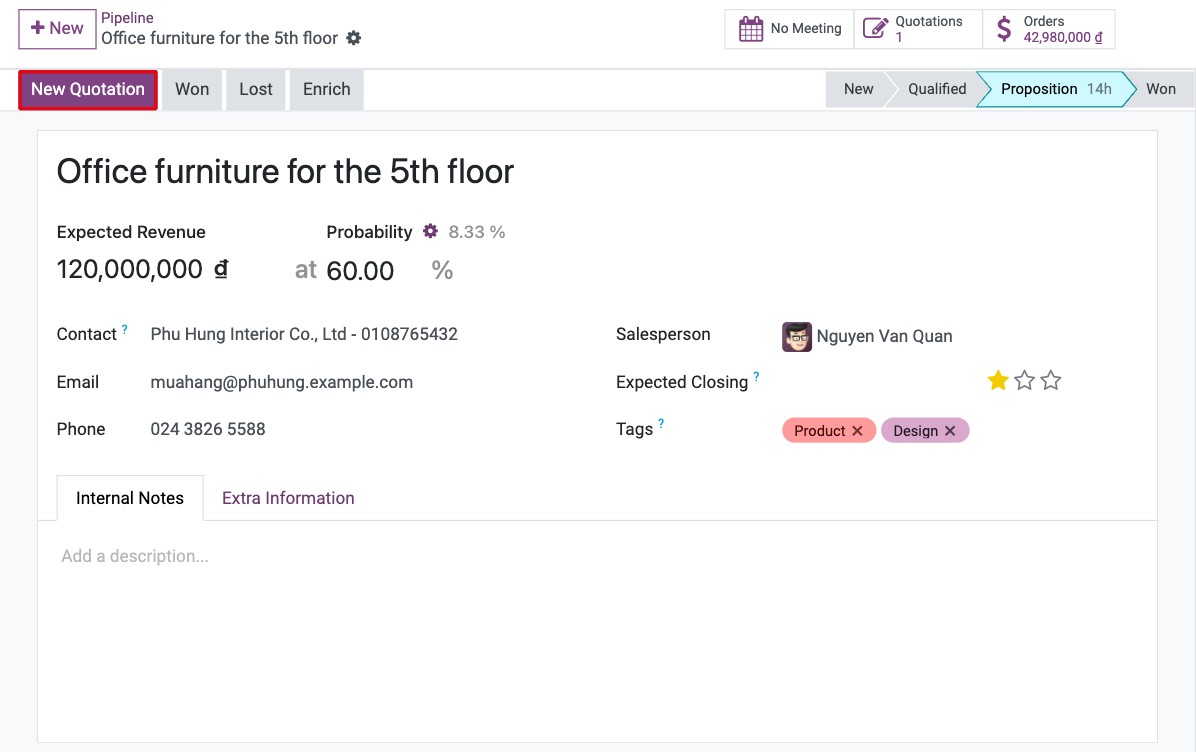
Click New Quotation.
![New Quotation button on an opportunity in Viindoo CRM]()
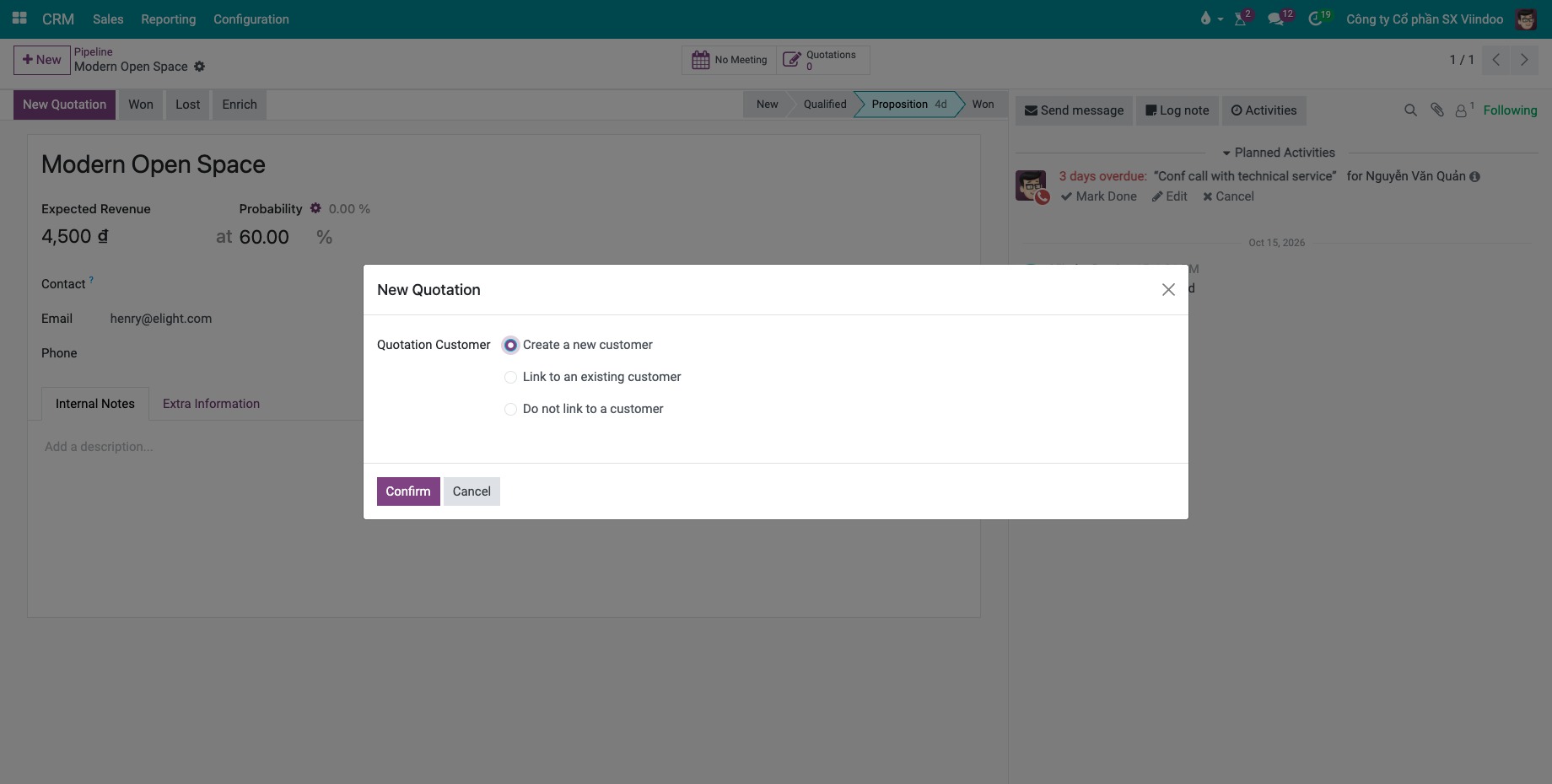
If the opportunity has no customer yet, choose in the New Quotation window:
Create a new customer: create a contact from the details of the opportunity;
Link to an existing customer: choose the contact;
Do not link to a customer: choose the customer later on the quotation.
Then click Confirm.
![New Quotation window with the customer options]()
On the quotation, add the products and quantities, check the prices and taxes. See How to create a quotation and confirm a sales order.
How do I send the quotation to the customer?
On the quotation, click Send by Email, check the email and its PDF attachment, then click Send. The quotation moves to the Quotation Sent status and the email is logged in its chatter.
How do I see the quotations of an opportunity?
Back on the opportunity, the Quotations button shows how many quotations were created; click it to list them. Once a quotation is confirmed, an Orders button shows the amount ordered.
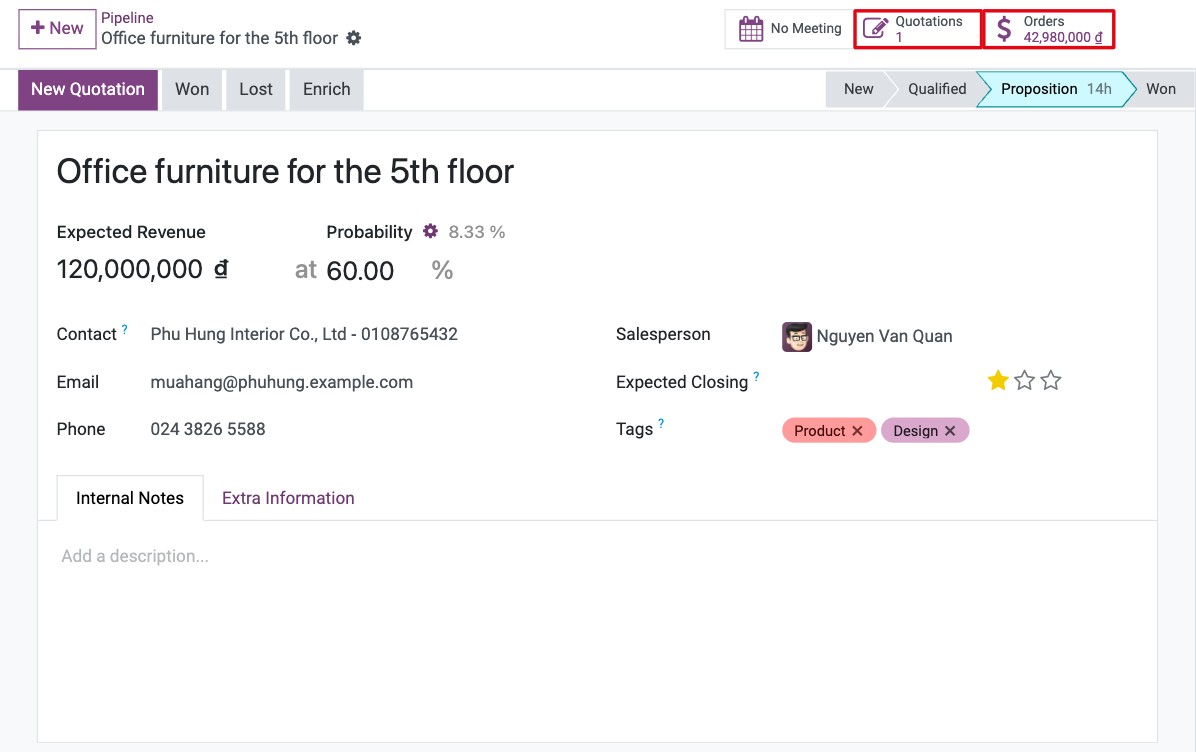
When the customer accepts, click Won on the opportunity to close it.
Common errors
Problem |
What to do |
|---|---|
There is no New Quotation button. |
The Sales app is not installed, the record is still a lead (convert it first), or the opportunity is lost (restore it). |
The email cannot be sent: Unable to send message, please configure the sender’s email address. |
Add your email in your preferences (your avatar ‣ Preferences). |
Next steps
How to mark an opportunity as lost and restore it later: what to do when the customer says no.