
Introduction to Viindoo Rental app
The Rental app runs a rental business: you set a rental price per hour, day, week or month on your products, send rental quotations, deliver the equipment, take it back and charge the late returns. The rental schedule shows which unit is out, with whom and until when, and the reports show your rental revenue.
Who |
Rental managers who set up the app (Sales ‣ Administrator access right) and salespeople who handle the rental orders (Sales ‣ User access rights). |
App |
Rental |
Before you start
Install the Rental Management module from Apps. When Inventory is installed, the Rental Stock Management module is installed with it, so that deliveries and returns move the stock. See How to install, upgrade and uninstall apps and modules.
To give the access rights below, you need the Administration ‣ Access Rights access right.
What does the Rental app do?
Set a rental price for a period, discounts for long rentals and a late return fee on each rental product.
Use pricelists to give some customers their own rental prices.
Send rental quotations with the dates of each rented item, and remind the customer by email before the return date.
Deliver, take back and swap the rented items, and charge the time a customer keeps them too long.
Follow the rentals on the rental schedule and in the reports.
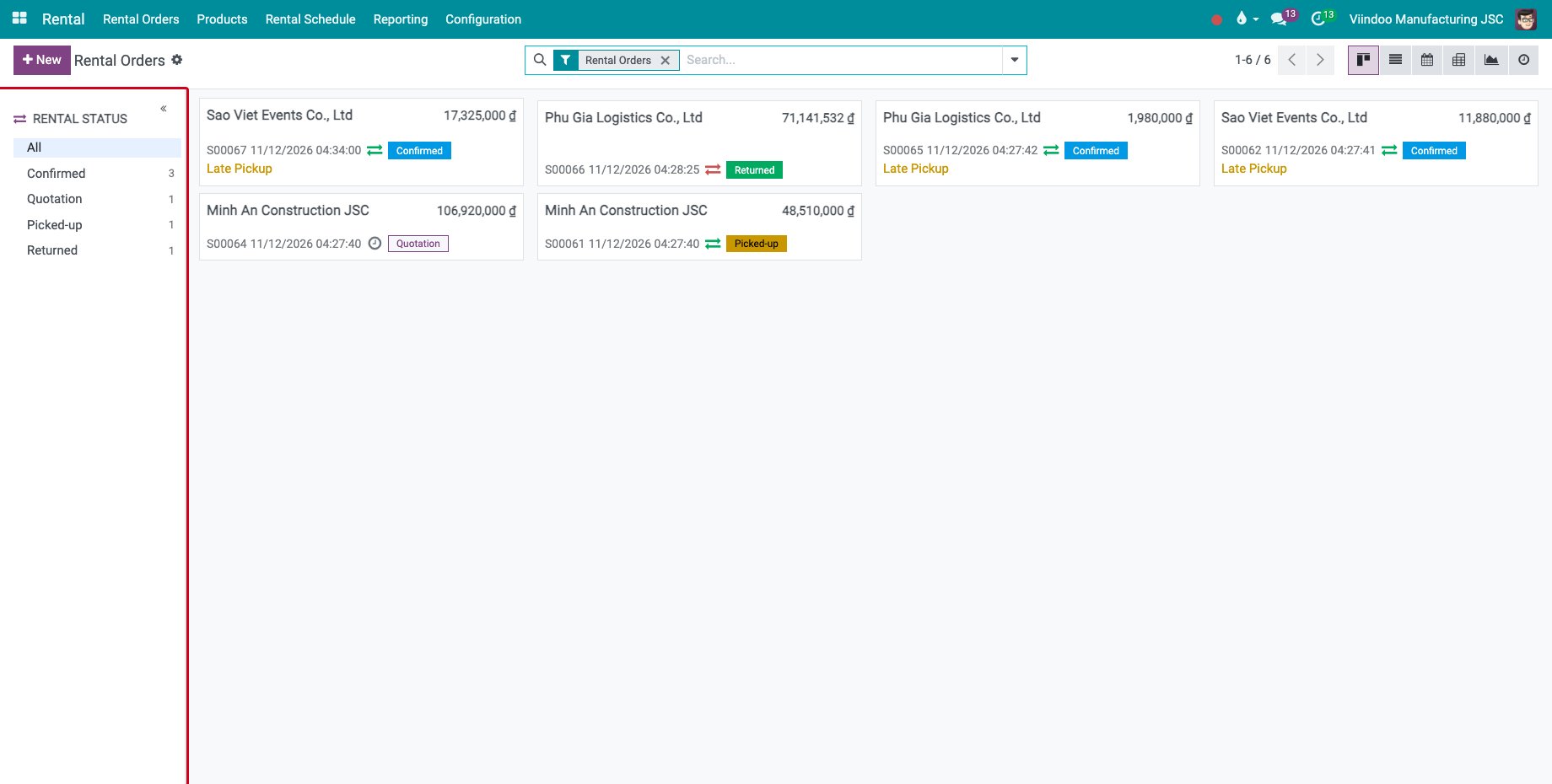
Open the Rental app. The rental orders show as cards with their rental status: Quotation, Confirmed, Picked-up or Returned. The panel on the left filters them by status.
![The rental orders as cards with their rental status]()
How do I give access rights to my staff?
Go to Settings ‣ Users & Companies ‣ Users and open the user.
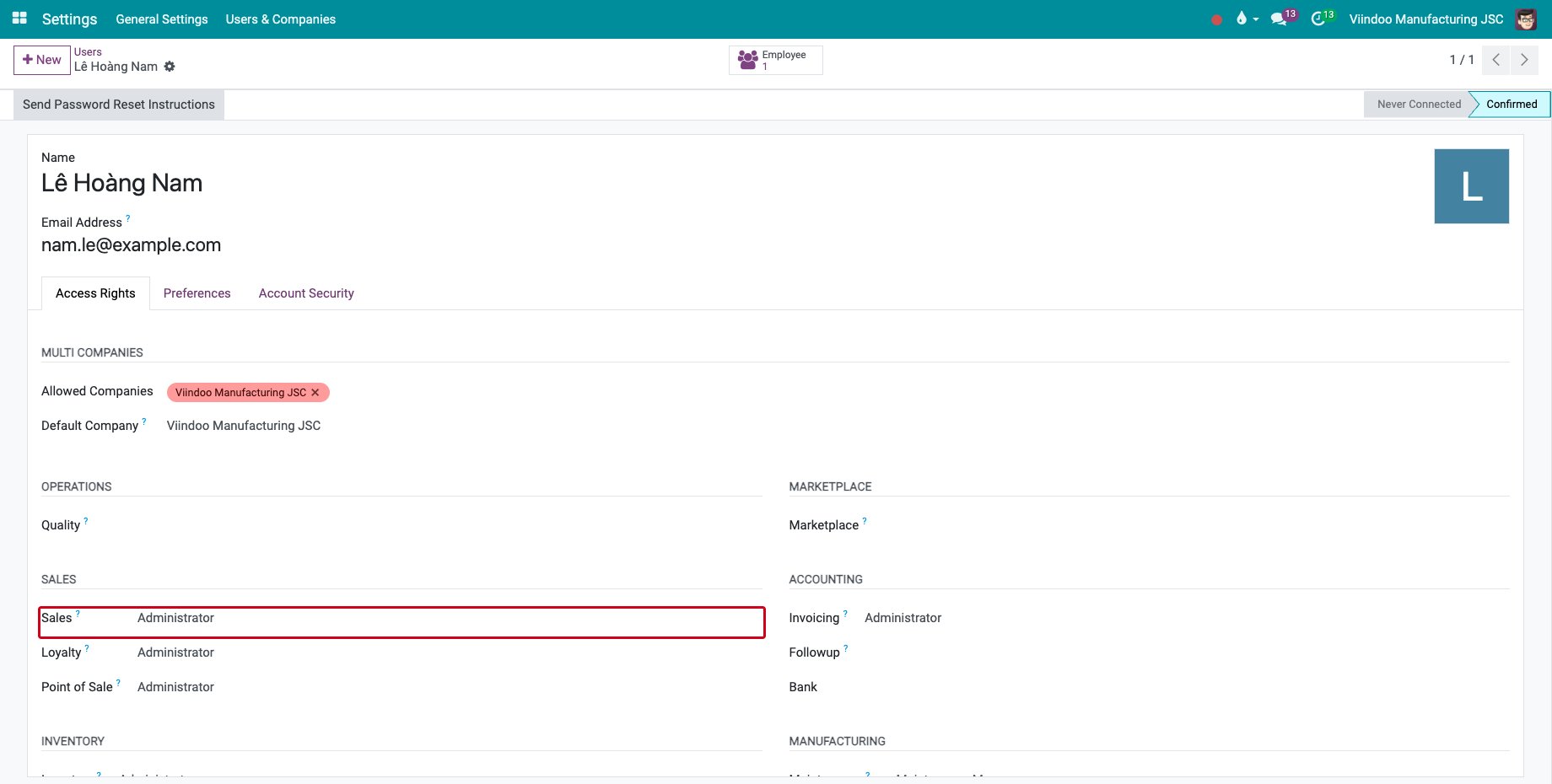
On the Access Rights tab, choose a level in the Sales field. The Rental app uses the access rights of Sales:
User: Own Documents Only and User: All Documents: create and handle rental orders, see the rental products and the rental schedule.
Administrator: also sets the rental periods and sees the reports.
![The Sales access right of a user]()
Only users with the Administration ‣ Settings access right see Rental ‣ Configuration ‣ Settings.
Where do I find each part of the app?
Menu |
What you do there |
|---|---|
Rental Orders ‣ Orders |
Create and follow the rental quotations and orders. |
Rental Orders ‣ Customer |
The customers. |
Products ‣ Products |
The products that can be rented, with their rental price. |
Products ‣ Pricelists |
The pricelists, when they are turned on in the settings. |
Rental Schedule |
Which item is rented to whom and when, on a timeline. |
Reporting |
Rental Analysis and the Inventory Report of the rental products. |
Configuration |
Settings and the rental periods in Recurrence. |
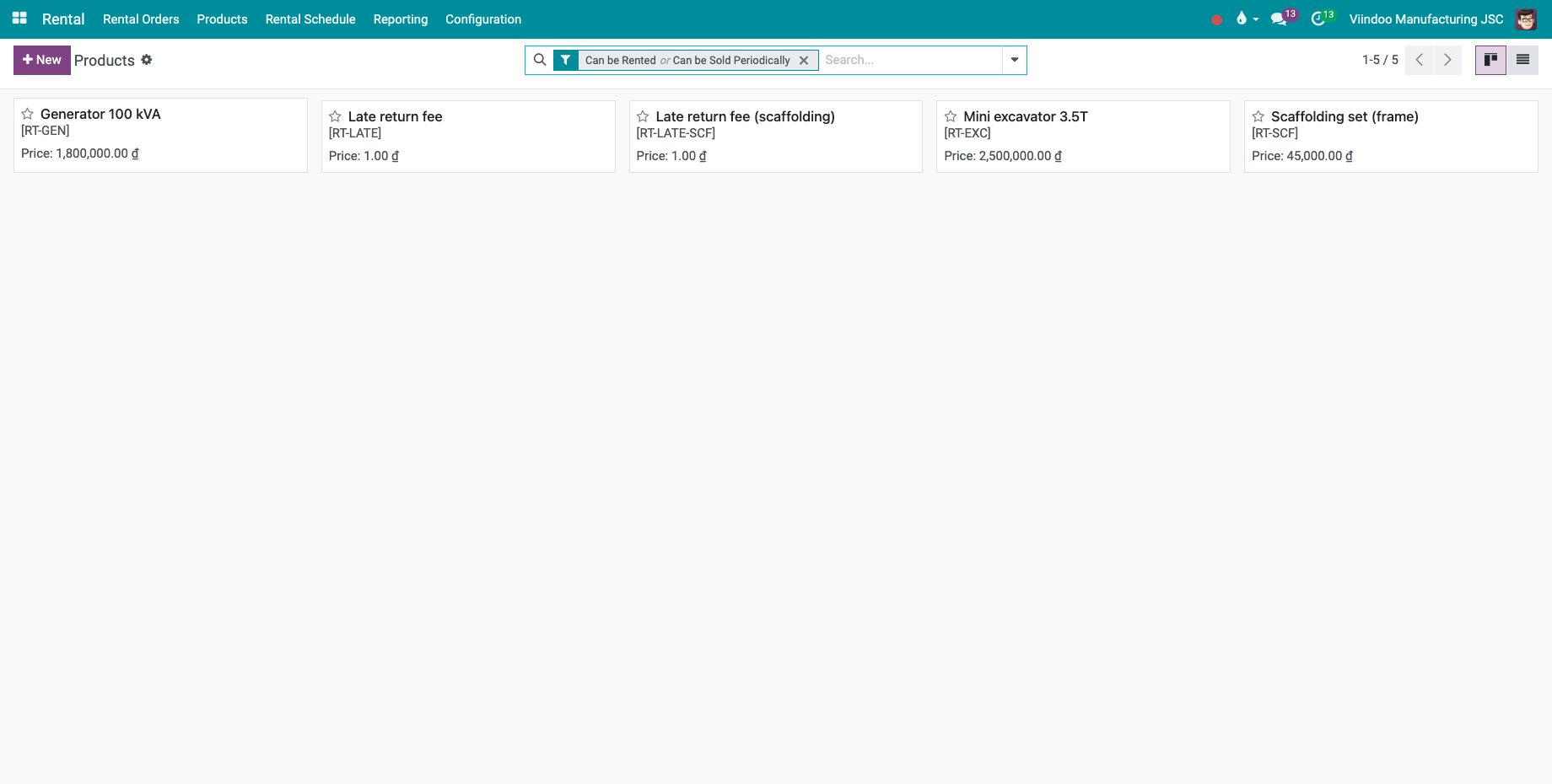
The Products menu opens the products that can be rented, with their price per period.
![The rental products with their rental price]()
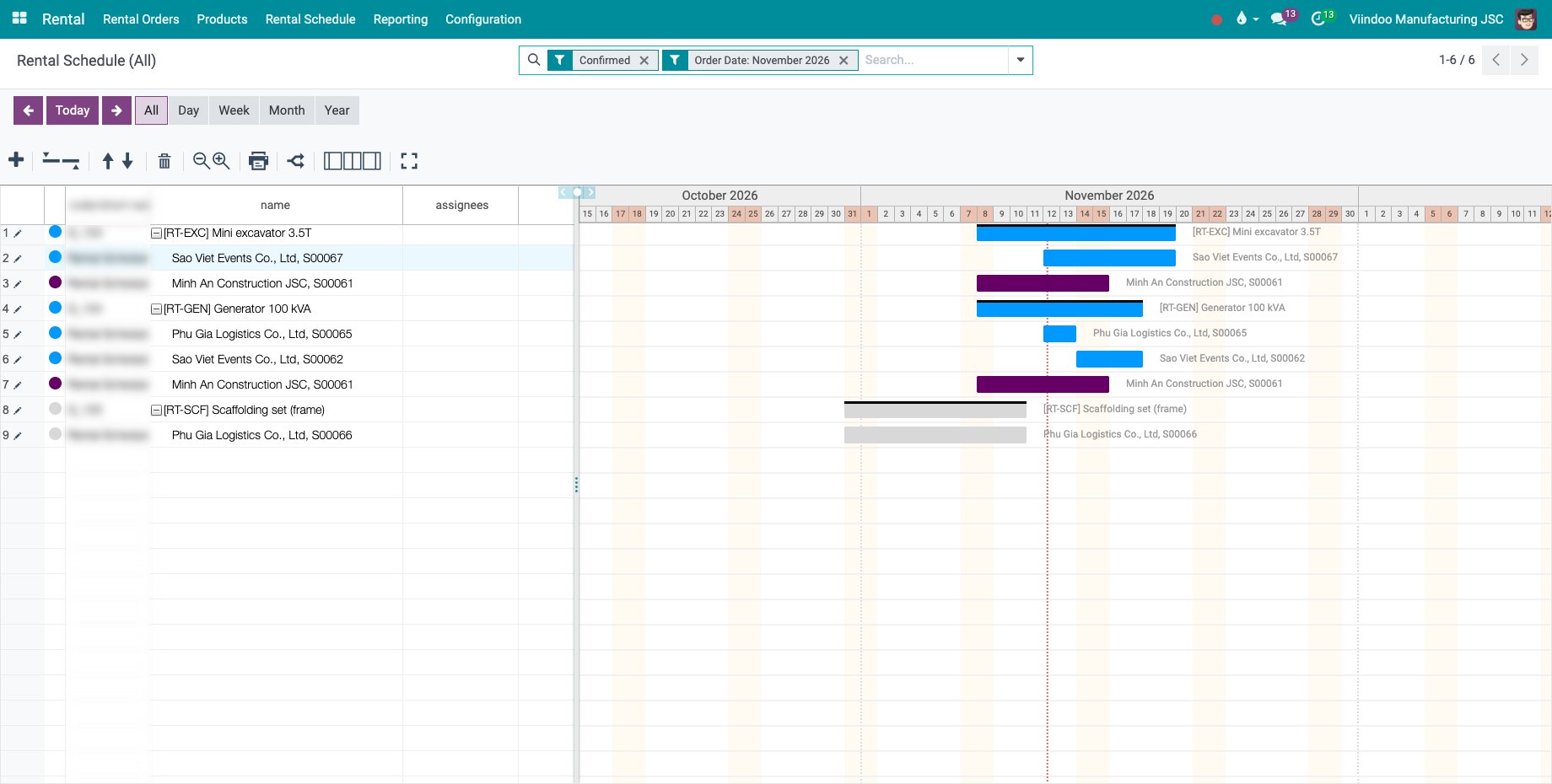
The Rental Schedule shows each rented item on a timeline, colored by rental status.
![The rental schedule on a timeline]()
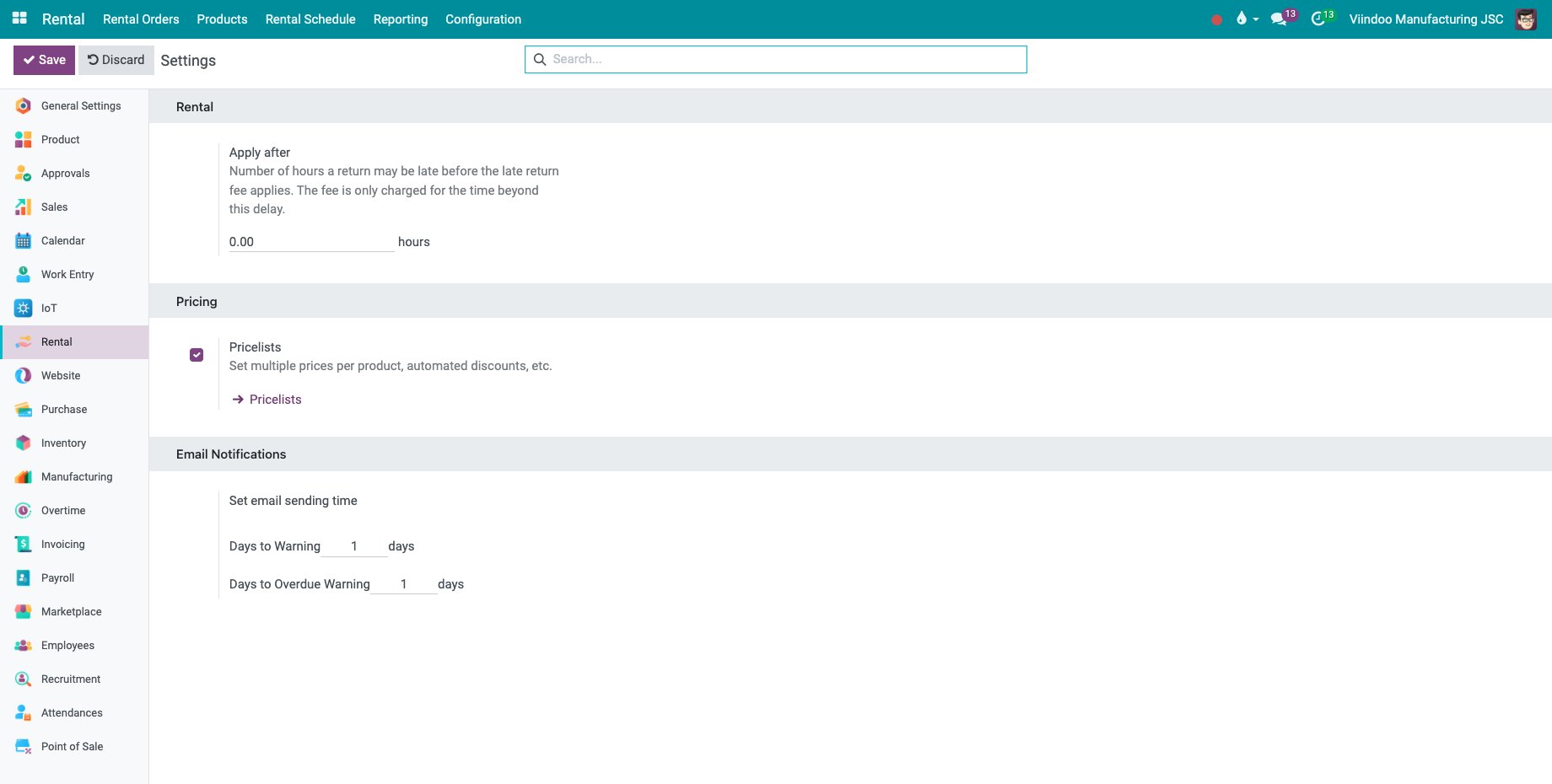
Configuration ‣ Settings holds the late return delay, the pricelists and the reminder emails.
![The settings of the Rental app]()
Common errors
Problem |
What to do |
|---|---|
The user does not see the Rental app. |
Give the user a Sales access right. |
Reporting or Recurrence is missing. |
These menus need the Sales ‣ Administrator access right. |
The rental order has no Delivery button. |
The Rental Stock Management module is not installed, or the product does not track its stock. |
Next steps
Rental Product Configuration: make your products rentable.
How to create Rental Orders: send your first rental quotation.
See also
Related articles
Optional modules