
Approve bills of materials and manufacturing orders
A new bill of materials or a large production run often needs the agreement of a manager before the workshop starts. Two approval types do this: Bill of Materials, one request per bill of materials with its components, and Production Order, one request for one or several manufacturing orders.
Who |
Production engineers who maintain the bills of materials (Manufacturing ‣ Administrator), planners who prepare the orders (Manufacturing ‣ User), and the approvers of the Approval app. |
App |
Manufacturing, Approval |
Before you start
Install the OmniApproval™ - MRP Approvals module. The Approval app is installed with it.
Set the approvers of the two types, see Manage Approval Types.
How do I find the approval types?
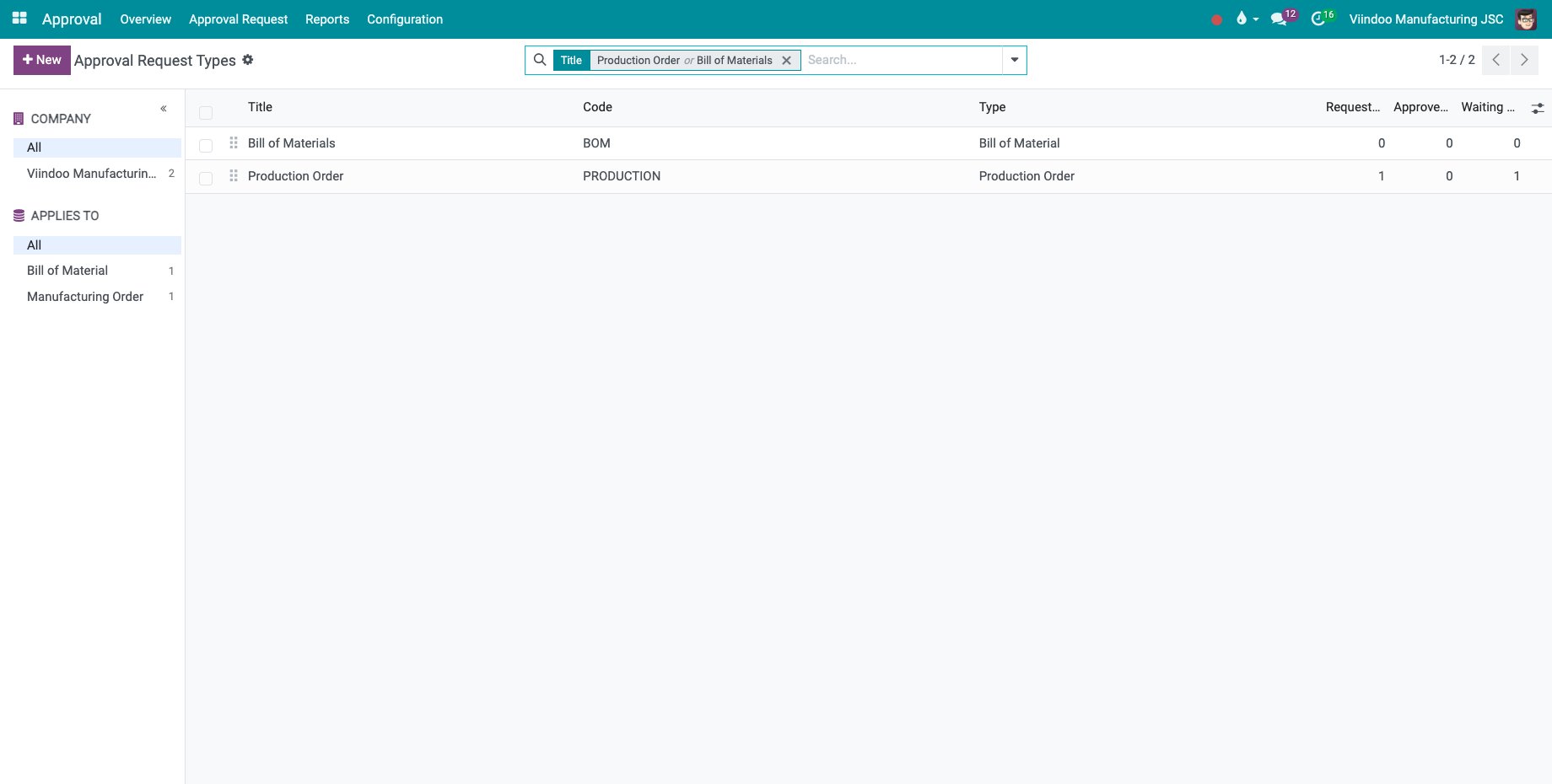
Go to Approval ‣ Configuration ‣ Approval Types. Each company has a Bill of Materials type and a Production Order type, ready to use. Both ask the manager of the employee by default.
How do I send a bill of materials for approval?
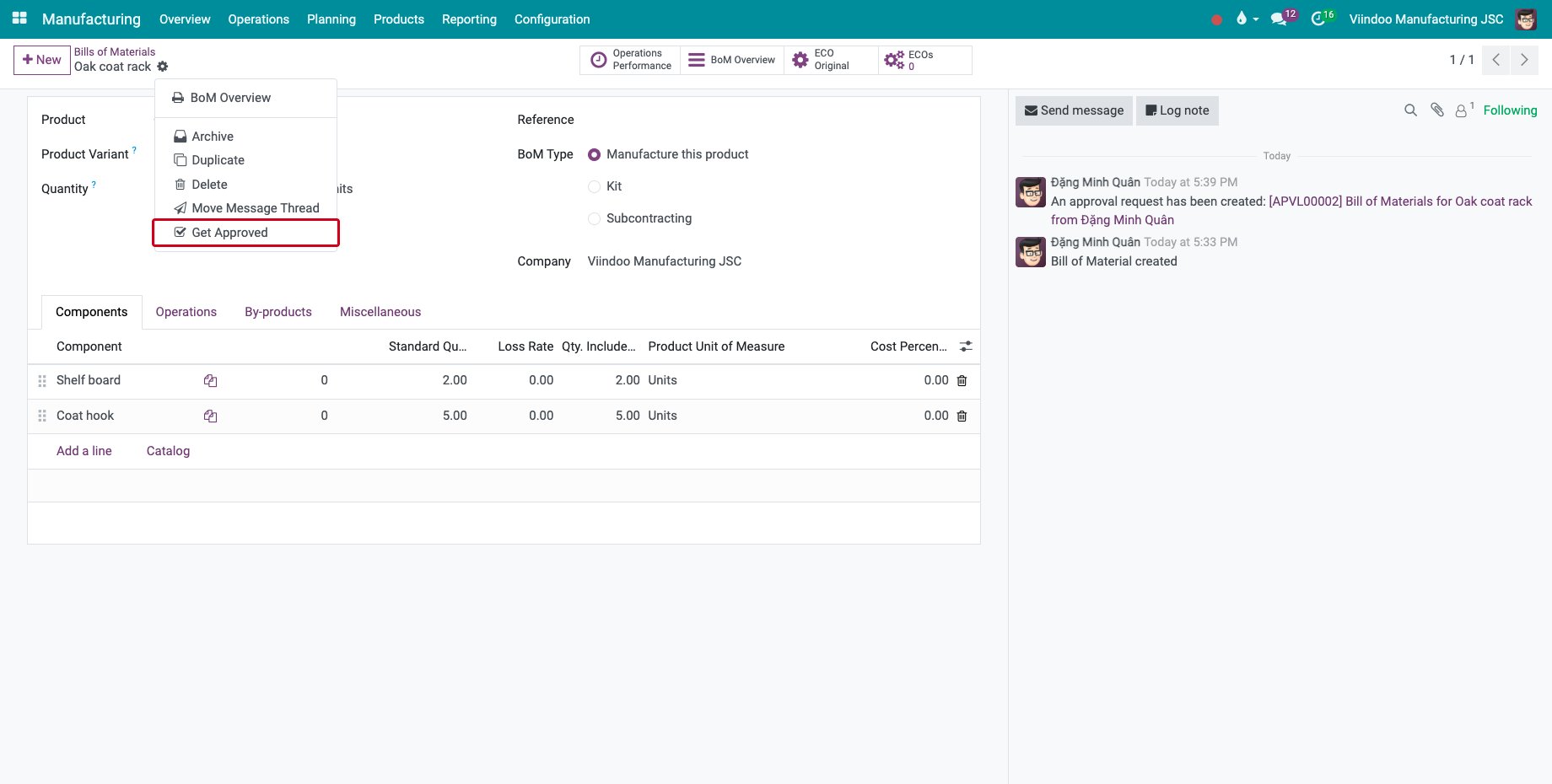
Open the bill of materials and choose Get Approved in the gear menu.
![Get Approved in the gear menu of a bill of materials]()
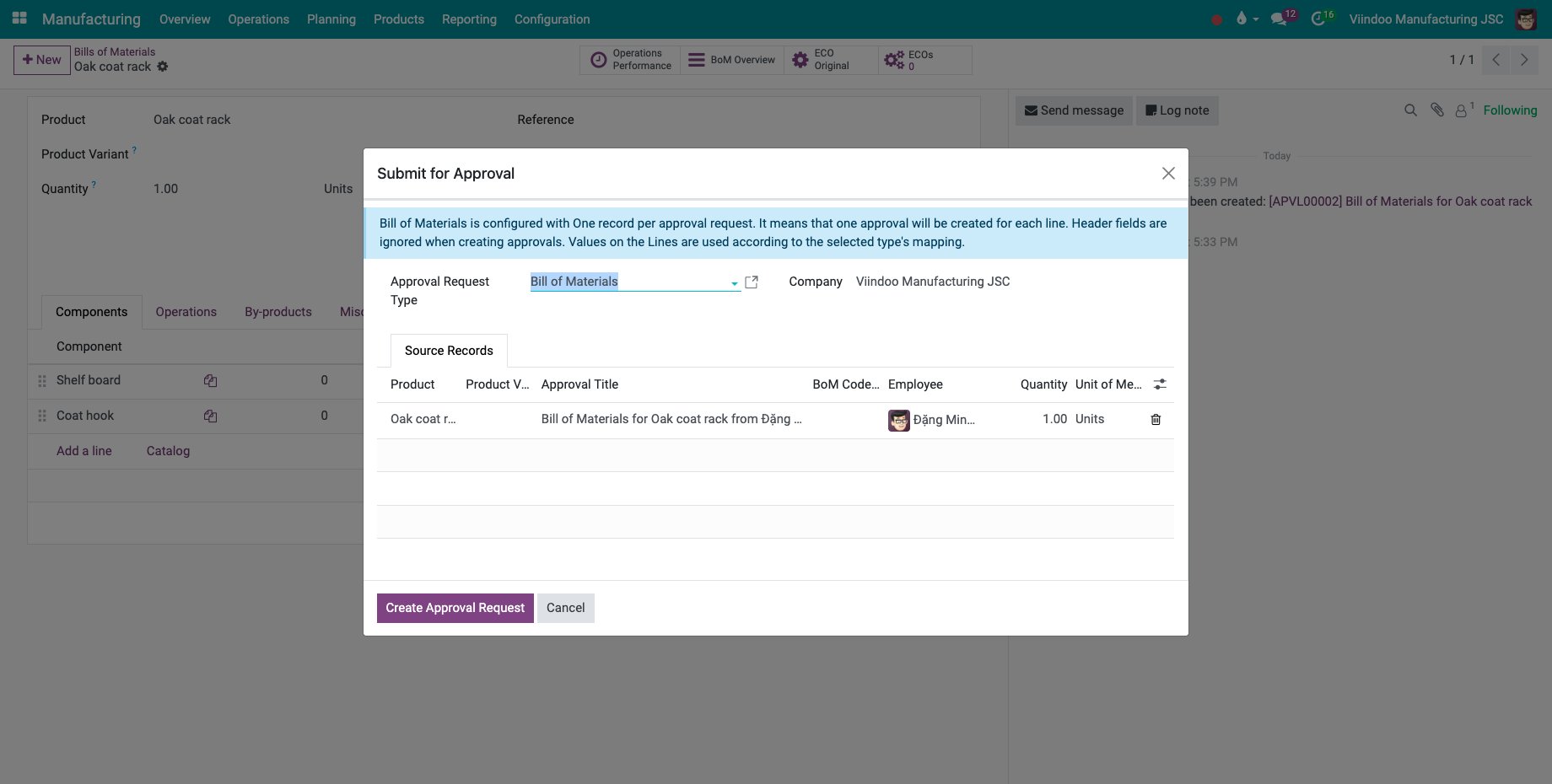
In Submit for Approval, check the Approval Request Type and the line of the bill of materials, then click Create Approval Request.
![The window Submit for Approval of a bill of materials]()
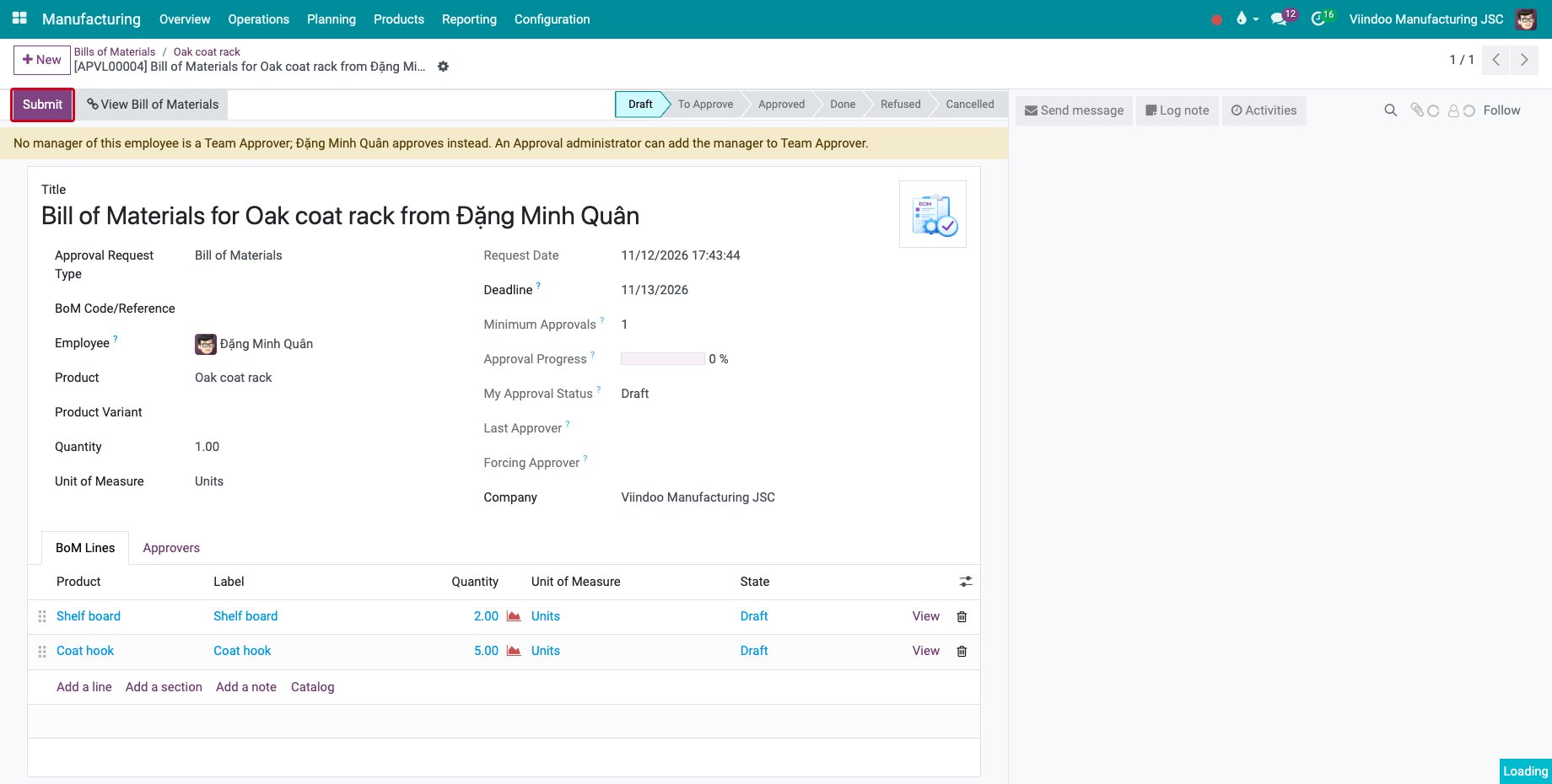
The request opens in Draft, with the components on the BoM Lines tab. View Bill of Materials opens the source. Click Submit to send it to the approvers.
![The approval request of the bill of materials with its components]()
Get Approved is no longer offered on a bill of materials that already has a request.
How do I send manufacturing orders for approval?
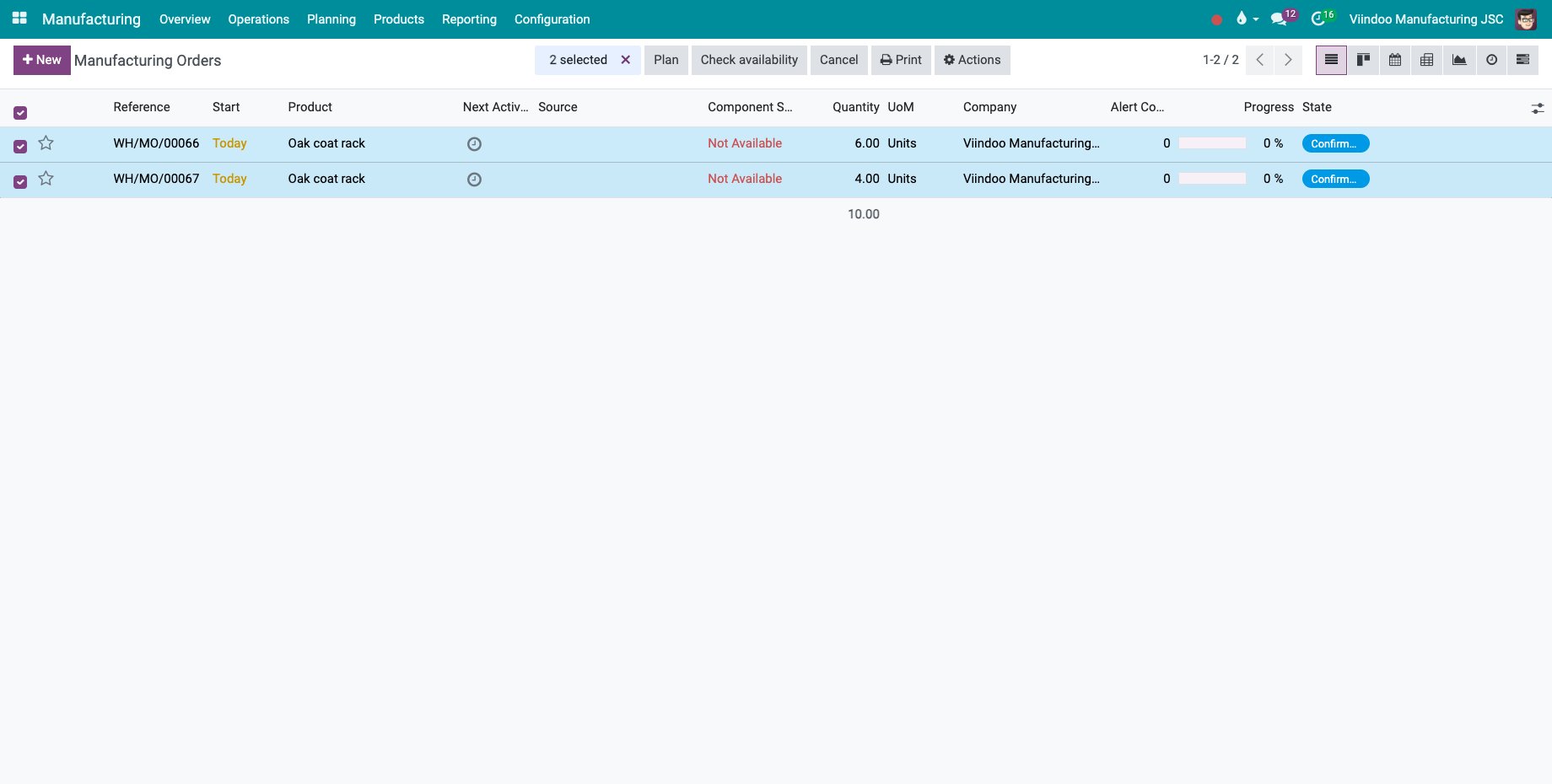
In Manufacturing ‣ Operations ‣ Manufacturing Orders, select the orders, then choose Actions ‣ Get Approved and click Create Approval Request.
![Two manufacturing orders selected for approval]()
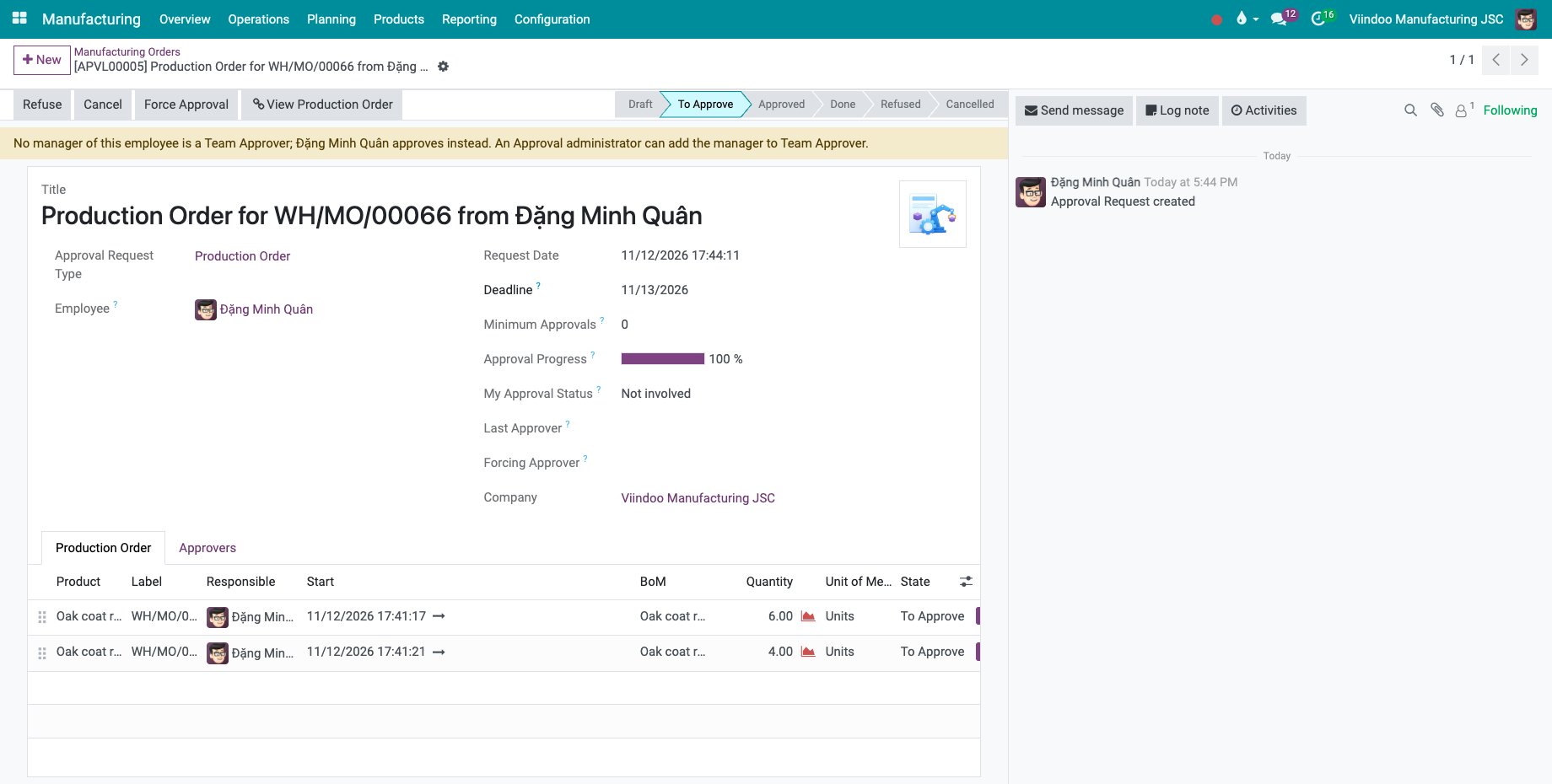
One request holds all the orders, one line each on the Production Order tab, with the product, the quantity, the bill of materials, the start date and the responsible.
![The approval request of two manufacturing orders]()
The approvers then approve or refuse the request, see How to create and approve a request.
Common errors
Problem |
What to do |
|---|---|
Get Approved is missing on a bill of materials. |
The bill of materials already has a request. Open it from the Approval app. |
The request reads that no manager of the employee is an approver. |
Add the manager to the approvers of the type, or ask an approval administrator. |
Next steps
How to create and approve a request: approve or refuse the requests.
Close an order at the machine and record on behalf: send a consumption difference found at the machine to a manager for approval.