
Track the repair history of products
Every repair order keeps the serial number of the product. From the serial number, you open the list of its repairs, to see how often a product came back and who repaired it.
Who |
Inventory users, repair managers and support staff who answer the customer about a product. |
App |
Repairs, Inventory |
Before you start
Activate the Repairs app and tick Lots & Serial Numbers in the Inventory settings, see How to install and set up Repairs app.
The products are tracked by serial number and their repair orders have the Lot/Serial filled, see Create repair order.
The user has an Inventory access right or the Repair Manager right.
How do I see the repairs of a serial number?
Go to Inventory ‣ Products ‣ Lots / Serial Numbers and open the serial number.
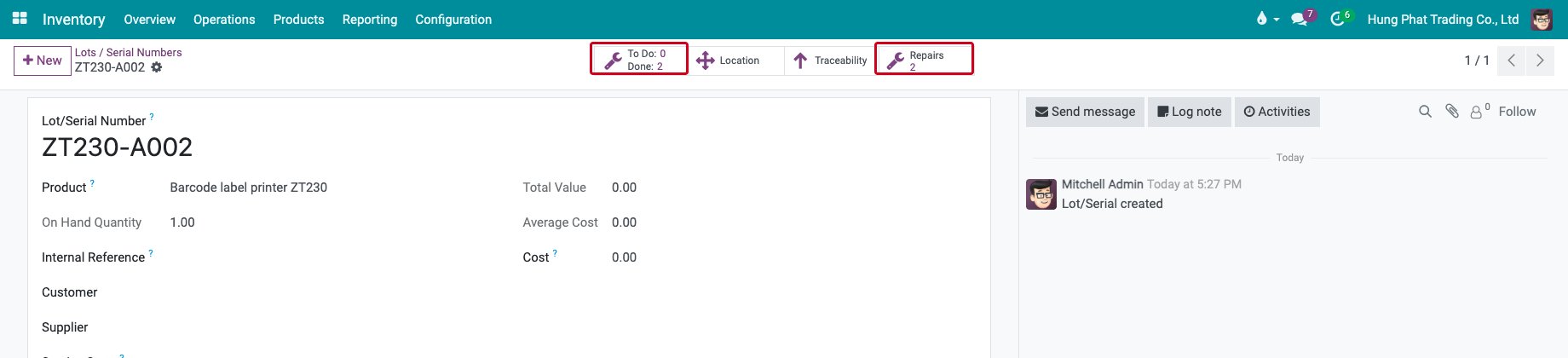
Read the two buttons with a wrench icon on top of the form:
To Do and Done count the repair orders of the serial number that are not finished and the ones that are Repaired.
Repairs counts all the repair orders of the serial number.
![The repair buttons of a serial number]()
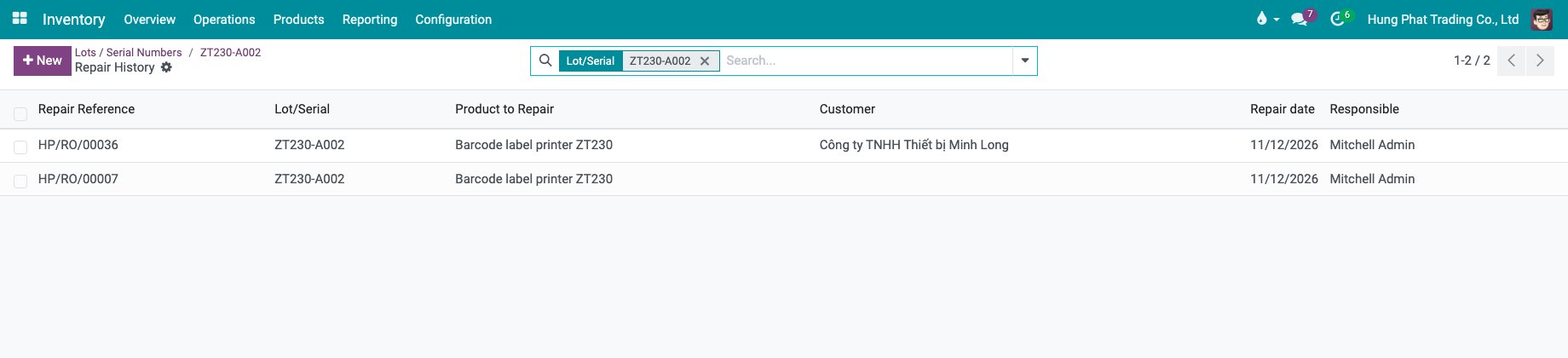
Click Repairs to open the Repair History: one line for each repair order with its reference, the serial number, the product, the customer, the repair date and the person in charge.
![The repair history of a serial number]()
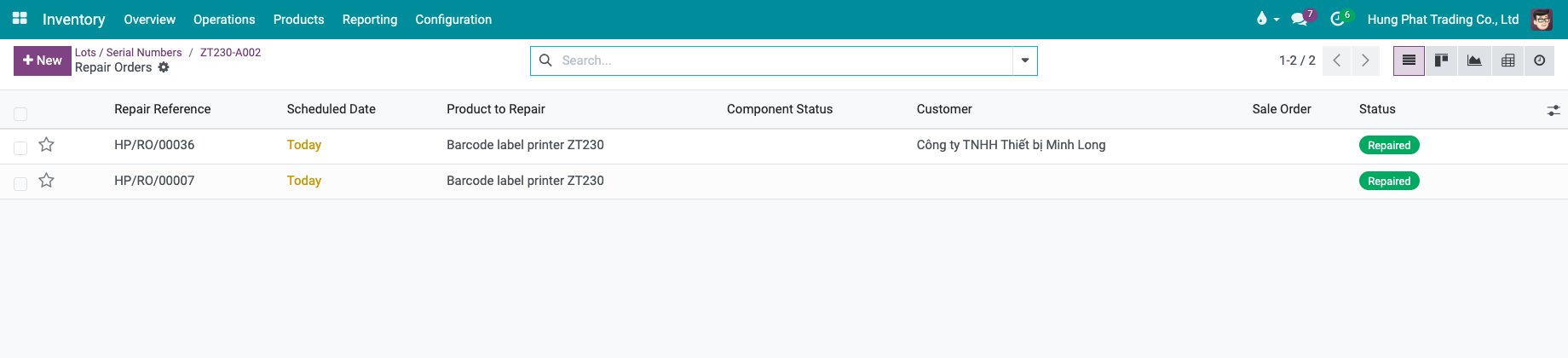
Click To Do and Done to open the same orders in the usual repair order list, with the status, the component status and the sales order. Click an order to open it.
![The repair orders of a serial number in the repair order list]()
The Repairs button shows once the serial number has a repair order.
How do I search the repair orders by serial number?
In Repairs ‣ Orders, type the serial number in the search box and choose Lot/Serial, as the filter above shows. You can also group the orders by Lot/Serial in the filter menu.
Common errors
Problem |
What to do |
|---|---|
The Repairs button is missing on the serial number. |
The serial number has no repair order yet, or the user has no Inventory or Repair Manager right. |
A repair is missing from the history. |
The order was created without the Lot/Serial. Open it and choose the serial number. |
Next steps
Reporting: analyse the parts used in your repairs.
Create Repair orders from Warranty claim: start a repair from a warranty claim.