
Shop Floor entries and work center overview
Production managers follow the shop floor from the desktop. Manufacturing ‣ Overview shows the work centers and opens the Shop Floor on one of them; Shop Floor Entries lists every output, consumption, scrap, stop, breakdown and order close recorded on the tablets, who recorded it and for whom; the production cost report shows the direct labour of each order.
Who |
Production managers (Manufacturing ‣ Administrator), who see all entries; machine operators (Manufacturing ‣ User), who see their own entries; cost accountants, who read the labour cost. |
App |
Manufacturing |
Before you start
Recordings are made on the Shop Floor, see Record output, materials and scrap at the machine.
Manufacturing ‣ Overview and the work orders menus need Work Orders turned on in the settings.
How do I open the Shop Floor from the desktop?
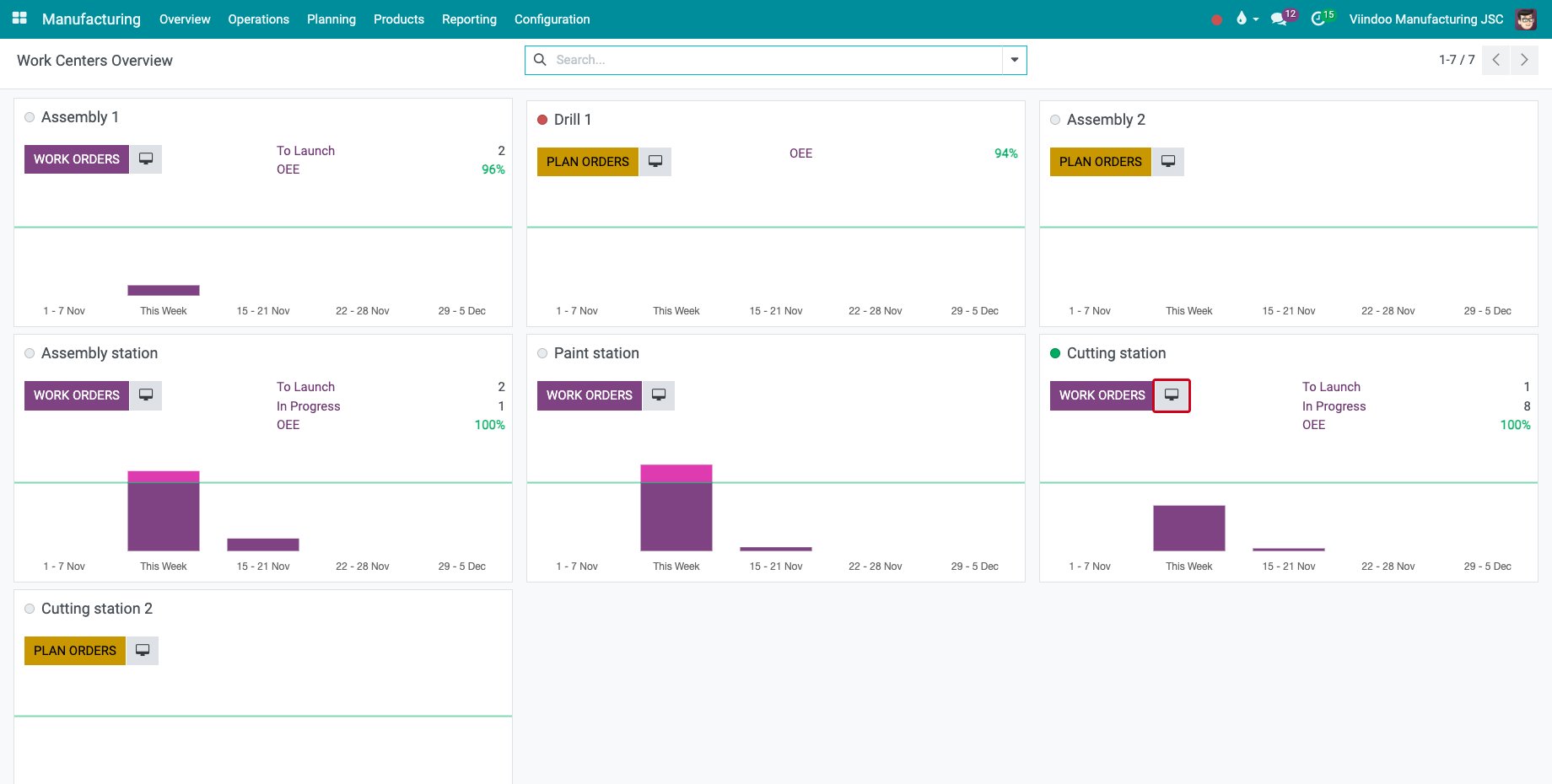
Go to Manufacturing ‣ Overview. Each work center is a card. The tablet icon next to the main button of the card is Open Shop Floor.
![The work center overview with the Open Shop Floor button]()
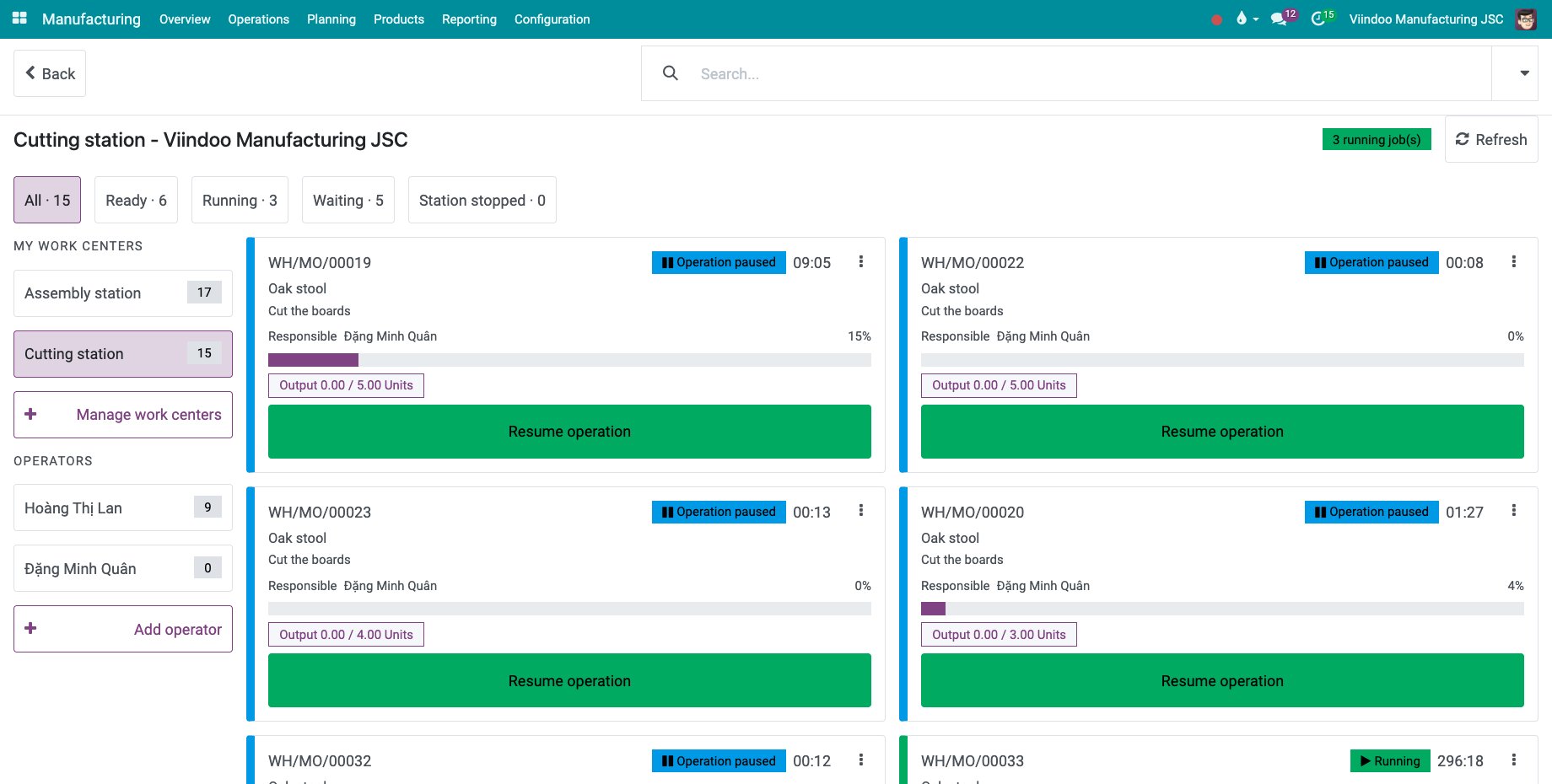
Click it. The Shop Floor opens on that work center, next to your own work centers, without changing the work centers you chose.
![The Shop Floor opened on the chosen work center]()
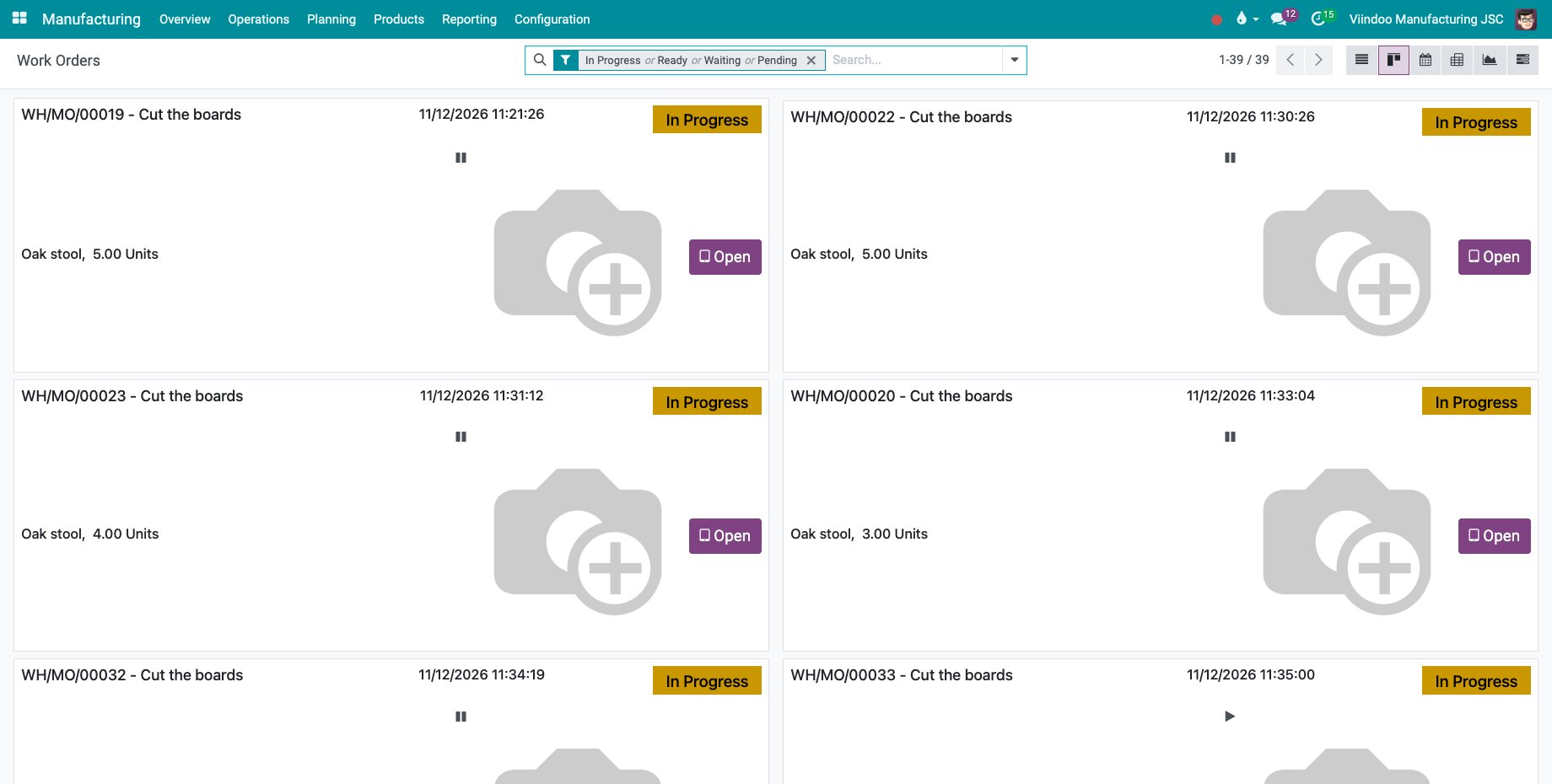
To open a single job, go to Manufacturing ‣ Operations ‣ Work Orders, switch to the kanban view and click Open on the card of the work order. The Shop Floor opens on that job, or on the closing screen when its order waits to be closed.
![The work orders in the kanban view with the Open button]()
How do I check what was recorded on the tablets?
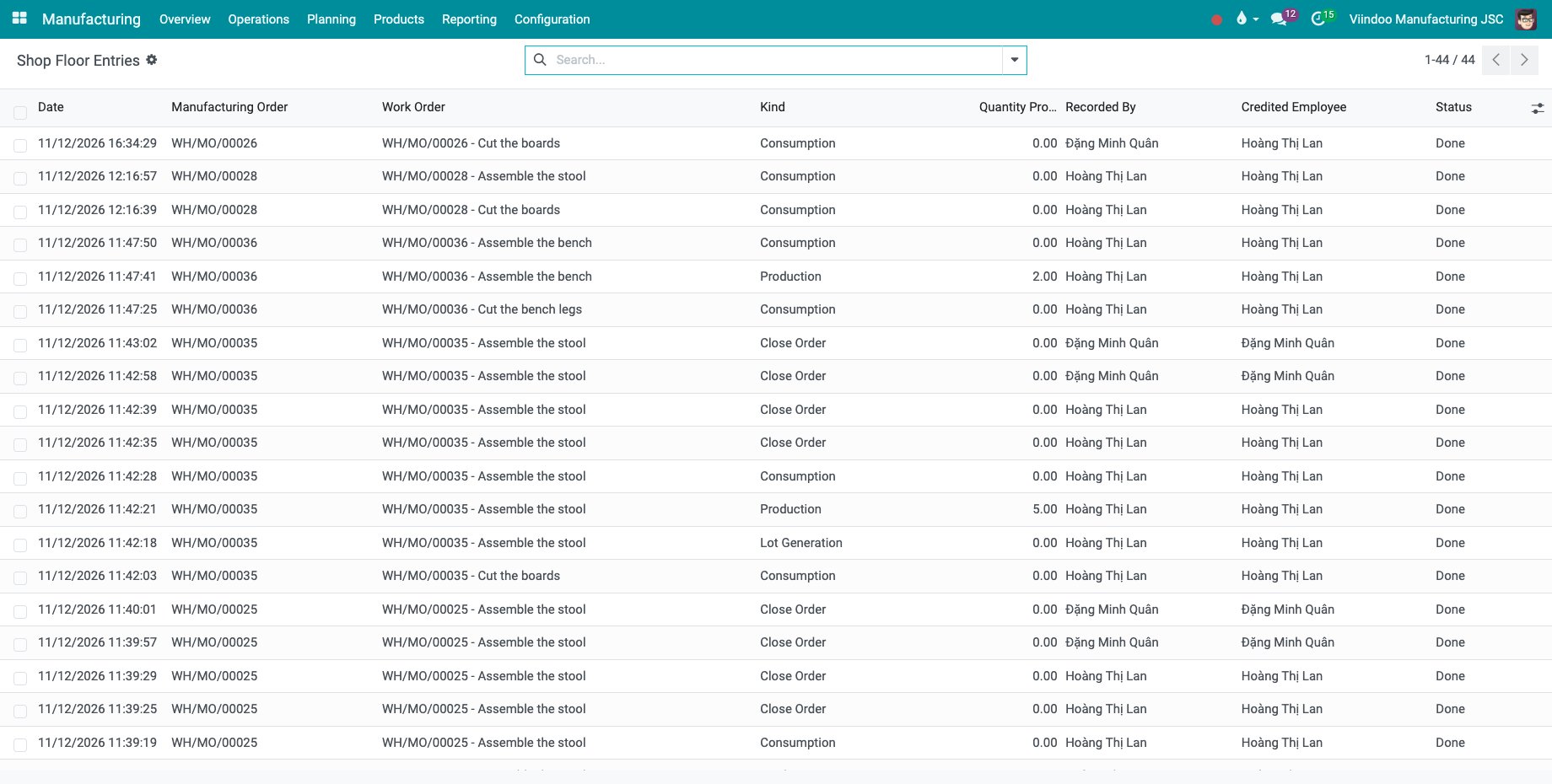
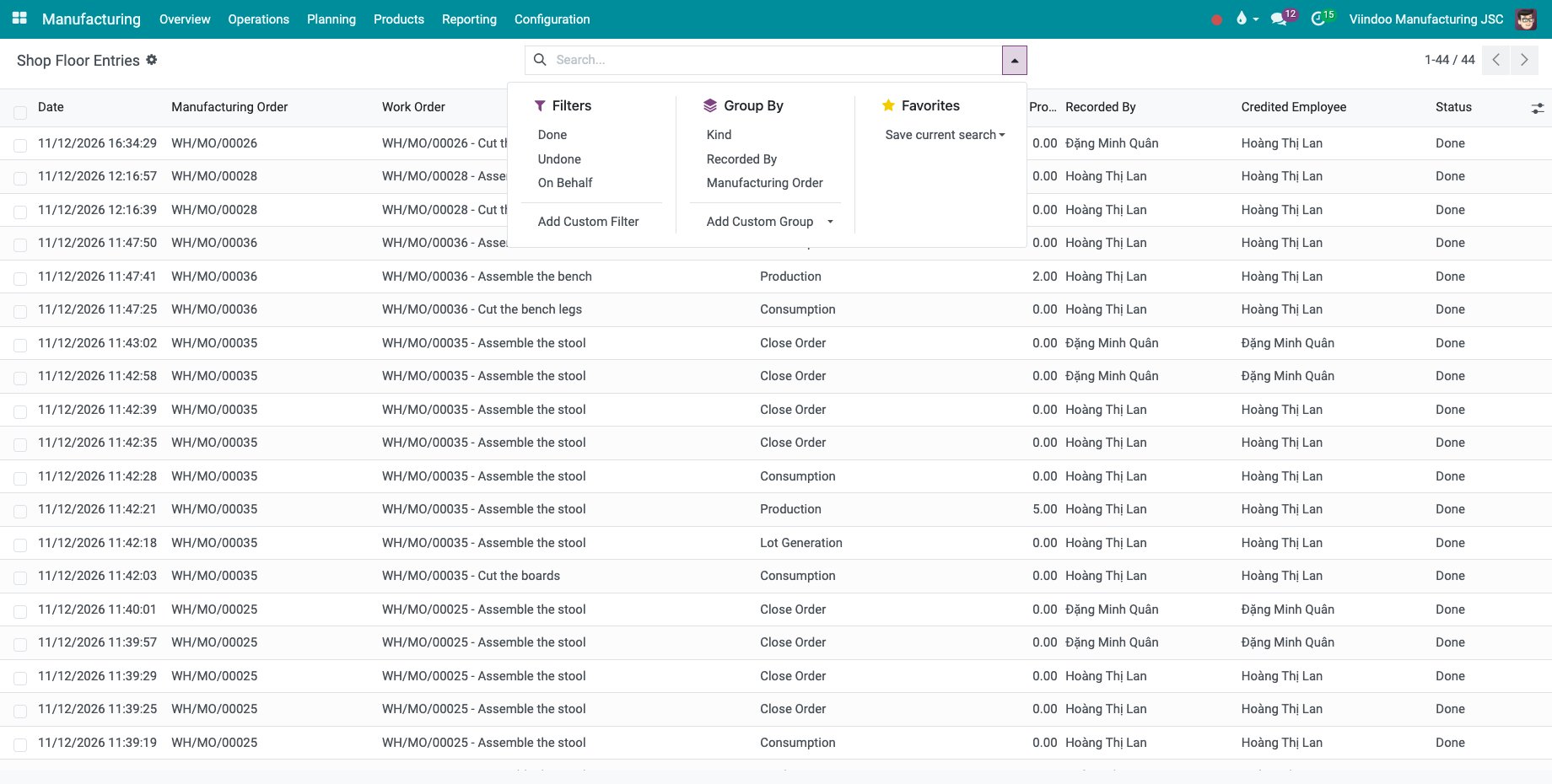
Go to Manufacturing ‣ Reporting ‣ Shop Floor Entries. The list cannot be edited: each line is one recording with its date, order, work order, kind, quantity, the user who recorded it, the employee it is credited to and its state. A production manager sees all lines, an operator their own.
![The list of Shop Floor Entries]()
Open the filter menu: Filters has Done, Undone and On Behalf; Group By has Kind, Recorded By and Manufacturing Order.
![The filters and groupings of the entries]()
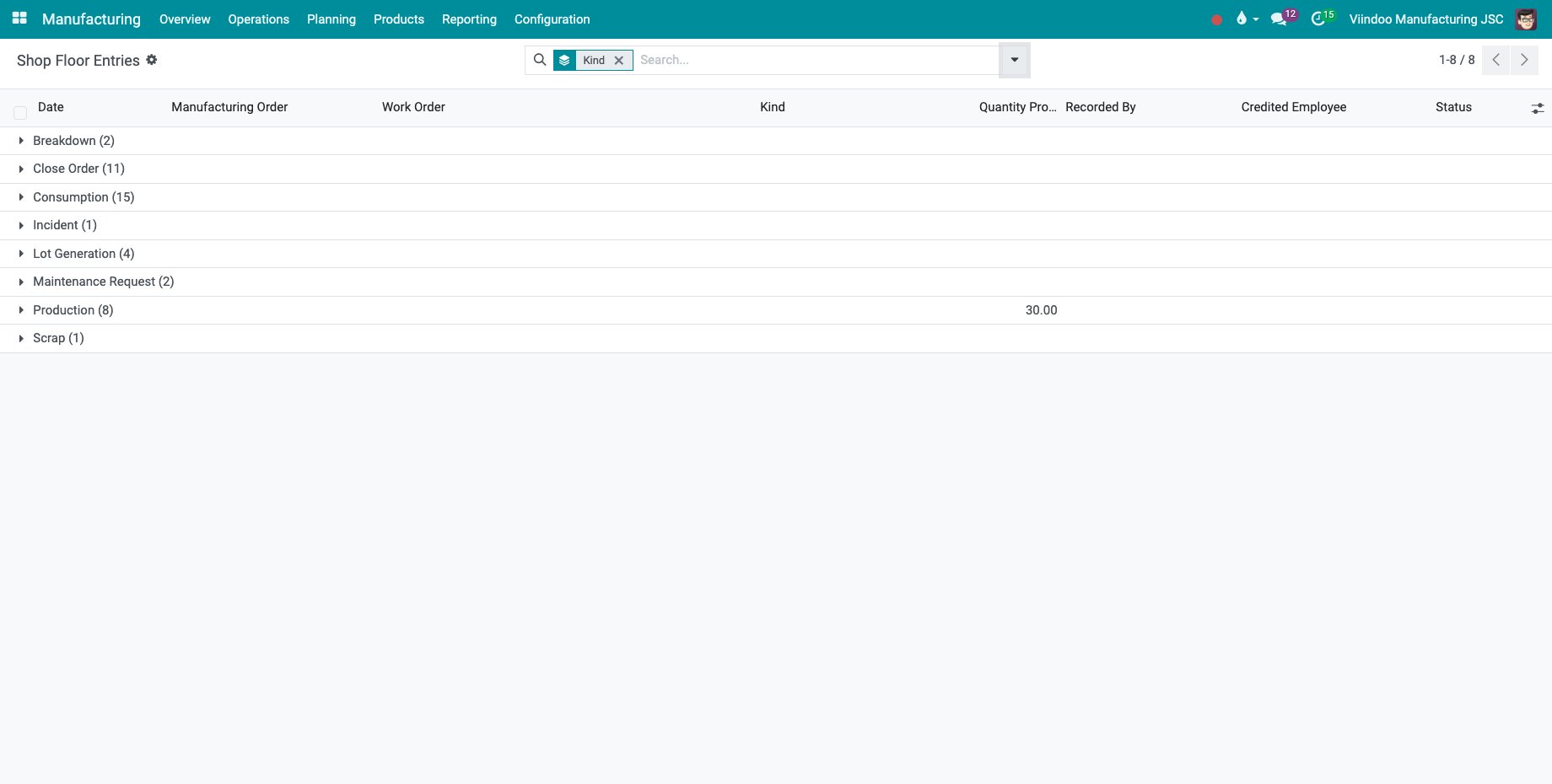
Choose Group By ‣ Kind to see the recordings by kind, for example Production, Consumption, Scrap, Incident (a machine stop), Breakdown, Maintenance Request, Lot Generation, Close Order and, with the quality bridge, Quality Alert.
![The entries grouped by kind]()
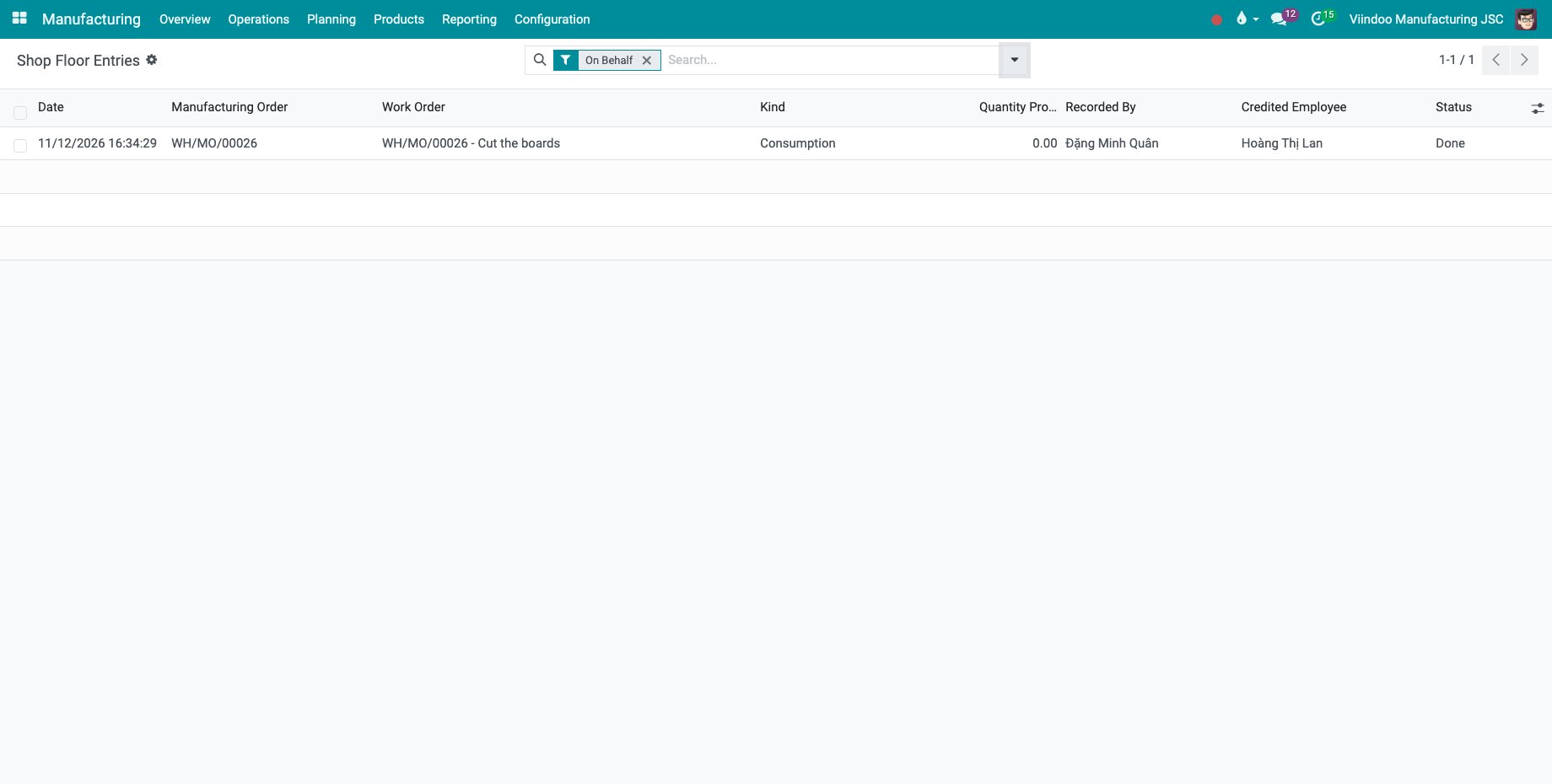
Choose On Behalf to keep the lines recorded for another employee.
![The entries recorded on behalf of another employee]()
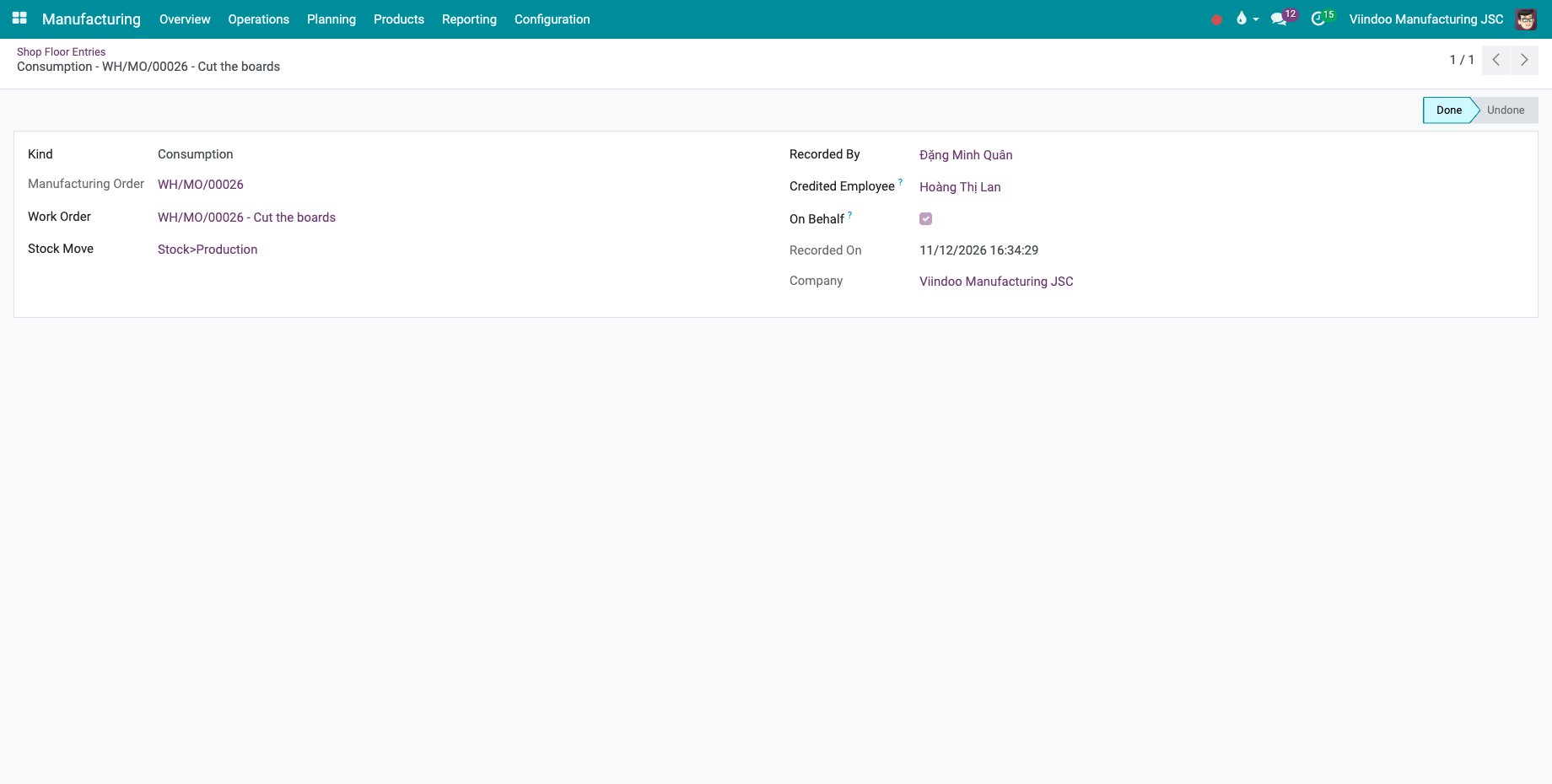
Click a line to open it. The form shows the kind, the order, the work order, who recorded it, the credited employee and, for an undone line, who undid it and when.
![An entry recorded on behalf of another employee]()
How do I read the labour cost of the orders?
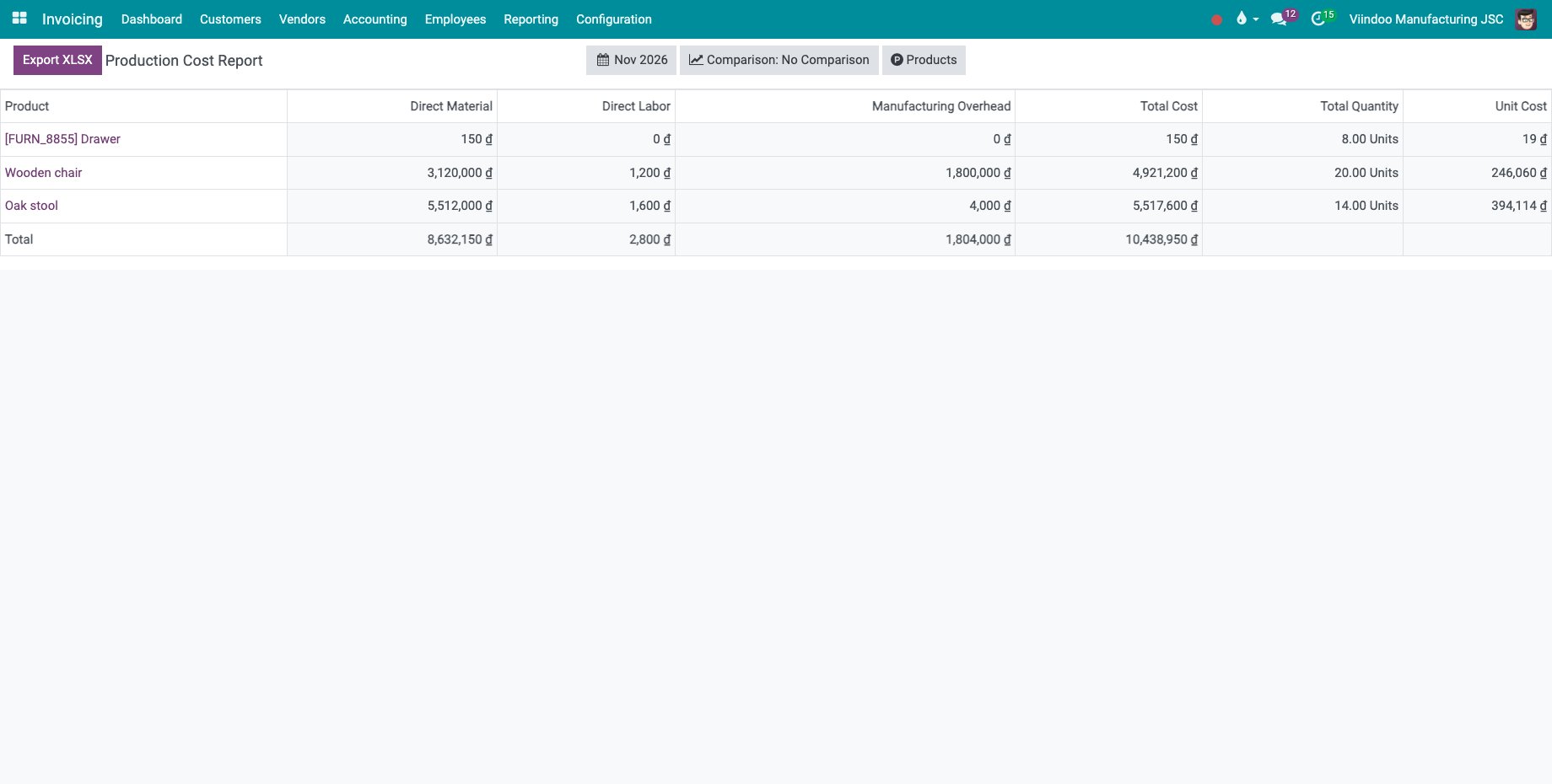
Go to Manufacturing ‣ Reporting ‣ Production Cost Report and choose the period. The labour column of the work centers, for example Direct Labor, holds the time worked on the orders at the hourly cost of the credited employees. Time lost to a stop such as a breakdown is not part of it. The report needs access to the accounting features.
Common errors
Problem |
What to do |
|---|---|
An operator sees only some entries. |
This is intended: operators see their own entries, production managers see all of them. |
A line cannot be changed or deleted. |
The entries are a log. Undo a recording on the tablet while its order is open. |
Manufacturing ‣ Overview is missing. |
Turn on Work Orders in Manufacturing ‣ Configuration ‣ Settings. |
Next steps
Cost accumulation and product cost report: read the whole cost of the products.
Post work in progress entries at period end: post the work in progress at the end of the period.