
What is the difference between a module and an application?
A module is a package of features that can be installed on its own. Every feature of Viindoo comes from a module, and the Apps menu lists them all.
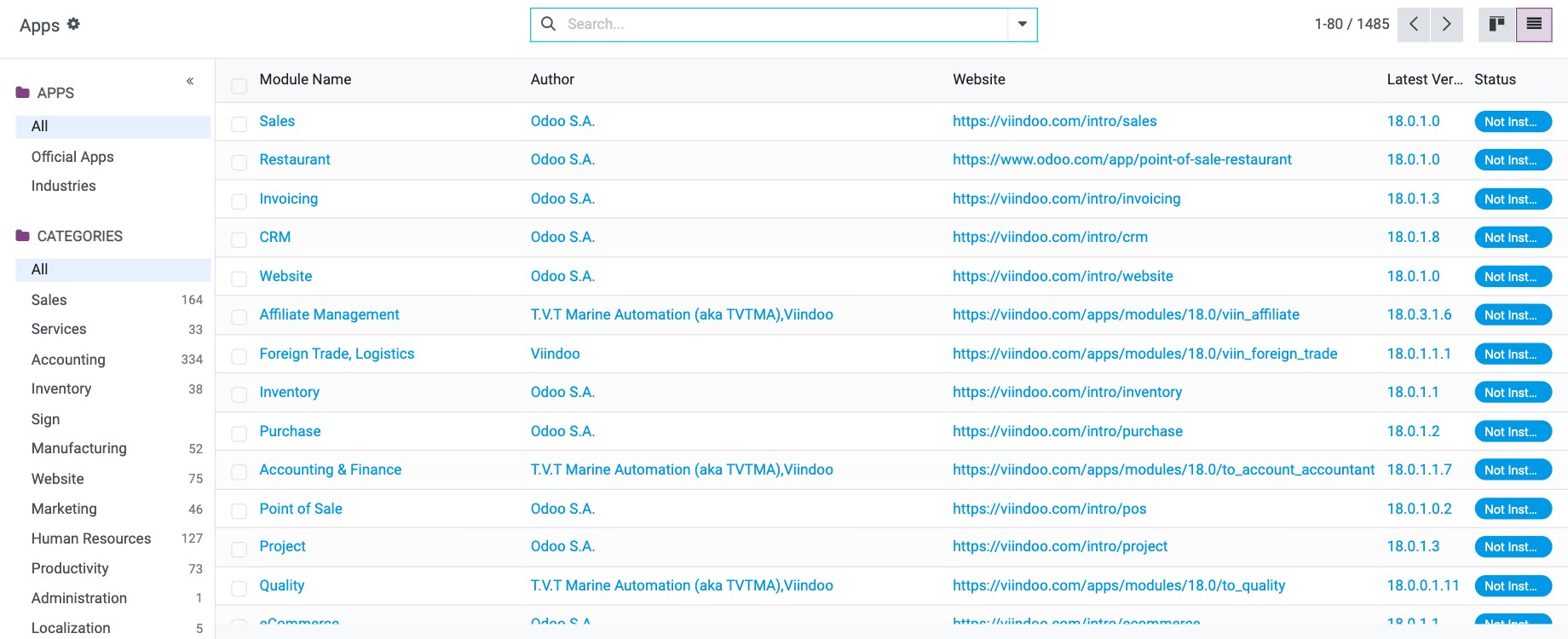
An application is a large module that covers a whole business area, such as Sales, Accounting or Contracts, and has its own icon on the home screen. In Apps, the Apps filter shows only applications; remove it to see every module.

To install modules, see How to install, upgrade and uninstall apps and modules.
What are menus and sub-menus?
The main menu is the bar at the top of an application. In Sales, it shows Orders, To Invoice, Products, Reporting and Configuration.

A sub-menu opens from a main menu item. Sales ‣ Orders contains Quotations, Orders, Sales Teams and Customers. In this documentation, menu paths are written as Sales ‣ Orders ‣ Quotations.

What are records and fields?
A record is one item of data: an opportunity, a quotation, a contact, a product. A menu opens the list of its records, which you can show as cards, a list or a chart (see Views and reports: which view should I use?). In CRM, each card of the pipeline is one opportunity record.

A field is one piece of information on a record, with a type: text (Customer), phone number (Phone), date (Expected Closing), number, yes/no, a link to another record…

What is the administrator account?
The administrator account is created with the database. It has every right: it installs apps, creates users and gives them access rights.

What is a user?
A user is a person who logs in to Viindoo to work in one or more applications. The administrator creates users and decides what each one can see and do.

See How to create and manage user accounts and How to set user access rights with groups.
What is a contact?
A contact stores the details of a person or company you deal with: customers, prospects, vendors, authorities, employees. Every user is linked to a contact, which represents them in messages and discussions.

What is an employee record?
An employee record, in the Employees app, holds HR information about a person working for the company. Private details are kept in the Private Information tab.

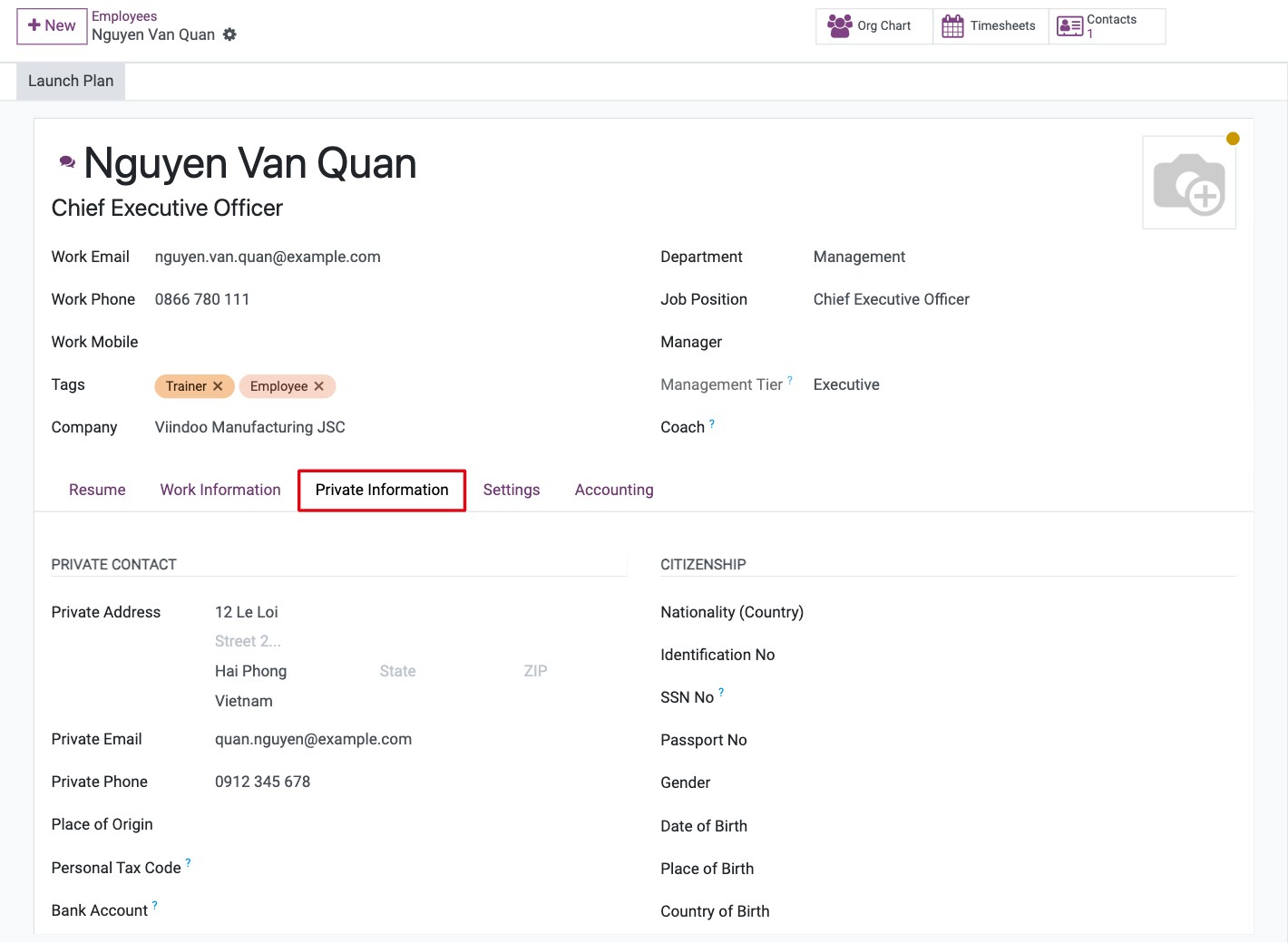
An employee does not need a user account: you can manage staff who never log in. Link an employee to a user only for people who work in Viindoo.
Record |
Logs in? |
Used for |
|---|---|---|
User |
Yes |
Access to the applications and their rights. |
Contact |
No |
Addresses, emails and messages; every user has one. |
Employee |
Only if linked to a user |
HR data: job, department, contract, private information. |
Next steps
How to install, upgrade and uninstall apps and modules: install the applications you need.
How to create and manage user accounts: create your users.