
Getting Started with Foreign Trade
The Viindoo Foreign Trade & Logistics Management app is a part of Viindoo All-in-one Enterprise Management Solutions, which was built to support businesses in monitoring the import and export process of goods and assist in the calculation of costs incurred during import and export, etc.
Requirements
This tutorial requires the installation of the following applications/modules:
Notable features
Manage foreign trade partners’ information;
Manage custom clearance documents;
Integration with the Inventory app to manage the entire goods movement related to import and export activities;
Declare import/export taxes and tax rates that can be applied by default to each product. Automatically record all the import/export costs as landed costs, track and allocate warehouses costs;
Record and allocate other costs related to the import/export activities to the cost of goods sold;
Manage tax liabilities, monitor tax payment deadlines on each declaration;
Automatically generate journal entries for each export/import operation.
How to install
To install the Foreign Trade app, navigate to Viindoo Apps.
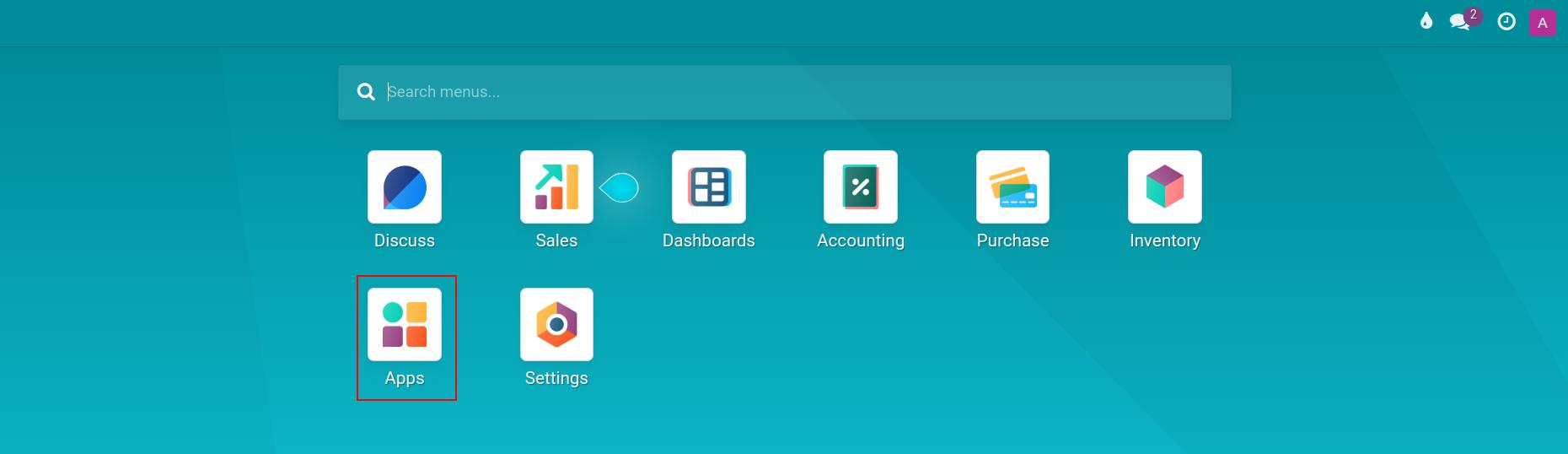
The system separates import-export management into 2 separate modules depending on the needs of each business. Use the search tool to look for the Foreign Trade & Logistics Management - Import module to install it if your business needs to manage imports.
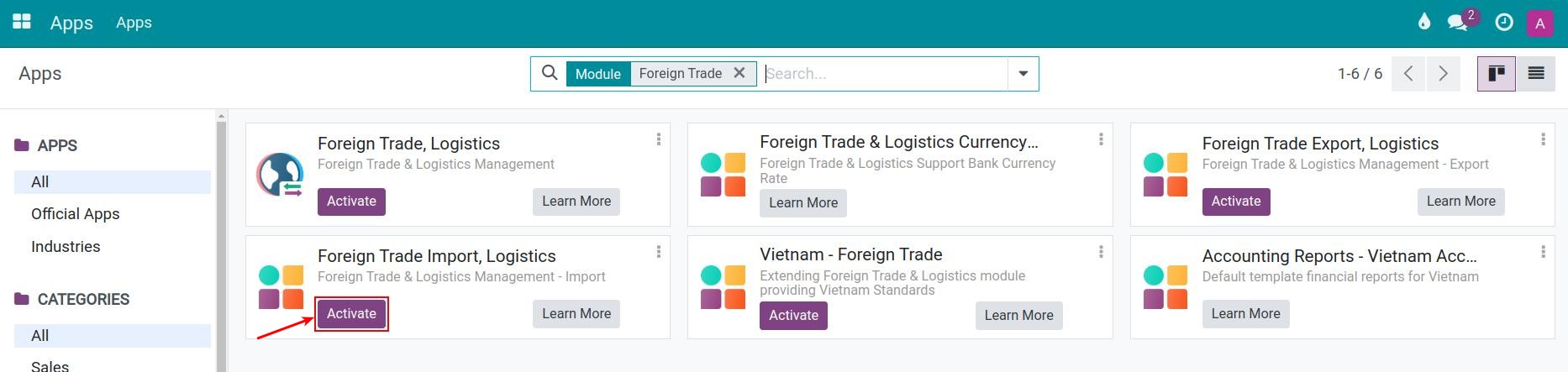
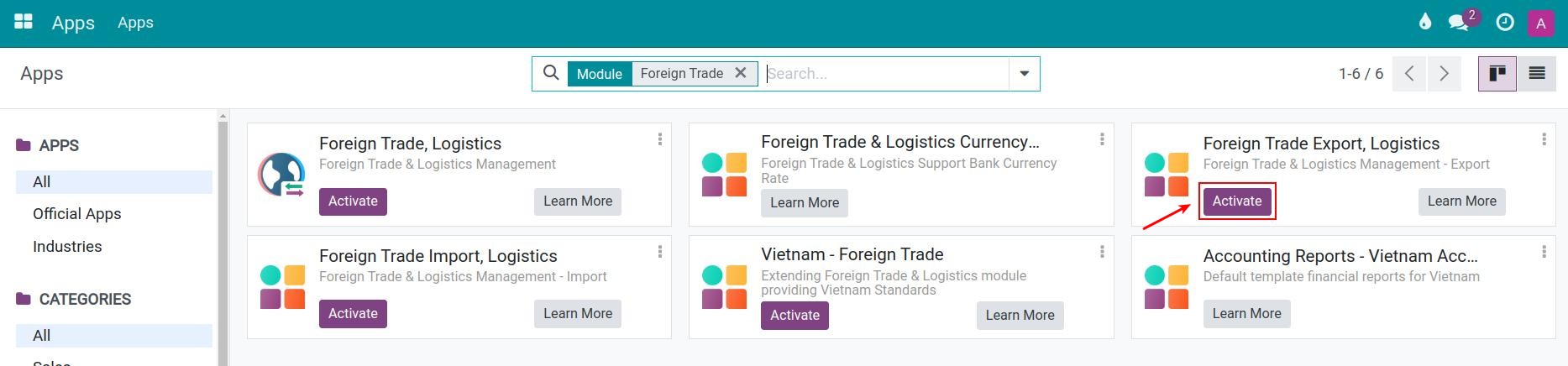
Search for the Foreign Trade & Logistics Management - Export module and click Activate to proceed with the installation if your business needs to manage exports.
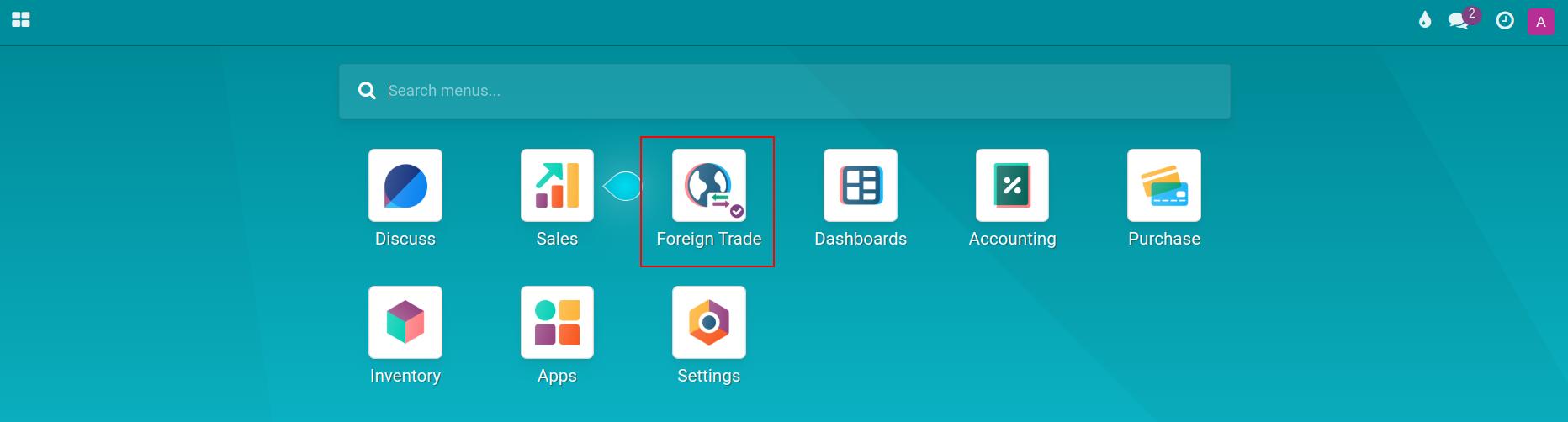
Once the installation is finished, the Foreign Trade app is displayed on the overview.
Configure access rights
The Viindoo Foreign Trade app supports three levels of user access rights to flexibly assign responsibilities and roles in the foreign trade operations to your employees:
Empty: Cannot access and see the Foreign Trade app.
User:
Create, confirm and cancel custom clearance documents, including the landed costs that an import declaration generates when it is confirmed;
Can see the list of import/export taxes;
Calculate taxes value.
Administrator:
Full access rights to the Foreign Trade app.
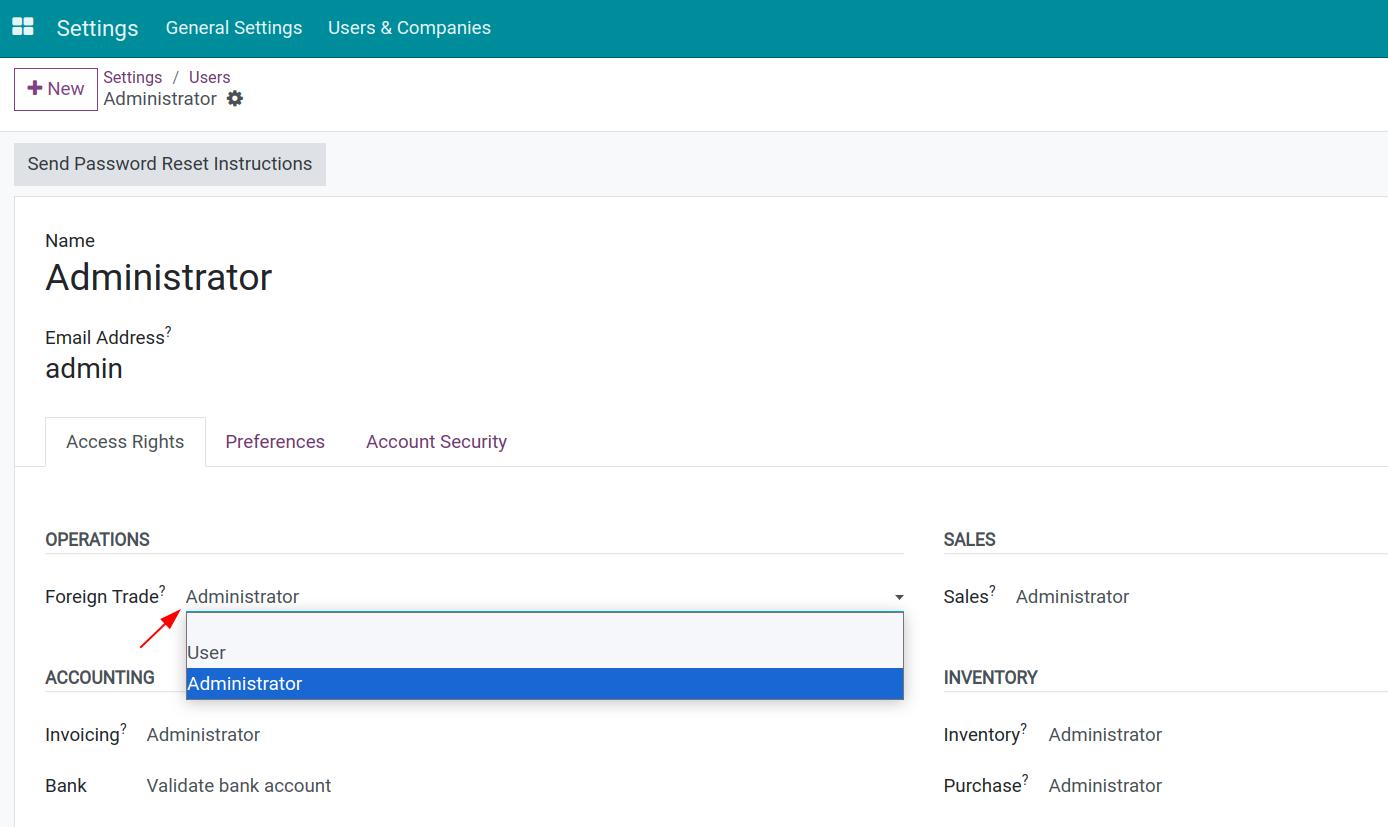
To configure the user’s access rights, navigate to Settings ‣ Users & Companies ‣ Users, choose the user account that you want to configure, go to the Access Rights tab and select the suitable rights.
General settings
To configure the general settings for the Foreign Trade app, navigate to Foreign Trade ‣ Configuration ‣ Settings.
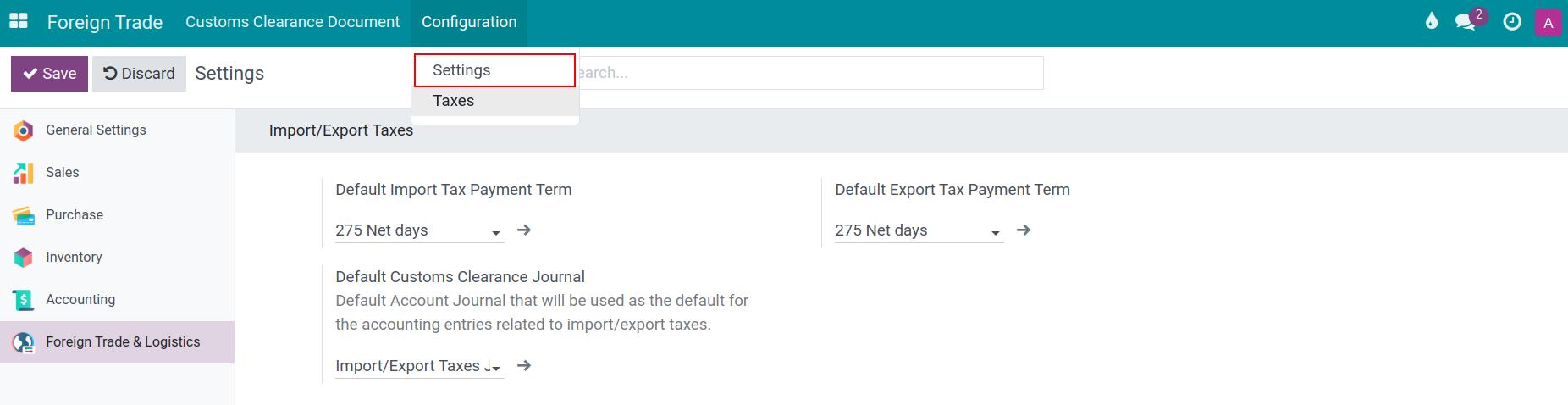
Default Import Tax Payment Term and Default Export Tax Payment Term: The payment term that a custom clearance document takes for its taxes. A company that uses a Vietnamese chart of accounts starts with Immediate Payment in both fields, any other company starts with 30 Days. To use another term as the default of your company, select it in the field; you can create a term in Accounting ‣ Configuration ‣ Invoicing ‣ Payment Terms.
Note
These default import/export tax payment terms will be applied to the customs clearance document when you calculate the import taxes and export taxes. If the customs authority has its own payment term on its contact, the document takes that term instead.
Import/Export Tax Journal: This is where you can configure the default journal for account entries related to import/export taxes. An Import/Export tax journal will be automatically generated by the system to record the account entries related to import, export taxes. Depending on the purpose and needs, you can choose or create a new journal.
Payment term of import and export duties in Vietnam
Under the Law on Import and Export Duties (No. 107/2016/QH13, Article 9), import and export duties are paid before the goods are cleared by customs. This is why a company that uses a Vietnamese chart of accounts (Circular 99/2025/TT-BTC or Circular 133/2016/TT-BTC) starts with the Immediate Payment term. The Vietnam - Foreign Trade module, which installs itself together with the Vietnamese localization, sets this default for every Vietnamese company of the database.
The law has two exceptions:
When a credit institution guarantees the duties, the goods are cleared and the duties are paid within the guarantee period, up to 30 days from the registration date of the customs declaration, with late-payment interest running from the clearance date;
A priority enterprise pays the duties of the declarations cleared in a month by the 10th of the following month.
If your company falls under an exception, create a payment term that fits it and select it in the two default fields above, or change the Tax Payment Term on the individual custom clearance document.
Note
A company that already has the 275 Net days term selected keeps it when the database is updated; select Immediate Payment in the two fields to follow the law. New databases do not contain a 275 Net days payment term. Reloading the chart of accounts keeps the term a company holds.
See also
Related article
Optional module