
Equipment history by serial number
A piece of equipment received with a serial number keeps its history with the serial number: the equipment shows its current stock location, the vendor of the serial number and every transfer that moved it, and the serial number counts the maintenance requests of the machine and of all its parts.
Who |
Maintenance managers and technicians (Maintenance ‣ Maintenance User or Maintenance Manager), warehouse users who look up a serial number. |
App |
Maintenance, Inventory |
Before you start
The equipment is created from a receipt by serial number, see Auto-create equipment when receiving products.
For the maintenance of the parts, install the Inventory Equipment Maintenance Tracking module. The parts are set as in Manage Equipments.
The vendor of the serial number comes with the Warranty app, see Overview of Viindoo Warranty app.
The example of this page is an edge banding machine received with the serial number EBM-EN-0001. Its glue pot is recorded as a part.
What does the equipment show about its serial number?
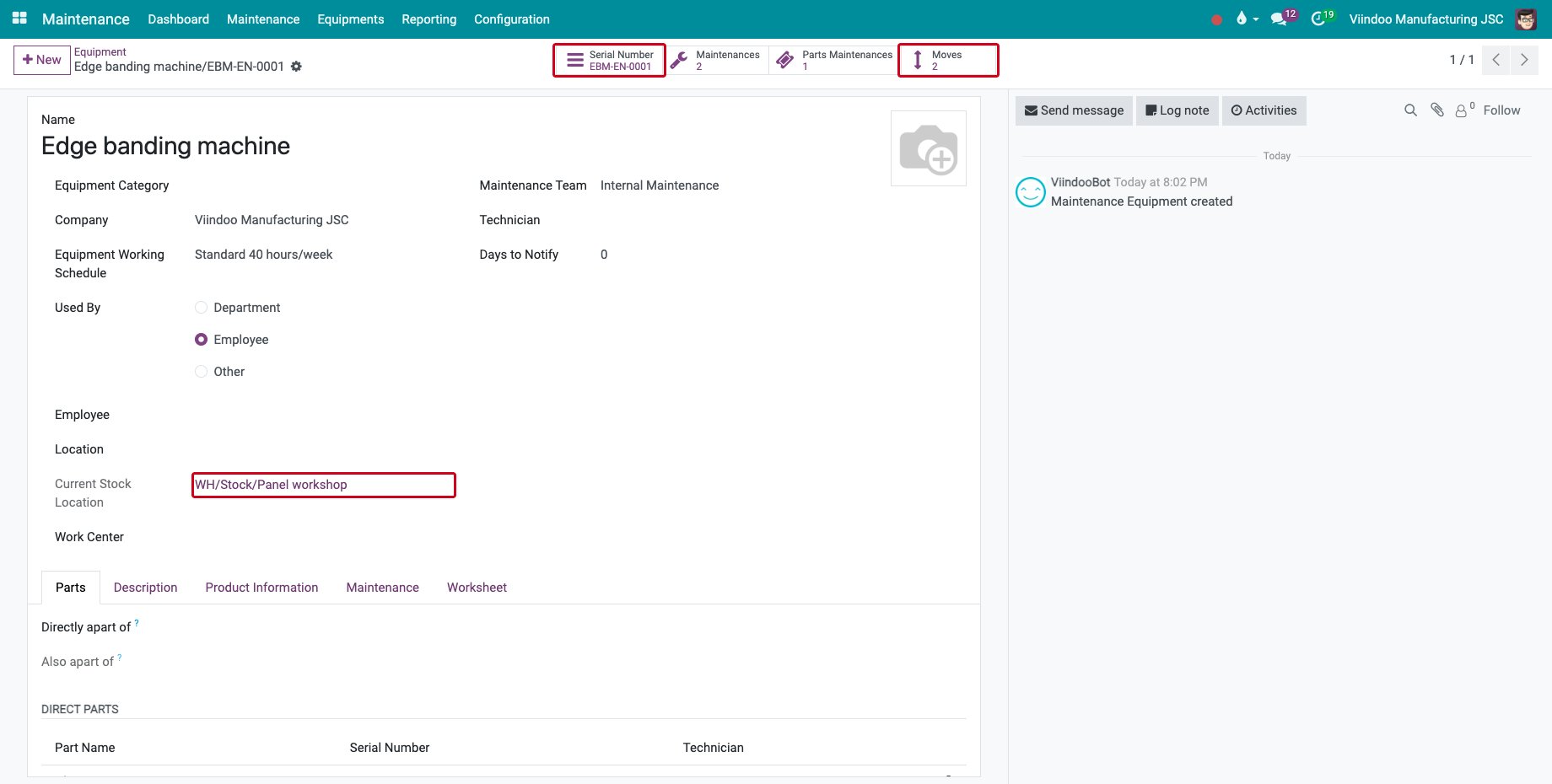
Open the equipment in Maintenance ‣ Equipments ‣ Machines & Tools. The Serial Number button opens the serial number, Current Stock Location tells where it is now and Moves counts the transfers of the serial number.
![The equipment with its serial number, current stock location and moves]()
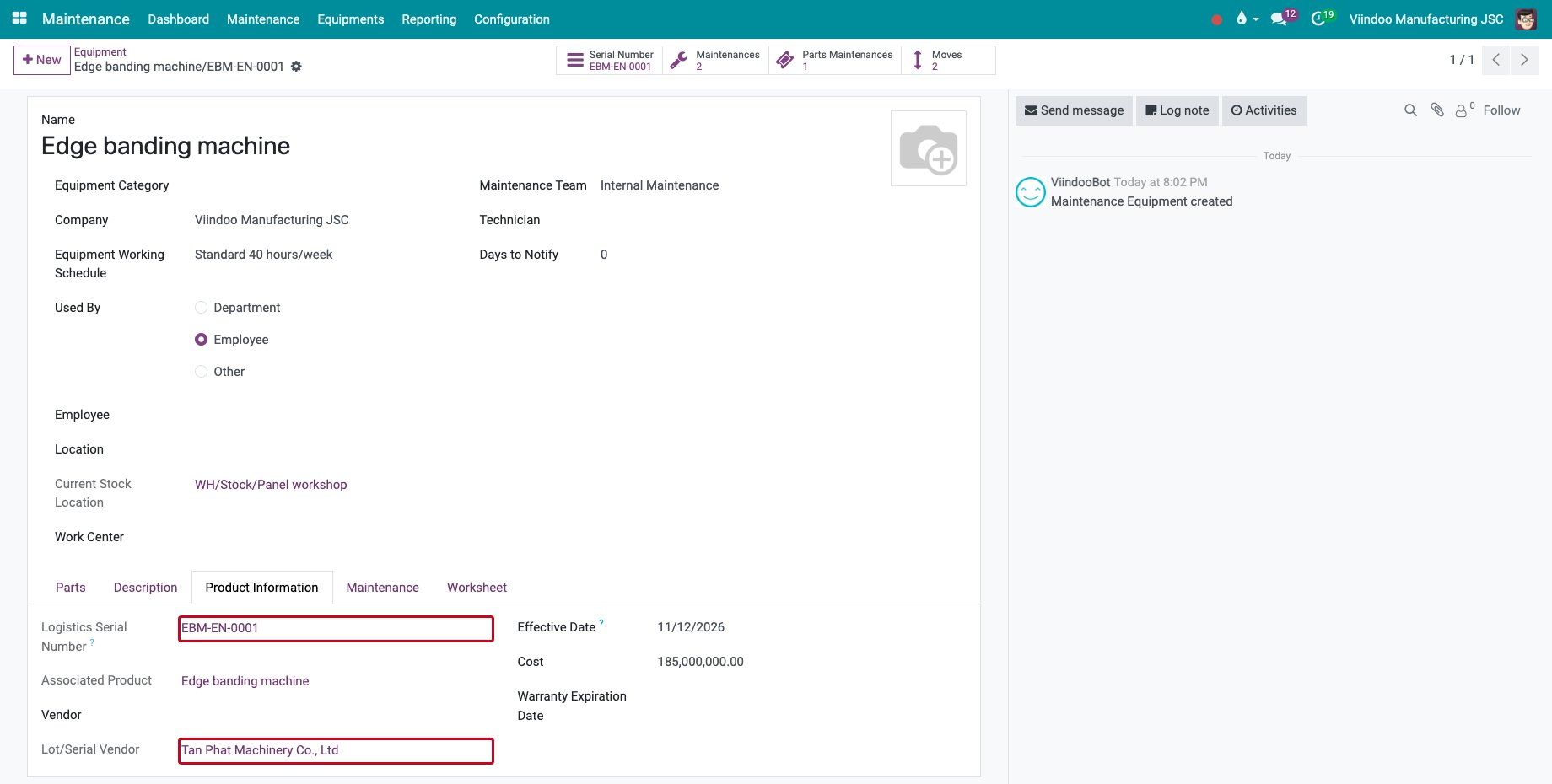
On the Product Information tab, Logistics Serial Number is the serial number and Lot/Serial Vendor the vendor who delivered it. Customer and Lot/Serial Warranty Expiration Date show too when the serial number was sold to a customer.
![The serial number and the vendor on the Product Information tab]()
How do I see where the equipment has been?
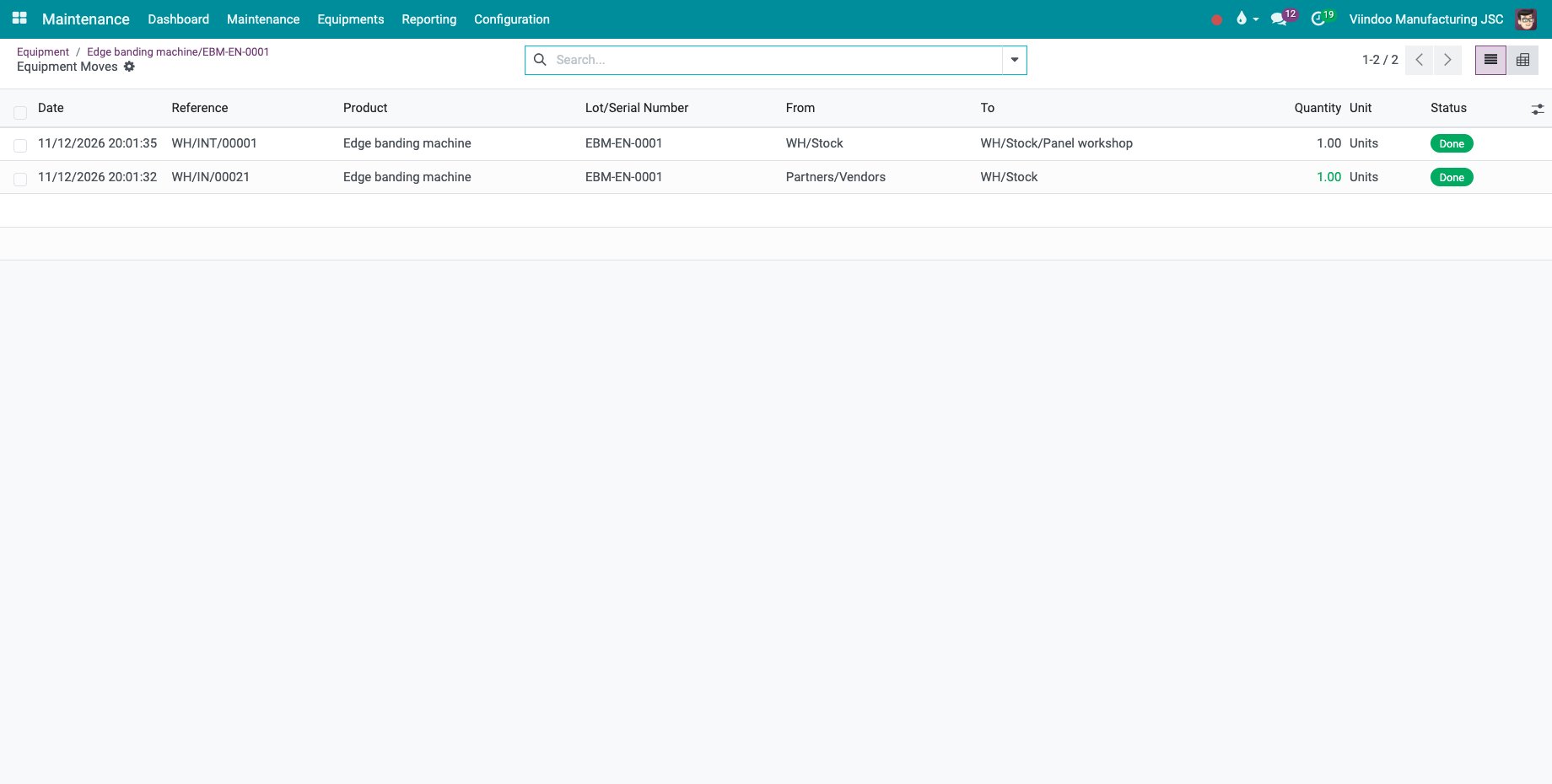
Click Moves. Every transfer of the serial number that is not cancelled is listed with its date, its reference, the source and the destination: here the receipt from the vendor and the transfer to the panel workshop.
In the list of equipment, group by Current Stock Location to see where each machine is.
How do I see every maintenance of a serial number?
Open the serial number from the equipment, or in Inventory ‣ Products ‣ Lots / Serial Numbers. Maintenances Count counts the requests of the equipment and of all its parts.
![Maintenances Count on the serial number]()
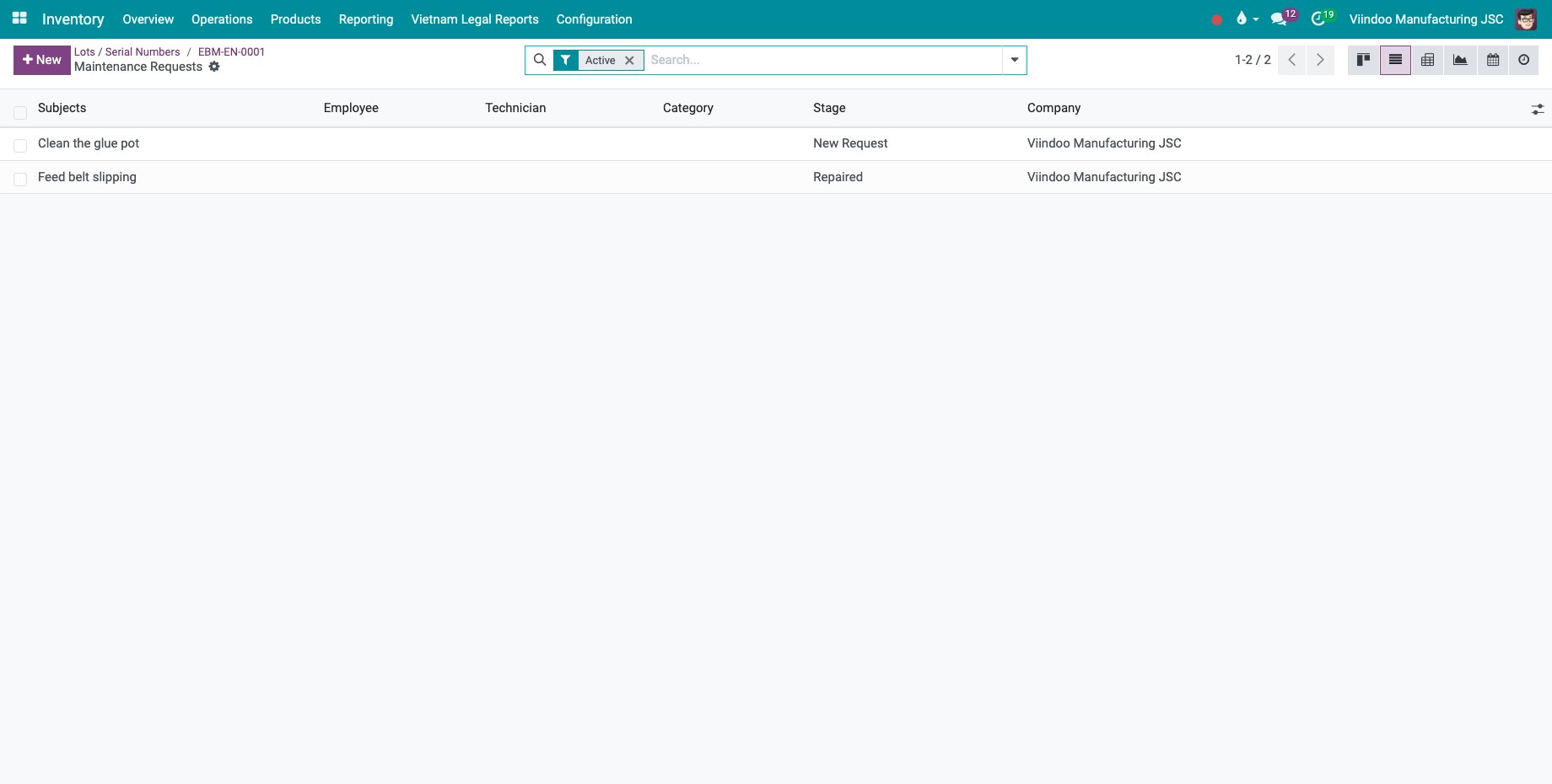
Click it: the corrective request of the machine and the preventive request of its glue pot are both listed.
![The maintenance requests of the machine and of its part]()
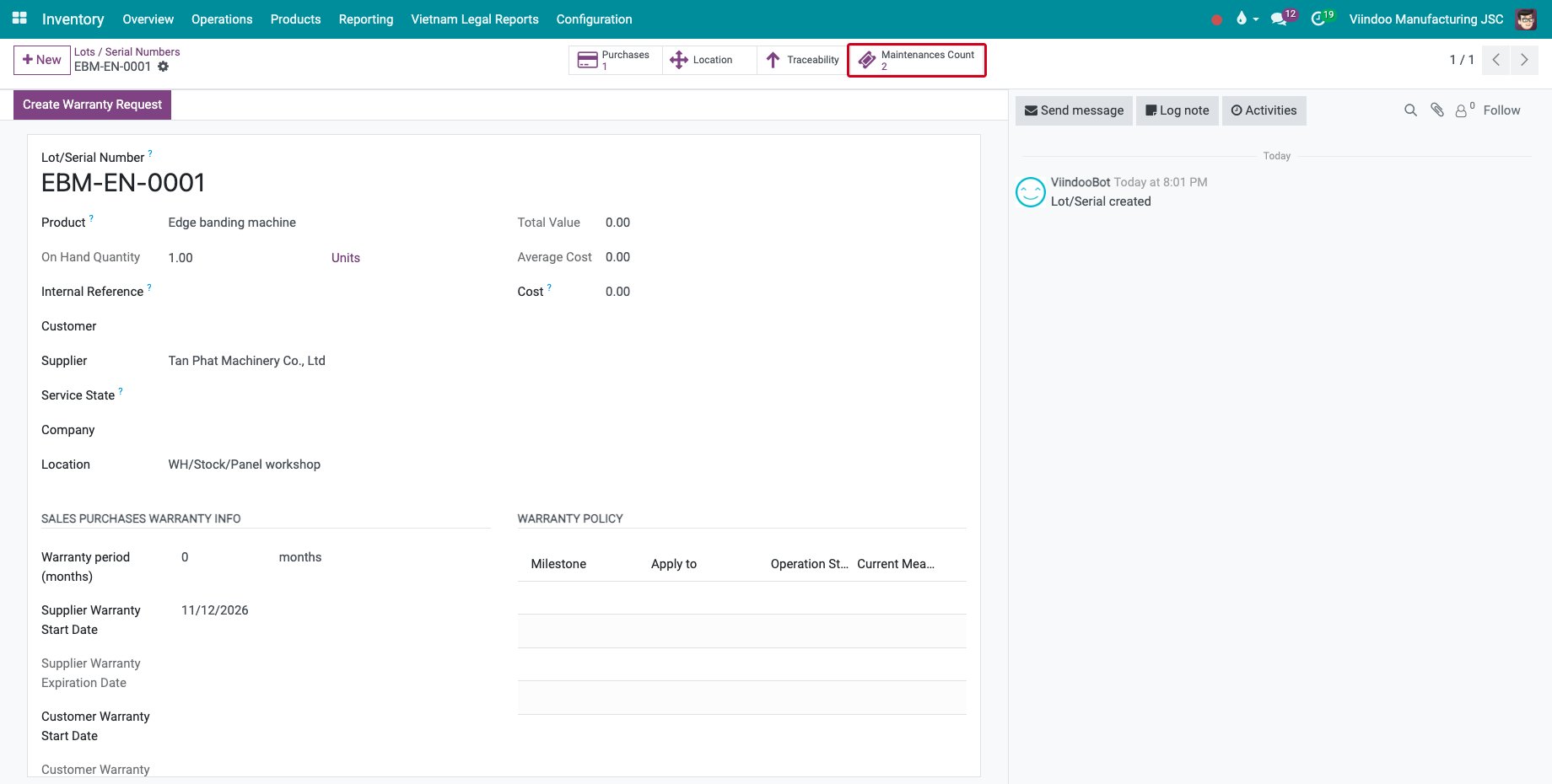
Without the tracking module, the button is Maintenance History and counts the requests of the equipment only.
Common errors
Problem |
What to do |
|---|---|
Moves is zero. |
The equipment has no serial number. Set the Logistics Serial Number on the Product Information tab. |
Current Stock Location is empty. |
The serial number is not in stock any more, for example it was delivered or allocated as an asset. |
Lot/Serial Vendor is missing. |
The serial number was not received from a vendor, or the Warranty app is not installed. |
The requests of a part are not counted. |
Set the machine as Directly apart of on the part, and install the tracking module. |
Next steps
Assign equipment with its parts and receive equipment as a set: give a machine and its parts to an employee in one step.
See also
Related articles