
Getting started with Shop Floor
The Shop Floor app puts the work orders of your plant on a touch screen at the machine. The operators open their jobs on a tablet, record what they have just made and used, report a machine stop with its reason and close the manufacturing order on screen. Each job is credited to the employee who did it, at that employee’s hourly cost. This article sets the app up and opens the first job board.
Who |
Production managers (Manufacturing ‣ Administrator), who set up the access rights, the employees and the costs; machine operators (Manufacturing ‣ User), who choose their work centers on the tablet. |
App |
Shop Floor, Manufacturing, Employees |
Before you start
Install the Shop Floor Control module. Manufacturing, Advanced MRP Accounting and Employee Hourly Wage are installed with it.
Turn on Work Orders in Manufacturing ‣ Configuration ‣ Settings and give the bills of materials their operations, see Manage Manufacturing process in Viindoo.
Give each operator the Manufacturing ‣ User access right and each production manager the Manufacturing ‣ Administrator access right.
The example of this article is a furniture workshop that makes an Oak stool in two operations: Cut the boards at the Cutting station and Assemble the stool at the Assembly station. Hoàng Thị Lan is the machine operator.
Who can do what on the Shop Floor?
Access right |
What the user can do on the tablet |
|---|---|
Manufacturing ‣ User |
Open the Shop Floor app, start, pause and finish jobs, record output, materials and scrap, stop a machine with its reason, close an order, and undo their own recordings. |
Manufacturing ‣ Administrator |
Also restart a stopped work center, record work on behalf of another employee, close an order whose materials differ from a bill of materials that blocks differences, and undo the recordings of anyone. |
How do I link each operator to an employee and an hourly cost?
The time an operator works on a job is credited to the employee of their user, and the labour cost of the job is that time multiplied by the employee’s hourly cost.
Go to Employees, open the employee and click the Settings tab.
Choose the operator’s user in Related User and type the Hourly Cost. Click Save.
![The Settings tab of an employee with the related user and the hourly cost]()
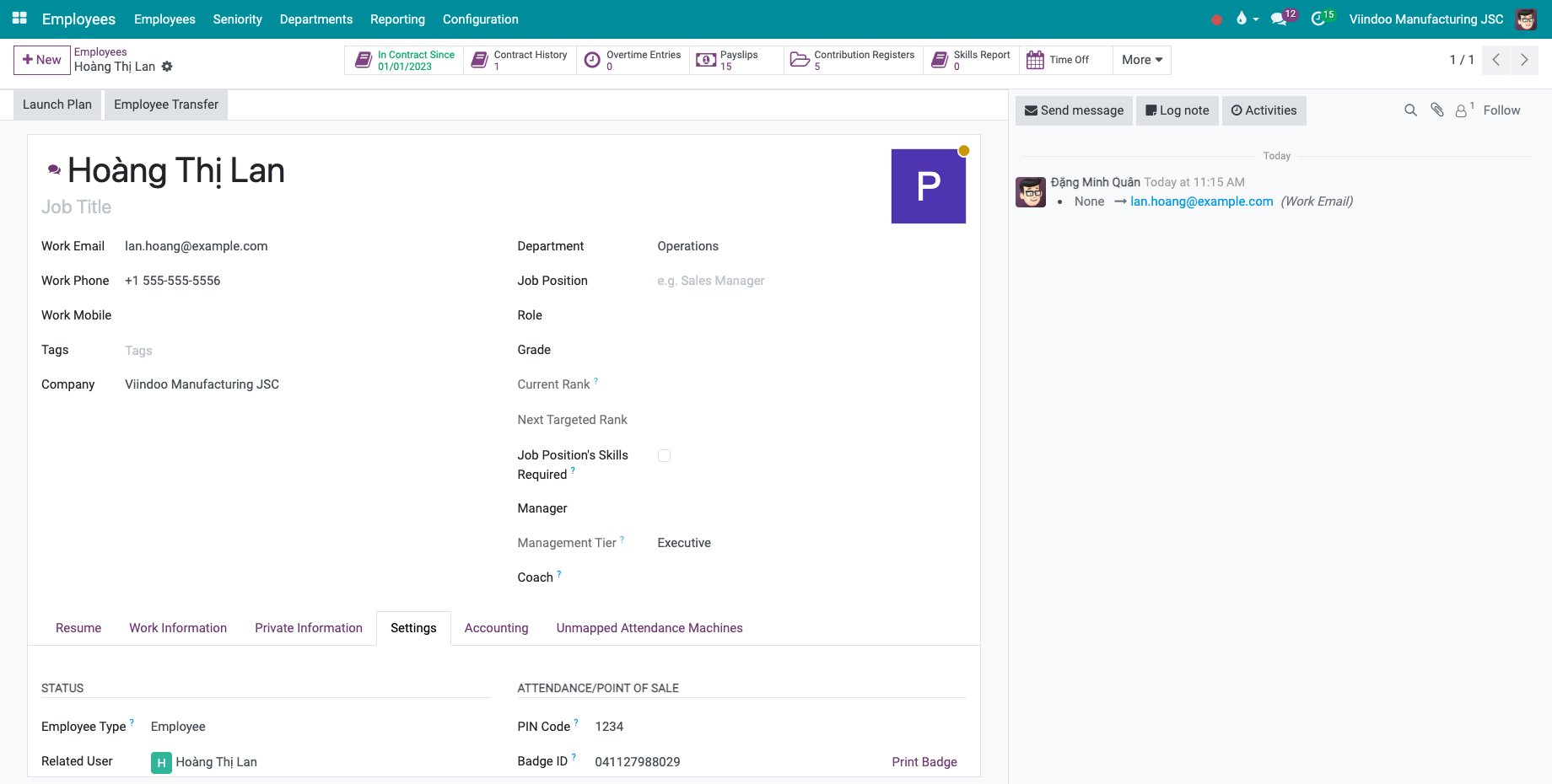
An operator whose user has no employee cannot start or resume a job from the tablet: the screen asks them to get their user linked to an employee first.
How do I set the labour cost on the work center and the operation?
Go to Manufacturing ‣ Configuration ‣ Work Centers and open the work center. Under COSTING INFORMATION, the amount followed by per employee. is the hourly cost used when the credited employee has no hourly cost of their own. Below it, Display on the production cost report in the column names the column of the labour, for example Direct Labor.
![The costing information of a work center with the cost per employee]()
Go to Manufacturing ‣ Configuration ‣ Operations, open the operation and type in Employee Capacity how many employees the operation needs.
![An operation with the Employee Capacity field]()
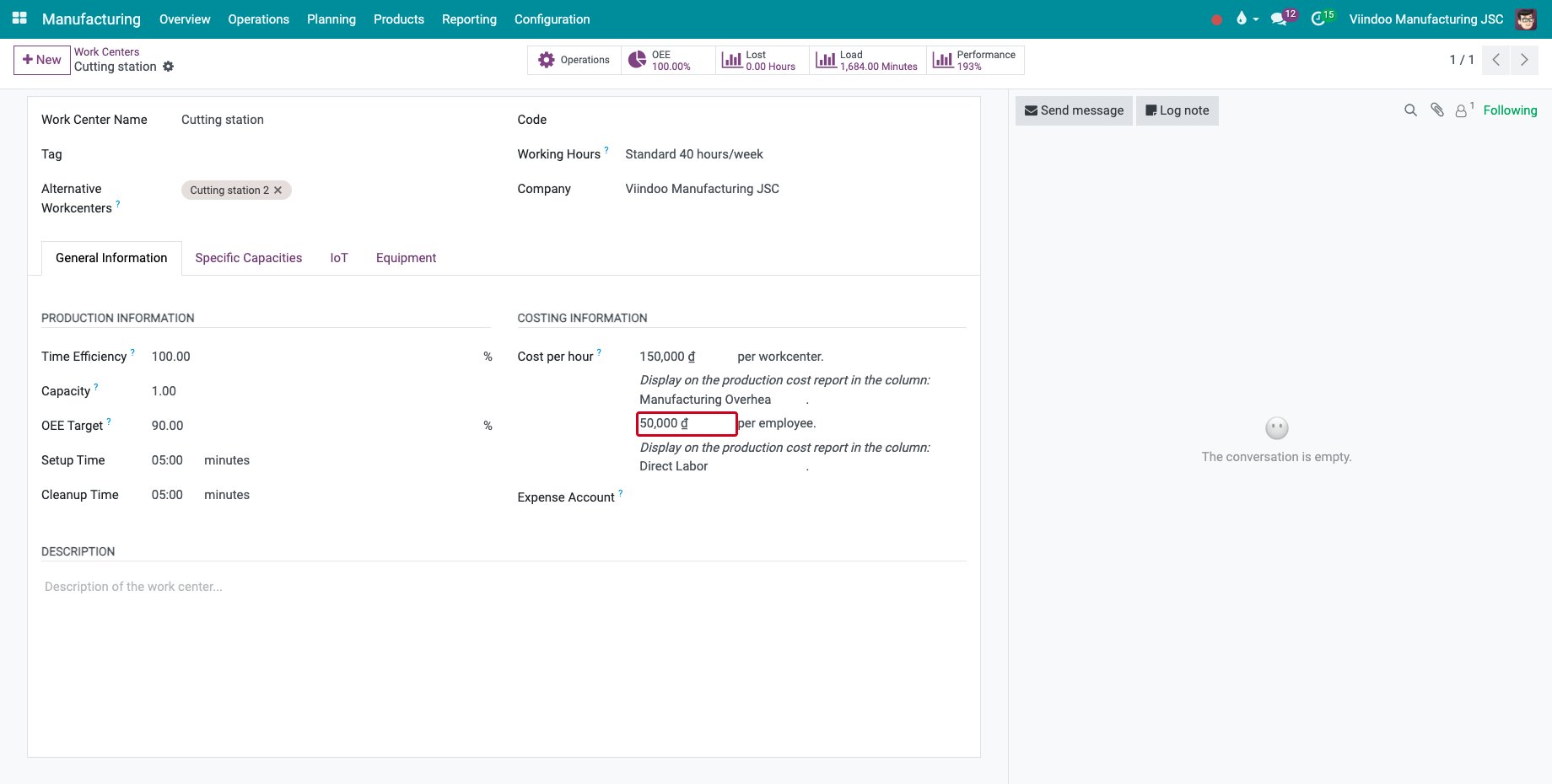
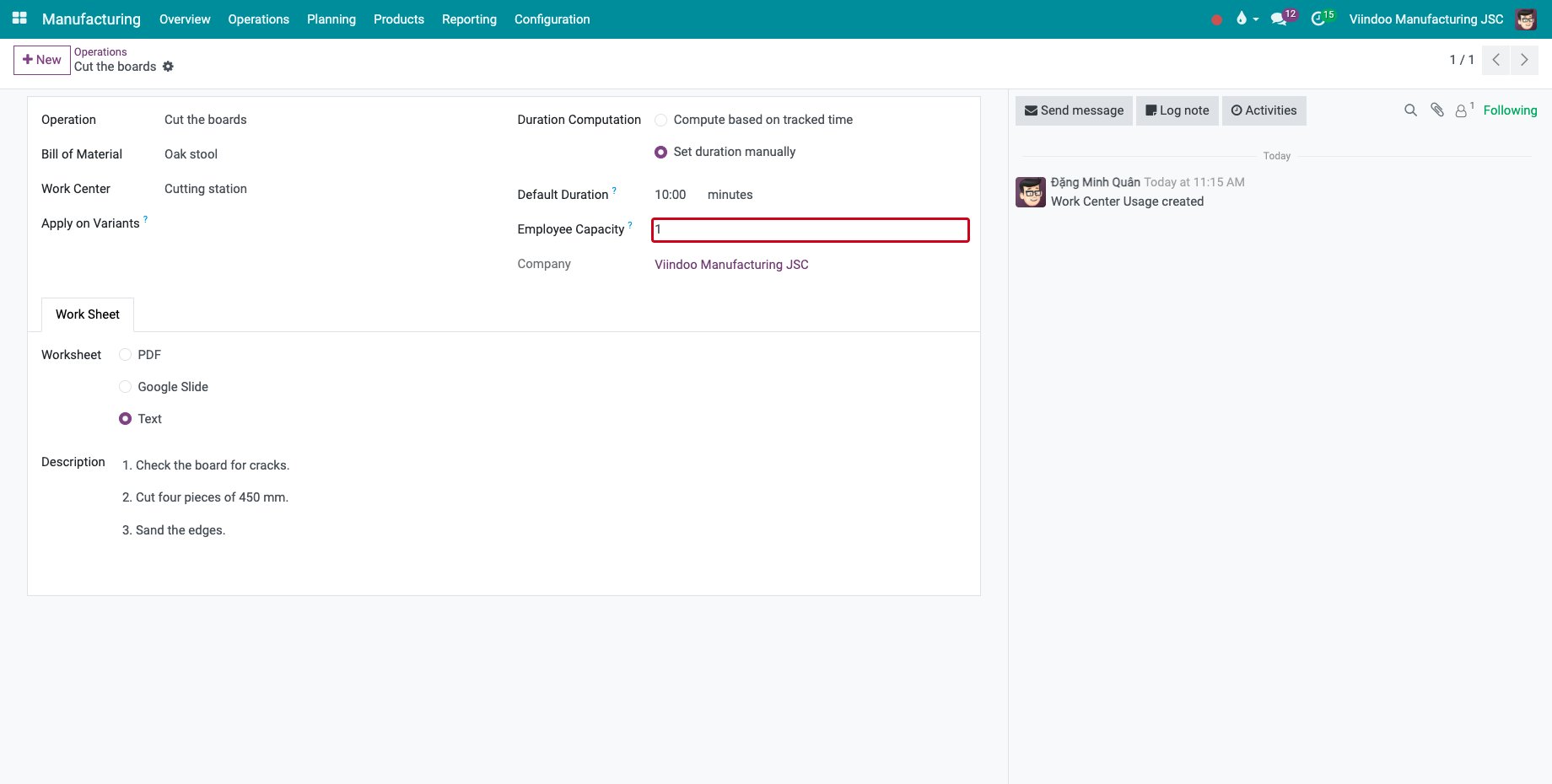
The hourly cost of the employee is kept on each time line when the line closes, so a later pay rise does not change the cost of finished work. Time lost to a stop, such as a breakdown, is not part of the labour cost of the product.
How do I choose my work centers on the tablet?
Each operator signs in on the tablet with their own user. The work centers and the operators they choose are kept for their user and company, so people who share a tablet do not overwrite each other’s choice.
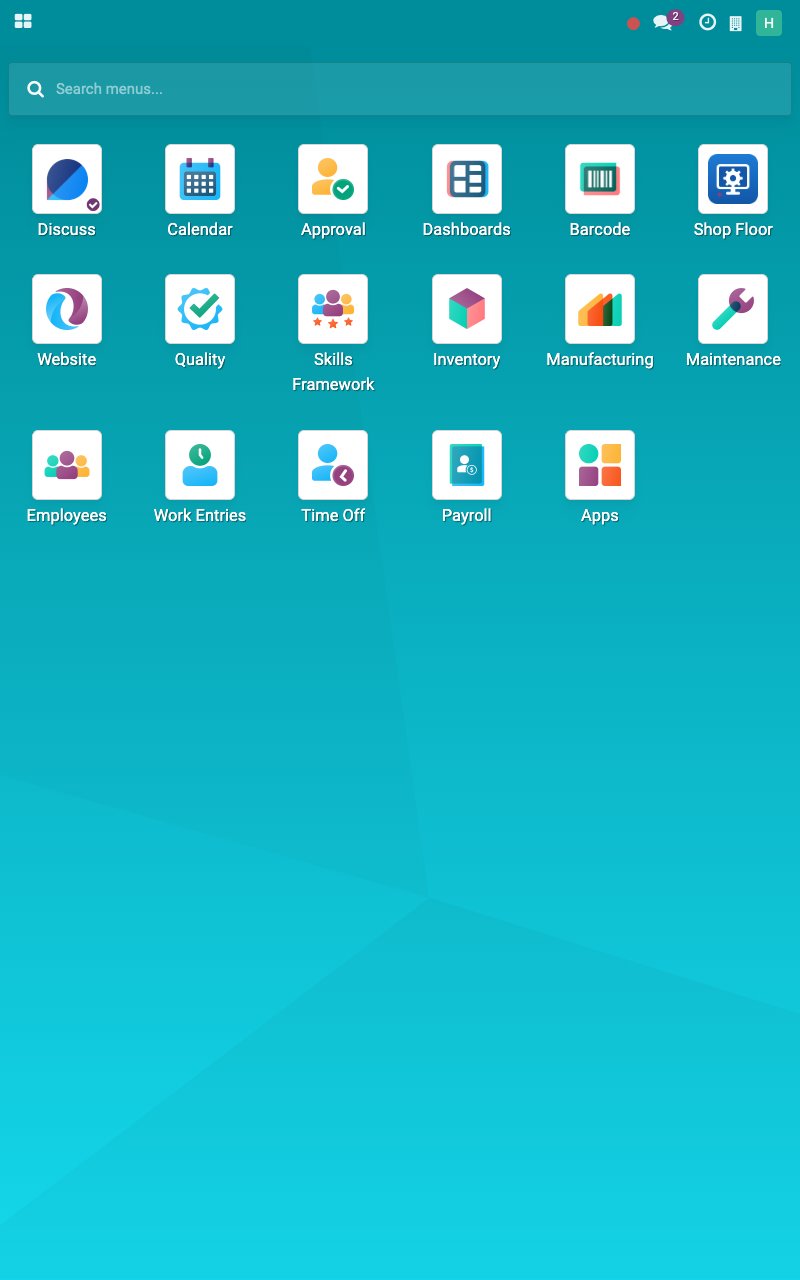
On the home screen, tap Shop Floor.
![The Shop Floor app on the home screen]()
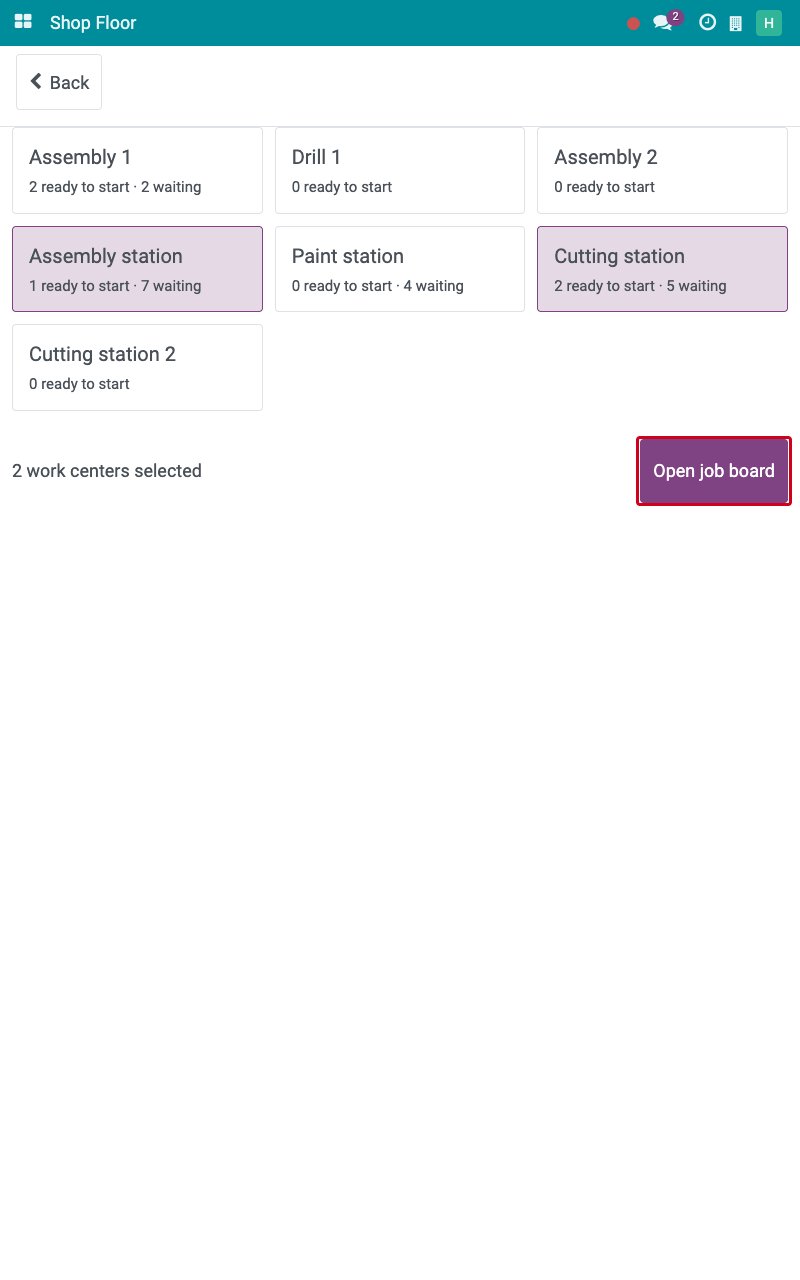
The first time, the list of work centers opens. Each card shows how many jobs are ready to start and waiting. Tap the cards of the work centers you work at, here Cutting station and Assembly station, then tap Open job board.
![Two work centers selected with the Open job board button]()
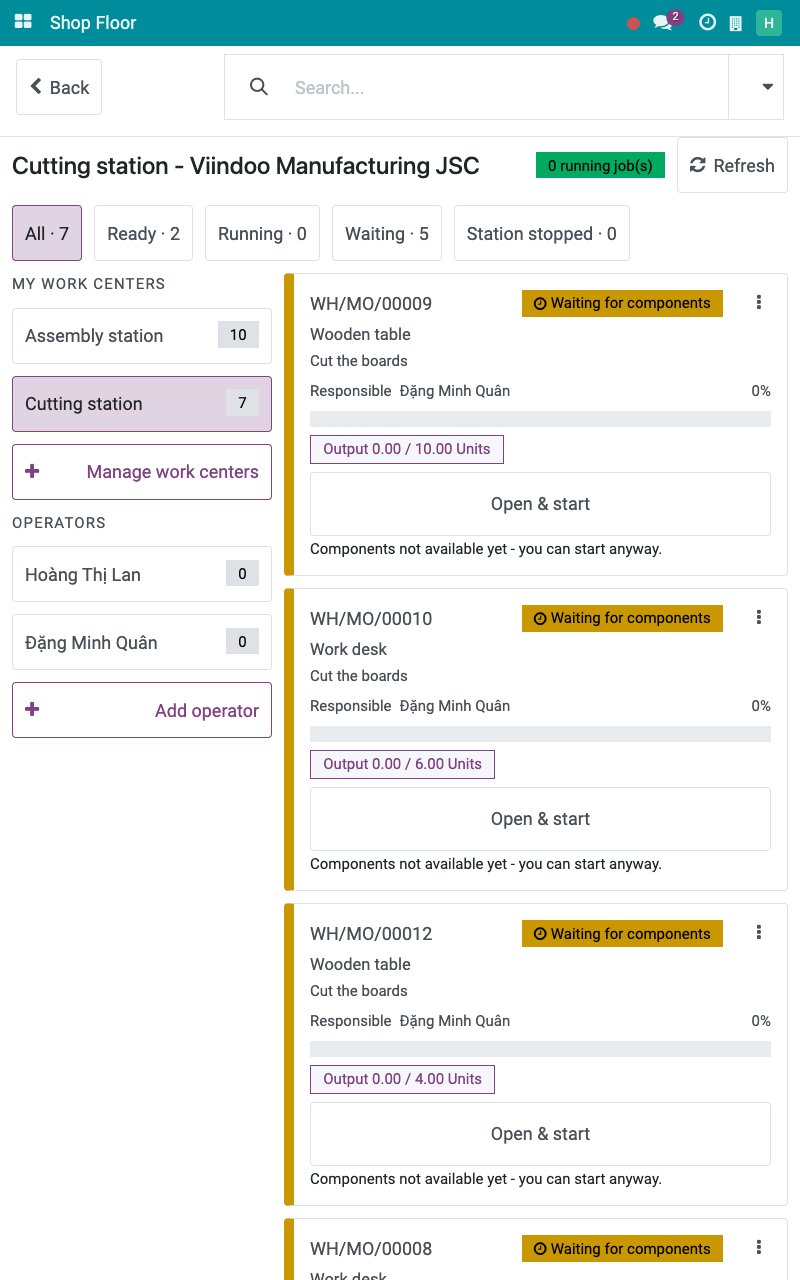
The job board opens on one of your work centers. Tap another name under MY WORK CENTERS to see its jobs, or Manage work centers to add or remove work centers. The next time you open the app, the board opens directly.
![The job board of the Cutting station]()
Common errors
Problem |
What to do |
|---|---|
The Shop Floor app is not on the home screen. |
Give the user the Manufacturing ‣ User access right. |
The tablet refuses to start a job and asks for an employee. |
Link the user to an employee in the Related User field of the employee. |
The labour cost of a job uses the cost per employee of the work center. |
The credited employee has no Hourly Cost. Type it on the employee. |
Next steps
Job board and operation screen: find a job, start it and pause it.
Record output, materials and scrap at the machine: record what was made and used.
Shop Floor entries and work center overview: open the Shop Floor from the desktop and check what was recorded.
See also
Related articles
Optional modules