
Stop a machine, report a breakdown and restart
When a machine stops, the operator taps the reason on the tablet: the work center is stopped at once and the stop is timed with its reason. A breakdown also creates a maintenance request for the technician of the machine. A production manager restarts the work center, or the technician does it by closing the request as repaired.
Who |
Machine operators (Manufacturing ‣ User), who stop the machine and report breakdowns; production managers (Manufacturing ‣ Administrator) and maintenance managers (Maintenance ‣ Maintenance Manager), who restart a work center; technicians, who close the maintenance request. |
App |
Shop Floor, Maintenance |
Before you start
Install the Shop Floor Control - Maintenance module to report breakdowns. It installs itself when Shop Floor Control and Maintenance - MRP are both installed.
Link the machines to their work center: open the machine in Maintenance ‣ Equipments ‣ Machines & Tools and choose the Work Center and the Technician.
The example follows the Cutting station, which has two machines, the CNC router and the Planer machine. Vũ Thu Hà is their technician.
How do I stop the machine for a reason?
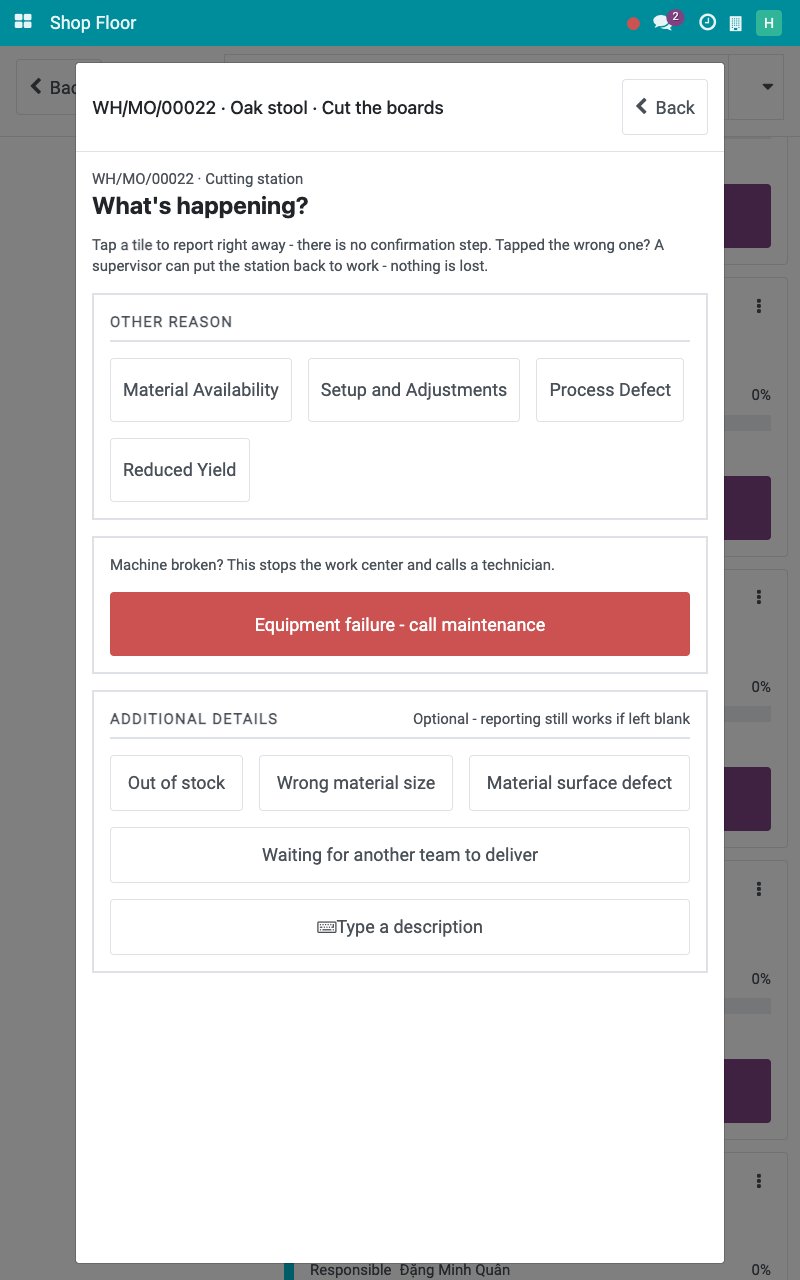
On the operation screen, tap Stop machine. The screen asks What’s happening? and lists the reasons under OTHER REASON. There is no confirmation step.
![The reasons of a stop on the Stop machine screen]()
Tap the tile of the reason, here Setup and Adjustments. The work center is stopped and every running timer ends at that moment. You can also tap a tile under ADDITIONAL DETAILS or Type a description. The bottom of the screen reads Station stopped with the reason and Waiting for a supervisor.
![The work center stopped and waiting for a supervisor]()
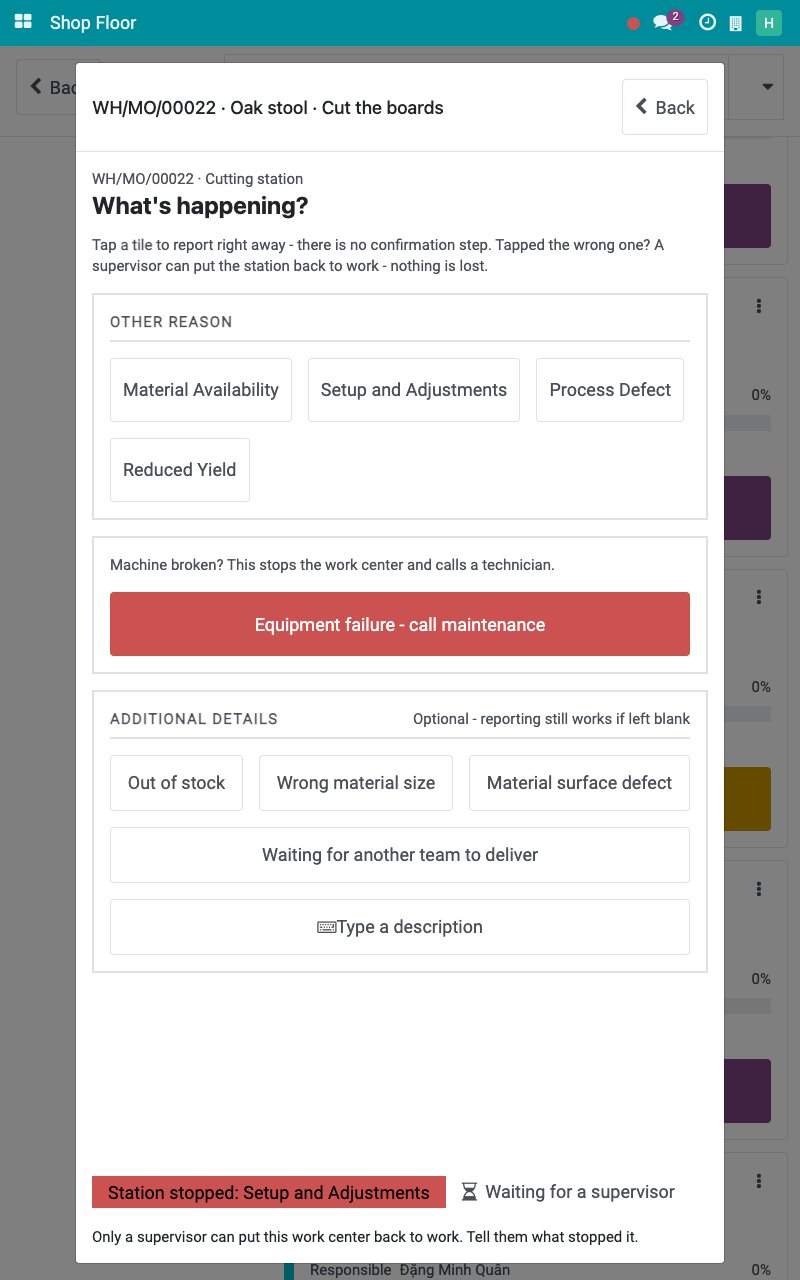
While the work center is stopped, its jobs cannot be started, paused or finished and no output can be recorded. Only a supervisor puts the work center back to work.
How do I restart a stopped work center?
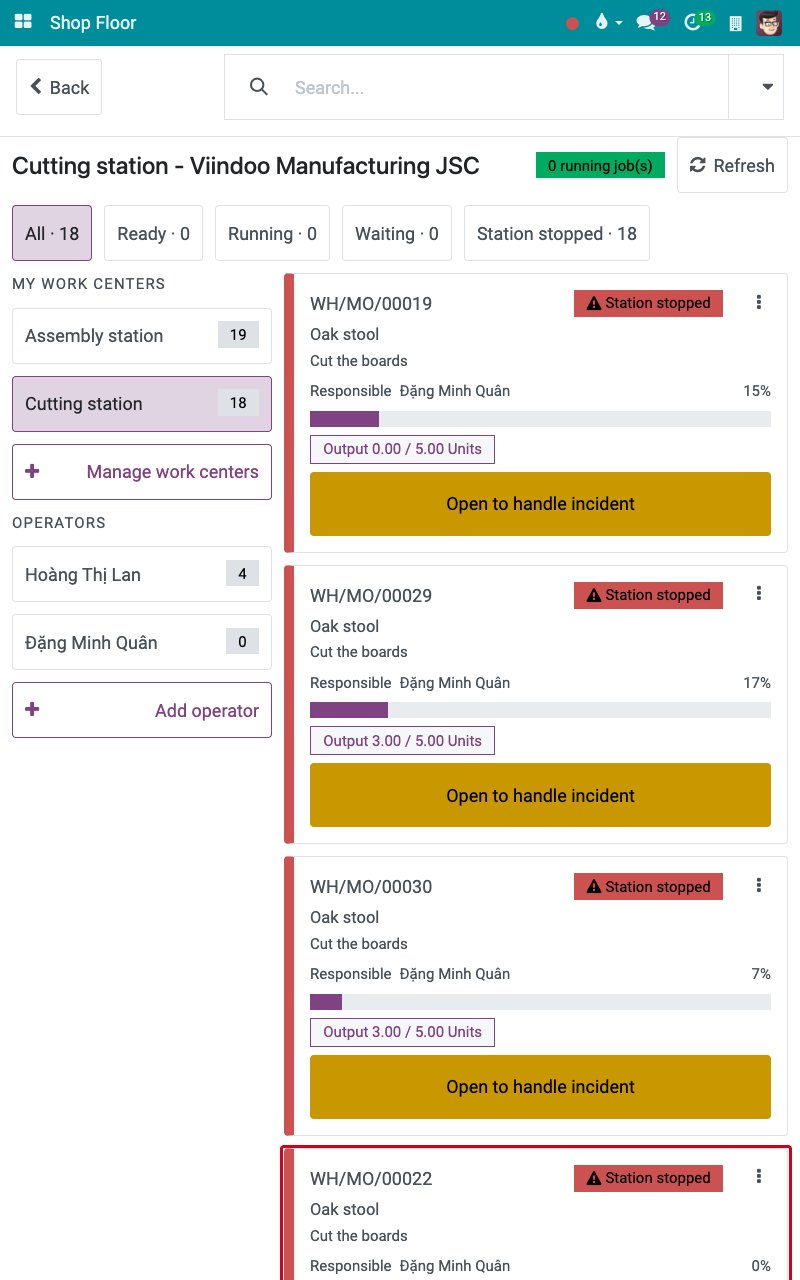
Sign in as a production manager and open the job board. The cards of the work center read Station stopped and offer Open to handle incident.
![The cards of a stopped work center with Open to handle incident]()
Tap Open to handle incident, then Restart station. The question Restart this station? appears; Keep it stopped leaves things as they are.
![The question Restart this station]()
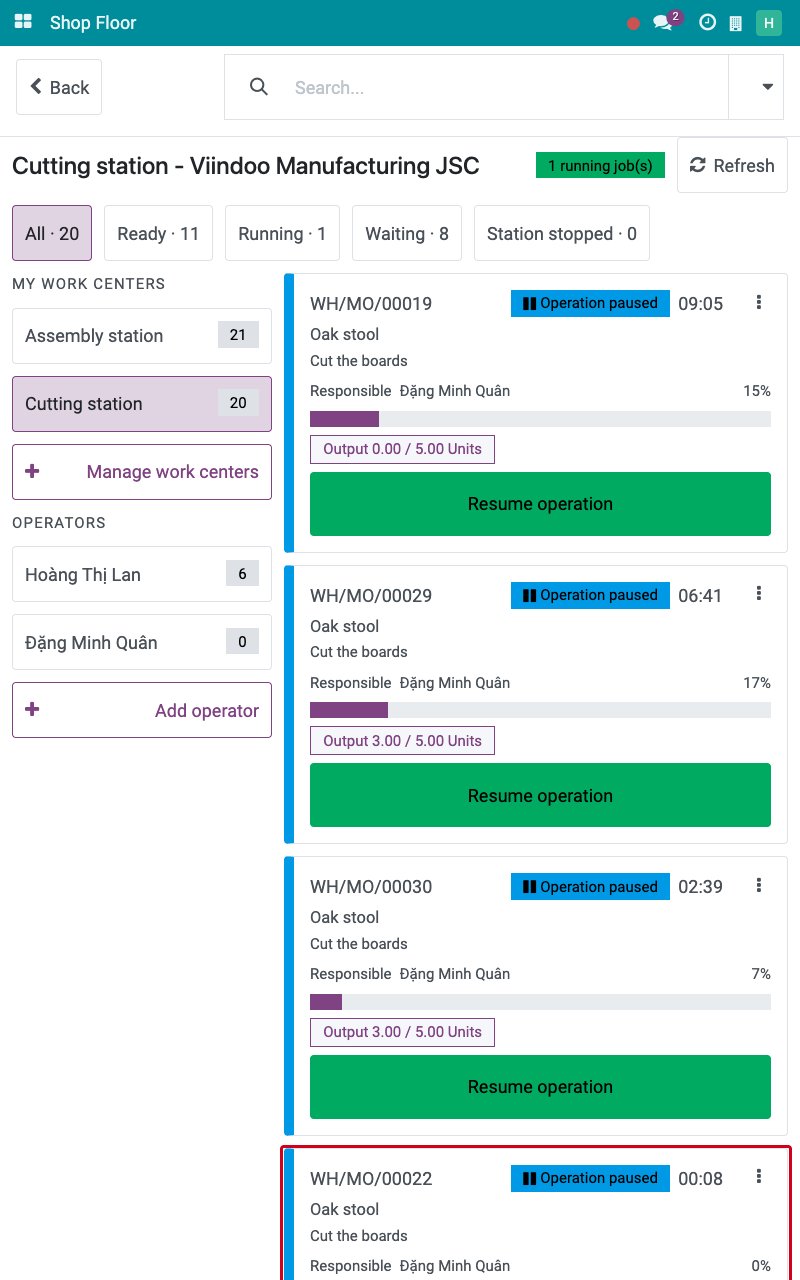
Tap Yes, restart. The work center runs again. The stop is logged from the tap of the operator to the restart. The jobs are Operation paused: the operator taps Resume operation to carry on.
![The jobs paused after the restart]()

How do I report a breakdown?
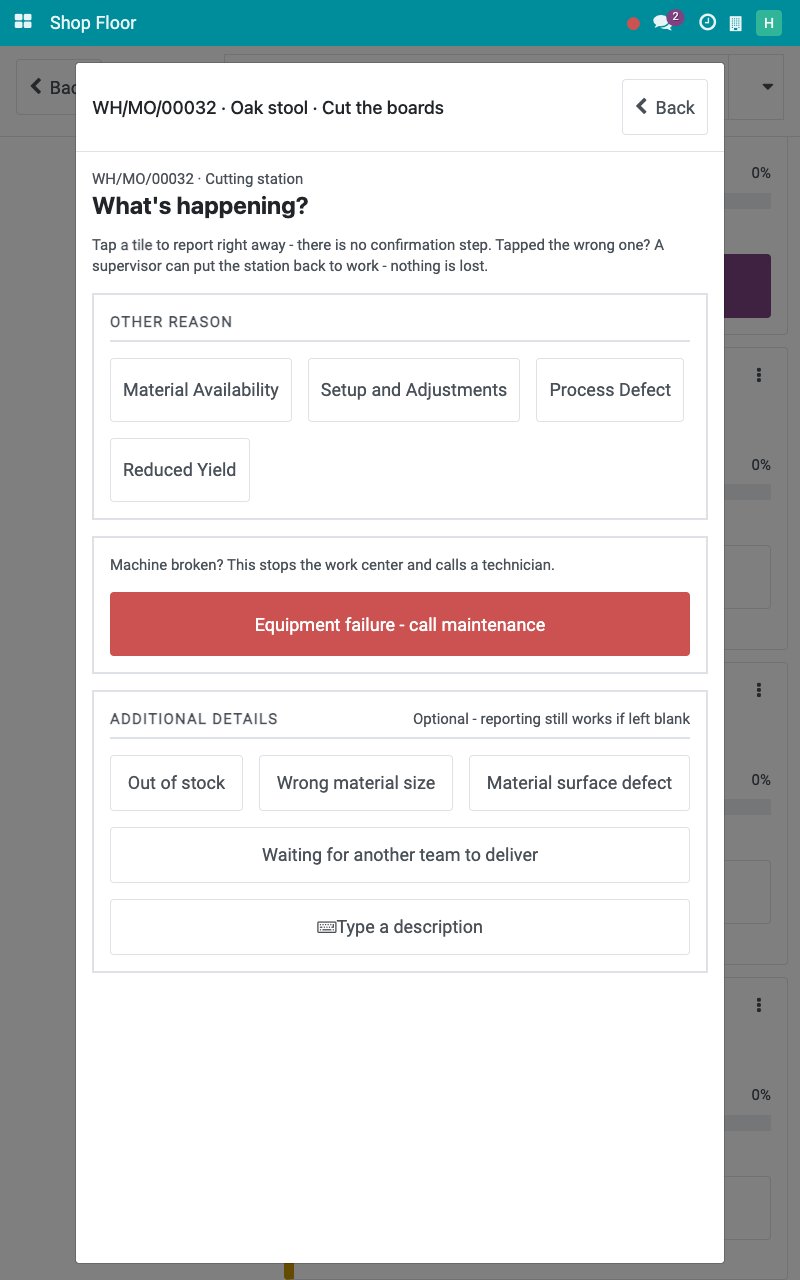
On the operation screen, tap Stop machine. The breakdown is the red button Equipment failure - call maintenance: it stops the work center and calls a technician.
![The Equipment failure - call maintenance button]()
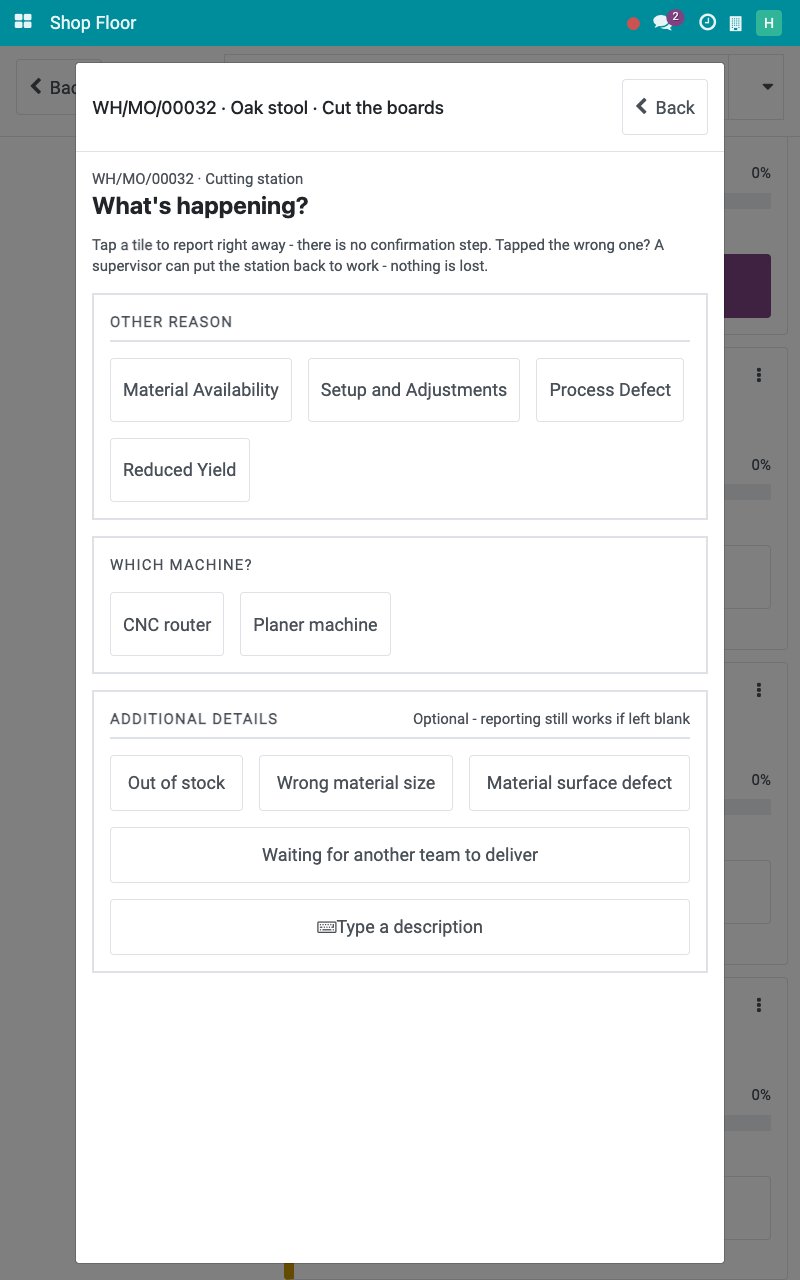
Tap Equipment failure - call maintenance. When the work center has several machines, tap the machine under WHICH MACHINE?. With one machine, the tablet skips this question.
![The machines of the work center]()
Under WHAT IS WRONG?, tap the problem, here Machine Jammed. This tap is the report; Cancel goes back if you tapped by mistake.
![The problems of a breakdown]()
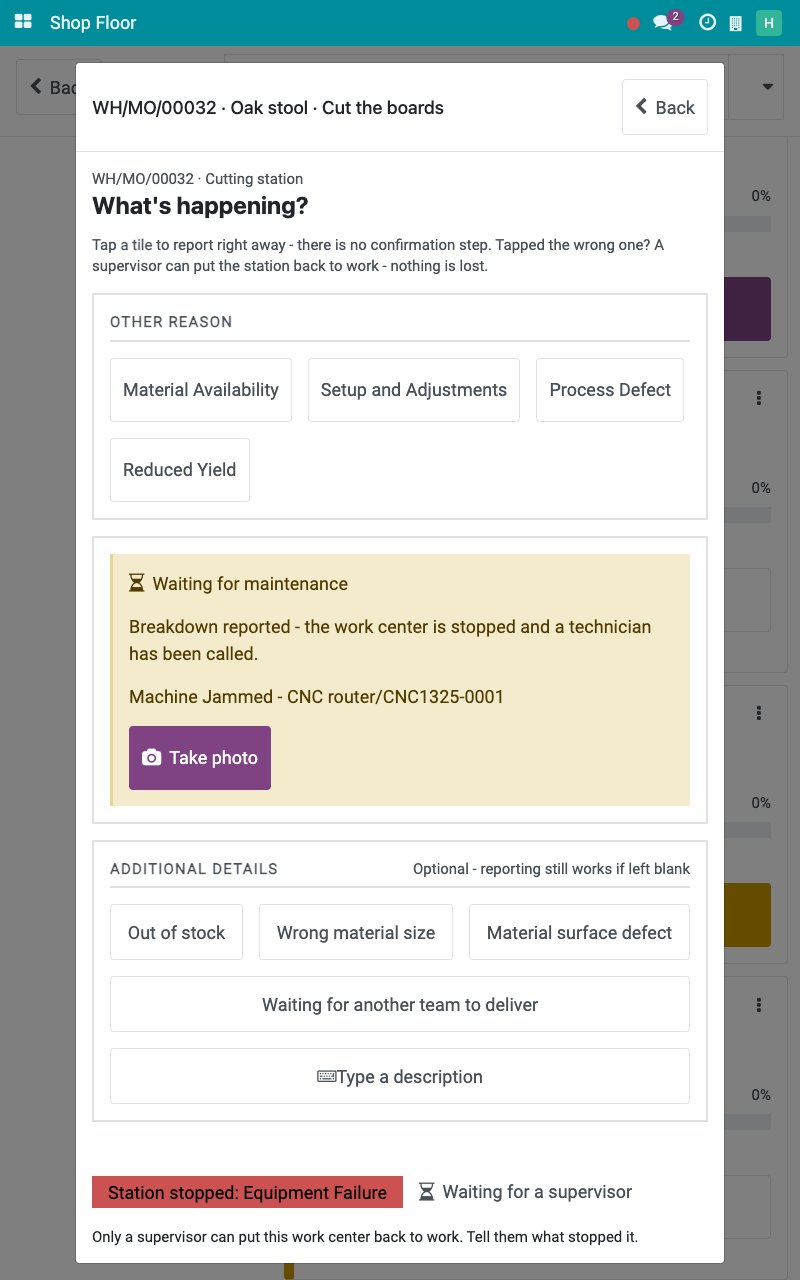
The panel Waiting for maintenance confirms that the work center is stopped and a technician is called, with the title of the request. Tap Take photo to add a photo of the fault to the request.
![The panel Waiting for maintenance]()
Tap Back. The operation screen shows who called the technician, when and for which request.
![The operation screen of a work center stopped for a breakdown]()
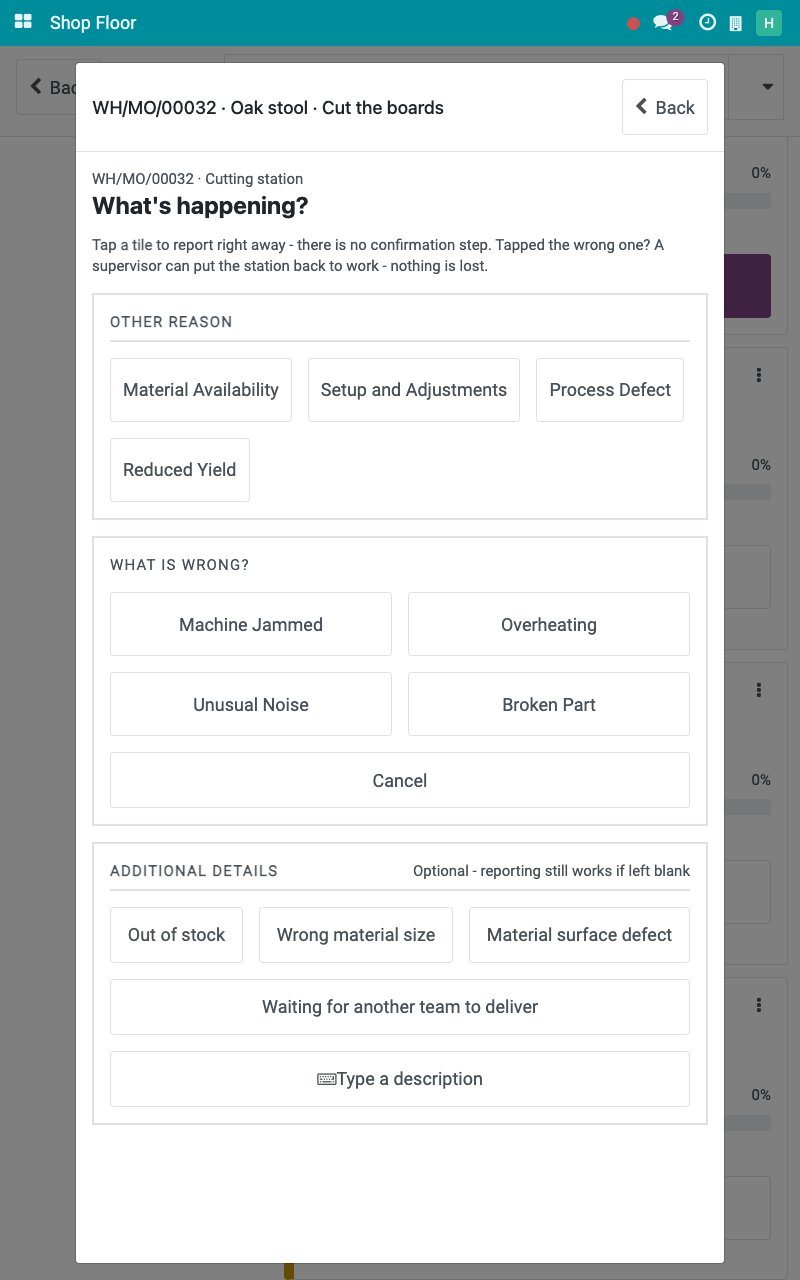
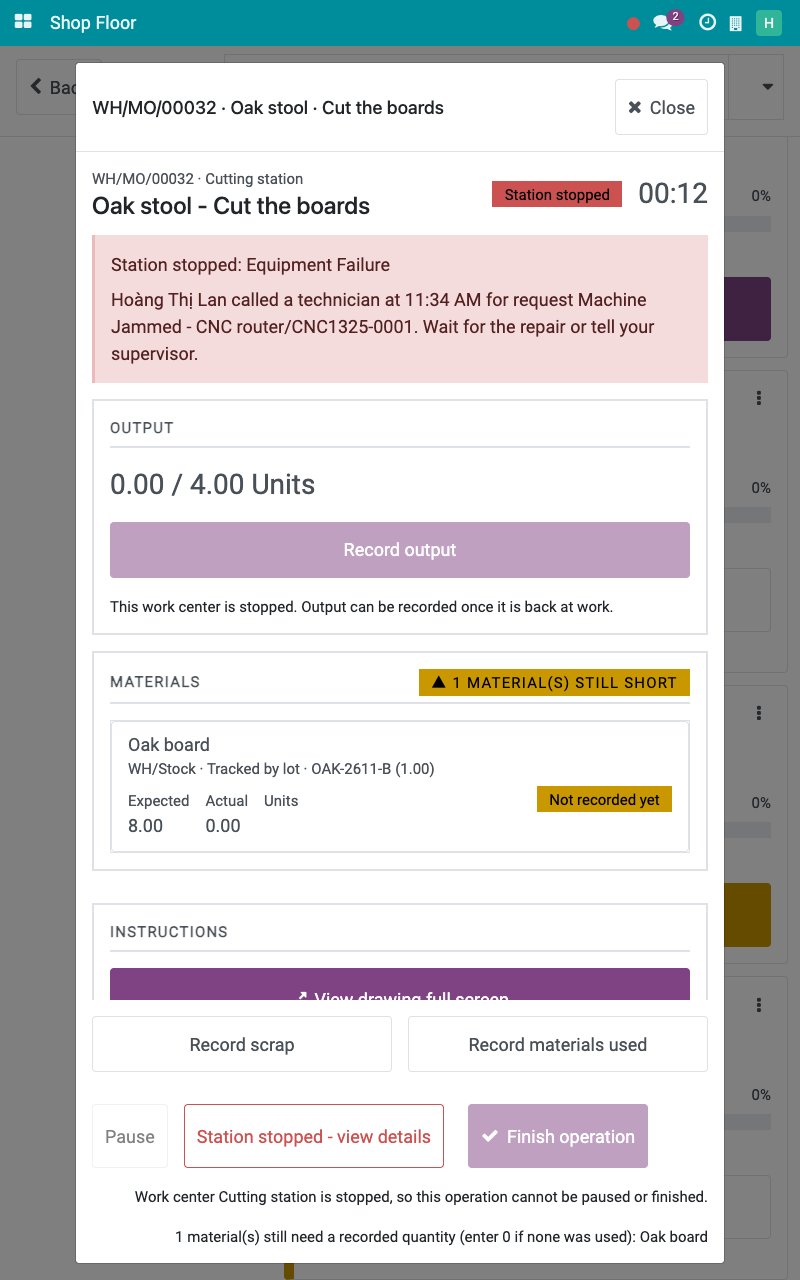
The problems offered are the request reasons of Maintenance ‣ Configuration ‣ Request Reasons. A second report on a work center that is already waiting for a technician does not create a second request.
How does the technician restart the work center?
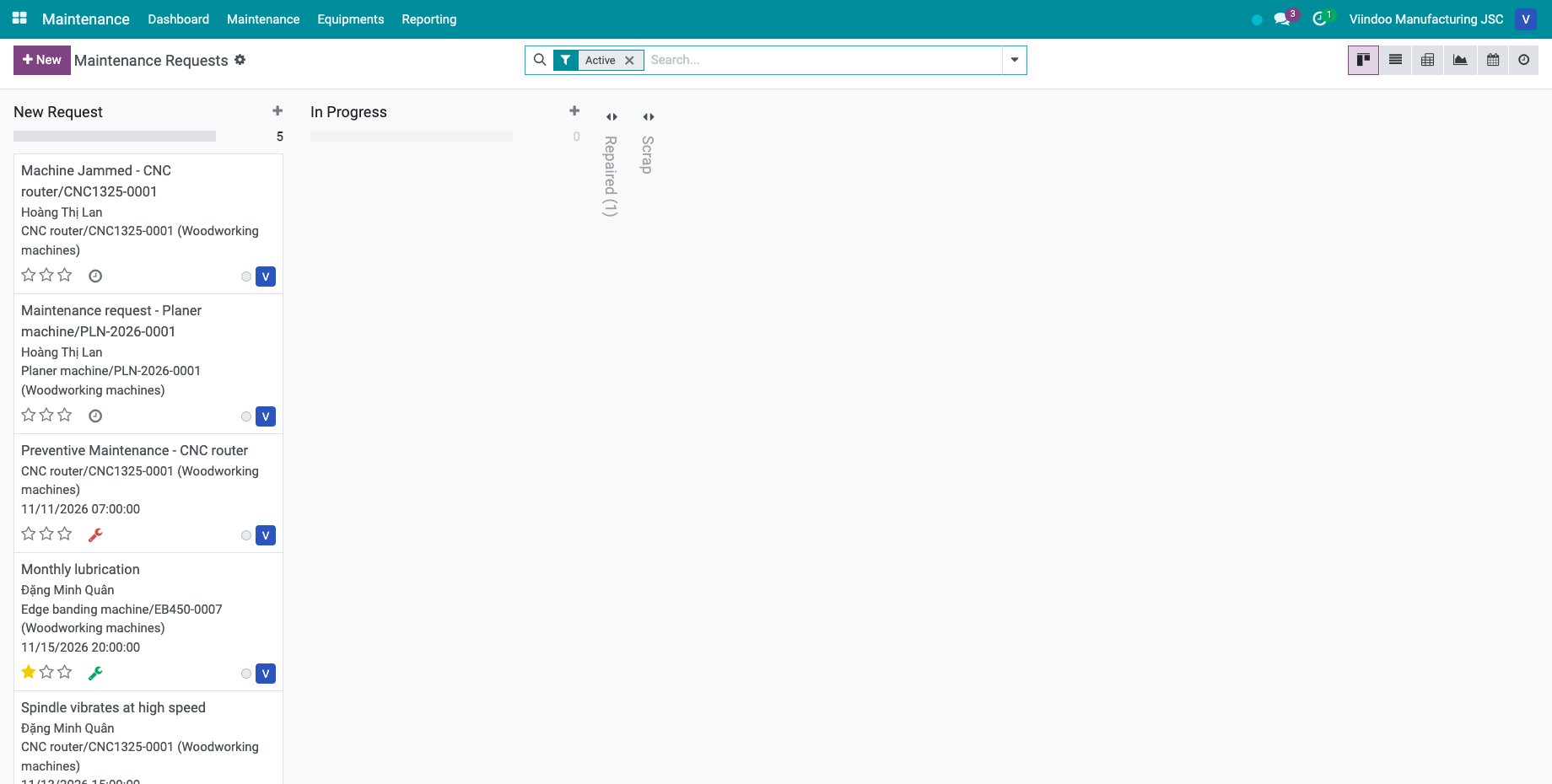
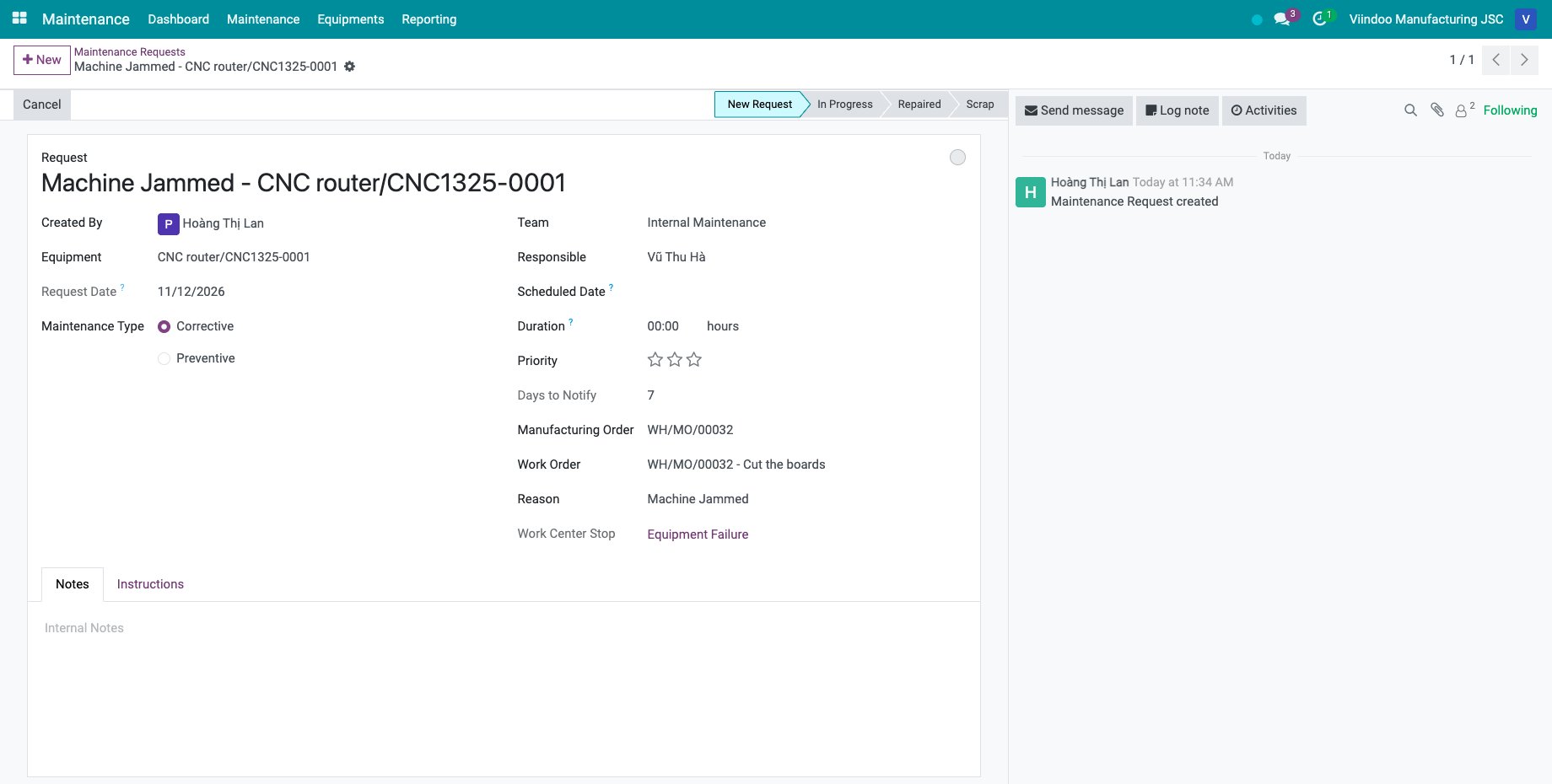
The technician goes to Maintenance ‣ Maintenance ‣ Maintenance Requests. The request from the tablet names the machine, the technician as Responsible, the manufacturing order, the work order and the reason.
![The maintenance requests with the request from the tablet]()
![The breakdown request with its manufacturing order and work order]()
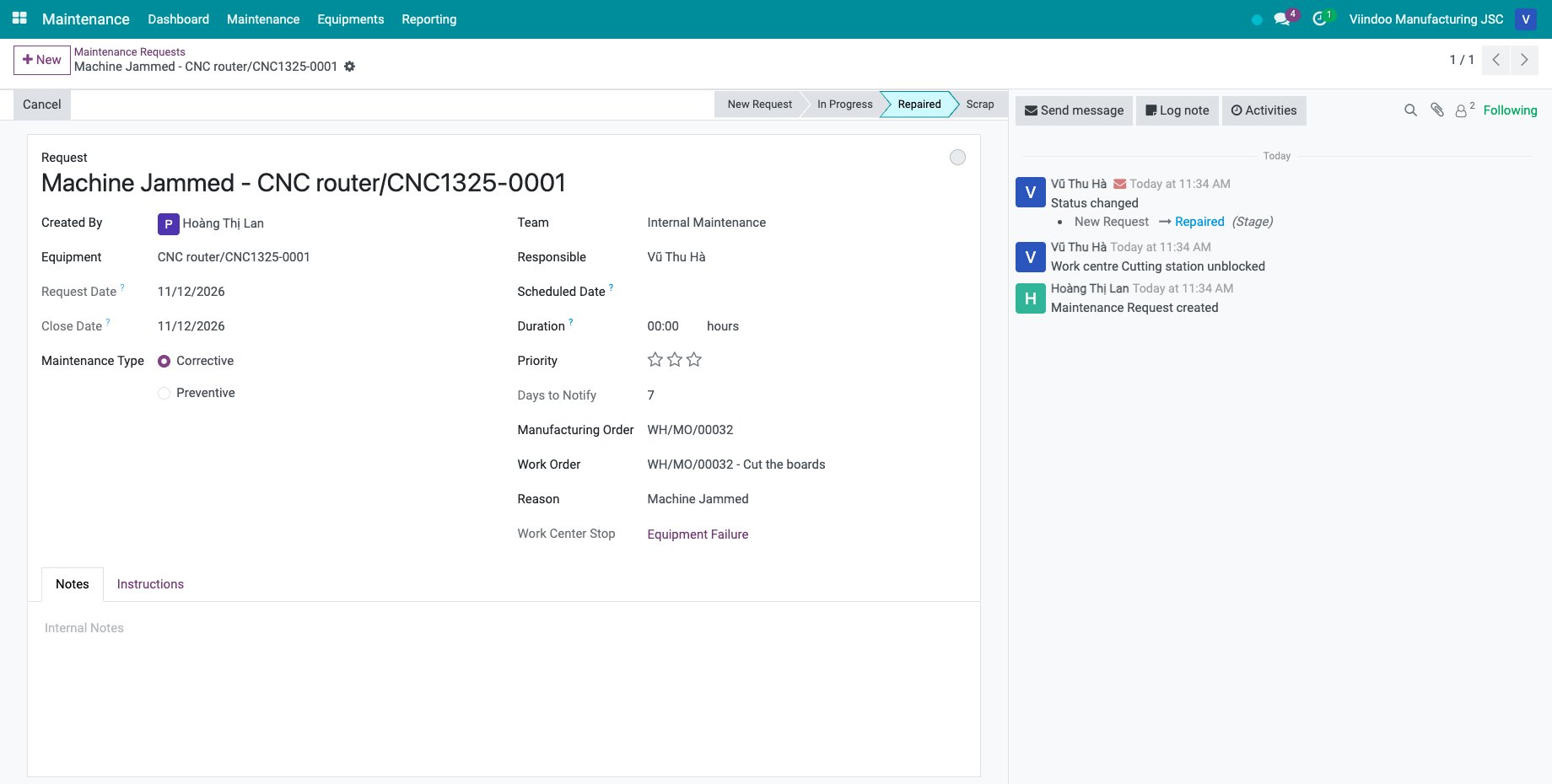
After the repair, the technician clicks Repaired in the status bar. The chatter logs that the work center is unblocked and the stop ends at that moment.
![The request repaired and the work center unblocked]()
The operators then tap Refresh on the job board and Resume operation. A request closed in the stage Scrap does not release the work center: a production manager or a maintenance manager restarts it as above.
How do I call maintenance while the machine keeps running?
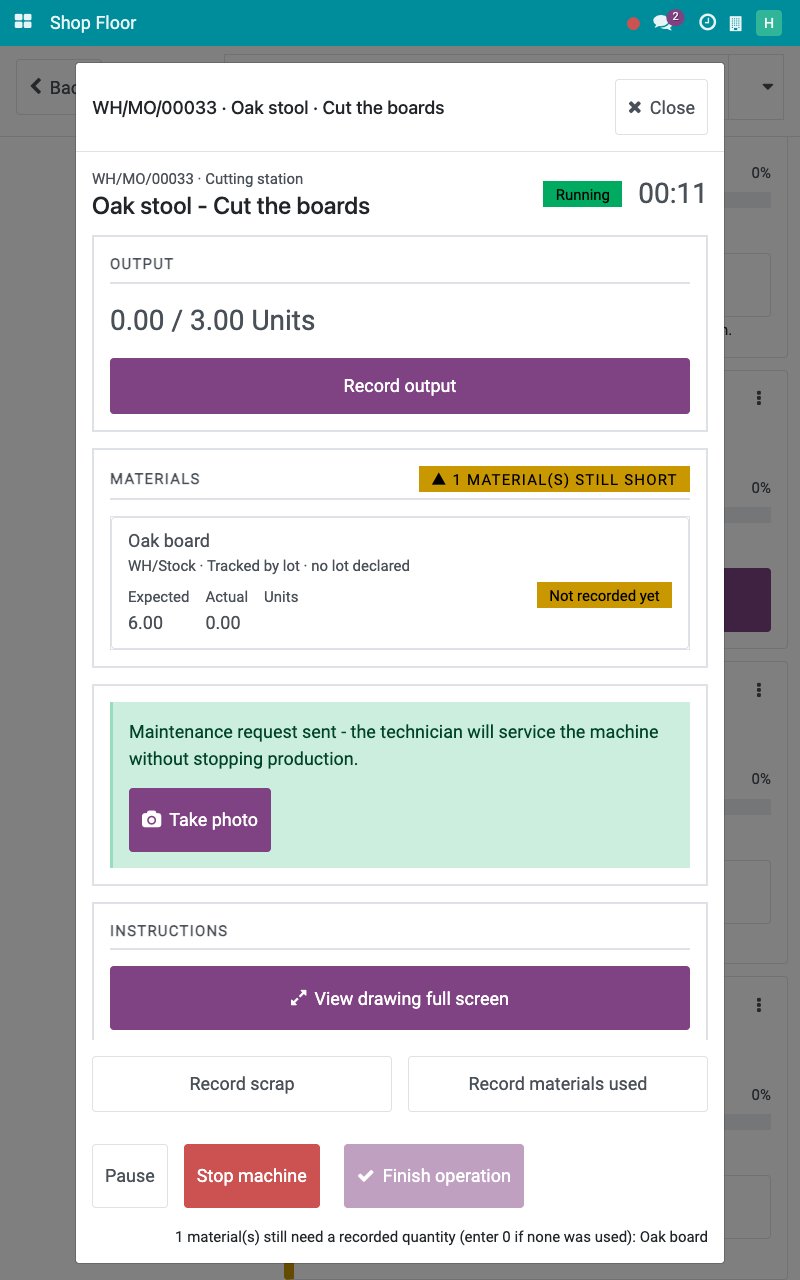
When the machine still works but needs servicing, tap Call maintenance (machine keeps running) on the operation screen, then the machine when the work center has several. A maintenance request is sent and the job keeps running; the work center is not stopped.
Common errors
Problem |
What to do |
|---|---|
There is no Restart station button. |
Only production managers and maintenance managers restart a work center. Call them. |
There is no reason for an equipment failure among the plain tiles. |
A failure is reported with Equipment failure - call maintenance, so a technician is always called. |
The request was created without a machine. |
No machine is linked to the work center. Set the Work Center on the machines. |
The technician repaired the machine but the job still looks stopped. |
Tap Refresh on the job board, then Resume operation. |
Next steps
Shop Floor entries and work center overview: see every stop and breakdown recorded.
How to plan for maintenance and manage maintenance requests: work on the maintenance requests.