
Manufacturing costs by project and analytic account
When you make products for a project, such as the furniture of a hotel fit-out, link the manufacturing orders to the project. The cost of the components consumed and of the time spent at the work centers is then recorded on the analytic account of the project, and the project shows it as Manufacturing Orders in its profitability.
Who |
Production planners who create the orders (Manufacturing ‣ User), project managers and cost accountants who read the costs. |
App |
Manufacturing, Project, Invoicing |
Before you start
Install the Manufacturing and Project apps. The link between the two installs itself.
Tick Analytic Accounting in Invoicing ‣ Configuration ‣ Settings and give the users the Project ‣ User access right, so that the Project field and the analytic buttons show.
The project has an analytic account, and Billable is ticked on the project to see its profitability.
The example of this page is the Riverside Hotel lobby fit-out project, for which the workshop makes 6 oak wall shelves.
How do I link a bill of materials to a project?
Open the bill of materials, go to the Miscellaneous tab and choose the Project. Every manufacturing order created with this bill of materials takes the project.
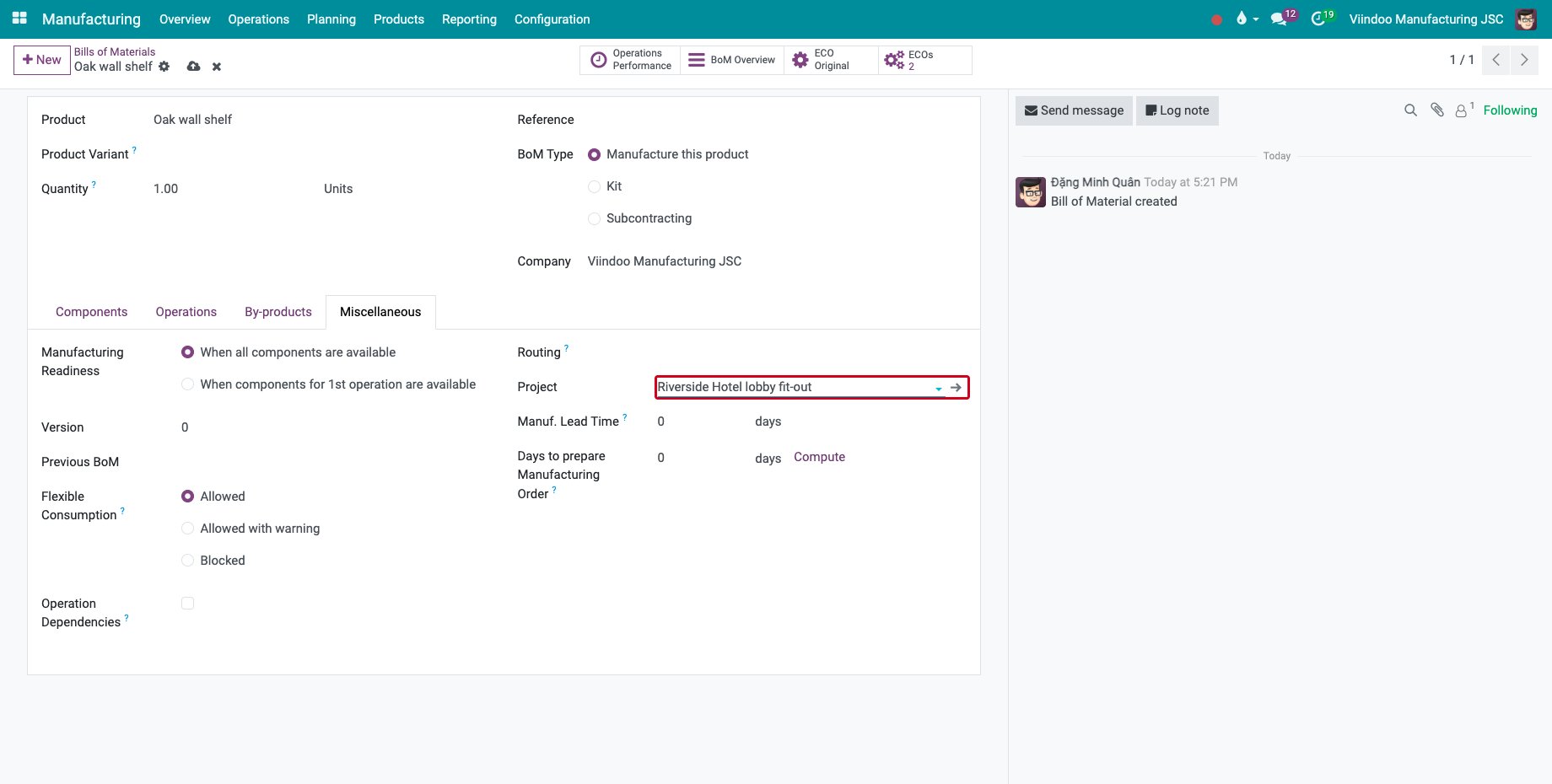
Use it for a bill of materials made for one project only. For a product made for several projects, set the project on each order instead.
How do I link a manufacturing order to a project?
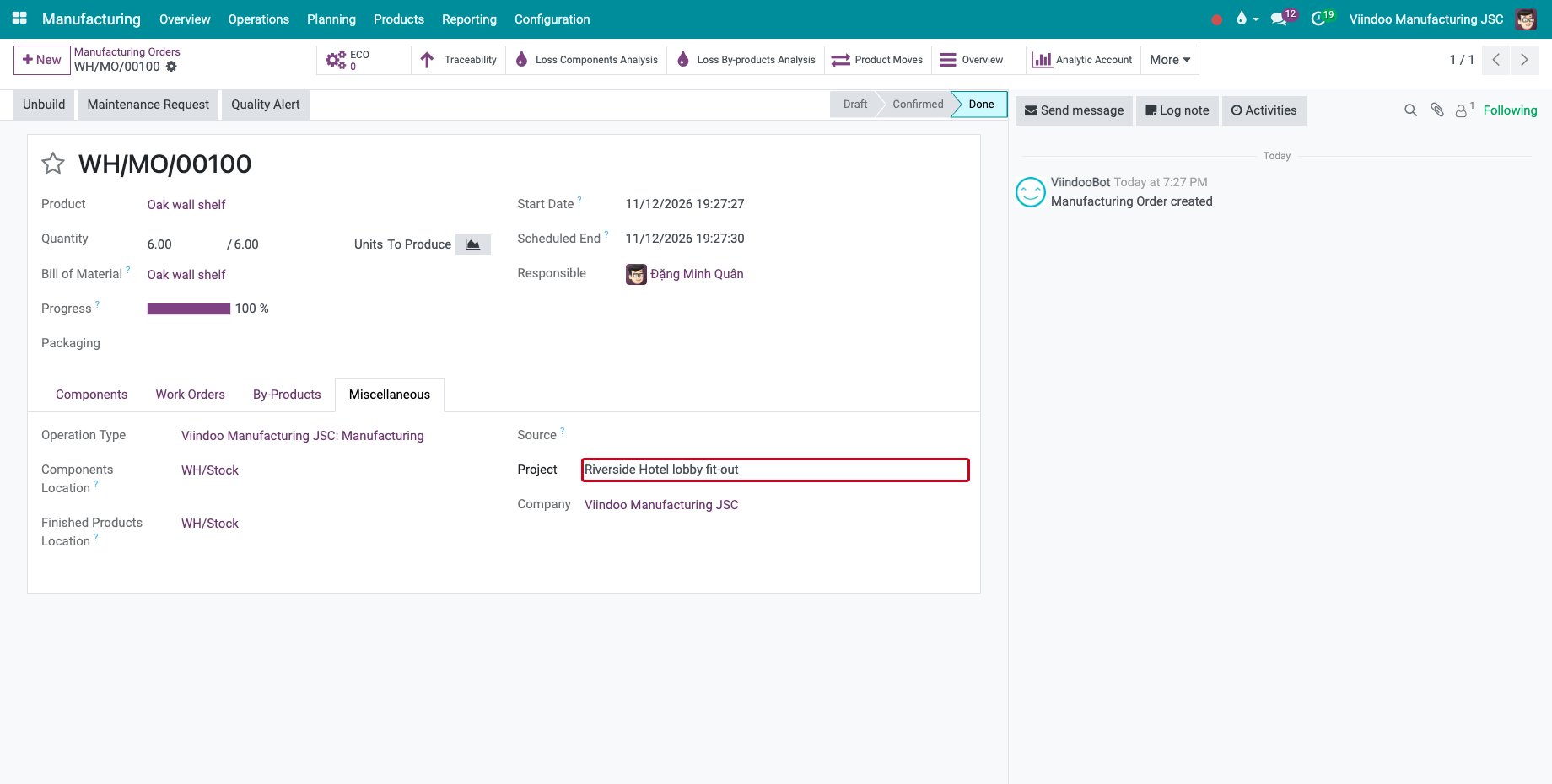
Open the manufacturing order, go to the Miscellaneous tab and choose the Project. An order created from a sales order linked to the project, or from the Manufacturing Orders button of the project, is linked for you.
![The Project field on the Miscellaneous tab of a manufacturing order]()
Confirm and produce the order as usual. When the components are consumed and the work orders are done, their cost is recorded on the analytic account of the project. Changing the project of a confirmed order moves the costs already recorded to the new project.
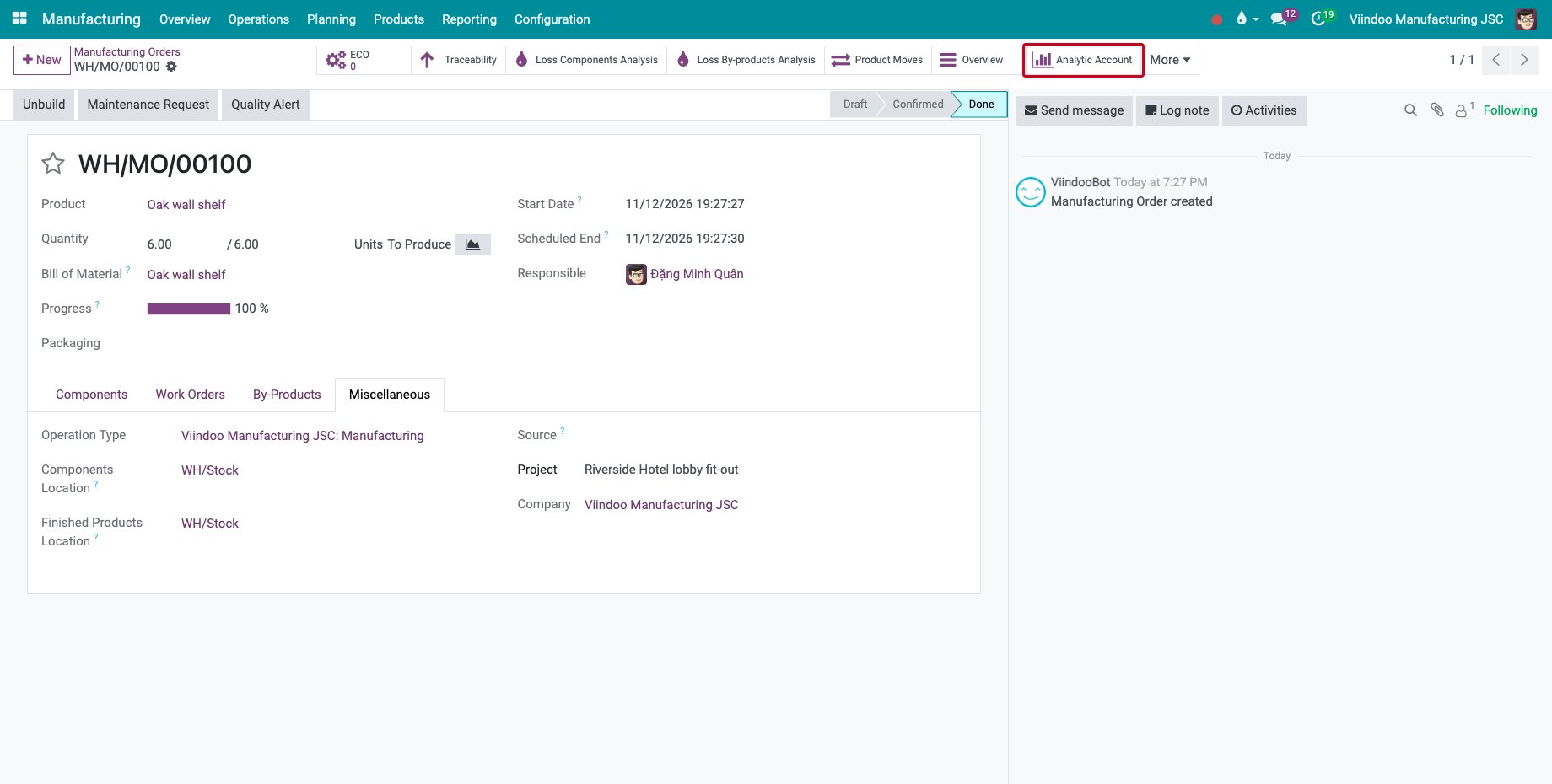
Where do I see the costs of the order?
On the confirmed manufacturing order, click Analytic Account.
![The Analytic Account button of a manufacturing order linked to a project]()
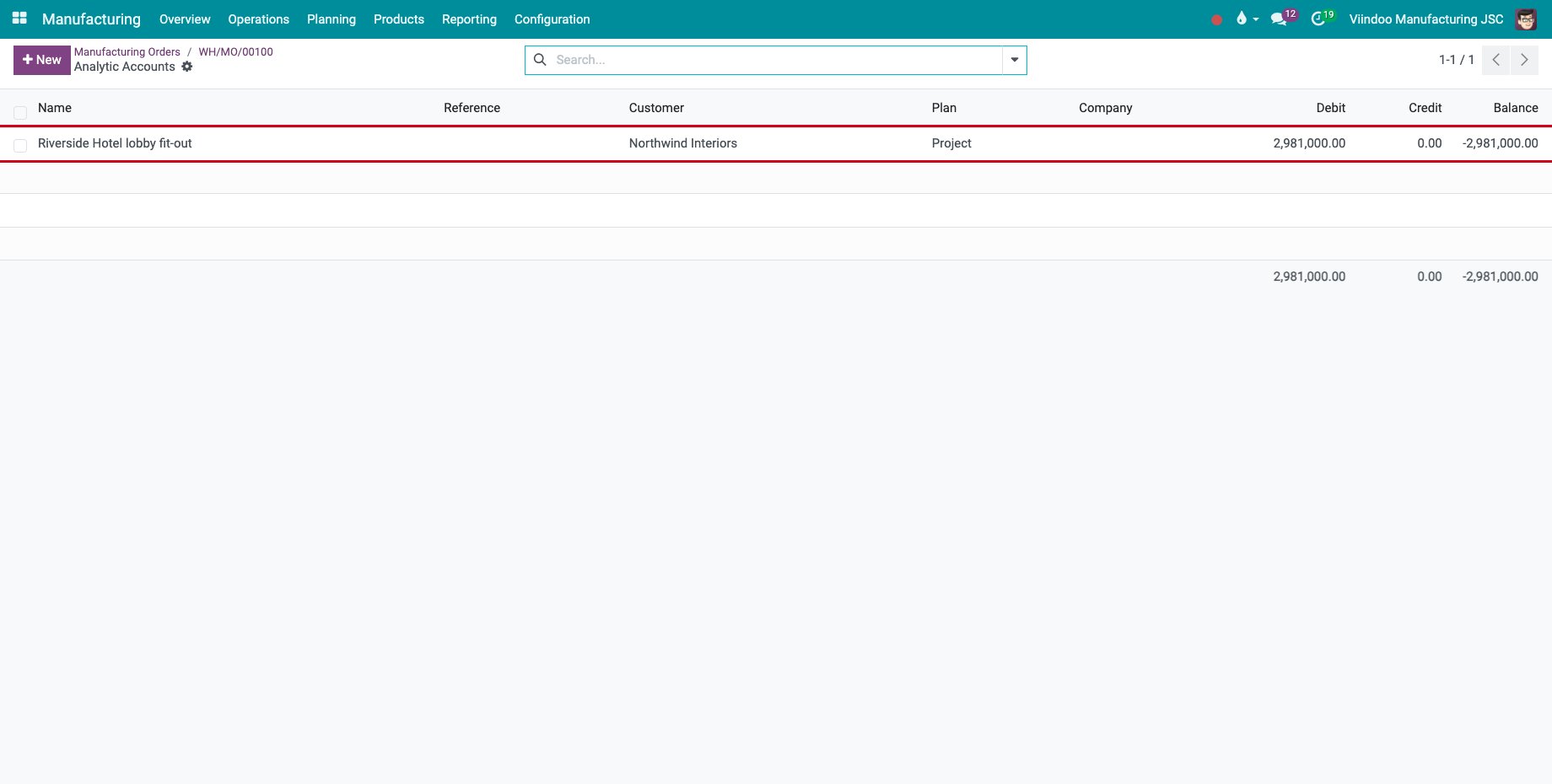
The analytic account of the project opens, with the costs recorded so far.
![The analytic account of the project with its debit]()
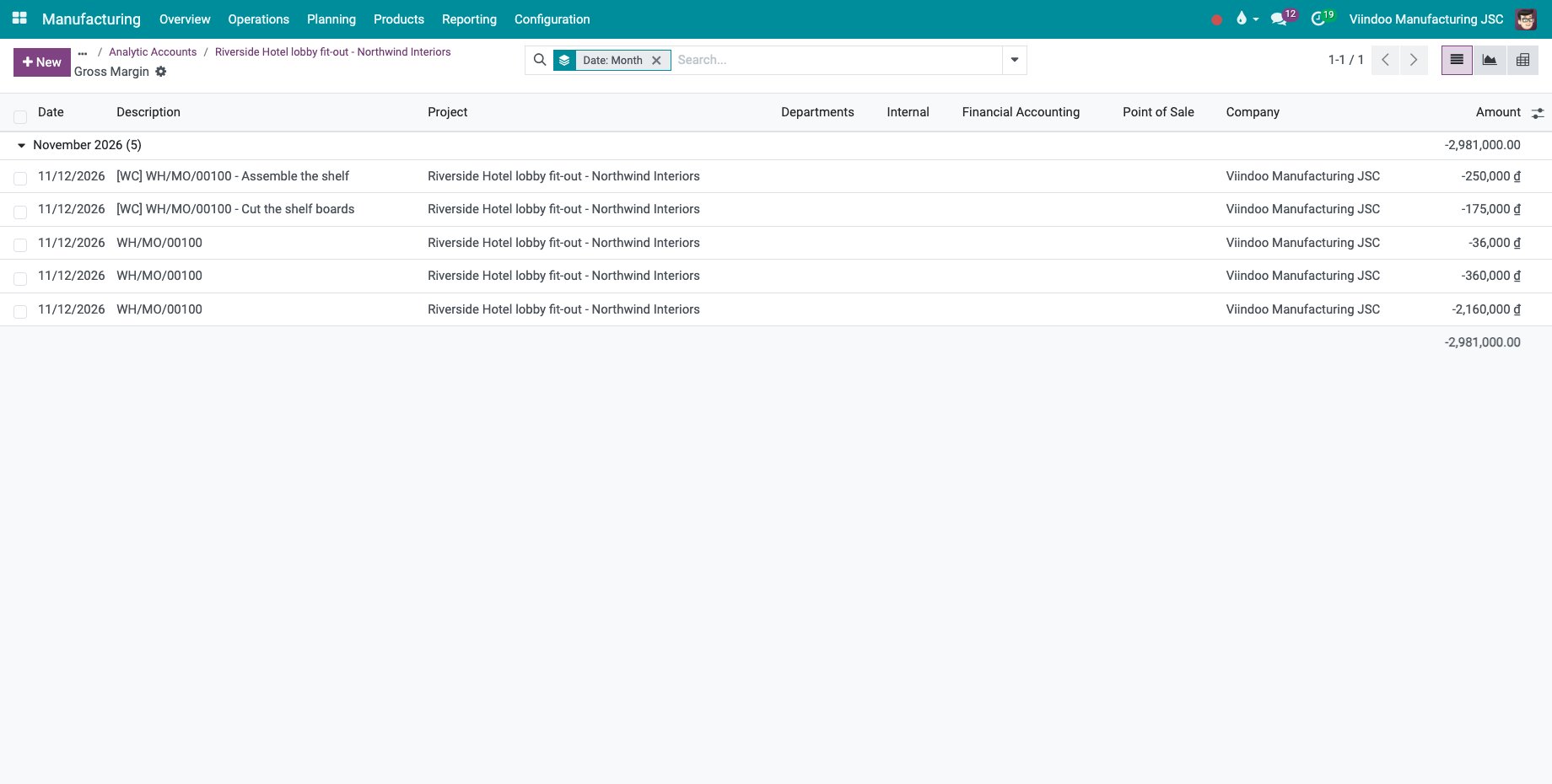
Open the account and click Gross Margin to list its analytic items: one line per component consumed, named after the order, and one line per work order, starting with [WC].
![The analytic items of the components and of the work orders]()
Where do I see them in the project?
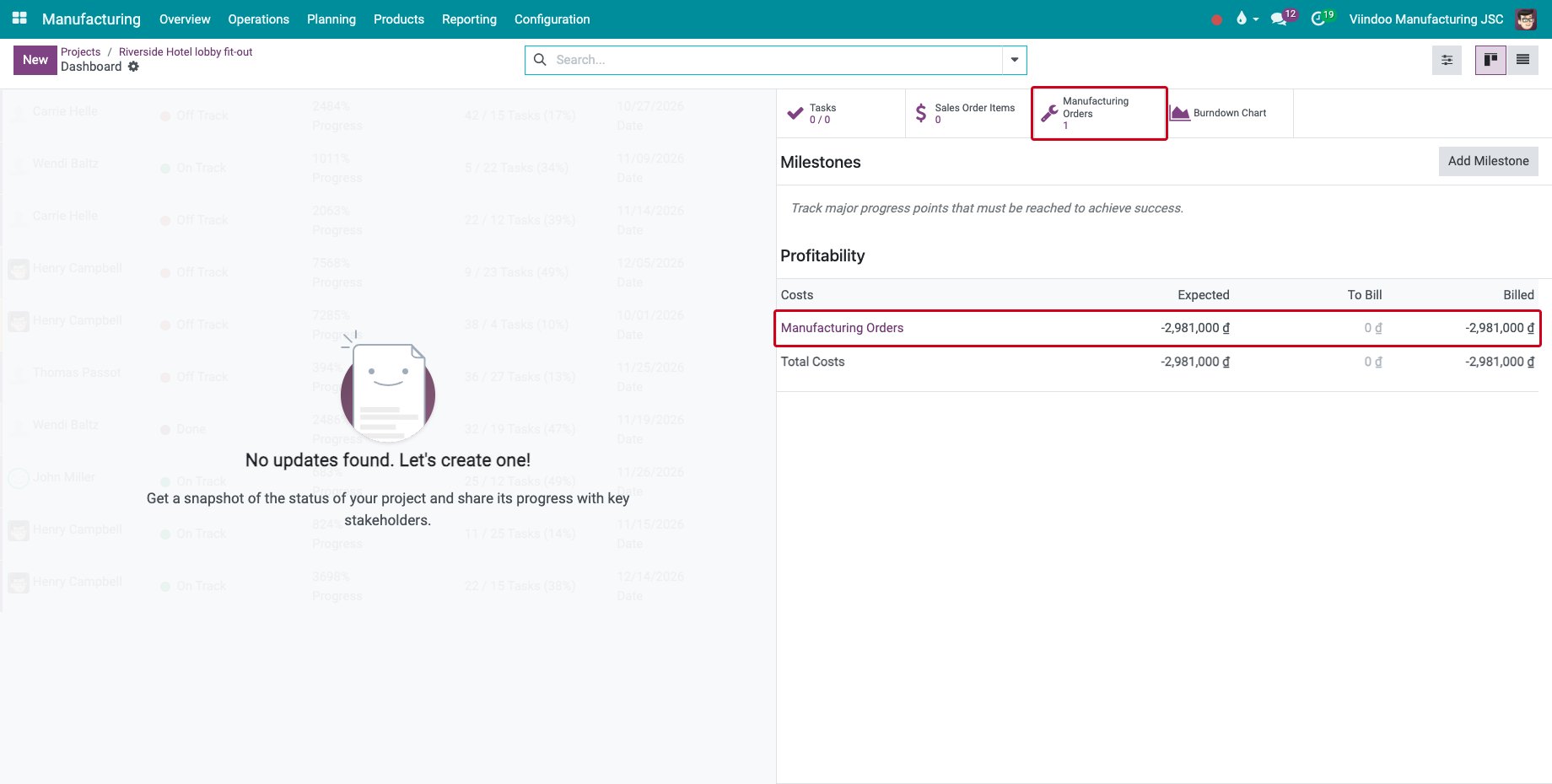
In Project ‣ Projects, open the menu of the project card and click Dashboard. In Profitability, the manufacturing costs are on the Manufacturing Orders line of the Costs; click the line to list the orders. The Manufacturing Orders button at the top lists them too, and a Bills of Materials button shows when bills of materials are linked to the project.
The costs that you add to the orders afterwards, see Accounting for general production costs, also go to the analytic account of the project.
Common errors
Problem |
What to do |
|---|---|
The Project field is missing. |
Give the user the Project ‣ User access right. |
Analytic Account is missing on the order. |
Tick Analytic Accounting in the Invoicing settings, check that the project has an analytic account, and confirm the order. |
Producing the order fails with a message on a required analytic plan of the project. |
Fill in that analytic plan on the project, then produce again. |
Profitability is missing from the project dashboard. |
Tick Billable on the project. |
Next steps
Standard quantity and margin in production costs: compare the standard and the actual consumption of the orders.
See also
Related articles