
How to accumulate production costs and read the product cost report
The production cost report adds up, for each product, the direct materials, the direct labor, the manufacturing overhead and the costs that you allocate, and gives the total cost and the unit cost of the month. It shows the cost structure of a product, compares it with another period and points to the orders whose cost moved. The Classification of Manufacturing Cost decides the columns.
Who |
Cost accountants with the access right Accounting ‣ Bookkeeper, Invoicing & Banks or Auditor, to read the report from the Manufacturing app, and Accounting ‣ Administrator to define the types of cost. |
App |
Accounting, Manufacturing |
Before you start
Install Manufacturing, Shop Floor Control, Advanced MRP Accounting, Inventory and Vietnam Chart of Accounts.
The costs come from done manufacturing orders, see How to account for direct materials cost and How to set standard production costs for work centers.
How do I define the types of manufacturing cost?
The materials of each order are collected from its bill of materials. The other costs are grouped by type, and each type is a column of the report. Two types exist: Direct Labor and Manufacturing Overhead.
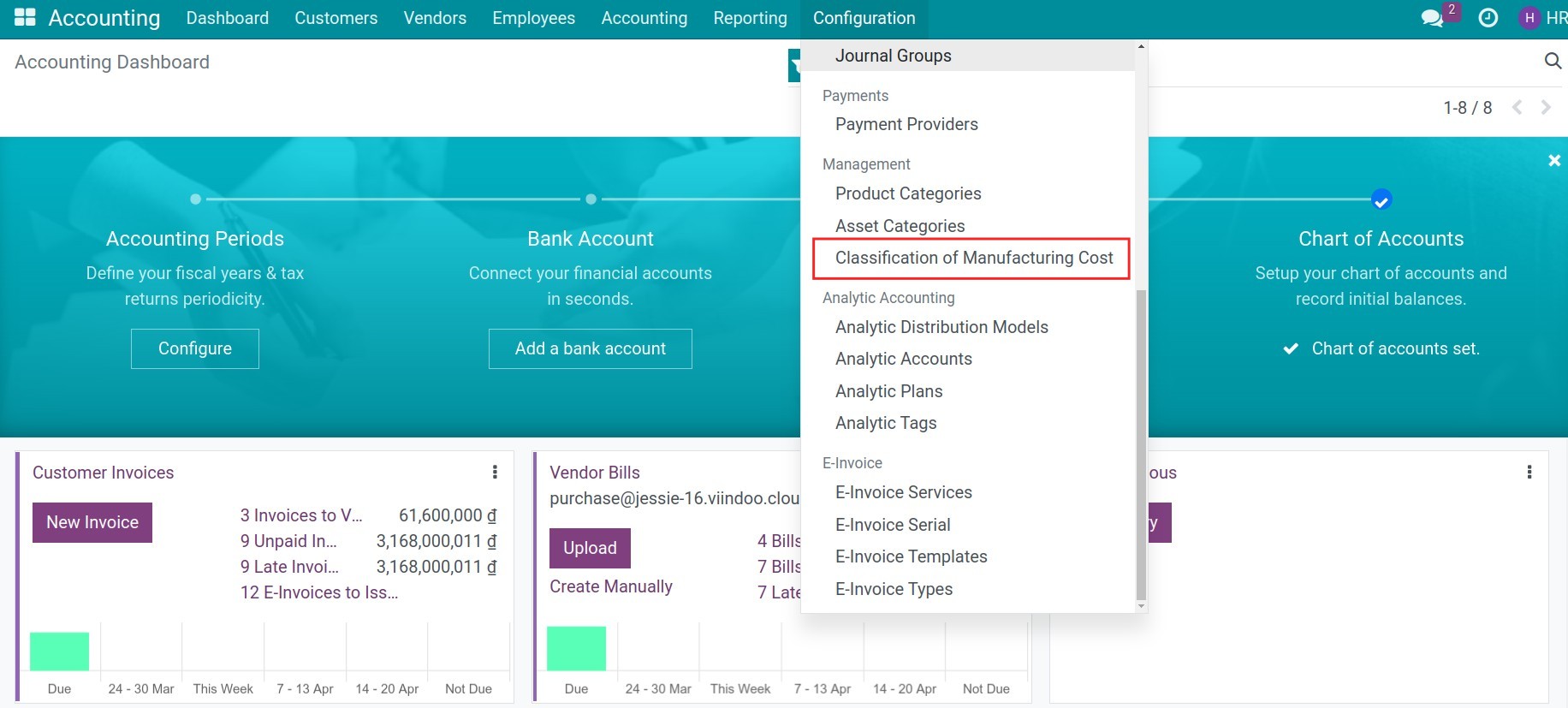
Go to Accounting ‣ Configuration ‣ Management ‣ Classification of Manufacturing Cost.
![The classification of manufacturing costs with the direct labor type]()
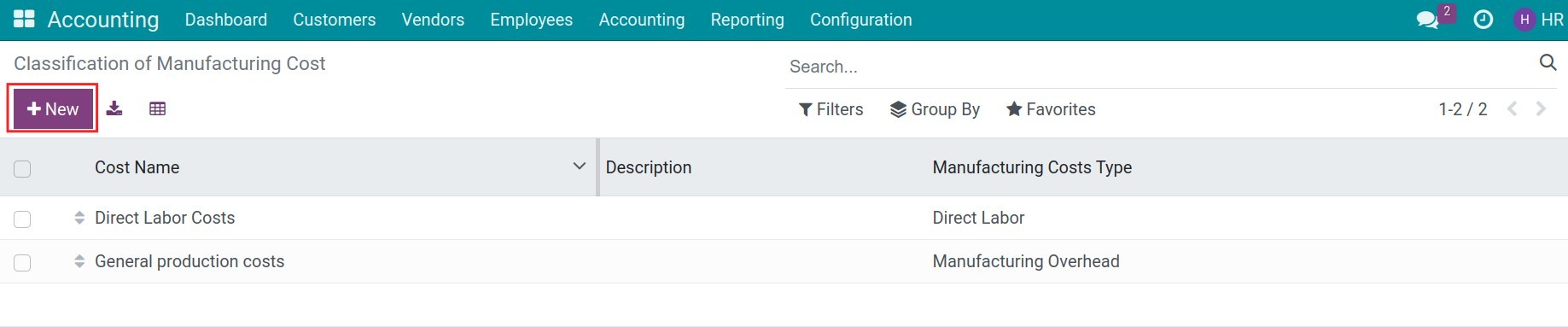
Click New and fill in the line:
Cost Name: the name of the column.
Description: a short explanation.
Manufacturing Costs Type: Direct Labor or Manufacturing Overhead, the group in which the column is shown.
![A new line of the classification of manufacturing costs]()
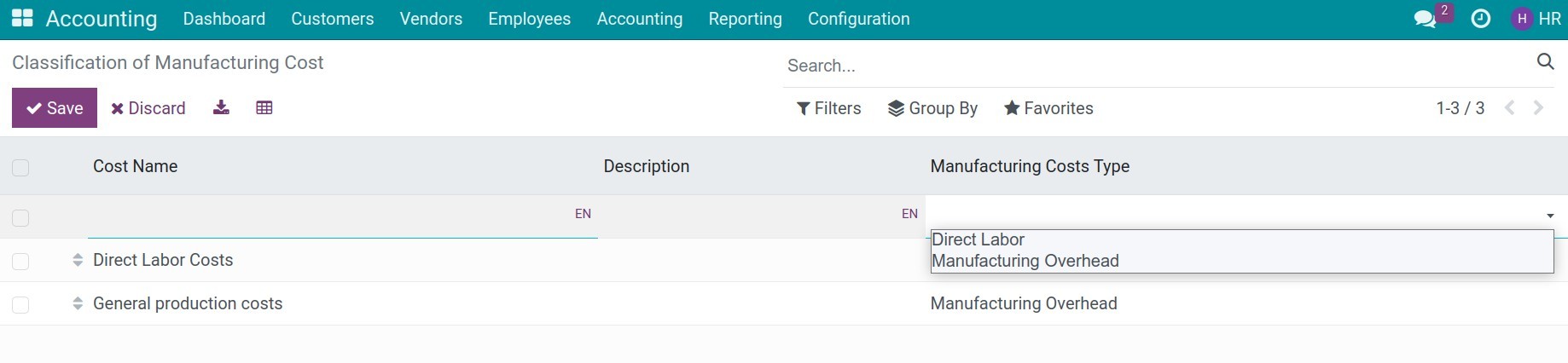
Click Save. The example creates Workshop rent and utilities.
![The list of the types of manufacturing cost with the new type]()
Where do I use a type of cost?
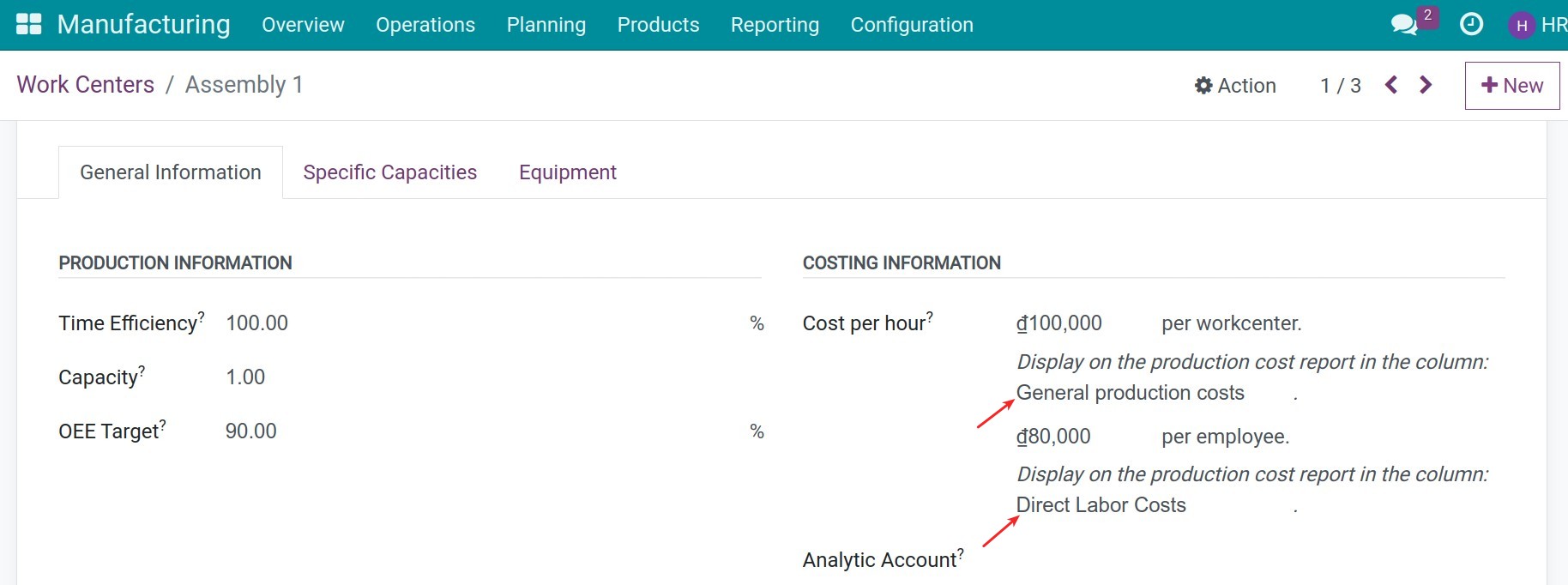
On a work center, in Overhead Cost Type for the machine time and Direct Labor Cost Type for the labor, see How to set standard production costs for work centers.
![The cost types on a work center]()
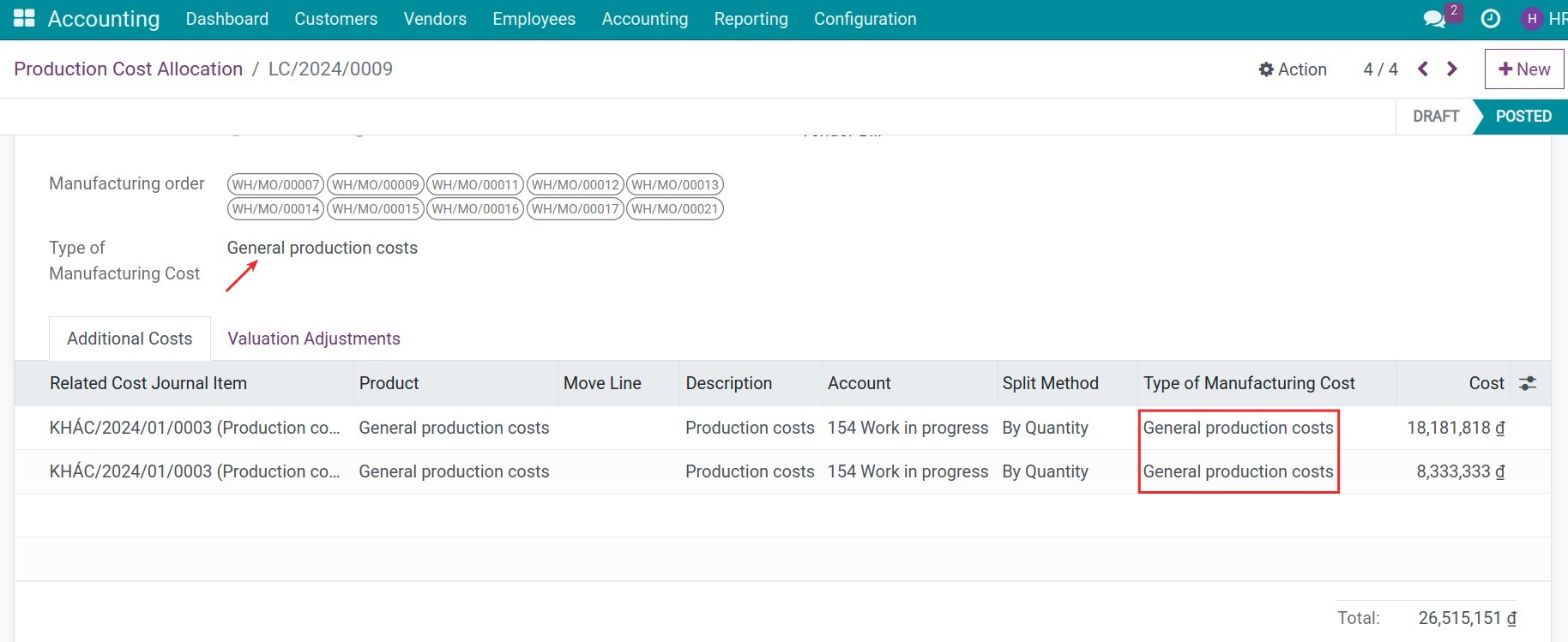
On a production cost allocation, in Type of Manufacturing Cost, see How to account for general production costs.
![The type of manufacturing cost on a production cost allocation]()
How do I read the production cost report?
Go to Manufacturing ‣ Reporting ‣ Production Cost Report, or Accounting ‣ Reporting ‣ Manufacturing Reports ‣ Production Cost Report. The report lists the products whose orders finished in the month. For each product it shows Direct Material, Direct Labor, Manufacturing Overhead with a column for each of its types, Total Cost, Total Quantity and Unit Cost.
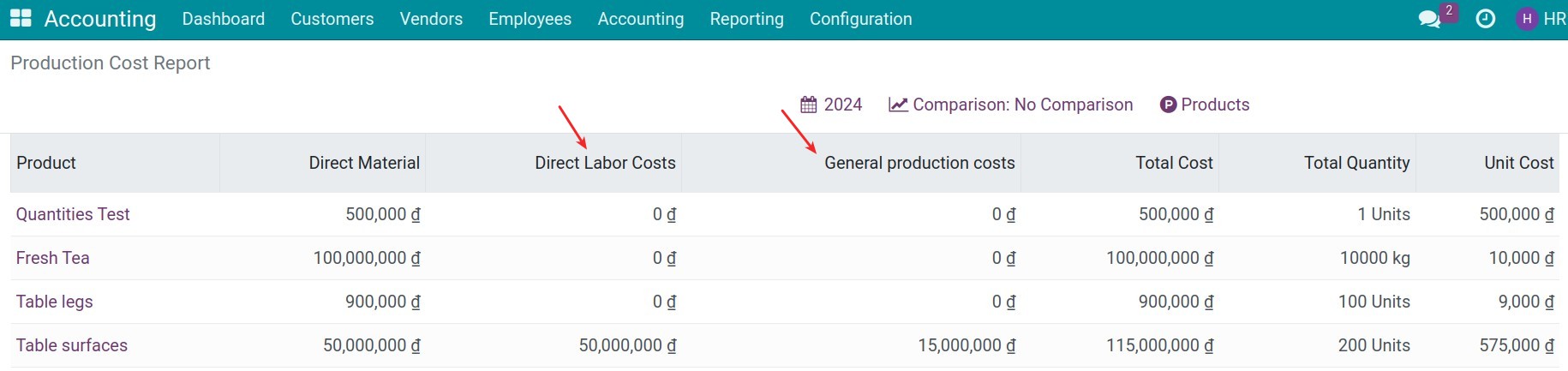
The semi-finished products of an order are counted in the Direct Material of the finished product, at their full cost.
The labor of a work order is in the column of the Direct Labor Cost Type of its work center, at the cost of the employees who worked. The machine time is in the column of its Overhead Cost Type.
The costs of an allocation are in the column of the Type of Manufacturing Cost of the allocation.
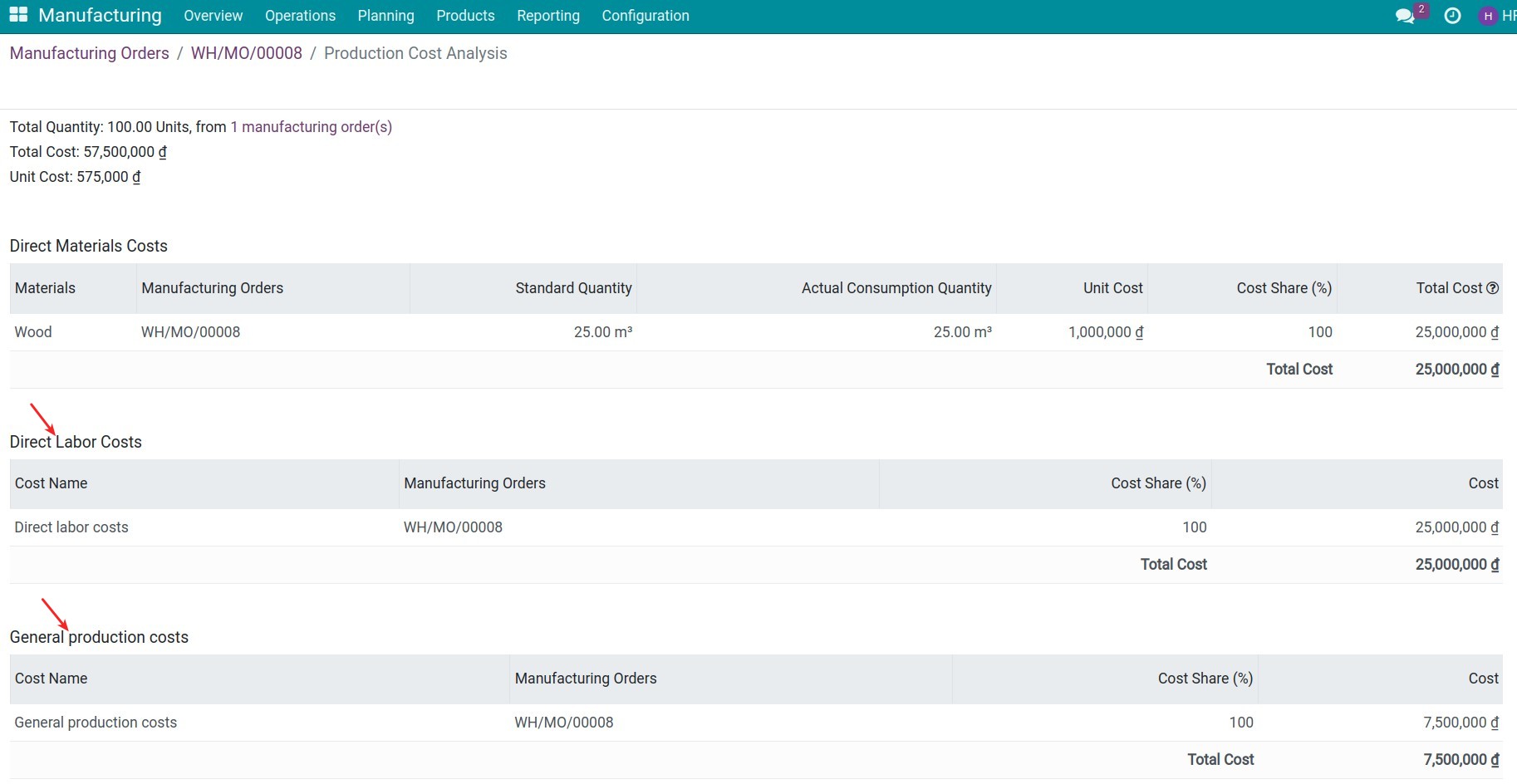
The same costs are in the Cost Analysis of an order, here the order of four pumps, with the extra lines.
How do I filter, compare and open the report?
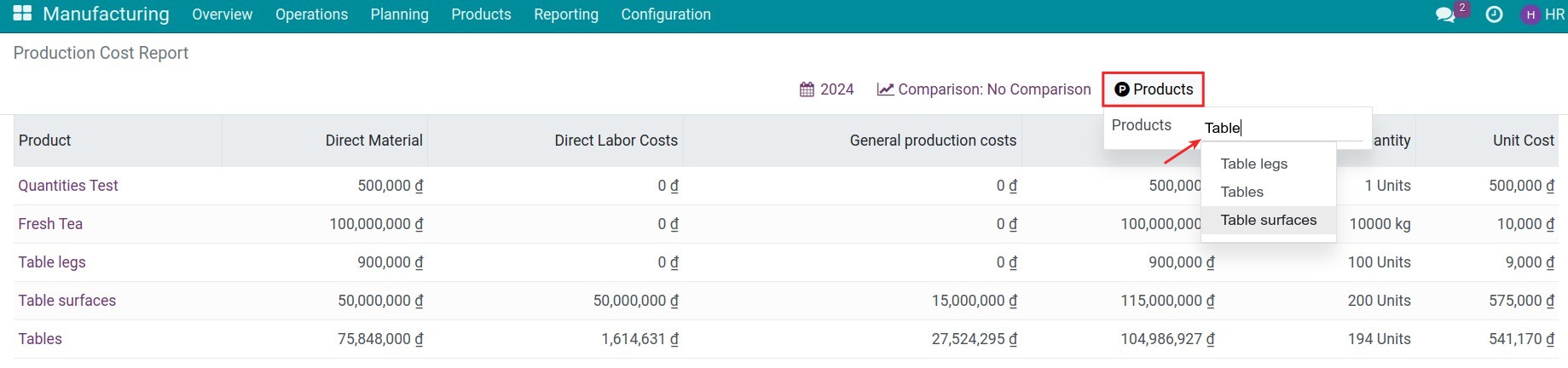
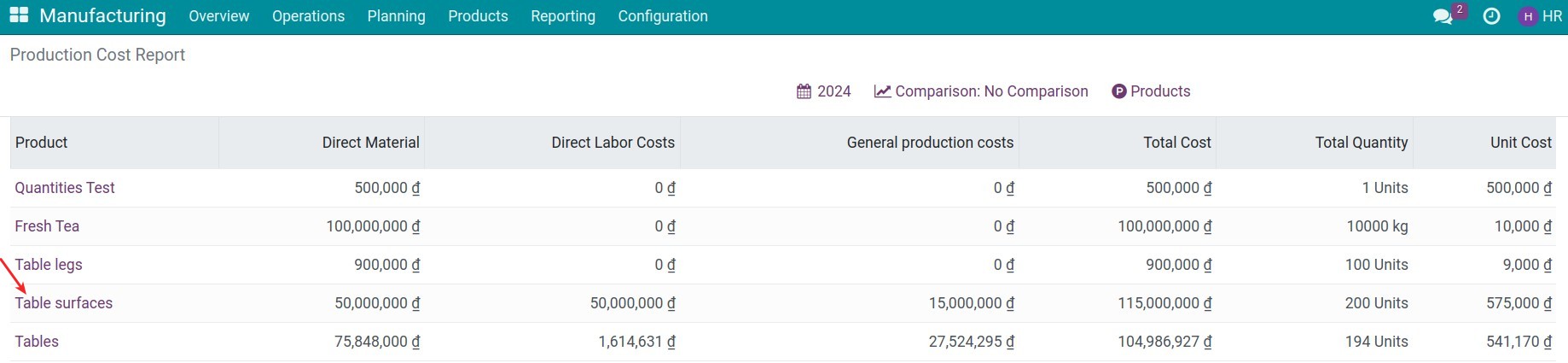
Click Products and choose a product to keep it alone.
![The production cost report filtered on one product]()
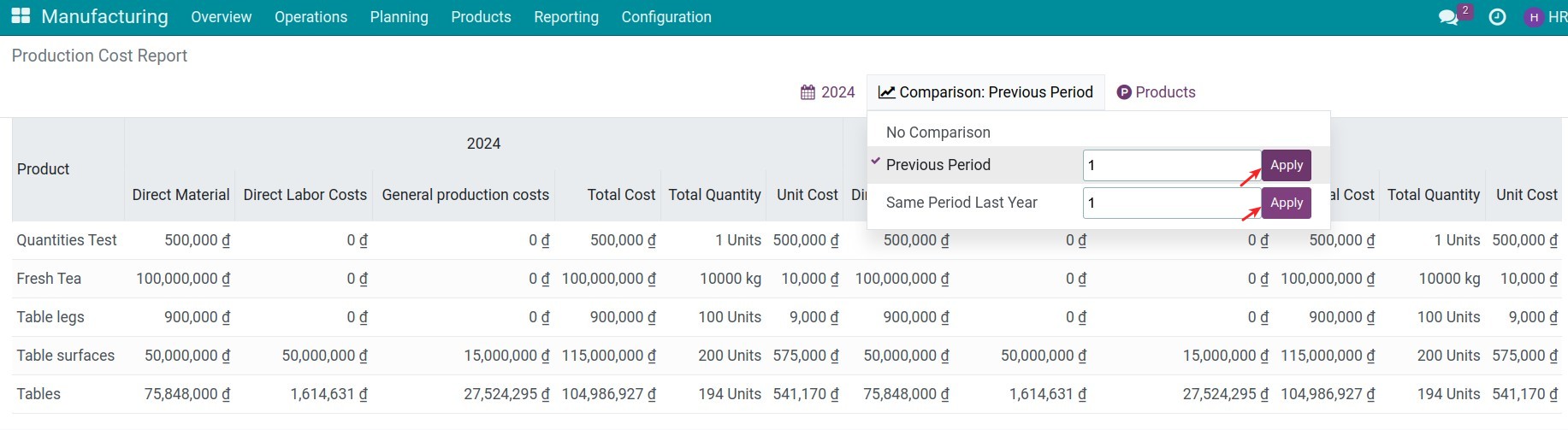
Click Comparison and choose Previous Period or Same Period Last Year, then Apply. Each period gets its own columns, and the change is shown below the figures.
![The production cost report compared with the previous period]()
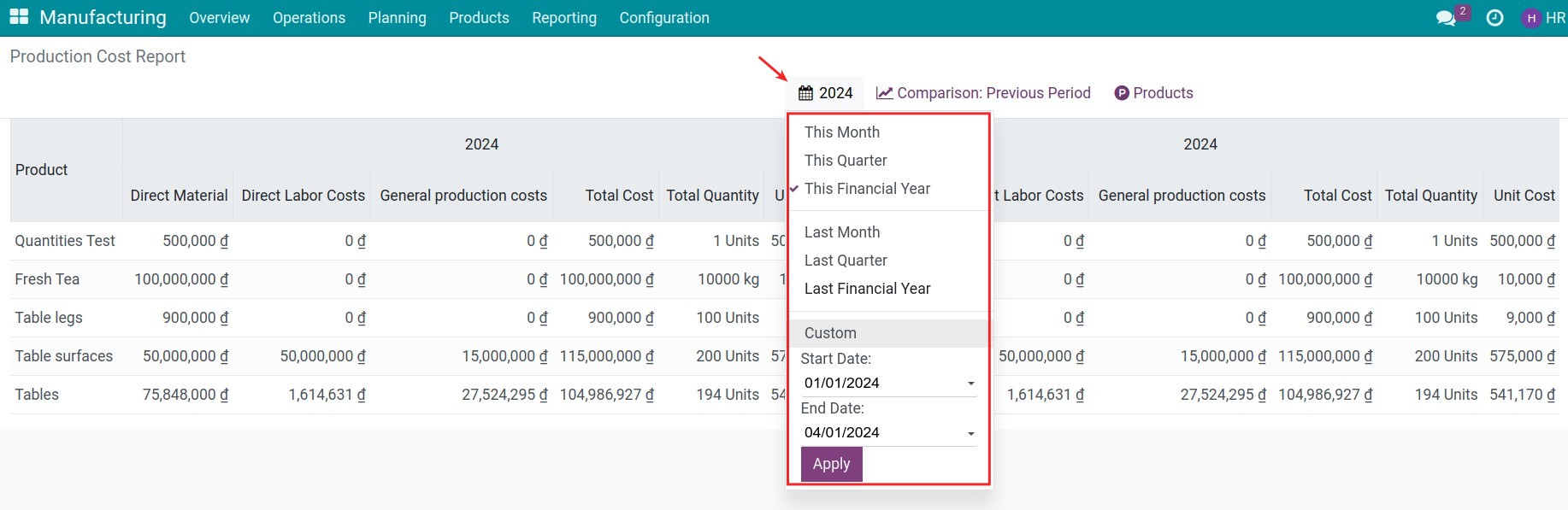
Click the period to choose another month, quarter, financial year or a custom range.
![The choice of the period of the report]()
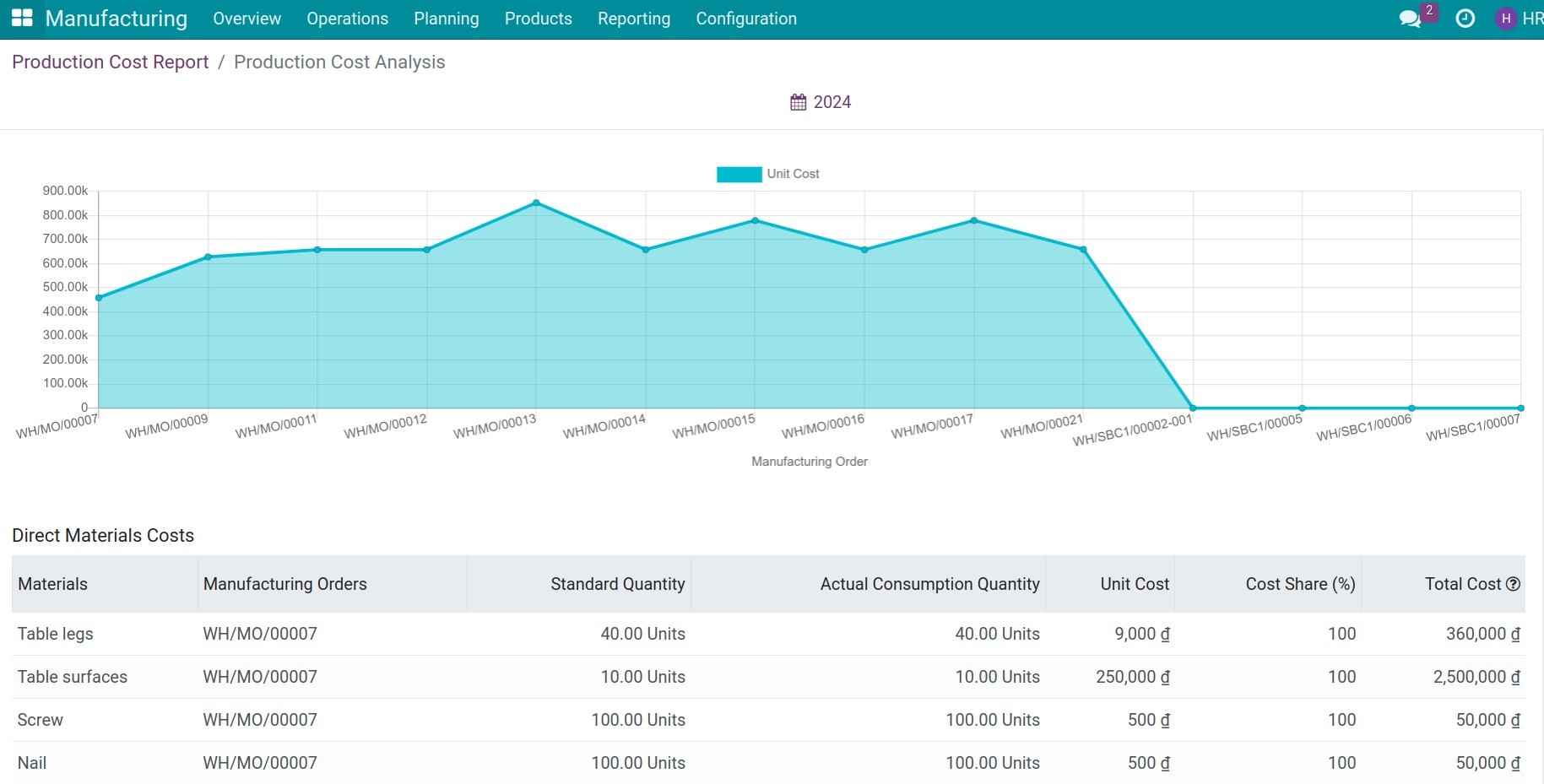
Click a product to see its unit cost for each order, in a chart and in tables, so that you see the orders whose cost moves.
![The unit cost of the pump for each manufacturing order]()
![The cost tables of the product by type of cost]()
The report is by the date on which the orders finished. Click Export XLSX to export it.
How do I see the cost of the by-products?
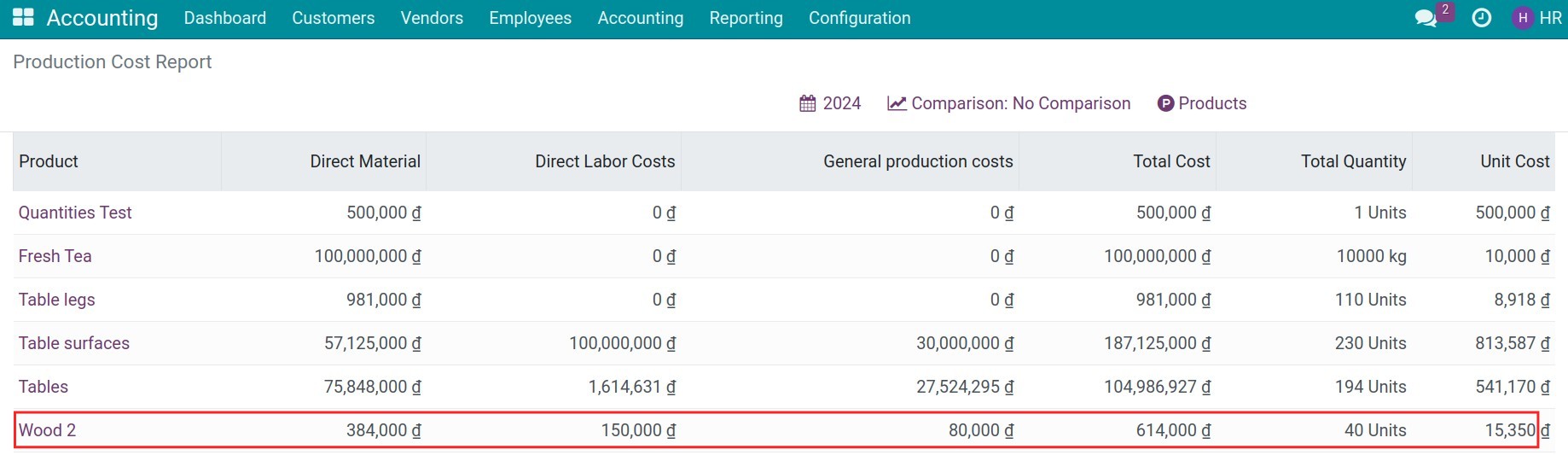
When a bill of materials has by-products with a Cost Share (%), that share of the cost of the order goes to the by-product, and the main product costs less. Enable By-Products in Manufacturing ‣ Configuration ‣ Settings, open the bill of materials, tab By-products, and fill in the Cost Share (%) (show the column with the column selector). In the example, 5% of the casing goes to the Steel offcuts.
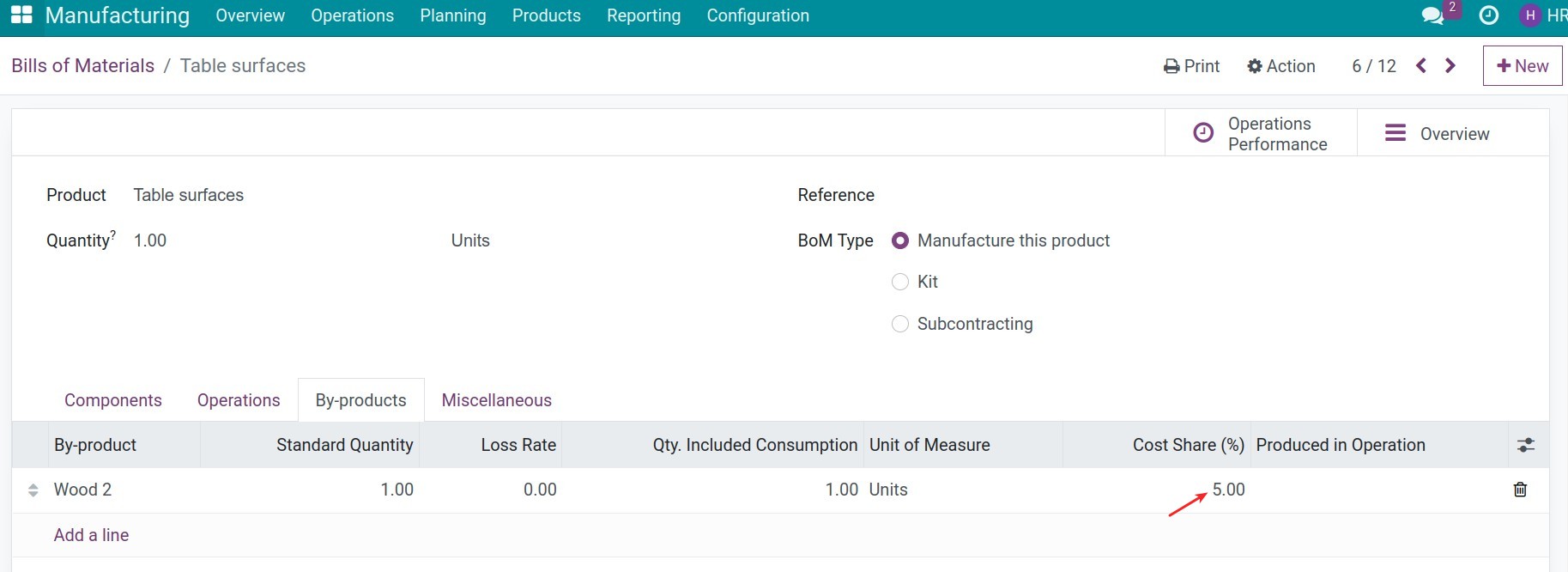
The by-product has its own line in the report, and the By products table of the main product shows its share.
The total of the cost shares of the by-products cannot exceed 100%.
What should I see afterwards?
A row for each product made in the period, a total for each type of cost, and the same total cost in the cost analysis of the orders.
Common errors
Problem |
What to do |
|---|---|
The menu Production Cost Report is not shown. |
The Manufacturing menu needs the access right Accounting ‣ Bookkeeper, Invoicing & Banks or Auditor. The Accounting menu is under Accounting ‣ Reporting ‣ Manufacturing Reports. |
A product made in the period is not in the report. |
Its order is not done, or it finished in another month. Change the period. |
An allocated cost is not in the report. |
The cost lines of the allocation have no type of cost, see How to account for general production costs. |
The tab By-products is not on the bill of materials. |
Enable By-Products in Manufacturing ‣ Configuration ‣ Settings. |
Next steps
How to account for subcontracting goods valuation: the cost of subcontracted goods.
How to read the reports according to the Vietnam Accounting Standard: the other accounting reports.
See also
Related articles
Optional module