
How to change your preferences and password
Every user can adjust their own account in Viindoo: click your avatar in the top right corner, choose Preferences (My Profile when the Employees app is installed), and change your notification method, language, time zone and email signature in the Preferences tab, or your password in the Account Security tab. These settings apply only to your account.
Who |
Every user, for their own account. |
App |
Your user profile (no app to install) |
Before you start
You can sign in to Viindoo. To see more languages in the list, an Administrator must first add them.
How do I open my profile?
Click your avatar and name in the top right corner and choose Preferences. If the Employees app is installed, the menu item is called My Profile.

Note
If your user is linked to an employee, the profile also shows employee information such as time off or equipment. That information is managed in the Employees app; this guide covers only your account settings.
How do I change my preferences?
Open the Preferences tab.
![Preferences tab with Notification, Language, Timezone and Email Signature]()
Change the fields you need (see the table below).
Click Save.

Field |
Effect |
|---|---|
Notification |
Handle by Emails (default): notifications are sent to your email. Handle in Viindoo: notifications stay in your Viindoo inbox and no email is sent. To receive both, ask your Administrator to install Inbox Notifications and Emails. |
The address that receives your notifications with Handle by Emails. If it is wrong or empty, you receive nothing. |
|
Language |
The language of all your screens, documents you print and emails sent to you. |
Timezone |
Dates and times of activities, meetings and deadlines are shown in this time zone. Choose the time zone where you work. |
Email Signature |
Added at the end of every email you send from Viindoo. Use the editor to add your name, position, phone number or logo. |
See Set up and classify the notifications in Viindoo Discuss for more about notifications.
How do I change my password?
Open the Account Security tab and click Change password.
![Change password button in the Account Security tab of your preferences]()
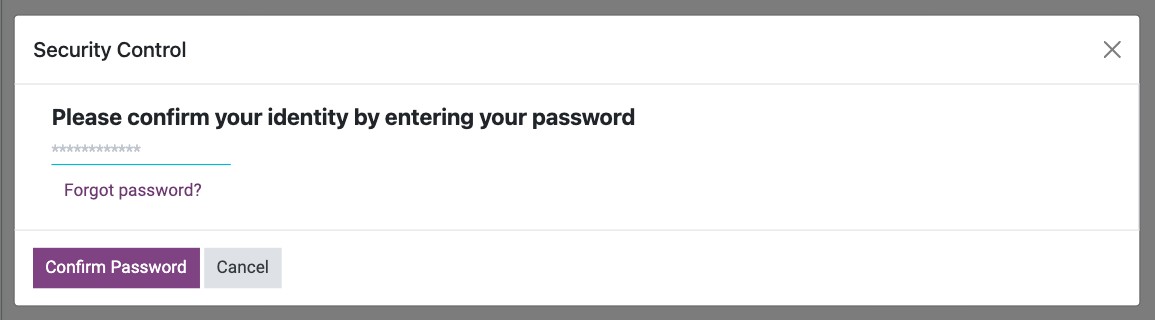
In Security Control, enter your current password and click Confirm Password.
![Security Control window asking for the current password]()
Type the new password in New Password and again in New Password (Confirmation), then click Change Password.
![New Password and New Password (Confirmation) fields with the Change Password button]()


The page reloads and you stay signed in. Use the new password the next time you sign in.
Tip
Use a long password that you do not use anywhere else, and turn on two-factor authentication in the same tab.
Common errors
Message |
What to do |
|---|---|
The new password and its confirmation must be identical. |
Type the same new password in both fields. |
Your password must contain at least … characters … |
Your company requires a minimum length. Choose a longer password. |
I forgot my current password. |
Click Forgot password? in the Security Control window, or ask an Administrator to set a new one. |
Next steps
How to turn on two-factor authentication: add a second sign-in step.
How to search, filter, group and save searches: find records quickly.