
Approving Subcontracting request
A subcontracting request moves part of a manufacturing order to a subcontractor. With the approval module, the request goes through the approval levels you set before it is applied: once approved and marked as done, the manufacturing order is split, and a request for quotation is created for the subcontractor.
Who |
Production users, who raise the requests; approvers and managers, who approve them. |
App |
Manufacturing, Approval, Purchase |
Before you start
Install the Manufacturing and Purchase apps, and the MRP Subcontracting Request - Approval module. It also installs OmniApproval™ and MRP Subcontracting Request.
Subcontracting is set up, see Introduction to Subcontracting in Viindoo.
The product has two bills of materials: one of type Manufacture this product and one of type Subcontracting.
The example of this article is an order of 10 wooden tables: the company makes 4 and a subcontractor makes 6.
How do I set who approves the requests?
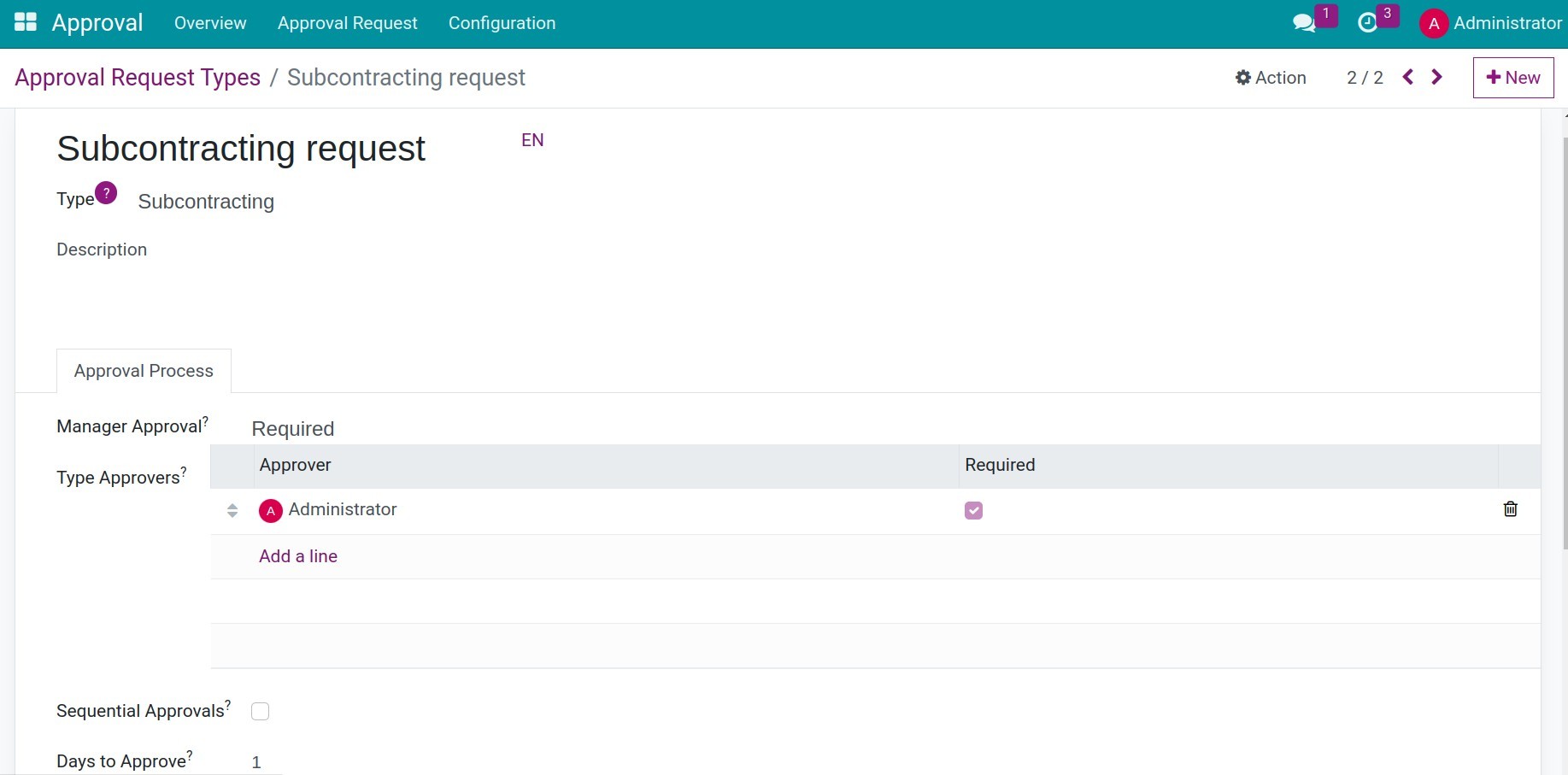
Go to Approval ‣ Configuration ‣ Approval Types, open Subcontracting Request and set its approval levels.
How do I raise a subcontracting request?
Create the two bills of materials of the wooden table: Manufacture this product and Subcontracting.
![The bill of materials to manufacture the wooden table]()
![The bill of materials to subcontract the wooden table]()
Create a manufacturing order of 10 wooden tables with the Manufacture this product bill of materials.
![A manufacturing order of 10 wooden tables]()
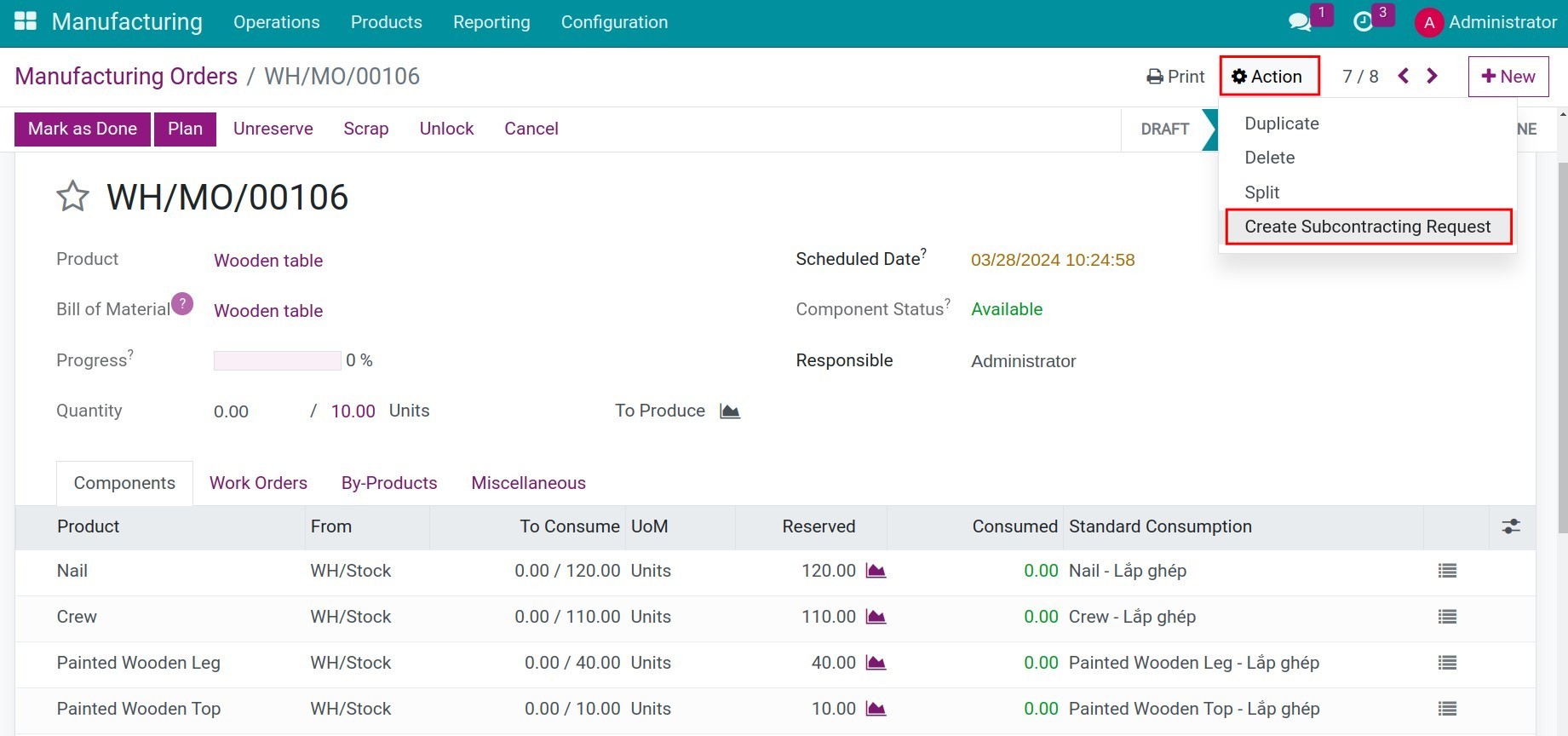
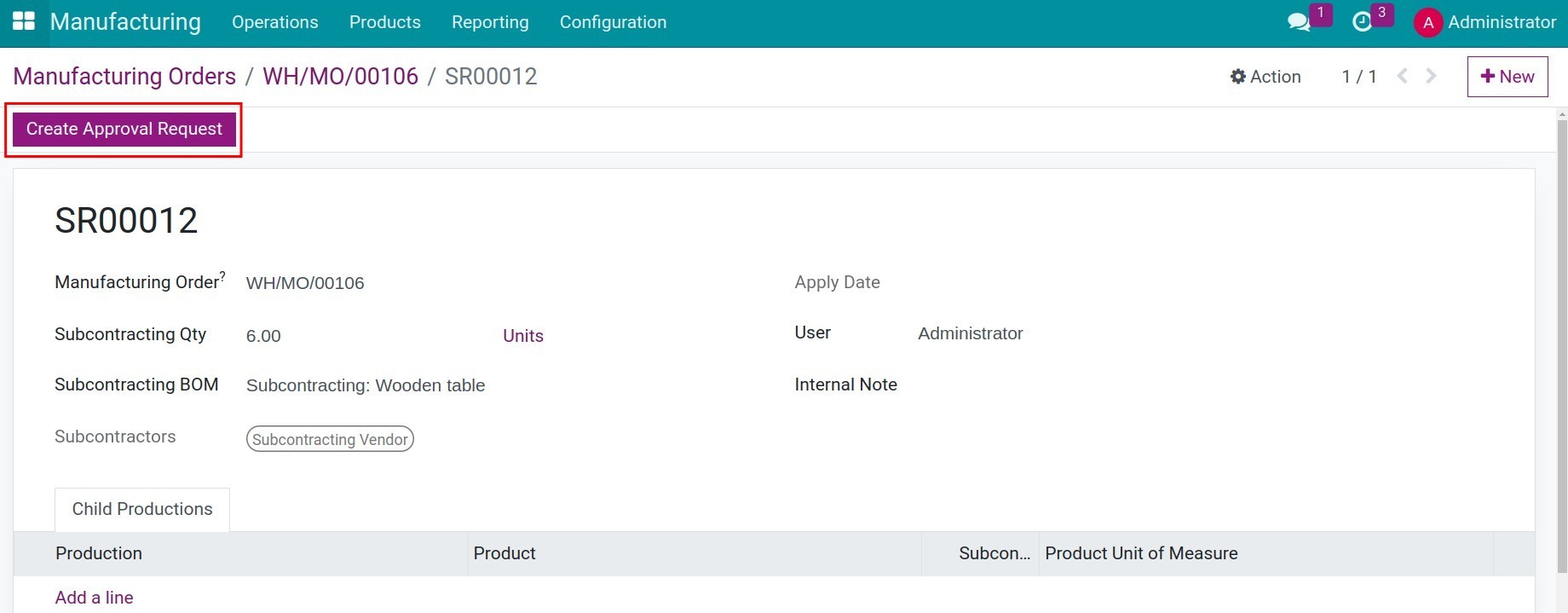
On the manufacturing order, open the gear menu and choose Create Subcontracting Request. Fill in the request:
![The Create Subcontracting Request action of the manufacturing order]()
Field
What it does
Manufacturing Order
The order the request comes from, filled in for you.
Subcontracting Qty
The quantity to subcontract, 6 in the example.
Subcontracting BOM
The Subcontracting bill of materials of the product.
Subcontractors
The subcontractor who makes the quantity.
![A subcontracting request]()
You can also create a request in Manufacturing ‣ Operations ‣ Subcontracting Requests.
On the request, open the gear menu next to its reference and choose Get Approved. The Title, the Approval Request Type Subcontracting Request and the Employee are filled in; the Source Records tab lists the request. Click Create Approval Request.
![The Submit for Approval form of the subcontracting request]()
On the approval request, set the Deadline, write the reason in the Description, check the Approvers tab and click Submit.
![The approval request of the subcontracting request]()




How do I approve the request?
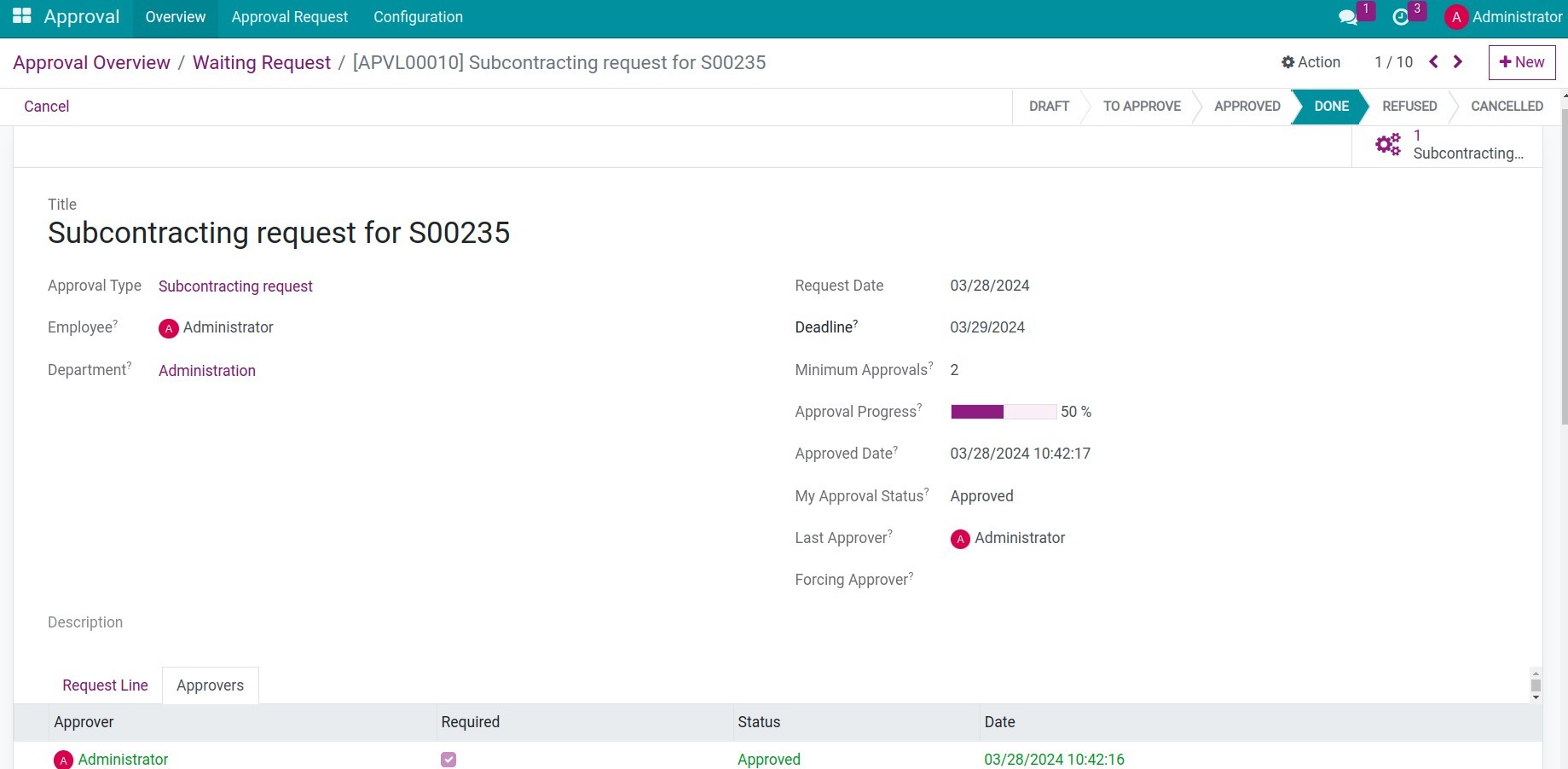
Go to Approval ‣ Approval Request ‣ Request, open the request and approve it. When every required approver has approved it, click Mark as Done: the subcontracting request is applied.
![An approved approval request with the Mark as Done button]()
Click View Subcontracting Request to open the request of this approval.
![The View Subcontracting Request button of the approval request]()

What happens when the request is applied?
The manufacturing order is split in two: one for the quantity made in-house, if any, and one for the quantity subcontracted.
![The manufacturing order split in two]()
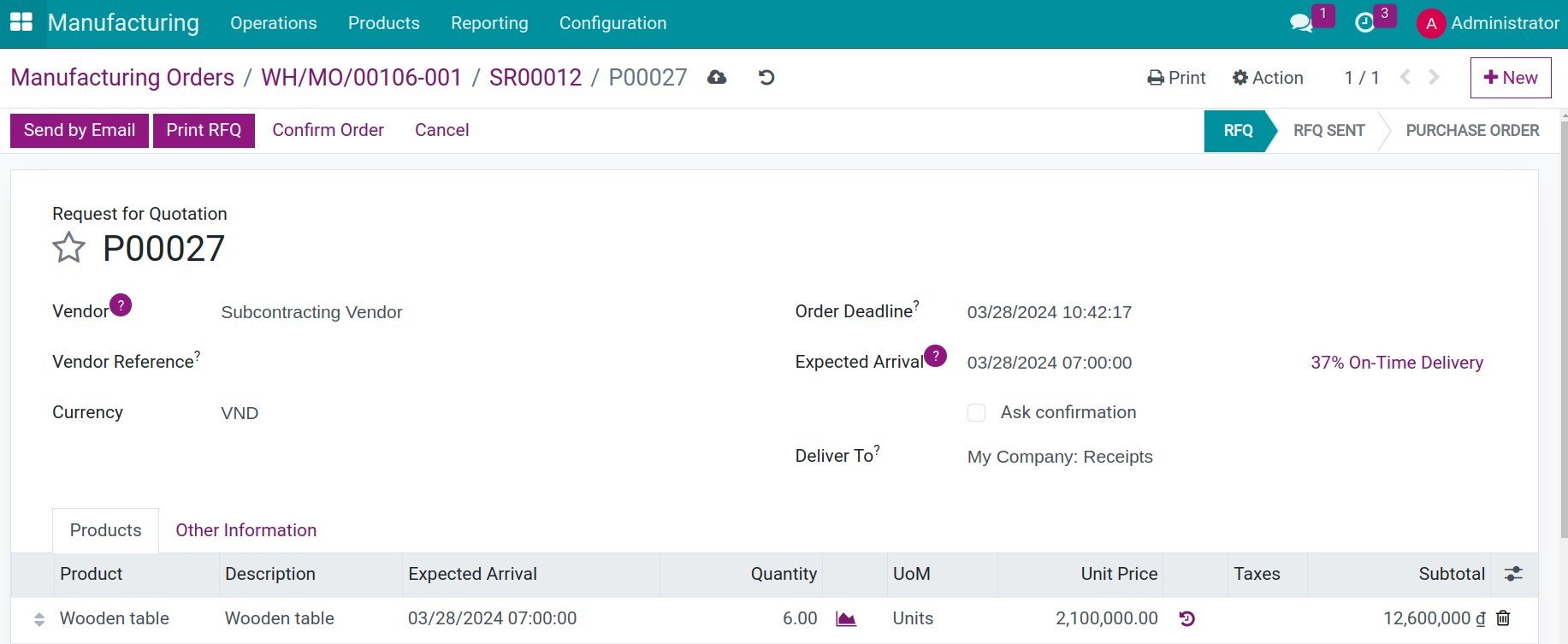
A request for quotation for the wooden tables is created for the subcontractor.
![The request for quotation to the subcontractor]()
When you confirm it, the manufacturing order of the subcontracted quantity is cancelled: the subcontractor makes it. Go on with Manage subcontracts in the manufacturing process.
![The confirmed purchase order to the subcontractor]()
![The cancelled manufacturing order of the subcontracted quantity]()



What if someone works on the request during the approval?
The Apply button of the request stays available whatever the state of its approval, so a manufacturing manager can apply it by hand. When the approval is still pending, a note is added to the approval request for the approvers.
Mark as Done applies a request that is not applied yet; a request already applied by hand is left as it is.
The request stays as it is when the approval is refused, cancelled or set back to draft, and when it is approved but not marked as done.
When the request is deleted, its approval request is kept with a note that the request no longer exists.
Common errors
Problem |
What to do |
|---|---|
The request is approved but nothing is split. |
Click Mark as Done on the approval request. |
The Subcontracting BOM list is empty. |
Create a bill of materials of type Subcontracting for the product. |
Next steps
Manage subcontracts in the manufacturing process: send the components and receive the products.
The Subcontracting Settlements and Reports: settle with the subcontractor.
See also
Related articles
Optional modules