
Split component value when unbuilding
When a product is dismantled, its components return to stock. By default each component comes back at its own average cost, whatever the dismantled product was worth. With a cost percentage on each line of the bill of materials, the value of the dismantled product is split among its components in those percentages, so the stock value after the unbuild matches the product taken apart.
Who |
Production engineers who maintain the bills of materials (Manufacturing ‣ Administrator); cost accountants who check the stock value. |
App |
Manufacturing, Inventory |
Before you start
Install the BoM Component Cost Percentage - Unbuild module. The BoM Component Cost Percentage module is installed with it.
The product category of the components uses the average or the first-in first-out costing method: with a standard price, the stock value does not follow the unbuild.
Unbuild orders are explained in Steps to configure unbuild orders in Viindoo.
The example of this article is an Oak storage box made of 4 Box panels bought at 100,000 each and 2 Box hinges bought at 20,000 each, so one box costs 440,000. The panels carry 80 % of the value and the hinges 20 %.
How do I set the cost percentage of the components?
Open the bill of materials. On the Components tab, fill in Cost Percentage (Unbuild) (%) for each line, here 80 and 20; show the column with the column menu at the end of the header if it is hidden. The percentages of all the lines must add up to 100, or all be 0 to keep the default valuation.
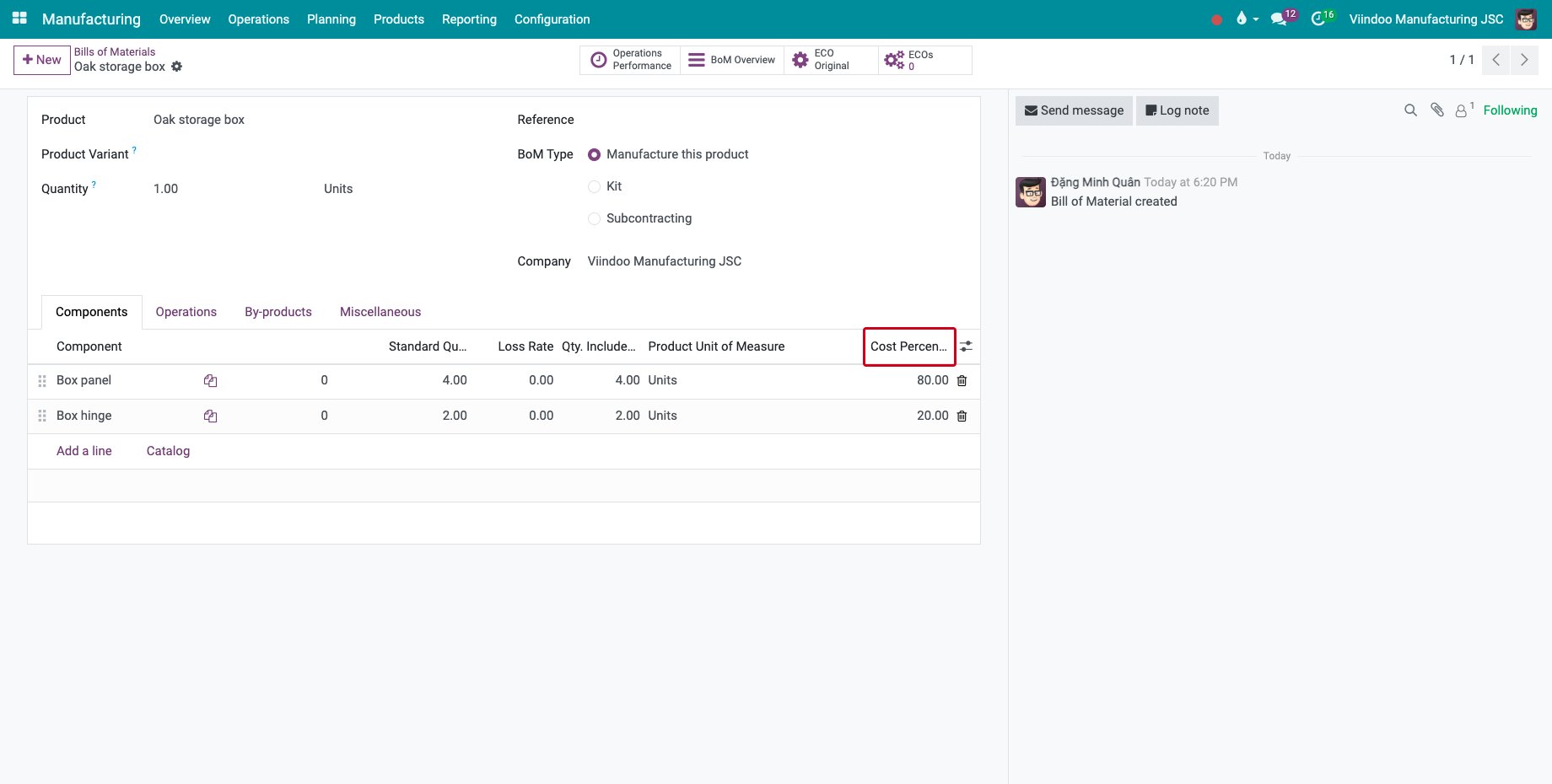
How is the value split when I unbuild?
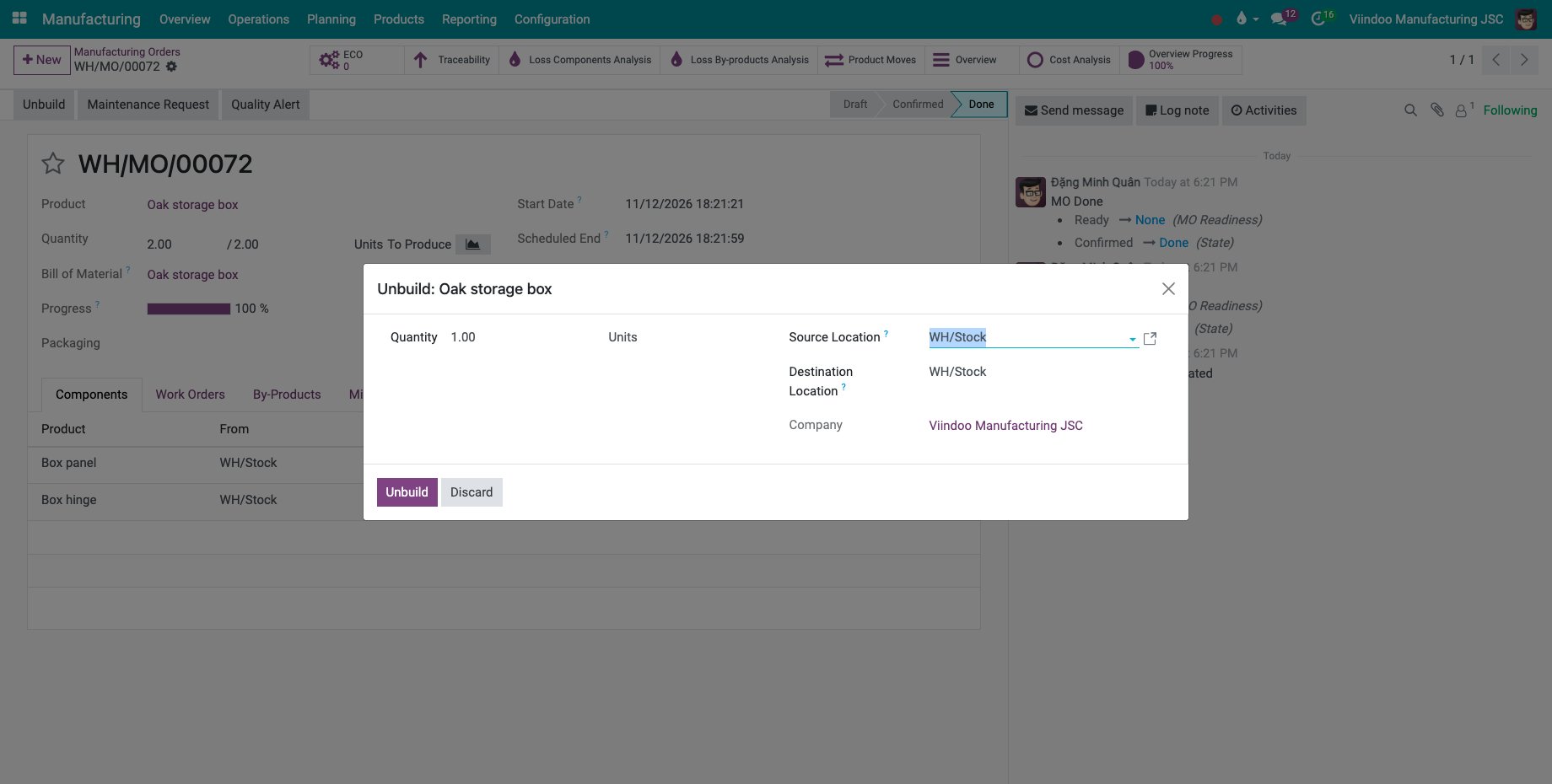
Unbuild the product, here one box of a done order: click Unbuild on the order, type the Quantity and click Unbuild.
![The unbuild of one oak storage box]()
Go to Inventory ‣ Reporting ‣ Valuation and look at the lines of the unbuild order. The 440,000 of the box is split: 80 % to the 4 panels, 352,000 or 88,000 each, and 20 % to the 2 hinges, 88,000 or 44,000 each.
![The stock value of the components after the unbuild]()
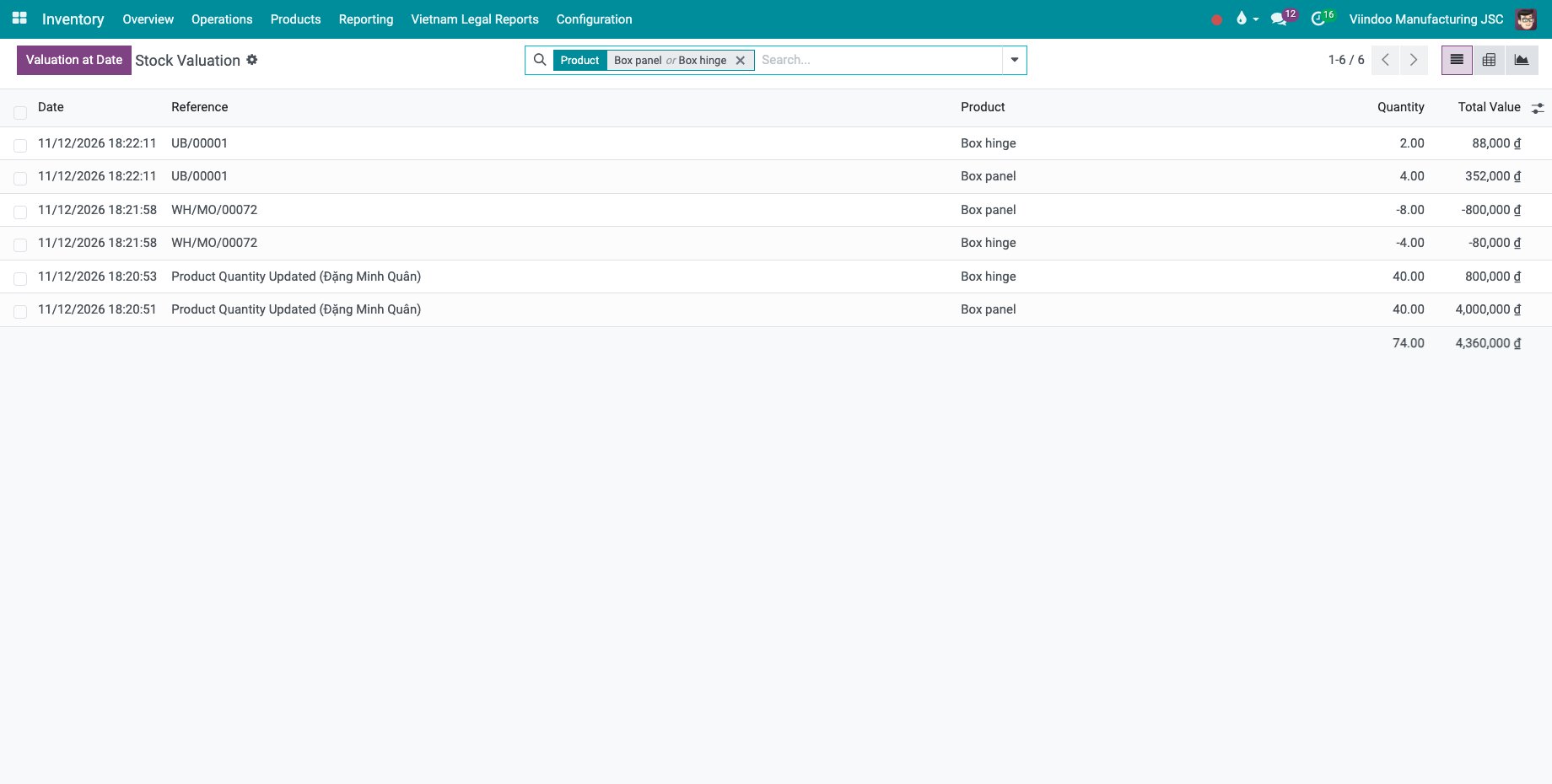
The unit value of a component is the value of the products unbuilt, times its percentage, divided by the quantity of the component that comes back. The new value then enters the average cost of the component.
Common errors
Problem |
What to do |
|---|---|
Sum of price percentage of all the BoM lines should be equal to 100. |
Correct the percentages so that they add up to 100. |
Either all or none of the BoM lines should be specified with a price percentage. |
Give every line a percentage, or set them all to 0. |
The value of the components did not change. |
The components use a standard price. Use the average or first-in first-out method. |
Next steps
Accounting for Stock Valuation: how the stock value is recorded in accounting.
See also
Related articles