
How to set up Promotion Vouchers in POS
A voucher with a value is a gift card: a card with a code and a balance. The customer gives the code at the register and its value pays part or all of the order. Coupons and promotion codes work the same way with a discount.
Who |
Users with the Point of Sale ‣ Administrator access right set up the gift cards; cashiers enter the codes. |
App |
Point of Sale |
Before you start
Turn on Promotions, Coupons, Gift Card & Loyalty Program in the Pricing section of Point of Sale ‣ Configuration ‣ Settings.
For the gift cards and the eWallets in general, see How to use gift cards and eWallets.
How do I set up the gift cards?
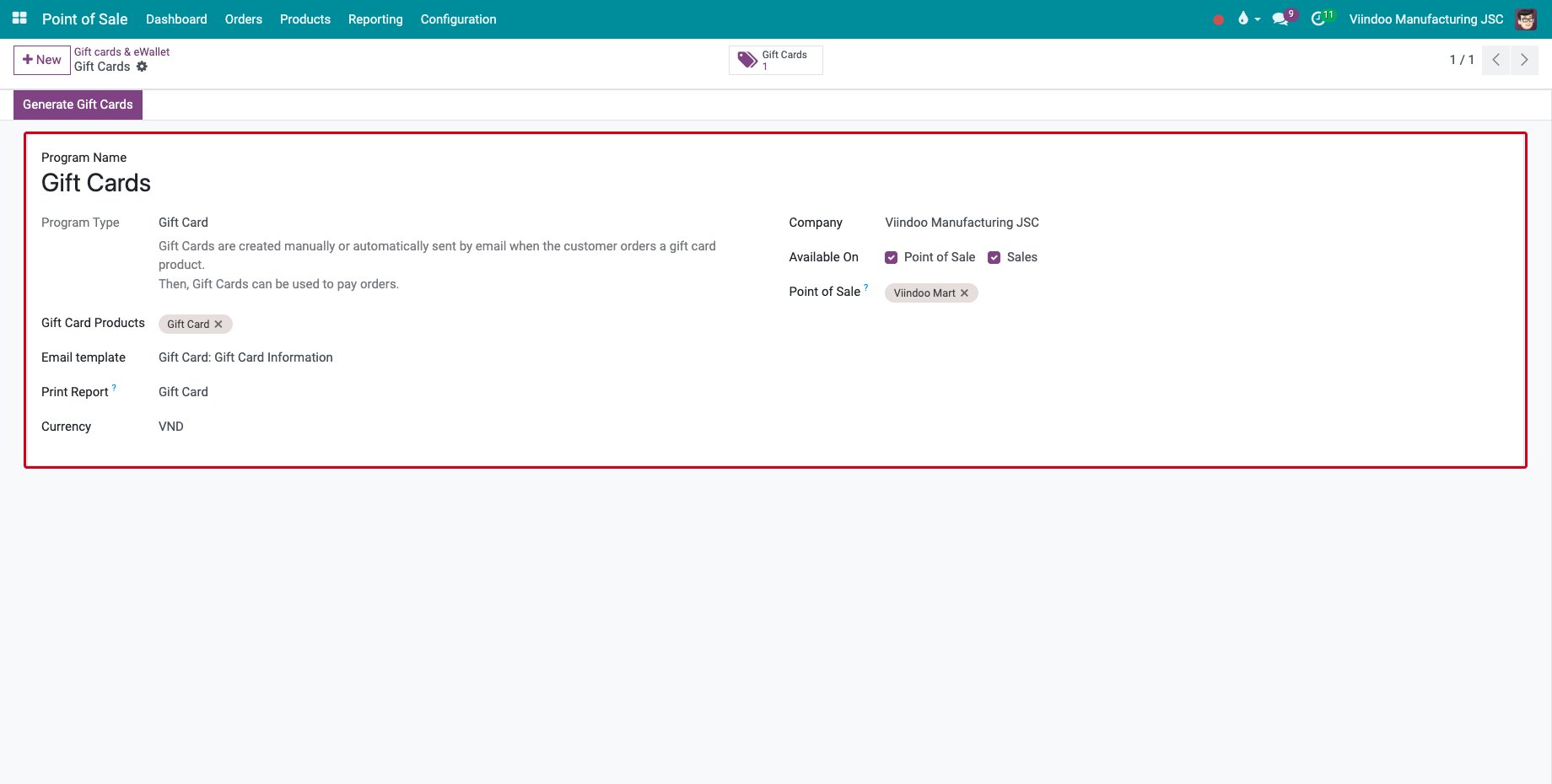
Go to Point of Sale ‣ Products ‣ Gift cards & eWallet and open the gift card program. In Available On, check Point of Sale, and choose the shops that accept the cards in the Point of Sale field. To create cards of a given value, click Generate Gift Cards at the top of the program.
![The gift card program with its Point of Sale shops]()
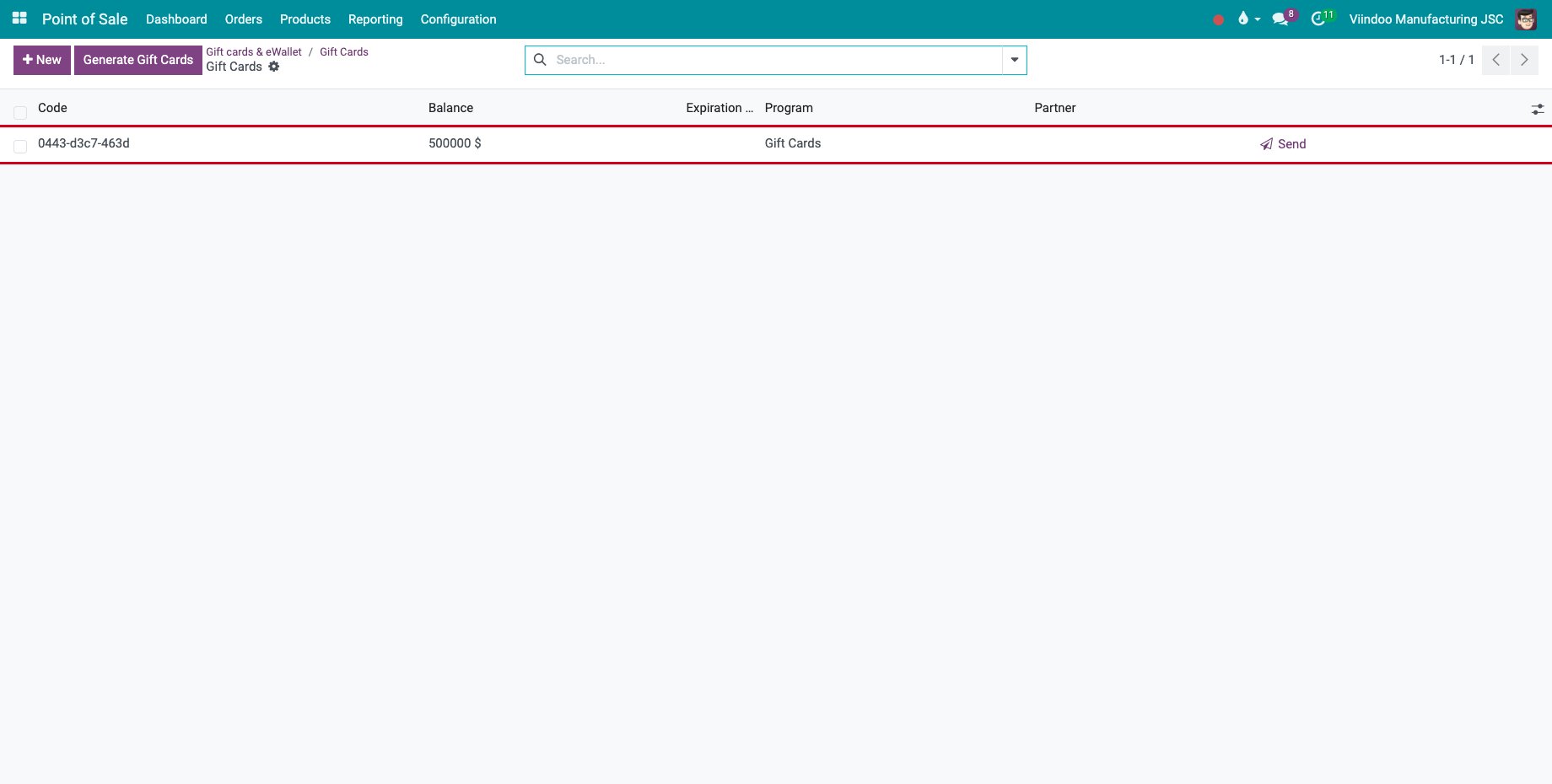
Click the cards button of the program to see the cards, their code, their balance and their expiration date.
![The gift cards of the program with their codes and balances]()
How do I accept a gift card on the register?
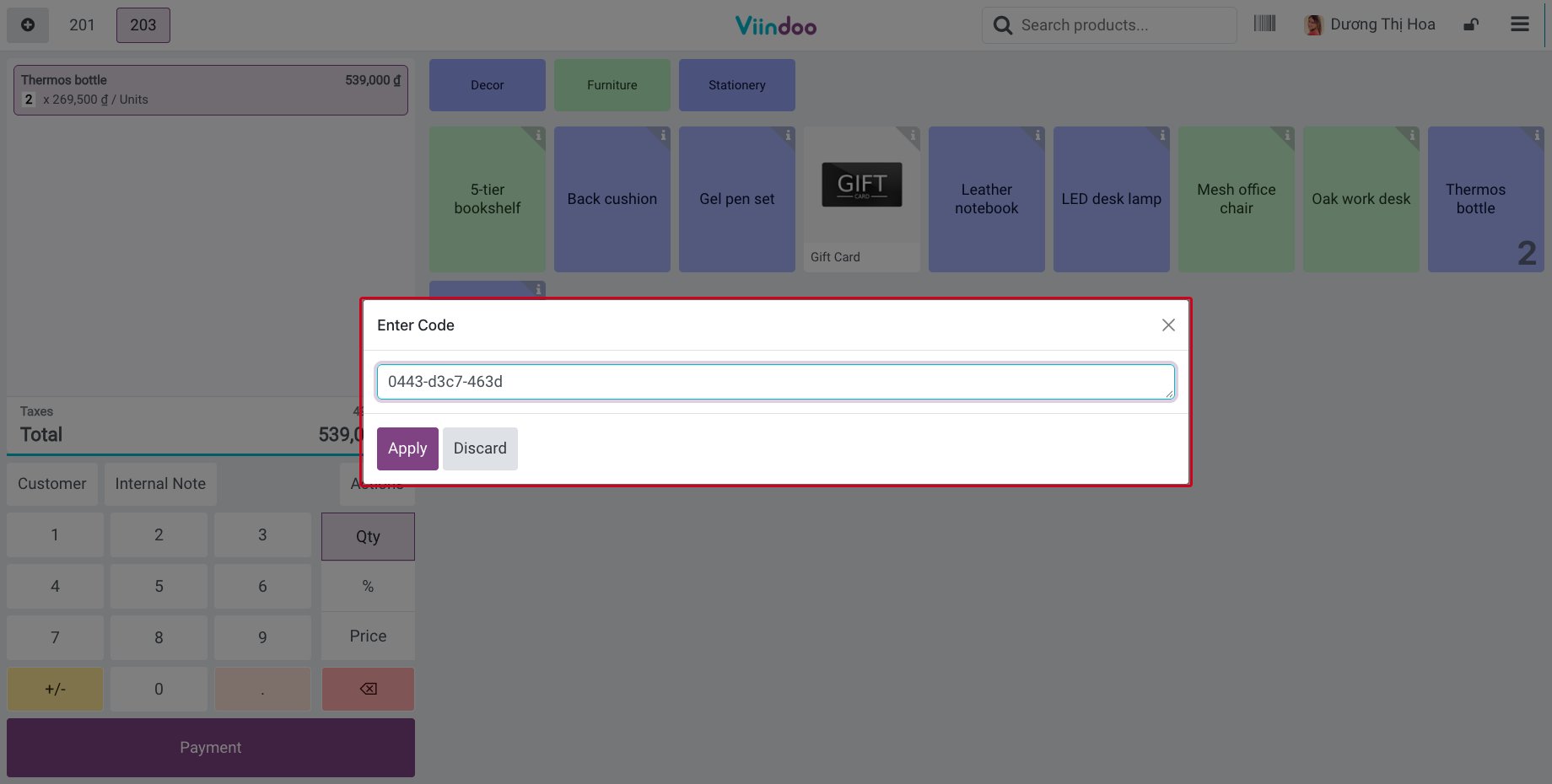
On the order, tap Actions, then Enter Code. Type or scan the code of the card and confirm.
![The Enter Code window with the code of a gift card]()
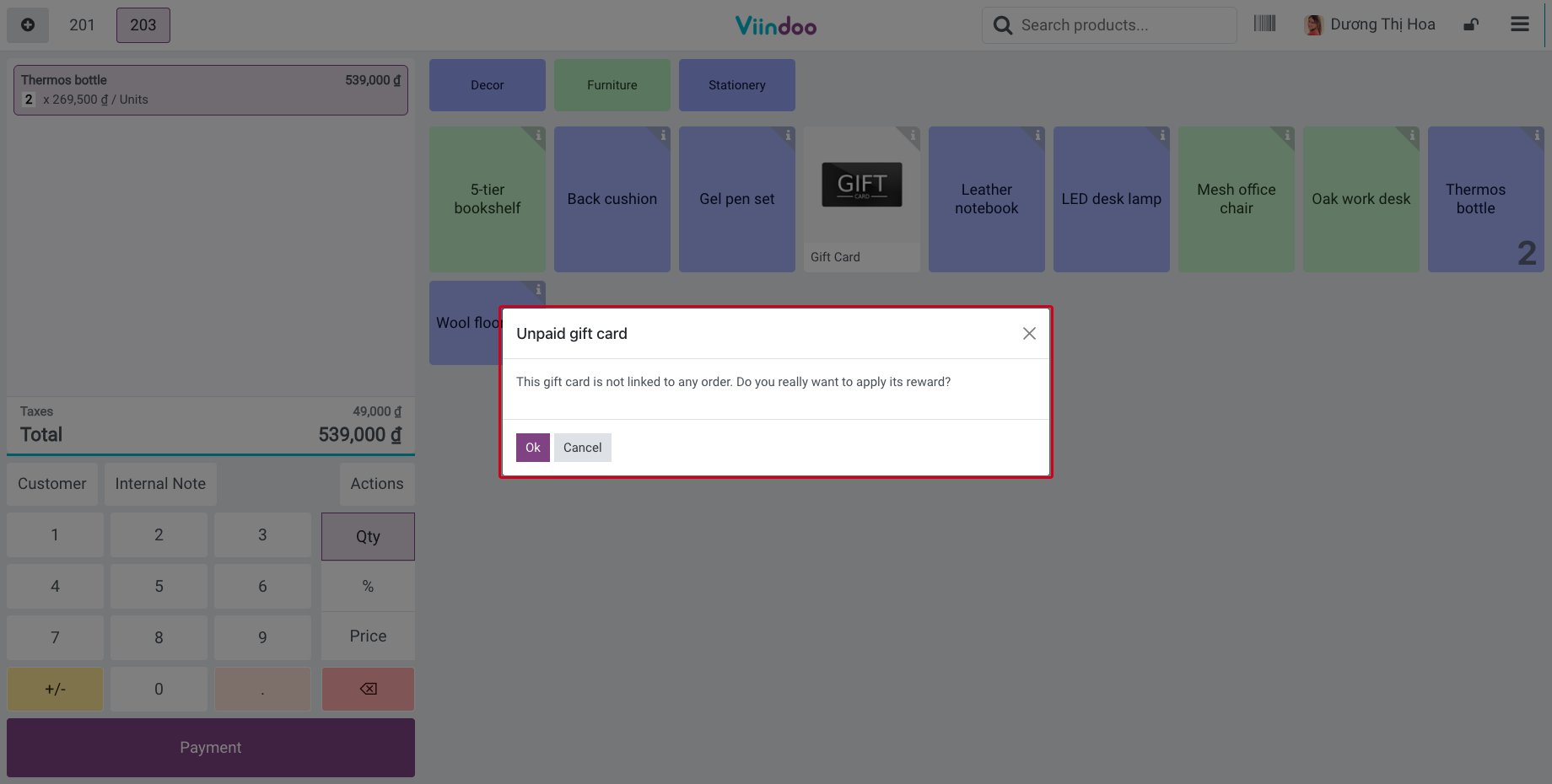
A card generated in the back end, not sold through an order, asks for a confirmation: click Ok to apply it.
![The Unpaid gift card confirmation]()
The card is a line of the order that lowers the amount to pay, up to its balance. Take the payment of the rest as usual.
![The order with the gift card line]()
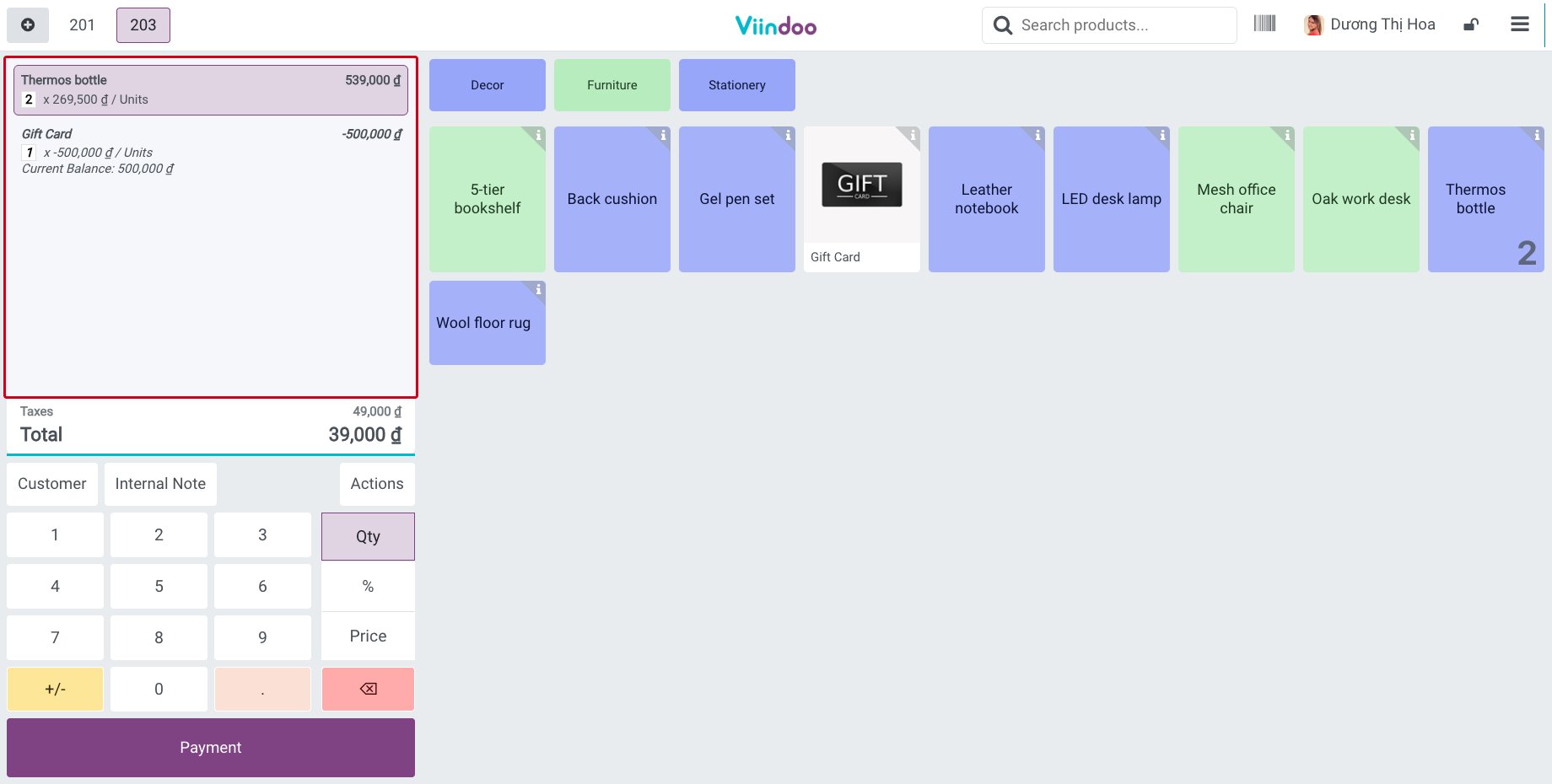
When the order is paid, the amount used is taken from the balance of the card.
Common errors
Problem |
What to do |
|---|---|
The register says that the code is invalid. |
Check the code, its expiration date and its balance, and that the program accepts this shop. |
Enter Code is not in Actions. |
Turn on the programs in the shop settings and check Point of Sale in Available On of the gift card program. |
Next steps
Steps to set up Loyalty Program: promotions and loyalty points.
See also
Related articles
Optional modules