
Introduction to Manufacturing in Viindoo
The Manufacturing app manages production from the bill of materials to the finished goods in stock: it plans what to make, sends components to the work centers or to a subcontractor, records what is consumed and produced, and reports the cost and the efficiency of each order. Install the app, then give each user the Manufacturing access right that matches their job.
Who |
Administrators who install the app and give access rights; production managers who want an overview of the app. |
App |
Manufacturing, Settings |
Before you start
Installing an app needs the Administration ‣ Settings access right.
Installing Manufacturing also installs Inventory, and the Viindoo Manufacturing module is installed with it.
What does the Manufacturing app do?
Describe how a product is made with bills of materials, for product variants, semi-finished products and kits.
Run manufacturing orders and work orders at work centers, with alternative work centers.
Control component losses and by-products.
Make products with a subcontractor.
Plan with the Master Production Schedule, make to order or reordering rules.
Follow the production in reports and in a Gantt chart.
How do I install the Manufacturing app?
Open Apps, search for Manufacturing and click Activate. The steps, and what happens to the modules it depends on, are in how to install, upgrade and uninstall apps and modules.
How do I give access to the Manufacturing app?
Go to Settings ‣ Users & Companies ‣ Users and open the user.
On the Access Rights tab, choose a level in the Manufacturing field, then click Save.
![The Access Rights tab of a user with the Manufacturing access right set to User]()
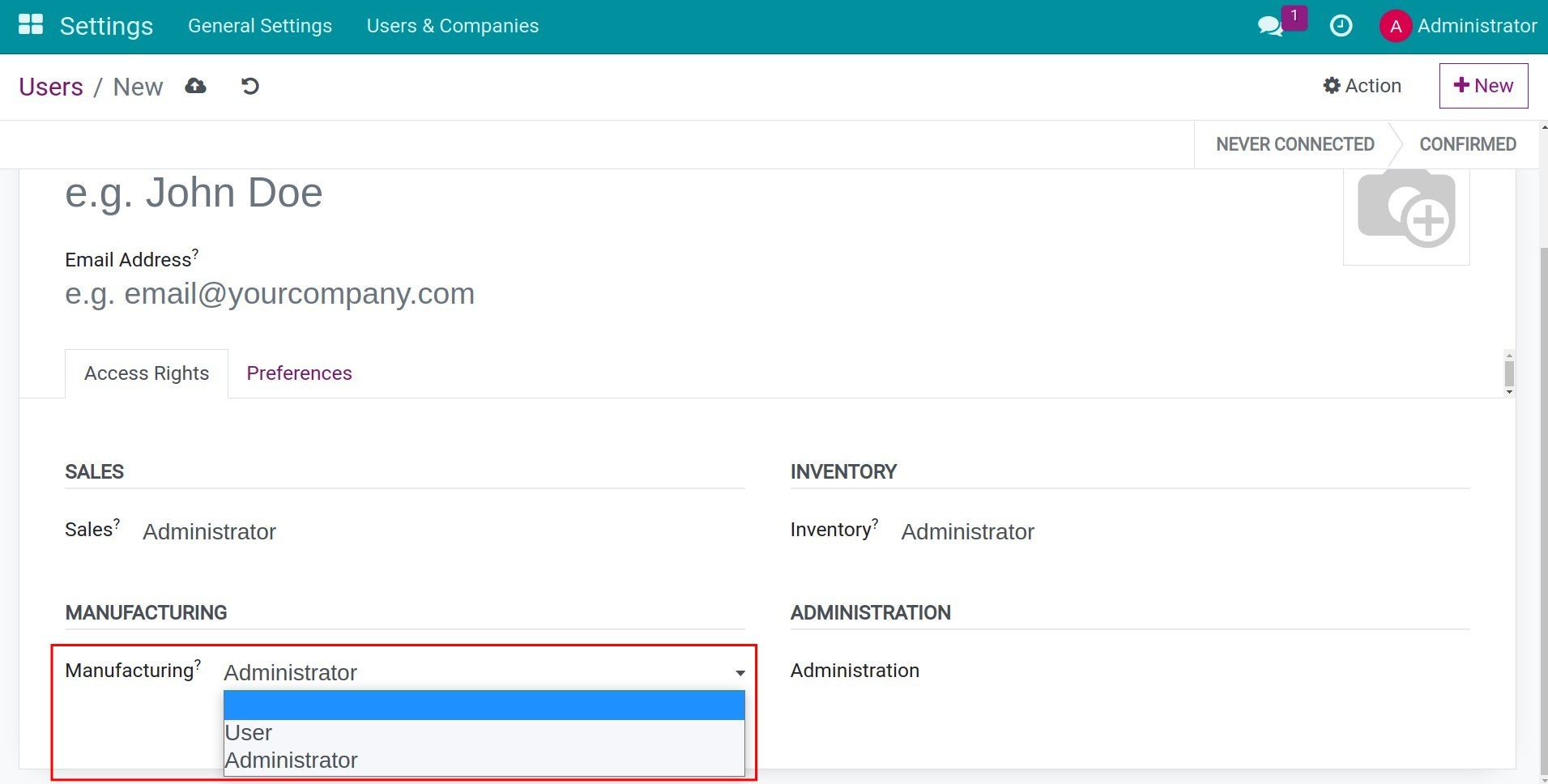
Access right |
What the user can do |
|---|---|
(empty) |
The user does not see the Manufacturing app. |
User |
Works with bills of materials, manufacturing orders, work orders, unbuild and scrap orders and the reports. The Configuration menu is hidden. |
Administrator |
Everything a user does, plus the Configuration menu (settings, work centers, operations) and the Master Production Schedule. |
Common errors
Problem |
What to do |
|---|---|
The user does not see the Manufacturing app. |
Set the Manufacturing field on the Access Rights tab of the user. |
The Configuration menu or the Master Production Schedule is missing. |
Give the user the Manufacturing ‣ Administrator access right. |
Next steps
How to create bills of materials: describe how your first product is made.
Manage Manufacturing process in Viindoo: set up work centers and run a manufacturing order.
See also
Related articles
Optional modules