
Chart of Accounts
Viindoo supports both charts of accounts regulated in Circular 99/2025/TT-BTC and Circular 133/2016/TT-BTC so that you can choose.
Requirements
This tutorial requires the installation of the following applications/modules:
Select Chart of Accounts
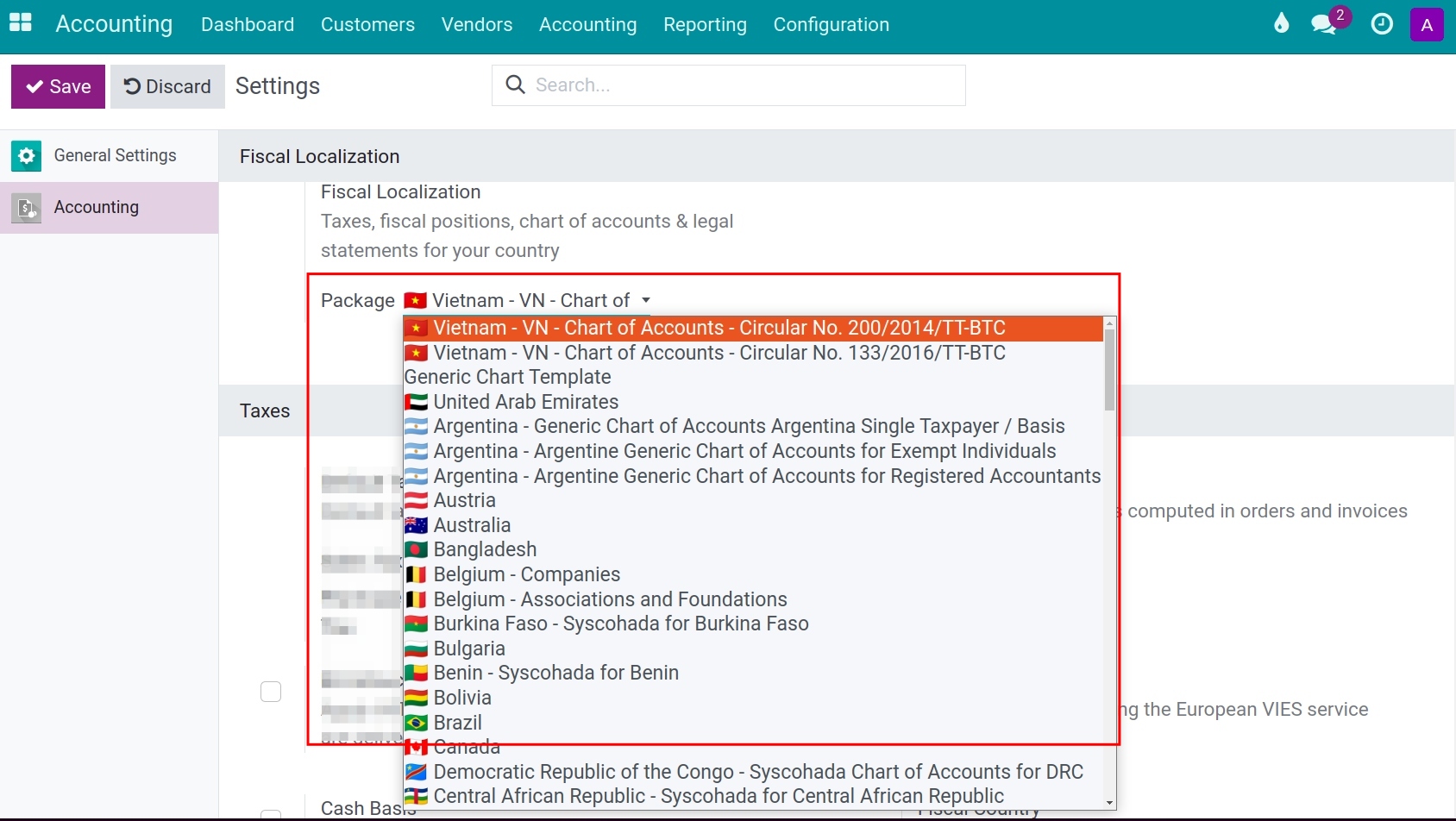
To select an accounting system. Navigate to Accounting ‣ Configuration ‣ Settings, move to Fiscal Localization section, and choose an accounting system from an available list. For a Vietnamese company, the list offers:
VN - Circular No. 99/2025/TT-BTC;
VN - Circular No. 133/2016/TT-BTC.
Once the company has accounting entries, the Package field is locked and shows the chart of accounts the company uses.
Warning
You will not be able to change the chart of accounts for a company if there are already accounting entries existing in the company.
Configure Account
By default, when you select a Chart of Accounts, Viindoo will install a few main accounts base on fiscal localization. Access Accounting ‣ Configuration ‣ Chart of Accounts:

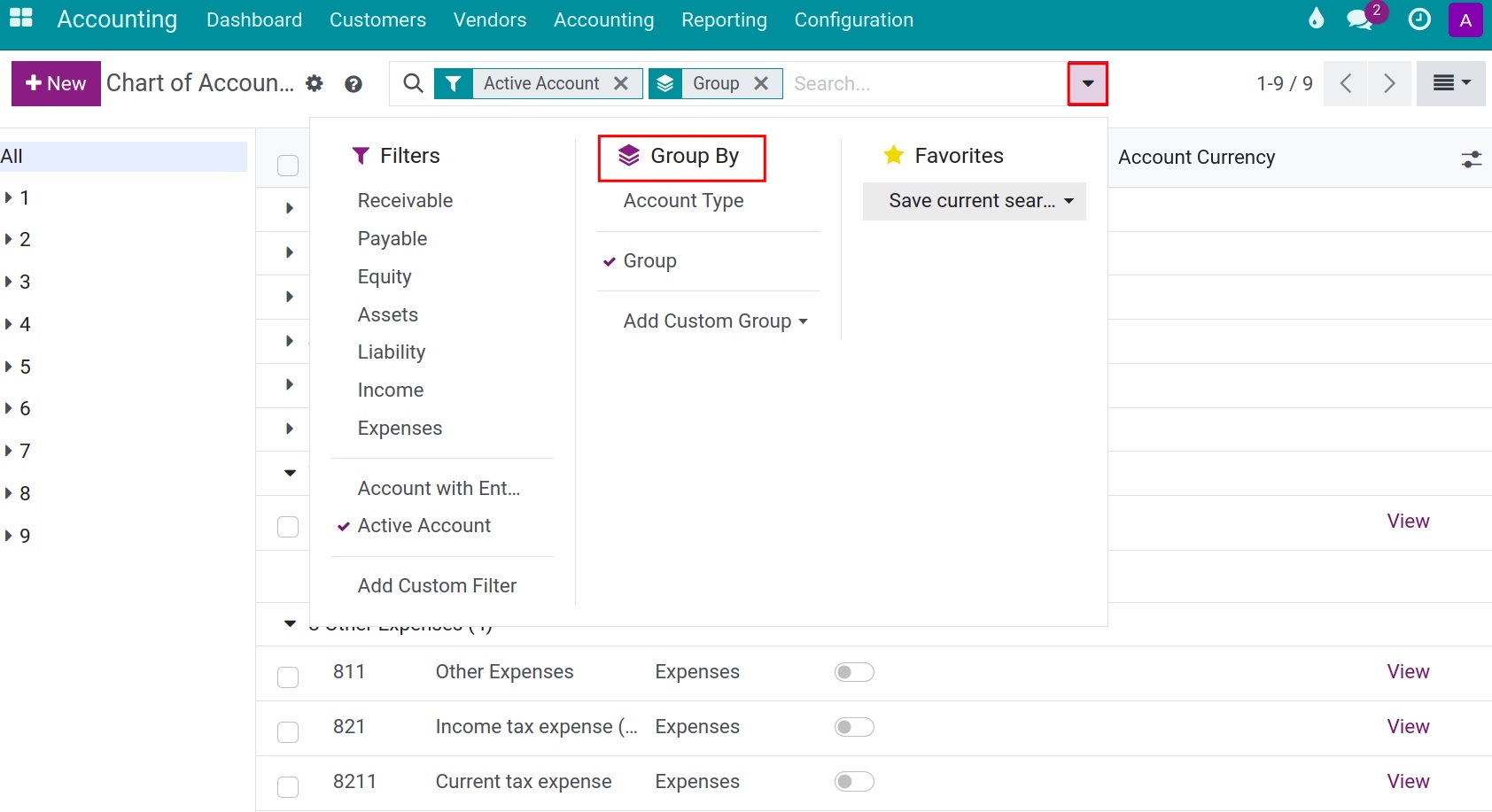
You can use the Group by function to group the account by Account types/Account groups, etc. depending on your purpose of use. More details about group by or filter function at How to search, filter, group and save searches.
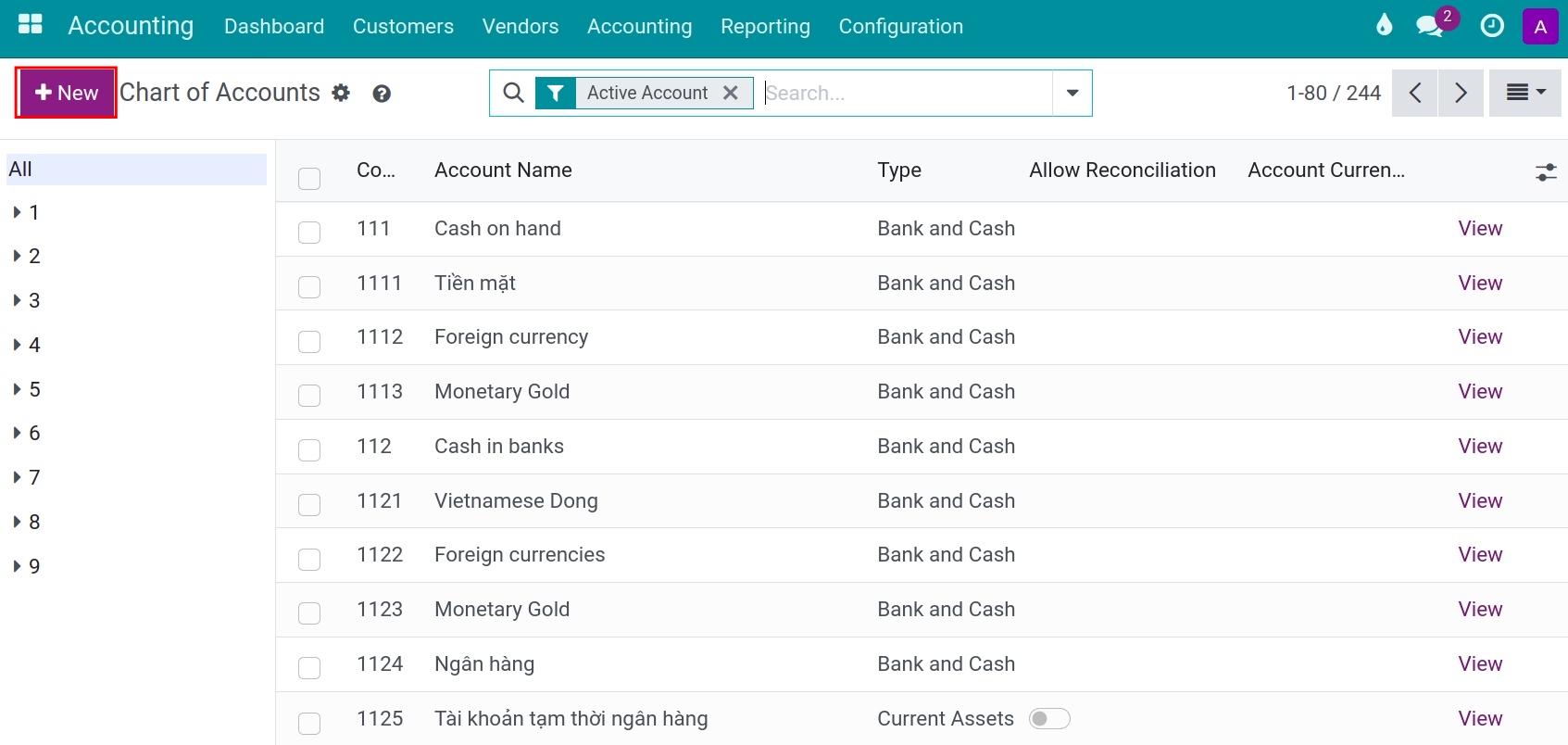
Each account has its own setup, you can access it by clicking on the View button at the end of each line.

In which:
Code: An account number according to the regulation of the Vietnamese Ministry of Finance.
Account name: An account name corresponds to the code.
Type: Choose a suitable type to use for information purposes to generate financial reports, set the rules to close the fiscal year, and generate opening entries.
![Account type - Viindoo accouting software]()
Default Taxes: The chosen tax will automatically show up whenever this account is used.
Tags: Optional tags that you can attach to an account for your own custom reports. The Vietnamese chart of accounts does not come with account tags of its own: only the accounts that matter for the cash flow carry one of the tags Operating Activities, Financing Activities or Investing & Extraordinary Activities.
Allowed Journal: Define in which journals this account can be used. If empty, can be used in all journals.
Account Currency: Forces all journal items in this account to have a speccific currency (e.g., bank journal). If no currency unit is specified, transactions can use any currency.
Deprecated: If checked, the account will not be used in the system.
Has balance at both debit and credit?: If this account is selected, it will display both Debit and Credit balances on certain reports. The Vietnamese chart of accounts ticks it for the account families that the regulations allow to carry both balances, such as receivables, payables and advances, for both charts.
Non Trade: Available for accounts of the Receivable and Payable types, in the Non Trade column of the account list (hidden by default; turn it on from the optional columns menu at the end of the header line). It is ticked for the receivable and payable accounts that do not concern customers or suppliers, such as intercompany receivables and payables (136, 336), other receivables (138), advances to employees (141), payables to employees (334), accrued expenses (335) and other payables (338). On the partner reports, such as Partner Ledger, the options Receivable and Payable of the Account Type filter then cover only the trade accounts (customers and suppliers); the non trade accounts have their own options, Non Trade Receivable and Non Trade Payable.
Group: Account prefixes can determine account groups.

You can also create new accounts if needed by clicking on +New at the Chart of account home screen and then filling in the mentioned information.
Analytic accounts for VAT deduction
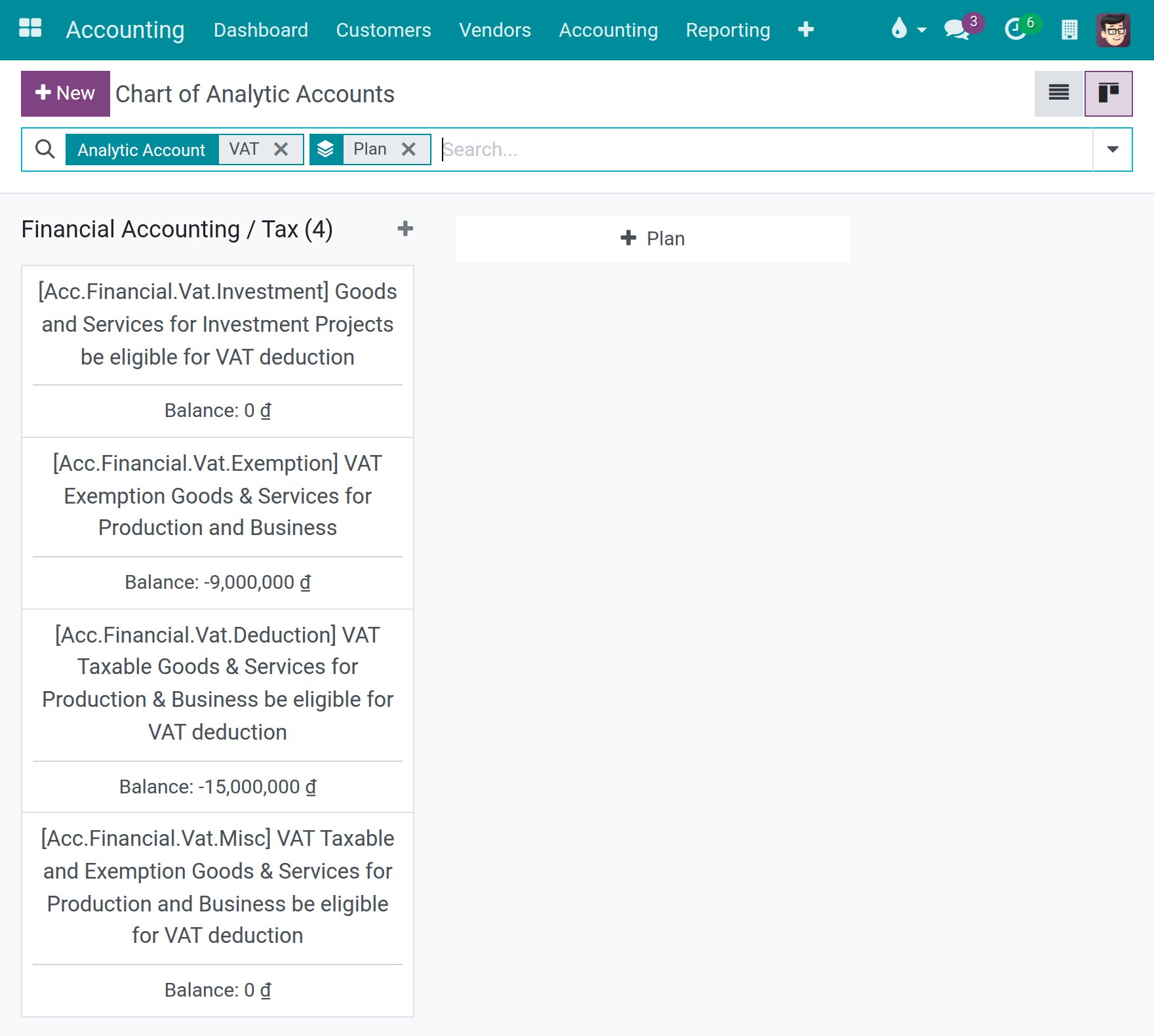
A company that uses the Vietnamese chart of accounts, Circular 99/2025/TT-BTC or Circular 133/2016/TT-BTC, starts with four analytic accounts in the analytic plan Tax, which belongs to the plan Financial Accounting. Each one stands for a category of purchased goods and services:
VAT Taxable Goods & Services for Production & Business be eligible for VAT deduction;
VAT Exemption Goods & Services for Production and Business;
VAT Taxable and Exemption Goods & Services for Production and Business be eligible for VAT deduction;
Goods and Services for Investment Projects be eligible for VAT deduction.
The branches of a company use the accounts of the company. A company that uses another chart of accounts, such as the generic one, does not get them. A company that already had a Vietnamese chart before this localization was installed receives them once, at installation; an account that you delete afterwards is not brought back. An administrator who has no right on analytic accounting can still load the chart of accounts.
The purchase invoice list groups the purchased goods and services by these accounts, so set the matching account in the analytic distribution of each vendor bill line. The part of a line that has no account goes to the account for goods and services that are both taxable and not subject to VAT.
To see the accounts, enable Analytic Accounting in Accounting > Configuration > Settings, then open Accounting > Configuration > Analytic Accounting > Analytic Accounts.
Internal users, such as Purchase users, can read the analytic accounts of their companies, and Purchase users can also read the analytic items.
See also
Related article
Optional module