
Purchase orders and manufacturing orders
When a component of a manufacturing order is bought for that order, the purchase order and the manufacturing order are linked: each one has a button that opens the other. A product bought as a kit is received as its components, and the cost of the kit is split between them.
Who |
Purchasers (Purchase ‣ User) and production planners (Manufacturing ‣ User). |
App |
Purchase, Manufacturing, Inventory |
Before you start
Install the Purchase and Manufacturing apps. The link between the two installs itself.
For a component bought for each order, the component has the Buy and Replenish on Order (MTO) routes on its Inventory tab and a vendor on its Purchase tab, see Make-to-Order (MTO) production planning.
The example of this page is an order of 20 veneered oak panels. The oak veneer sheets are bought from An Phu Timber Co., Ltd for each order.
How do I find the purchase of a manufacturing order?
Confirm the manufacturing order. The components to buy are ordered from their vendor in a request for quotation, and the order shows a Purchases button.
![The Purchases button of a manufacturing order waiting for its veneer]()
Click it. On the request for quotation, the Manufacturing button goes back to the manufacturing order.
![The Manufacturing button of the request for quotation]()
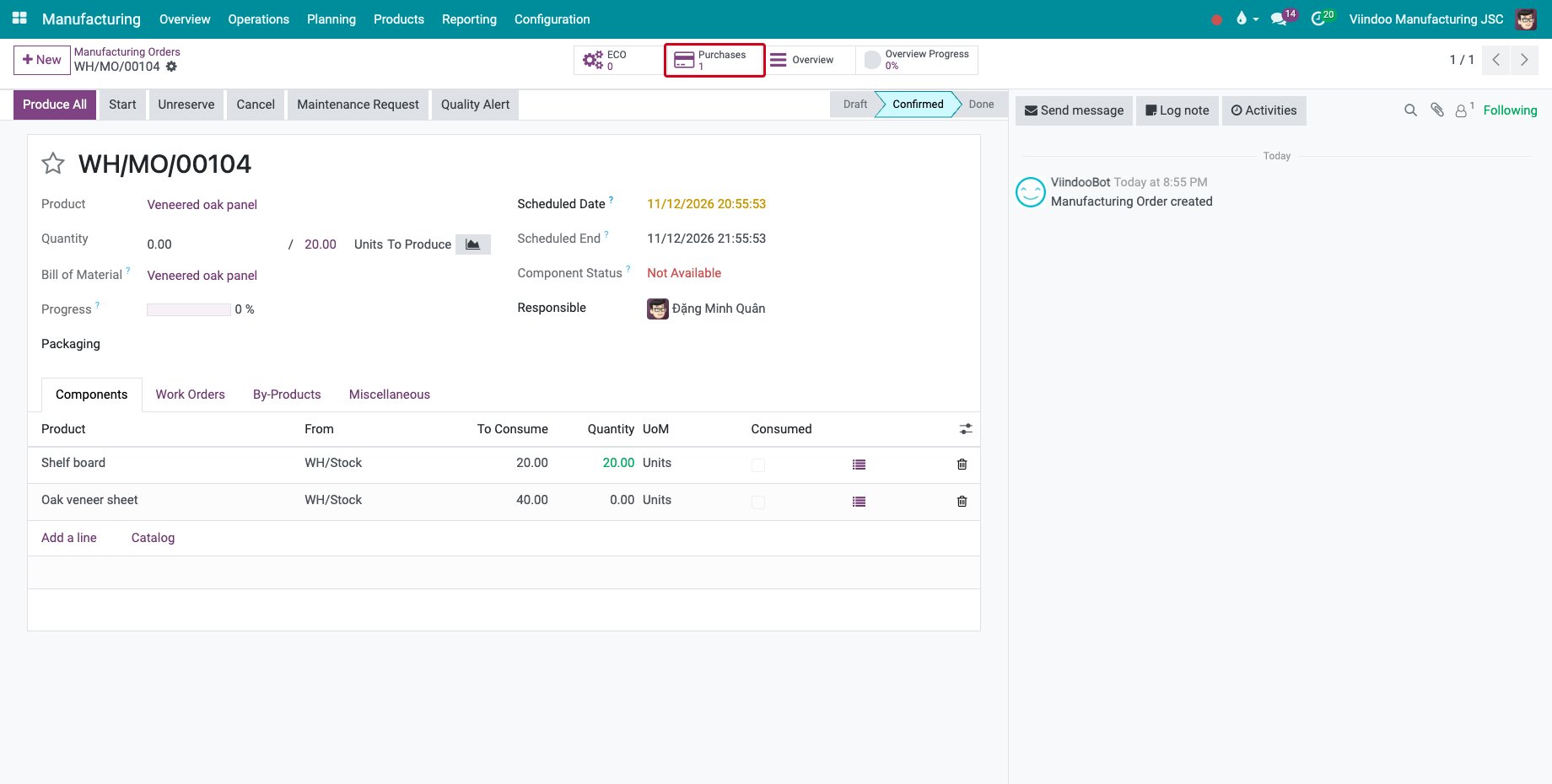
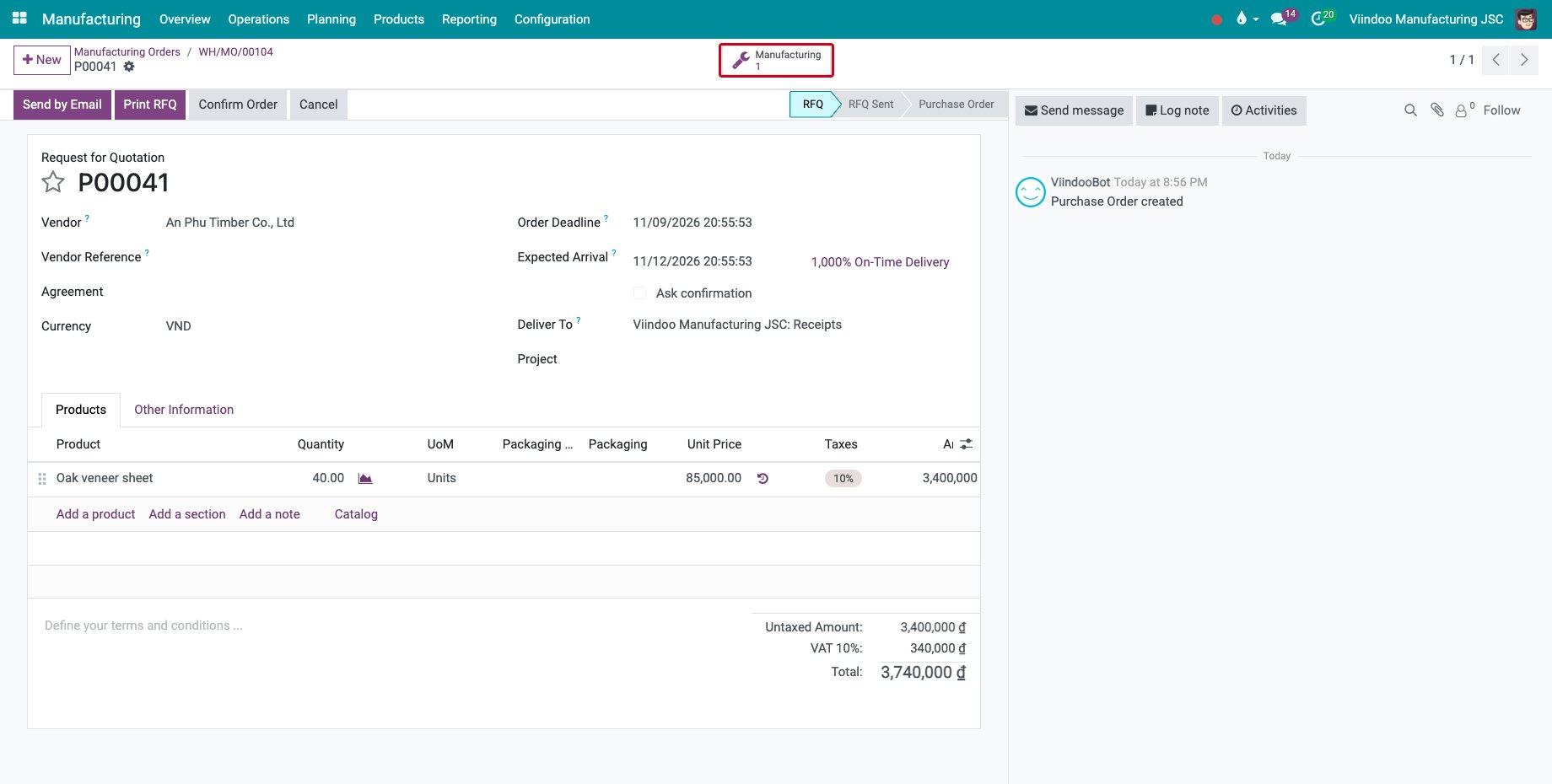
The Component Status of the manufacturing order shows Not Available until the veneer is received. The buttons count only the purchase orders and the manufacturing orders that are linked through the same procurement. A request for quotation still in draft can group the components of several orders; the Manufacturing button then counts them all.
How do I buy a kit?
A kit is a product with a bill of materials of type Kit, see Application of BoMs in Viindoo Sales.
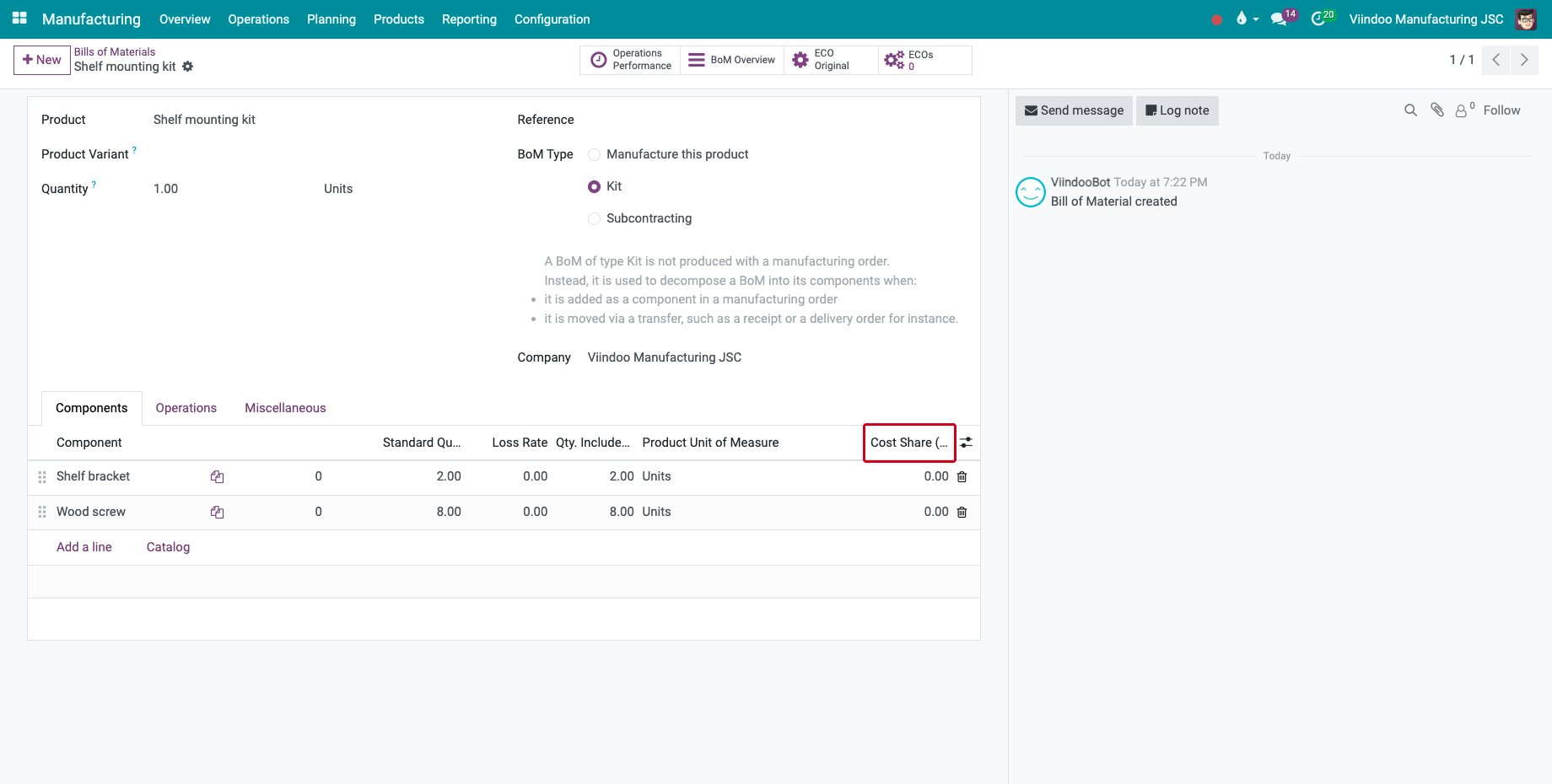
On the kit bill of materials, show the Cost Share (%) column of the components if the components do not cost the same share of the kit. The shares must add up to 100. Left at zero, the cost of the kit is split evenly between the components.
![The Cost Share column of the components of a kit]()
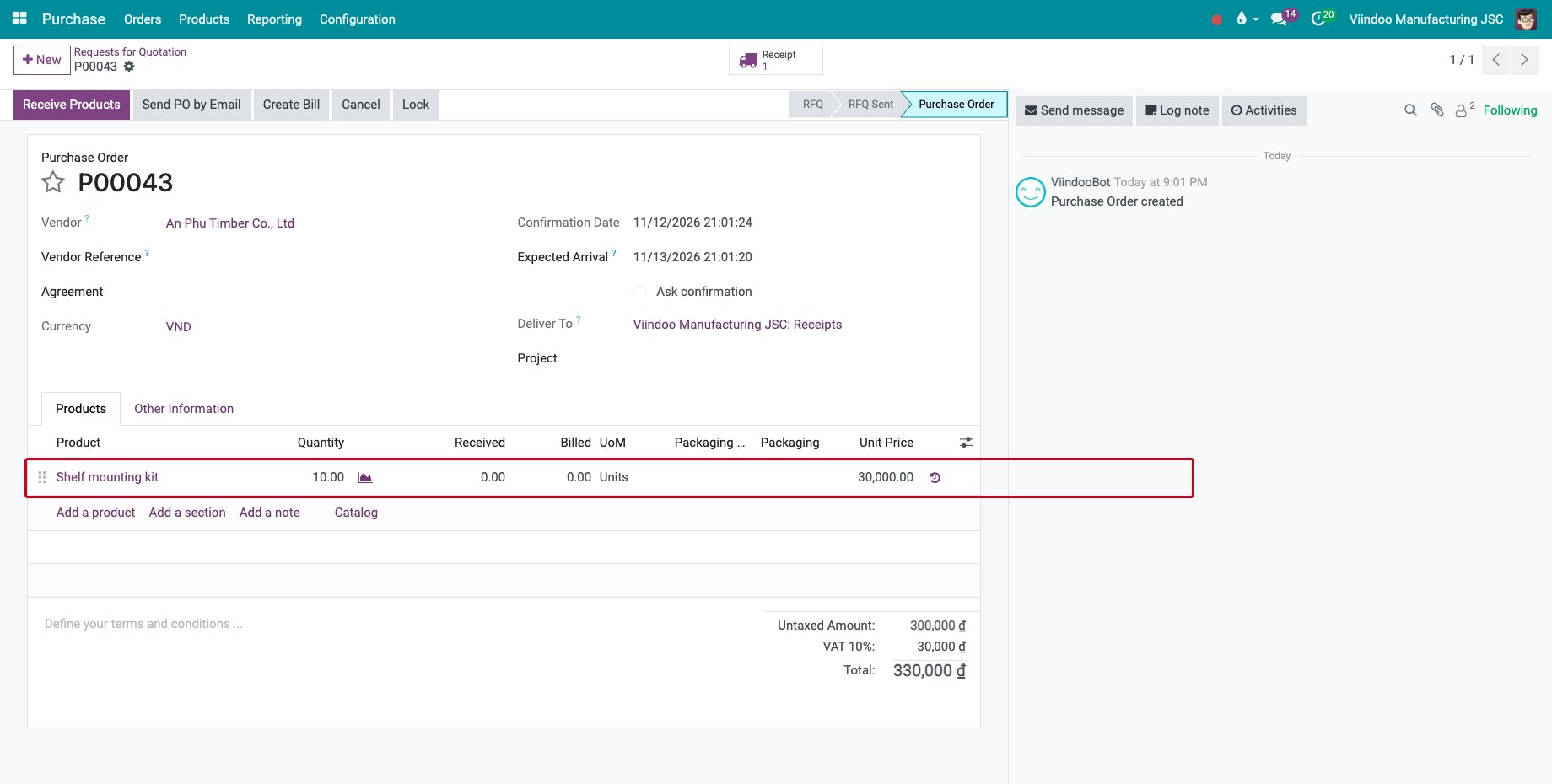
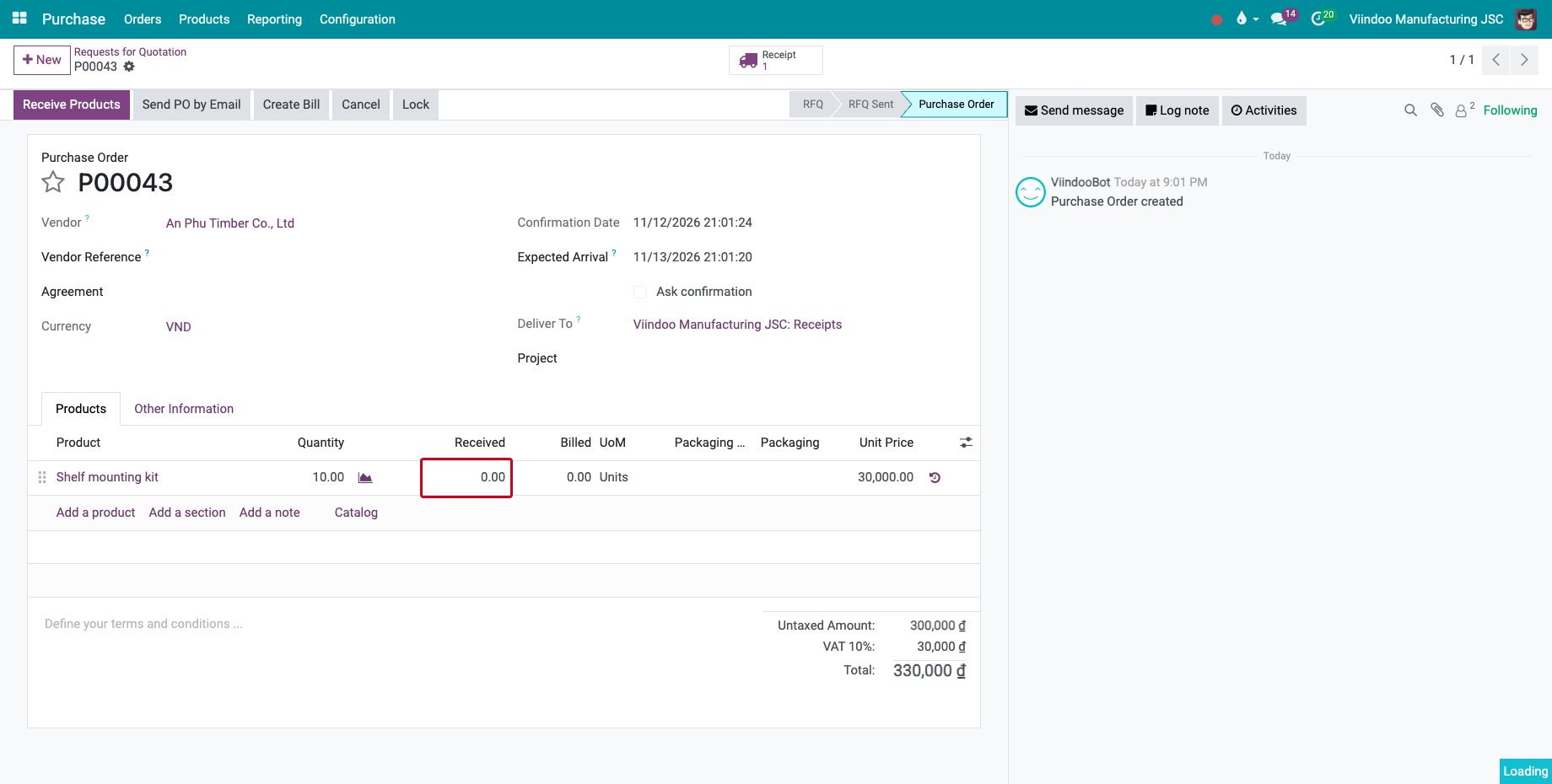
Buy the kit on a purchase order, here 10 shelf mounting kits, and confirm it.
![A purchase order of 10 shelf mounting kits]()
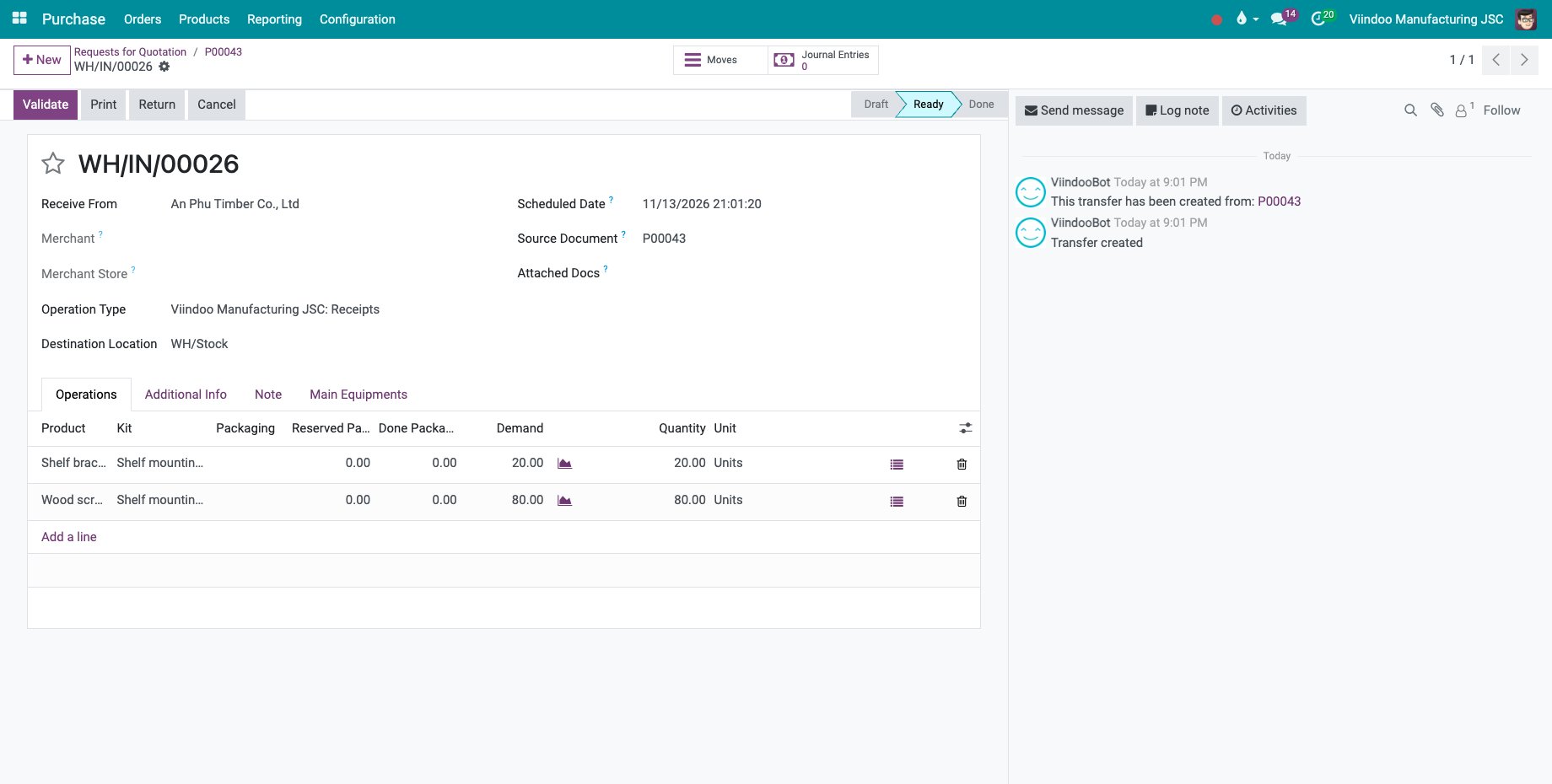
The receipt holds the components, with the kit in the Kit column: 20 shelf brackets and 80 wood screws.
![The receipt of the components of the kits]()
When the receipt is validated, Received on the purchase order counts the complete kits received. The components are valued at their share of the price of the kit.
![The 10 kits received on the purchase order]()
Common errors
Problem |
What to do |
|---|---|
The manufacturing order has no Purchases button. |
The component is taken from stock. Set the Buy and Replenish on Order (MTO) routes on the component, or replenish it with a reordering rule. |
“The total cost share for a BoM’s component have to be 100” |
Change the Cost Share (%) of the components so that they add up to 100, or set them all to zero. |
Received stays below the quantity bought. |
Some components of the last kits are not received yet. A kit counts once all its components are received. |
Next steps
How to control when vendor bills are created: check the bill of the vendor against the quantities received.