
How to connect Viindoo to Google Drive
Connecting Google Drive lets your team attach Drive files to Viindoo records, send record files to Drive and create documents from company templates in one click. Setting it up takes two parts: create an OAuth client for your database in Google Cloud Console, then paste its Client ID and Client Secret in Settings ‣ General Settings ‣ Google Drive.
Who |
The Administrator sets up the connection and the templates. Every user can then use Drive files on the records they can open. |
App |
Settings, Google Drive (templates are available on Contacts) |
Before you start
The Google Drive app and its dependency Viindoo API Request Logger must be available to your database.
A Google account that can create projects in Google Cloud Console. Each Viindoo database needs its own Google Cloud project.
How do I create the OAuth client in Google Cloud Console?
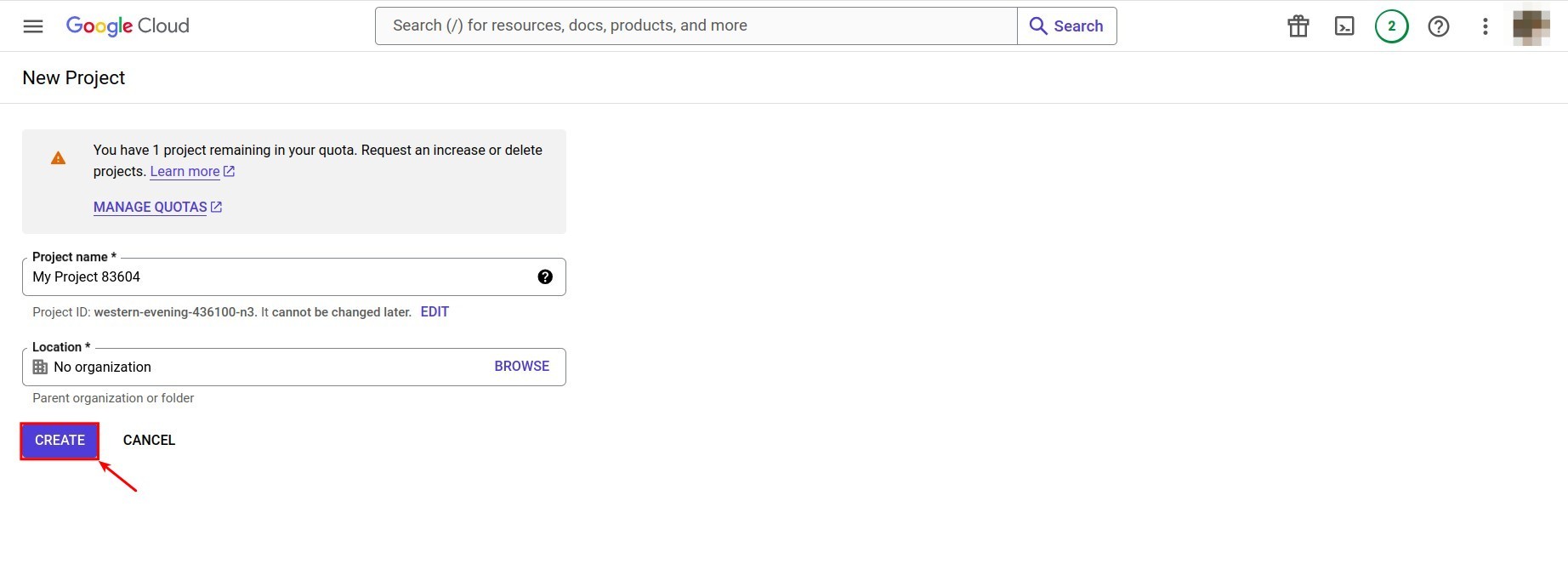
In Google Cloud Console, click NEW PROJECT, give the project a name, click CREATE, then select the new project.
![New project form in Google Cloud Console]()
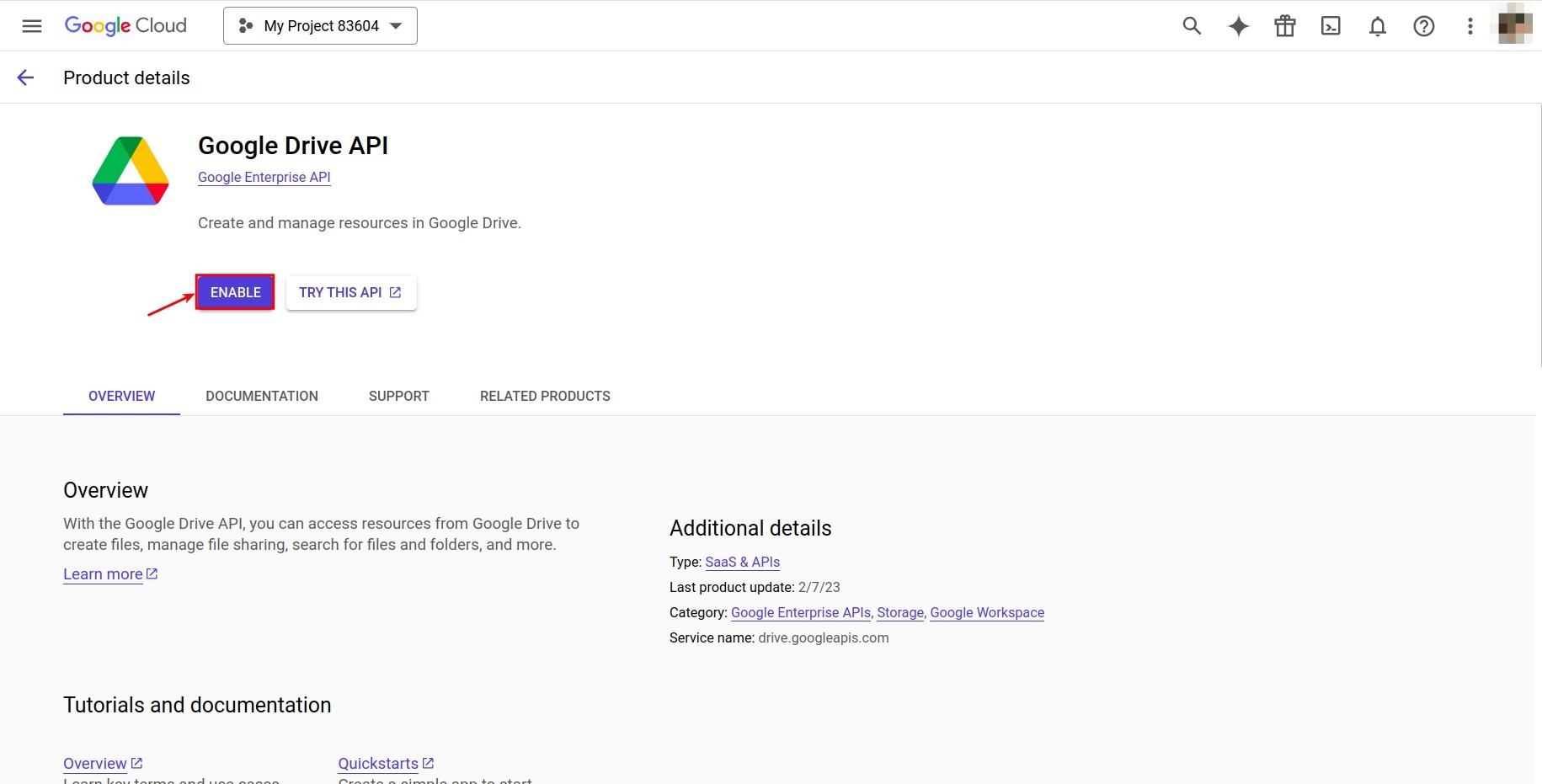
Go to APIs & Services ‣ API Library, search for drive, open Google Drive API and click ENABLE.
![Enable button of the Google Drive API in Google Cloud Console]()
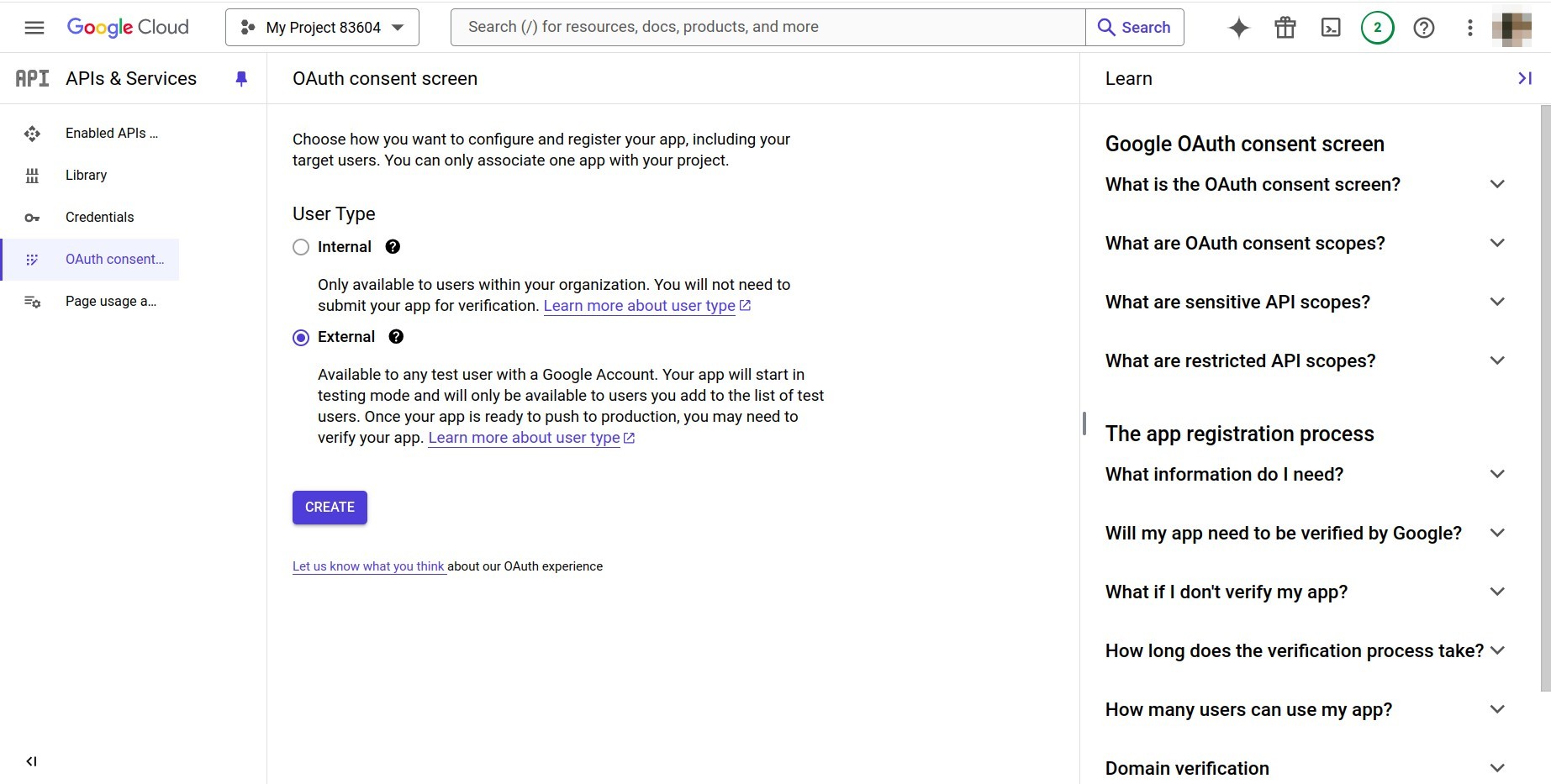
Go to Credentials ‣ CREATE CREDENTIALS ‣ OAuth client ID ‣ CONFIGURE CONSENT SCREEN, choose External and click CREATE.
![External user type selected on the OAuth consent screen]()
Fill in App name, User support email and Developer contact information, then click SAVE AND CONTINUE.
![App information on the OAuth consent screen]()
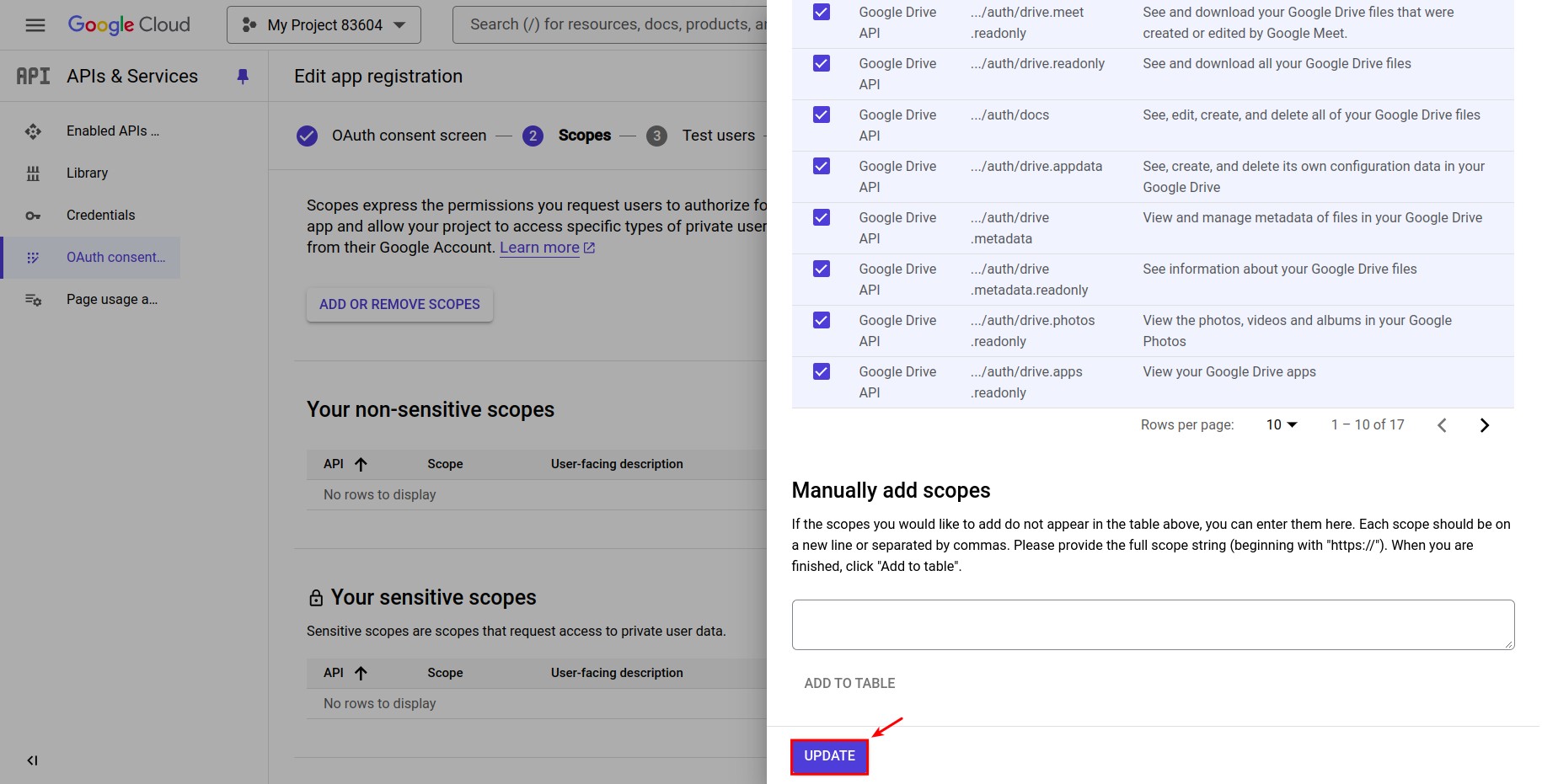
In Scopes, add only
https://www.googleapis.com/auth/drive.file(See, edit, create and delete only the specific Google Drive files you use with this app). Do not add any other Drive scope. Click SAVE AND CONTINUE until the end.![The drive.file scope selected in the list of scopes]()
Go back to Credentials ‣ CREATE CREDENTIALS ‣ OAuth client ID. Choose Web application, enter a name, and in Authorized redirect URIs paste the Authorized redirect URI shown in Viindoo (see the next section), for example
https://example.viindoo.cloud/google_drive/oauth/callback. Click CREATE.![OAuth client ID form with the Web application type and the redirect URI]()
Copy the Client ID and Client Secret shown in the pop-up.
![Pop-up showing the Client ID and Client Secret]()
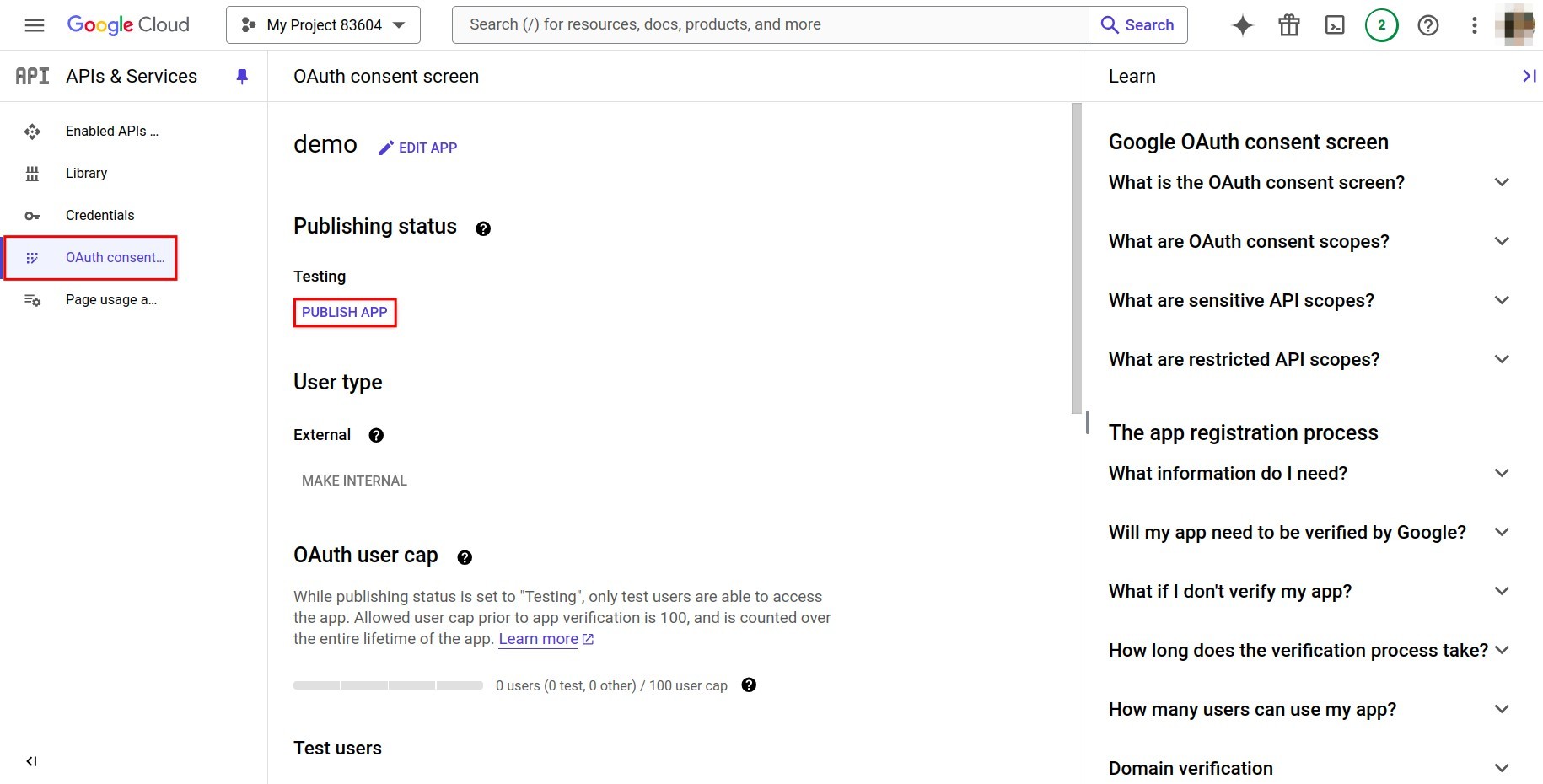
On the OAuth consent screen, click PUBLISH APP to set the status to In production. While the app stays in Testing, Google ends the connection every 7 days and everyone must reconnect.
![Publish app button on the OAuth consent screen]()



How do I connect Google Drive in Viindoo?
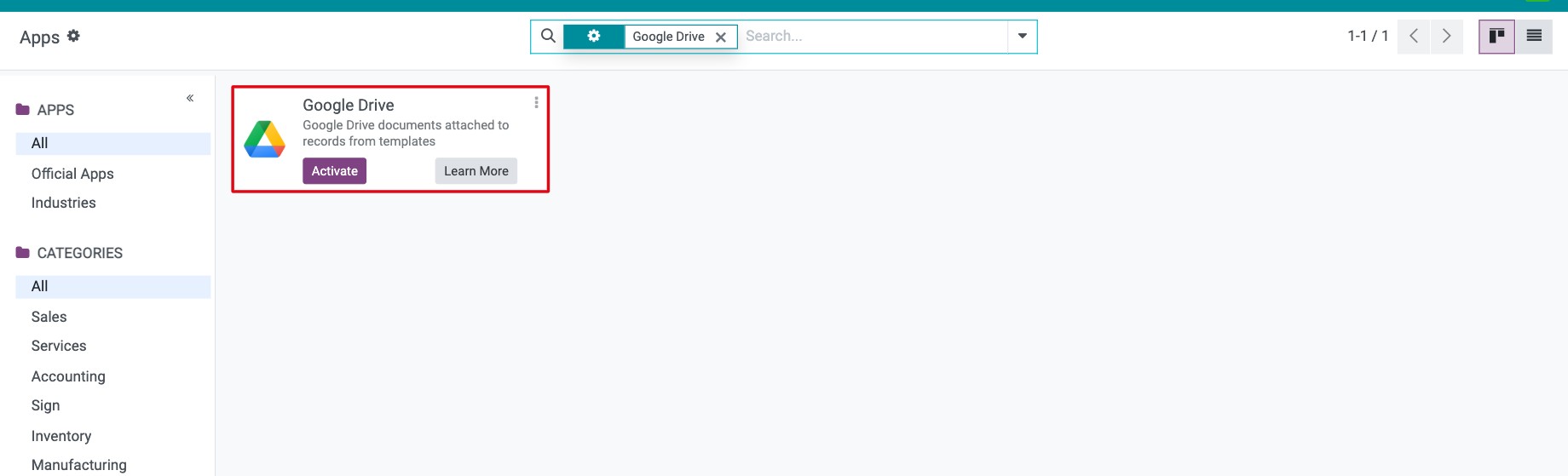
Go to Apps, remove the Apps filter, search for Google Drive and click Install. Base Setup, Google Account and Viindoo API Request Logger are installed with it.
![Google Drive app in the Apps list with the Install button]()
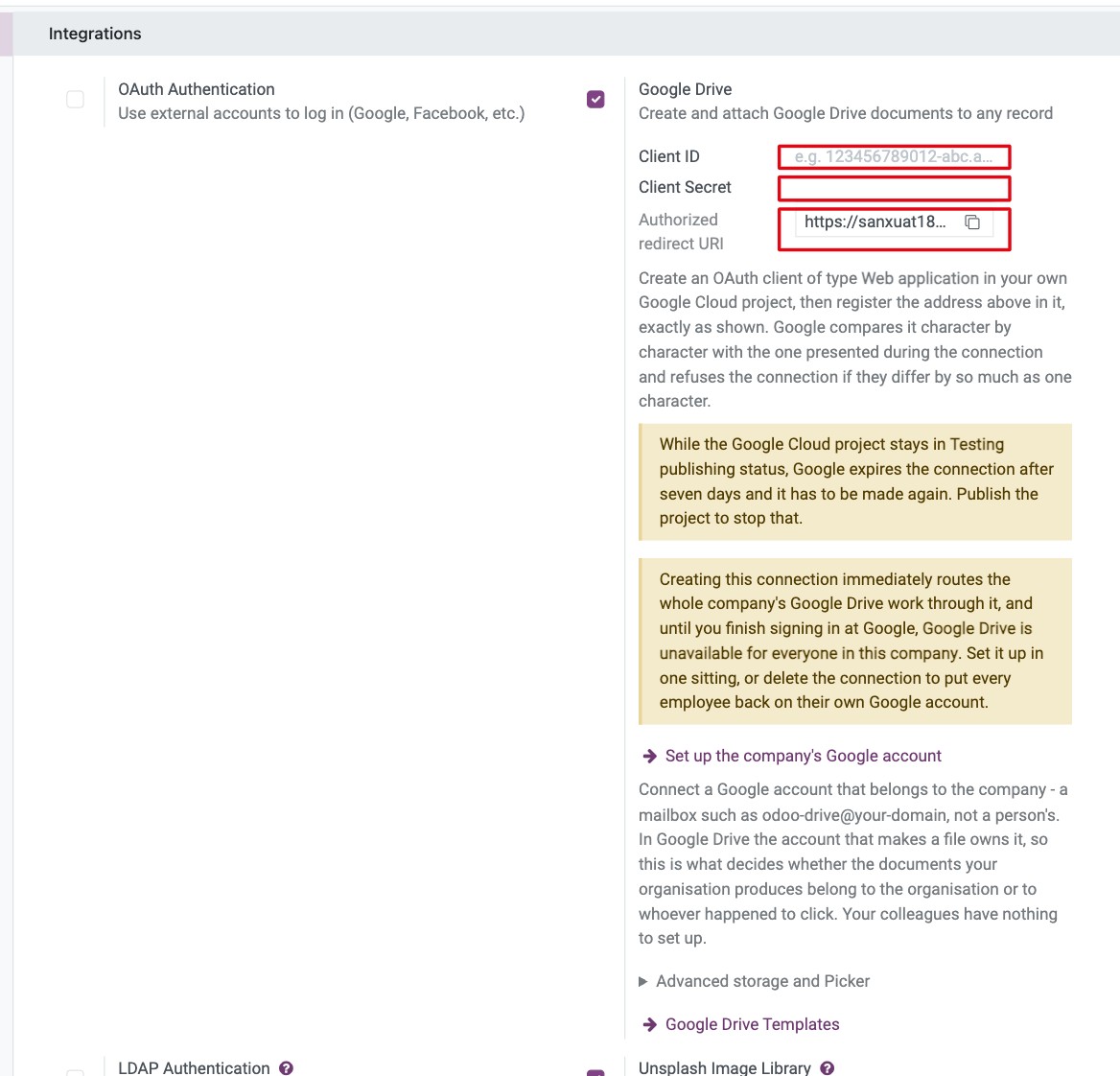
Go to Settings ‣ General Settings, section Google Drive, tick Google Drive, paste the Client ID and Client Secret and click Save. The read-only Authorized redirect URI shows the exact value to declare in Google Cloud Console: Google compares it character by character, and it must use HTTPS unless the database runs on localhost.
![Google Drive section of General Settings with Client ID and Client Secret]()
Optional settings (see the table below).
Setting |
What it does |
|---|---|
Shared Drive, Picker API Key (under Advanced storage and Picker) |
Store the files in a shared drive, and enable the Google file picker. |
Set up the company’s Google account |
Connects one company Google account used by everyone: click it, then Connect Google Drive. When connected, Status, Connected as and Company Google Connection are shown. If you skip it, each employee connects their own Google account the first time they use Pick a file from Google Drive. |
Warning
An unfinished company connection blocks Google Drive for every employee of that company until it is finished or deleted.
How do I create a document template on Google Drive?
A template is a Google Docs, Sheets, Slides or Forms file that Viindoo copies for a record, for example an onboarding checklist for each new contact.
Create the sample file in Google Drive and copy its URL.
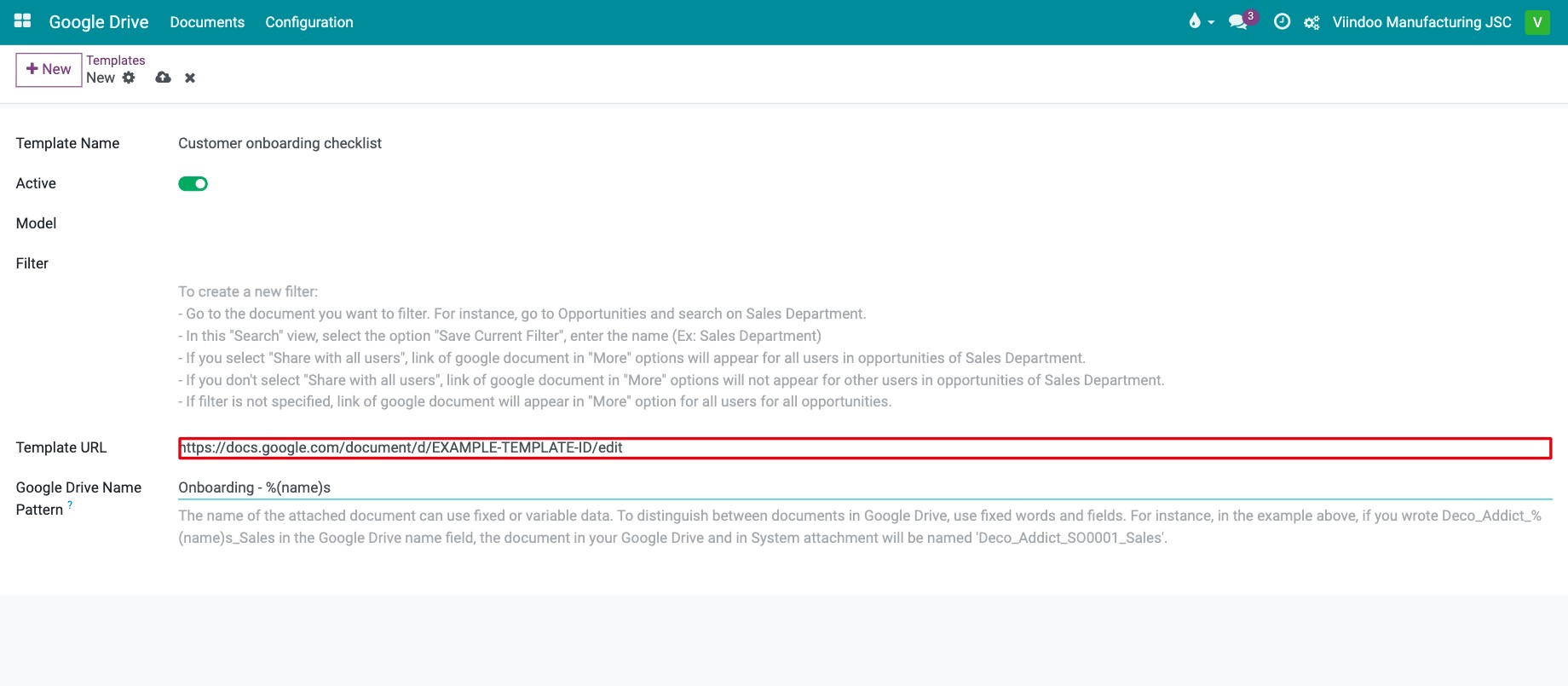
Go to Google Drive ‣ Configuration ‣ Templates (or click Google Drive Templates in the settings) and click New. Fill in the fields (see the table below).
![Google Drive template form with the template name, model, filter and URL]()
Field |
What it does |
|---|---|
Template Name |
Name shown in the record’s menu. |
Active |
Untick to hide the template without deleting it. |
Model |
The type of record that offers the template. Today only Contact is accepted. |
Filter |
Shows the template only on records that match this filter. |
Template URL |
URL of the sample file on Google Drive. |
Google Drive Name Pattern |
Name of each copy, built from fixed text and fields. Default |
How do I use Drive files on a record?
Open a contact and click the gear icon (Actions). The Google Drive block lists your templates, Pick a file from Google Drive and Send a file to Google Drive. Choose a template: Viindoo copies it into the contact’s Drive folder, names it with the pattern, attaches it and opens it in a new tab.
![Gear menu of a contact with the Google Drive actions Pick a file and Send a file]()
Find the files later on the contact’s Google Drive tab, in Google Drive ‣ Documents and among the record’s attachments.
![Google Drive tab of a contact, where the created documents are listed]()


Common errors
Message |
What to do |
|---|---|
Google shows redirect_uri_mismatch. |
The redirect URI in Google Cloud Console differs from Authorized redirect URI in Viindoo. Copy it again exactly. |
Google rejected the stored credential. |
Reconnect Google Drive. If it happens every 7 days, publish the app (In production). |
A template fails the first time you use it. |
The app only reaches files it created or was given. Open the template file once with Pick a file from Google Drive on any record. |
Saving a template on another model is refused. |
Templates can only be created for Contact. |
Next steps
How to turn on two-factor authentication: protect the accounts that can reach your company files.
Contacts app: overview and configuration: work with the contacts that use the templates.