
Maintenance Reporting
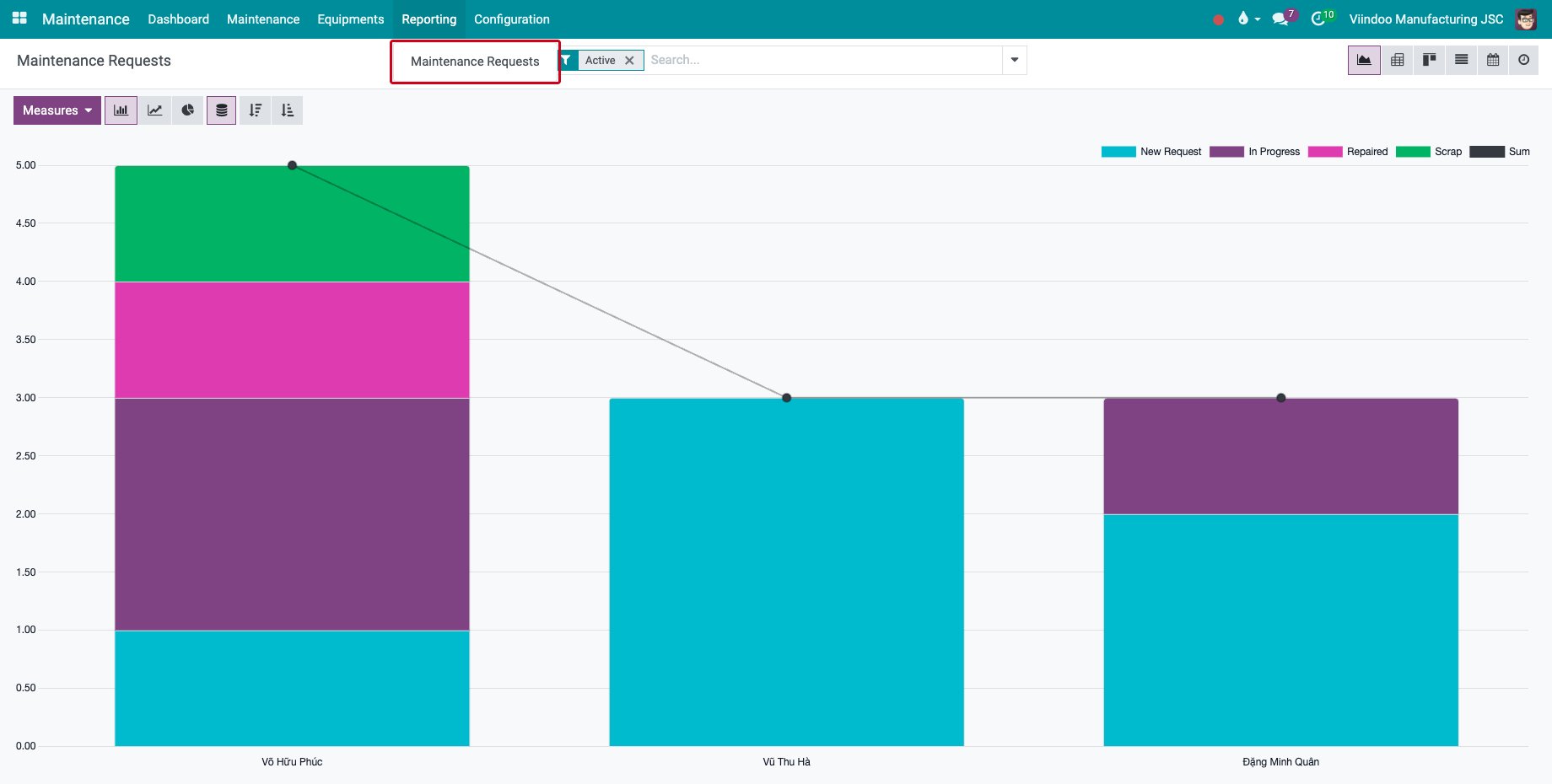
The maintenance report counts your requests so that you see who carries the load, which machines fail most and what is still open. Go to Maintenance ‣ Reporting ‣ Maintenance Requests and read it as a chart, a pivot table, a list, a kanban board or a calendar.
Who |
Users with the Maintenance ‣ Maintenance Manager access right see the requests of every team. Other users see their own requests. |
App |
Maintenance |
Before you start
Have maintenance requests, see How to plan for maintenance and manage maintenance requests.
How do I read the requests in a chart?
The report opens as a stacked bar chart: one bar per technician, one color per stage, and the number of requests on the vertical axis.
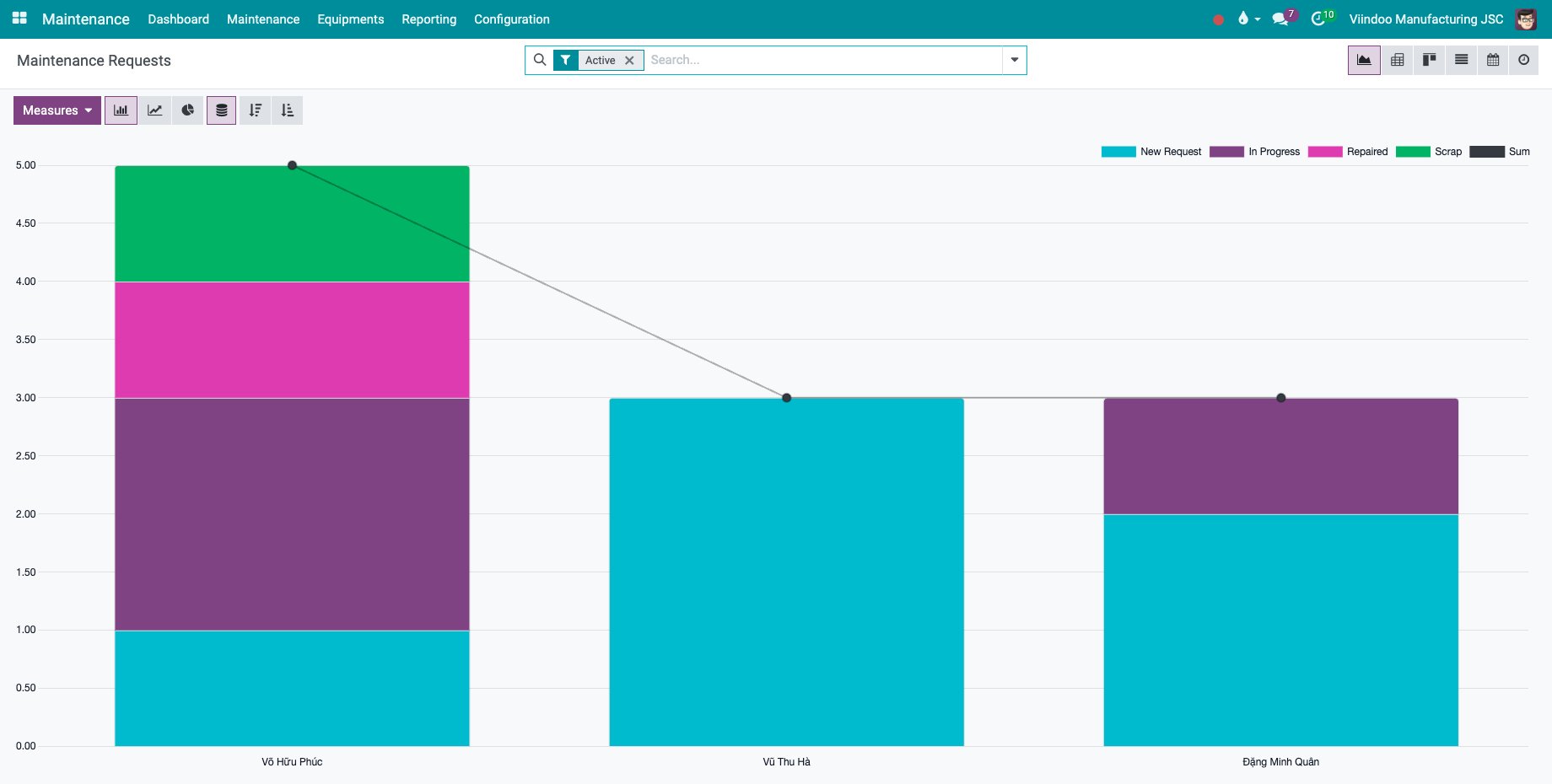
Open Measures to count something else, for example the Duration.
Use the icons of the toolbar to switch to a line or a pie chart, to stack or not, and to sort the bars.
How do I read the requests in a pivot table?
Click the pivot icon at the top right. The table counts the requests per equipment and technician, in rows, and per request date, in columns.
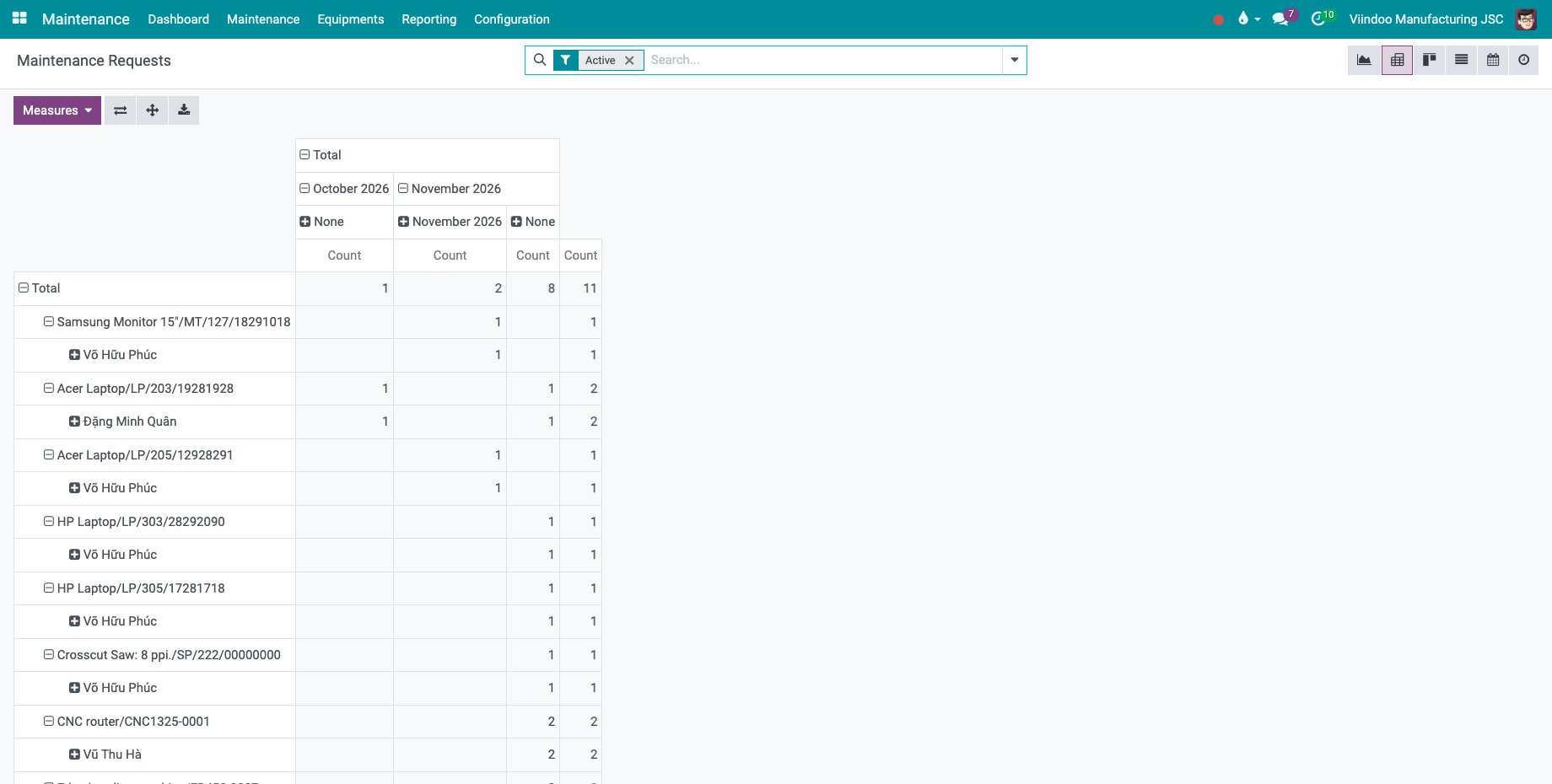
Click a header to break it down further, for example by Maintenance Type or Stage.
Click the swap icon to exchange the rows and the columns.
Click the download icon to export the table to a spreadsheet file.
How do I filter and group the requests?
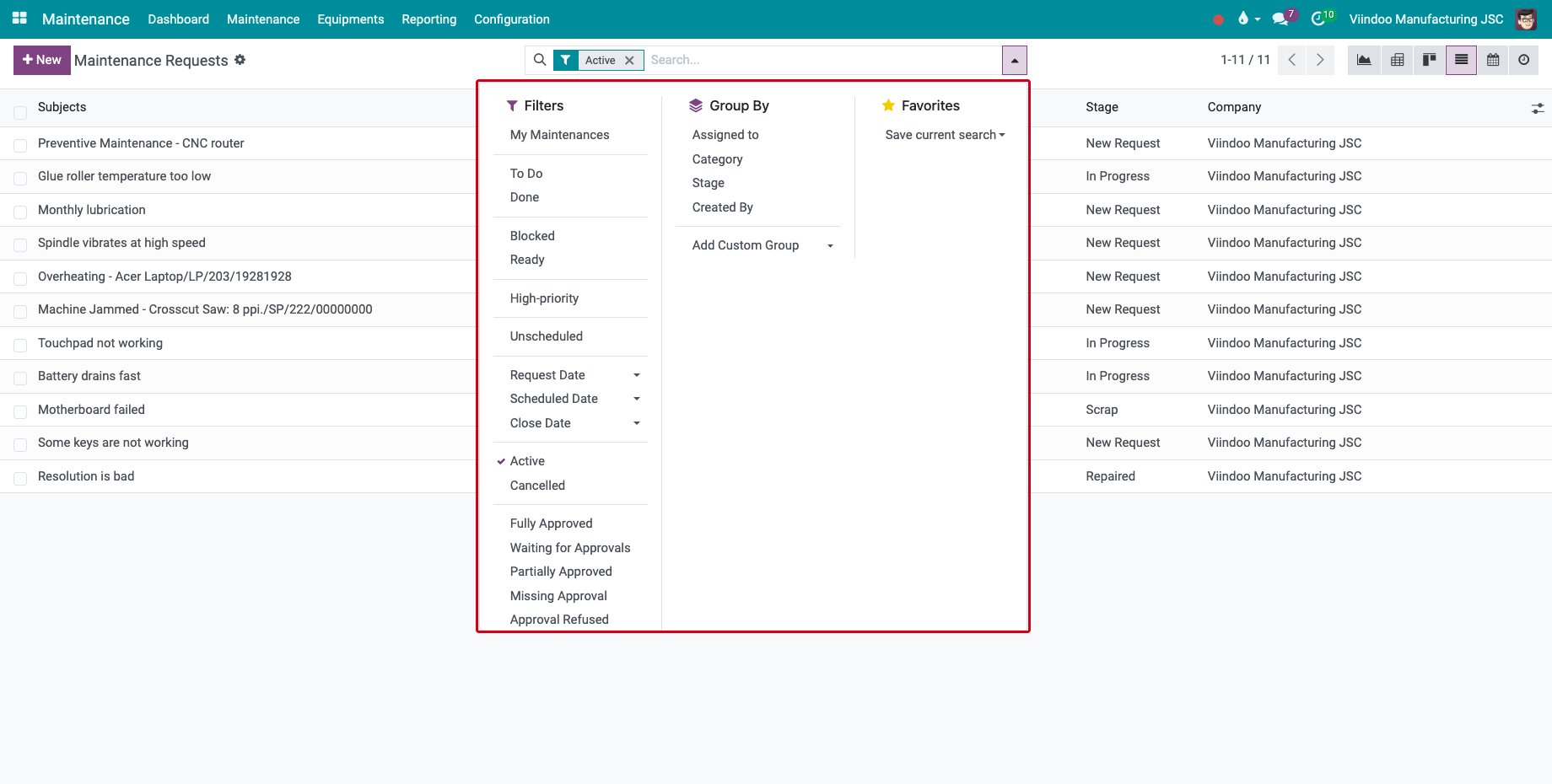
Open the search options. The filters select, for example, My Maintenances, the requests To Do or Done, the Blocked ones, the High-priority ones or the Unscheduled ones. The groupings sort them by Assigned to, Category, Stage or Created By. The same search works in every view.
The Kanban view shows the requests by stage, the Calendar view the planned requests per technician, and the Activity view the activities of each request. For more about the views, see Views and reports: which view should I use? and How to search, filter, group and save searches.
Common errors
Problem |
What to do |
|---|---|
The report shows only my requests. |
Give the user the Maintenance Manager access right. |
The report is empty. |
Remove the filters of the search bar, including Active when you look for cancelled requests. |
Next steps
How to plan for maintenance and manage maintenance requests: plan the maintenance.