
Track manufacturing order progress
“In progress” says nothing about whether an order is at ten or ninety percent. The progress of a manufacturing order is the quantity produced against the quantity to produce. Viindoo shows it on each order and adds a list where an order and its backorders count as one, so a planner sees how much of the original demand is really made.
Who |
Production planners and managers with the Manufacturing ‣ User access right. |
App |
Manufacturing |
Before you start
Install the Manufacturing Progress Management module.
Progress is computed from the quantities recorded on the orders: record what is produced, on the order or on the Shop Floor tablet.
The example of this article is an order of 10 Oak wall shelves: 6 were produced and the 4 others are in a backorder.
How do I see the progress of all orders?
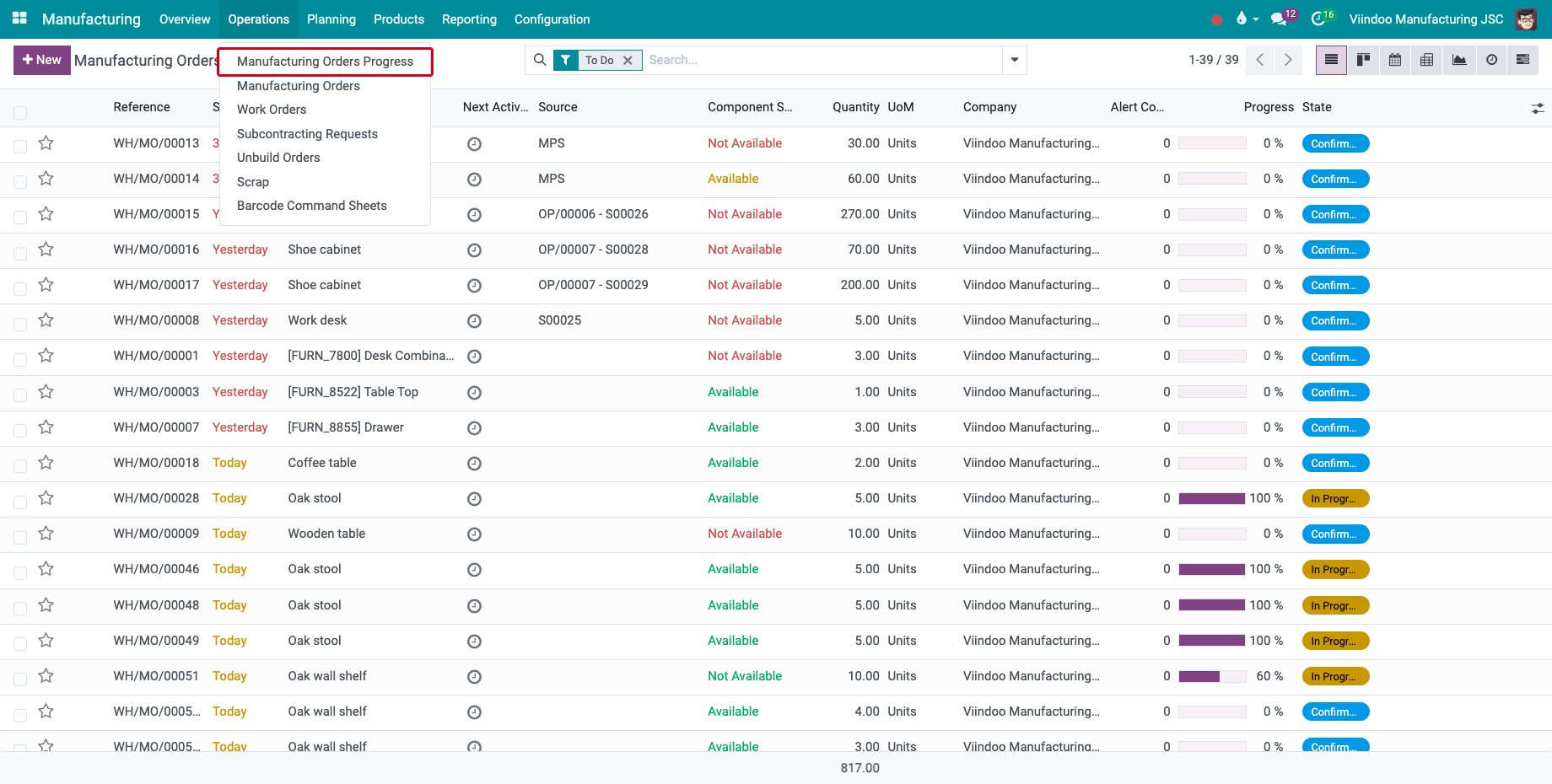
Go to Manufacturing ‣ Operations ‣ Manufacturing Orders Progress.
![The menu Manufacturing Orders Progress]()
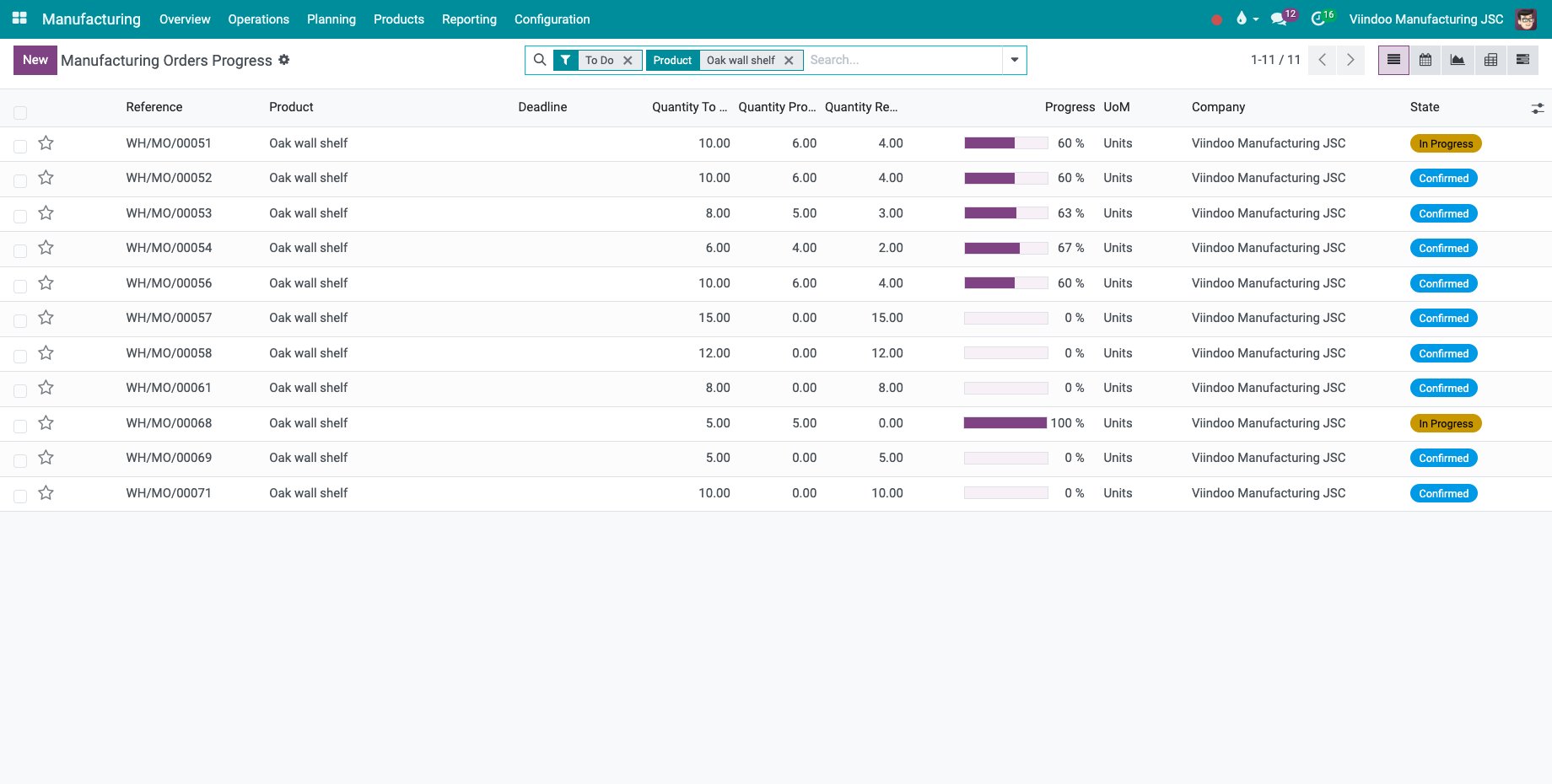
Each line is an order together with its backorders, with the Quantity To Produce, the Quantity Produced, the Quantity Remaining and the Progress. The list opens on the orders still to do; search or group by product, source or scheduled date. Calendar, graph, pivot and Gantt views are also available.
![The progress of the orders of oak wall shelves]()
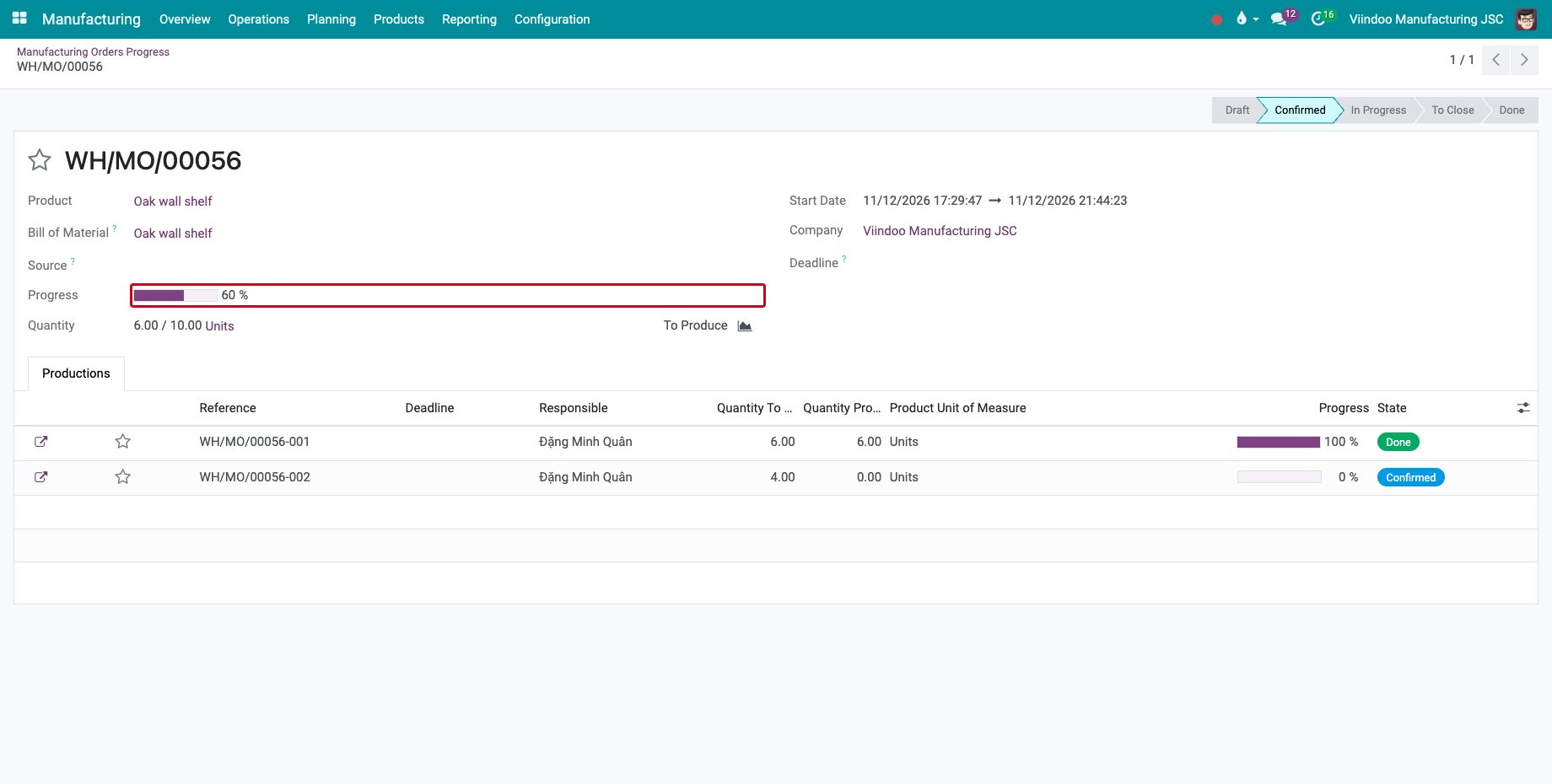
Open a line. The Productions tab lists the orders of the series with their own progress: here the first order is done at 100 % and the backorder is at 0 %, which makes 60 % in all.
![The progress of an order and its backorder]()
Cancelled orders do not count in the progress.
Where is the progress on a manufacturing order?
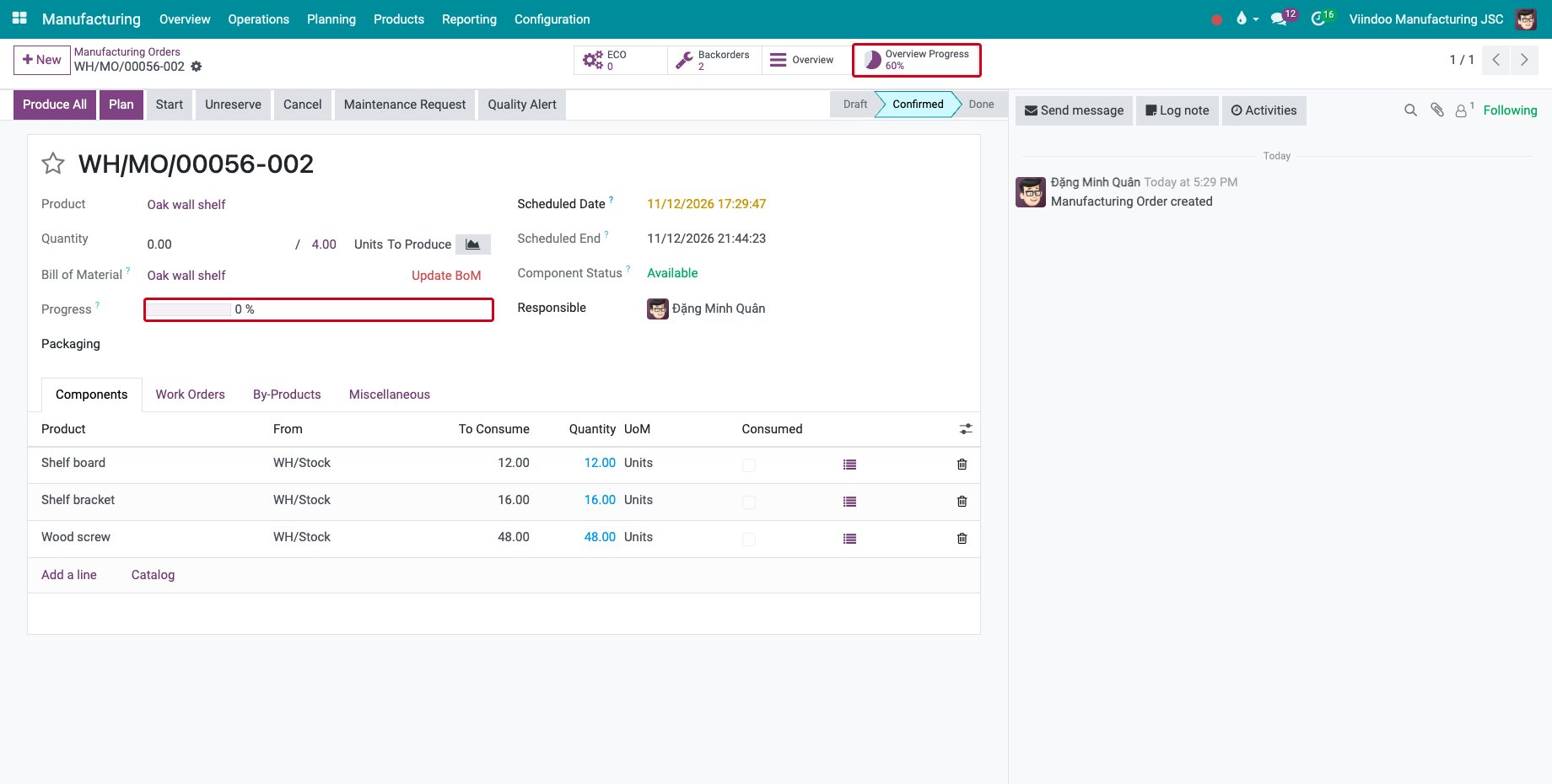
The order shows its own Progress under the bill of materials, and the Overview Progress button shows the progress of the whole series and opens it. The list, kanban and pivot views of the manufacturing orders and the Gantt chart show the progress too.
Common errors
Problem |
What to do |
|---|---|
The progress stays at 0 %. |
No quantity is recorded as produced yet. |
An order is missing from the list. |
The list opens with the filter To Do; remove it to see the done and cancelled orders. |
Next steps
Manufacturing report in Gantt: follow the orders in a Gantt chart.
Manufacturing order overview and printing: read the costs of an order.
Record output, materials and scrap at the machine: record the quantity made at the machine.
See also
Related articles