
How to turn on developer mode (debug mode)
To turn on developer mode in Viindoo, go to Settings, scroll to Developer Tools and click
Activate the developer mode, or add ?debug=1 to the address of any Viindoo page. A bug icon
appears in the top bar, and technical menus, fields and tools that are hidden in normal mode become
visible. Turn it off with Deactivate the developer mode or Leave Debug Mode in the bug menu.
Who |
From Settings: users with access to the Settings app (Administrator). From the URL: any user. |
App |
Settings |
Before you start
You have a Viindoo instance and can sign in to it.
What does developer mode change?
Developer mode only changes what you see, not your data. It shows technical menus (for example and ), extra fields and buttons on forms, and the bug menu with tools for the current screen. Many guides ask you to turn it on before a configuration step; turn it off again when you are done so the screens stay simple.
How do I turn on developer mode from Settings?
Go to Settings and scroll down to the Developer Tools section.
Click Activate the developer mode.
![Activate the developer mode link in the Developer Tools section of Viindoo Settings]()
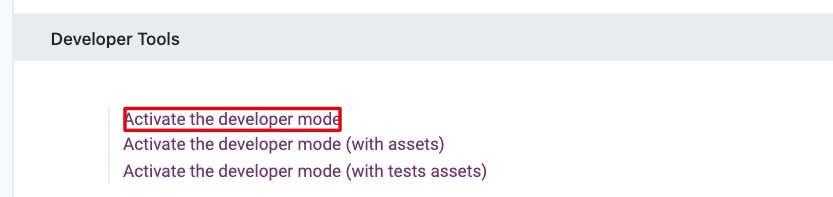
The page reloads and a bug icon appears in the top bar.

Note
Activate the developer mode (with assets) and Activate the developer mode (with tests assets) are meant for developers and testers. They load the interface more slowly; you do not need them for configuration.
How do I turn on developer mode from the URL?
In the browser address bar, add
?debug=1right after/odoo, for examplehttps://yourcompany.viindoo.cloud/odoo?debug=1.Press Enter.

This works for any user and is the quickest way when you cannot open Settings.
How do I turn developer mode off?
Use one of these:
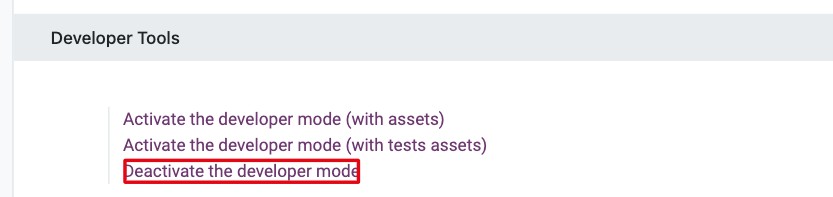
In Settings ‣ Developer Tools, click Deactivate the developer mode.
![Deactivate the developer mode link in the Developer Tools section]()
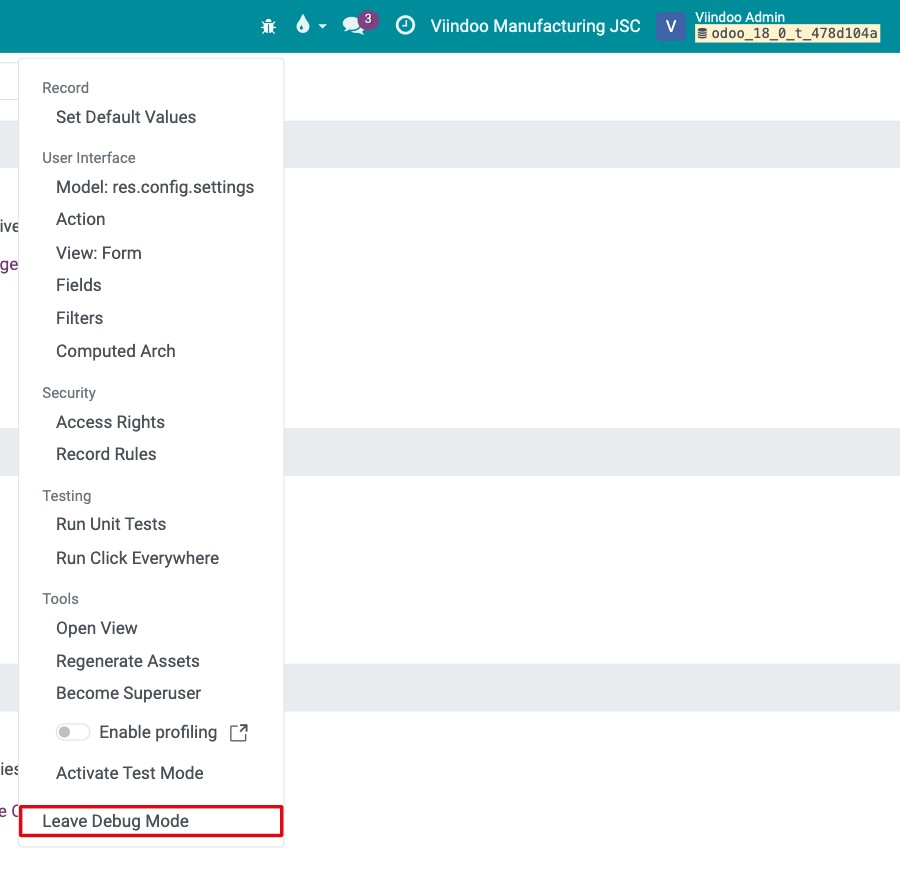
Click the bug icon in the top bar and choose Leave Debug Mode at the bottom of the menu.
![Leave Debug Mode at the bottom of the bug icon menu]()
Replace
?debug=1with?debug=0in the address bar.
Common errors
Problem |
What to do |
|---|---|
I cannot see Developer Tools in Settings. |
Only users with access to the Settings app see it. Use the URL method instead, or ask the Administrator. |
The bug icon disappeared after I opened a link. |
The link did not include |
Screens are slow after turning on developer mode. |
You used the mode with assets or with tests assets. Turn it off and use Activate the developer mode instead. |
Next steps
How to add languages and change the interface language: manage languages, which needs developer mode.
How to set user access rights with groups: review access rights in detail.