
Accounting for Inventory Scrap
Scrap is a product that you take out of the stock because it is damaged, expired or not usable. To record it, open Inventory > Operations > Adjustments > Scrap, choose the product, the quantity and the scrap location, then click Validate. Viindoo moves the products to the scrap location and, for a product with automated valuation, posts a journal entry that records their cost on the account of the scrap location.
Who does this: an inventory manager with the Inventory / Administrator access right, together with an accountant who sets the accounts. Applications: Inventory and Accounting.
Before you start
This tutorial requires the installation of the following applications/modules:
Tick Storage Locations in the Inventory settings to see the Locations menu (see Accounting for Inventory Adjustment). The product must be Goods with Track Inventory ticked and belong to a category with Inventory Valuation set to Automated (see Accounting for Stock Valuation).
Warning
A scrapped product keeps its name and its unit of measure: it is the same product, stored in the scrap location. If you need another product from the scrap, use a manufacturing order after you move the scrap.
How do I set the scrap location?
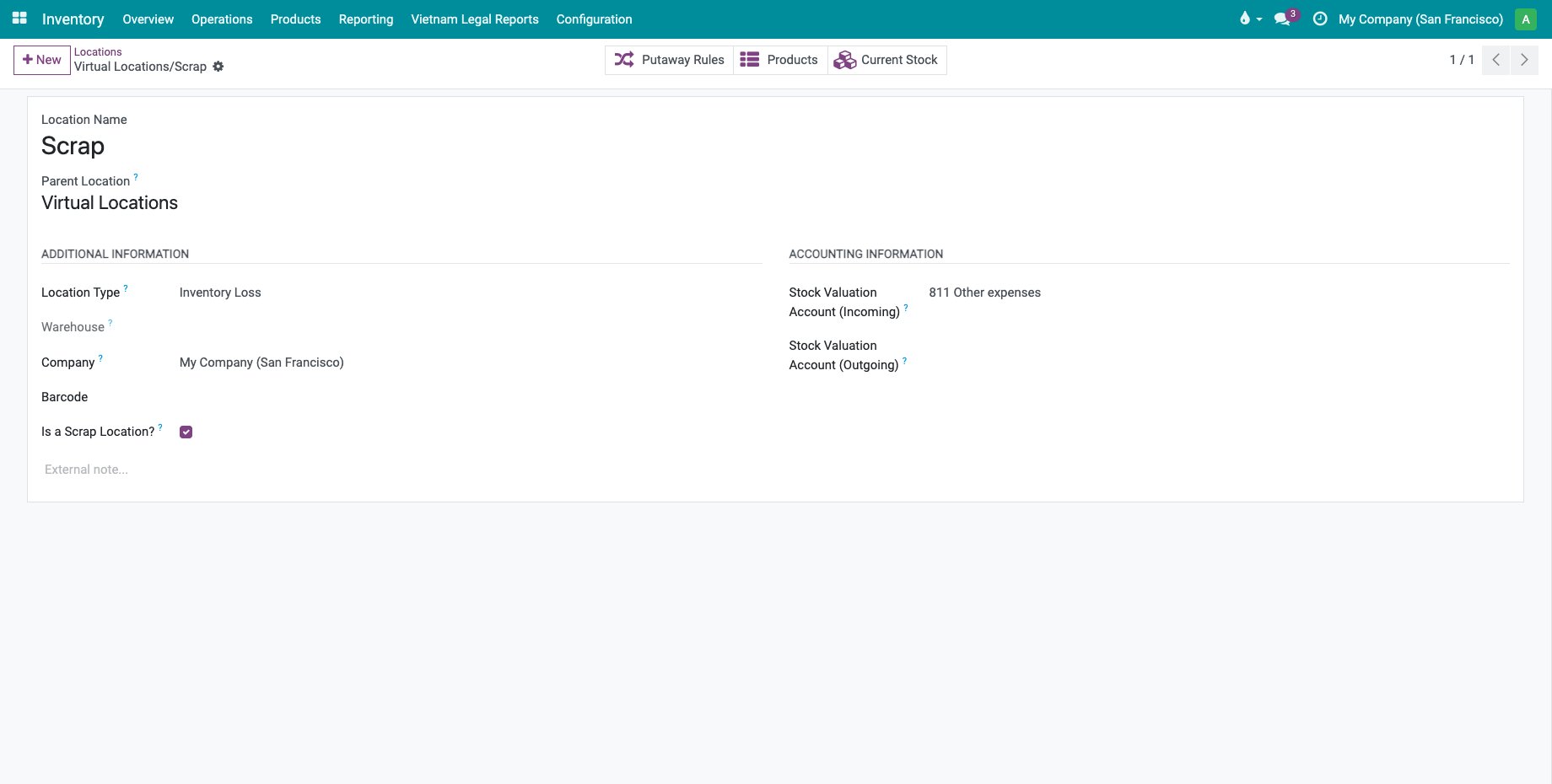
Open Inventory > Configuration > Locations, remove the Internal filter and open Virtual Locations/Scrap.
Check the fields of the location:
Location Type: Inventory Loss for products that you throw away. A location of the type Internal can also be a scrap location when you keep the scrap to sell it or to reuse it.
Is a Scrap Location?: ticked. Only the locations marked this way are offered when you create a scrap order.
Stock Valuation Account (Incoming) in Accounting Information: the account debited with the cost of the scrapped products, for example 811 Other expenses. When it is empty, the stock output account of the product category is used.
![Scrap location with its accounting information in Viindoo]()
How do I record a scrap?
The example scraps 1 unit of a product that costs 125,000 VND.
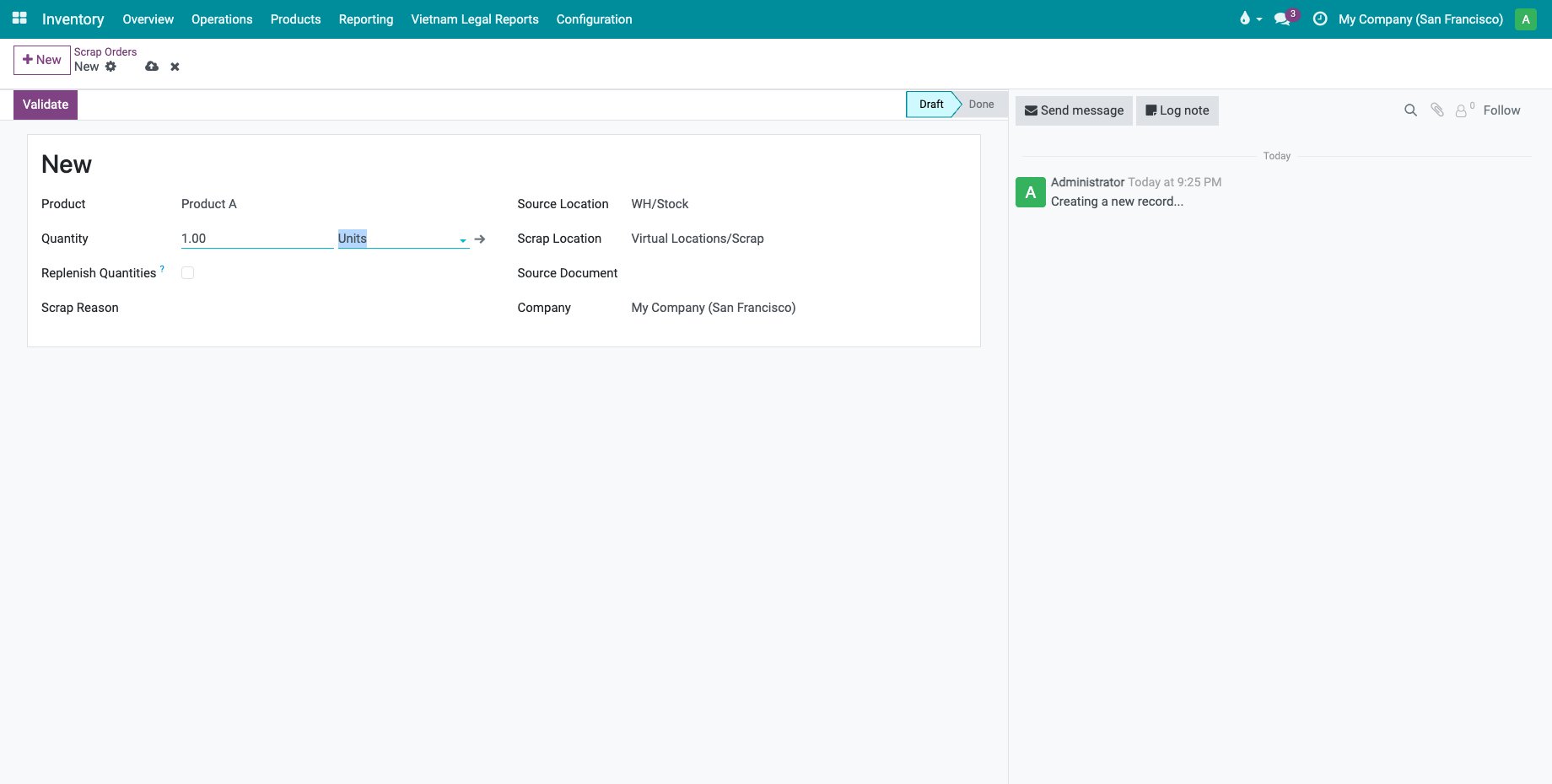
Open Inventory > Operations > Adjustments > Scrap and click New. Choose the Product and enter the Quantity. The Source Location is the location where the product is stored, and the Scrap Location is the location that receives it. Both are filled in for you and you can change them.
![Scrap order with the product, the quantity and the scrap location in Viindoo Inventory]()
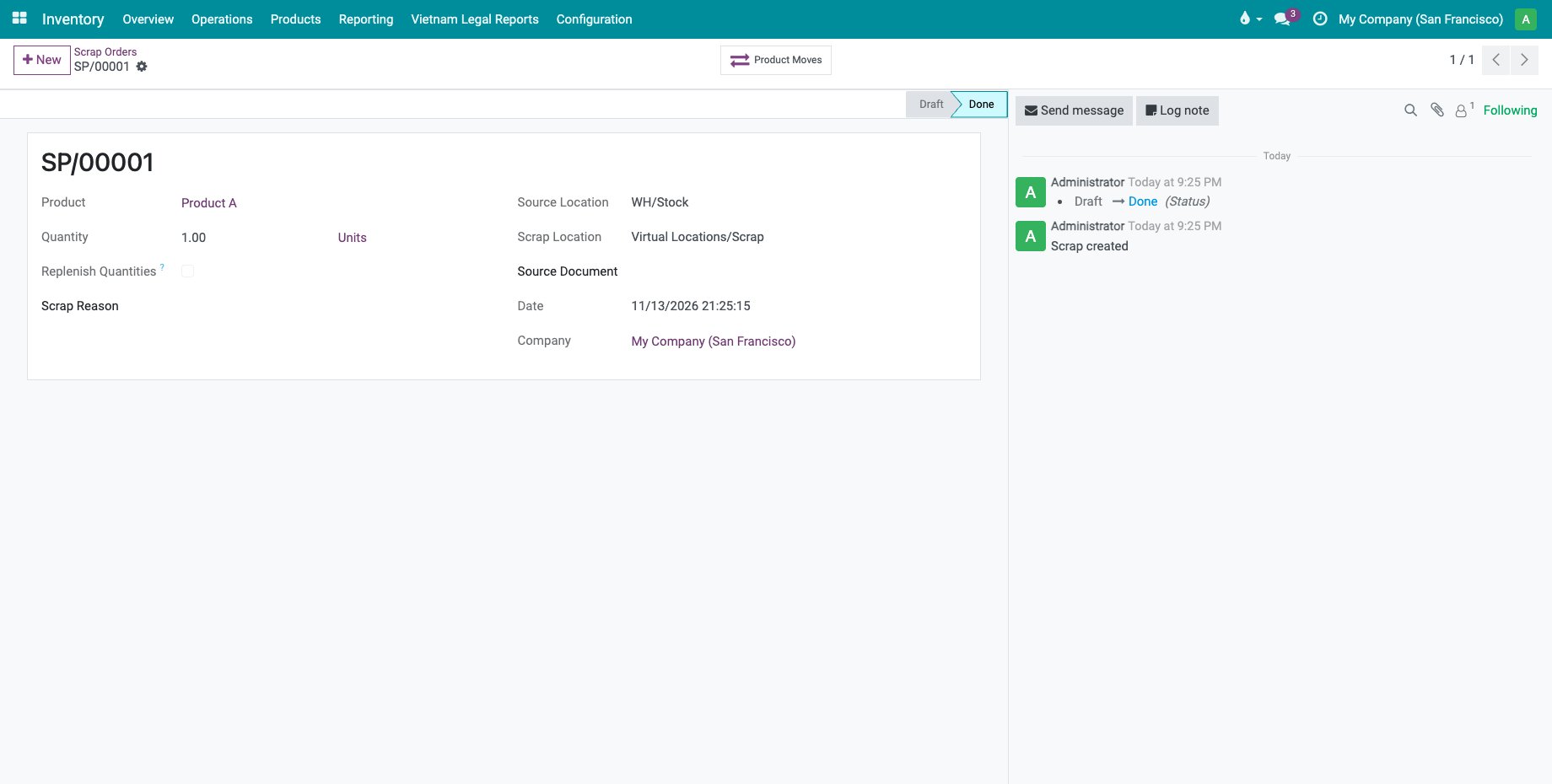
Click Validate. The scrap order is Done and the Product Moves button shows the stock move. The quantity on hand of the product is reduced.
![Scrap order in the Done status in Viindoo Inventory]()
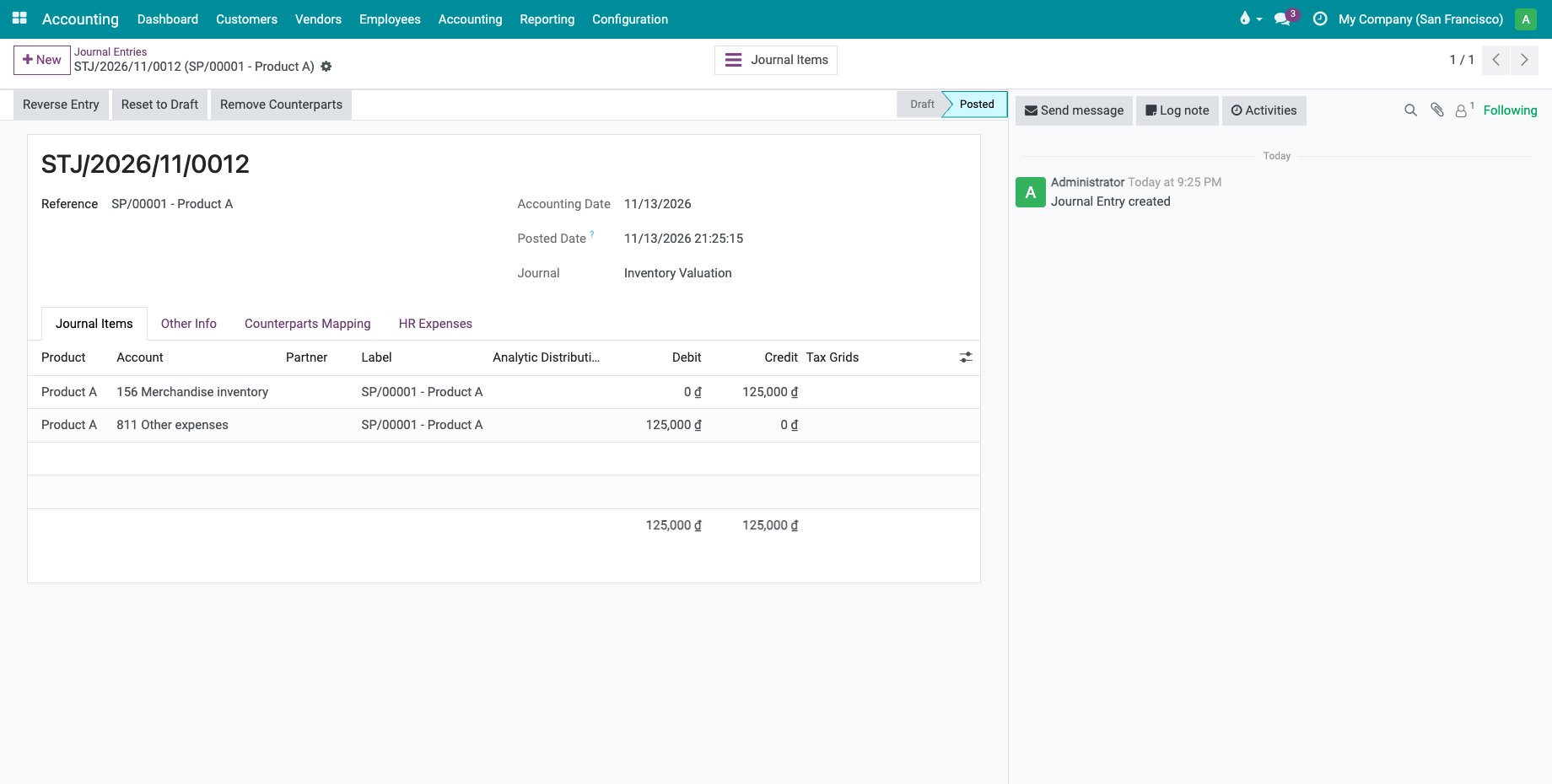
Open the journal entry in Accounting > Accounting > Journal Entries, in the Inventory Valuation journal; its reference is the number of the scrap order. It debits the account of the scrap location (811) and credits the stock valuation account (156) with the cost of the product.
![Journal entry of a scrap order in Viindoo Accounting]()
How do I handle scrap that I keep?
When the scrap location is of the type Internal, the scrap stays in your stock: moving the products there is like an internal transfer, and you can later sell them with a sales order or move them to a production location to consume them.
Expected result
The scrap order is Done and the quantity on hand is reduced.
A posted journal entry records the cost of the scrapped products on the account of the scrap location.
Common mistakes
Problem |
What to do |
|---|---|
The scrap order creates no journal entry. |
The category of the product is on Manual valuation. Set Inventory Valuation to Automated on the category. |
The entry uses the stock output account of the category. |
The Stock Valuation Account (Incoming) of the scrap location is empty. Fill it. |
The location you want is not offered as Scrap Location. |
Open the location and tick Is a Scrap Location?. |
Next steps
See also
Related article
Optional module