
How to record and follow project costs
Every project has its own analytic account. A cost that carries this account - an employee expense, the hours logged on a task or a vendor bill - counts as a cost of the project. This article shows where to put the analytic account on each kind of cost, then how to read the total on the Dashboard of the project and in the Gross Margin of its analytic account.
Task |
Role needed |
Where |
|---|---|---|
Find the analytic account of a project |
Project: User |
Project ‣ Projects, the Analytic tab |
Record an expense of the project |
Any employee |
Expenses ‣ My Expenses ‣ My Expenses |
Log the hours of an employee |
Timesheets: User: own timesheets only |
Project ‣ Projects, the project, then the task |
Record a vendor bill of the project |
Accounting: Invoicing |
Accounting ‣ Vendors ‣ Bills |
Follow the costs |
Project: User |
Dashboard of the project |
Before you start
Install the Project app, the Timesheets feature (Task Logs), the Expenses app and the Accounting & Finance app. The module that adds the expenses to the project costs is installed with them.
Activate Analytic Accounting in Accounting ‣ Configuration ‣ Settings, see activate the profitability feature.
Set the cost of one working hour of each employee, see how does a timesheet become a cost.
How do I find the analytic account of a project?
Viindoo creates the analytic account of a project when you create the project with the Timesheets option. It carries the name of the project.
Go to Project ‣ Projects and open the project.
Open the Analytic tab. The Project field shows the analytic account.
![The Analytic tab of a project showing its analytic account]()
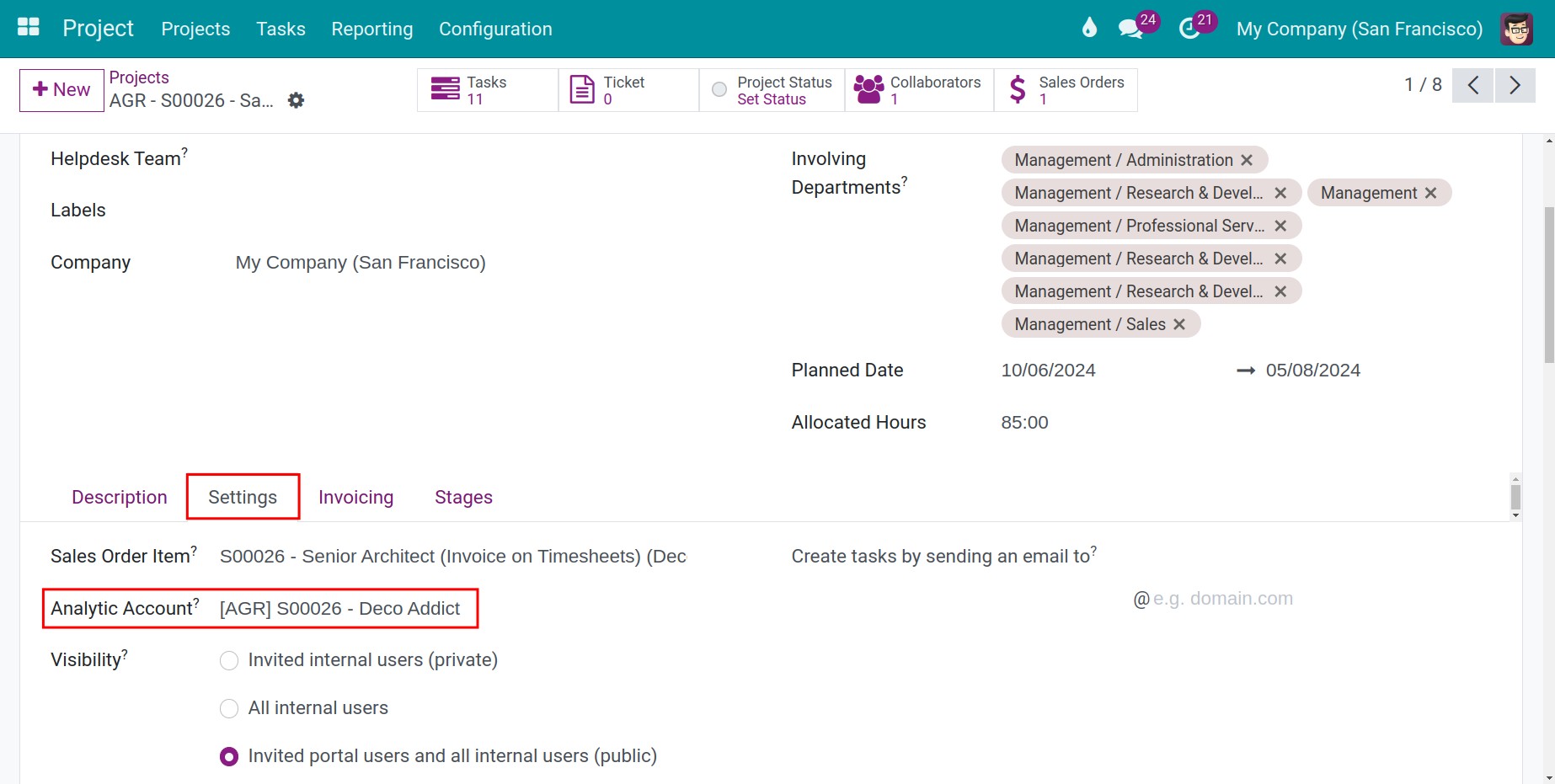
The same account is in Accounting ‣ Configuration ‣ Analytic Accounting ‣ Analytic Accounts, see Analytic account in Viindoo.
How do I record an expense on a project?
Go to Expenses ‣ My Expenses ‣ My Expenses and click New.
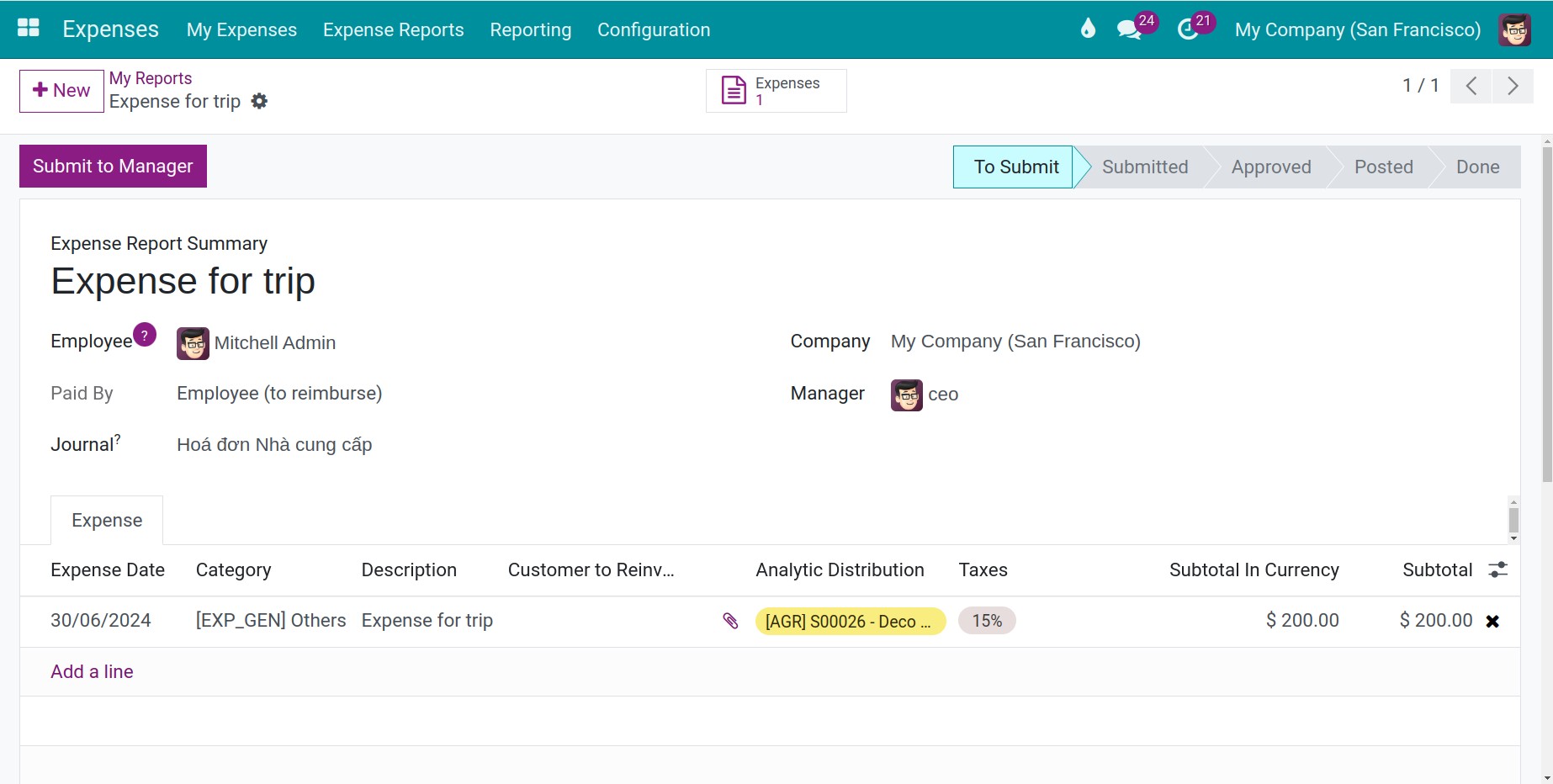
Fill in the expense as usual, see Employee Expenses Process, then choose the analytic account of the project in the Analytic Distribution field.
![An expense with the analytic account of the project in the Analytic Distribution field]()
Add the expense to a report and submit it. A user with the Expenses: Team Approver role approves the report, then a user with the Accounting: Invoicing role posts it with Post Journal Entries.
![A posted expense report with its expenses]()
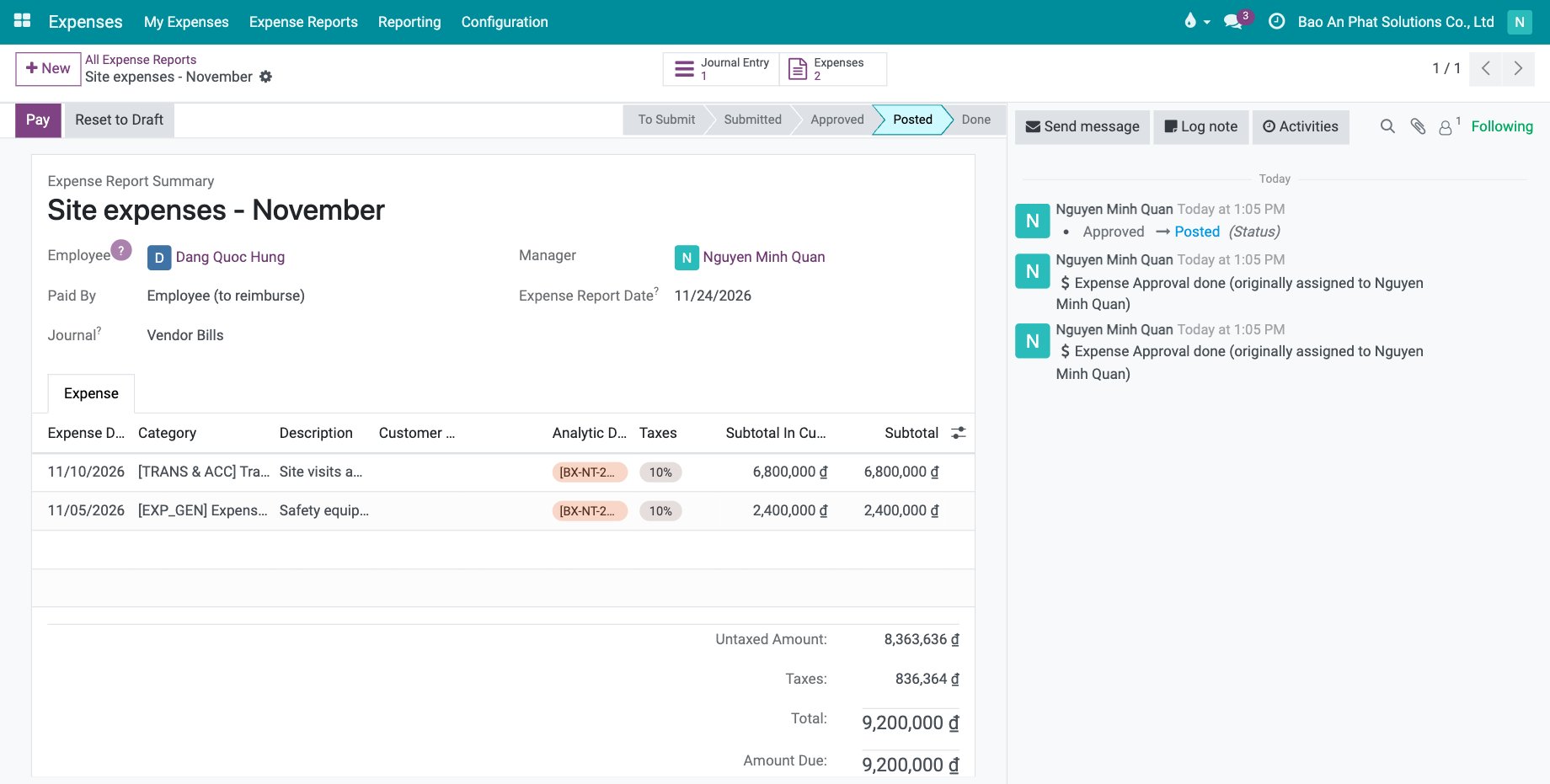
Note
The expenses count as a cost of the project only when their report is Posted. The Dashboard shows the amount without tax, and shows the Expenses line only to the users who have the Expenses: Team Approver role.
How does a timesheet become a cost?
The hours that an employee logs on a task are a cost of the project: Viindoo multiplies the duration by the Hourly Cost of the employee.
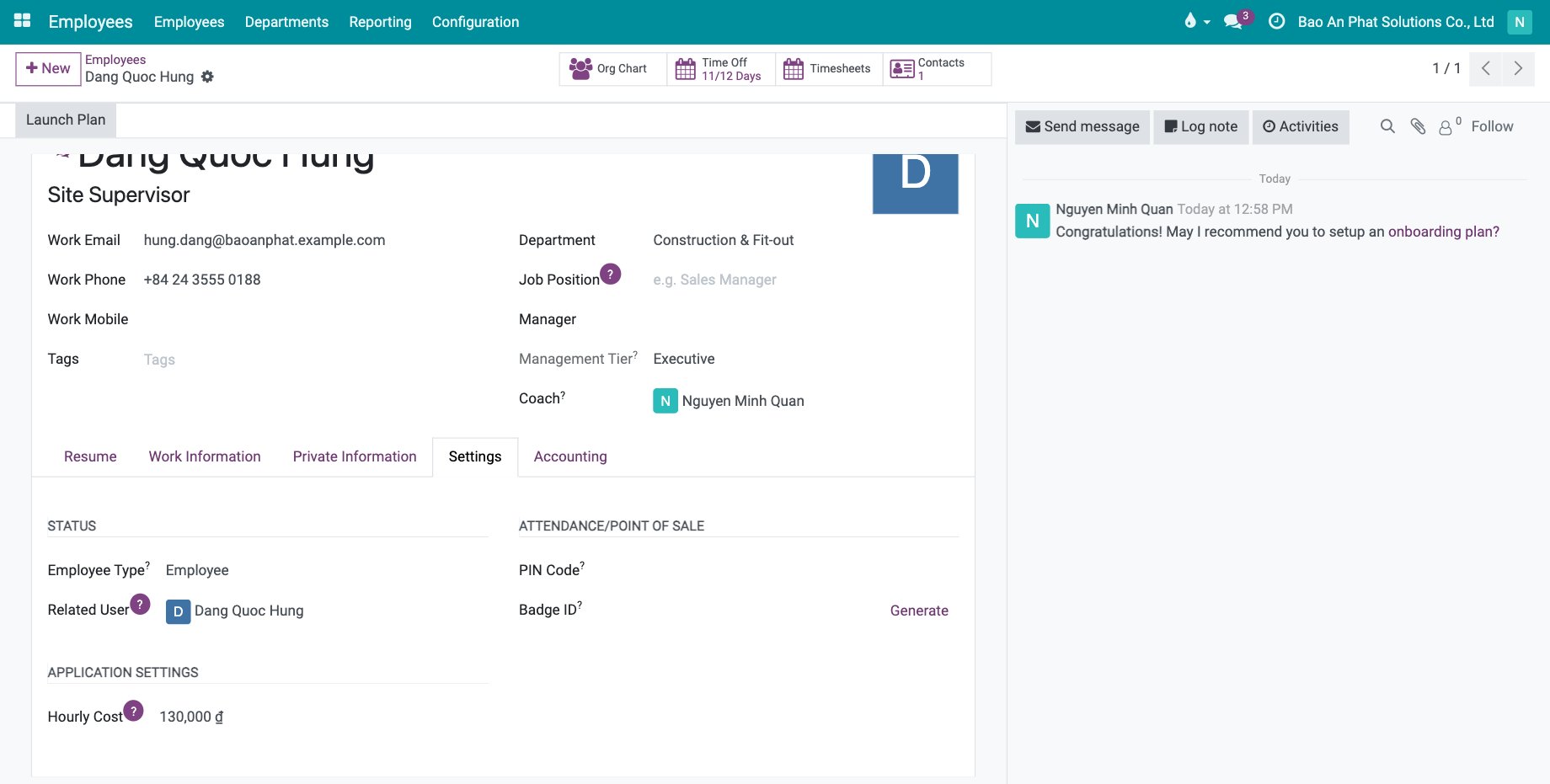
Go to Employees ‣ Employees, open the employee and click the Settings tab.
Fill in the Hourly Cost, then click Save.
![The Hourly Cost field on the form of an employee]()
Open the task, then open the Timesheets tab. Click Add a line to enter the hours, or click Log Timesheet in the header of the task to start a timer, see Guideline to timesheet in the project.
![The Timesheets tab of a task]()
To see the hours of the whole project, open the Dashboard of the project and click Timesheets.
![The timesheets of a project]()
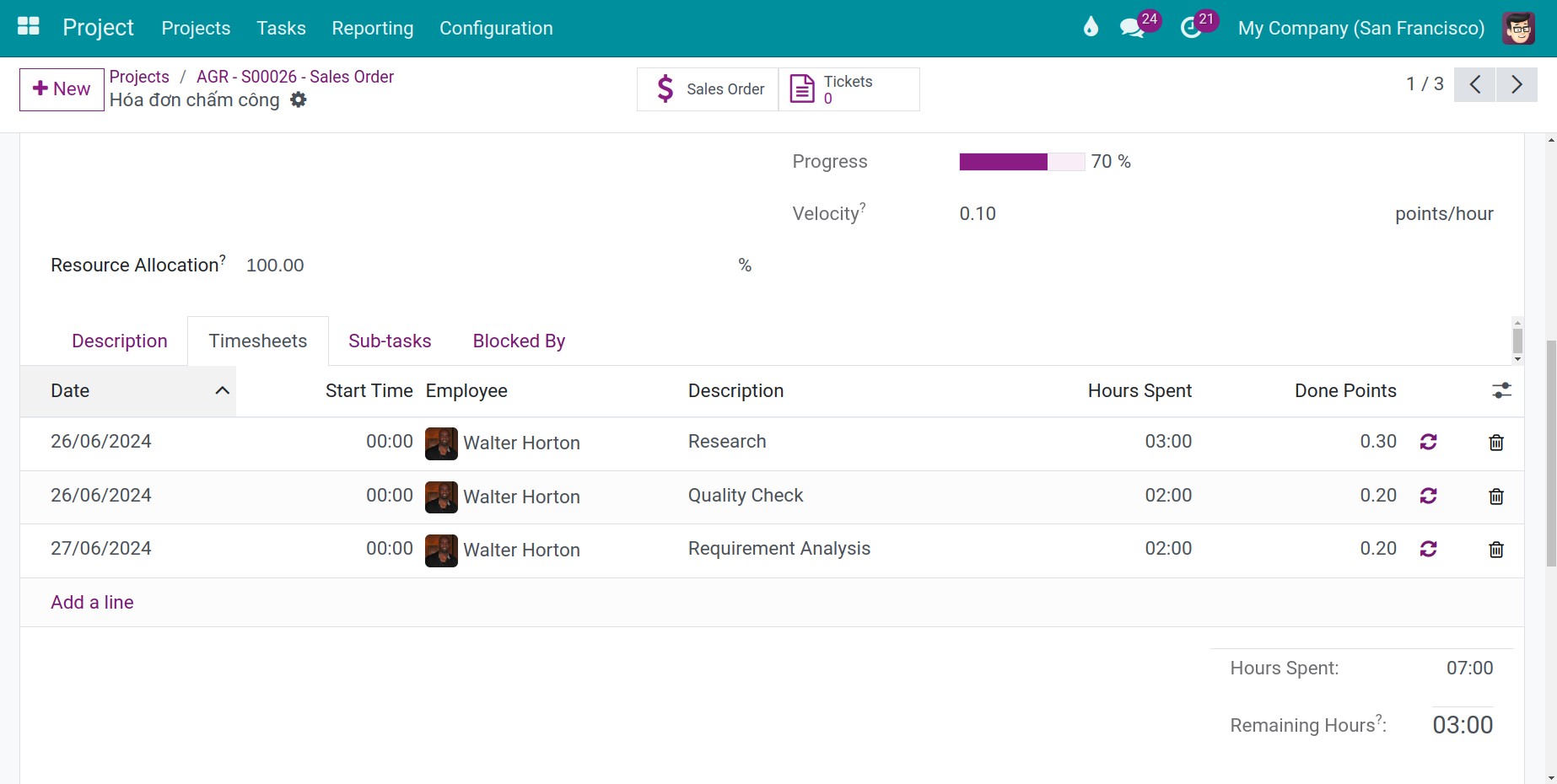
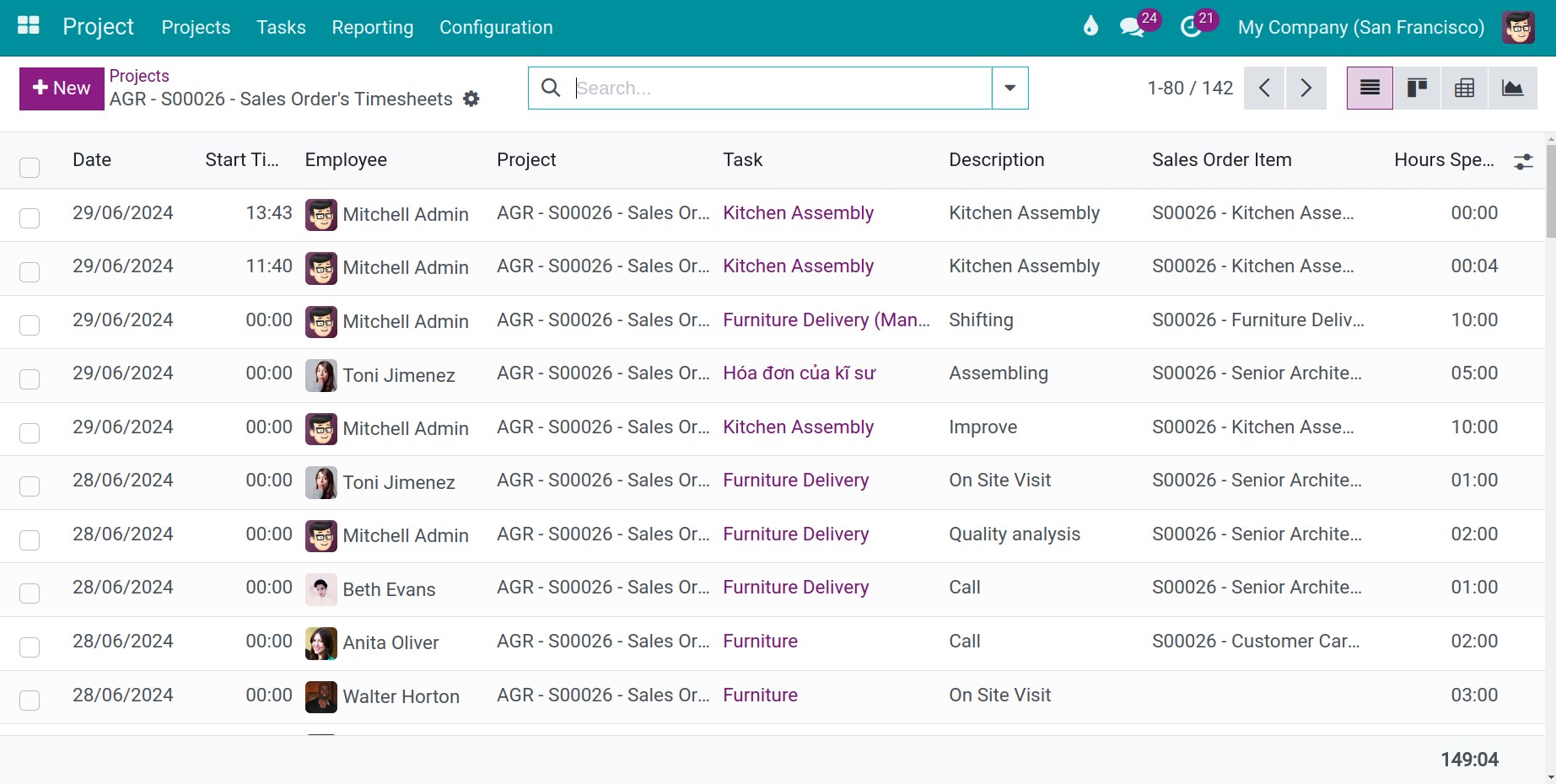
Every timesheet line counts, whatever its approval status. For example, 4 hours of an employee at 130,000 VND per hour add 520,000 VND to the costs of the project.
How do I record a vendor bill on a project?
Go to Accounting ‣ Vendors ‣ Bills and open the bill, or click New.
In the Invoice Lines tab, choose the analytic account of the project in the Analytic column of each line.
Click Confirm.
![A vendor bill with the analytic account of the project on its lines]()
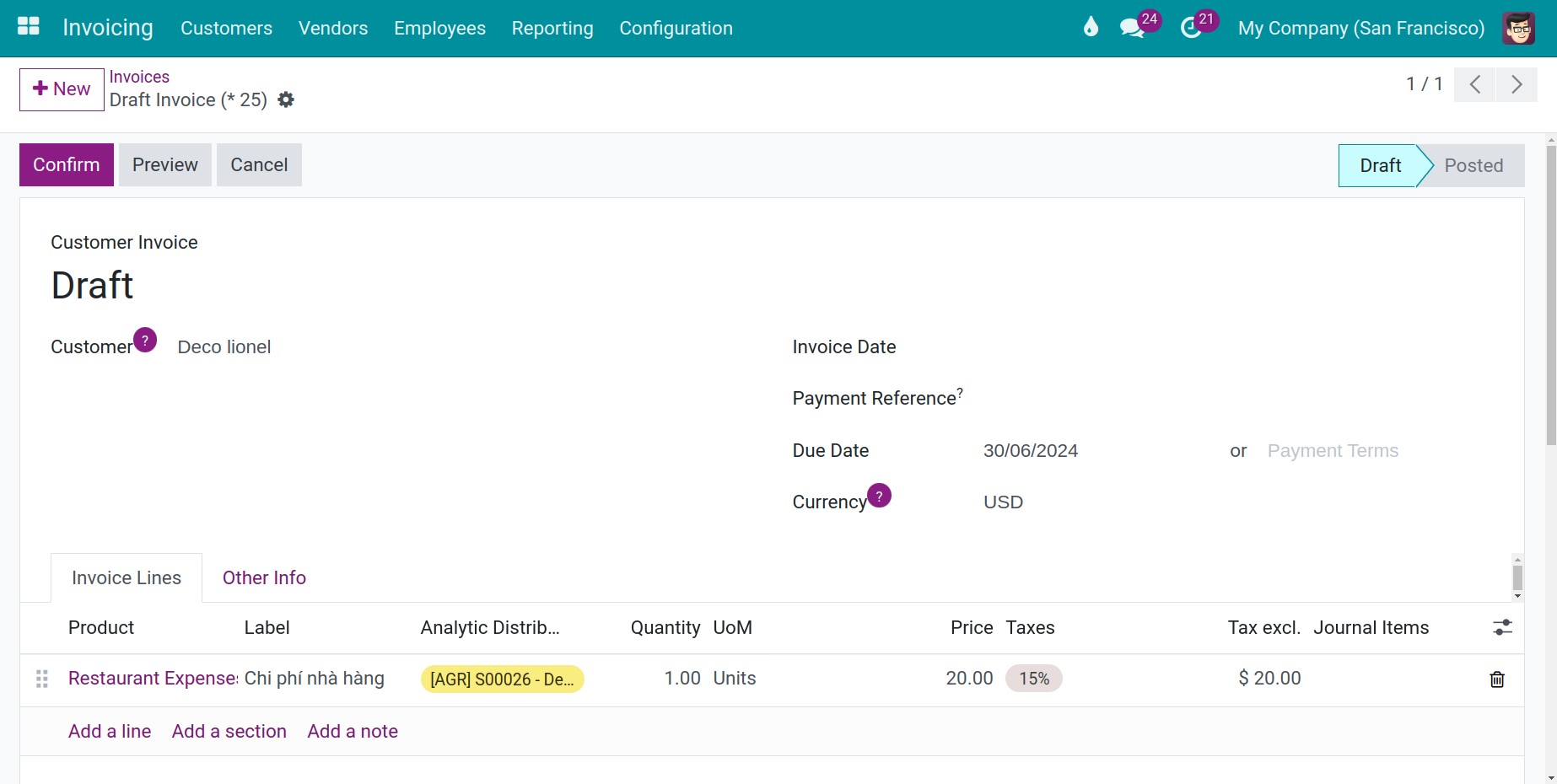
A draft bill counts in To Bill. A posted bill counts in Billed.
How do I see the costs of a project?
From the Dashboard of the project
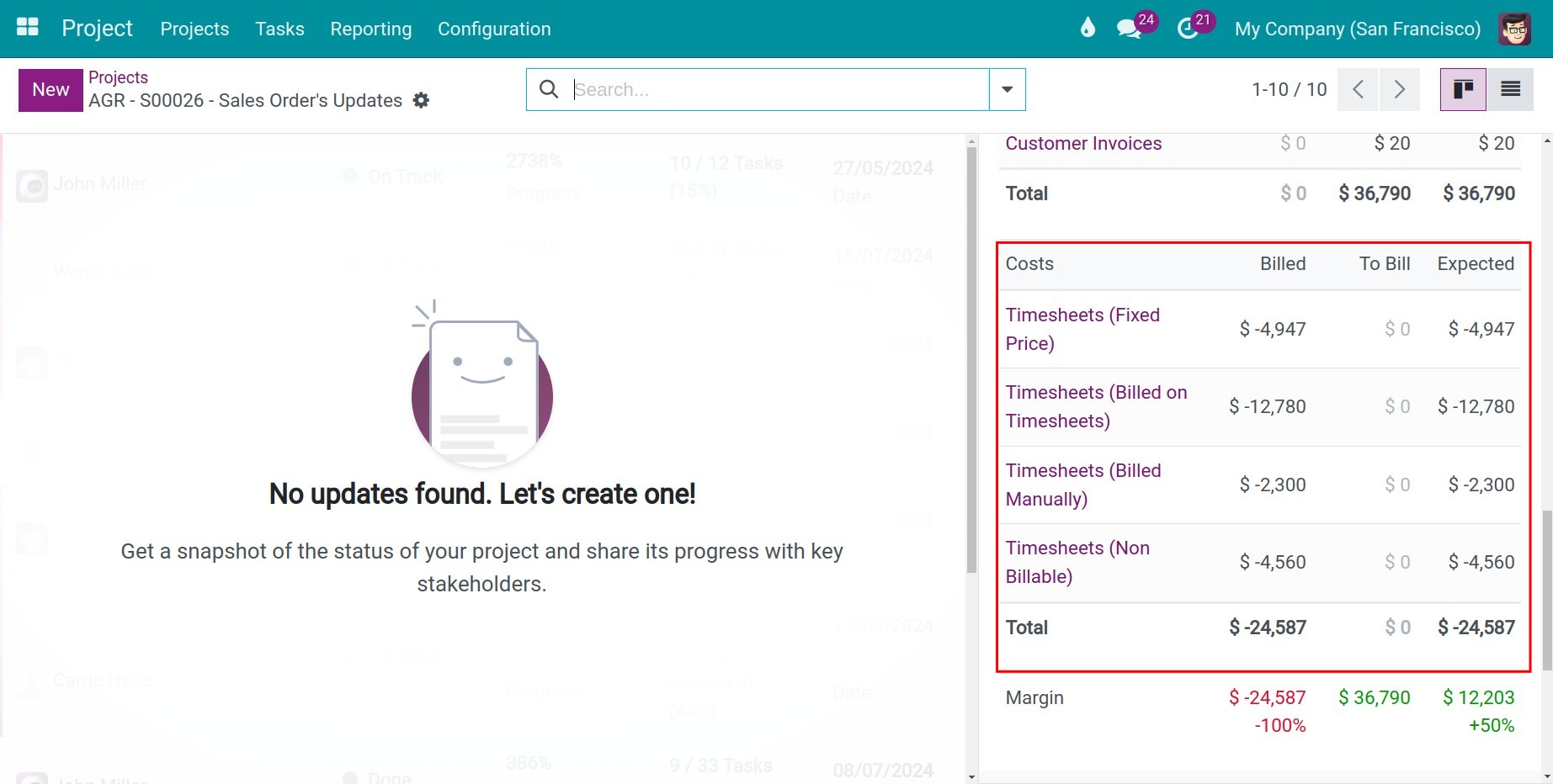
Open the project, click Dashboard, then look at the Costs table of the Profitability block.
Column |
Meaning |
|---|---|
Expected |
The total cost: Billed plus To Bill. |
To Bill |
The cost of the draft vendor bills. |
Billed |
The cost already recorded: the timesheets, the posted vendor bills and the posted expense reports. |
Each line of the table is a source of cost: the timesheets (one line per billing type of the time), the Vendor Bills and the Expenses. The Total line compares the costs with the revenues, see How to record and follow project revenue.
From the analytic account
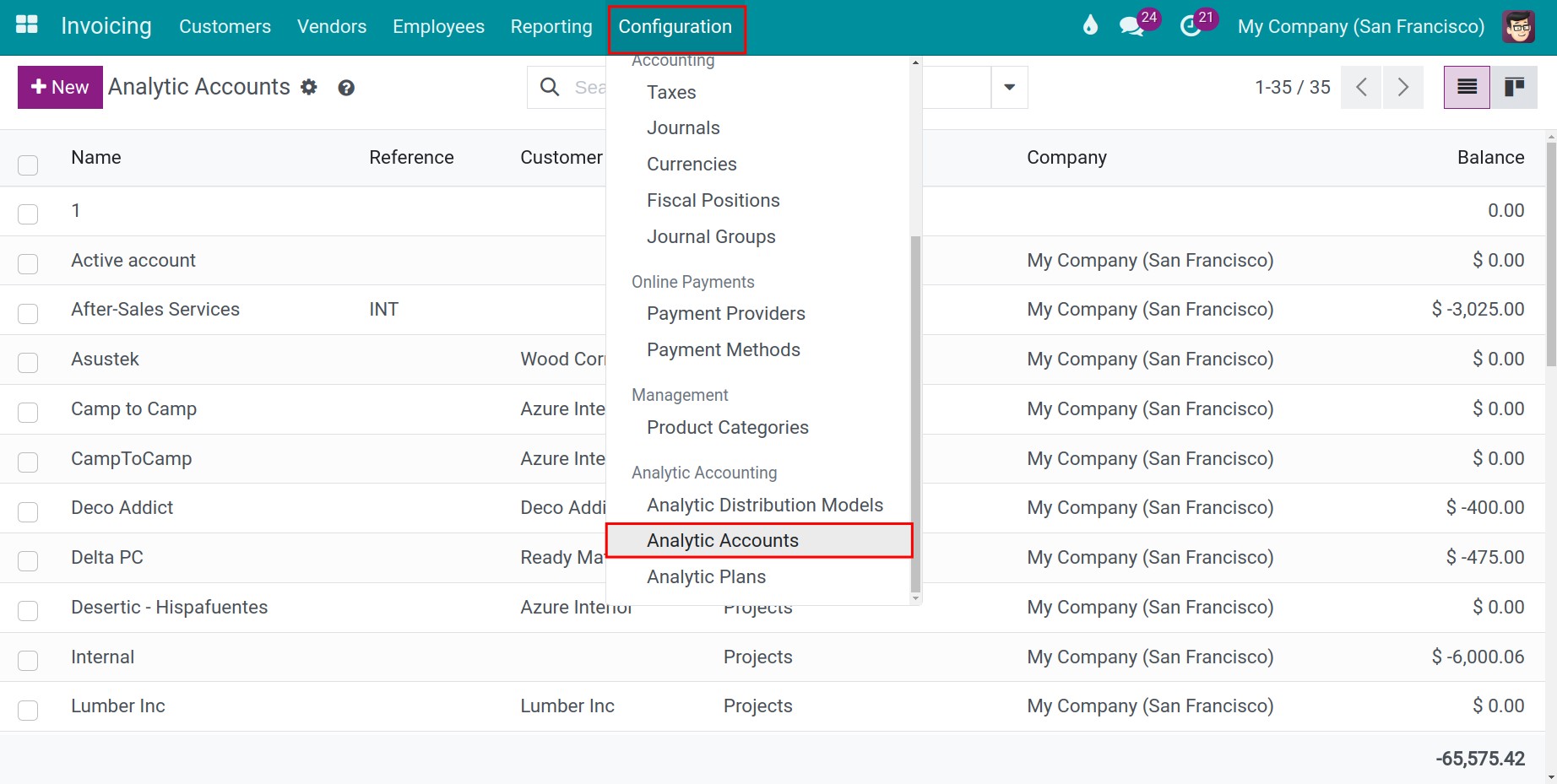
Go to Accounting ‣ Configuration ‣ Analytic Accounting ‣ Analytic Accounts and search for the project.
![The list of analytic accounts filtered on a project]()
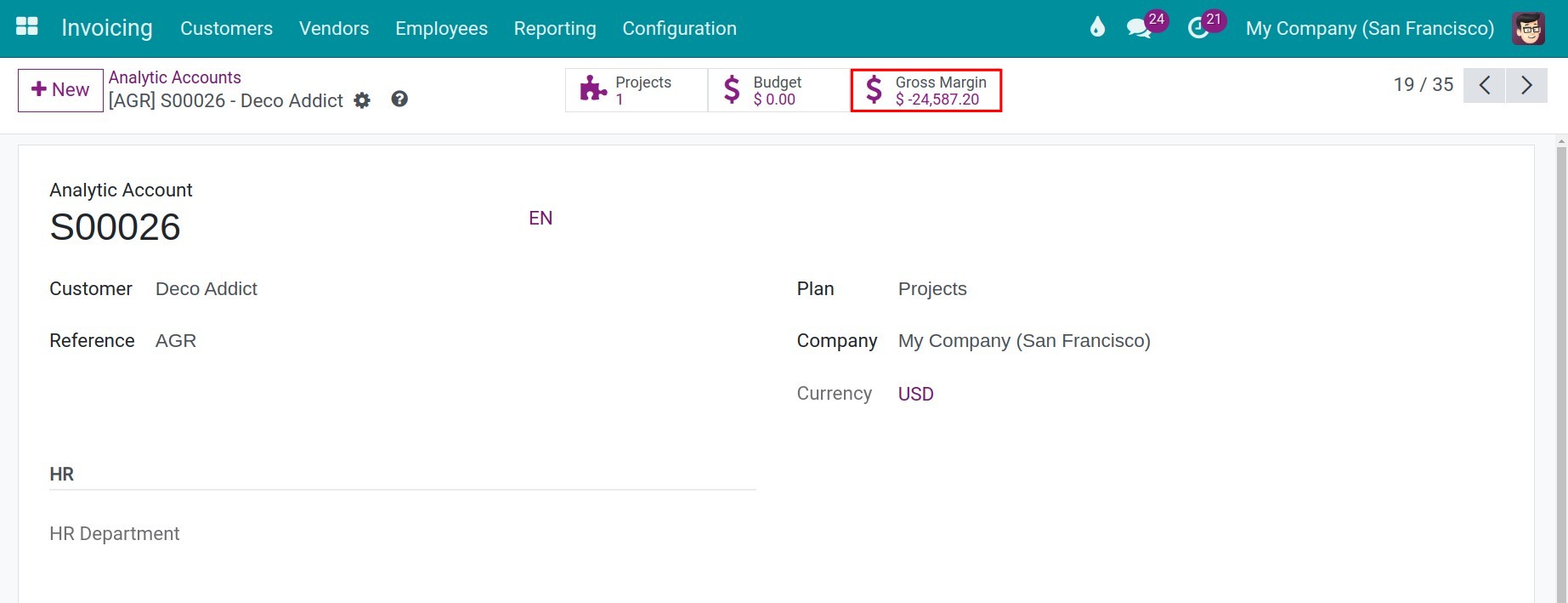
Open the account and click Gross Margin.
![The analytic account of a project with the Gross Margin button]()
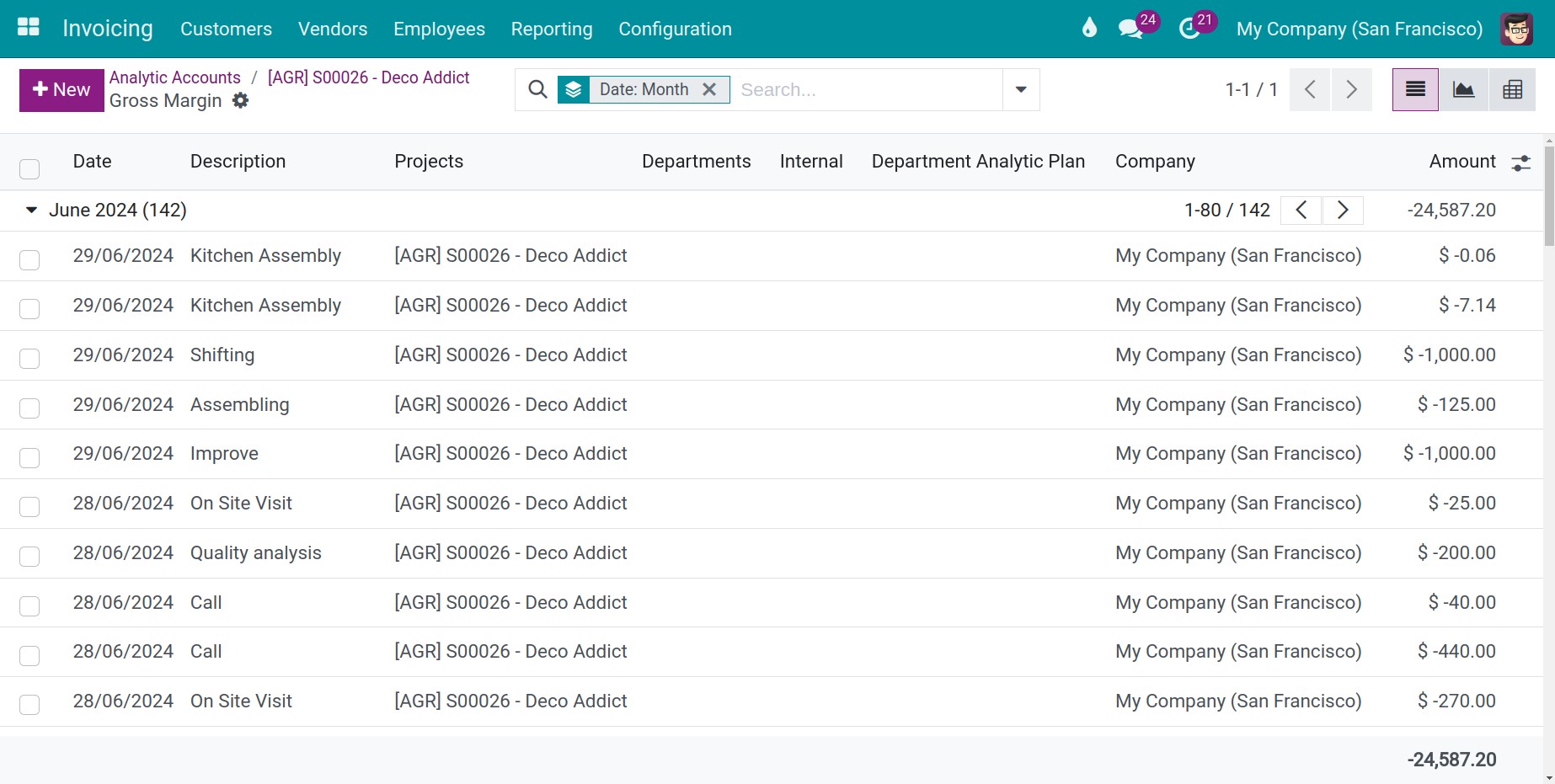
The list shows every cost and revenue of the project. The costs are negative numbers.
![The analytic items of a project grouped by month]()
Note
The list shows only what you are allowed to see: the lines of the invoices and the vendor bills need an accounting role such as Accounting: Invoicing, and the timesheet lines need the Timesheets: User: all timesheets role.
Common errors
Problem |
What to do |
|---|---|
The Analytic tab or the Analytic Distribution field is missing. |
Activate Analytic Accounting in the Accounting settings. |
An expense is not in the Costs table. |
Its report is not Posted yet, or the expense has no analytic account. |
A timesheet adds 0 to the costs. |
The Hourly Cost of the employee is empty. |
A vendor bill is not in the Costs table. |
The bill has no analytic account on its lines. |
Next steps
How to record and follow project revenue: record what the project earns.
Track employee costs in project management: follow the cost of the employees in the analytic accounts.
See also
Related articles
Optional modules