
Subcontracting under blanket orders
When the price and the terms of a subcontractor are agreed for a period, the subcontracted work is ordered under a blanket order. A subcontracting request can create that blanket order instead of a request for quotation; the purchase orders are then made from the blanket order, and confirming one of them takes its quantity out of production.
Who |
Production managers (Manufacturing ‣ Administrator), who apply the requests; purchasing staff (Purchase ‣ User), who order from the blanket order. |
App |
Manufacturing, Purchase |
Before you start
Install the MRP Subcontracting Request & Purchase Requisition module. The purchase agreements are installed with it.
The product has a bill of materials to make it and a subcontracting bill of materials, see Approving Subcontracting request.
The example of this article subcontracts 6 of the 10 Oak wall shelves of an order to Coating subcontractor A.
How do I create a blanket order from a subcontracting request?
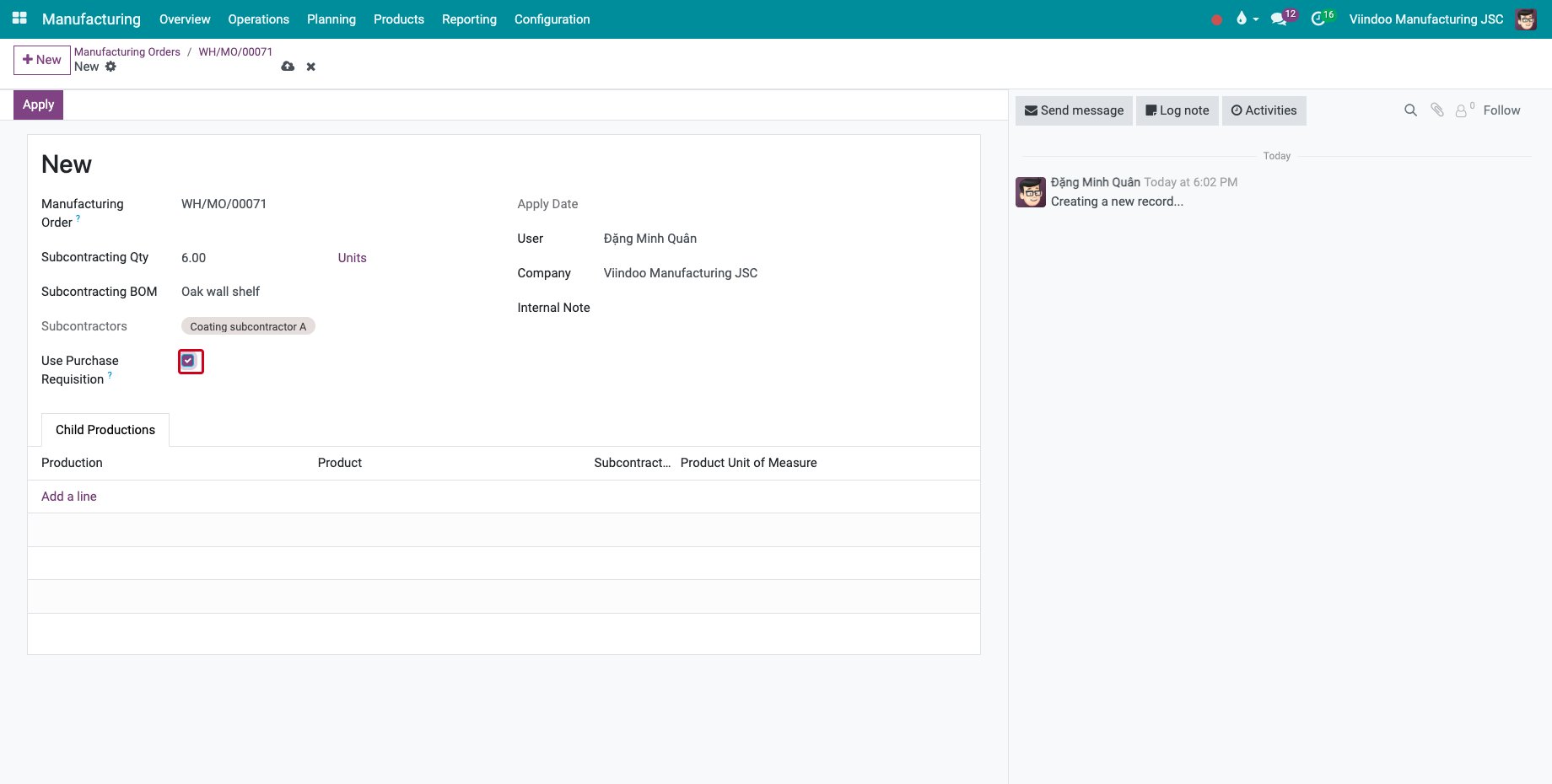
On the manufacturing order, choose Create Subcontracting Request in the gear menu. Fill in the Subcontracting Qty, the Subcontracting BOM and the Subcontractors, and tick Use Purchase Requisition.
![The subcontracting request with Use Purchase Requisition ticked]()
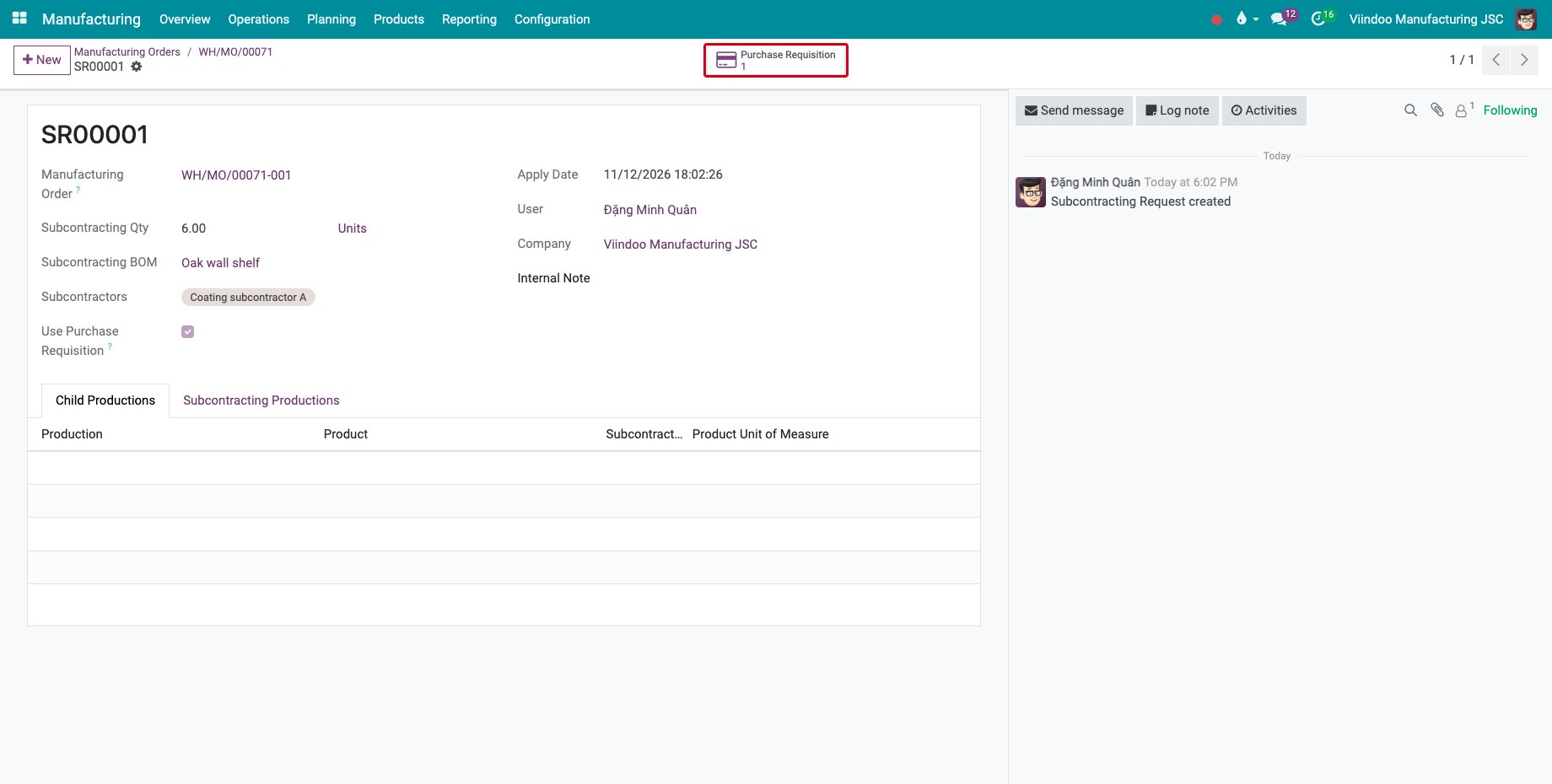
Save and click Apply, then confirm. The manufacturing order is split, and a blanket order is created instead of a request for quotation. The Purchase Requisition button opens it.
![The applied request with its Purchase Requisition button]()
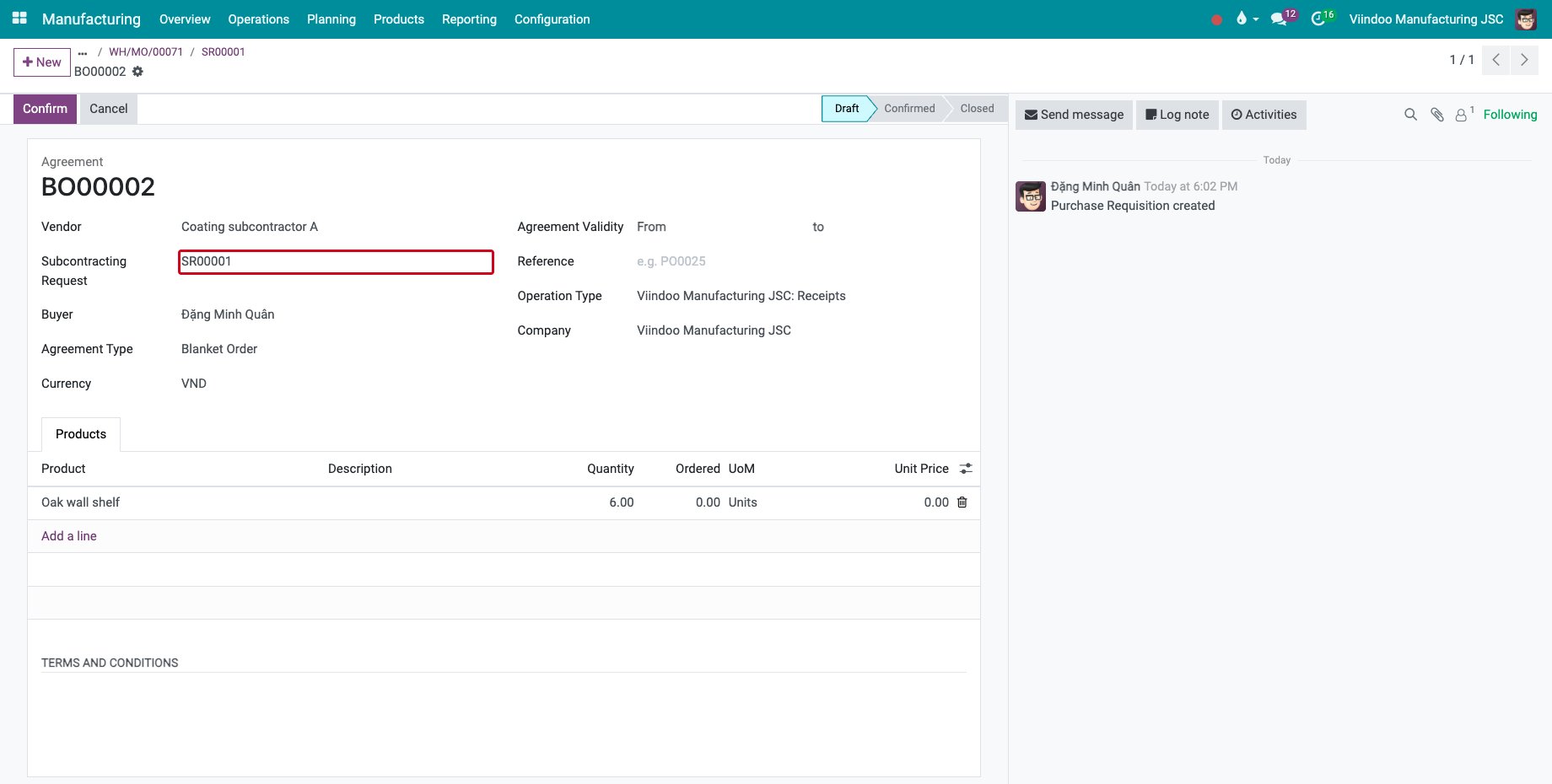
The blanket order names the subcontractor as Vendor and the request in Subcontracting Request, with one line for the subcontracted quantity. Its unit price is the cost of the product: type the agreed price.
![The blanket order linked to the subcontracting request]()
How do I order from the blanket order?
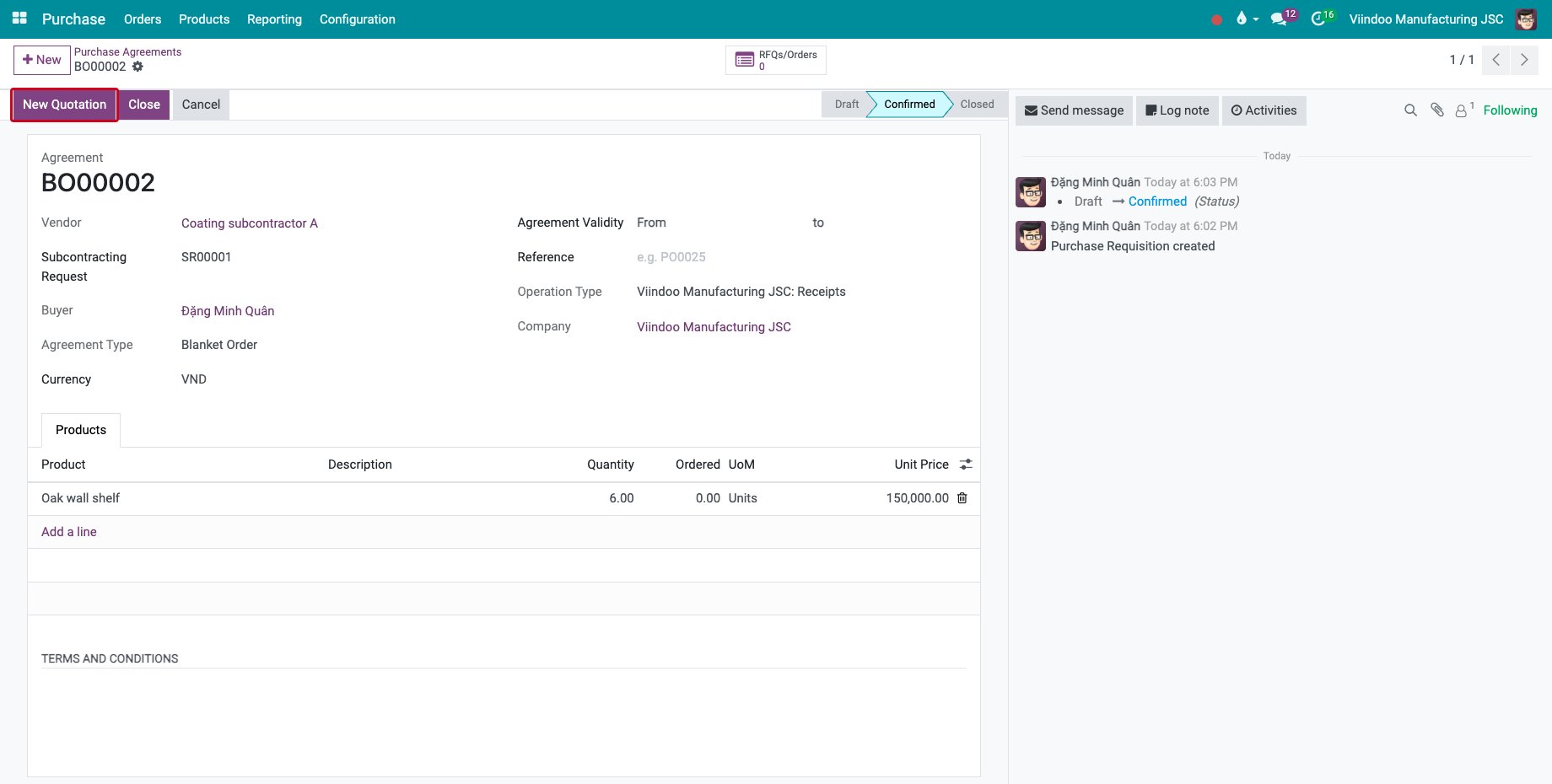
Click Confirm on the blanket order, then New Quotation.
![The confirmed blanket order with the New Quotation button]()
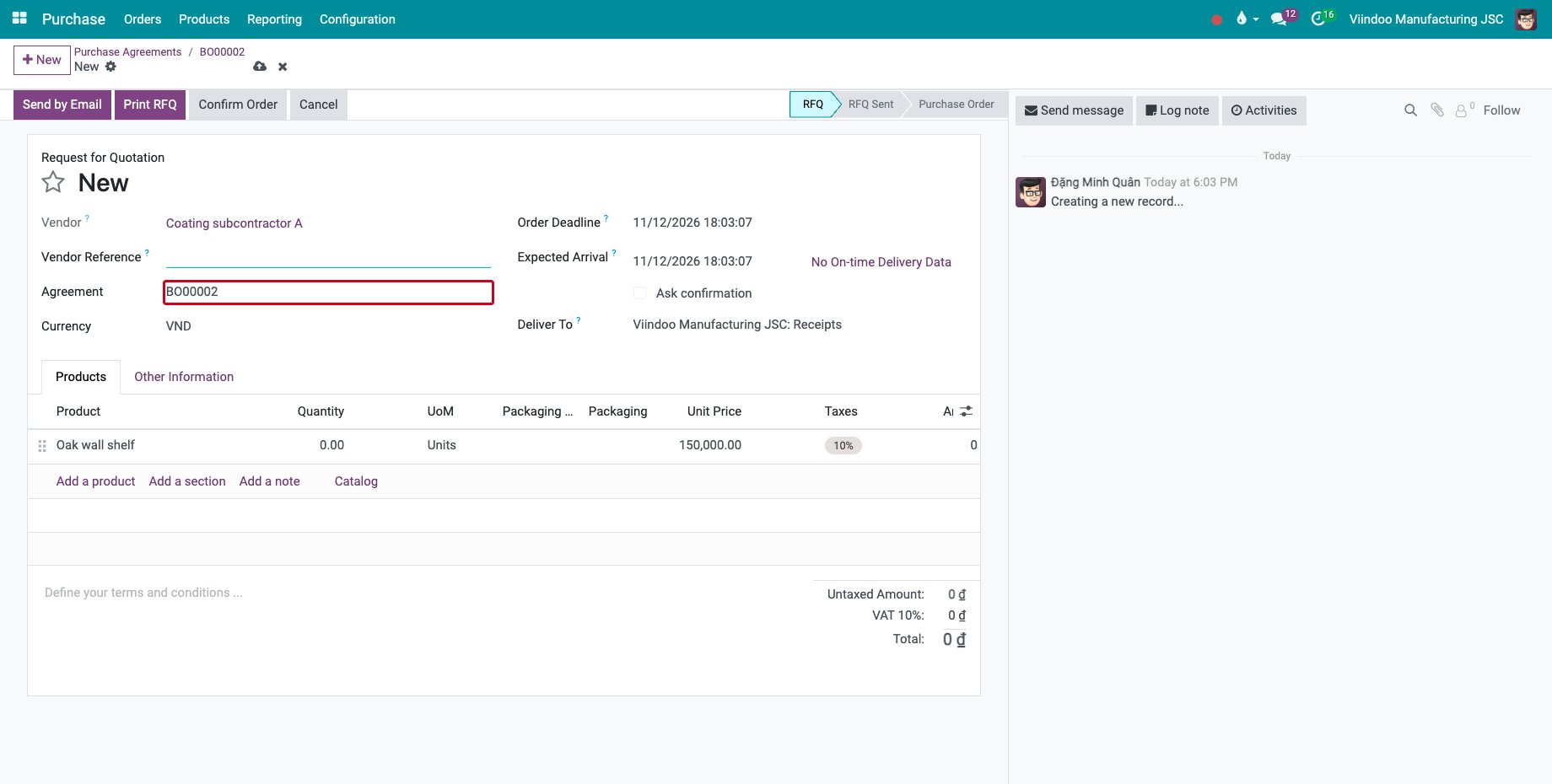
The request for quotation is linked to the blanket order in Agreement and takes its price. Type the quantity to order and click Confirm Order.
![The request for quotation made from the blanket order]()
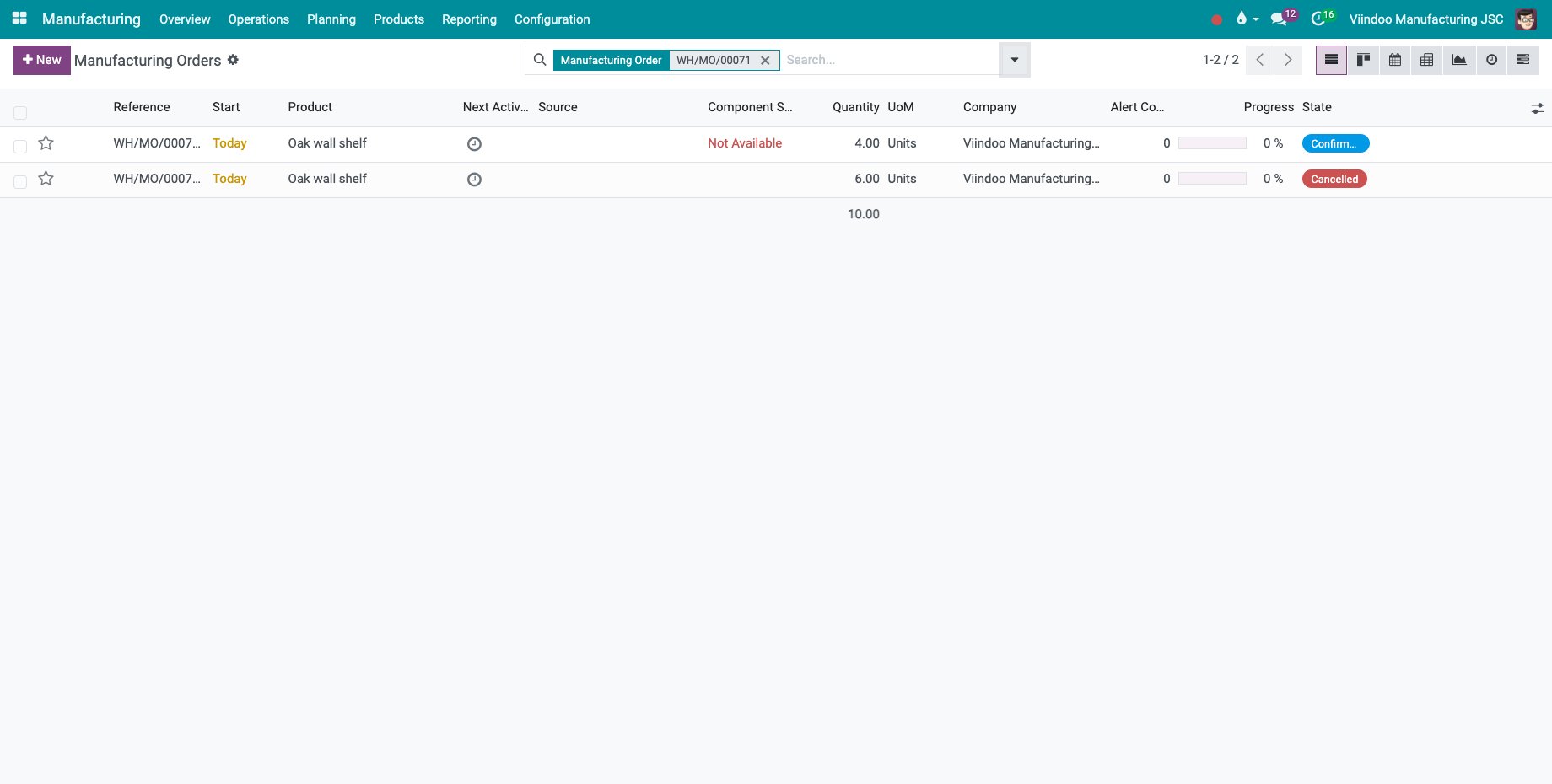
Confirming the order cancels the subcontracted part of the manufacturing order: the subcontractor makes it now. The part kept in-house stays confirmed.
![The in-house part confirmed and the subcontracted part cancelled]()
Purchase agreements are explained in How to buy from a vendor with a blanket order.
Common errors
Problem |
What to do |
|---|---|
Only one confirmed purchase requisition is allowed to be linked to a subcontracting request. |
Use the confirmed blanket order of the request, or cancel it before confirming another one. |
Use Purchase Requisition cannot be changed. |
The request is already applied. |
The Apply button is missing. |
Applying needs the Manufacturing ‣ Administrator access right, and a request is applied once. |
Next steps
The Subcontracting Settlements and Reports: settle the materials and read the subcontracting report.