
How to tell warehouses from locations and organize your storage
A warehouse is a place of your company with its own address, such as a warehouse building. A location is a place inside it, such as a zone, a shelf or a bin, or a virtual place such as Customers or Inventory Loss. One warehouse contains many locations, arranged as a tree. Create a new warehouse only when the site needs its own receipt and delivery operations; otherwise add locations to the warehouse you already have.
Who |
Users with the Inventory Administrator access right. |
App |
Inventory ‣ Configuration |
Before you start
Install the Inventory app (see How to install Inventory and give users access to it).
To create and manage several locations, turn on Storage Locations in . Creating a second warehouse turns it on for you.
What is a warehouse?
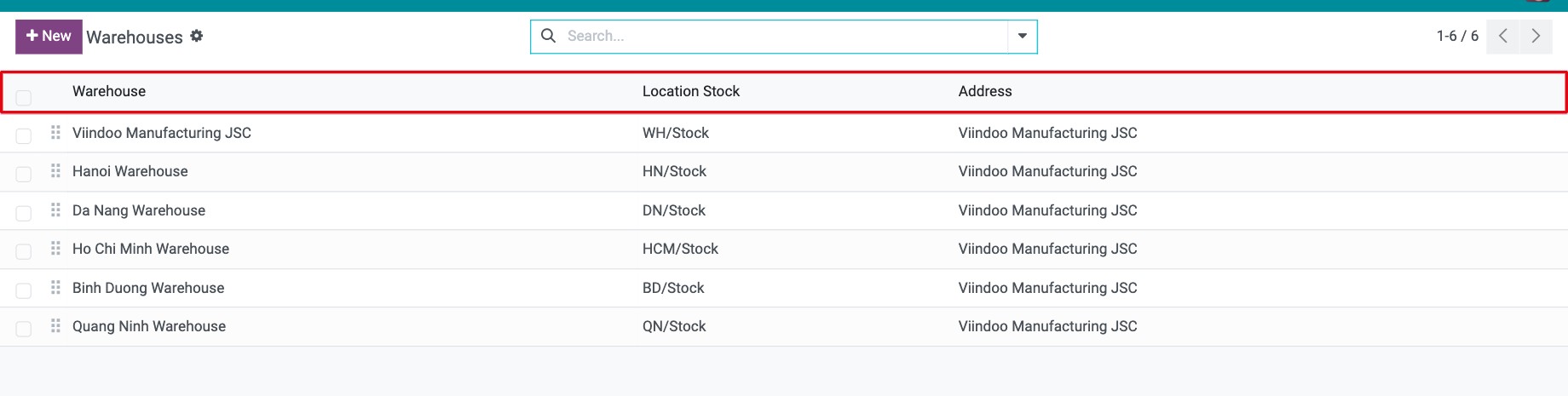
A warehouse is identified by its Warehouse name, a Short Name of up to 5 characters and an Address. The name and the short name must be unique in each company.
When you create a warehouse, Viindoo also creates for it:
its stock locations: a View location named after the short name (for example WH) and the internal location WH/Stock where products are stored;
its operation types, such as Receipts, Internal Transfers and Delivery Orders, which become the cards of the Inventory overview;
the routes that run receipts and deliveries in 1, 2 or 3 steps.
What is a location?
A location is a specific place where products are, or pass through. Every location has a Location Type:
Location type |
Use it for |
|---|---|
Internal Location |
A physical place inside your own warehouse where products are stored: stock area, shelf, rack, bin. |
View |
A virtual group that gathers its child locations to build the tree of your warehouse, for example WH. It cannot hold products itself. |
Vendor Location |
The virtual place products come from when you receive them from a vendor. |
Customer Location |
The virtual place products go to when you deliver them to a customer. |
Inventory Loss |
The counterpart of stock count corrections, for example when you count less than the system says. |
Production |
The counterpart of manufacturing: components are consumed there and finished products come out of it. |
Transit Location |
The place of goods that left one warehouse and have not arrived in the other. |
How do locations fit inside a warehouse?
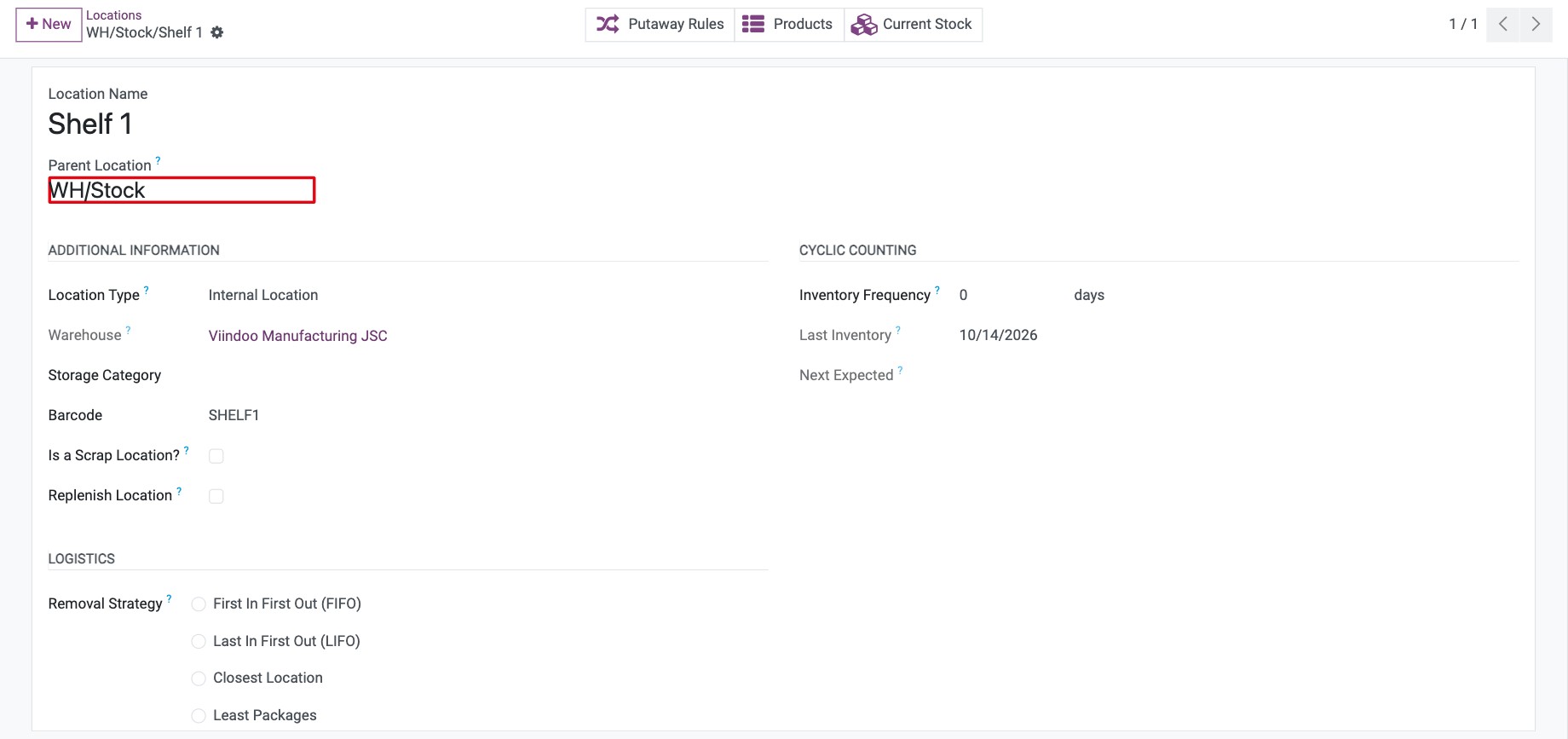
Locations form a tree. Each location has a Parent Location, and its full name shows the path, for example WH/Stock/Shelf 1. Viindoo finds the warehouse of a location from its parents, so you never choose the Warehouse of a location yourself.
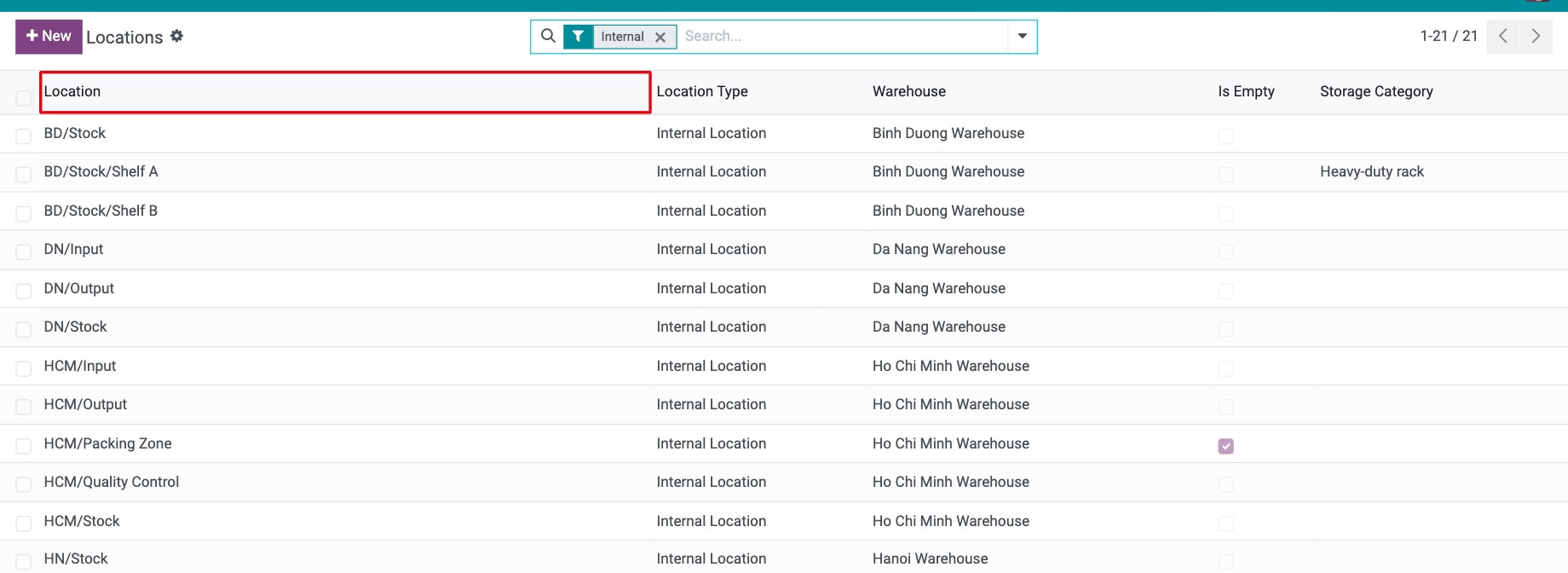
Use the tree to describe how your warehouse is organized, then attach rules to it: a location without its own Removal Strategy uses the one of its parent, Viindoo looks for the supply rule of a location in its parent locations when none is found, and putaway rules decide where received products are stored.
Should I create a warehouse or a location?
If the place… |
Create |
|---|---|
has its own address, or its own company |
A warehouse. |
needs its own receipt, pick, pack or delivery steps |
A warehouse. |
belongs to a building you already manage (zone, shelf, rack, bin) |
A location under that warehouse. |
only differs by where products are kept inside the building |
A location. |
Moving products between two warehouses is a different operation from moving them between two locations of the same warehouse. See How to resupply a warehouse from another warehouse.
Common problems
Problem |
What to do |
|---|---|
The Locations menu is missing. |
Turn on Storage Locations in . |
This location’s usage cannot be changed to view as it contains products. |
Move the products out of the location first, then change its type. |
Internal locations having stock can’t be converted |
A location that holds products cannot change its type or become a scrap location. Move the products out first. |
Next steps
How to create a warehouse and its locations: create a warehouse and its locations.
How to resupply a warehouse from another warehouse: resupply one warehouse from another.
If you also install Multi Warehouse Access Control, you can limit each user to the warehouses and locations they are assigned to. With Inventory Backdate you can enter the date of past transfers.
Version notes
The Multi company stock location account module of earlier versions is not part of this guide.