
How to see where deals are won or lost with a Sankey chart
A Sankey chart shows your deals flowing from stage to stage: each block is a stage (New, Qualified, Proposition, Won, and one block per lost reason), and the width of each link is the number of deals that moved between two stages. It shows at a glance where most deals drop out. Open it from CRM ‣ Sales ‣ My Pipeline (Sankey view) or CRM ‣ Reporting ‣ Conversion Analysis.
Who |
Salespeople see their own deals; users with User: All Documents or Administrator see the whole company. |
App |
CRM, with the Viin CRM Sankey View module |
Before you start
Your opportunities have moved through the stages for some time: the chart is built from the stage changes recorded in each opportunity’s history.
How do I open the Sankey chart of my pipeline?
Go to CRM ‣ Sales ‣ My Pipeline and click the Sankey icon among the view icons at the top right.
![Sankey chart of opportunities by stage in Viindoo CRM]()
Read the chart:
each block is a stage; Action Needed groups new opportunities not moved yet, and each lost reason has its own block;
the numbers next to a block, for example Qualified (5/5), are the deals that came in and those that went out to another stage. When they differ, some deals are still in that stage;
point at a link to see how many deals it represents.
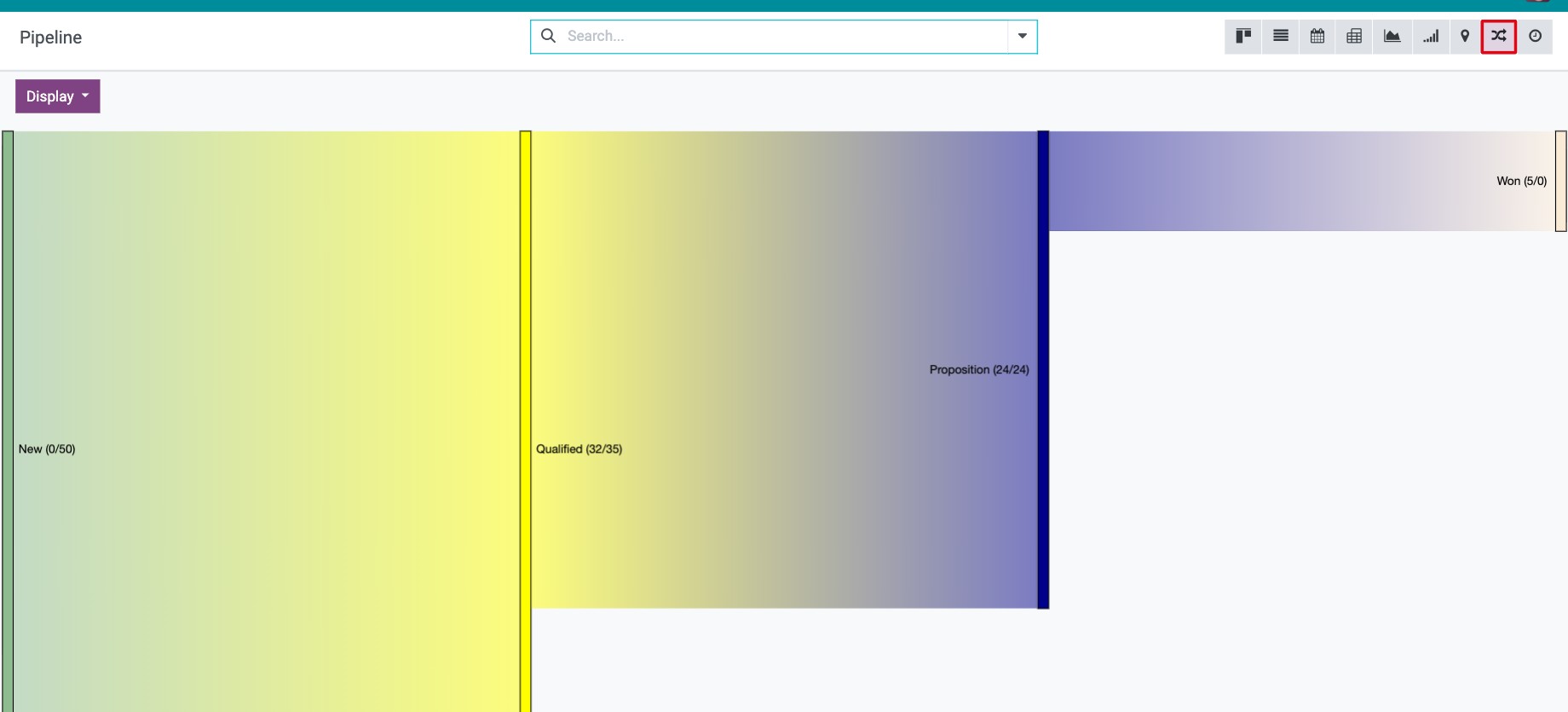
For example, if 7 opportunities entered the pipeline and the Won block shows 2, your win rate is 2 out of 7.
How do I see the conversion from leads?
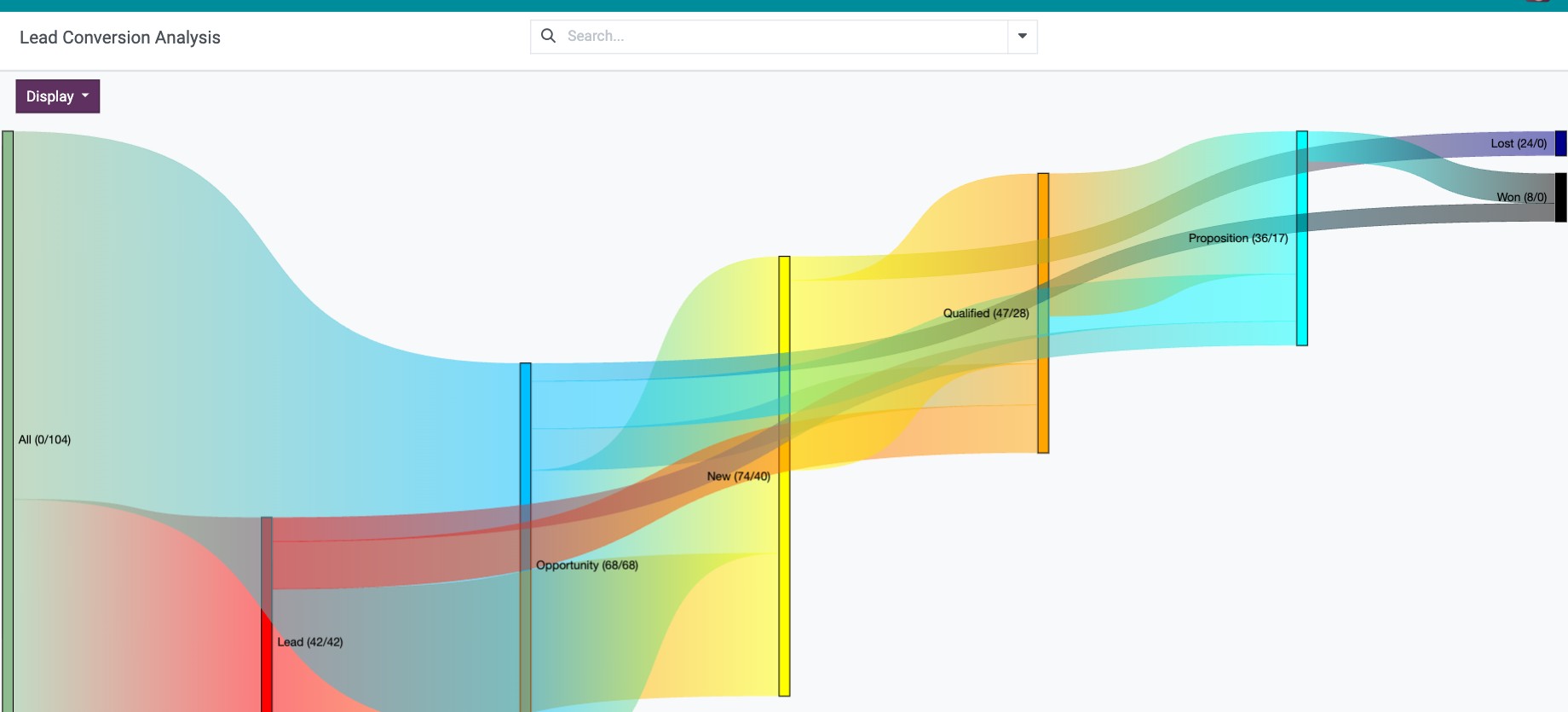
Go to CRM ‣ Reporting ‣ Conversion Analysis. The chart also shows the Lead and Opportunity blocks, so you follow a request from the first contact to the order; the conversion rate is the number of won deals divided by the number of leads.
How do I focus the chart?
Use Filters and Group By in the search bar, for example group by Sales Team to compare teams. See How to search, filter, group and save searches.
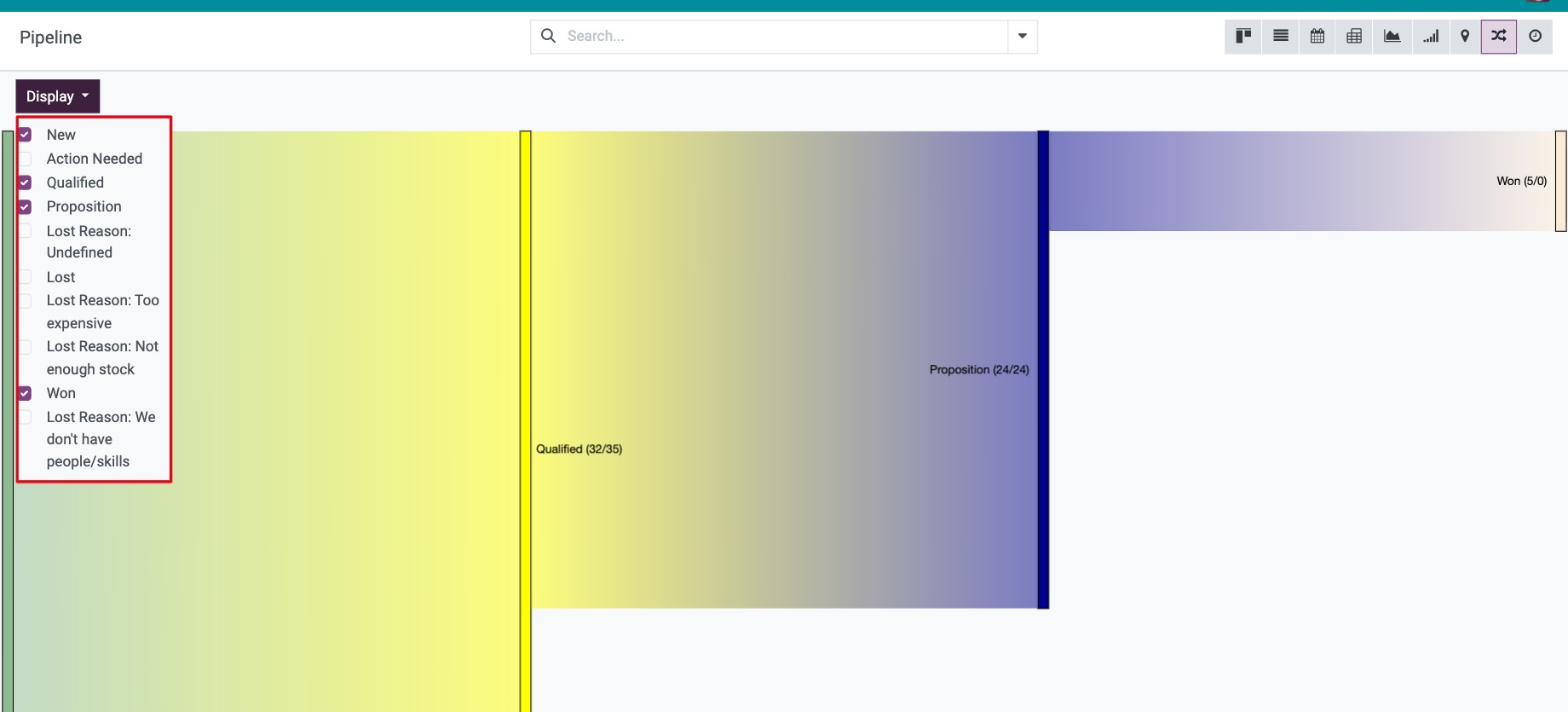
Click Display (top left) and untick the stages you do not want to see.
![Display menu of the Sankey chart with the stages to show]()
Common errors
Message or problem |
What to do |
|---|---|
Probably this come from your filter. Try to change the ‘Display’ option … |
No data matches. Remove filters or tick more stages in Display. |
The chart shows a single block. |
Your opportunities have not changed stage yet. Move them in My Pipeline as deals progress. |
There is no Sankey icon or Conversion Analysis menu. |
Install the Viin CRM Sankey View module. |
Next steps
How to analyze your leads and opportunities in reports: figures by salesperson, team or source.
How to mark an opportunity as lost and restore it later: record why deals are lost.