
How to set up and use branches
A branch in Viindoo is a company that has a Parent Company. To create one, open the parent company in , go to the Branches tab and click Add a line. A branch keeps its own address, orders, stock and accounting entries, but uses the parent company’s currency and fiscal year, and can use its products, taxes, journals and chart of accounts. Users see a branch’s records only if the branch is in their Allowed Companies.
Who |
Users with the Administrator (Settings) access right set up branches. Every user then works in the companies they are allowed. |
App |
Settings (the rules below apply in Sales, Purchase, Inventory and Accounting) |
Before you start
Set up the parent company first: How to set up your company and work with several companies.
The rules for products, orders, stock and accounting apply once the Sales, Purchase, Inventory and Accounting apps are installed; the company, branch and user settings below need only Settings.
Branch or separate company?
Branch (has a Parent Company) |
Separate company |
|
|---|---|---|
Currency, fiscal year |
Same as the parent, read-only |
Its own |
Products, taxes, journals, chart of accounts |
Can use those of the parent, plus its own |
Only its own and shared ones |
Orders, stock, accounting entries |
Its own |
Its own |
Typical use |
Offices or stores of the same legal entity |
Separate legal entities |
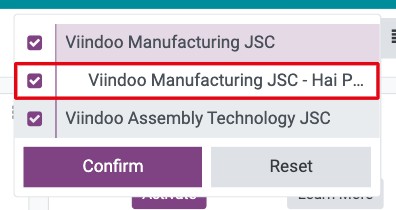
For example, Viindoo Manufacturing JSC is the head office and Viindoo Manufacturing JSC - Hai Phong Branch is its branch.
How do I create a branch?
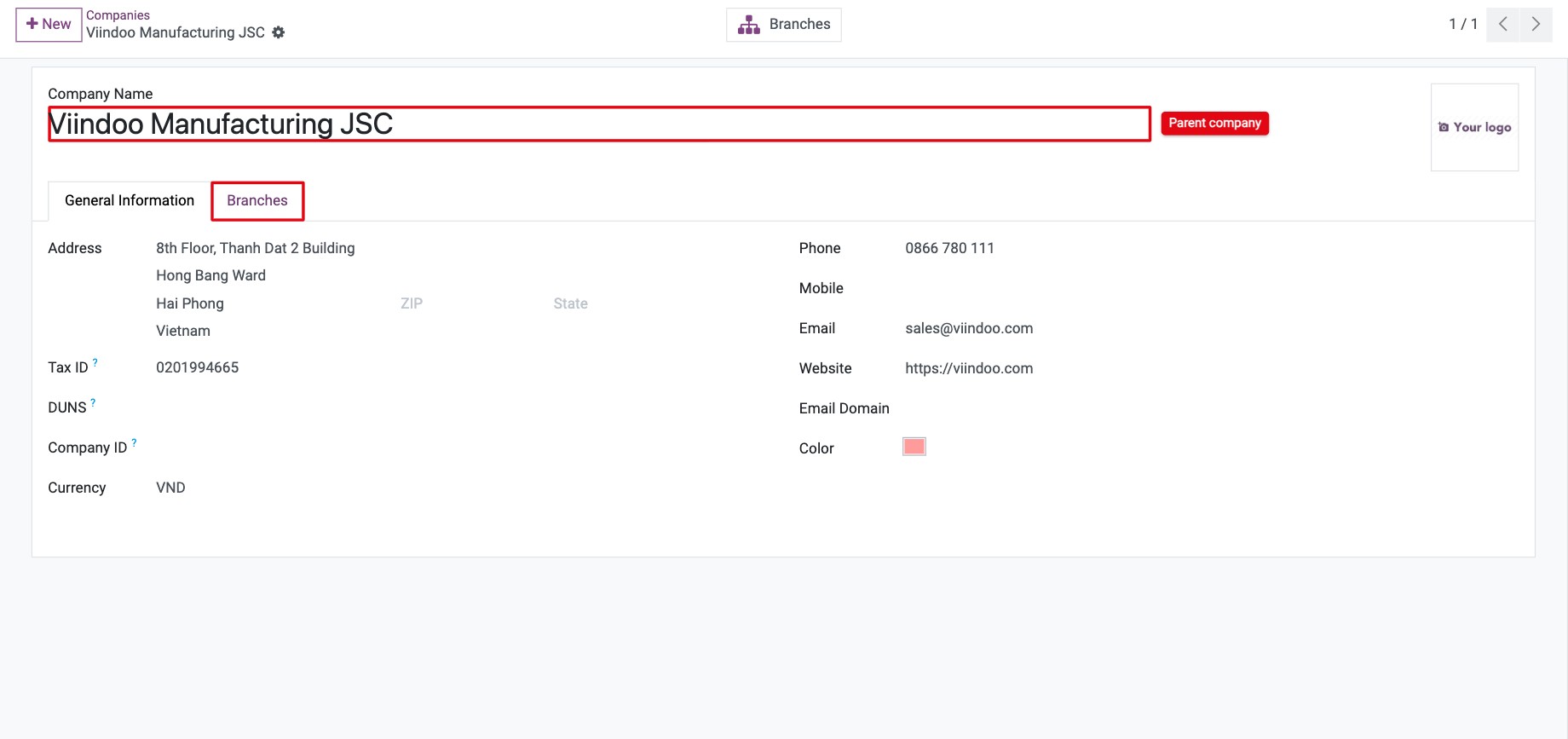
Open the parent company in .
![Form of the parent company Viindoo Manufacturing JSC with its Branches tab]()
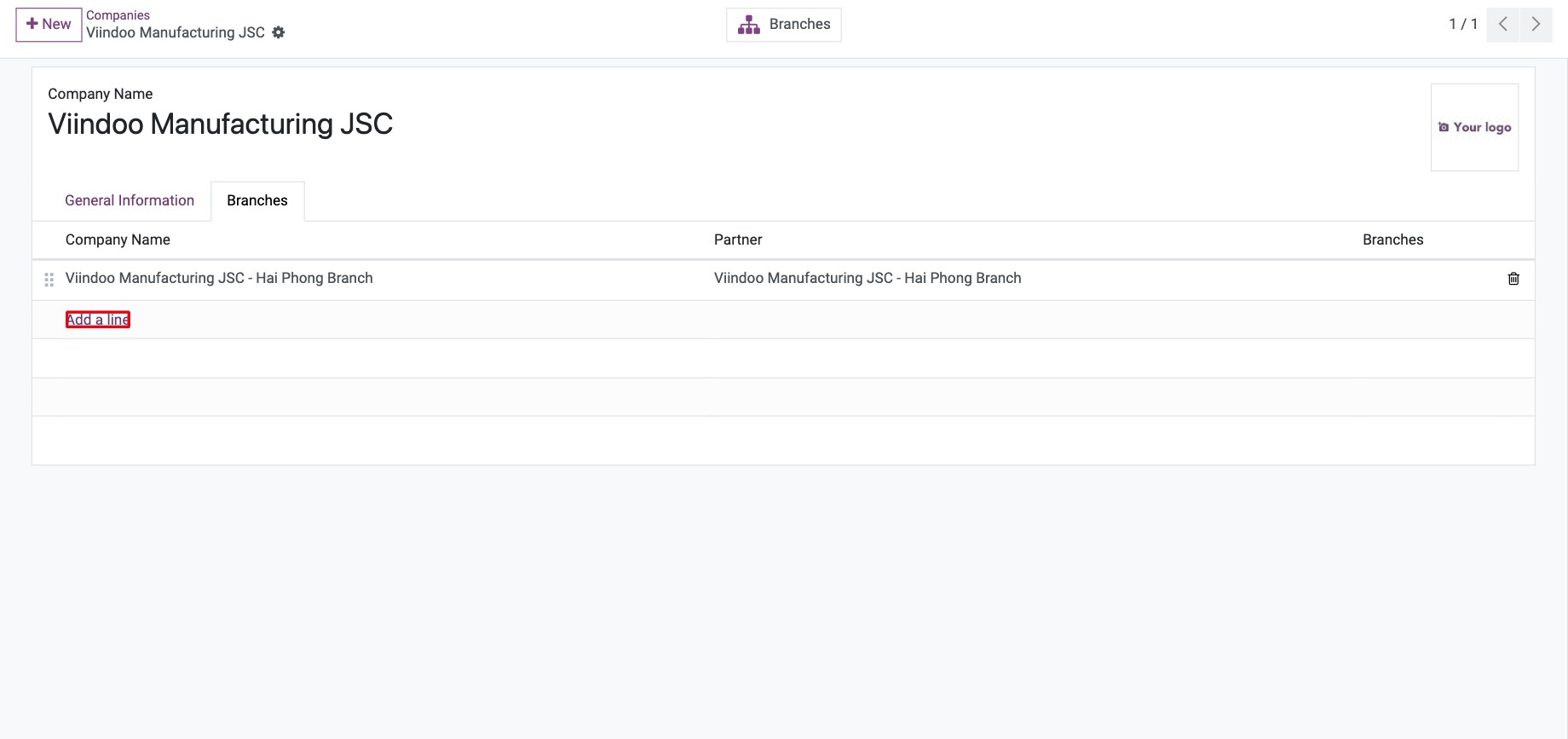
Go to the Branches tab and click Add a line.
![Branches tab of the parent company with Add a line]()
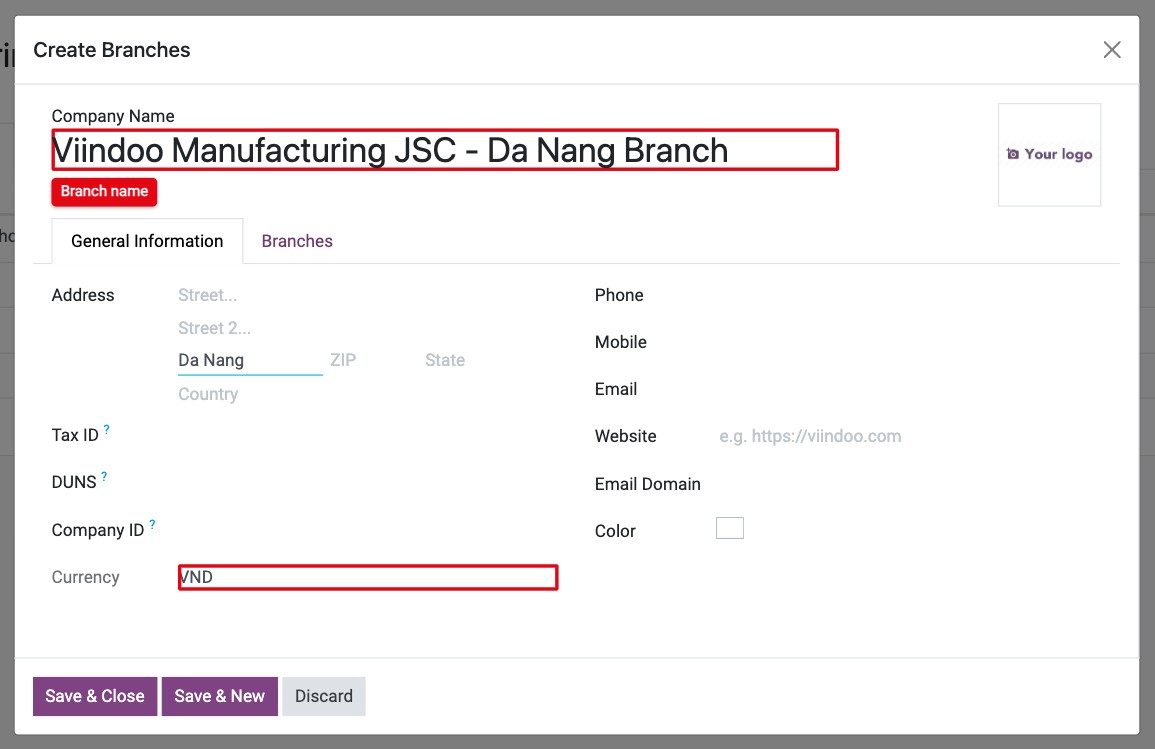
In Create Branches, enter the branch name and address. The Currency comes from the parent company and cannot be changed. Click Save & Close (or Save & New to add another branch).
![Create Branches window with the branch name and the currency taken from the parent company]()
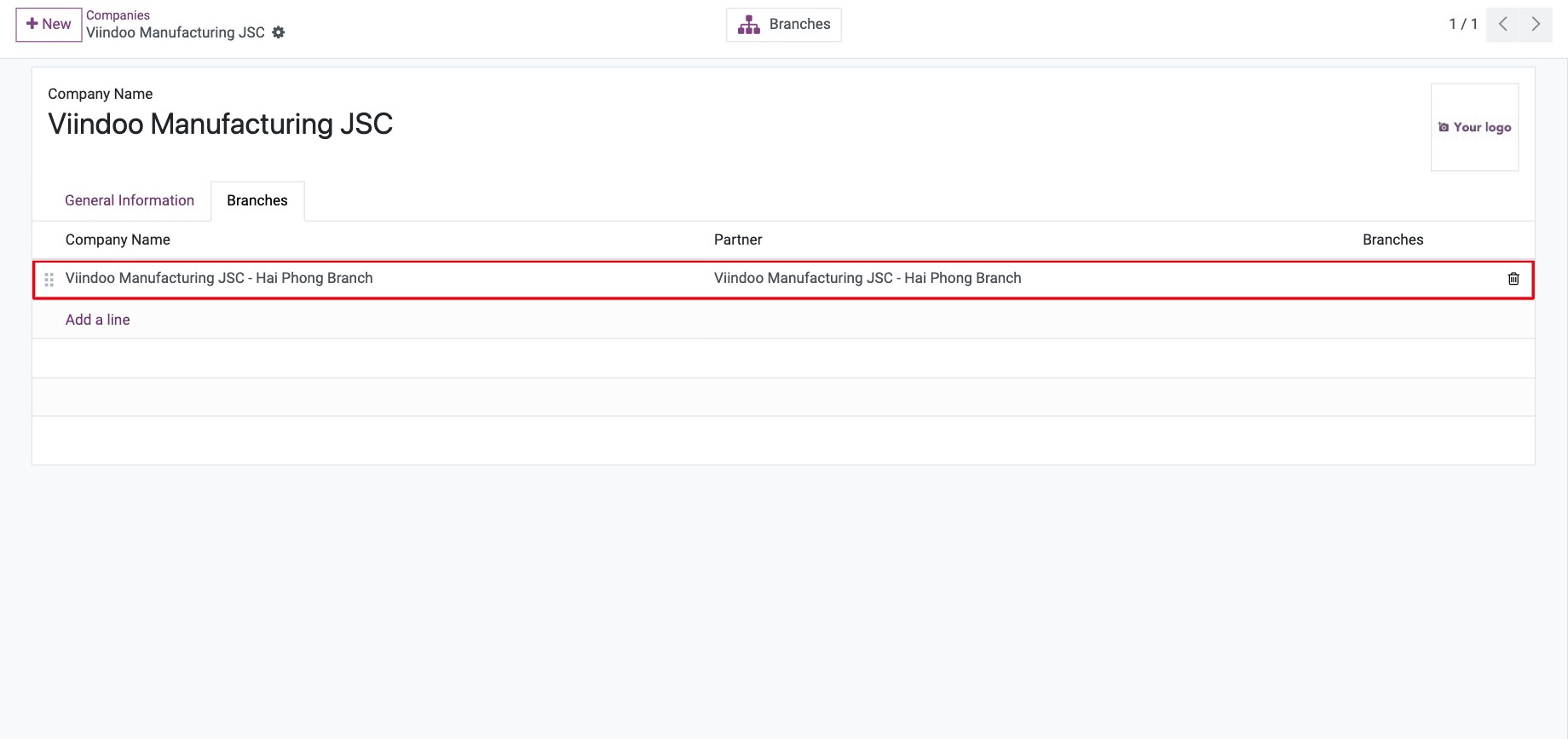
Save the parent company. The Branches tab lists all its branches; there is no limit.
![Branches tab listing the branch of the parent company]()
How do I give a user access to branches?
Go to and open the user.
In Allowed Companies, add the parent company and/or the branches the user works in. In Default Company, choose where the user starts after signing in.
![Allowed Companies and Default Company fields on the user form]()
Save.
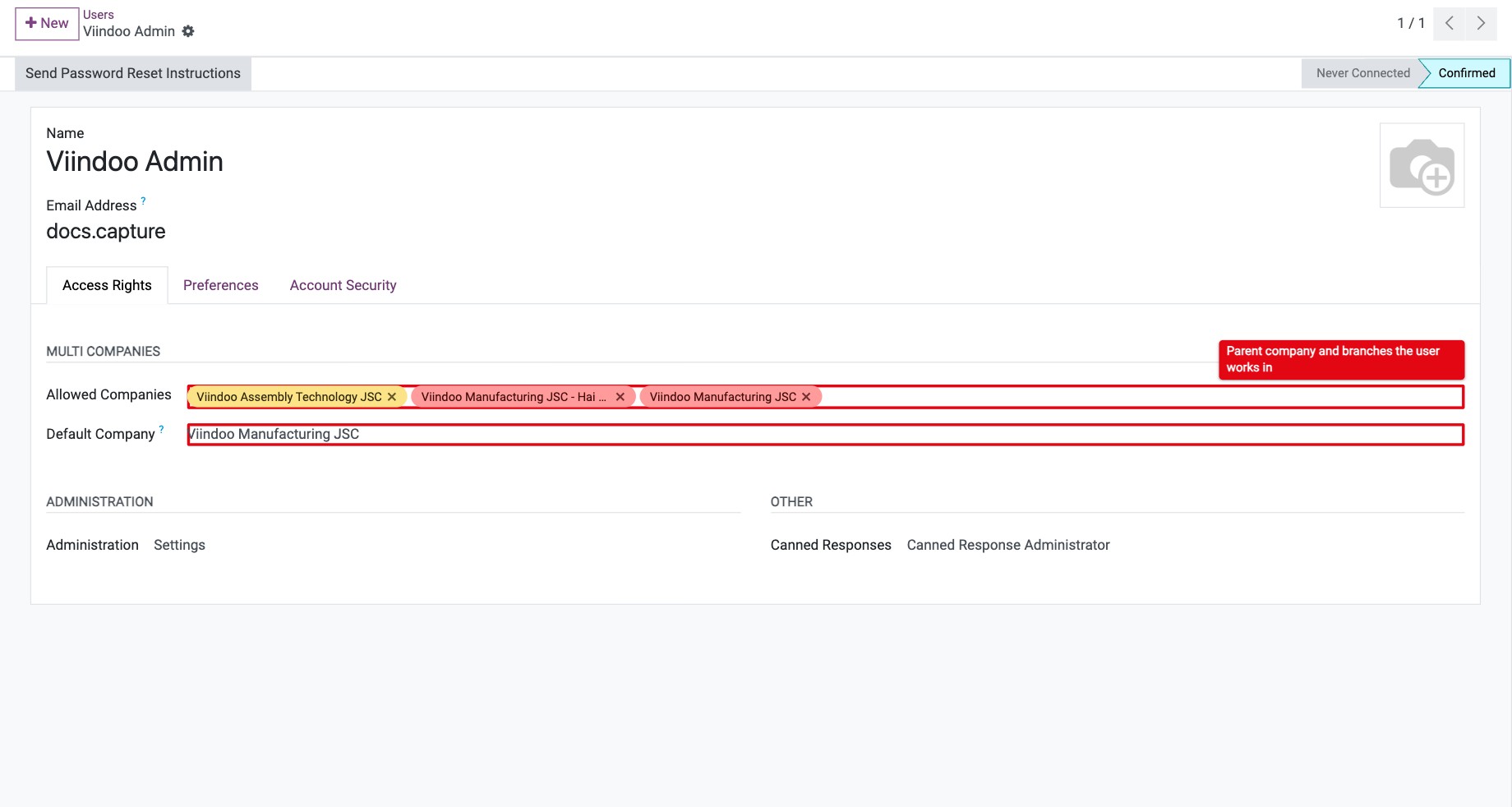
For example, a manager at the head office gets both companies with Viindoo Manufacturing JSC as default company; a salesperson of the Hai Phong branch gets only the branch.
How do branches work in daily operations?
These rules come from the company of each record and the companies the user has selected in the company switcher (top right). Selecting a parent company also selects its branches; untick the ones you do not want to see.
Area |
What happens |
|---|---|
Products |
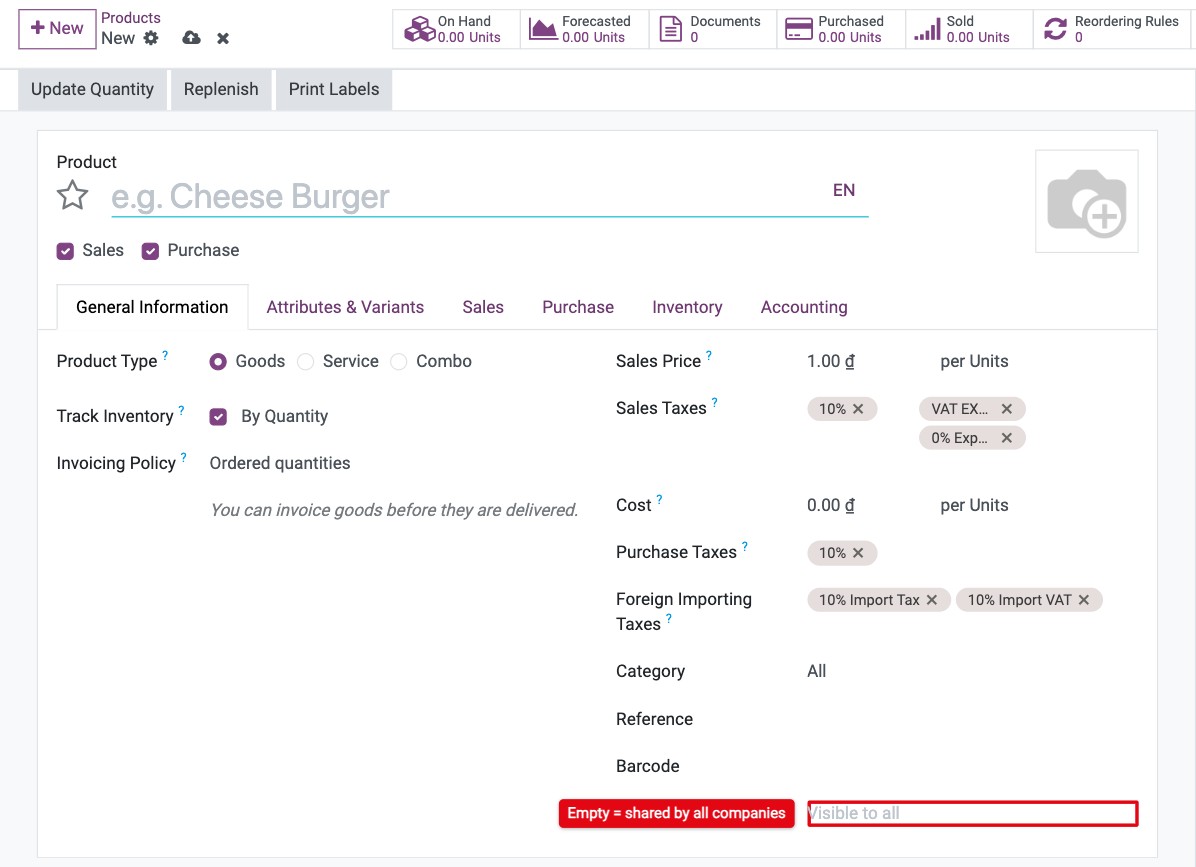
A product without a Company is shared by all companies. A product of the parent company can also be used in its branches. A product of a branch is not visible when only the parent company is selected. |
Sales and Purchase |
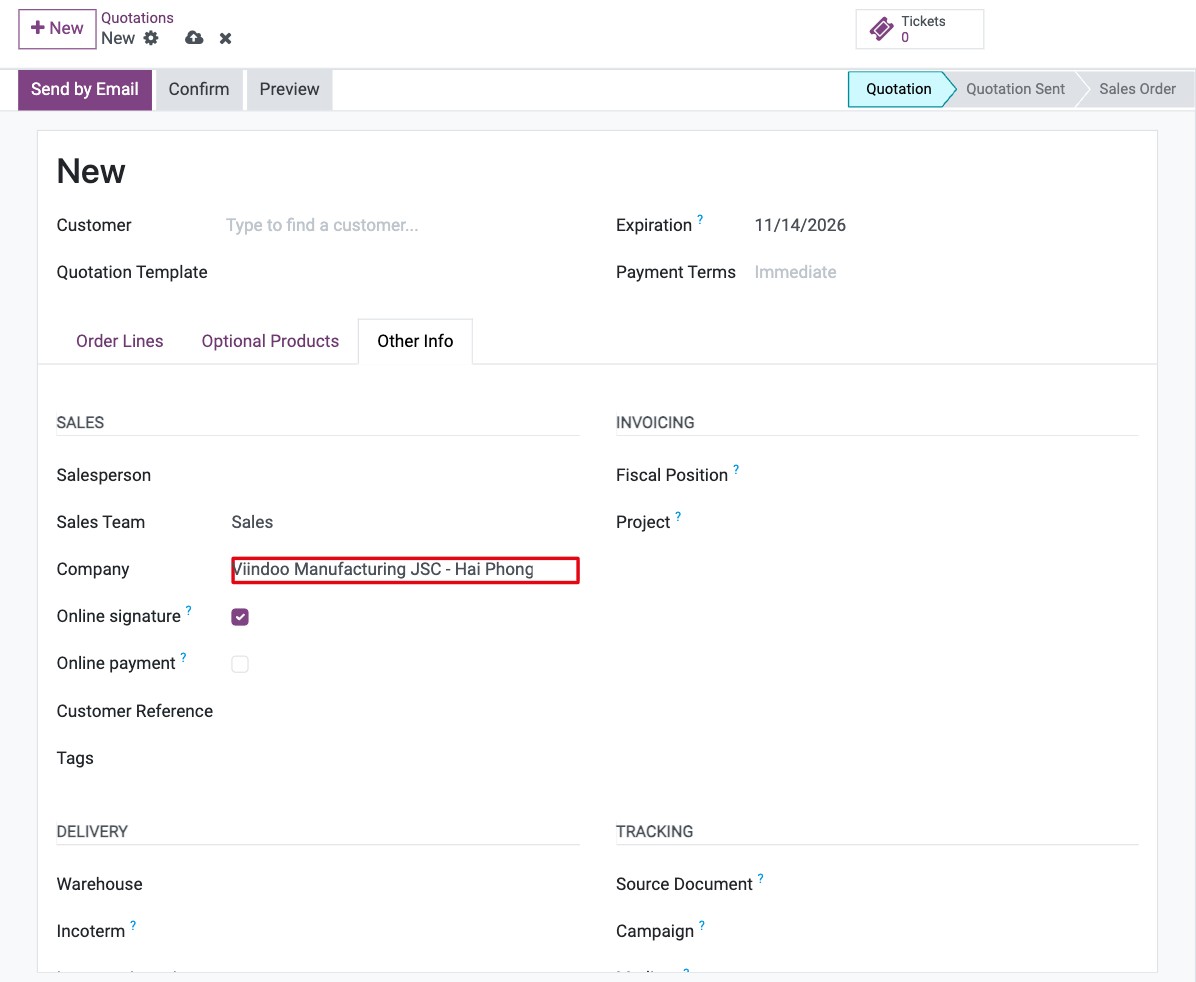
An order belongs to one company, shown in its Company field (tab Other Info or Other Information). Users can choose only companies in their Allowed Companies. A new quotation takes the company selected in the switcher (see the image below). |
Inventory |
Each branch has its own warehouses. Users see receipts, deliveries and stock of the companies they have selected. |
Accounting |
A branch posts its own journal entries and invoices, but uses the parent company’s chart of accounts, taxes and journals. Reports can be run for the parent company with or without its branches by selecting them in the switcher. |
Common errors
Message or problem |
What to do |
|---|---|
The … of a subsidiary must be the same as it’s root company. |
Currency, fiscal year and some accounting settings must match the parent company. Change them on the parent. |
A branch user cannot select the parent company on an order. |
The parent company is not in the user’s Allowed Companies. Add it if the user should work for the parent company too. |
A product of the branch does not appear at the head office. |
Only the parent company is selected in the switcher. Tick the branch as well, or leave the product’s Company empty to share it. |
Next steps
How to create a new product: create products and choose their company.
How to create and manage user accounts: create the users of each branch.