
Close an order at the machine and record on behalf
When the last operation is finished, the tablet moves on to closing the manufacturing order. The order is closed with the same rules as on the desktop: the operator answers the question about the quantity not produced, and a difference in the materials that the bill of materials does not allow goes to a production manager for approval. A production manager can also record a job on behalf of another employee, whose hourly cost is then used.
Who |
Machine operators (Manufacturing ‣ User), who close the order; production managers (Manufacturing ‣ Administrator), who approve a consumption difference and record on behalf of another employee. |
App |
Shop Floor |
Before you start
The output and the materials of the order are recorded, see Record output, materials and scrap at the machine.
The finished product of the example is tracked by lot and the operation type Manufacturing allows creating new lots.
The example follows two orders of Oak stools at the Assembly station, the last operation of the bill of materials, whose consumption is set to Blocked.
How do I record the finished lot?
When the finished product is tracked by lot, Record output first asks for the FINISHED LOT. Tap Auto-generate lot, or pick an existing lot under Or pick an existing lot; Latest marks the newest one. Then tap the digits of the quantity and Confirm output.
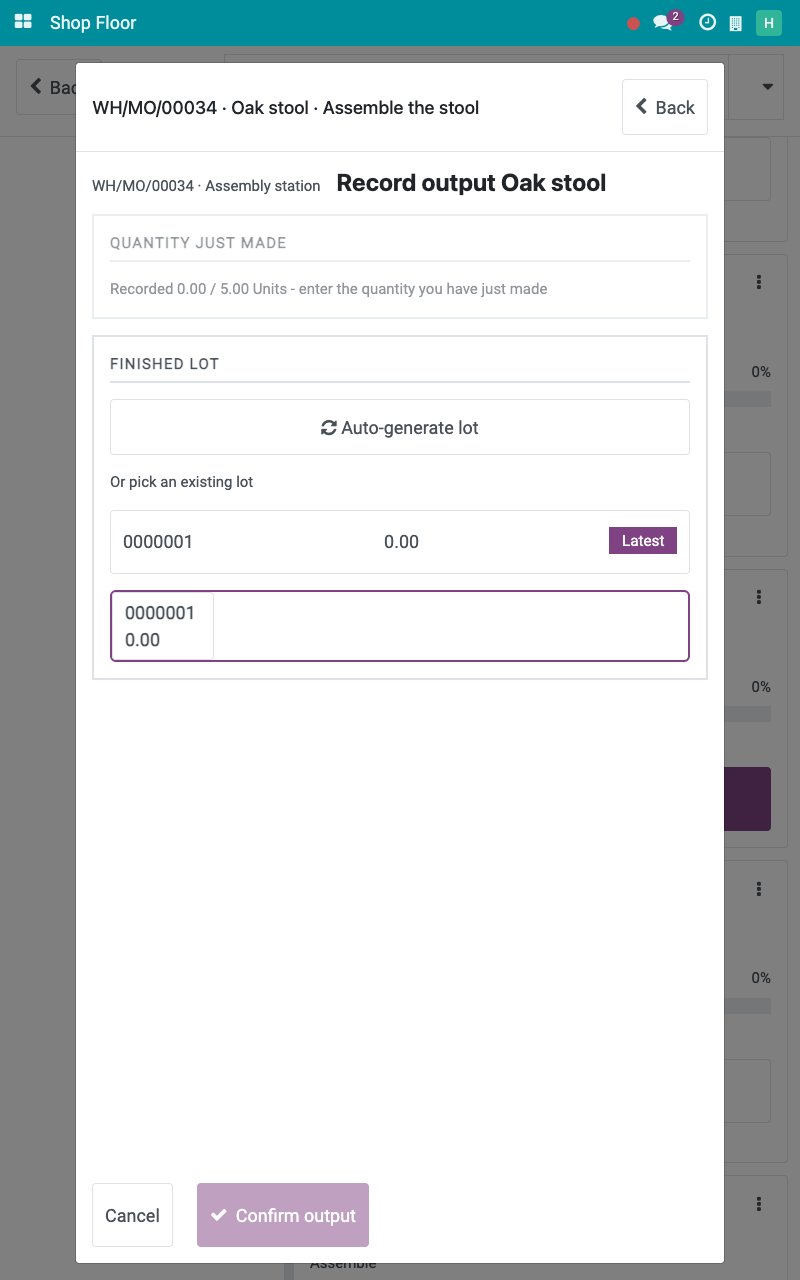
Auto-generate lot is offered only when the operation type of the order allows creating new lots. An order makes one finished lot: once output is recorded under a lot, another lot is refused.
How do I finish the last operation and close the order?
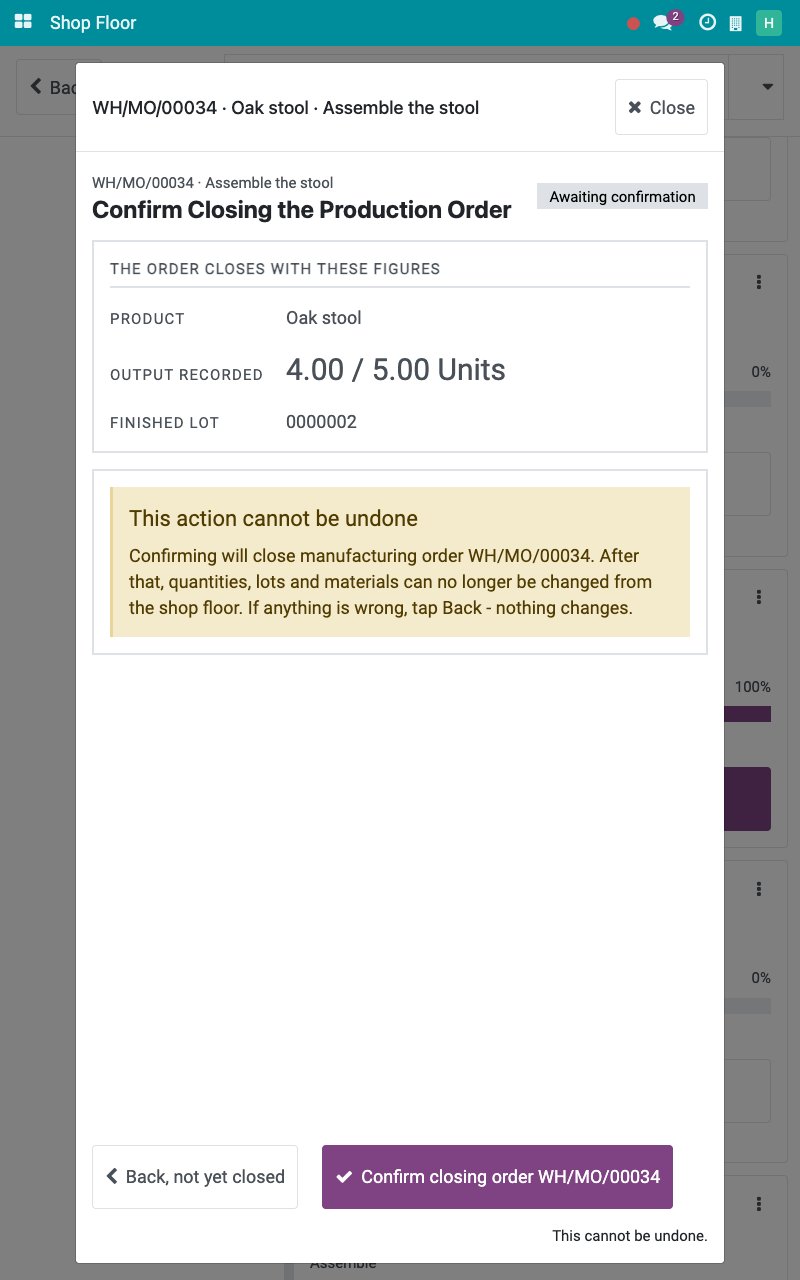
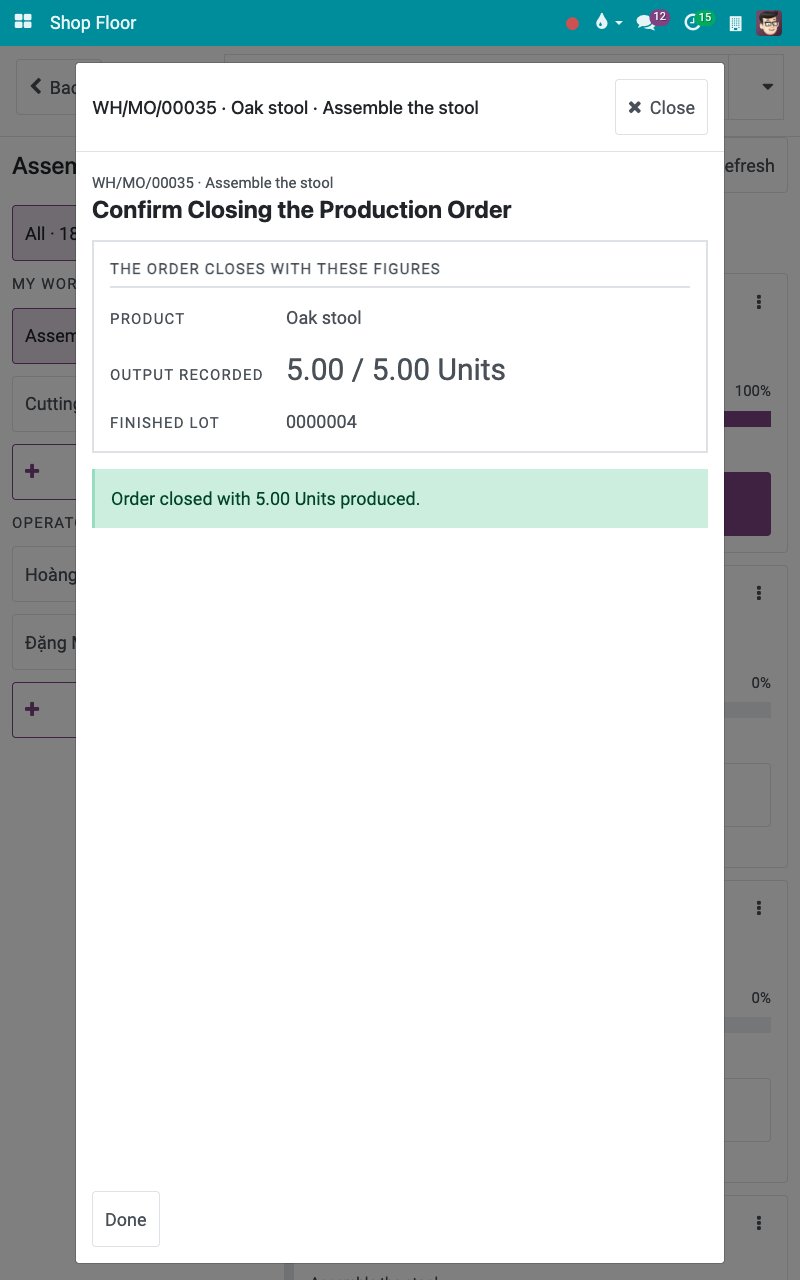
With the output and the materials recorded, tap Finish operation. Because it is the last operation, the tablet opens Confirm Closing the Production Order with the product, the output recorded and the finished lot, and warns that this cannot be undone.
![The screen Confirm Closing the Production Order]()
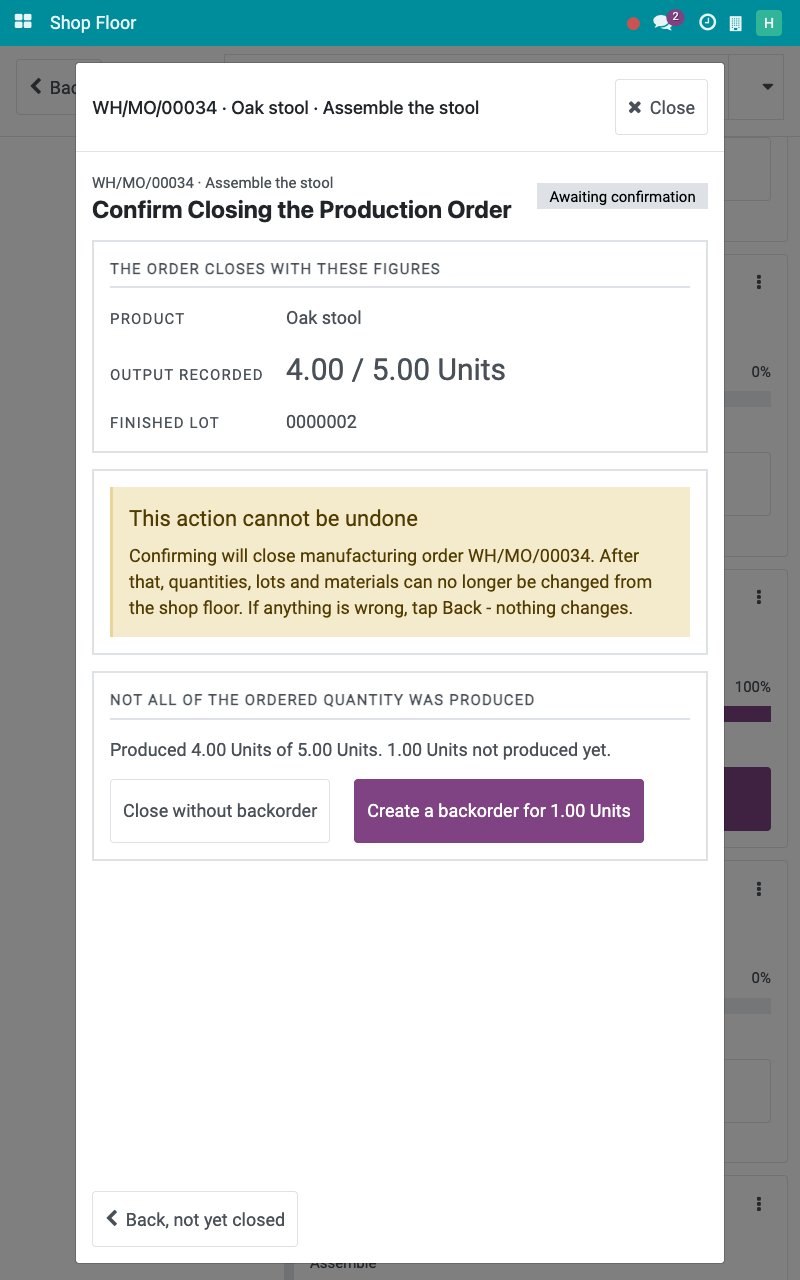
Tap Confirm closing order followed by the order reference. When less than the ordered quantity was produced, the screen asks what to do with the rest.
![The question about the quantity not produced]()
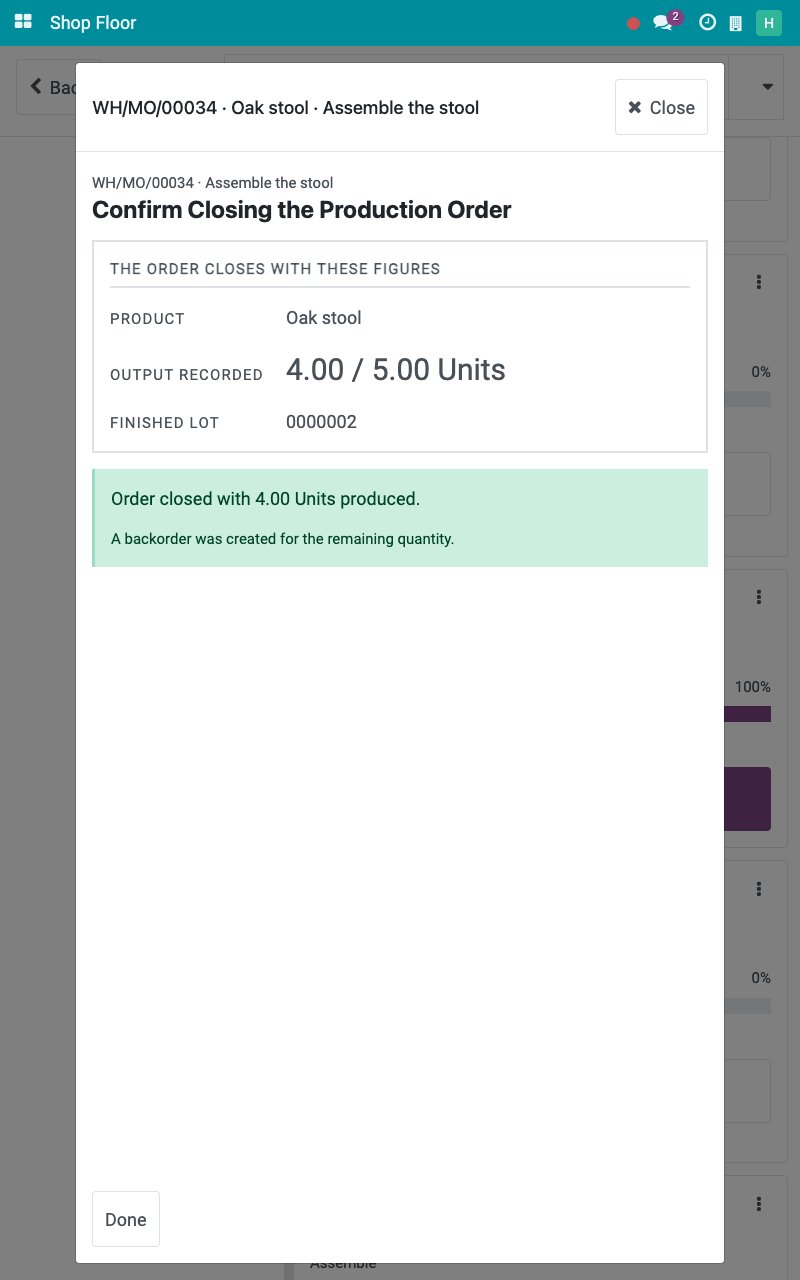
Tap Create a backorder to produce the rest later, or Close without backorder. The screen confirms the quantity produced and the backorder. Tap Done to go back to the board, where the backorder appears as a new card.
![The order closed and the backorder created]()
Back, not yet closed leaves the order as it is.
What if the materials differ from the bill of materials?
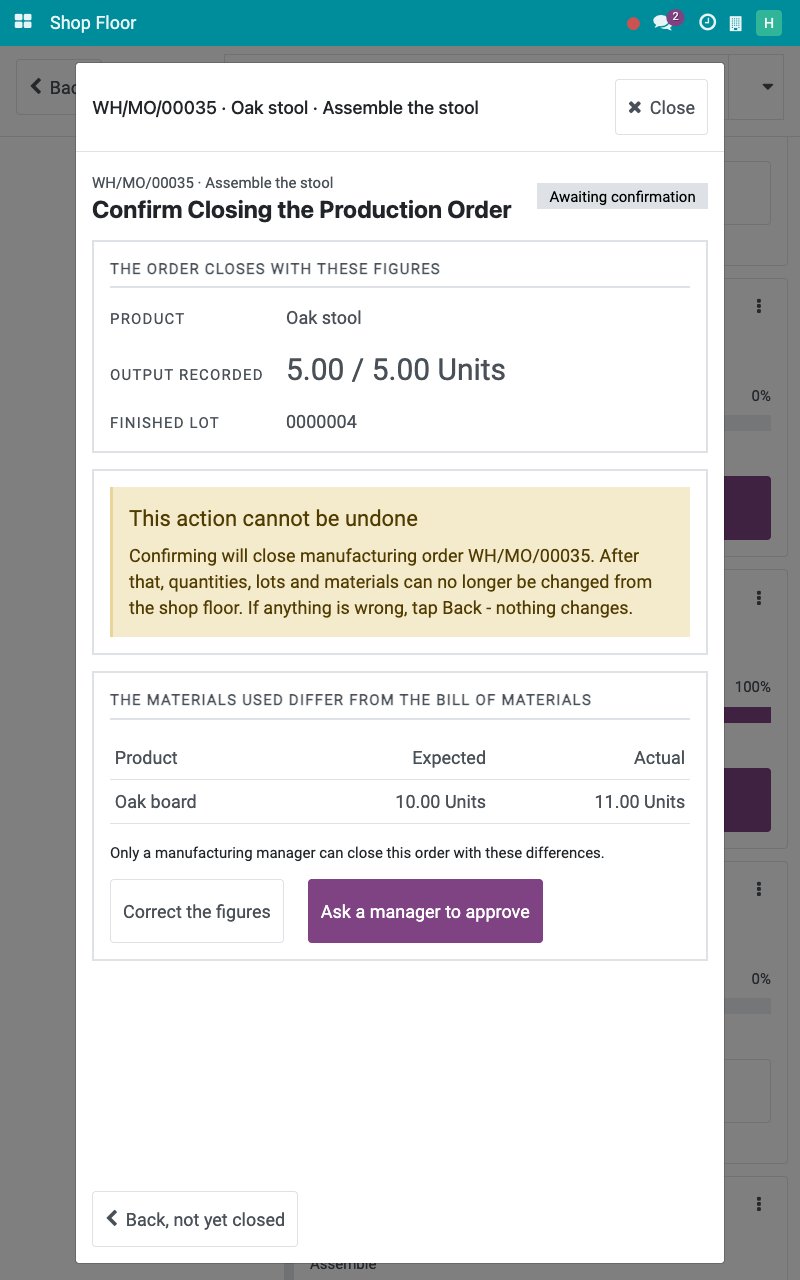
When the Flexible Consumption of the bill of materials is Blocked, an operator cannot close an order whose materials differ from it.
After Confirm closing order, the table THE MATERIALS USED DIFFER FROM THE BILL OF MATERIALS lists the Expected and Actual quantities. Tap Correct the figures to go back to the materials, or Ask a manager to approve.
![The differences between the materials used and the bill of materials]()
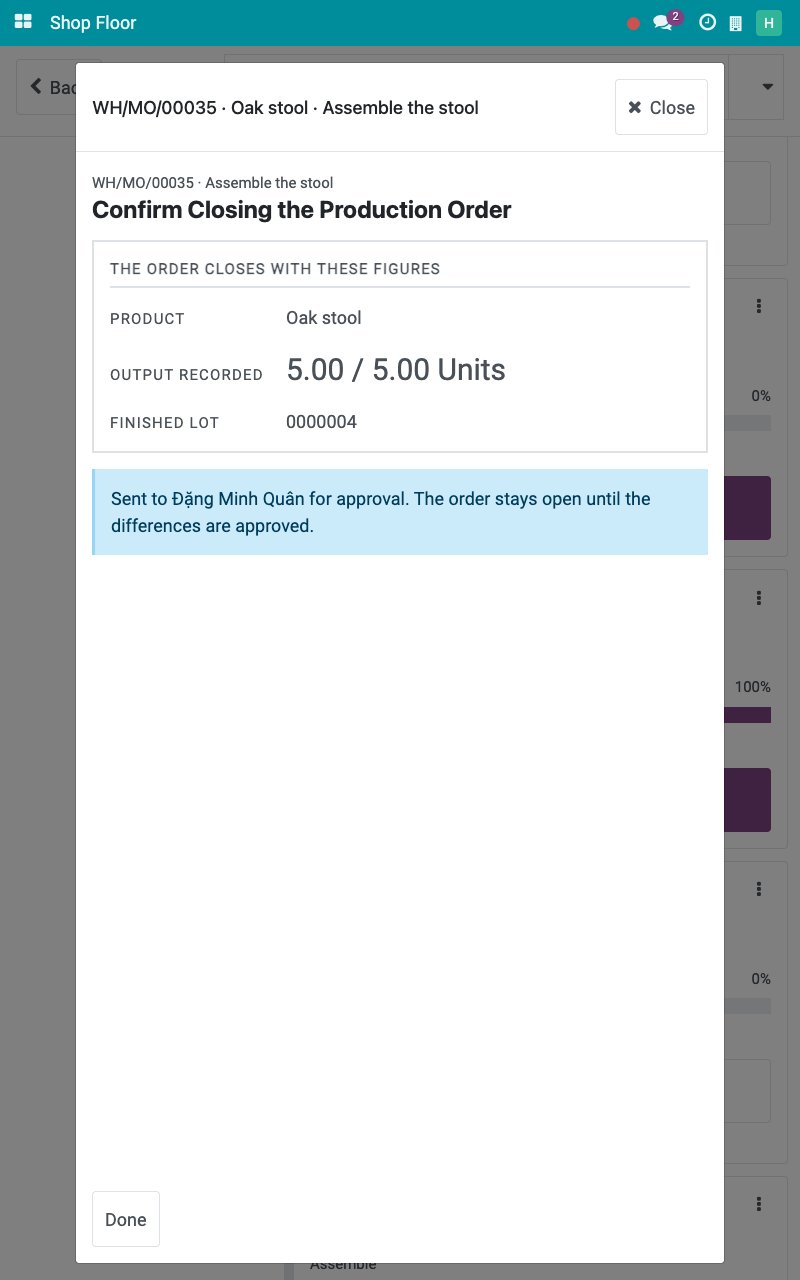
After Ask a manager to approve, an activity is planned for the person responsible for the order and the order stays open until the differences are approved.
![The request for approval sent to the manager]()
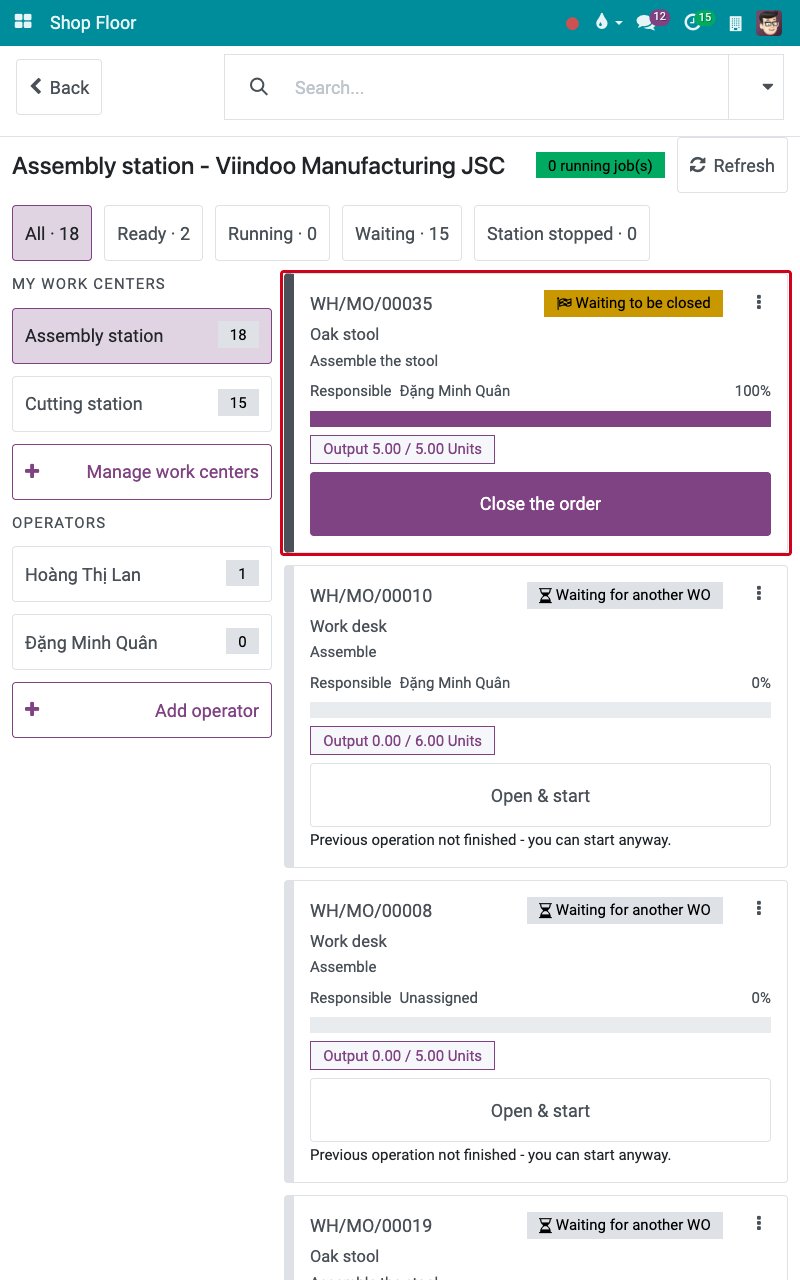
The production manager opens the job board. The card reads Waiting to be closed; they tap Close the order.
![The card of an order waiting to be closed]()
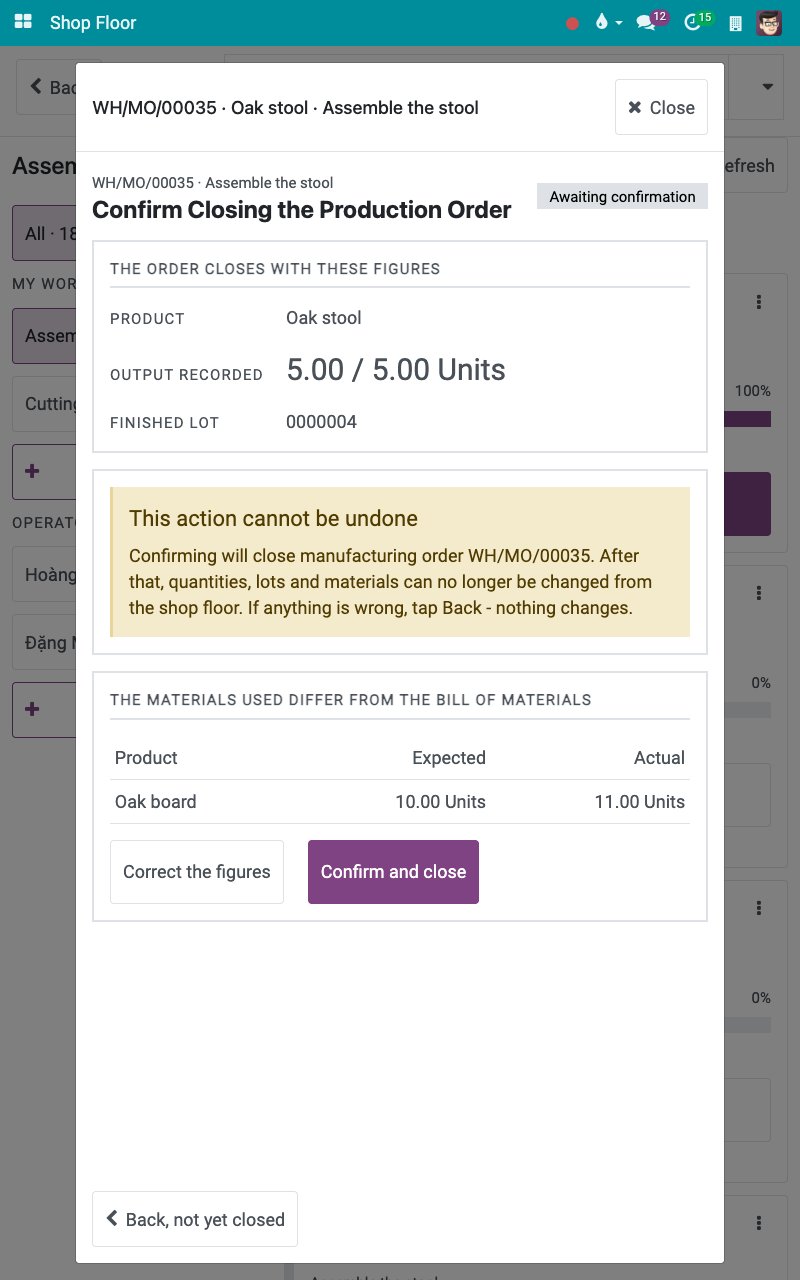
After Confirm closing order, the manager reviews the differences and taps Confirm and close, a button an operator does not get on a blocked bill of materials.
![The Confirm and close button of the manager]()
The extra consumption is kept and the order is done.
![The order closed after the approval]()
How do I record a job on behalf of another employee?
Use On behalf when someone else really works the job at the station, for example because their own tablet is not at hand. The time and the labour cost go to that person.
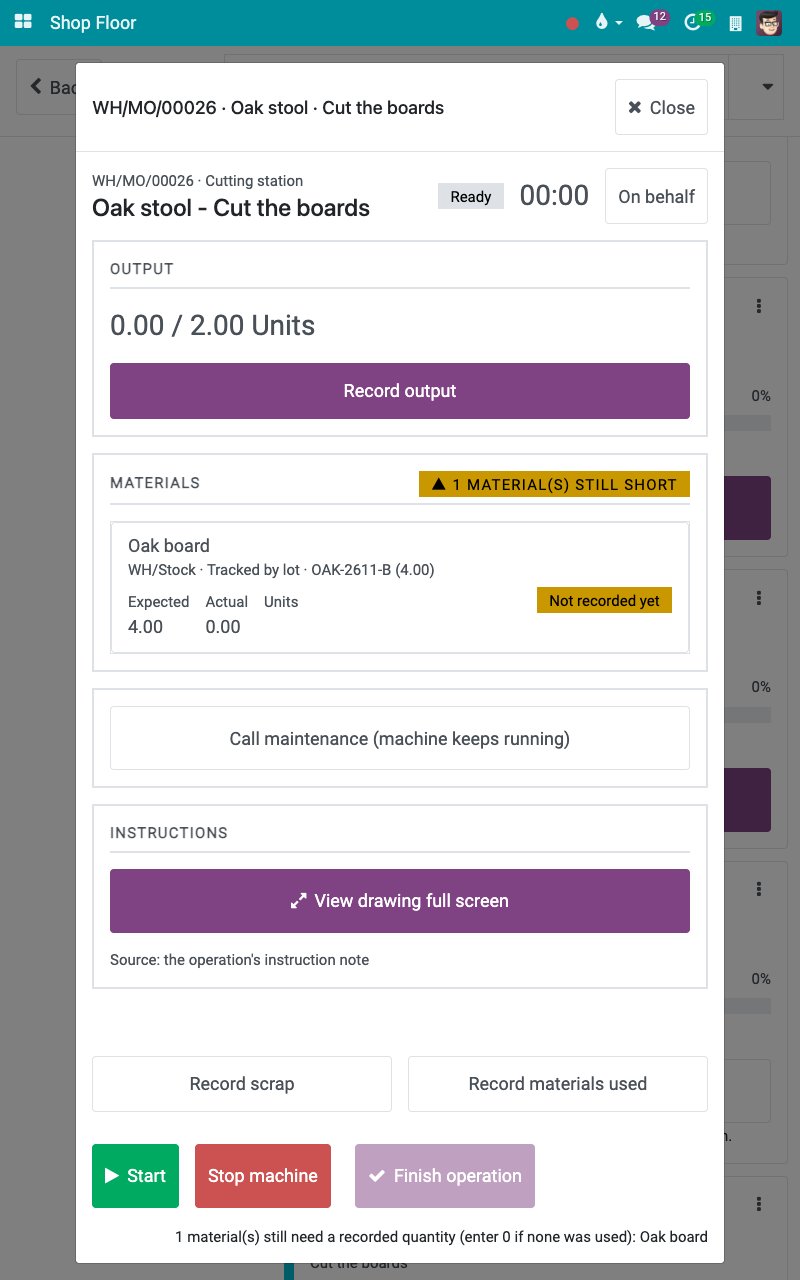
As a production manager, tap the body of the card, not its button: the job opens without starting the clock. Tap On behalf, which only production managers see.
![A job not started with the On behalf button]()
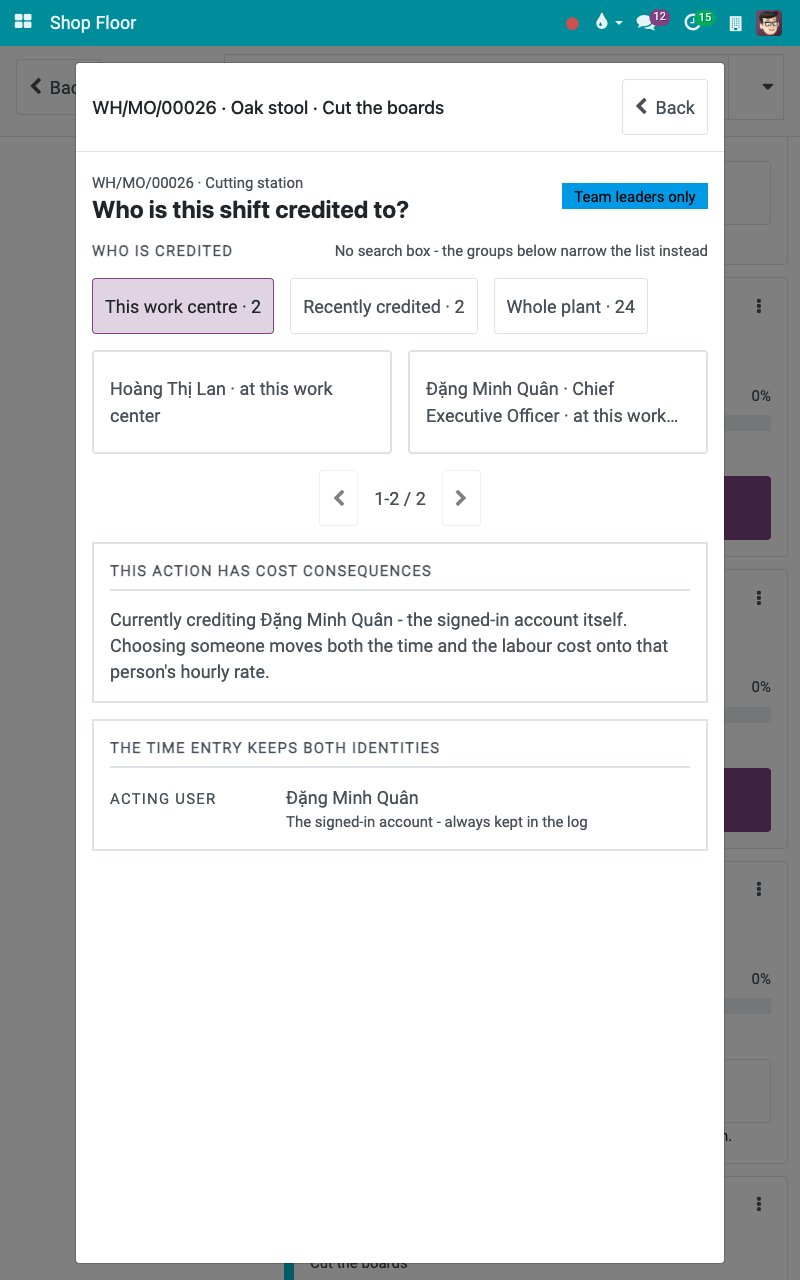
The screen Who is this shift credited to? groups the people under This work centre, Recently credited and Whole plant.
![The people the shift can be credited to]()
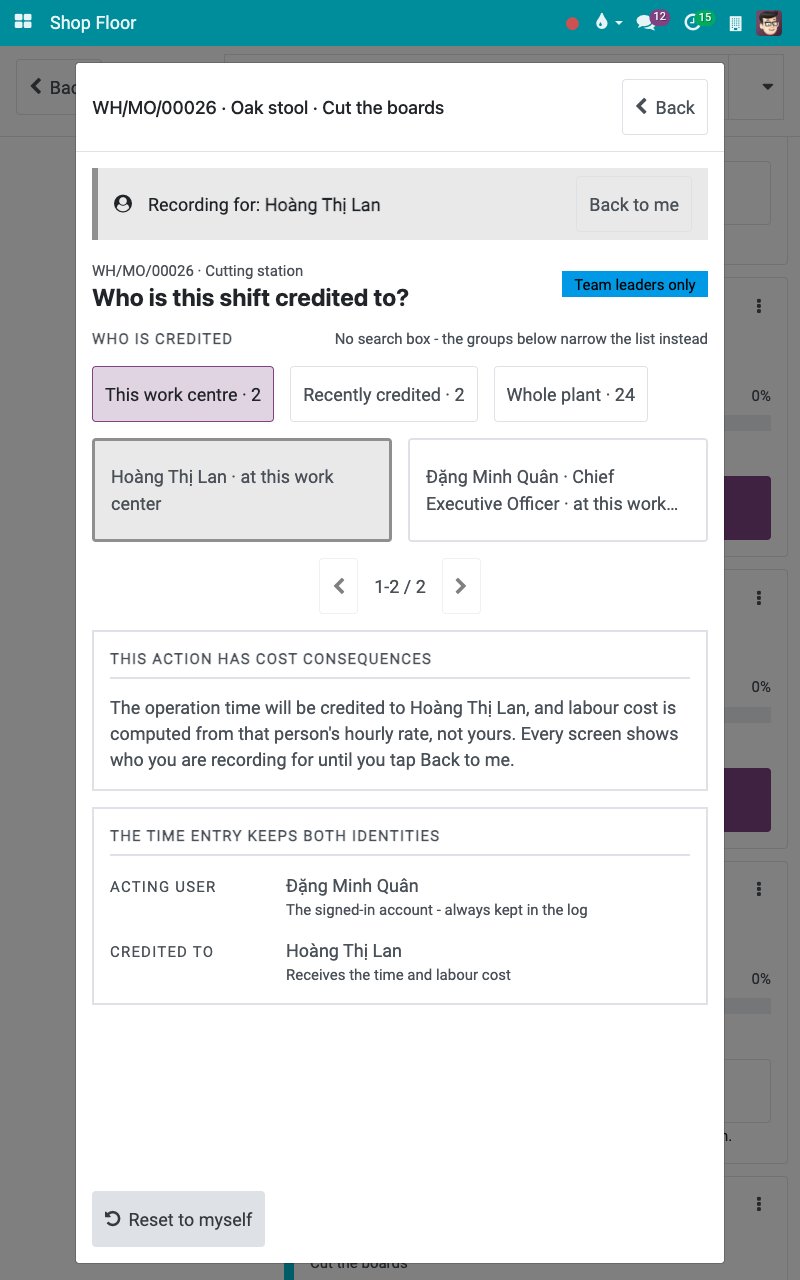
Tap the employee, here Hoàng Thị Lan. The card THIS ACTION HAS COST CONSEQUENCES states the effect, and the time entry keeps both the signed-in user and the credited employee. Reset to myself undoes the choice.
![The cost consequences of crediting another employee]()
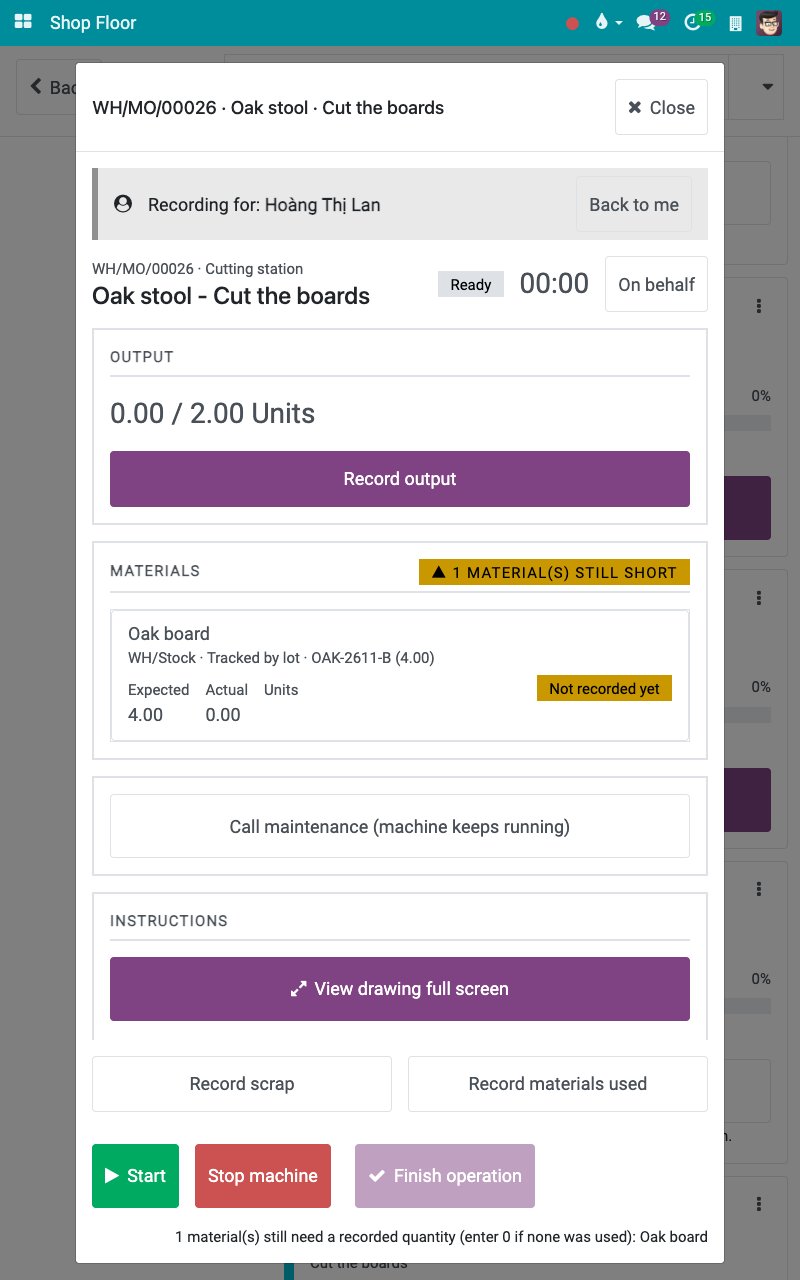
Tap Back. Every screen now carries the band Recording for with Back to me.
![The band Recording for on the operation screen]()
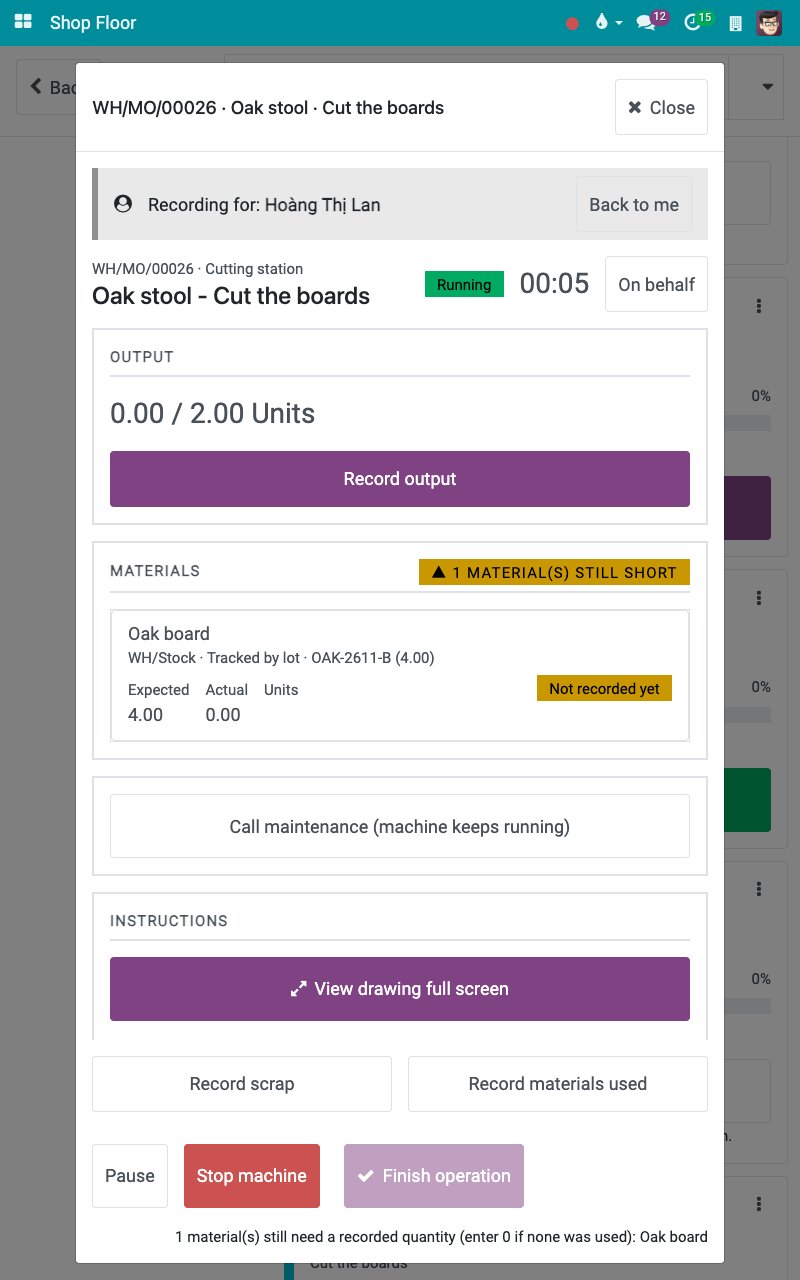
Tap Start. The time is credited to the chosen employee.
![The job started for the credited employee]()
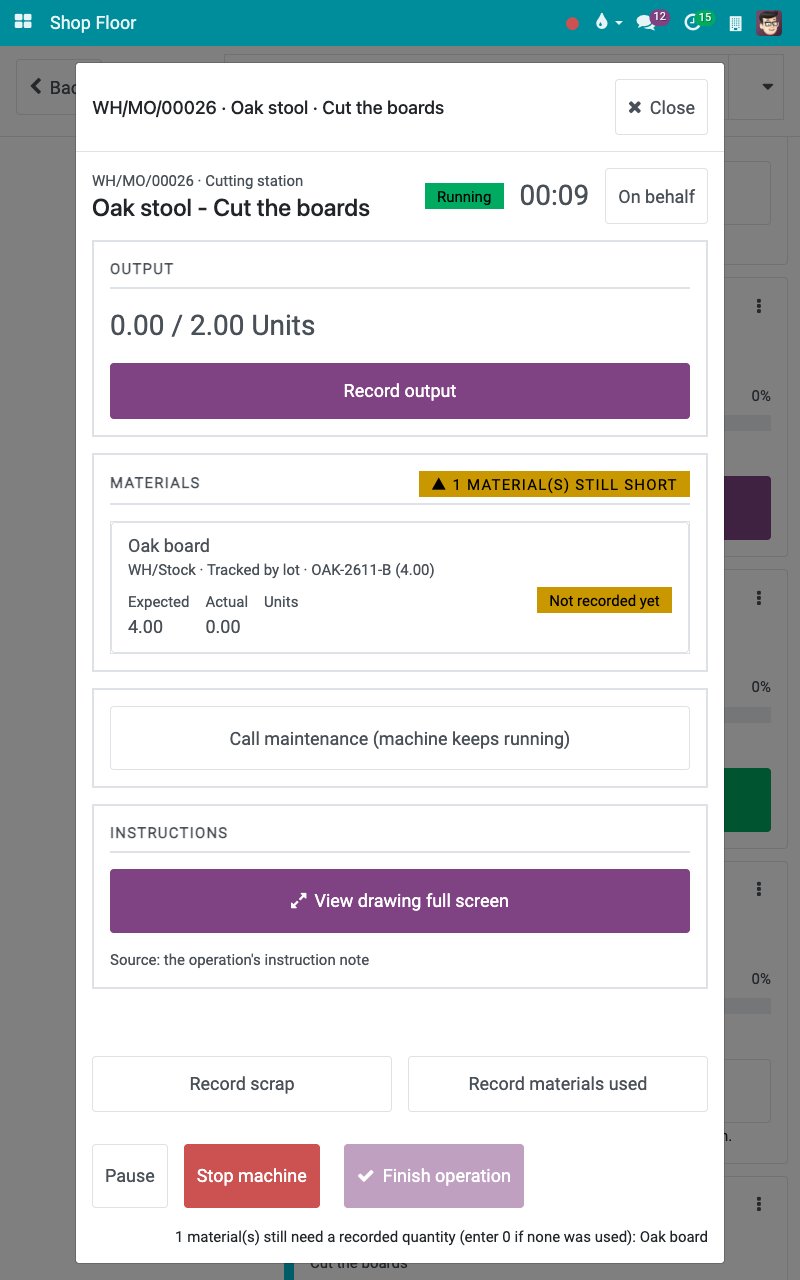
When you are done, tap Back to me: the recording is back on your own user and the band is gone.
![The operation screen after Back to me]()
Common errors
Problem |
What to do |
|---|---|
There is no Auto-generate lot button. |
The operation type of the order does not allow creating new lots. Pick an existing lot, or ask the warehouse to create it. |
The order cannot be closed because of a difference in the materials. |
Tap Correct the figures if a figure is wrong, or Ask a manager to approve. |
There is no On behalf button. |
Only production managers record on behalf of another employee. |
Next steps
Shop Floor entries and work center overview: see who recorded what, and for whom.
Cost accumulation and product cost report: read the labour cost of the orders.
See also
Related articles