
Approve maintenance requests
Some maintenance needs the agreement of a manager before the technicians start, for example because a machine must stop or a part is expensive. The Maintenance approval type does this: an employee raises an approval request with one line per maintenance to do, the maintenance requests are created with it, and the manager approves or refuses them in the Approval app.
Who |
Employees who raise the requests, their managers and the approvers of the Approval app, maintenance managers who configure the type. |
App |
Approval, Maintenance |
Before you start
Install the OmniApproval™ - Maintenance Approvals module. It installs itself when the Approval and Maintenance apps are both installed.
Give the approval rights and set the approvers, see Manage Approval Types.
The example of this page asks for the replacement of the feed belt of an edge banding machine.
How do I set up the Maintenance approval type?
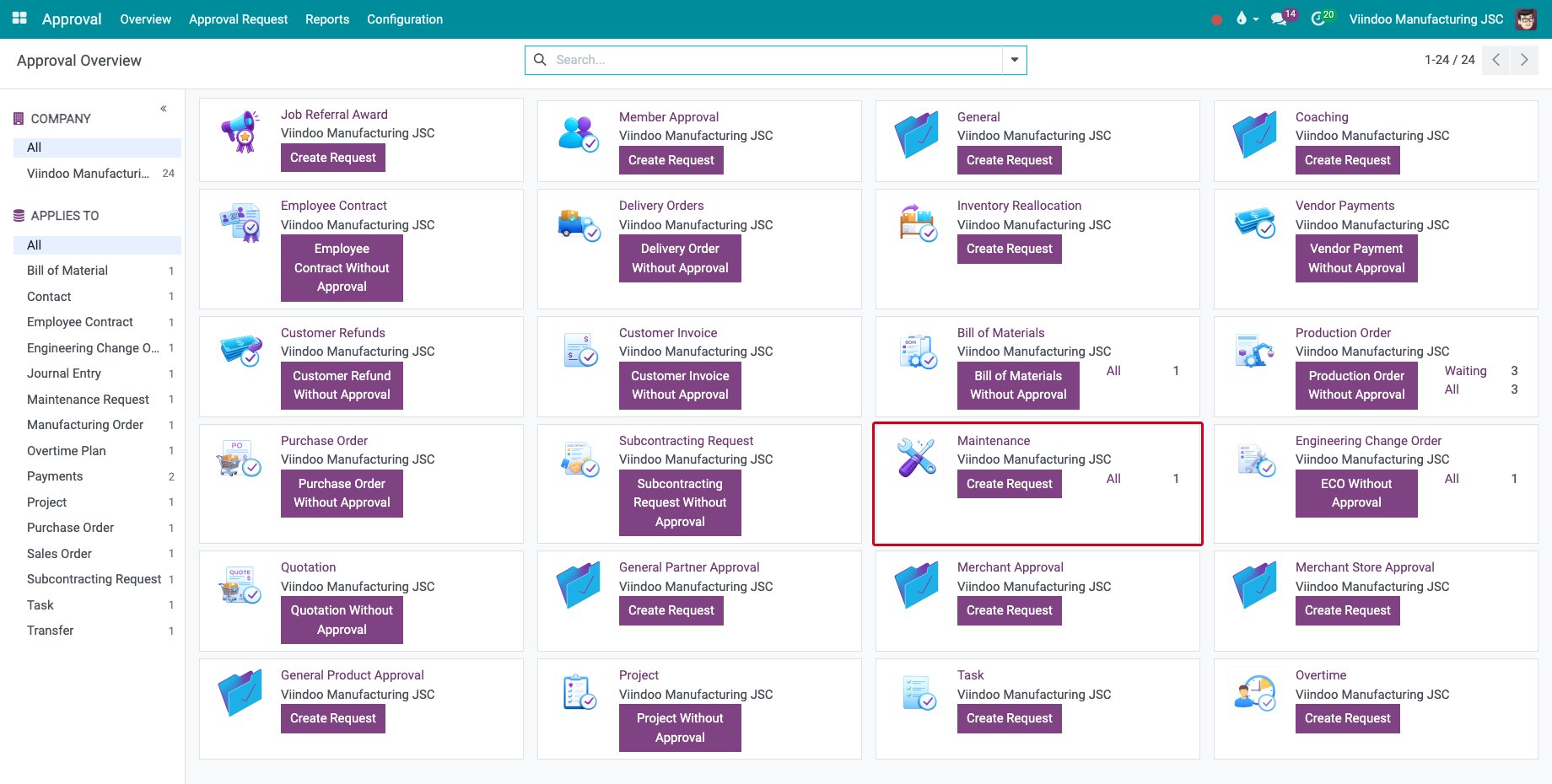
Go to Approval ‣ Overview. Each company has a Maintenance type, ready to use.
![The Maintenance approval type on the approval overview]()
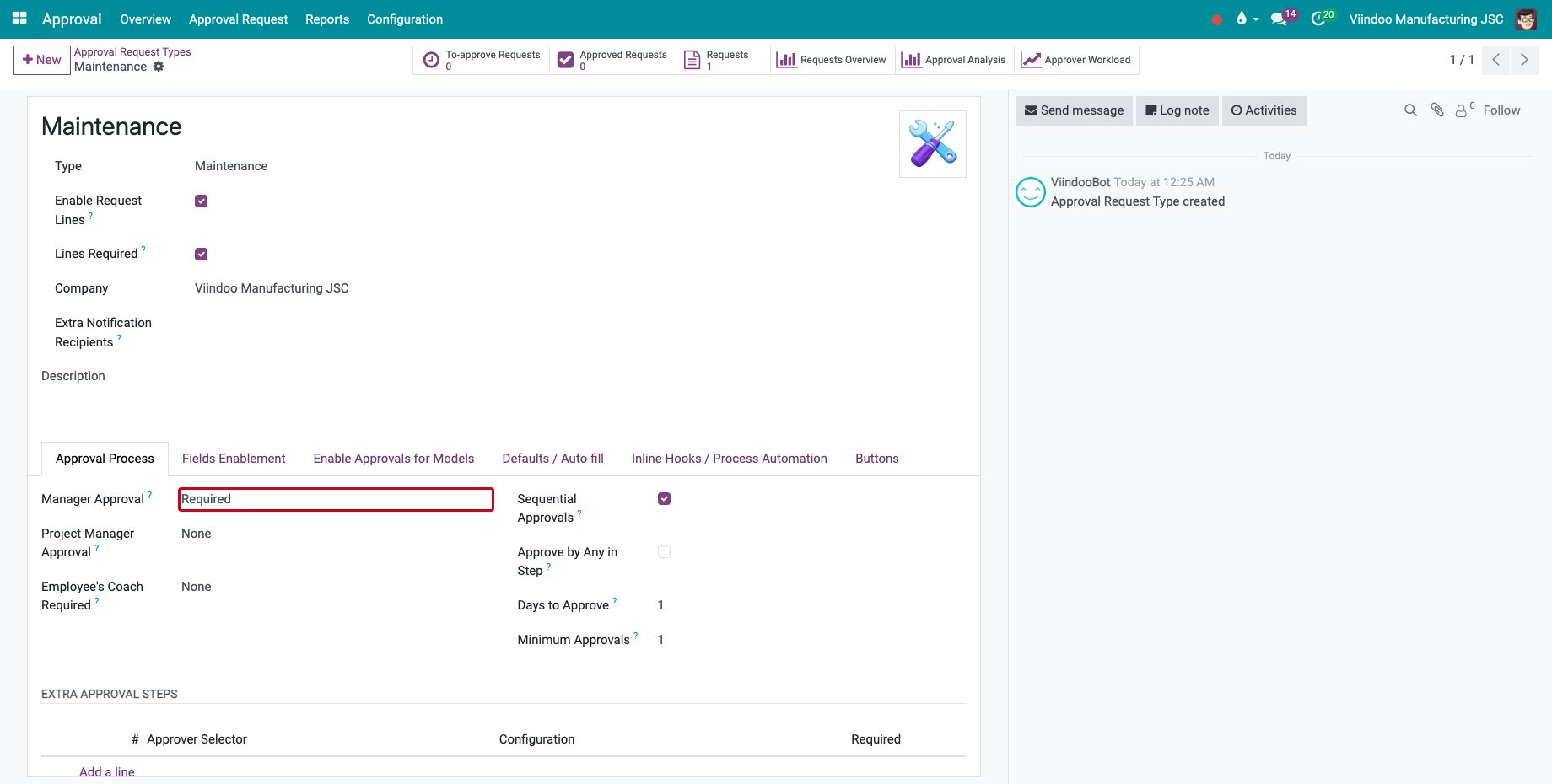
To change who approves, open the type in Approval ‣ Configuration ‣ Approval Types. By default the manager of the employee must approve, with one approval in one day.
![The approval process of the Maintenance type]()
How do I raise a maintenance approval request?
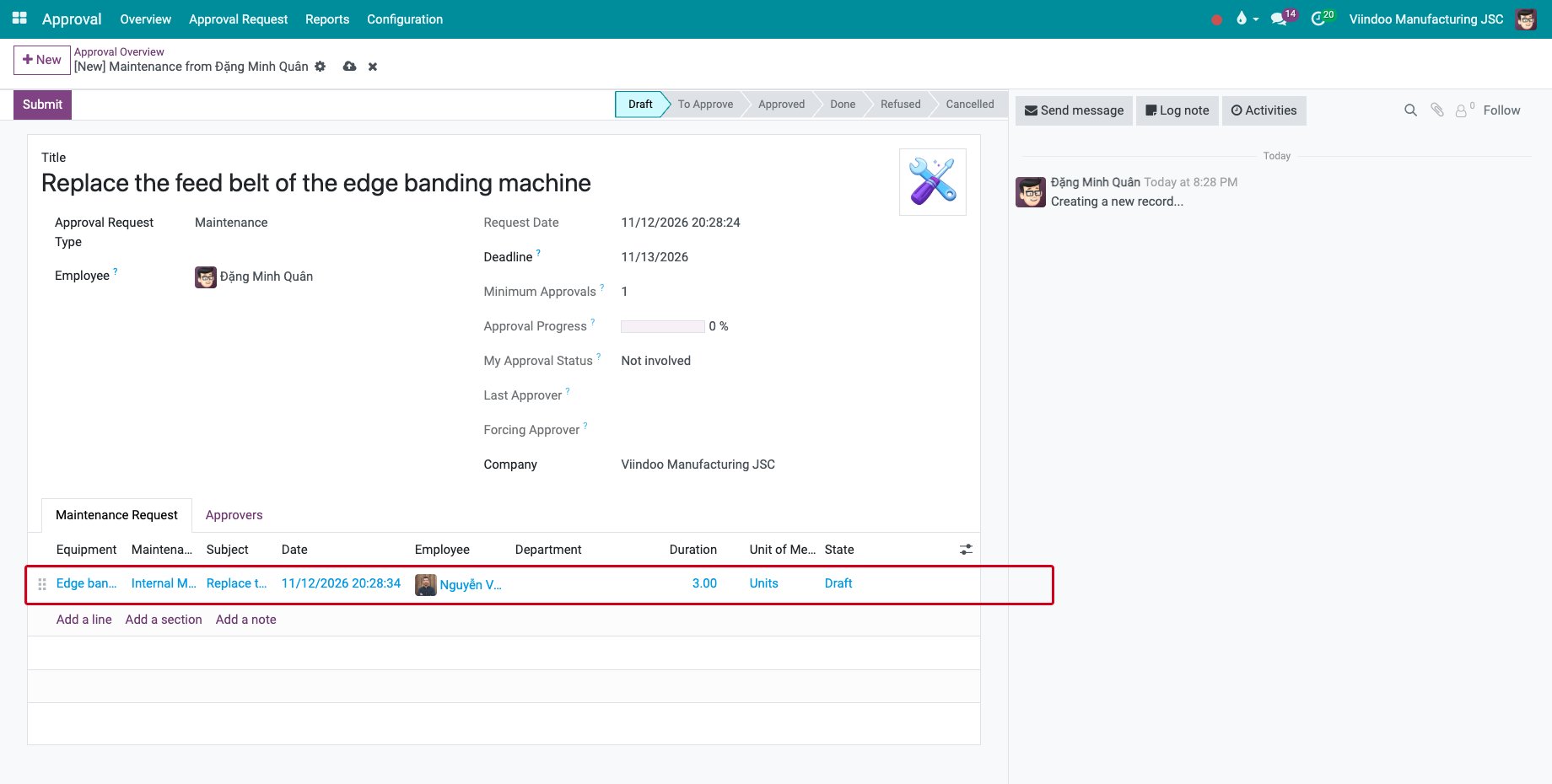
On the Maintenance card, click Create Request. On the Maintenance Request tab, click Add a line and choose the Equipment: the Maintenance Team, the Employee and the Department of the equipment are filled in. Type the Subject and the Duration.
![A new maintenance approval request with one line]()
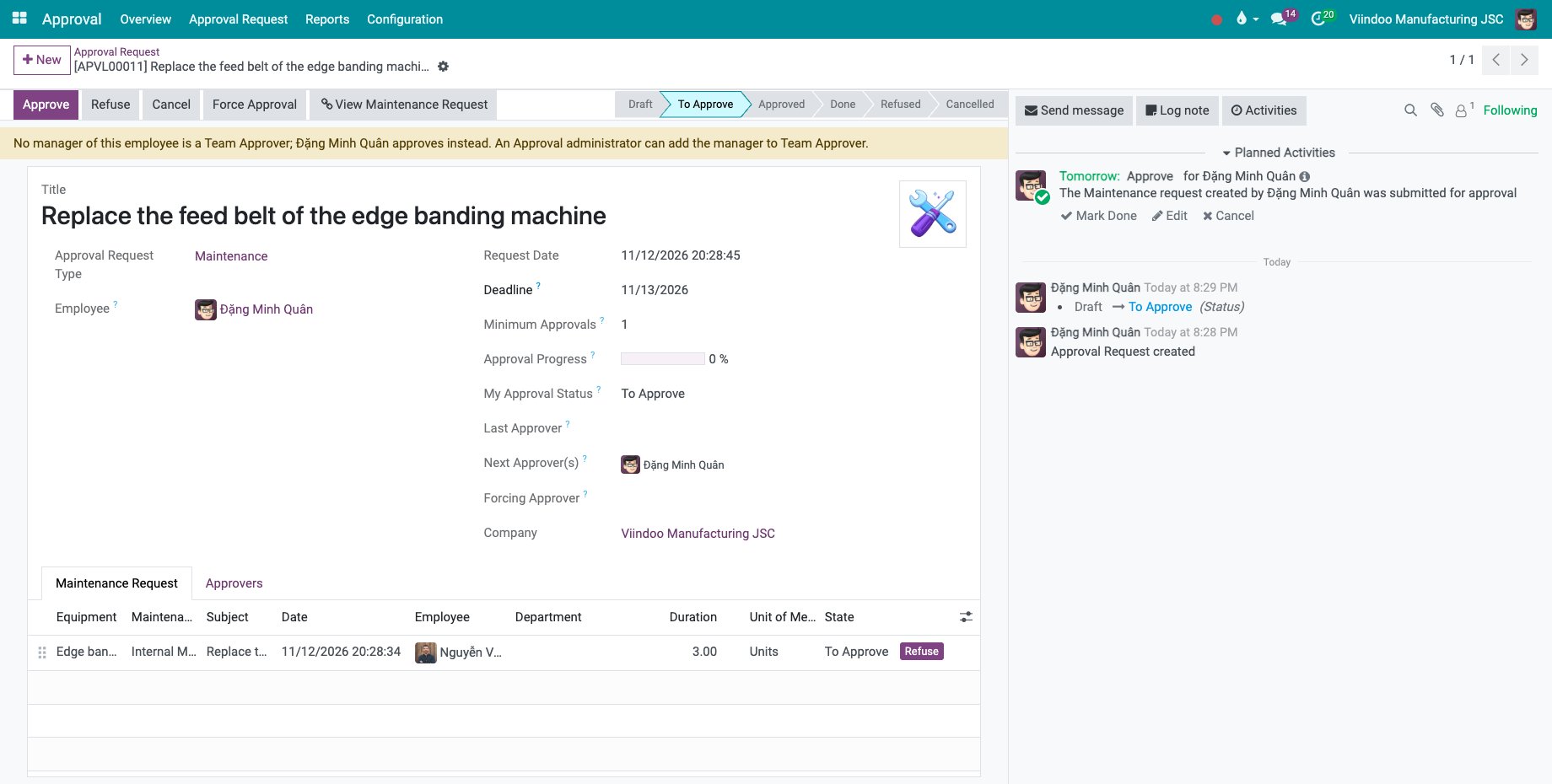
Click Submit. The request goes to To Approve, and one maintenance request per line is created: View Maintenance Request opens them.
![The maintenance approval request waiting for approval]()
How does the manager approve it?
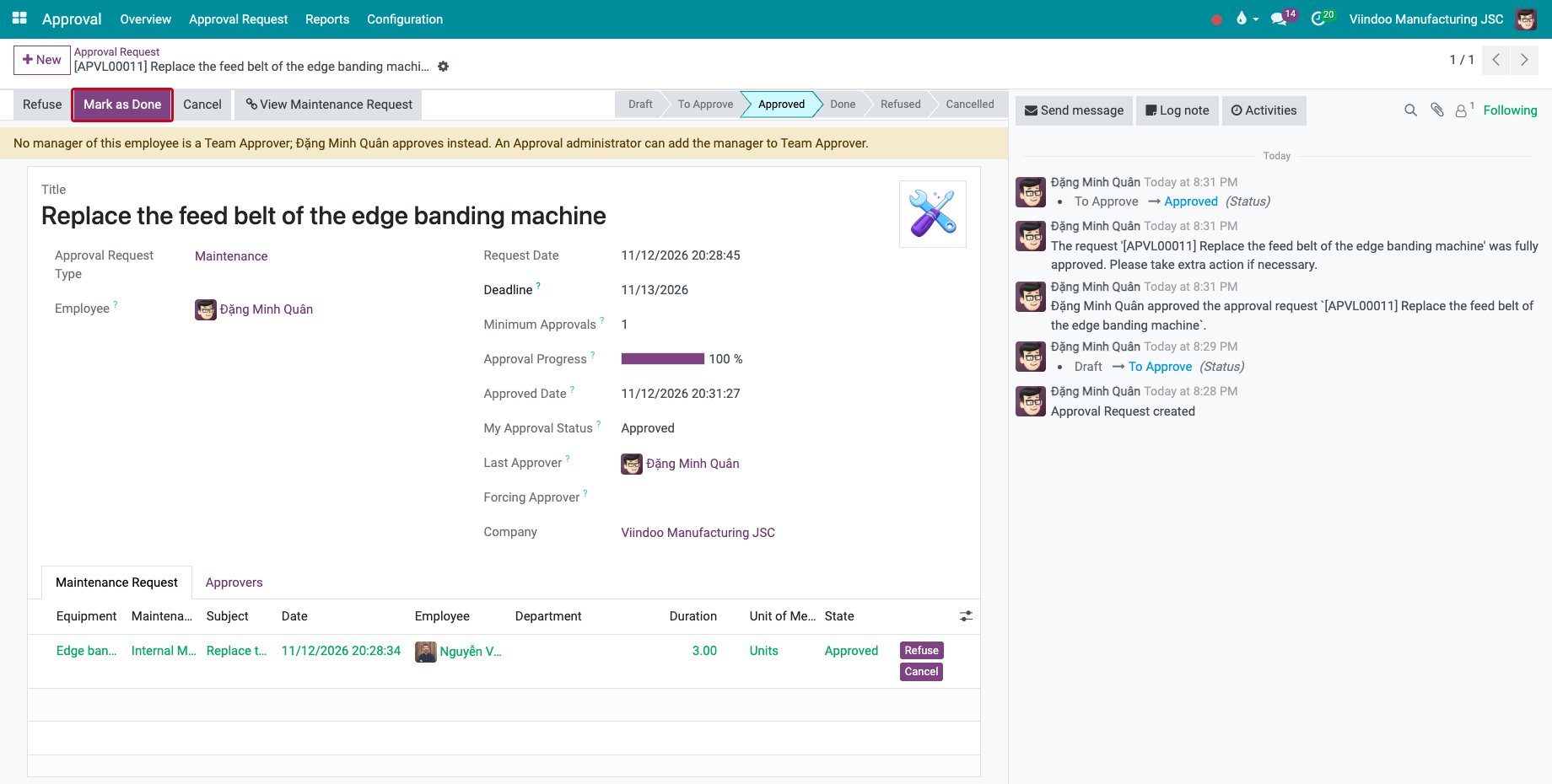
The approver opens the request in Approval ‣ Approval Request ‣ Request and clicks Approve, or Refuse. When every required approver has approved, the request is Approved.
![The approved request with the Mark as Done button]()
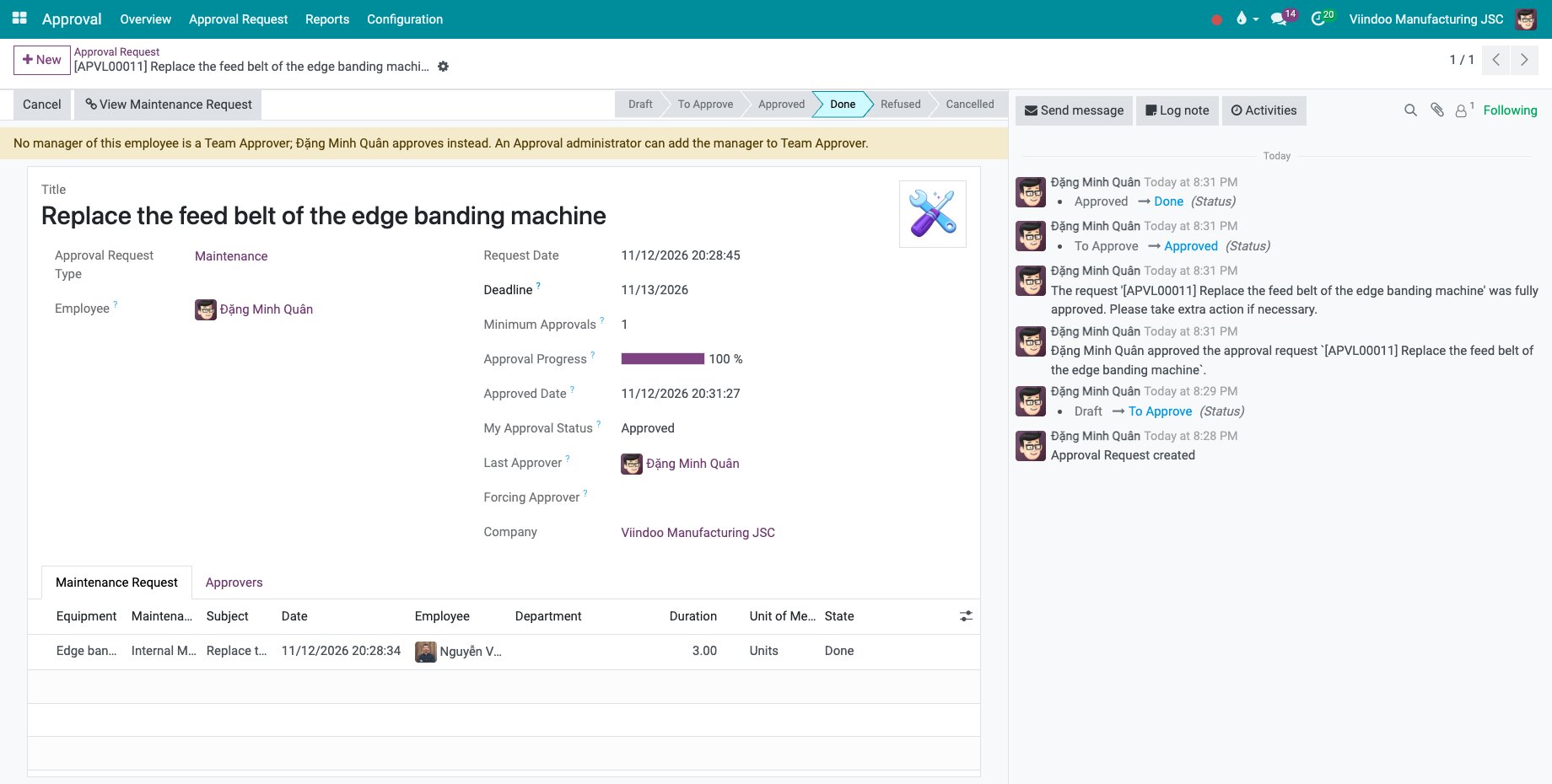
Click Mark as Done when the maintenance can start.
![The maintenance approval request done]()
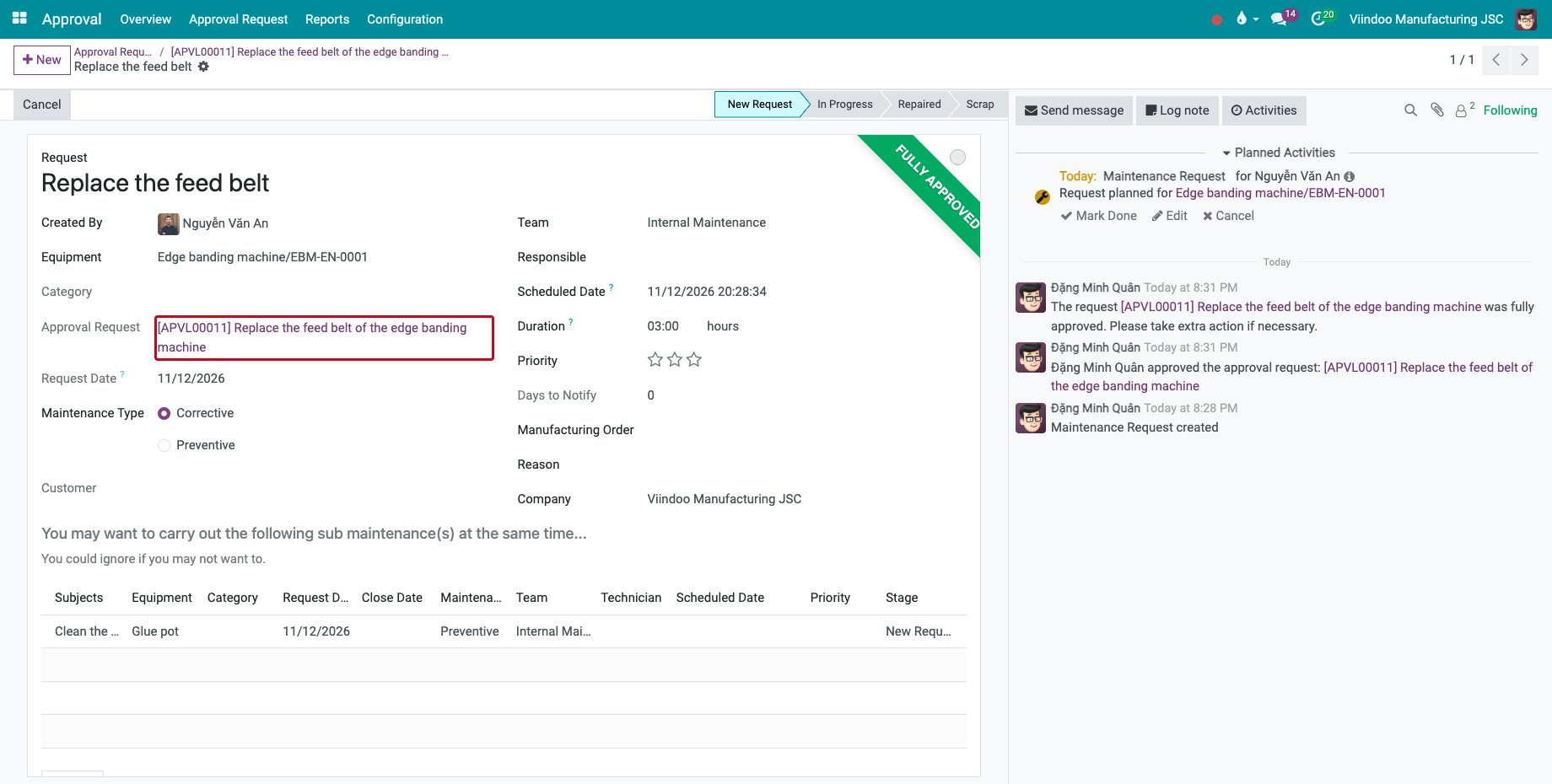
View Maintenance Request opens the maintenance request. Its Approval Request field links back to the approval, and the technicians plan it as usual, see How to plan for maintenance and manage maintenance requests.
![The maintenance request with its approval request]()
How do I send an existing maintenance request for approval?
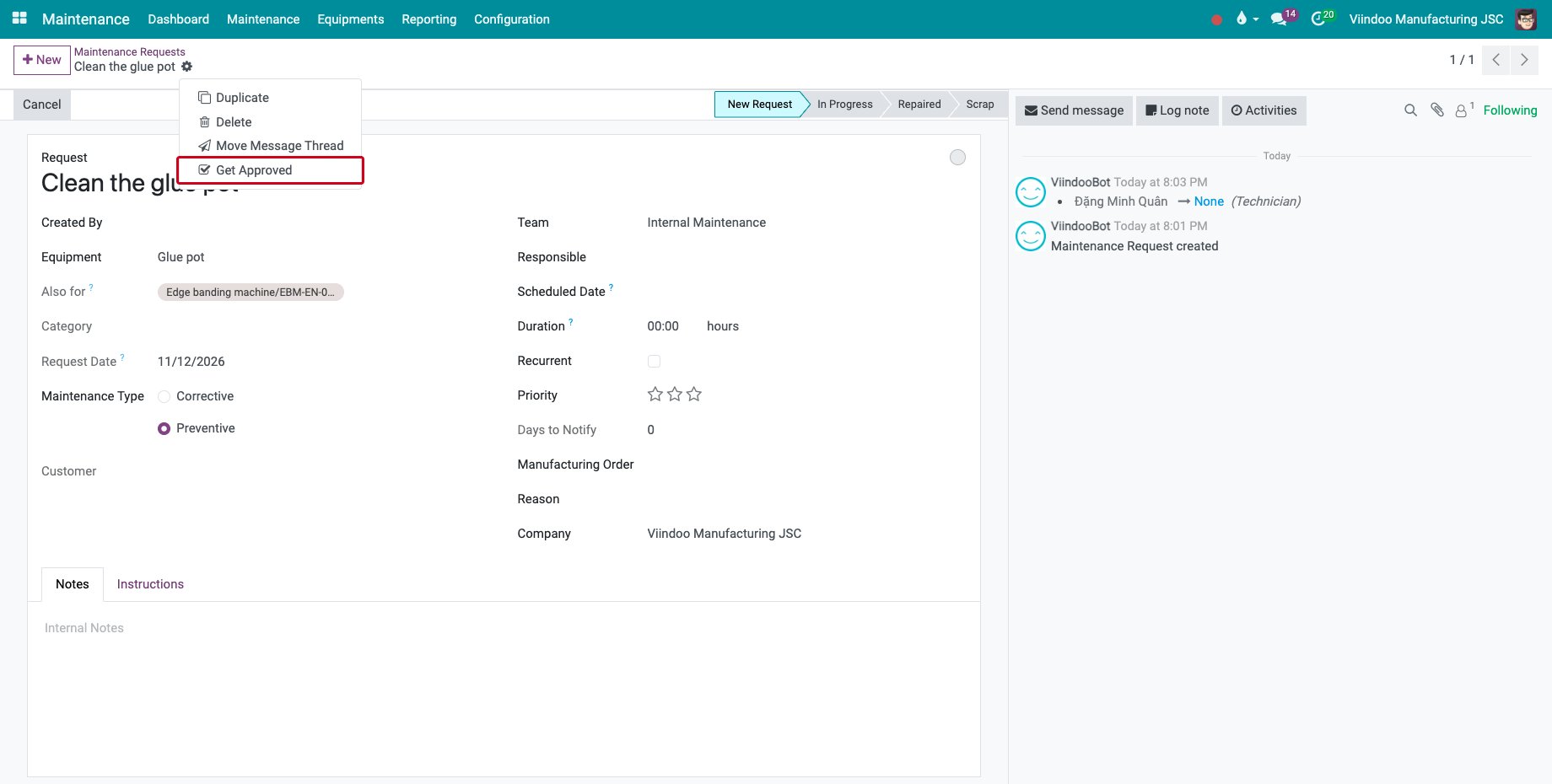
Open the maintenance request and choose Get Approved in the gear menu.
![Get Approved in the gear menu of a maintenance request]()
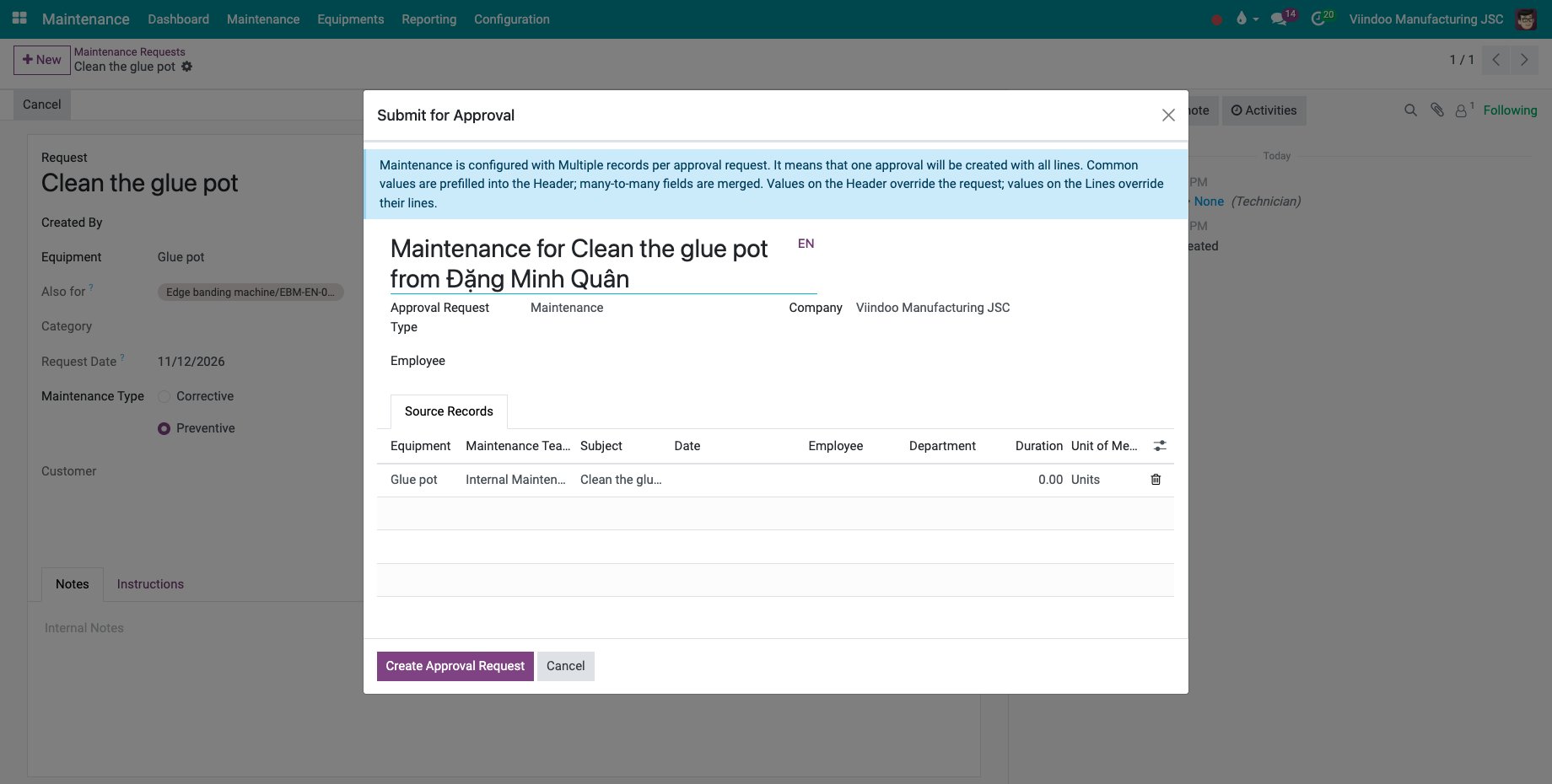
In Submit for Approval, check the Source Records and click Create Approval Request. Then submit it as above.
![The Submit for Approval window of a maintenance request]()
Common errors
Problem |
What to do |
|---|---|
The request reads that no manager of the employee is an approver. |
Set the manager of the employee, or add the approver to the type. An approval administrator approves meanwhile. |
The equipment is missing from the list of the line. |
A user who is not a maintenance manager sees only the equipment of their own, of their department or of nobody. |
Mark as Done is missing. |
The request is not fully approved yet. |
Next steps
How to create and approve a request: follow and approve the requests.
See also
Related articles