
Warehouse access rights for manufacturing and quality
When a company runs several plants or warehouses, the staff of one site should see only the work of that site. With multi-warehouse access control, a user limited to their own documents sees the manufacturing orders, transfers, quality checks and quality alerts of the warehouses they are assigned to, while head-office managers keep seeing everything.
Who |
Administrators, who assign the warehouses; warehouse and production staff, who work with the limited view. |
App |
Settings, Inventory, Manufacturing, Quality |
Before you start
Install the Multi-Warehouse Access Control - Manufacturing module. With the Stock Quality Control module, the Stock Quality & Multi Warehouse Access Control module is installed with it.
Assigning warehouses and access rights needs the Administration ‣ Settings access right.
With the module, the Manufacturing ‣ User access right gives Users: Own Documents in Inventory instead of the full Inventory user right. Users who already had the Inventory user right keep it.
The example of this article limits Phạm Văn Đức, an operator of the Assembling warehouse, to that warehouse.
How do I limit a user to some warehouses?
Go to Settings ‣ Users & Companies ‣ Users, open the user and, on the Access Rights tab, set Inventory to Users: Own Documents. Keep the Manufacturing access right the user needs, here User.
![The Inventory access right Users: Own Documents of the user]()
Go to Inventory ‣ Configuration ‣ Warehouse Management ‣ Warehouses, open the warehouse and add the user to Accessing Users. A warehouse with no accessing user stays open to every user.
![The Accessing Users of the Assembling warehouse]()
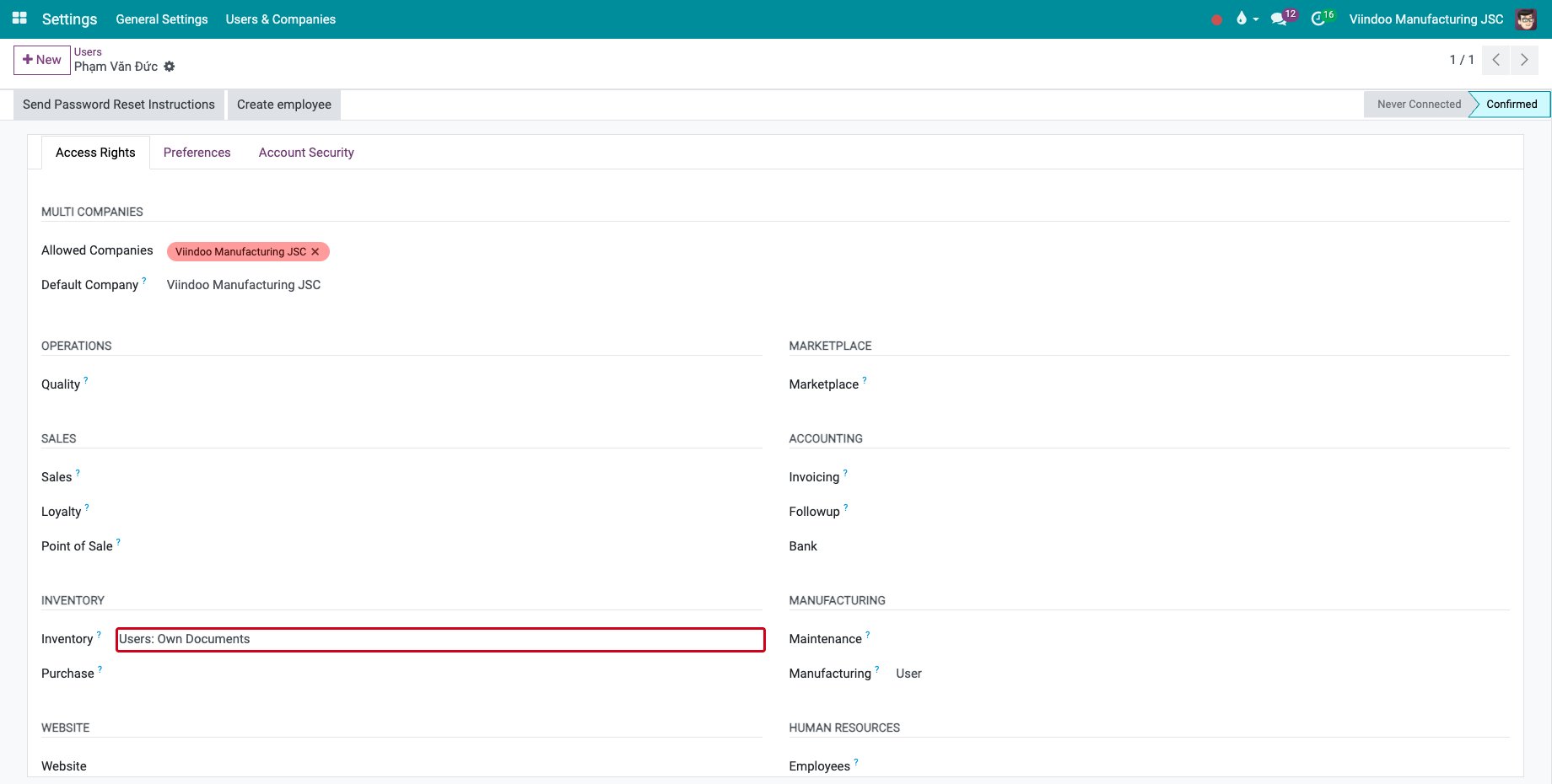
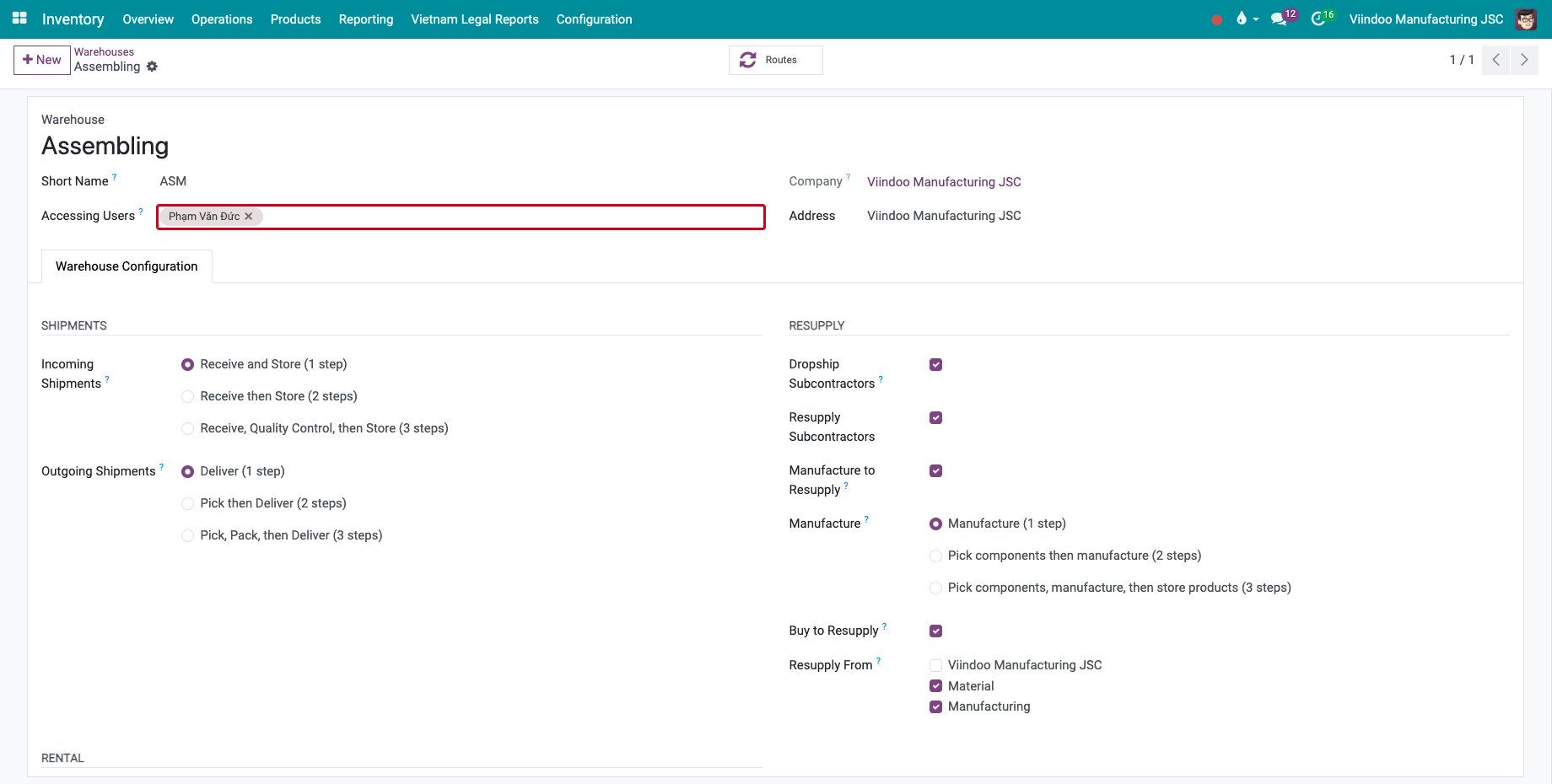
The other access levels of Inventory are Warehouse Manager, who handles every operation of the warehouses they are assigned to, All Warehouses Manager and Administrator, who see every warehouse.
What does the user see?
In Manufacturing ‣ Operations ‣ Manufacturing Orders, the user sees the orders whose source or destination location belongs to their warehouse, or to a warehouse open to everyone. Here only the order of the Assembling warehouse is listed.
![The manufacturing orders seen by the operator]()
The receipts and other transfers follow the same rule. A receipt with quality checks shows the Quality Checks button.
![A receipt of the Assembling warehouse with its Quality Checks button]()
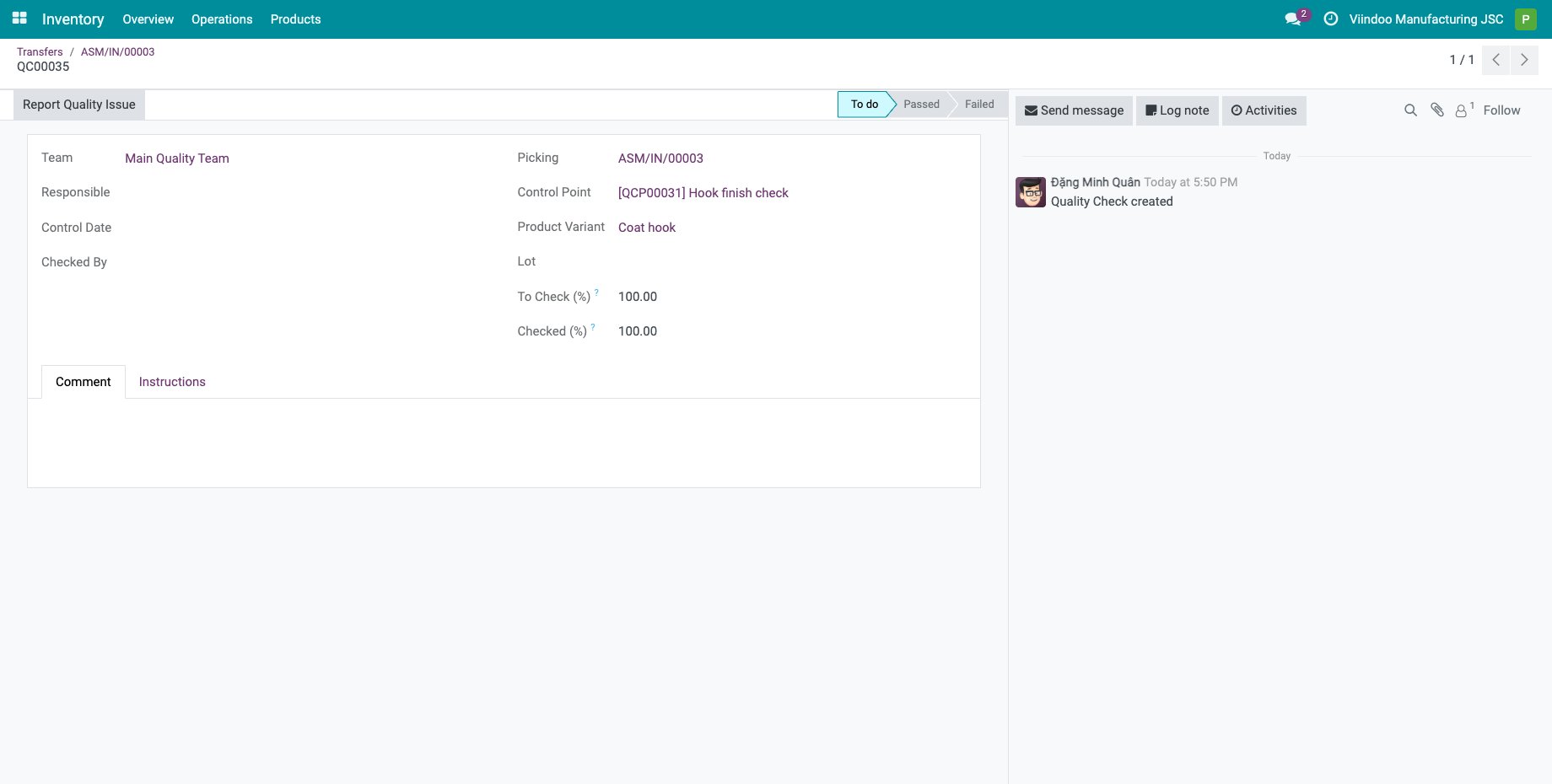
The check opens for reading: the operator can report a quality issue, while the Quality team records the result.
![A quality check of the receipt opened by the operator]()
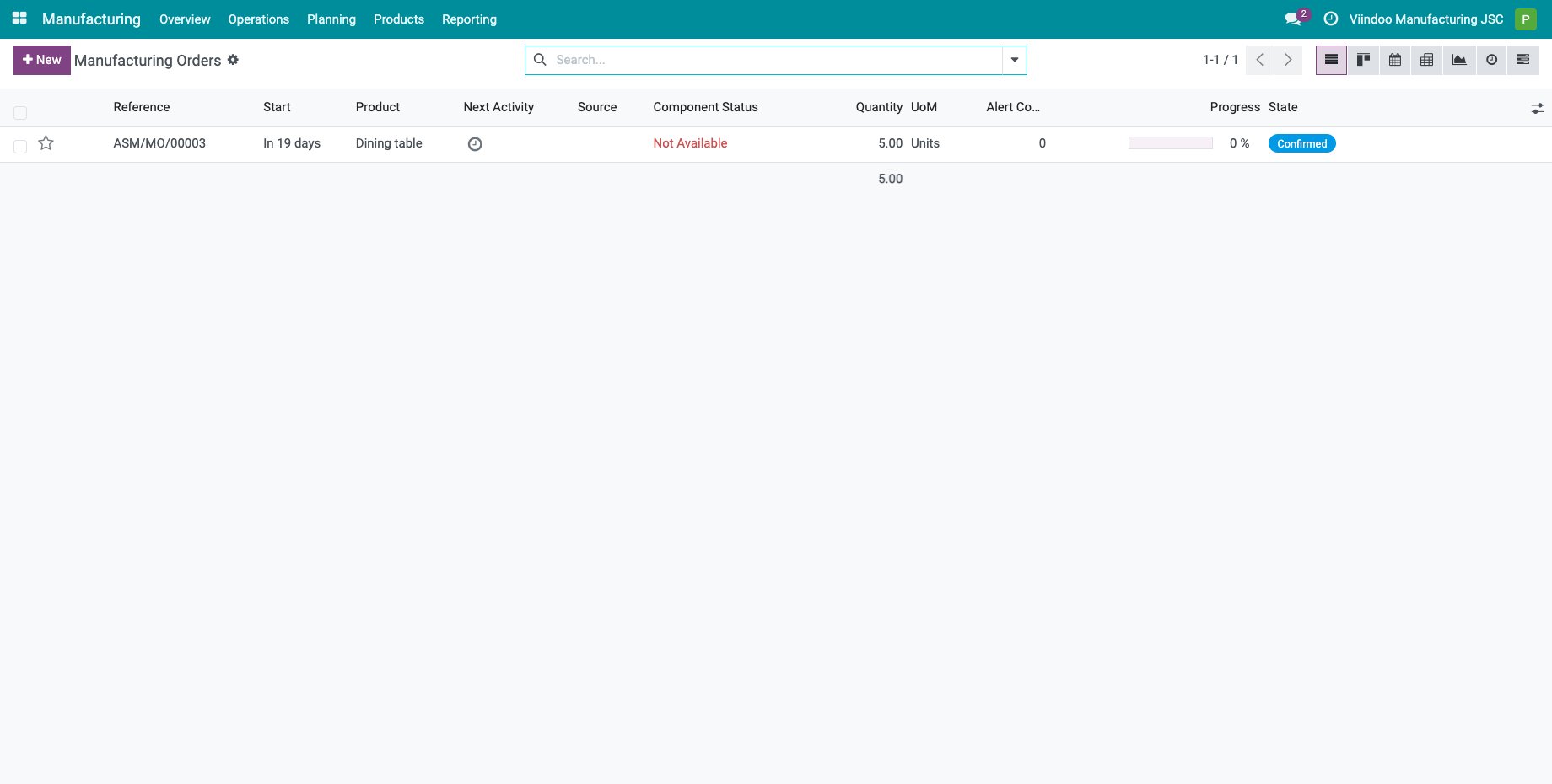
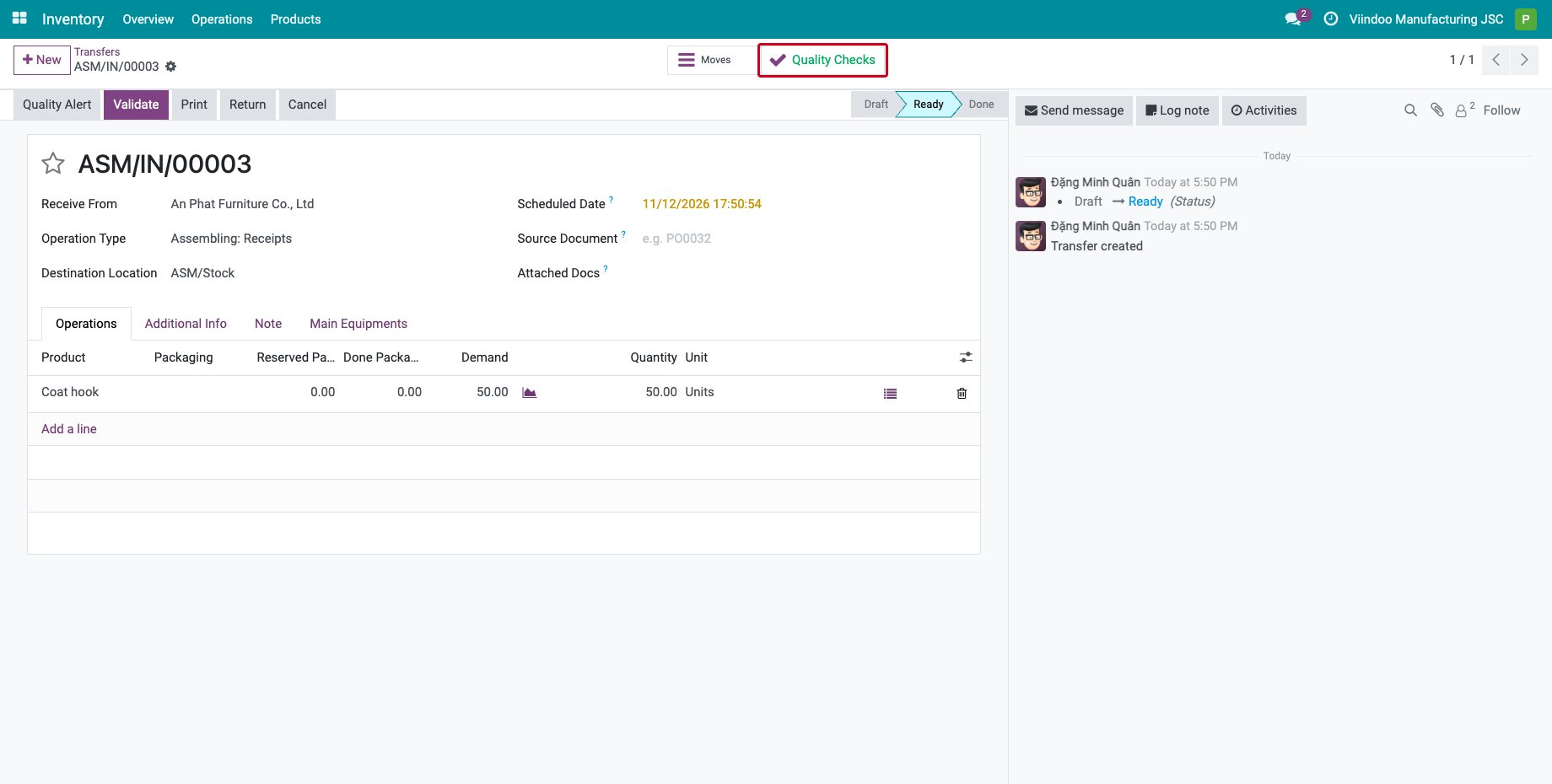
The warehouse limit of quality checks and quality alerts applies to those of transfers. Checks created on manufacturing orders and work orders follow the Manufacturing access right of the user.
Common errors
Problem |
What to do |
|---|---|
The user still sees every warehouse. |
The user has a higher Inventory right, such as All Warehouses Manager, or the warehouse has no accessing user. |
The user sees no manufacturing order. |
Add the user to Accessing Users of the warehouse of the orders. |
Next steps
How to Integrate Quality Control with Transfers: set the quality checks of the receipts.
Getting started with Shop Floor: give the machine operators their access to the Shop Floor app.