
Reports of the Marketplace
The Marketplace app has three reports: Sale Reports for the sales of the merchants and their stores, Commission Fee Reports for the fees you charge them, and Invoice Analysis for the invoices. Merchants see the first two for their own stores.
Who |
Marketplace staff and merchants; Invoice Analysis needs the Marketplace Administrator access right. |
App |
Marketplace |
Before you start
Install Viin Marketplace and Viin Marketplace Sale.
For filters, groups, measures and the graph and pivot views, see Views and reports: which view should I use?.
How do I see the sales of the merchants?
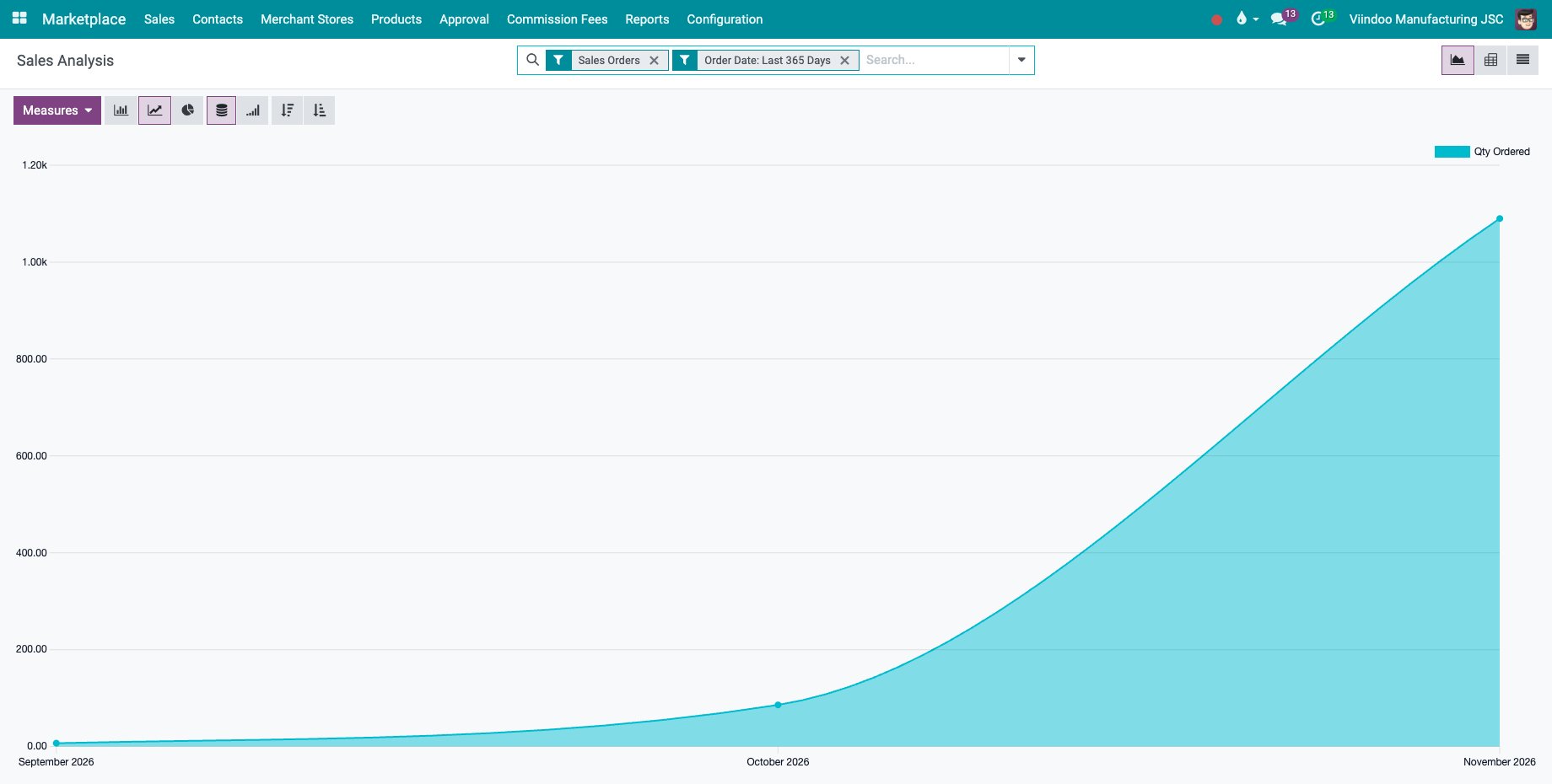
Go to Marketplace ‣ Reports ‣ Sale Reports. The graph shows the sales orders of the last 365 days.
Group by Merchant or Merchant Store and choose a measure, for example Untaxed Total, to compare the merchants. The pivot view gives the same figures in a table.
![The sale report of the marketplace as a graph]()
How do I see the commission fees?
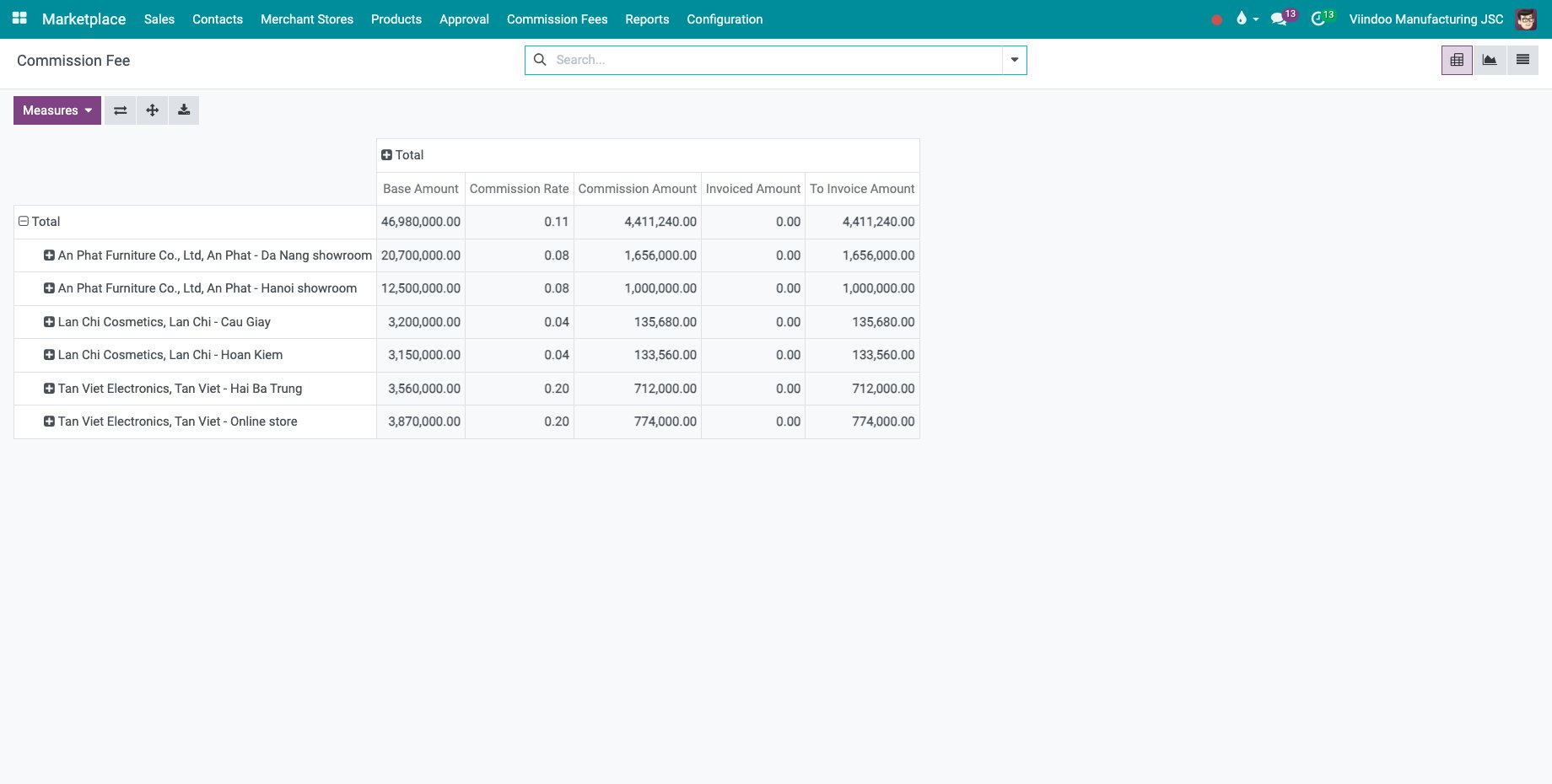
Go to Marketplace ‣ Reports ‣ Commission Fee Reports. The pivot view sums the Base Amount, the Commission Amount, the Invoiced Amount and the To Invoice Amount by merchant store.
![The commission fee report by merchant store]()
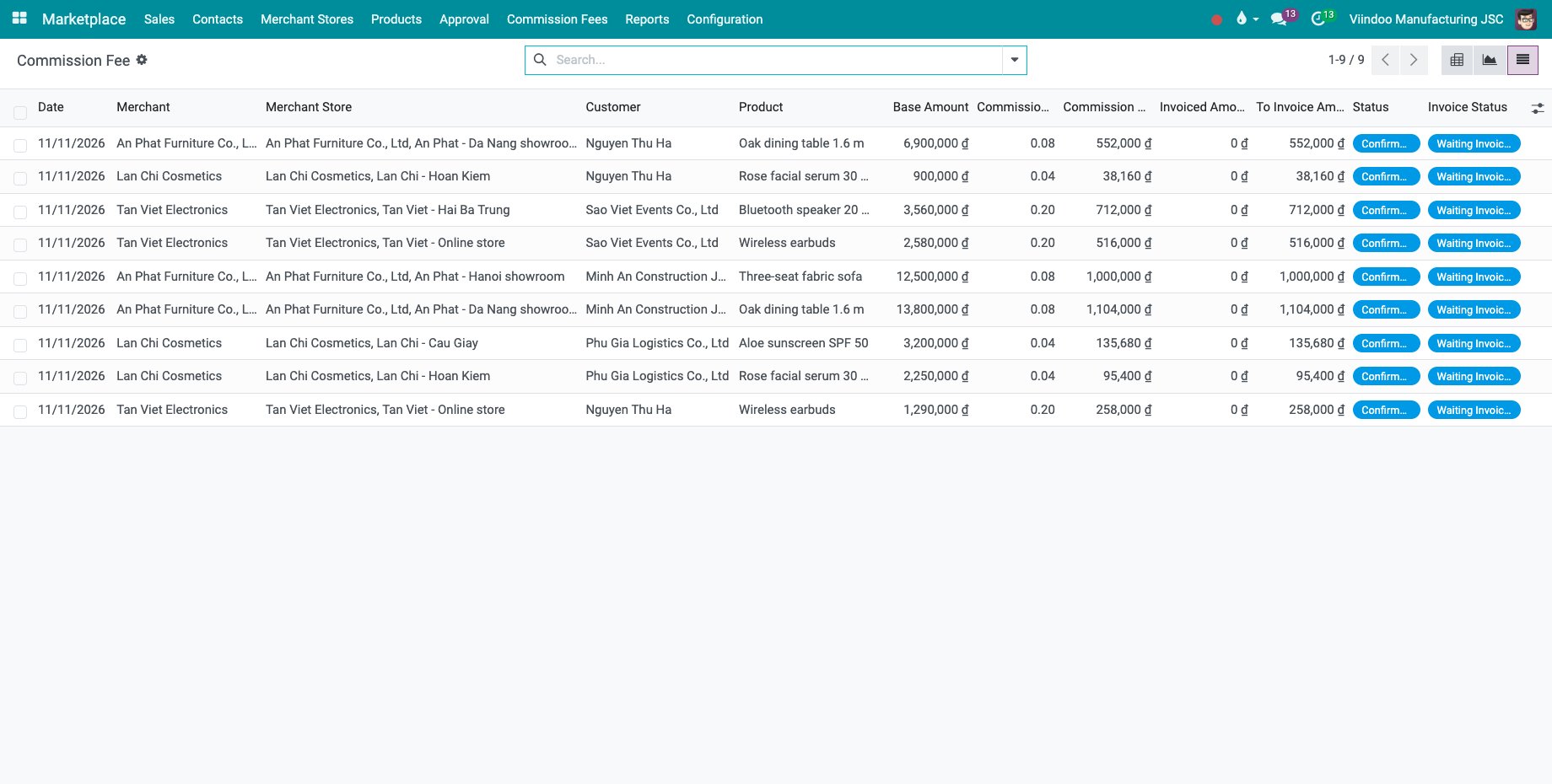
Open the list view to see each fee: its Date, Merchant, Merchant Store, Customer, Product, Base Amount, Commission Rate, Commission Amount, Status and Invoice Status.
![The commission fees in a list with their status]()
How do I analyze the invoices?
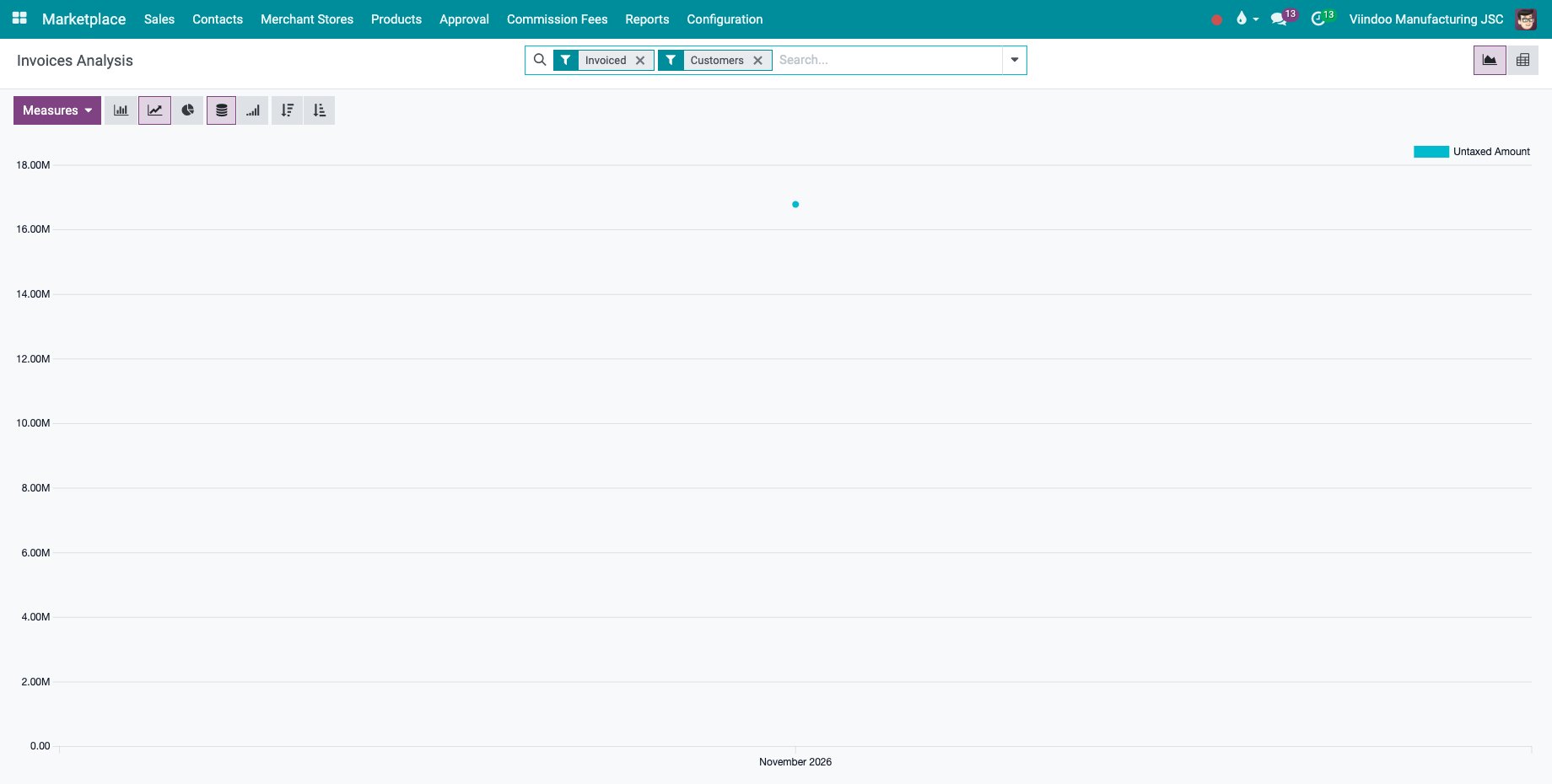
Go to Marketplace ‣ Reports ‣ Invoice Analysis. It shows the posted customer invoices; use the pivot view to sum them by customer or by month.
![The invoice analysis in a pivot table]()
Common errors
Problem |
What to do |
|---|---|
Invoice Analysis is missing. |
It needs the Marketplace Administrator access right. |
A merchant sees no figures. |
The merchant sees only the sales and fees of their own stores. |
Next steps
Managing objects on a Marketplace: change the commission rules.
See also
Related articles
Optional modules