
Manage By-products in Manufacturing
A by-product is a secondary product that production gives together with the main one, such as wood scraps from cutting boards. Add it to the bill of materials: each manufacturing order then expects it, you record the quantity really produced, it is received in stock when the order is done, and the cost analysis shows its share of the cost.
Who |
Manufacturing administrators, who turn the feature on; users with the Manufacturing ‣ User access right, who set up and run the orders. |
App |
Manufacturing |
Before you start
Install the Manufacturing app.
The by-product exists as a product.
The Cost Analysis of the by-products needs the Advanced MRP Accounting module and access to the accounting features.
How do I turn on by-products?
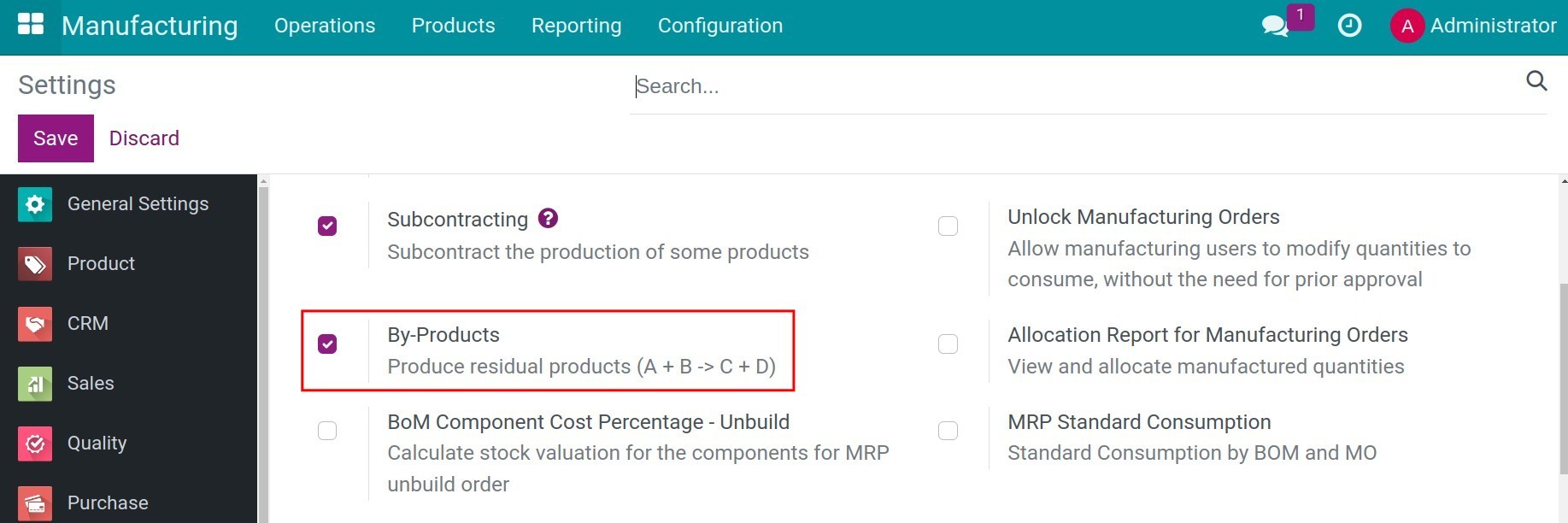
Go to Manufacturing ‣ Configuration ‣ Settings, tick By-Products and click Save.
How do I add a by-product to the bill of materials?
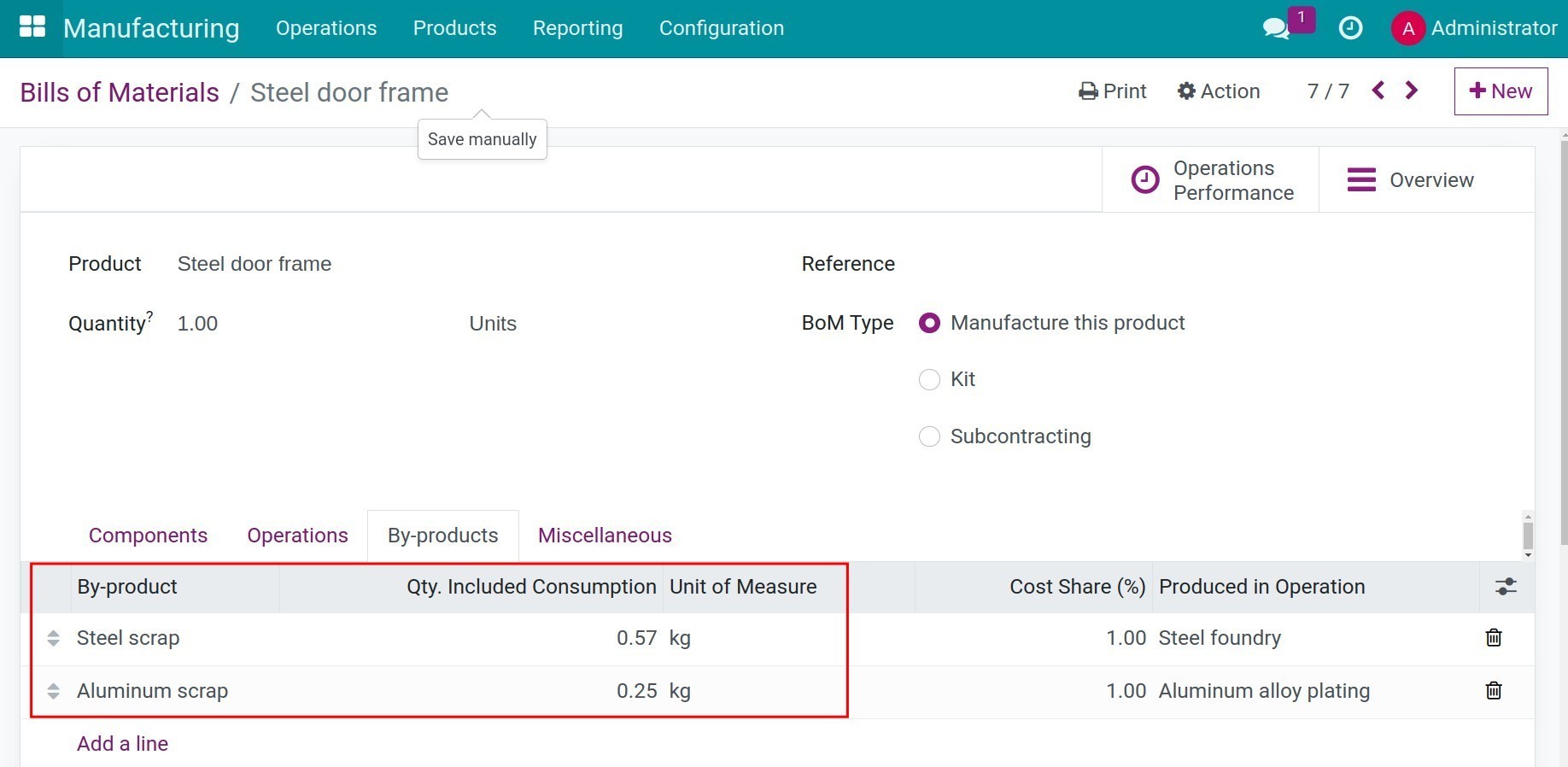
Open the bill of materials. On the By-products tab, add the By-product, its Standard Quantity and, when it comes from one step, the operation in Produced in Operation. Add only the by-products you want to follow in quantity and value, for example to sell them or to use them in other production.
How do I record the by-products of an order?
-
![A new manufacturing order]()
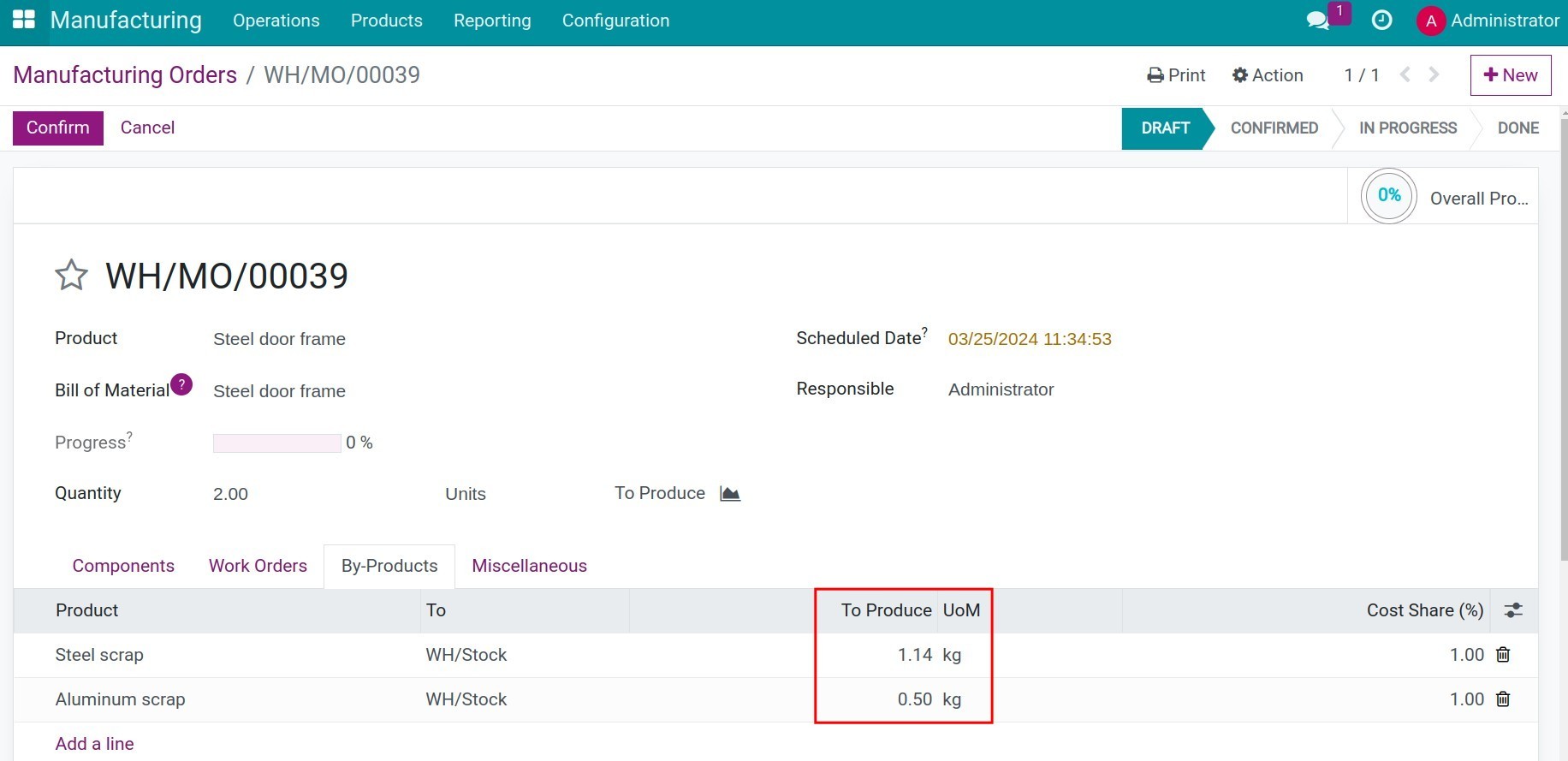
On the By-Products tab, the To Produce column shows the expected quantity. Click Confirm.
![The By-Products tab of a manufacturing order]()
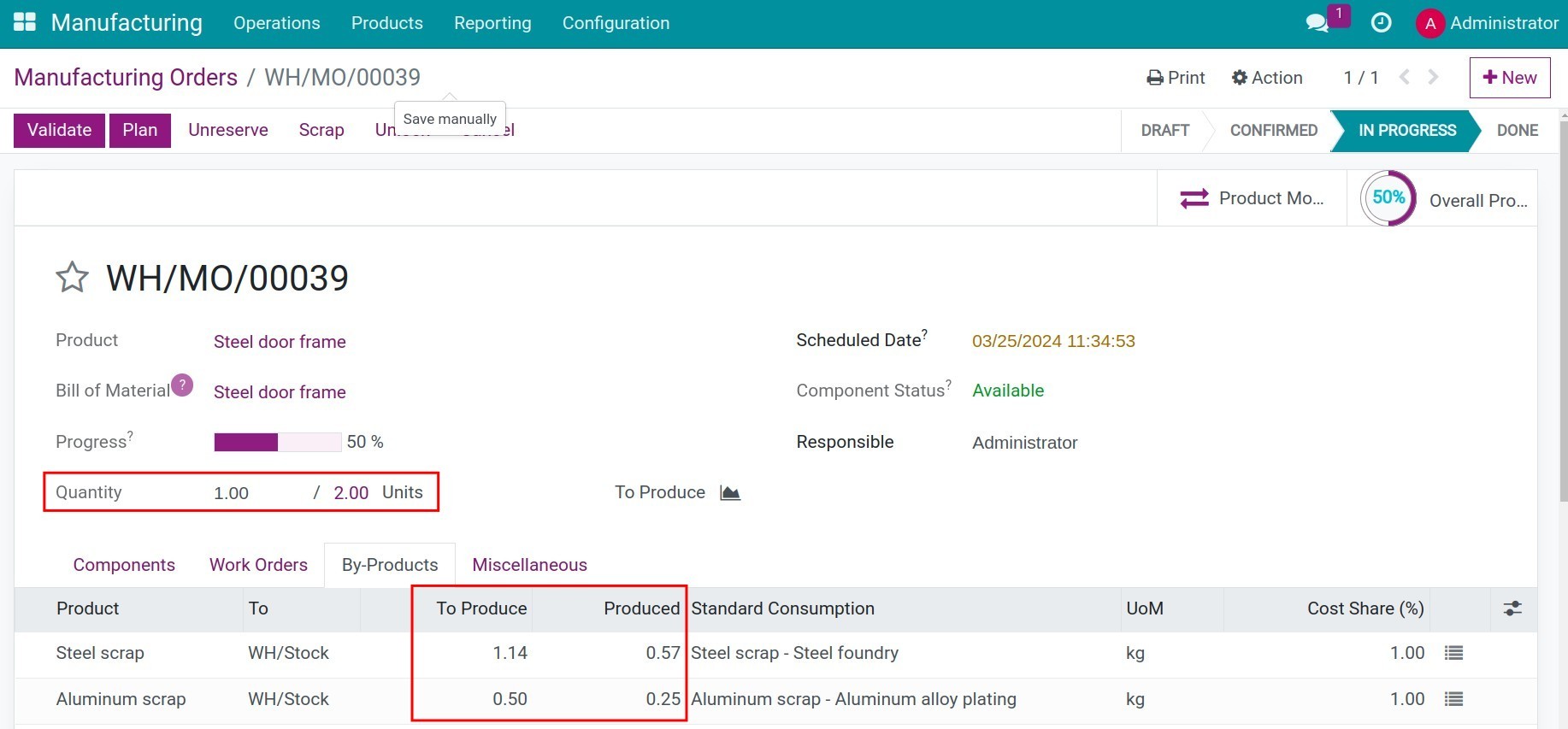
During the production, type the real quantity in the Quantity column of each by-product.
![The quantity of by-products recorded on the manufacturing order]()
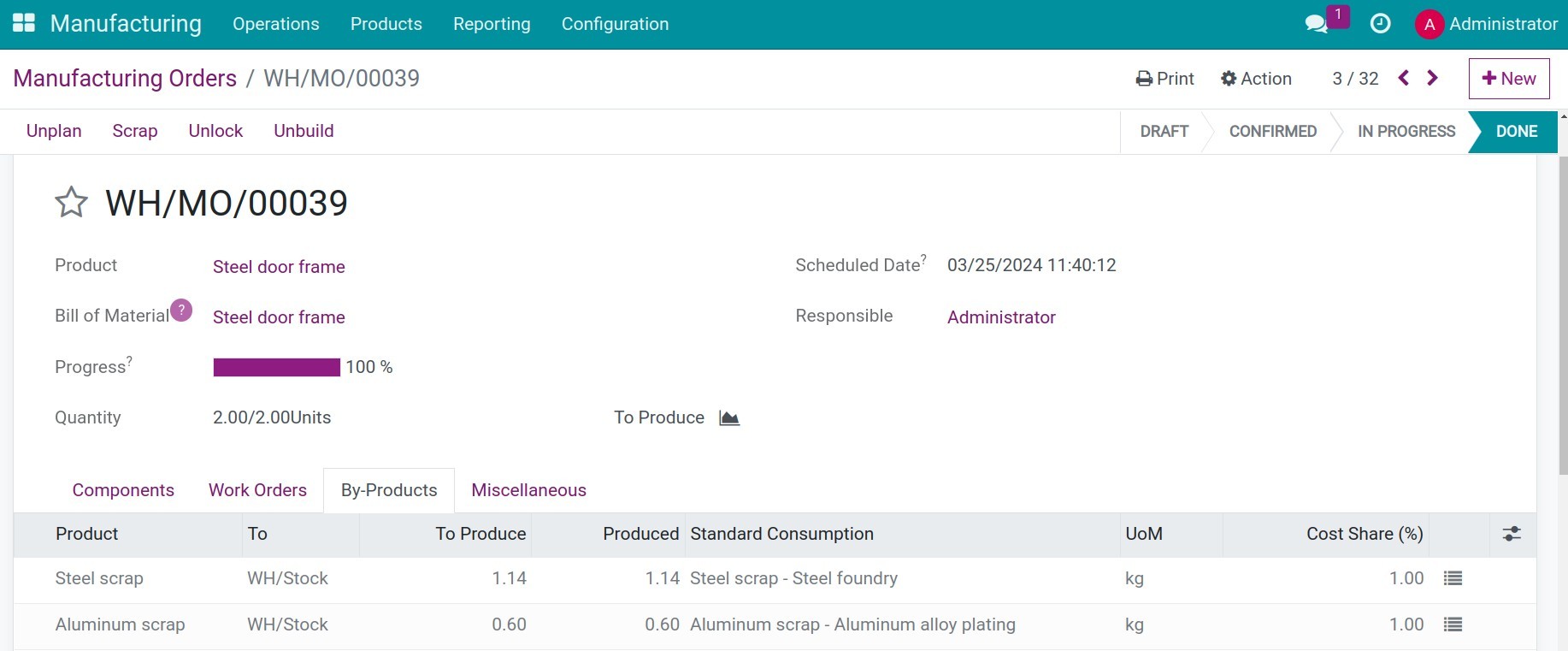
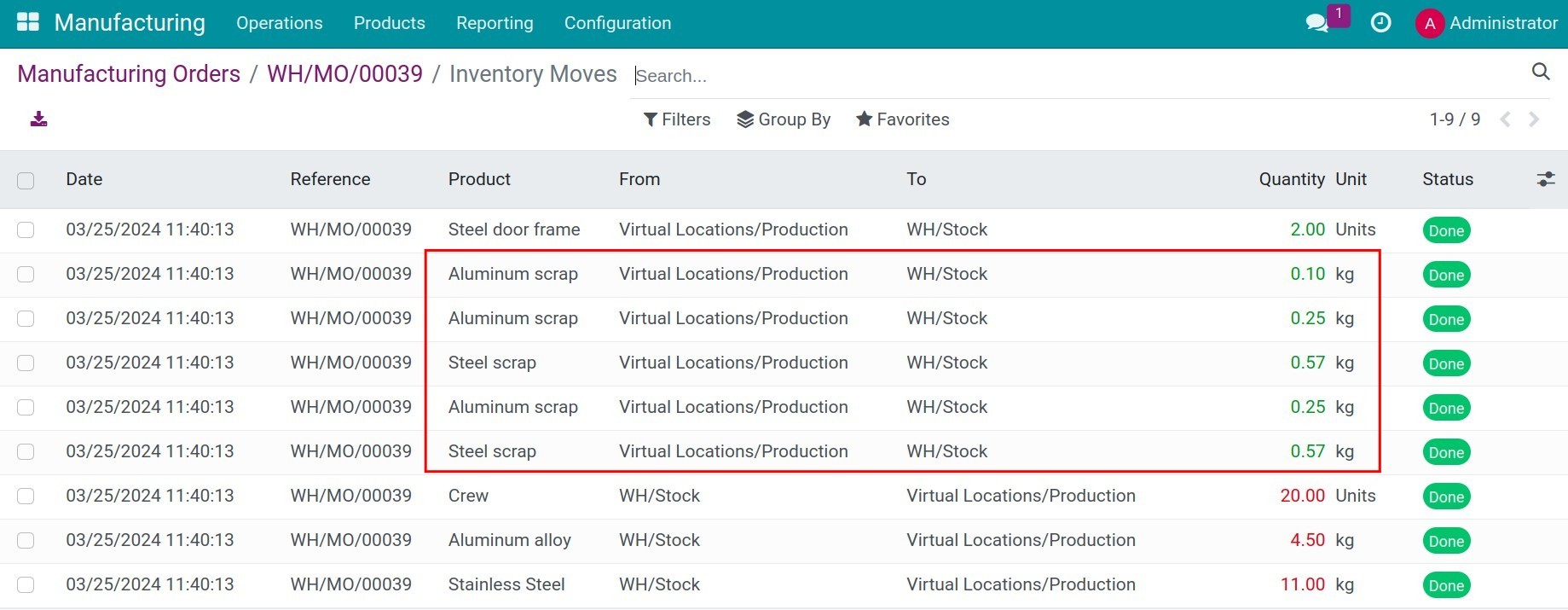
Click Produce All: the by-products are received in stock with the real quantity.
![The by-products received in stock]()
How do I read the cost of the by-products?
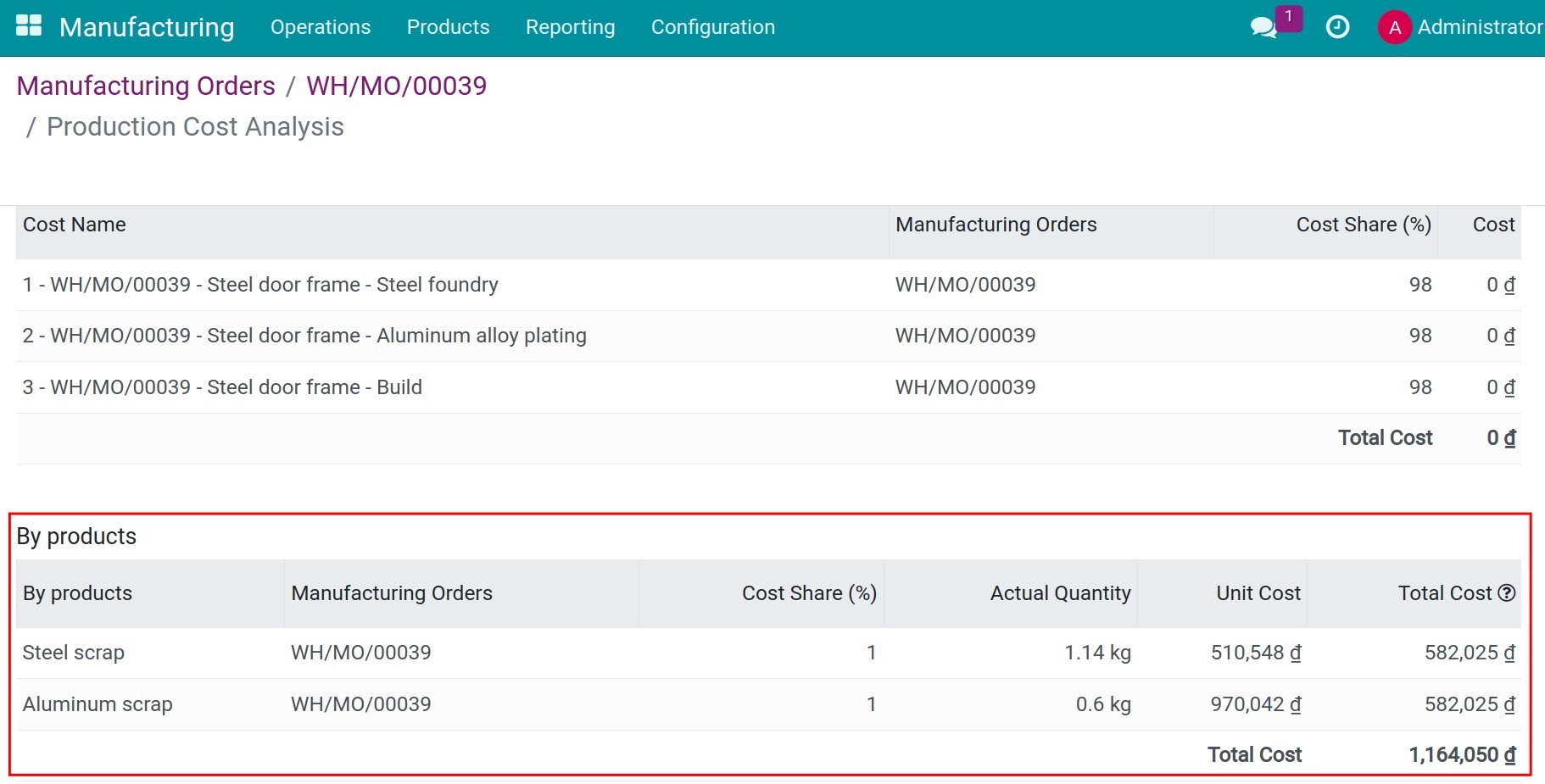
On the done manufacturing order, click Cost Analysis. The by-products section shows their quantity and their cost, a basis to price them or to cost their reuse in other production. The Loss By-products Analysis button compares the expected and real quantities.
Common errors
Problem |
What to do |
|---|---|
The By-products tab is missing. |
Tick By-Products in Manufacturing ‣ Configuration ‣ Settings. |
Cost Analysis is missing on a done order. |
The user has no access to the accounting features. |
The cost shares cannot be saved. |
The Cost Share (%) of all by-products of a bill of materials must add up to 100 or less. |
Next steps
Manage Loss components in Manufacturing: plan the losses of the components.
How to understand manufacturing reports: the production cost report.
See also
Related articles
Optional modules