
How customers buy and manage subscriptions online
With the online shop, customers can buy a subscription product, choose its payment period in the cart and pay online. They then follow their subscriptions in the customer portal (My Account ‣ Subscriptions), pay each renewal from the Pay Now link of the emails Viindoo sends, and can close or reopen a subscription themselves.
Who |
Customers (portal users); a Sales administrator sets it up. |
App |
Subscriptions, eCommerce |
Before you start
Install Website Sale Subscription.
Set up an online payment provider.
How does a customer buy a subscription?
The customer adds the subscription product to the cart on the website.
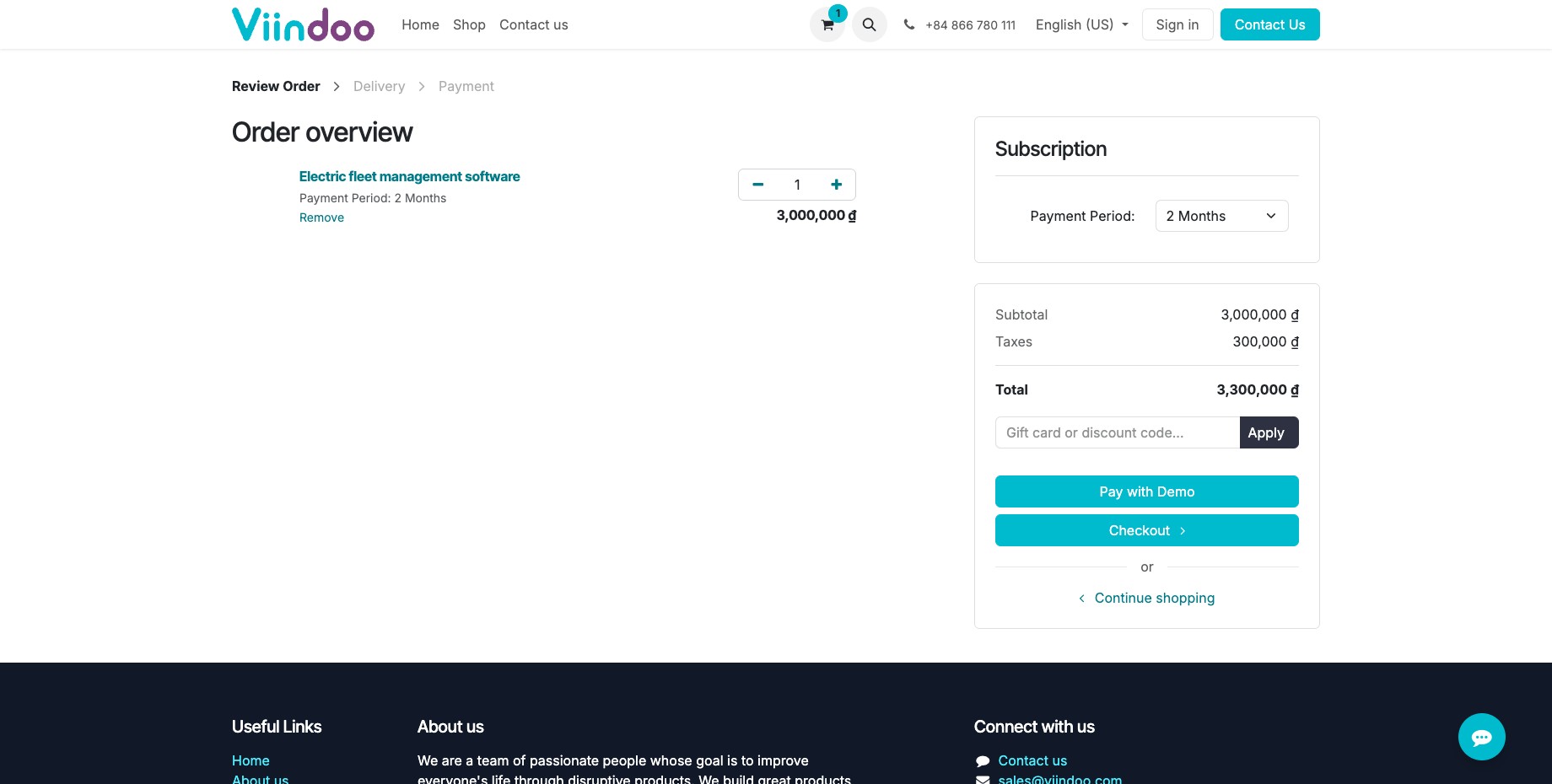
In the cart, the customer chooses the Payment Period; the price is recomputed for that period, with its periodic discount.
![Shopping cart with the payment period of a subscription product]()
The customer checks out and pays. The paid order becomes a running subscription.
What does the customer receive by email?
When |
|
|---|---|
Your Subscription … needs to pay |
A subscription or renewal has an amount to pay. The Pay Now link opens the payment page. |
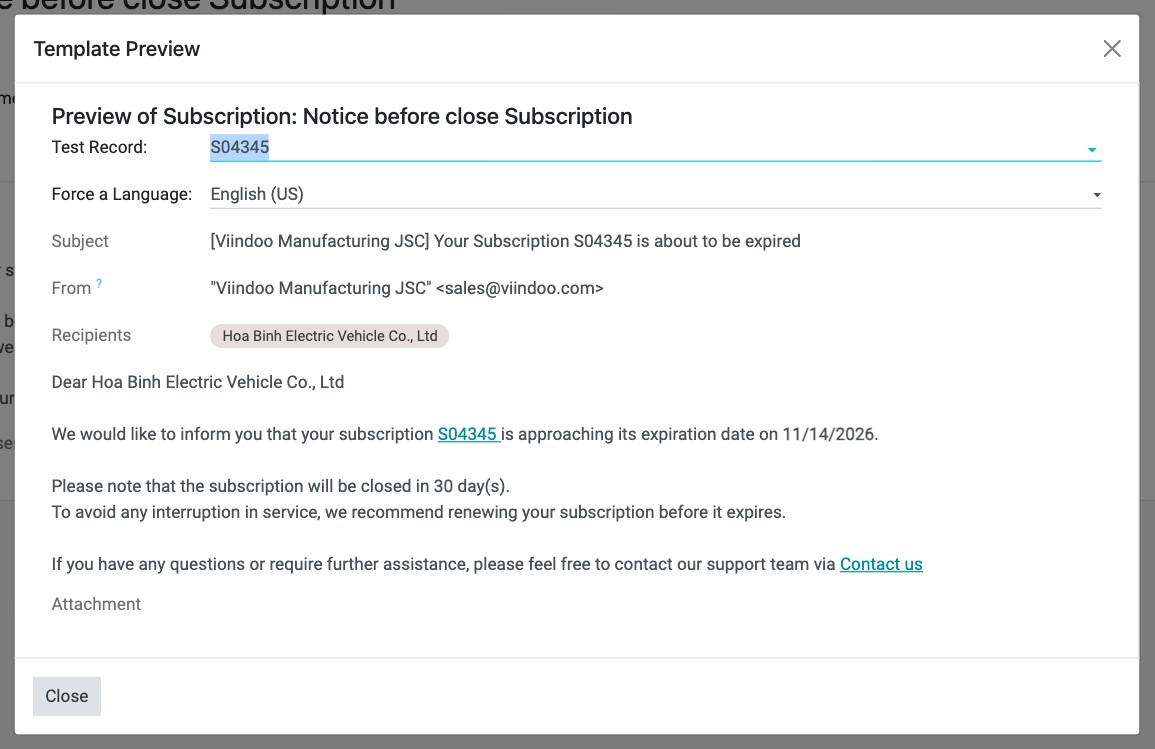
Your Subscription … is about to be expired |
On the days set in Alert Days Before Close Subscription, before an unpaid subscription closes. |
Your Subscription … has been renewed |
The renewal for the next period was created. |
Your Subscription … has been closed |
The subscription was closed (unpaid, ended or on request). |
How does a customer follow, close or reopen a subscription?
The customer signs in and opens My Account ‣ Subscriptions: each subscription shows its state, period and next payment.
On a running subscription, Close stops it; the customer can give a reason.
On a closed subscription, Reopen starts it again (when it can be reopened).
Common errors
Symptom |
What to do |
|---|---|
The customer cannot choose the period in the cart. |
Make the sales period visible on the website (see How to offer subscription periods on the online shop). |
The subscription was closed although the customer wants to continue. |
It was not paid by the due date. Reopen it, or ask the customer to click Reopen in the portal. |
Next steps
How to sell, upsell, renew and close a subscription: what salespeople do on subscriptions.