
Rental Report Overview
The Rental app shows your rentals three ways: the Rental Schedule puts each rented item on a timeline, Rental Analysis sums the rental orders by customer, product or month, and the Inventory Report shows where your rental products are: in stock or out at a customer.
Who |
Salespeople see the rental schedule (Sales ‣ User access rights); rental managers see the reports (Sales ‣ Administrator access right). |
App |
Rental |
Before you start
Install the Rental Management module. The Inventory Report needs the Rental Stock Management module.
For filters, groups and measures, see Views and reports: which view should I use?.
How do I see which item is rented and until when?
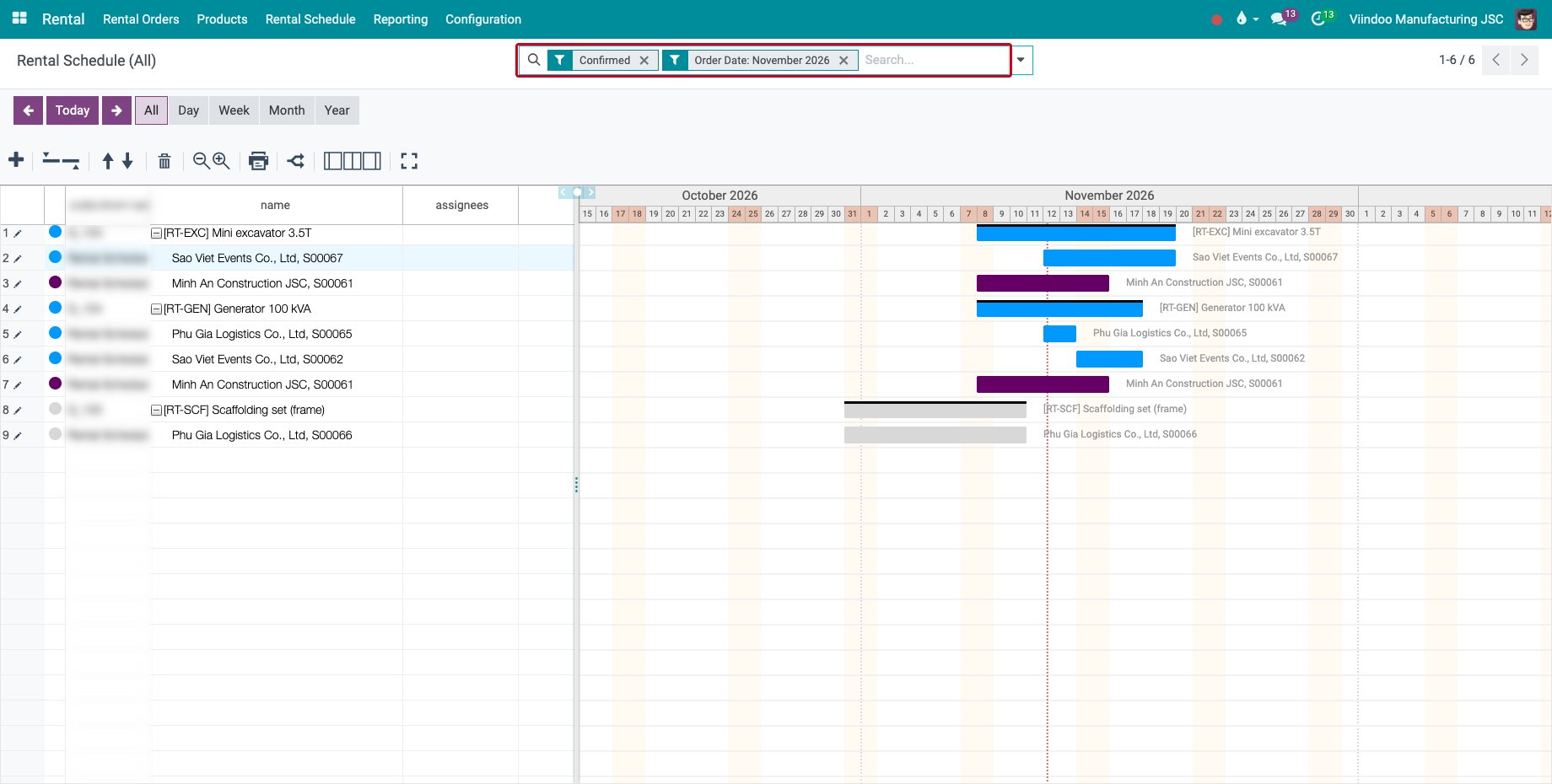
Go to Rental ‣ Rental Schedule. Each rental product has a row, with one bar for each order that rents it, from its start date to its end date. The filters Confirmed and the current month are set; remove them to see every rental.
The color of a bar gives the rental status: blue for Confirmed, purple for Picked-up and grey for Returned. Use Day, Week, Month or Year to zoom.
![The rental schedule with the orders of each rental product on a timeline]()
How do I analyze my rental revenue?
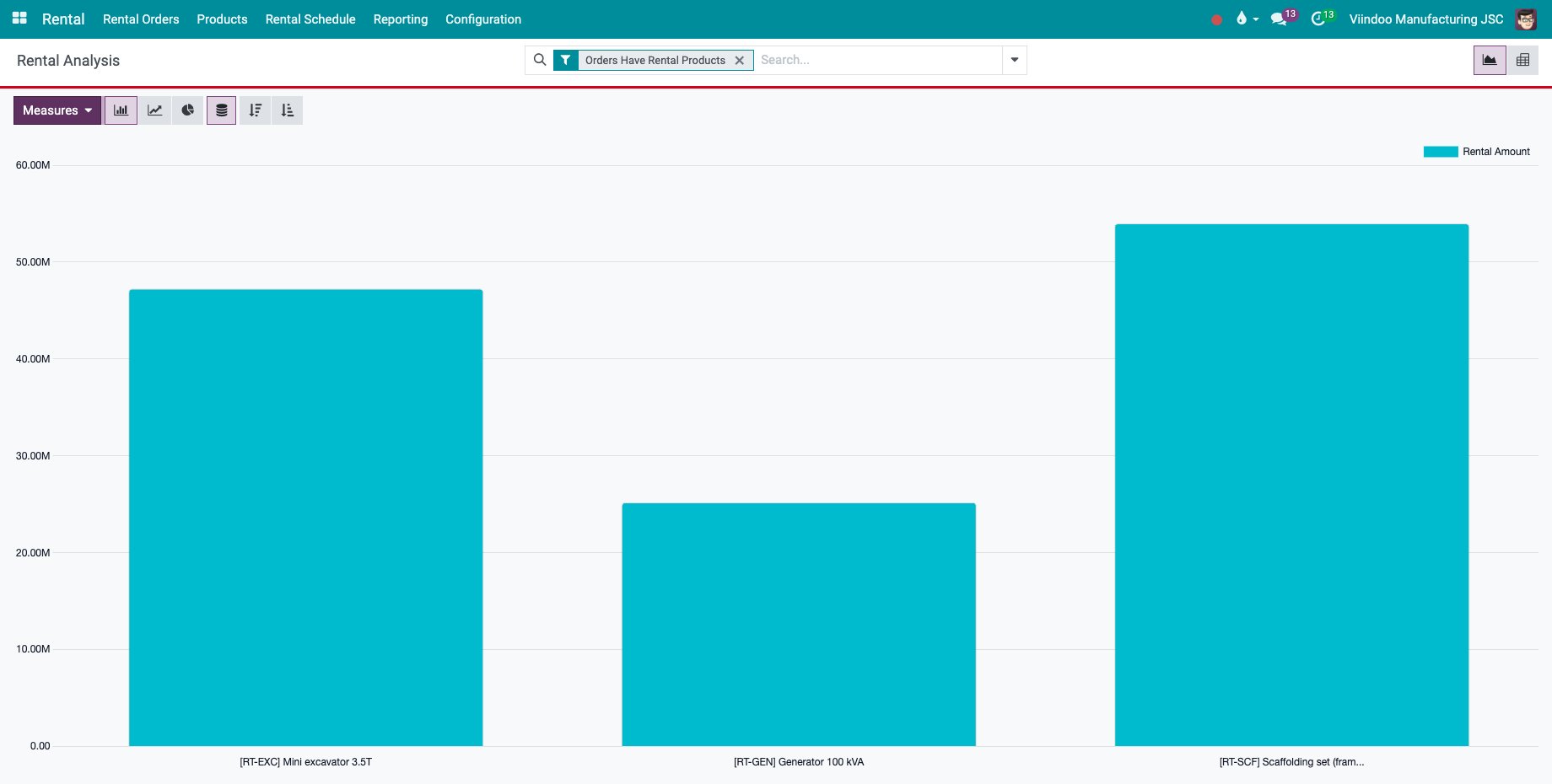
Go to Rental ‣ Reporting ‣ Rental Analysis. The graph shows the rental orders, with the filter Orders Have Rental Products set.
Click Measures to choose what to sum, for example Rental Amount. The bars group the orders by product; change the grouping from the search options, for example by Customer.
![The rental analysis as a bar graph]()
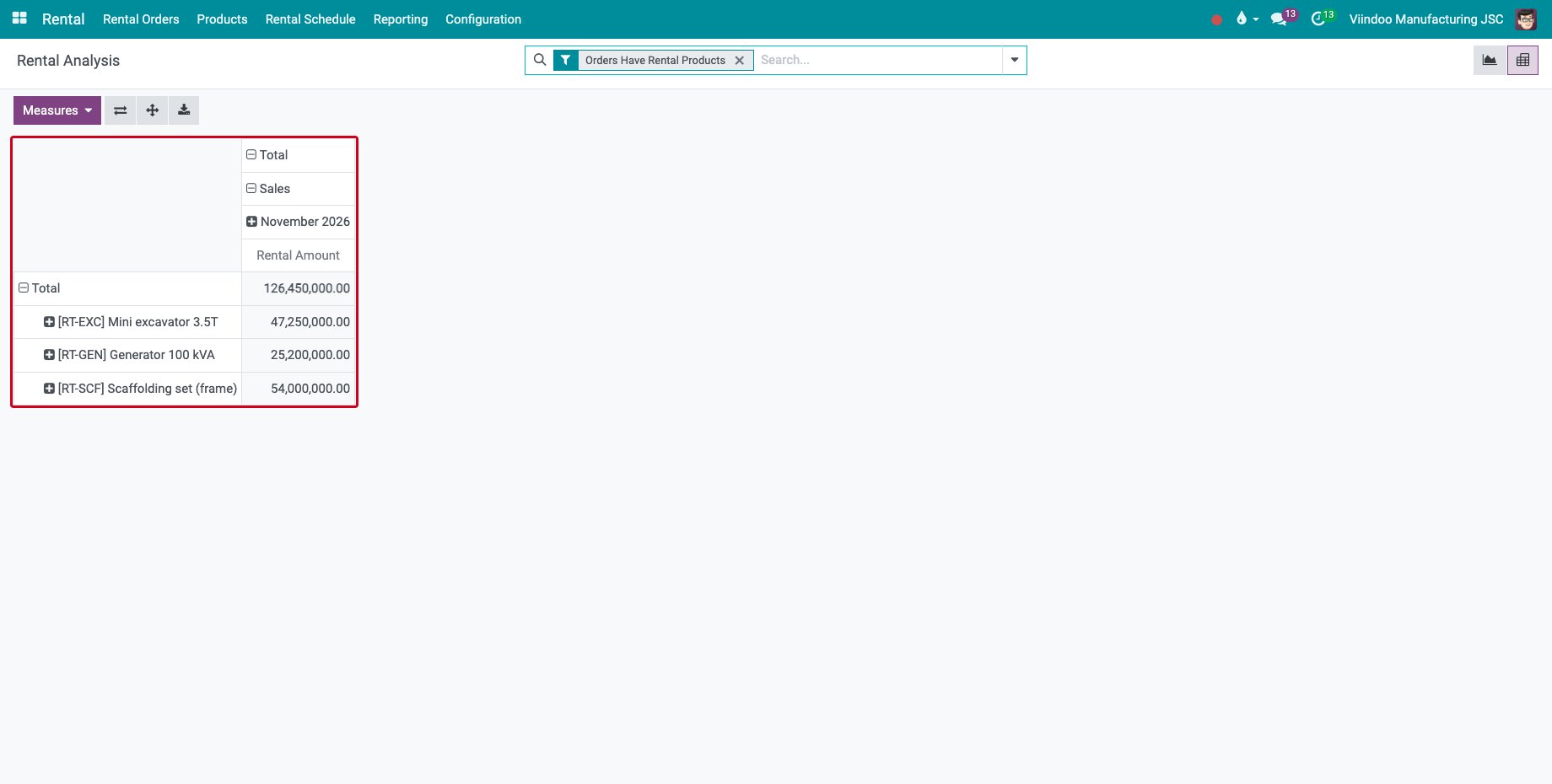
Click the pivot icon to see the same figures in a table, by product and by month. Click a row or column header to break it down further.
![The rental analysis as a pivot table by product]()
To compare with an earlier period, choose a date in Filters, then Previous Period or Previous Year in Comparison.
Where are my rental products?
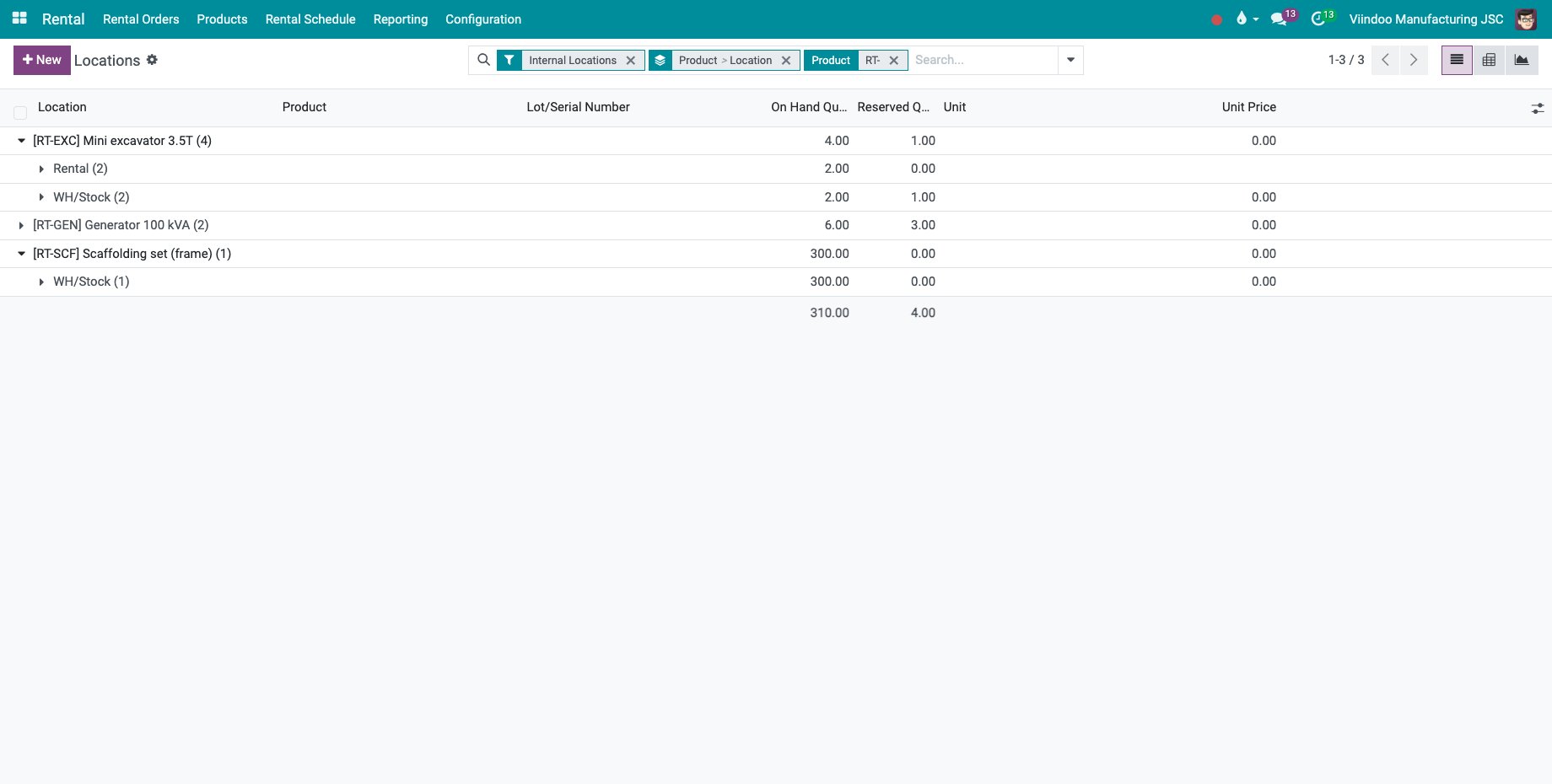
Go to Rental ‣ Reporting ‣ Inventory Report. The quantities of your products are grouped by product and by location: the Rental location holds the items that are out at customers.
![The inventory report with the rental products in stock and in the Rental location]()
Common errors
Problem |
What to do |
|---|---|
The rental schedule is empty. |
Remove the Confirmed filter or change the month: only confirmed orders of the month show by default. |
Reporting is missing. |
The reports need the Sales ‣ Administrator access right. |
Next steps
How to create Rental Orders: create more rental orders.
See also
Related articles
Optional modules