
Manufacturing order overview and printing
A manufacturing order has an overview that shows what it consumes and costs, line by line. From the order you also print the production order for the workshop and the labels of the finished products, and you find the orders made for its semi-finished components.
Who |
Production planners, supervisors and cost accountants with the Manufacturing ‣ User access right. |
App |
Manufacturing |
Before you start
Install the Manufacturing app. Searching the child orders needs the Production Advanced Filter module.
The costs of the operations come from the cost per hour of the work centers, see Manage Manufacturing process in Viindoo.
How do I read the overview of an order?
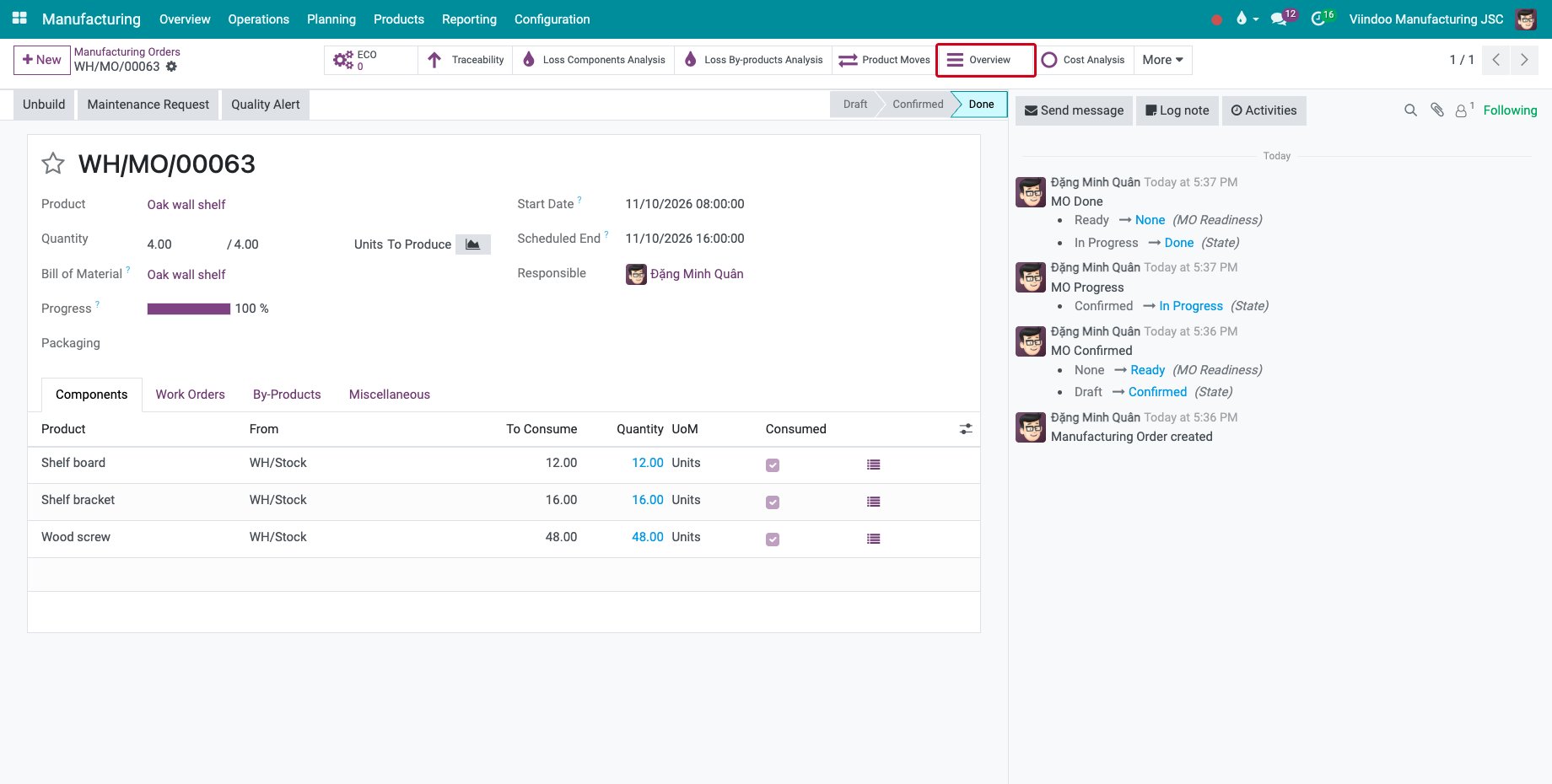
Open the order and click Overview.
![The Overview button of a done manufacturing order]()
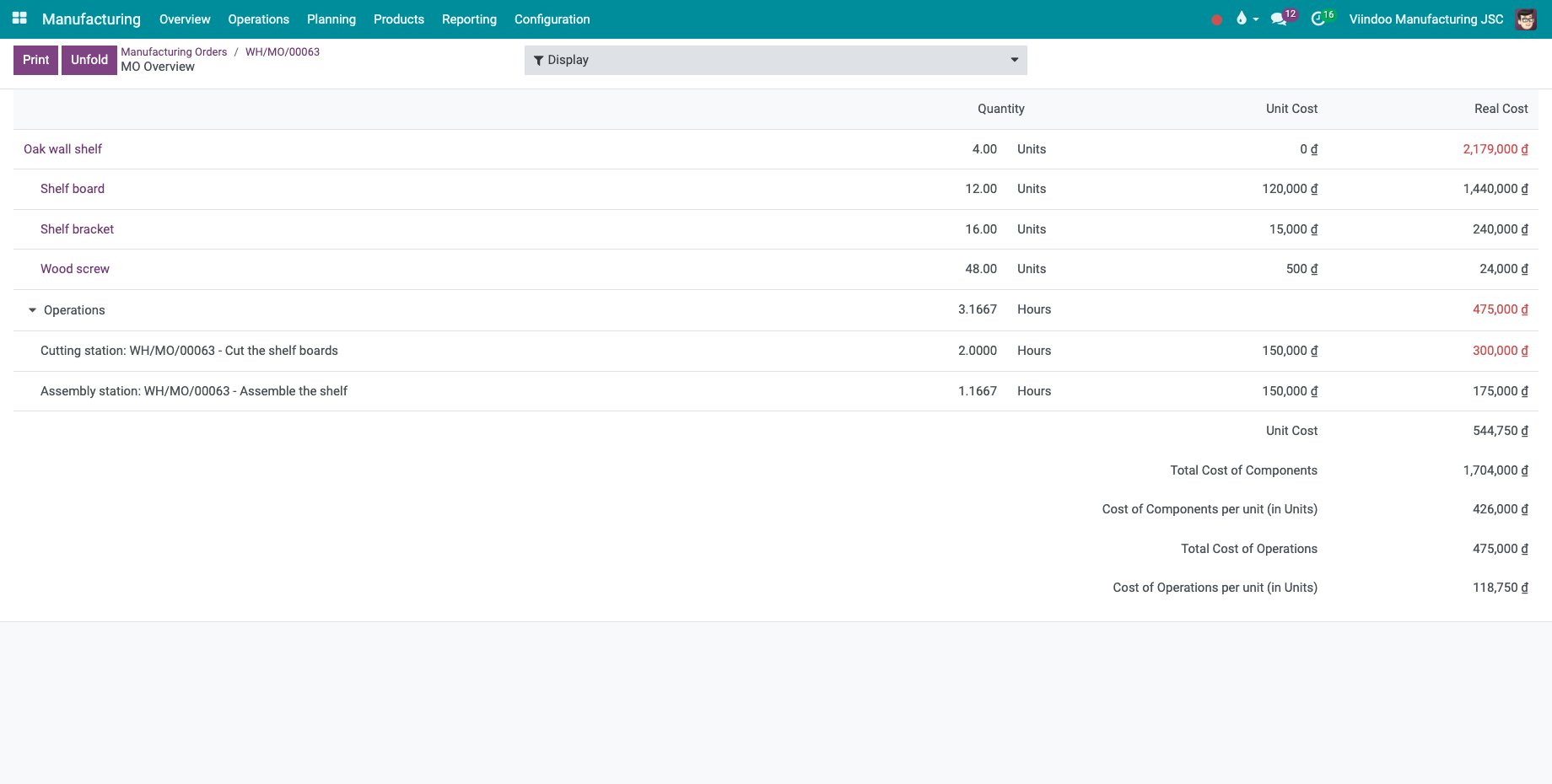
MO Overview lists the finished product, each component and each operation with its quantity, unit cost and cost, then the cost of the components and of the operations, in total and per unit. Unfold opens every level, Display sets what is shown and Print prints the overview.
![The overview of an order of 4 oak wall shelves with its costs]()
How do I print the order and the labels?
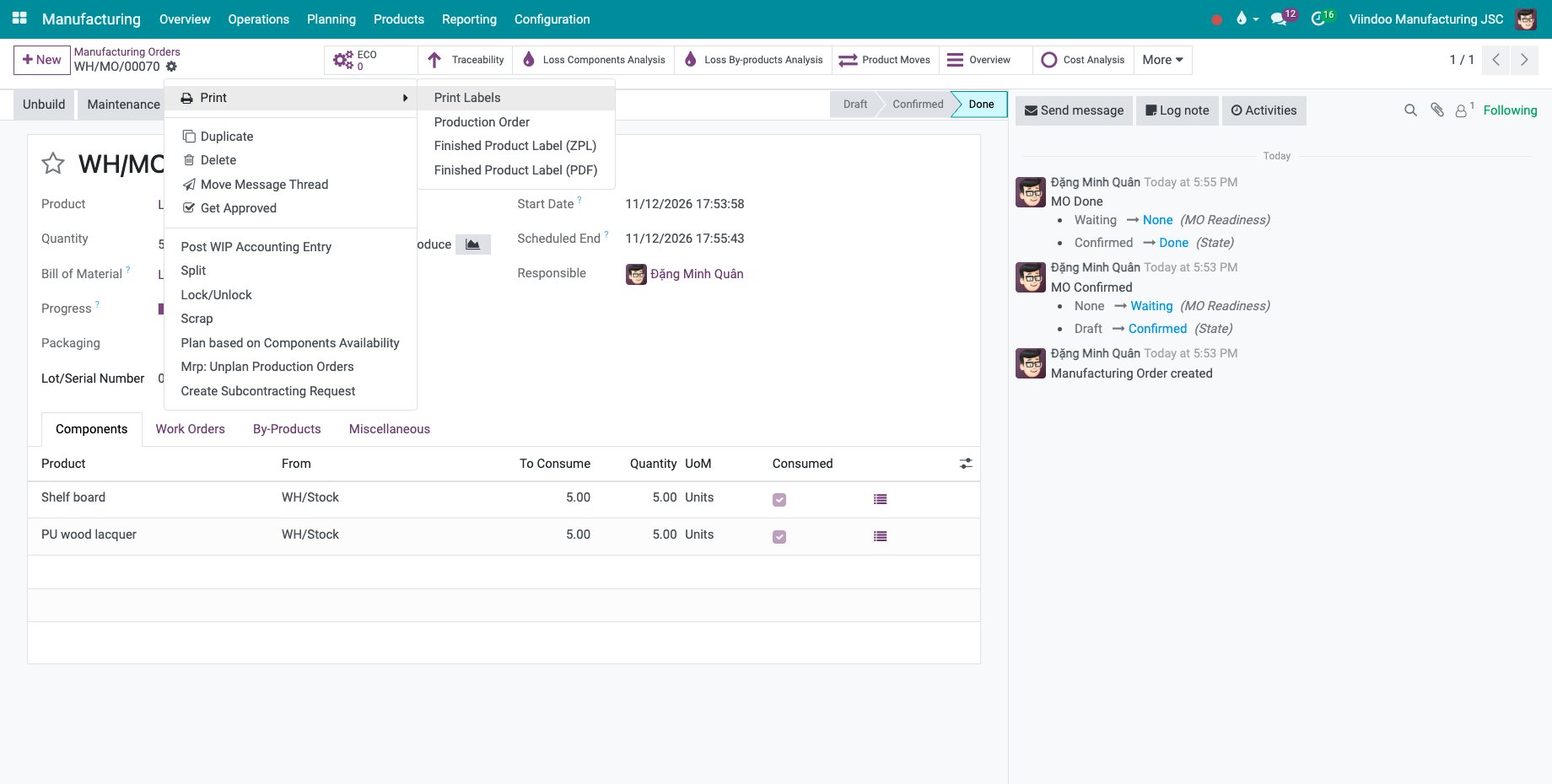
Open the order and point to Print in the gear menu: Production Order prints the order for the workshop; Finished Product Label (PDF) and Finished Product Label (ZPL) print the labels of the finished product, the second for label printers; Print Labels opens a choice of labels.
![The Print menu of a manufacturing order]()
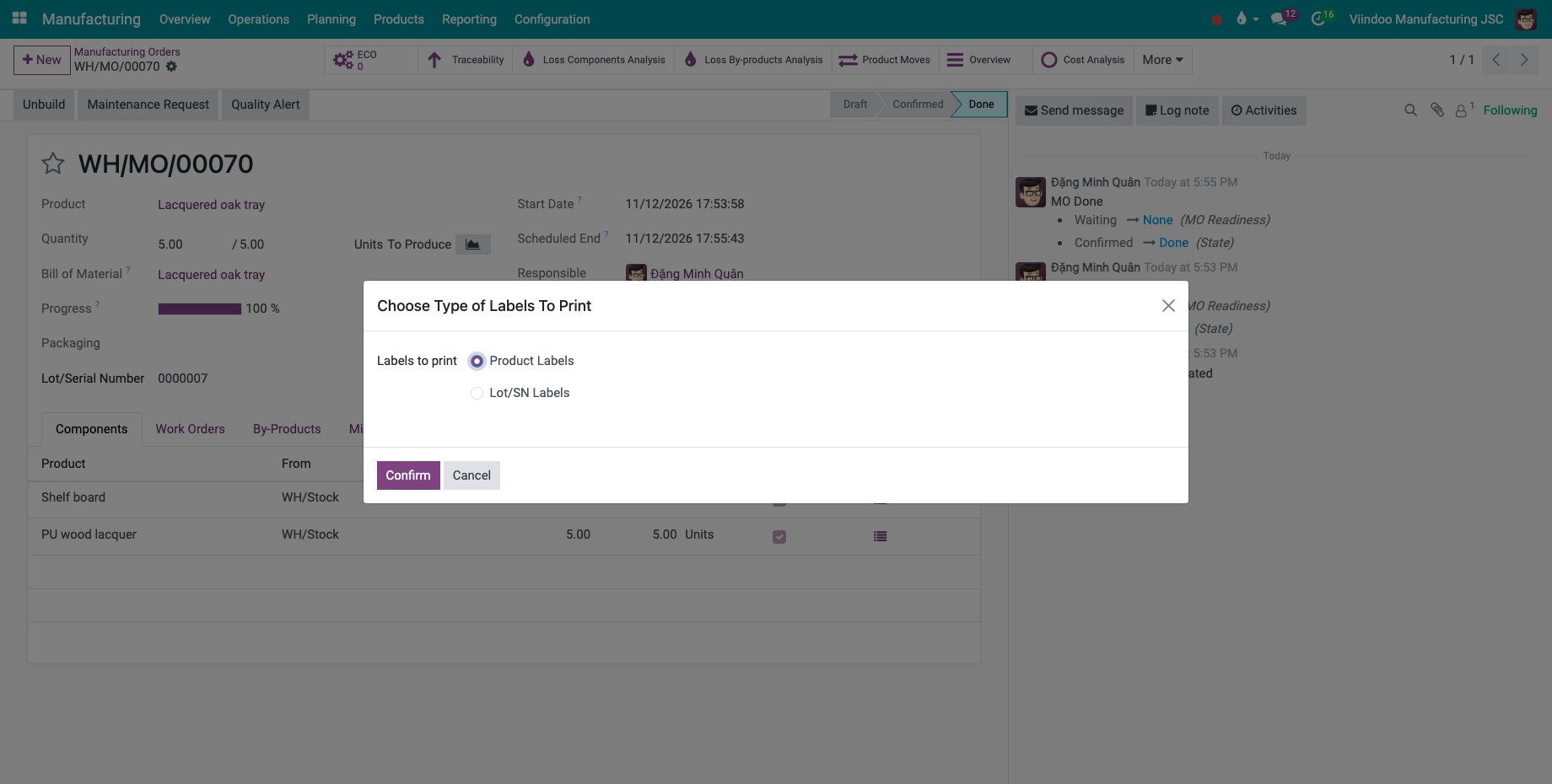
On an order of a product tracked by lot, Print Labels asks for the Labels to print: Product Labels or Lot/SN Labels, then Confirm.
![The window Choose Type of Labels To Print]()
How do I find the child orders of an order?
When the semi-finished products of an order are made by their own orders, those orders are its child orders, see Manage Semi-Finished Product in Manufacturing process.
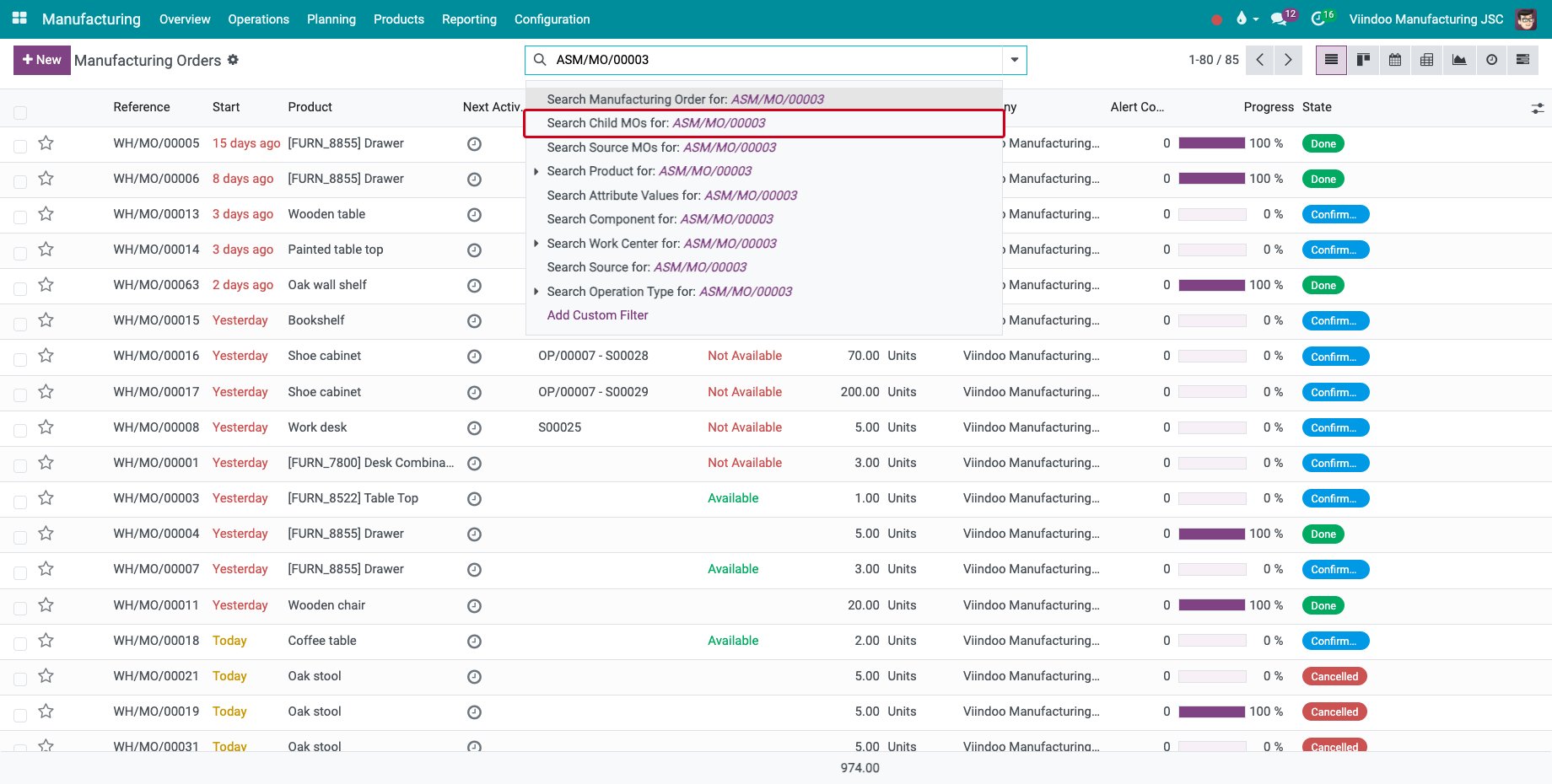
In Manufacturing ‣ Operations ‣ Manufacturing Orders, type the reference of the parent order in the search box and choose Search Child MOs for.
![Search Child MOs for the reference of an order]()
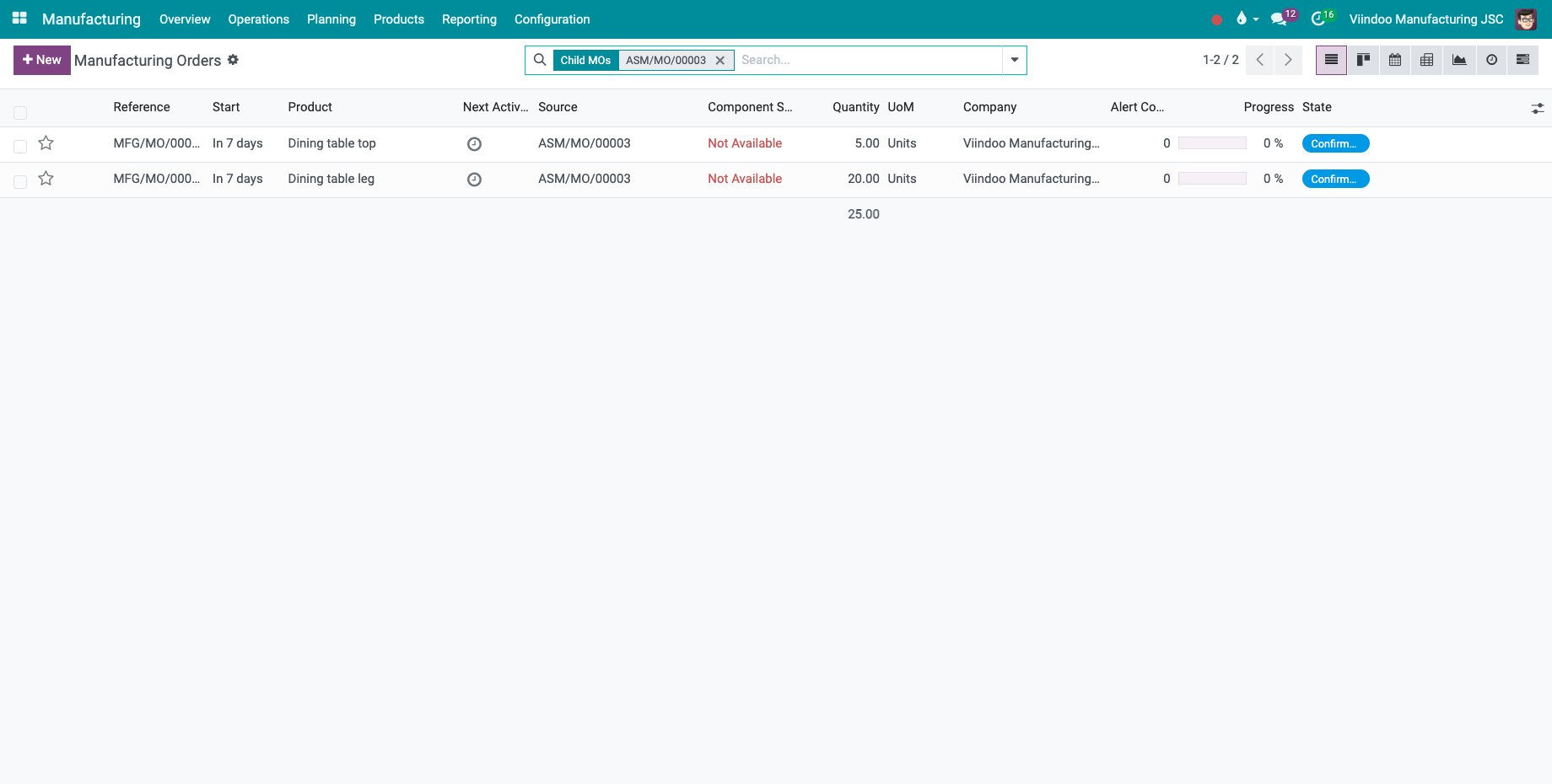
The list shows the child orders on every level, here the table top and the table legs of a dining table.
![The child orders of an order of dining tables]()
Search Source MOs for does the opposite: it lists the orders a child order was made for.
Common errors
Problem |
What to do |
|---|---|
The cost of the operations is 0. |
Set the cost per hour of the work centers. |
Print Labels prints product labels only. |
The product is not tracked, or the order has no lot yet. |
Next steps
Track manufacturing order progress: follow the quantity produced.
Cost accumulation and product cost report: the cost of the orders in accounting.
Shop Floor entries and work center overview: audit the recordings made on the tablets and read the direct labour cost of the orders.
See also
Related articles