
Manage subcontracts in the manufacturing process
A subcontracting order is a purchase order to the subcontractor for a product with a Subcontracting bill of materials. When you confirm it, Viindoo creates the transfer that sends the components and the receipt of the finished products. On the receipt you record the components the subcontractor consumed, then the products enter your stock.
Who |
Purchasers, who order from the subcontractor; warehouse staff, who send the components and receive the products. |
App |
Purchase, Inventory, Manufacturing |
Before you start
Subcontracting is set up, see Introduction to Subcontracting in Viindoo: the product has a Subcontracting bill of materials with the subcontractor, and the components have the Resupply Subcontractor on Order route.
Install the Purchase app.
The components are in stock.
The example of this article is a furniture maker. It makes the table tops and table legs, has a subcontractor paint them, receives the painted table tops and painted table legs, and assembles them into wooden tables.
How do I order from the subcontractor?
Go to Purchase ‣ Orders ‣ Requests for Quotation and click New, see How to create a purchase order.
![The list of requests for quotation with the New button]()
Choose the subcontractor as Vendor, add the painted table tops and painted table legs with their price, and click Confirm Order.
![A purchase order to the subcontractor for the subcontracted products]()


How do I send the components?
On the confirmed purchase order, click the Resupply smart button.
![The Resupply smart button of the purchase order]()
The transfer lists the components to send. Viindoo reserves them when the transfer is created.
![The transfer of the components to the subcontractor]()
When the transfer is Ready, click Validate: the components move to the subcontracting location.
![The validated transfer of the components]()


The warehouse staff can also find the transfer in Inventory ‣ Overview.
How do I receive the finished products?
On the purchase order, open the receipt with the Receipt smart button.
![The Receipt smart button of the purchase order]()
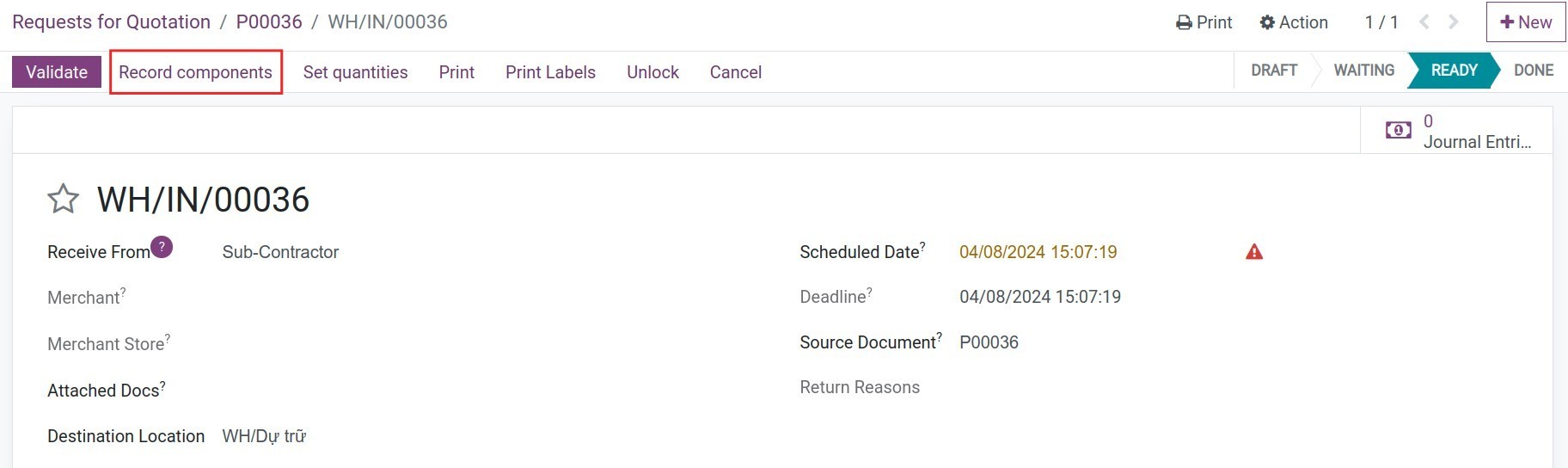
To record what the subcontractor really consumed, click Record components. When you skip it, validating the receipt records the quantities of the bill of materials.
![The Record components button of the receipt]()
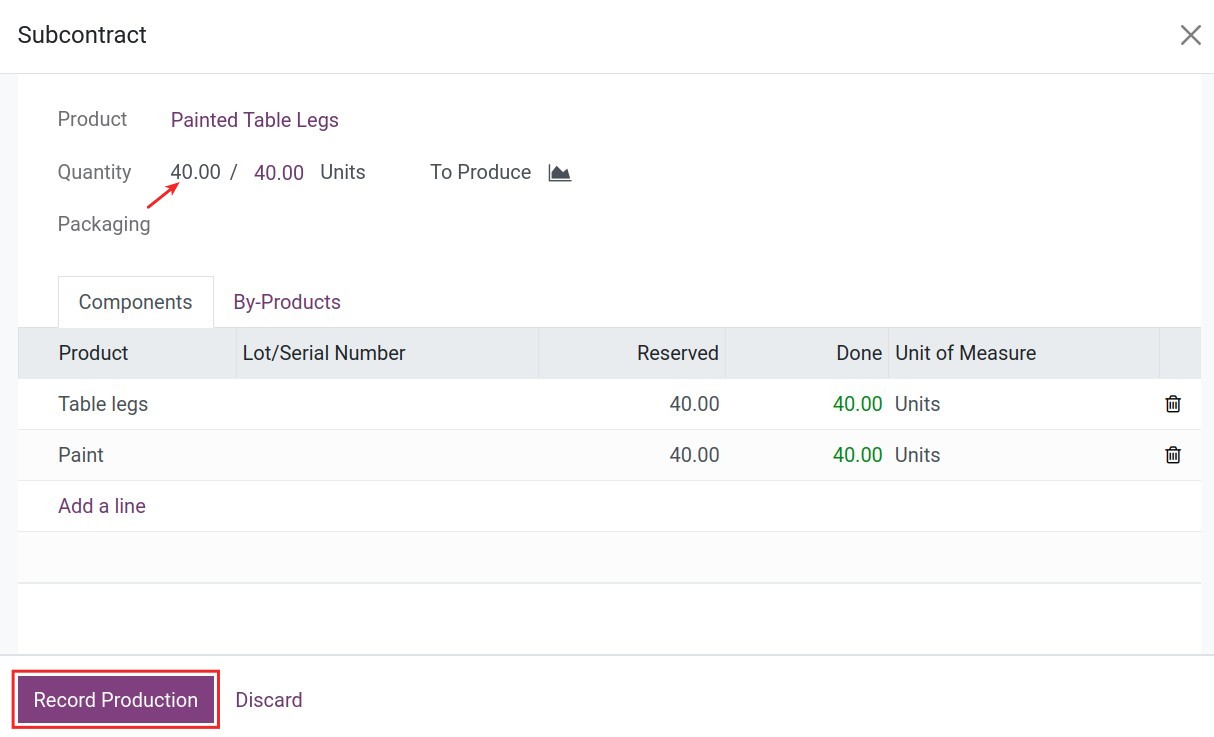
Type the quantity produced: the components consumed are computed from the bill of materials. Change them when the subcontractor used another quantity, then click Record Production.
![The quantity produced and the components consumed by the subcontractor]()
Back on the receipt, click Validate.
![The receipt of the subcontracted products]()
![The validated receipt of the subcontracted products]()



How do I follow the moves of the subcontracting?
Go to Inventory ‣ Reporting ‣ Moves History and filter on the products. You see the components moving from the stock to the subcontracting location, and the painted products moving from the subcontracting location to the stock.
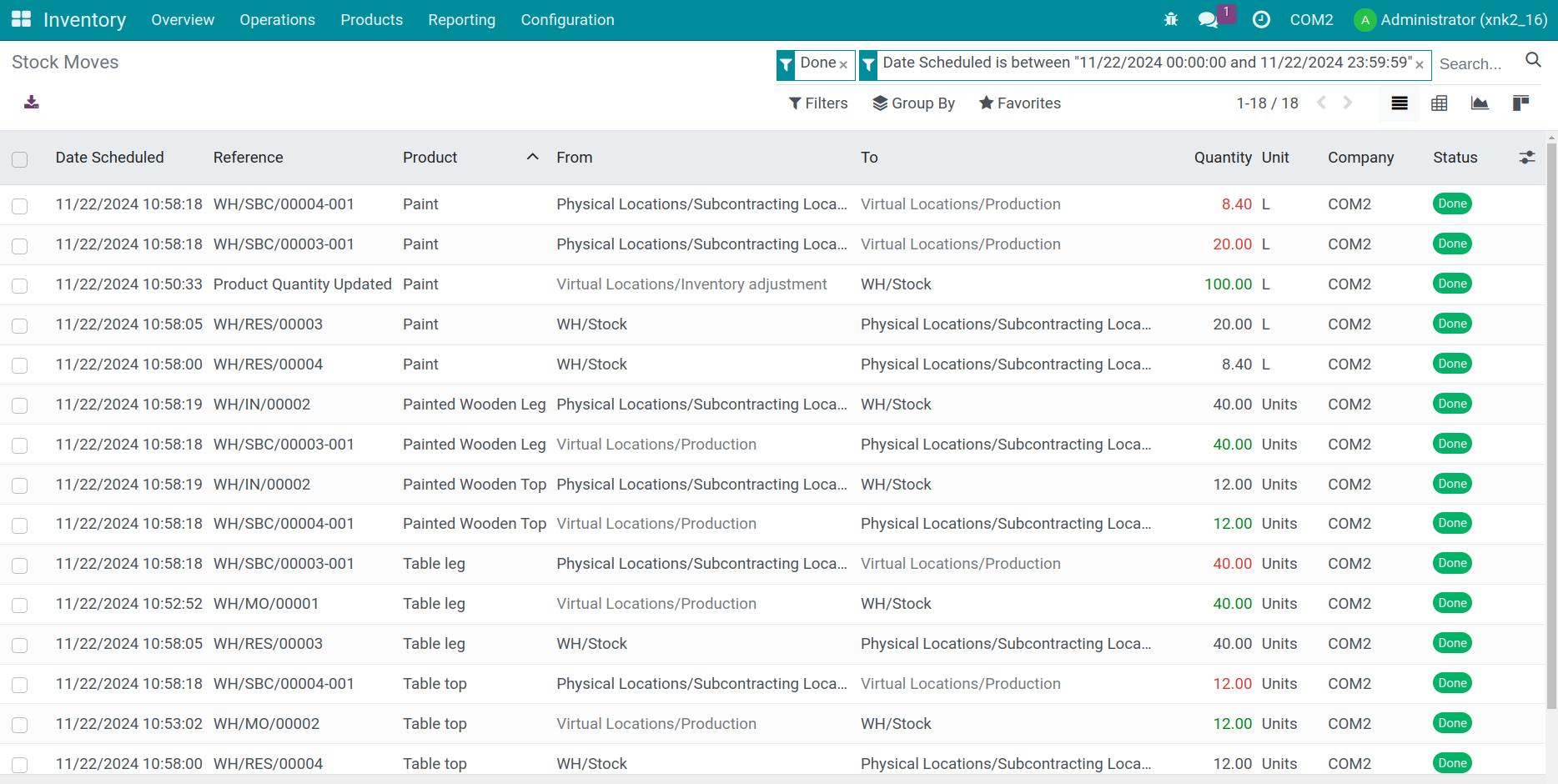
With the painted table tops and table legs in stock, create the manufacturing order of the wooden table, see Manage Manufacturing process in Viindoo. To add other costs of the subcontracting to the value of the products, use landed costs.
Common errors
Problem |
What to do |
|---|---|
The Resupply button is missing on the purchase order. |
Tick Resupply Subcontractor on Order on the components, and choose a vendor set as Subcontractor on the bill of materials. |
The transfer of the components stays Waiting. |
The components are not in stock: receive or make them first. |
The stock of the components is wrong after the receipt. |
The quantities of the bill of materials were recorded. Next time, click Record components and type the real consumption before Validate. |
Next steps
The Subcontracting Settlements and Reports: settle with the subcontractor.
Approving Subcontracting request: start the subcontracting from a manufacturing order.
See also
Related articles
Optional modules