
How to find your way around the CRM app
The CRM app has four menus: Sales (your pipeline, activities, quotations, teams and customers), Leads (only when the Leads setting is on), Reporting and Configuration. A typical flow is lead ‣ opportunity ‣ quotation ‣ sales order, and each step has its own menu.
Who |
Salespeople and sales managers. The Configuration menu is only for the Sales Administrator. |
App |
CRM |
Before you start
What is in the Sales menu?
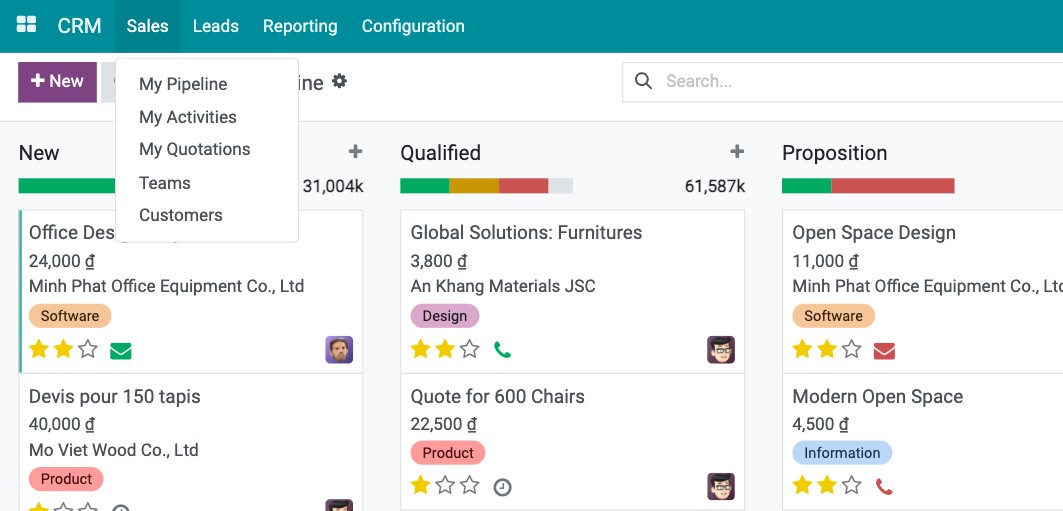
Menu |
What it is for |
|---|---|
My Pipeline |
Your opportunities in a kanban board, one column per stage (for example New, Qualified, Proposition, Won). Drag a card to the next column as the deal progresses. |
My Activities |
Your planned calls, emails and meetings on opportunities, late ones first. See How to plan calls, emails and meetings with your customers. |
My Quotations |
The quotations and sales orders you are responsible for. See How to create a quotation from an opportunity. |
Teams |
One card per sales team with its pipeline and figures. Only Sales Administrators see it. |
Customers |
Your customers’ contact records. |
Where are the leads?
Leads are an optional qualification step before opportunities. The Leads menu only appears after an Administrator ticks Leads in CRM ‣ Configuration ‣ Settings. See How to record a lead or an opportunity.
What reports are available?
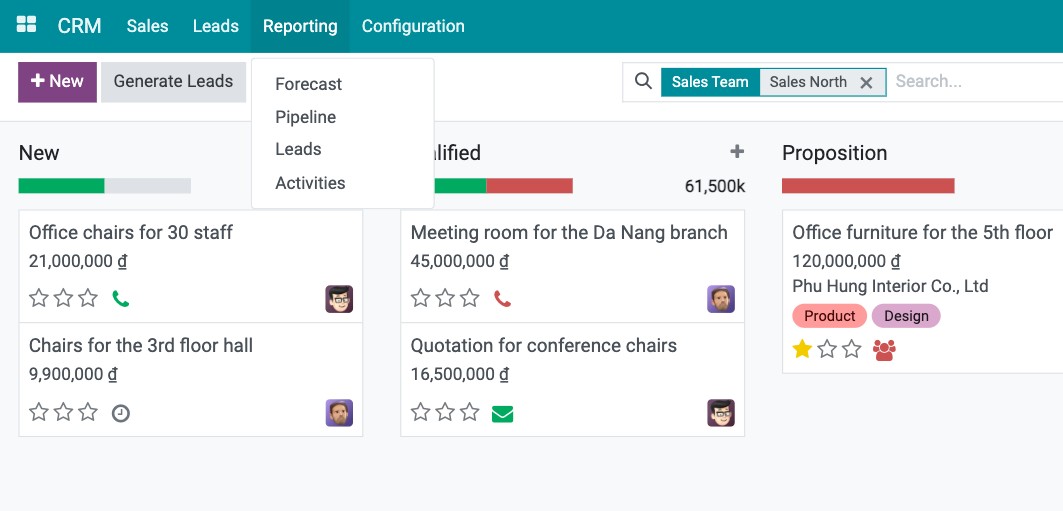
Report |
What it shows |
|---|---|
Forecast |
Expected revenue of open opportunities by expected closing month. |
Pipeline |
Opportunities by stage, salesperson, team, source and so on, as a chart, pivot table or list. |
Leads |
The same analysis for leads. |
Activities |
Calls, emails and meetings done or planned. |
Conversion Analysis |
A Sankey chart of how leads and opportunities flow from stage to stage until won or lost. Only when you also install the Viin CRM Sankey View module. |
What can I set up in Configuration?
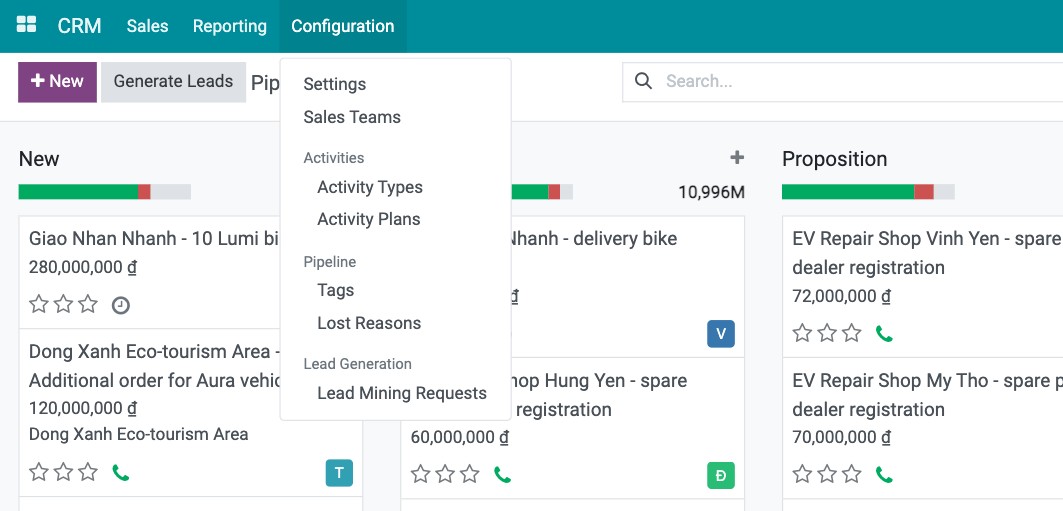
Settings (also needs the Settings administration right): turn on Leads, multiple sales teams per salesperson, recurring revenues, lead assignment rules and more.
Sales Teams: see How to set up sales teams and sales regions.
Activities ‣ Activity Types and Activity Plans: the kinds of follow-up actions and ready-made sequences of them.
Pipeline ‣ Tags and Lost Reasons: labels for opportunities and the reasons you record when a deal is lost.
Lead Generation ‣ Lead Mining Requests: requests for company data to create leads (a paid online service).
Common errors
Problem |
What to do |
|---|---|
There is no Leads menu. |
The Leads setting is off. Turn it on in CRM ‣ Configuration ‣ Settings or work directly with opportunities. |
There is no Configuration menu. |
Your Sales access right is not Administrator. |
Next steps
How to record a lead or an opportunity: record your first lead or opportunity.