
How to configure delivery methods
A delivery method tells Viindoo how much to charge a customer for shipping. Turn on Delivery Methods in the Inventory settings, then create the methods in : a Fixed Price, or Based on Rules that compute the cost from the weight, volume, price or quantity of the order. Salespeople then add the method to a sales order with Add shipping.
Who |
Users with the Inventory Administrator access right. |
App |
Inventory ‣ Configuration |
How do I turn on delivery methods?
Go to .
In the Shipping section, tick Delivery Methods and click Save.
![Delivery Methods ticked in the Shipping section of the Inventory settings]()

How do I create a delivery method?
Go to and click New.
Enter the name of the method, for example Standard delivery.
Choose the Provider: Fixed Price or Based on Rules (see the next sections).
Choose the Delivery Product: a product of type Service that appears on the sales order as the shipping cost. Create it first if needed (see How to create a new product).
![New delivery method form with the name, the provider and the delivery product]()
Click Save.

How do I charge a fixed shipping price?
Choose Fixed Price as the Provider, enter the amount in Fixed Price and, if you want free shipping on big orders, tick Free if order amount is above and enter the amount. If the order total (shipping excluded) reaches that amount, the shipping cost is 0.

How do I charge by weight, volume, price or quantity?
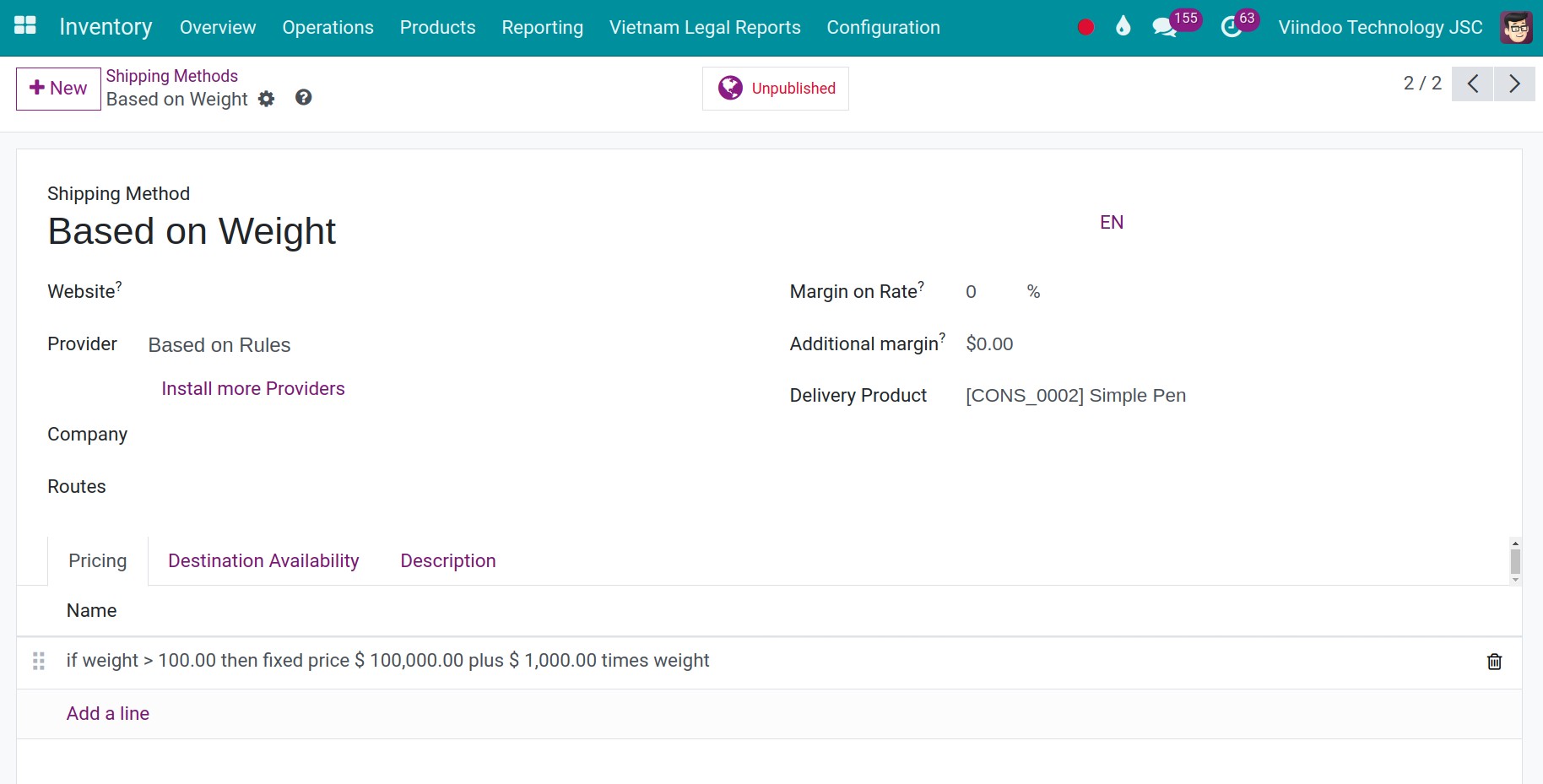
Choose Based on Rules as the Provider. Two fields adjust every price: Margin on Rate adds a percentage to the computed cost, and Additional margin adds a fixed amount.
On the Pricing tab, click Add a line.
Set the Condition: choose Weight, Volume, Weight * Volume, Price or Quantity, an operator and a Maximum Value.
Set the Delivery Cost: a base price plus a price multiplied by a Variable Factor, for example 100,000 plus 1,000 times the weight.
Click Save & Close, then Save.
![Price rule window with the condition weight above 100 and the delivery cost formula]()

Viindoo applies the first rule whose condition is true, in the order of the list. Drag the rules to change their priority. For example, one rule can say: if the weight is above 100 kg, the cost is 100,000 plus 1,000 times the total weight of the order.
How do I limit a method to some destinations or orders?
On the Availability tab, fill in the Destination (countries, states, zip prefixes) and the Content (maximum weight, maximum volume, tags the order must have or must not have). The method is offered only on orders that match. Choose a country before a state or a zip prefix.

Fill in the country, state and zip code of the customer address in the contact, otherwise the method is not offered. See How to create a new contact.
Which fields matter?
Field |
Effect |
If wrong or empty |
|---|---|---|
Provider |
Fixed Price or Based on Rules. |
Fields of the other provider stay hidden. |
Delivery Product |
The service product added to the sales order as the shipping cost. |
The method cannot be added to an order. |
Free if order amount is above |
Free shipping from this order amount (fixed price only). |
The customer always pays the fixed price. |
Variable Factor |
The quantity the price is multiplied by: weight, volume, price or quantity. |
The cost does not grow with the order. |
Availability |
Limits the method to some destinations or order contents. |
The method is offered to every order. |
Common errors
Message |
What to do |
|---|---|
Error: this delivery method is not available for this address. |
The customer address is outside the countries, states or zip prefixes of the Availability tab, or lacks a country. Complete the address or widen the destination. |
Not available for current order |
No price rule matches the order. Add a rule that covers its weight, volume, price or quantity. |
Next steps
How to invoice shipping cost to customers: add the method to a sales order and invoice it.
How to use routes and pull or push rules to supply a location: how routes move the goods you ship.