
How to record stock operations on a past date
To record a stock operation on a past date, install the Inventory Backdate module and add the user to the group Stock Backdate Operations. When this user validates a transfer, applies an inventory count or validates a scrap, Viindoo asks for the date to record; choose a date in the past and confirm.
Who |
A user of the group Stock Backdate Operations (it includes the Inventory User rights). |
App |
Inventory, with the Inventory Backdate module |
Before you start
Install the Inventory app.
Install the Inventory Backdate module: go to Apps, search Inventory Backdate and click Activate. It brings the Backdate Operations Access Rights module.
Know how to process a stock transfer.
Use it when you start working in Viindoo and must enter the opening stock of the previous year, or when goods moved last week but you encode them today.
How do I give a user the right to backdate?
Open the user in Settings ‣ Users & Companies ‣ Users, and in Access Rights, section Usability, choose Stock Backdate Operations. Only users of this group get the date window below; other users validate with the current date as usual.

How do I validate a transfer on a past date?
Open the receipt or delivery order and click Validate.
In the Validate with a Back Date window, choose the past date in Transfer Date, then click Validate.
![Validate with a Back Date window with the Transfer Date field]()

The transfer is done with the date you chose: its effective date, its stock movements and the incoming date of the goods use it.
Warning
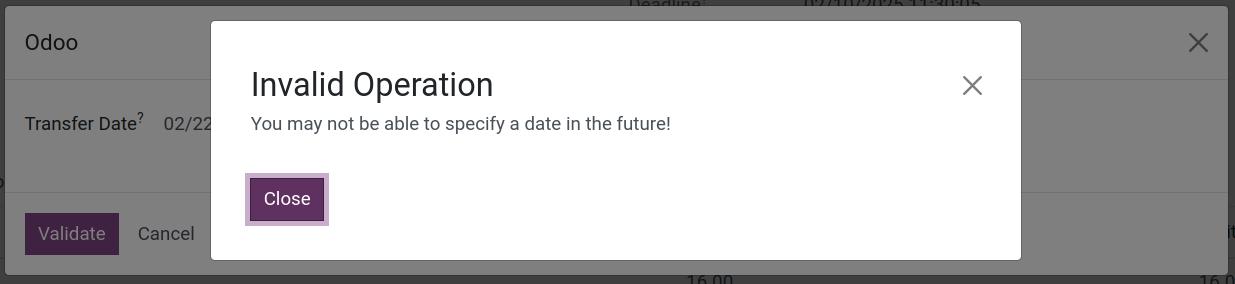
A date in the future is refused: You may not be able to specify a date in the future!
How do I apply an inventory count on a past date?
Example: you started counting on 31 December and finished on 12 February. In Inventory ‣ Operations ‣ Adjustments ‣ Physical Inventory, enter the counted quantities and click Apply. In the window that opens, change Inventory Date to 31 December and confirm. The adjustment movements and the last inventory date of the location use that date.

If the Accounting app is installed and the product has automatic valuation, the journal entry takes the same date.
How do I validate a scrap on a past date?
Go to Inventory ‣ Operations ‣ Adjustments ‣ Scrap, open the scrap order and click Validate.
In the window, set Actual Scrap Date to the past date and confirm.
![Backdate window with the Actual Scrap Date field]()

Common errors
Message or problem |
What to do |
|---|---|
You may not be able to specify a date in the future! |
Choose today or an earlier date. |
The date window does not appear. |
The user is not in the group Stock Backdate Operations, or the module is not installed. |
Next steps
Version notes
The module is called Inventory Backdate (
viin_stock_backdate); it replaces the older module names.The window is shown only to users of the group Stock Backdate Operations.